

Page 1
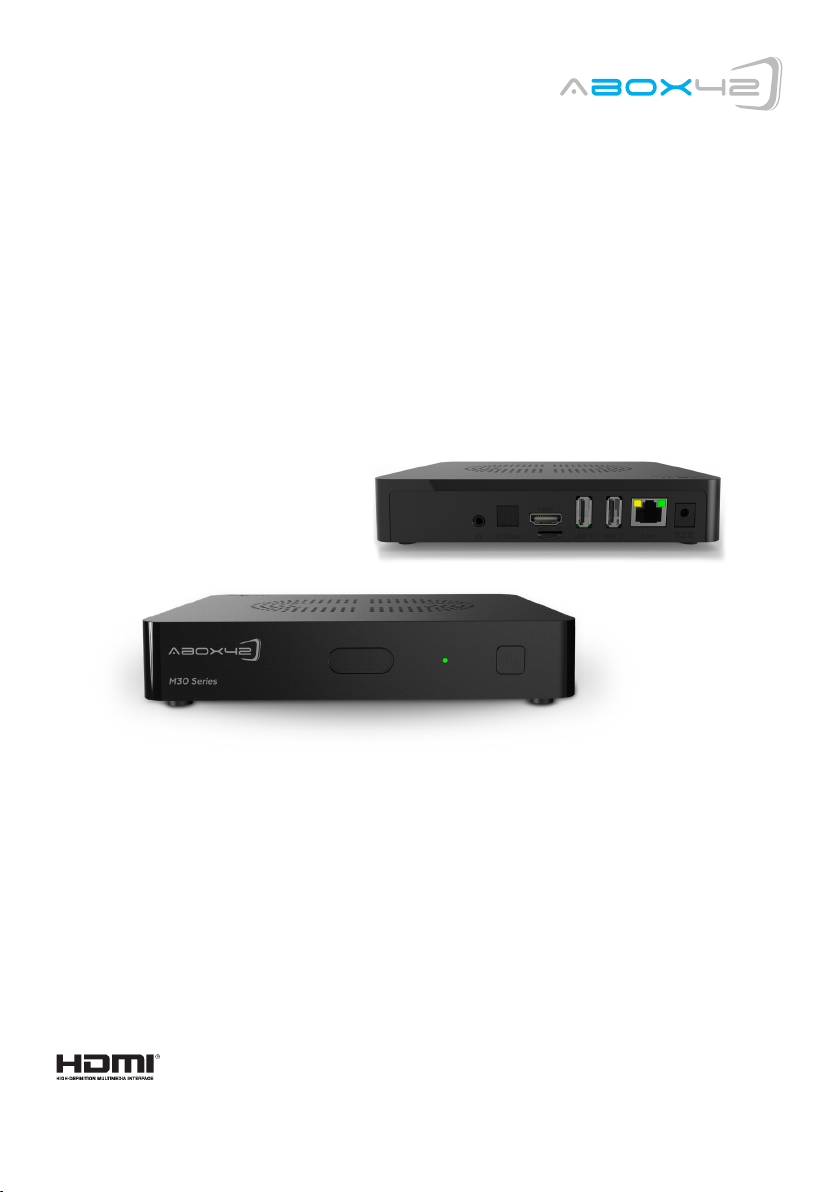
M30 User-Manual
The terms HDMI and HDMI High-Definition Multimedia Interface, and the HDMI Logo are trademarks or registered trademarks of HDMI
Licensing LLC in the United States and other countries.
Page 2

Table of content:
1. Safety Advice and Warning 3
2. End User License Agreement 6
3. Precautions 6
4. Remote Control 7
5. System 8
1. Safety Advice and Warning
Safety First! It is imperative that you take the safety advice and warning
seriously. This helps to prevent accidents and bodily injuries as well as property damages.
Please read this chapter carefully and follow all instructions. This ensures the reliable operation and
long lifespan of your M30 device. Keep the packaging and the instruction manual to be able to pass
them on to the new owner in case of sale of the device.
General preventive measures
• Do not allow children to play unsupervised with electrical devices. Children may not
always be able to recognize and assess possible danger.
• Keep packaging materials such as plastic film out of reach of children. There is danger of
suffocation.
• Disconnect the device from the power supply during a thunderstorm or lightening.
These preventive measures should also be taken when the device remains unattended
or not in use over a longer period of time. This will protect the device from damage by
lightening or electrical surge.
6. Initial Installation 9
7. Support 10
Warning – Property damage
General advise
Ignoring this advice may lead to injury, to the damage of the device, or to property damage.
• Ensure that no objects are inserted in the interior of the casing.
• Protect the device from overheating. Do not place the device near a heat source
(i.e. radiator or exhaust of a fan heater) and do not cover the ventilation slots.
The device may be damaged and/or there is fire hazard.
• Do not expose the M30 device to direct sunlight, high temperatures or high humidity.
The device may be damaged and/or there is fire hazard.
• Do not place any heavy devices, such as a video player or a television set on top of the
M30 device. The device may be damaged and/or there is fire hazard due to the
impairment of the ventilation/cooling.
• Do not place the device on upholstered furniture or carpets or easily inflammable
materials. There is danger of overheating and fire.
• Never use force when connecting the cables. There is probably a reason if the cable
does not fit into a jack or an electrical outlet. Ensure that the plug is suitable for the
outlet and that it is connected in the intended direction.
• Do not modify or manipulate the device cables or connectors.
• Take care that the cables are not twisted or bent.
• Always pull on the plug and never on the cable when separating a cable connection.
• Ensure that at least one end of the adapter can be reached easily in order to disconnect
the device from the power supply in an instant.
• Disconnect the M30 device from the power supply prior to cleaning. Clean the device
with a slightly damp, never a wet cloth. Do not use a solvent.
3
Page 3
Requirements on the operating environment.
Ignoring this advice may lead to malfunction or damage to the device.
• Set up the device only indoor in order to protect it from harmful environmental impact.
• Keep the M30 device, as well as all connected devices away from humidity and avoid
dust, heat and direct sunlight.
• Protect the device from moisture, humidity and liquids of any kind. These may lead
to damage or destruction of the device and in an extreme case may cause a fatal elec
tric shock.
• Ensure that the M30 device has a minimum clearance of 10 cm to other devices, such as
television sets or video recorder, which could cause electro-magnetic interference.
• Ensure sufficient ventilation when placing the device on a shelf or bookcase.
• Do not position the M30 device on an instable cart, rack, tripod, console or table from
which it could fall down. The device could be damaged, bodily injury could occur or other
devices or furnishings could be damaged.
• Wait after transportation of the device with the start of operation until the device has
reached the surrounding temperature.
• Great deviation in temperature and humidity may result in the accumulation of moisture
within the device due to condensation which may lead to short-circuit.
• The device may be operated in a surrounding temperature or 0°C ~ +40°C and relative
humidity of 10% to 80% (non-condensing).
Danger to Persons
General Advice
Ignoring this advice may lead to accidents, minor to major injuries, to damage of the device or to property damage.
• Never use the adapter in a moist environment. Never touch the adapter with moist
hands or moist feet. Contact with 230V voltage may have a fatal impact.
• Ensure that all electrical connections are carried out prior to connection of the M30
device. Always pull the power plug prior to connecting or disconnection cables.
• Always connect the adapter first to the jack on the back of the M30 device, prior to
connecting the other end of the cable to the power outlet.
• Never attempt to repair the device. There is danger of electric shock if the device is
repaired, opened or taken apart by unauthorized persons. Please contact the B-12
support team (rear page of the cover)
• Ensure that the M30 device does not come in contact with liquids, dripping or splashing
water. Furthermore, no water filled vessels, such as vases may be placed on the device.
• In case liquids should get inside the device, immediately pull the power plug from the
power outlet and contact the M30 support team (rear page of the cover).
• Ensure sufficient ventilation around the adapter when the device is connected to it. Do
not cover the adapter with paper or other objects which could obstruct cooling.
• Connect the adapter only to a 110 or 230 V power outlets. The adapter has the
following parameters: Input: 100 - 240 V ~ 50/60 Hz 500mA
Output: 5 V --- / 2,5A
• Never connect the adapter to a direct current source, as this could cause fire or
short-circuit.
• Never use the adapter when the cable is damaged.
• If you suspect malfunction of the adapter, contact the M30 support team.
• Never open the casing of the device and /or the adapter; they do not contain parts that
require maintenance. When opening the casing risk of fatal injury from electric current
exists.
• Do not place any objects on the device and do not apply pressure on it.
• Ensure that the device is not dropped and the casing is not damaged. There is danger
of fire or electric shock.
Danger due to the use of batteries
• For the remote control use two micro batteries of the type AAA, R03, UM4, 1,5V. Do
not use the remote control in humid, wet or caustic environment. Do not store or use
the remote control in the vicinity of sources of heat, in high temperature, in direct
sunlight, in microwave ovens or in pressure vessels. Do not expose the remote control
to temperatures exceeding 60°C. Otherwise the batteries could lose battery filling
agent, heat up or burn and result in further property damage or bodily injury.
• Do not open or perforate the batteries. The battery filling agent may cause injuries or
property damage.
• Ensure that you do not come in contact with the battery acid.
• Immediately and thoroughly wash the parts of the body that have come in contact with
battery acid and promptly seek medical advice.
• Remove the batteries if the remote control will remain unused over a longer period of
time.
• Remove exhausted batteries immediately.
• Under no circumstance mix new and old batteries.
• Do not use rechargeable and disposable batteries.
• Do not use batteries of different manufacturers.
• Danger of an explosion exists during incorrect exchange of the batteries or insertion of
the wrong type of batteries.
• Never attempt to recharge disposable batteries. There is danger of explosion, electric
shock or fire.
• Do not expose the batteries to excess heat such as sunlight, fire or the like. There is
danger of fire or explosion.
• Dispose of the batteries according to the legal requirements.
54
Page 4
2. End User License Agreement
Please read this Agreement before using this product. You promise:
1.Do not dismantle this product for unwarrantable reason.
2.Do not read and renovate firmware of this product.
3.Do not apply reverse engineering and disassembling to the related software and code of this product.
4.This product and license agreement could be transferred to the third party under the precondition
that the third party accept these items and conditions. Your usage license is invalid automatically once
the complete or part of the product is transferred to the third party.
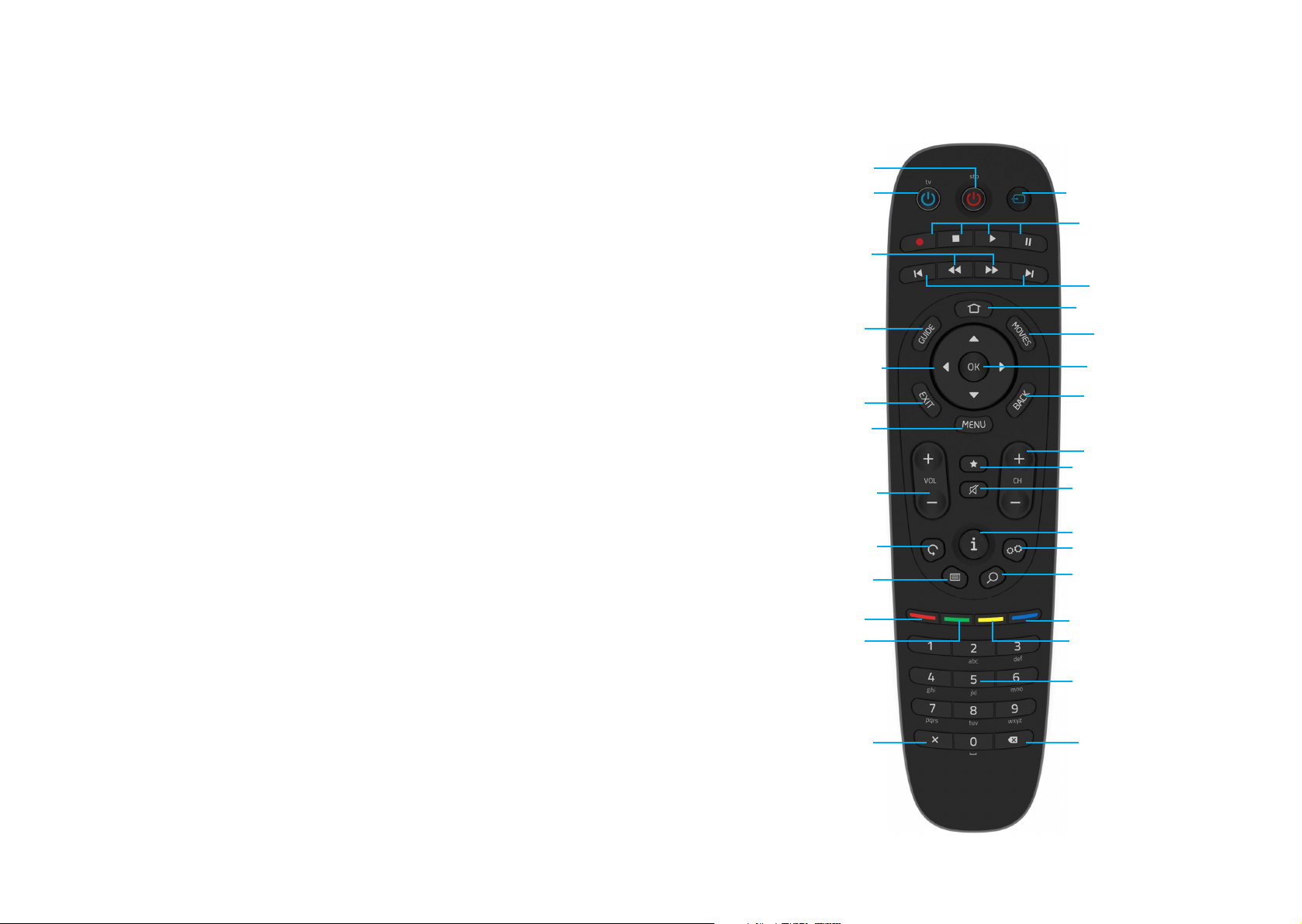
4. Remote Control
Power on or off (BOX)
Power on or off (TV)
Source
About user’s manual:
User should read this manual carefully before using. We are not responsible for the direct or indirect
losses caused by hardware damage, program damage, file lost and system breakdown as a result of
improper operation. Pleaseunderstand! Now you must have read this
carefully, understood this and agreed to abideby every item.
3. Precautions
Respectable clients, thank you for purchasing this product. Hope that you can have fun with our product. Please carefully read the following precautionsbefore using.
Do not expose this device in the rain or wet environment so as to prevent fire or electric shock. To reduce fire risk, electric shock or product damage, please prevent it from rain, humidity, and water.
Safety instruction
1. Do not put the plug near heat resource.
2. Do not put heavy objects on the plug.
3. Do not disassemble and fix the power line.
4. For your safety, do not open this cabinet to expose the inner component.
For maintenance, please ask for professionals.
Maintenance tips
1. Since this device is very complicated, only the professionals could open the device in
order to avoid damage to the device.
2. Users can not disassembly components optionally. Maintenance warranty is invalid if
the machine is opened privately.
3. If it indeed needs fixation, please contact the local maintenance department.
4 If parts or accessories need replacing, repairer must use the accordant
original components.
Fast rewind; Fast forward
Guide
Left. Right,
Up, Down
Exit
Menu
Volume
Reload
Teletext
Red Button
Green Button
Abort
Record, Stop, Play, Pause
Chapter rewind; Chapter forward
Dashboard
VOD Service
Enter
Back
Program Up, Down
Favourite
Mute
Info
Settings
Search
Blue Button
Yellow Button
Number Pad
Delete
76
Page 5
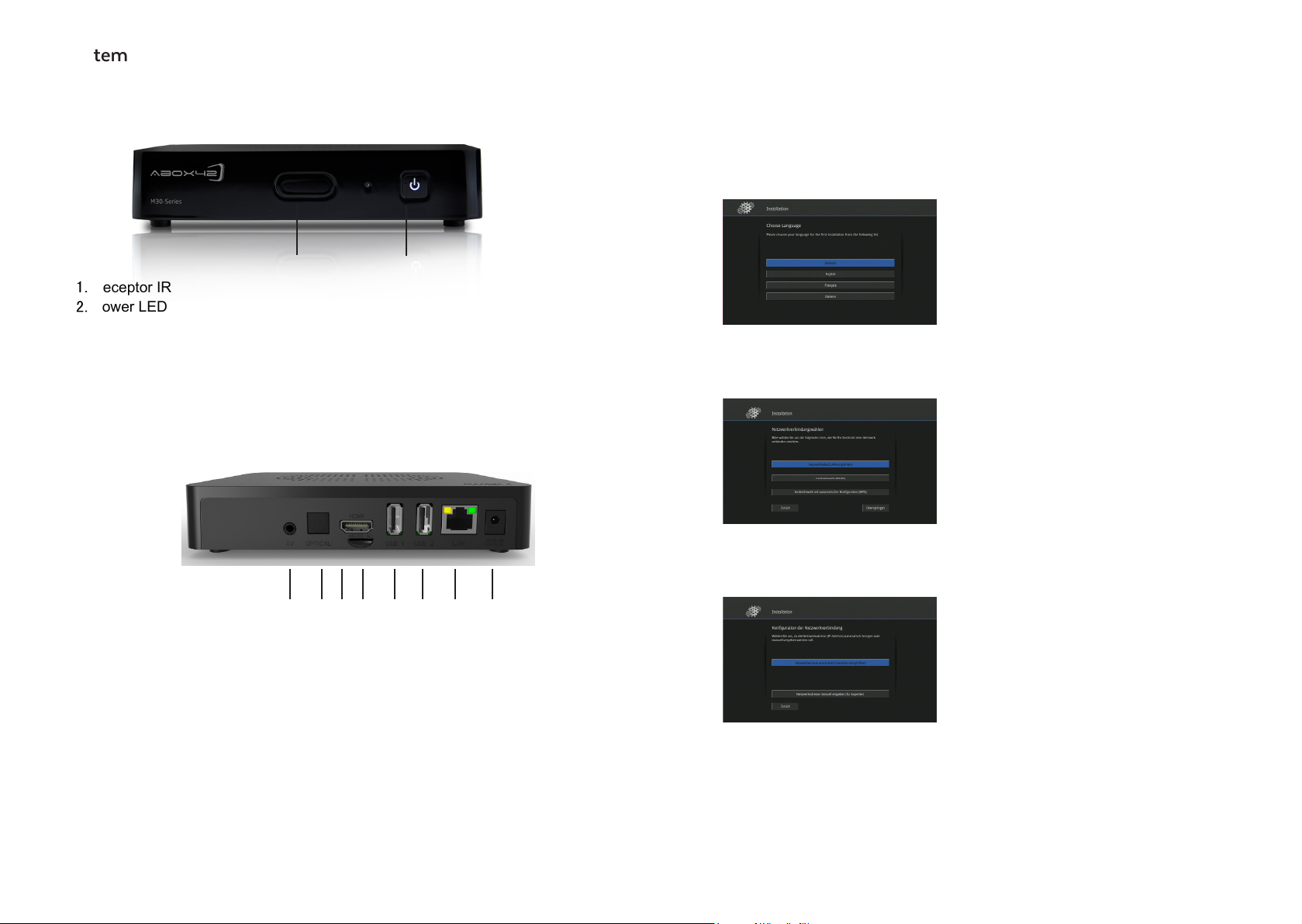
5. System
6. Initial Installation
The initial installation of your M30 device is directed by a user friendly installation assistant. The initial
installation begins automatically, as soon as the device is supplied with electrical power for the first time
and after a reset. You are guided through the menu by a simple dialogue. Just follow the instructions on
the television screen and select your language, your internet connection and your current software version.
Select language
Select the desired language and confirm with OK.
Receptor IR
Power LED
3. AV
4. S/PDIF
5. HDMI*
6. MICRO SD
7. USB**
8. USB**
9. LAN
10. DC IN***
1
*The terms HDMI and HDMI High-Definition Multimedia Interface,
and the HDMI Logo are trademarks or registered trademarks
of HDMI Licensing LLC in the United States and other countries.
**USB load with 5V / 500mA
***Power supply by: Chou Sen Electronics (Shen Zhen) Co., Ltd.
5150 - 5350MHz restricted to indoor use
2
765
8 9 1043
Select network connection
Select the desired network connection and confirm with OK.Note: We recommend performing
the initial installation with the aid of a network
cable (LAN).
Configuration of the network connection
Confirm the selection with OK. The network connection will now be established. You will receive the
cue: Connection established successfully.
Note
Follow the further installation instructions on your television screen. Should your M30 device not be able to
establish an internet connection, you will receive an appropriate cue. Check your router settings and make
another attempt.
98
Page 6
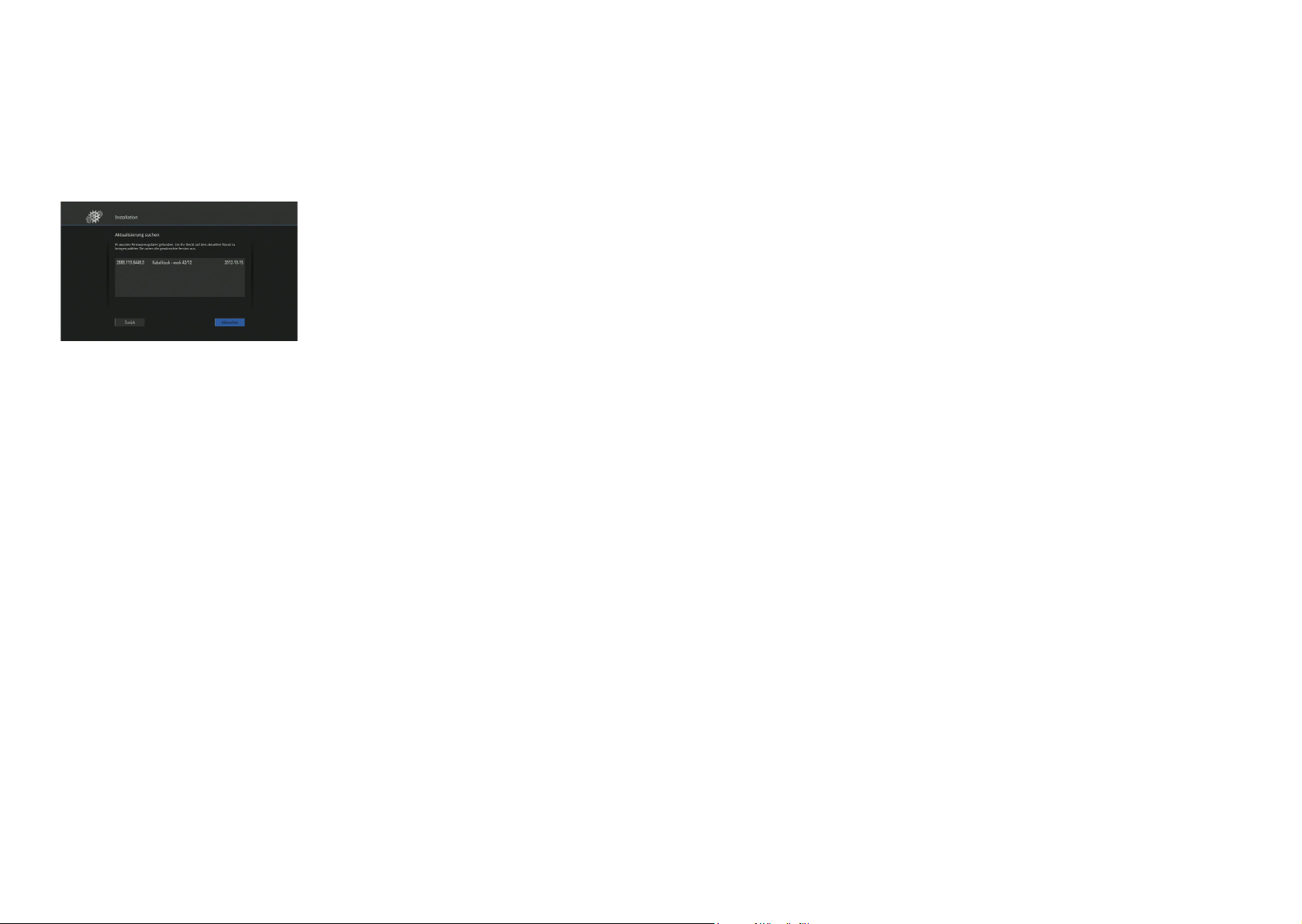
Update search
Select the most current software version and
confirm with OK. The update of the software will
now start. Confirm completion of the update with
Continue . The installation has now been completed and the M30 device will be re-started. This
process may take up to one minute. Please do
not disconnect the device from the power supply.
7. Support
Please contact your network operator for any support questions.
Manufacturer Address:
ABOX42 GmbH
Amalienbadstrasse 41
76227 Karlsruhe
Germany
www.abox42.com
Changes or modifications not expressly approved by the party responsible for compliance could void
the user’s authority to operate the equipment.
This equipment has been tested and found to comply with the limits for a Class B digital device, pursuant to Part 15 of the FCC Rules. These limits are designed to provide reasonable protection against
harmful interference in a residential installation. This equipment generates, uses and can radiate radio
frequency energy and, if not installed and used in accordance with the instructions, may cause harmful
interference to radio communications. However, there is no guarantee that interference will not occur in
a particular installation.
If this equipment does cause harmful interference to radio or television reception, which can be determined by turning the equipment off and on, the user is encouraged to try to correct the interference by
one or more of the following measures:
-- Reorient or relocate the receiving antenna.
-- Increase the separation between the equipment and receiver.
-- Connect the equipment into an outlet on a circuit different from that to which the receiver is connected.
-- Consult the dealer or an experienced radio/TV technician for help.
(5G(
(1)the device for operation in the band 5150-5250 MHz is only for indoor use to reduce the potential for
harmful interference to co-channel mobile satellite systems;
(2)the maximum antenna gain permitted for devices in the band 5725-5825 MHz shall comply with the
e.i.r.p. limits specified for point-to-point and non point-to-point operation as appropriate.
(3) Users should also be advised that high-power radars are allocated as primary users (i.e. priority
users) of the bands 5250-5350 MHz and 5650-5850 MHz and that these radars could cause interference and/or damage to LE-LAN devices.
This equipment complies with FCC radiation exposure limits set forth for an uncontrolled environment.
This equipment should be installed and operated with minimum distance 20cm between the radiator
and your body. This transmitter must not be co-located or operating in conjunction with any other antenna or transmitter.
1110
Page 7

This device complies with Part 15 of the FCC Rules. Operation is subject to the following two conditions:
(1) this device may not cause harmful interference, and (2) this device must accept any interference received, including interference that may cause undesired operation.
 Loading...