

Page 1

USB2.0 ATSC TV STICK
USER’S MANUAL
Part 1 Product Instruction
Thank you for choosing USB 2.0 ATSC TV Stick!
The TV Stick adopts the latest digital audio-video
multimedia processing chipset, supports ATSC/QAM
HDTV signal receiving.It’s built-in multinomial digital
audio-video upgrading technology, with high antiinterfere ability, and the chroma is vivid. It is fully
compatible with USB2.0 HI-speed and Plug & Play
standard, easy to install and use. The shape is delicate
for carrying on conveniently. The shell is made of thick
aluminum alloy materials, with anti-deformation, anti-fal l,
wear-resisting characteristics. Using the product, you can
capture and record video of ATSC digital TV, which
makes your computer a multimedia audio-video center.
Enjoy your new digital audio-video life!
1
Page 2

USB2.0 ATSC TV STICK
USER’S MANUAL
1.1 Features
◆ HI-speed USB2.0 port, Plug & Play
◆ Powered via USB without adaptor d evice
◆ Watch ATSC&QAM TV program and listen to radio
on your PC
◆ Support up to 1920x1080(HDTV)
◆ Dolby Digital AC3 Audio Output
◆ Auto & manually scan all available channels
◆ Support Time-Shift and scheduled recording function
◆ Support EPG (Electronic Program Guide)/Subtitle/Teletext
◆ Capture images in JPEG format
◆ With Infrared Remote Control
1.2 Product Specification
◆ Support Windows2000 SP4 / XP SP2 / Vista
◆ Window / full-screen show
◆ Support 8-VSB & QAM demodulation (ATSC)
◆ Support overlay show
◆ Support video-background function
2
Page 3
USB2.0 ATSC TV STICK
USER’S MANUAL
Part 2 System Requirements
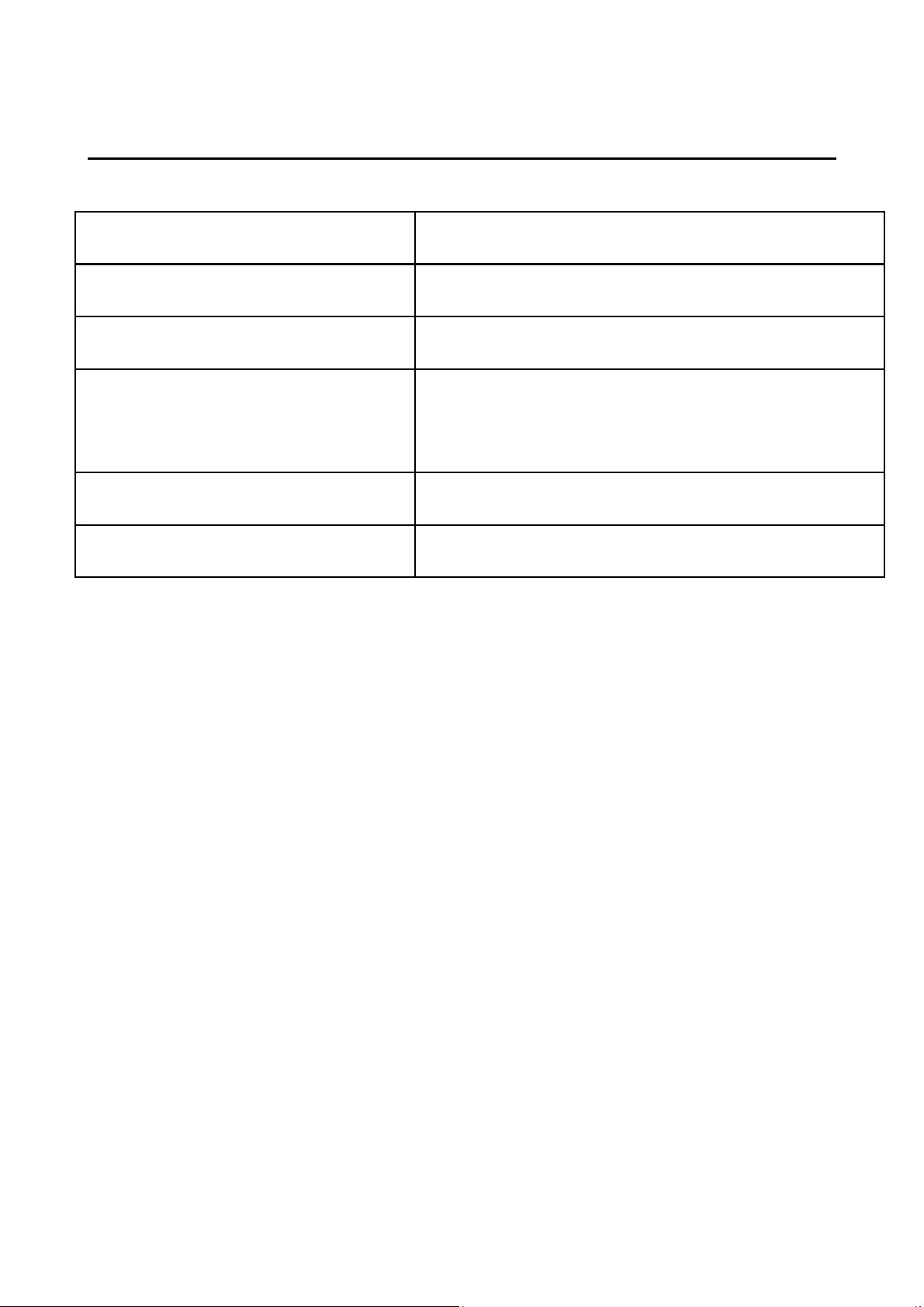
Basic allocation Recommended allocation
CPU P4 1.7G P4 2.0G or higher
RAM 128M RAM 256M or higher
VGA Card
VGA Card, 64Memory or higher
32M Memory
Win2000 SP4 Windows XP SP2/Vista
Directx9.0 Directx9.0C
Part 3 Product list
◆USB2.0 TV Stick 1 piece
◆Antenna Cable 1 piece
◆Remote Controller 1 piece
◆User’s Manual 1 piece
◆Driver & Application CD 1 piece
3
Page 4
USB2.0 ATSC TV STICK
USER’S MANUAL
Part 4 Driver installation
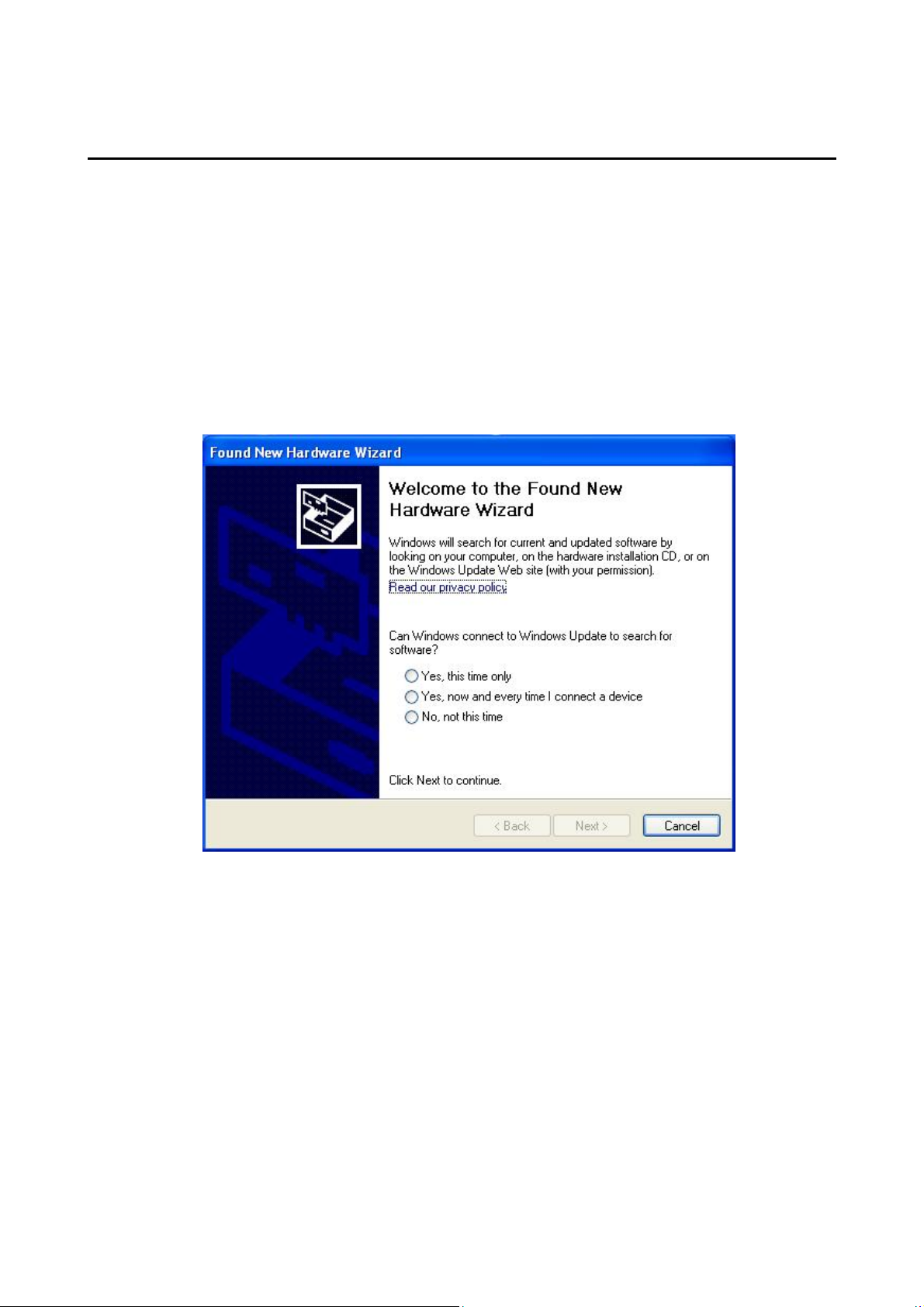
● Before the Driver installed, please insert the CD into
CD-ROM and connect the USB TV Stick to your PC.
When the following window appears, please choose
“No, not this time” and click “Next”:
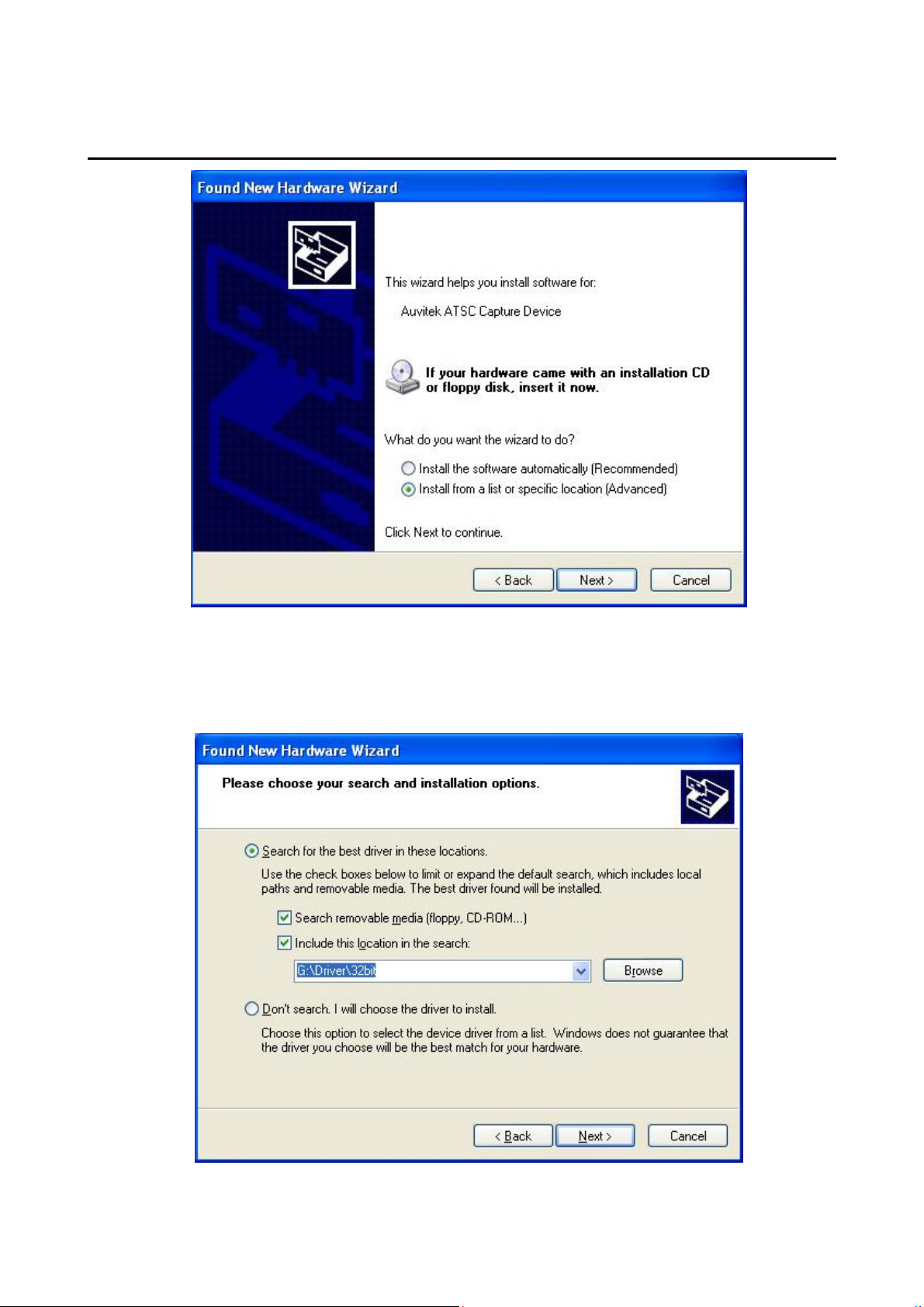
● When the following window appears, please choose
the second option and c lick “Next”
4
Page 5
USB2.0 ATSC TV STICK
USER’S MANUAL
● Then choose the path of driver in CD, and click
“Next”:
5
Page 6
USB2.0 ATSC TV STICK
USER’S MANUAL
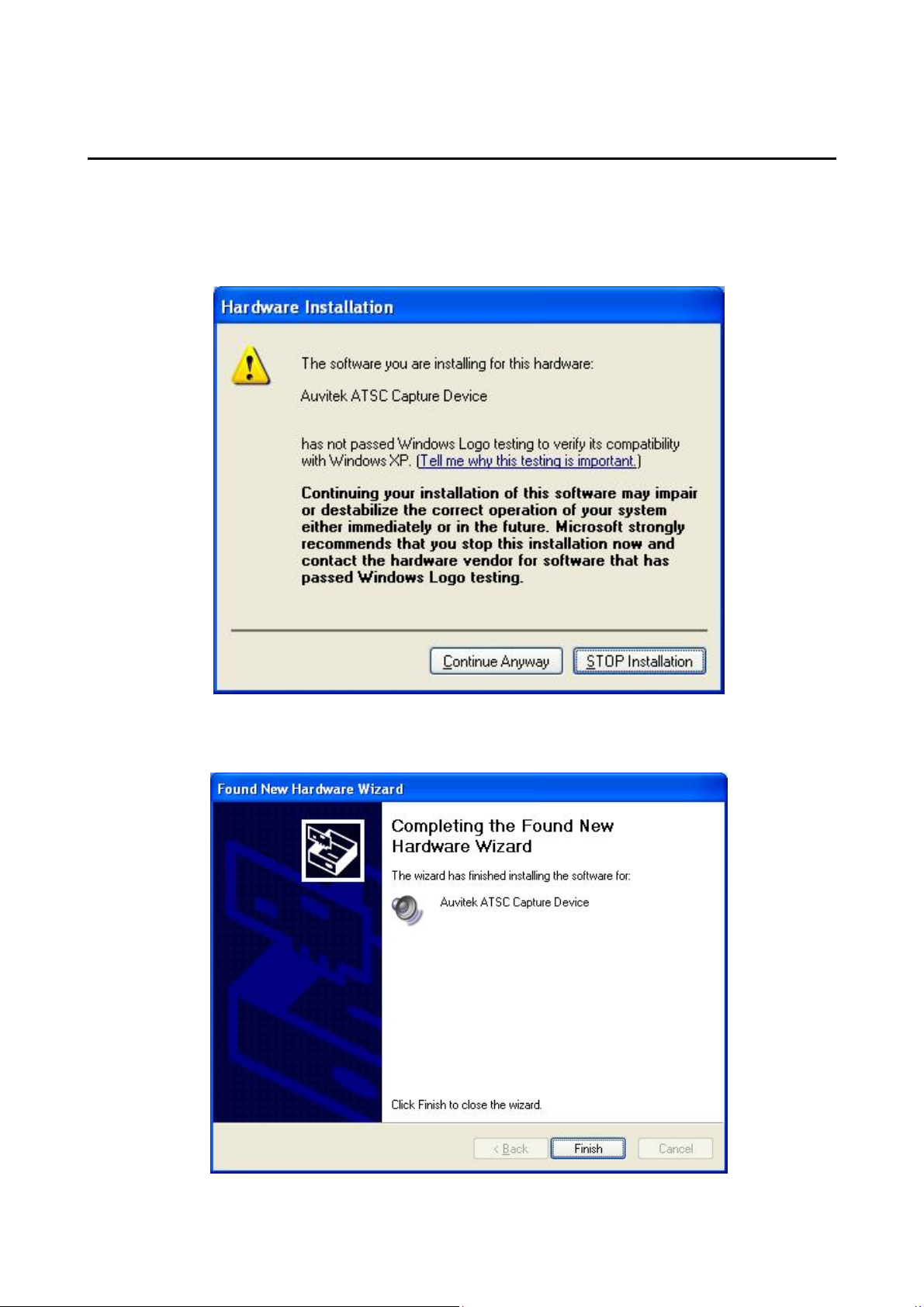
● Window will prompt t he flowing d ialog ue box, please
click “Continue Anyway”:
● Please click “Finish”:
6
Page 7
USB2.0 ATSC TV STICK
USER’S MANUAL
Part 5 Application installation
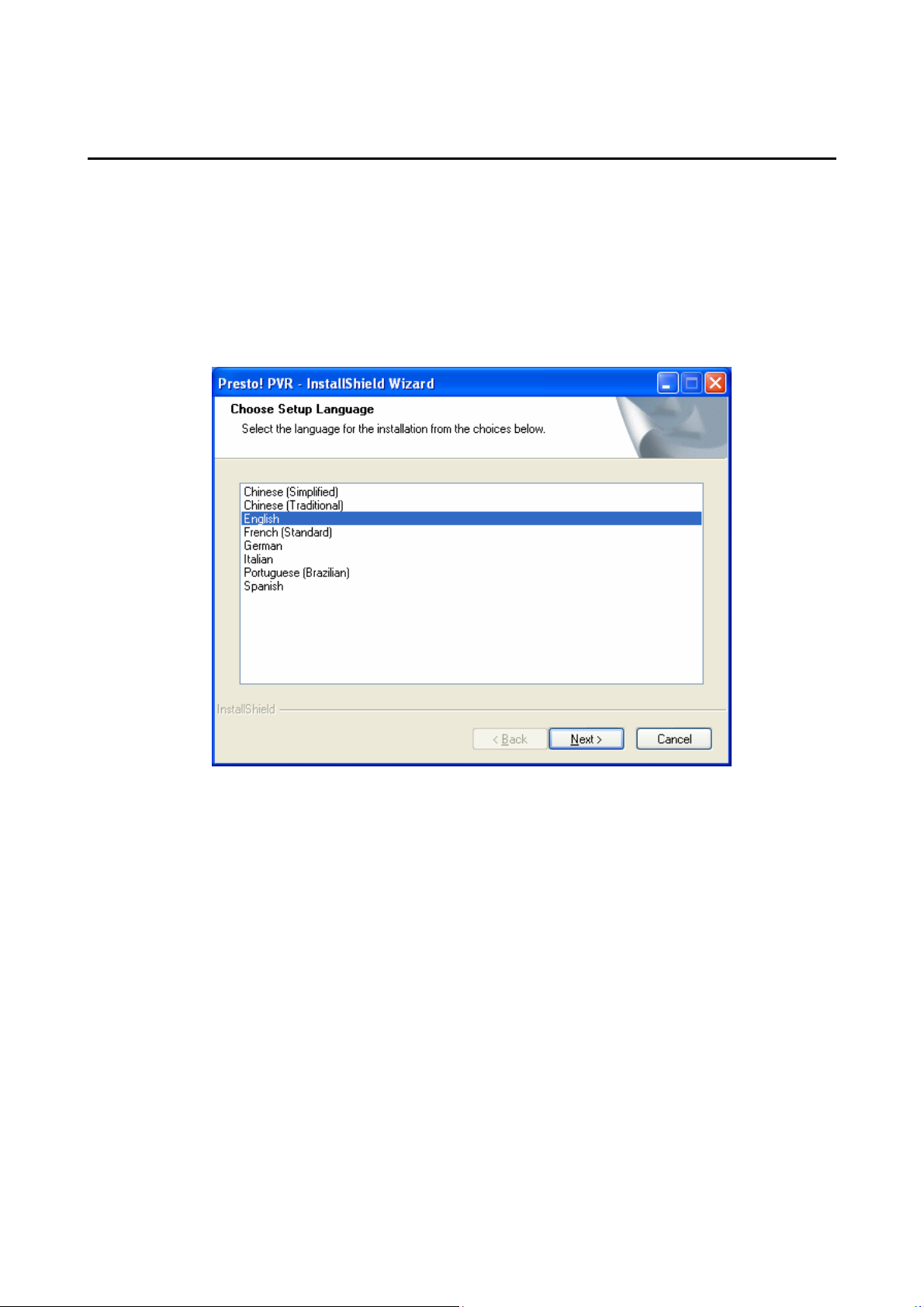
● Click “Setup.exe” file under the Application list in the
CD, when the following window appears, select the
language and click “Next”:
7
Page 8
USB2.0 ATSC TV STICK
USER’S MANUAL
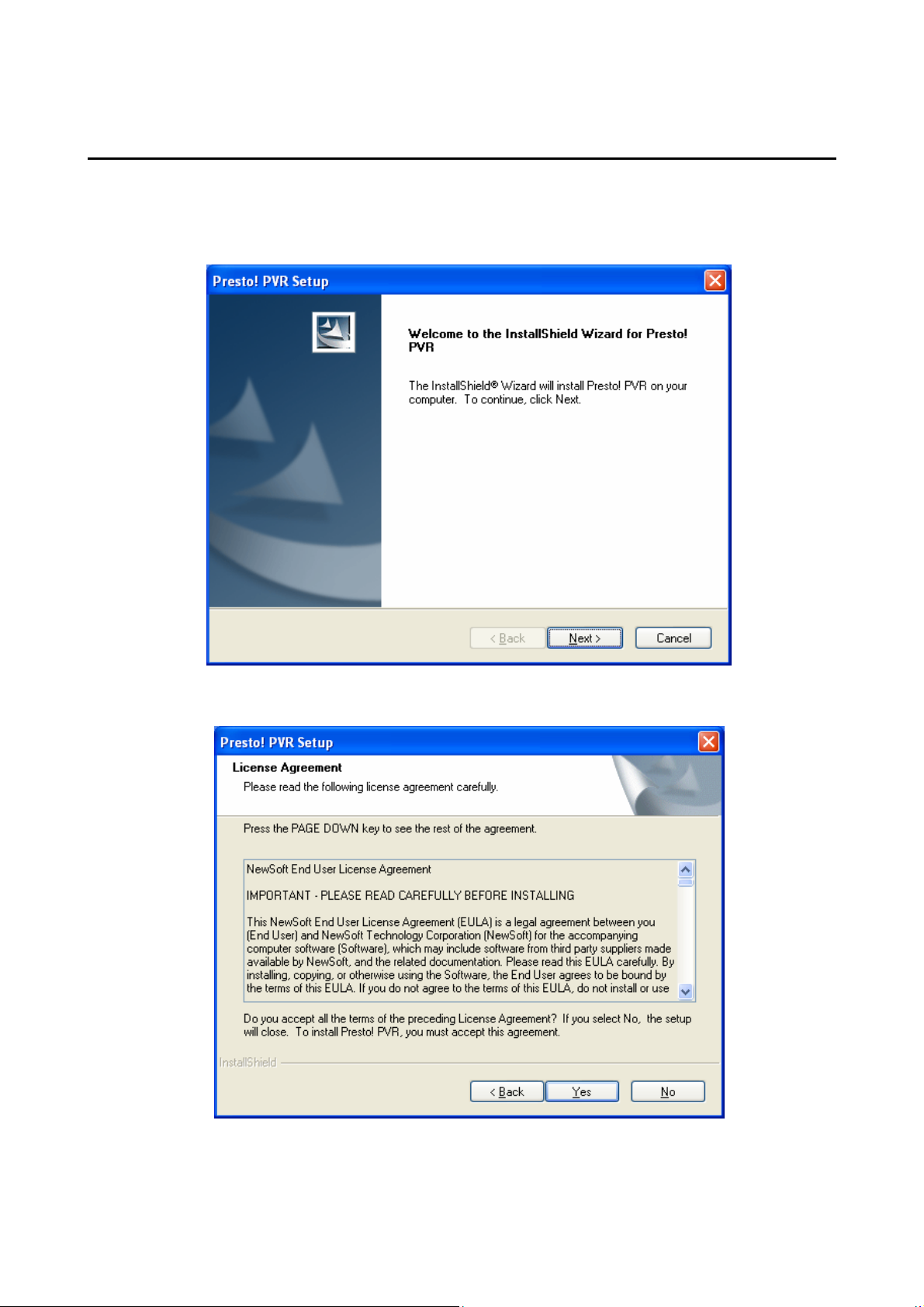
● When the following window appears, please click
“Next”:
● Please click “Yes”:
8
Page 9
USB2.0 ATSC TV STICK
USER’S MANUAL
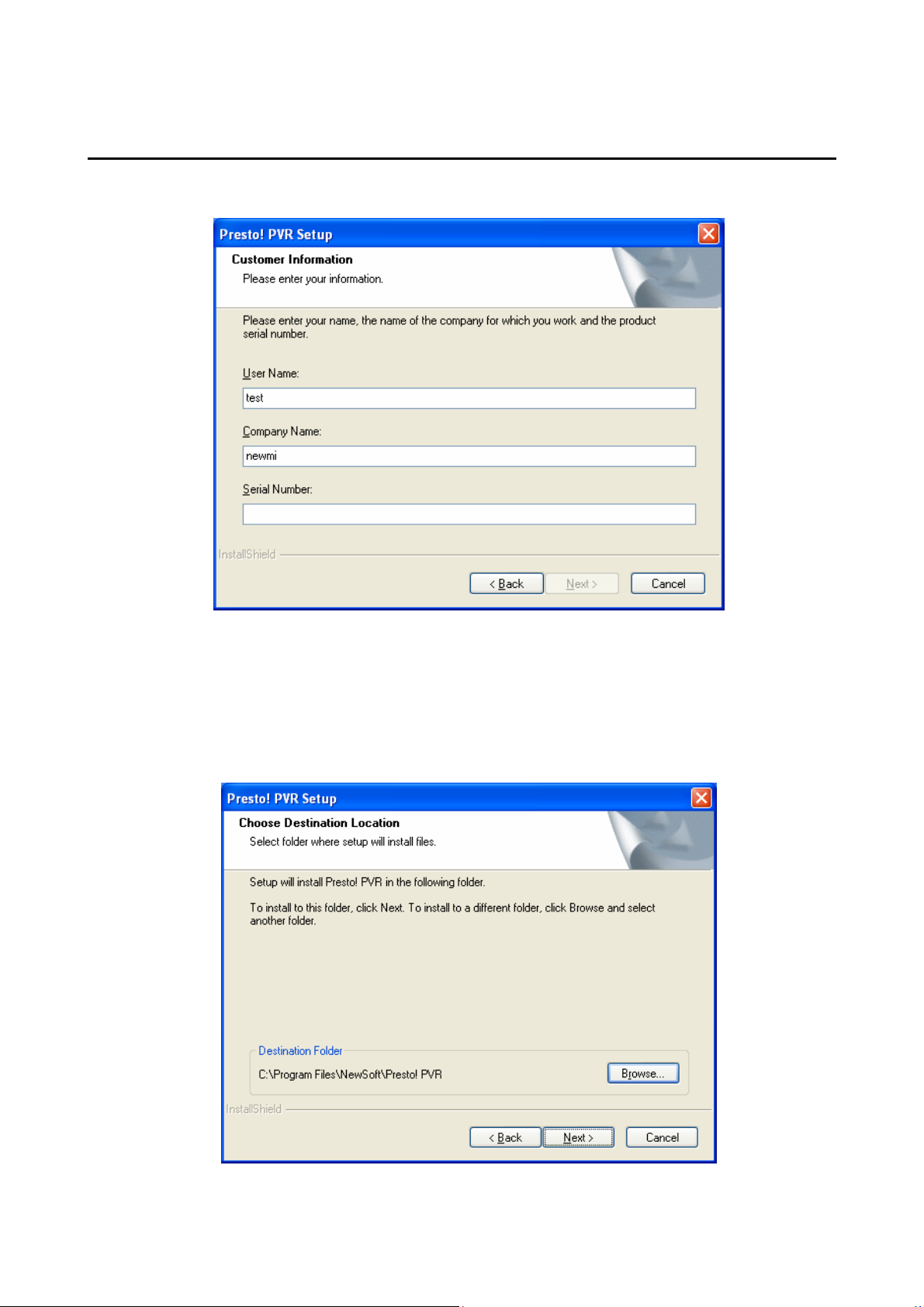
● Enter Serial Number and click “Next”:
● Choose the path to install (default as system disk
C:\Program Files\NewSoft\Presto! PVR), click
“Next”:
9
Page 10
USB2.0 ATSC TV STICK
USER’S MANUAL
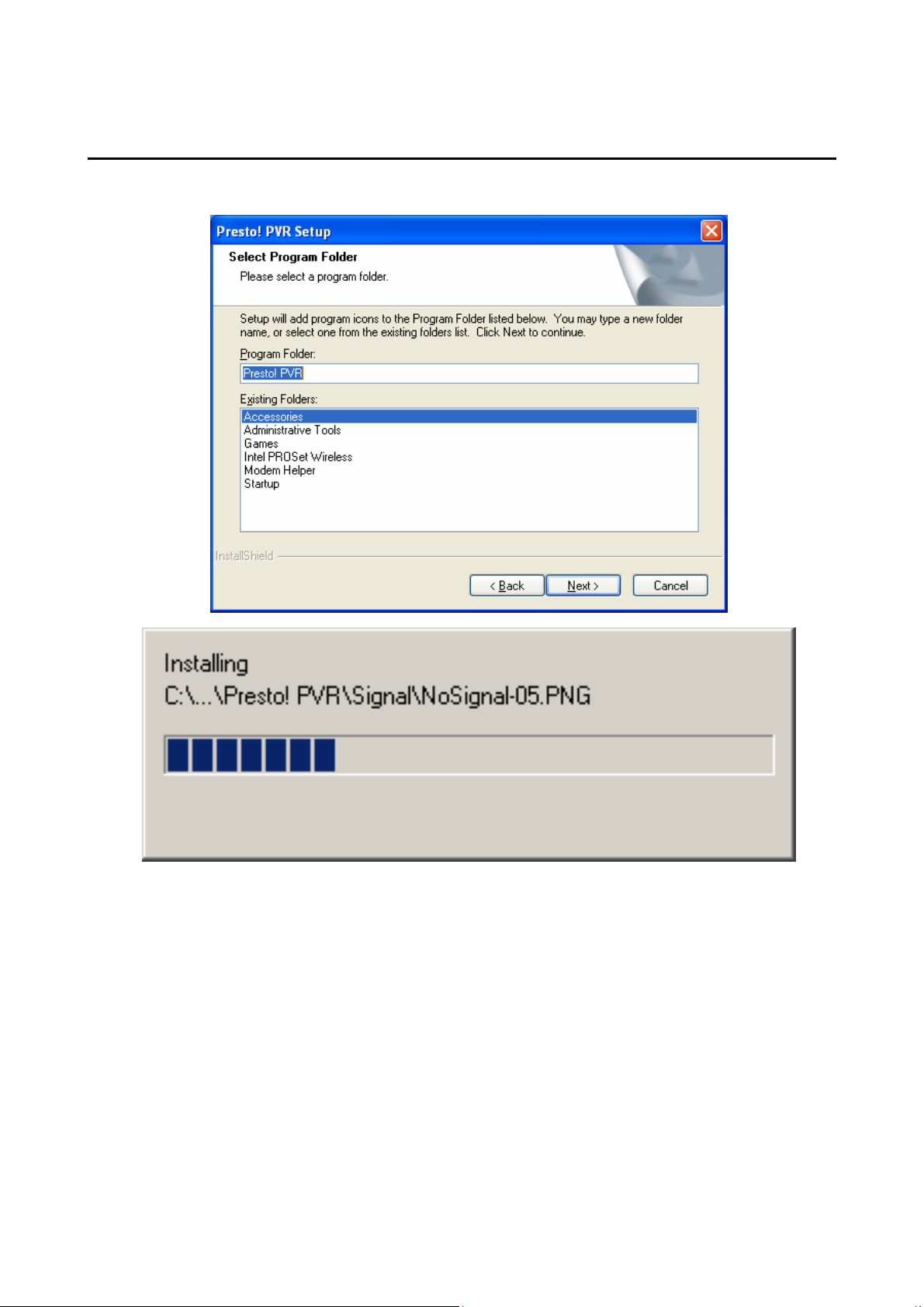
● Please click “Next”:
10
Page 11
USB2.0 ATSC TV STICK
USER’S MANUAL
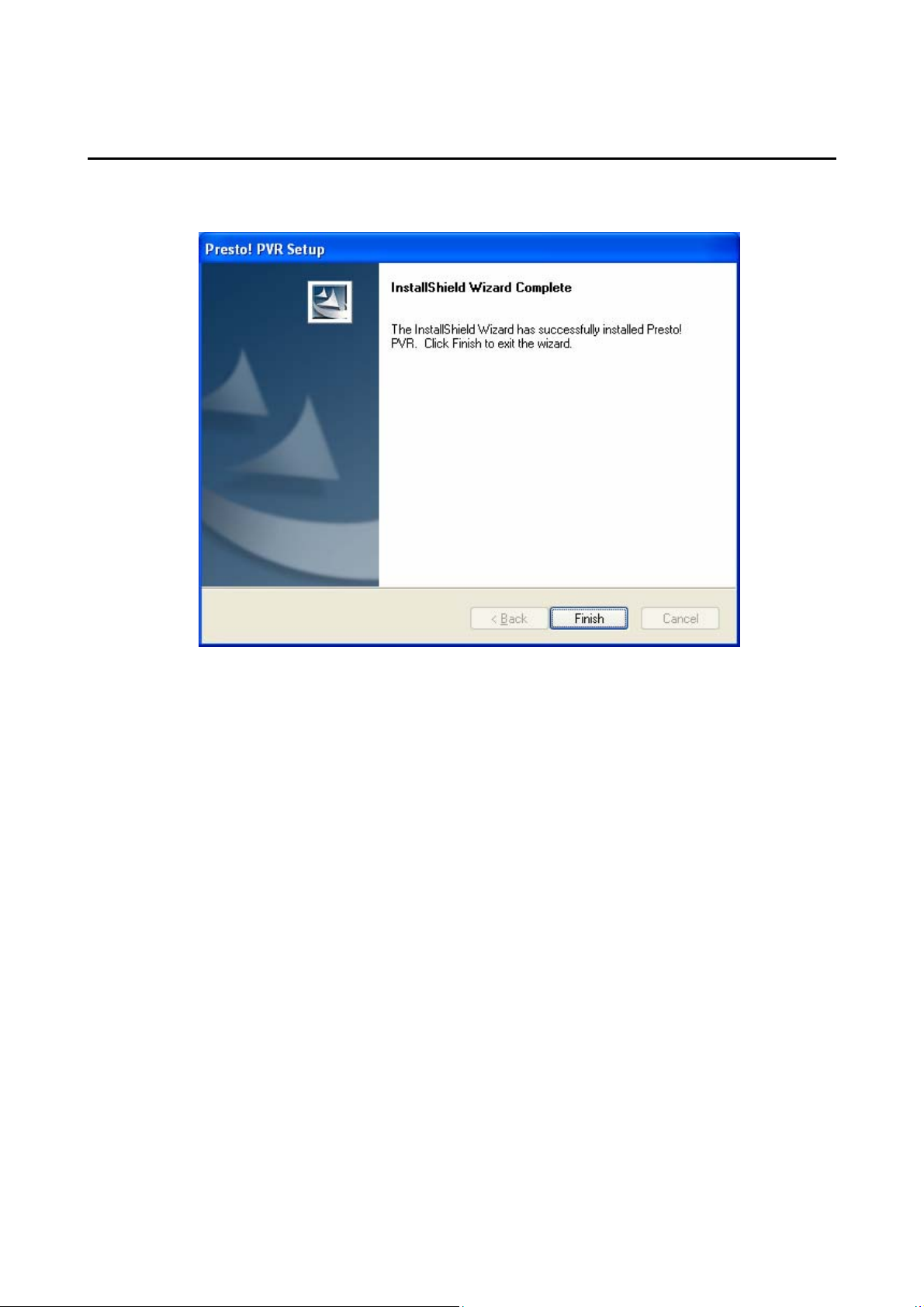
● Click “Finish” button and finish the installation:
11
Page 12

FCC WARNING
This device complies with Part 15 of the FCC Rules. Operation is
subject to the following two conditions:
(1) this device may not cause harmful interference, and
(2) this device must accept any interference received, including interference that may cause
undesired operation.
NOTE: This equipment has been tested and found to comply with the limits for a Class B
digital device, pursuant to part 15 of the FCC Rules. These limits are designed to provide
reasonable protection against harmful interference in a residential installation. This equipment
generates, uses and can radiate radio frequency energy and, if not installed and used in accordance
with the instructions, may cause harmful interference to radio communications. However, there is
no guarantee that interference will not occur in a particular installation. If this equipment does
cause harmful interference to radio or television reception, which can be determined by turning
the equipment off and on, the user is encouraged to try to correct the interference by one or more
of the following measures:
- Reorient or relocate the receiving antenna.
- Increase the separation between the equipment and receiver.
-Connect the equipment into an outlet on a circuit different from that to which the receiver is
connected.
-Consult the dealer or an experienced radio/TV technician for help.
NOTE: The manufacturer is not responsible for and radio or TV interference caused by
unauthorized modifications to this equipment. Such modifications could void the user’s authority
to operate the equipment.
 Loading...