

Page 1
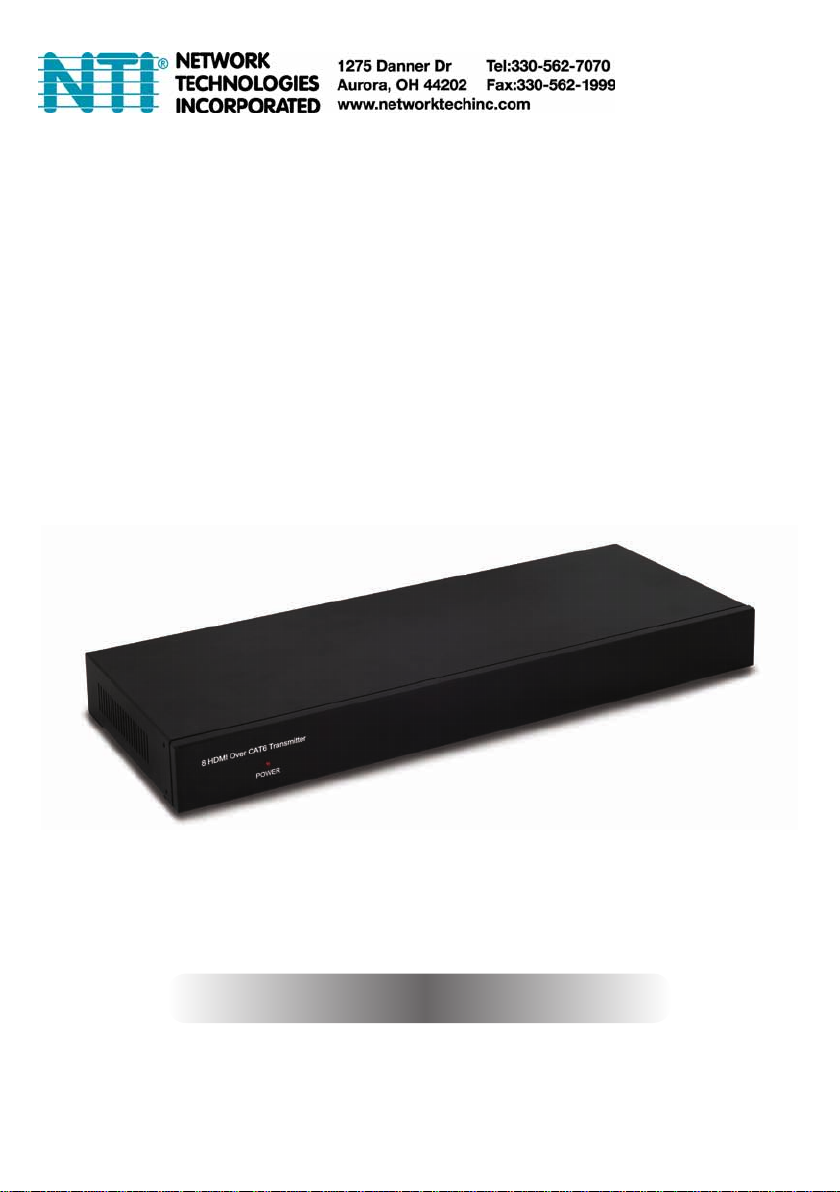
ST-C64K-HDBT-L8-R
8 HDMI over CAT5e/6/7
Point-to-Point Transmitter
Operation Manual
Operation Manual
Page 2

safety precautiONs
Please read all instructions before attempting to unpack, install or
operate this equipment and before connecting the power supply.
Please keep the following in mind as you unpack and install this
equipment:
• Always follow basic safety precautions to reduce the risk of re,
electrical shock and injury to persons.
• To prevent re or shock hazard, do not expose the unit to rain,
moisture or install this product near water.
• Never spill liquid of any kind on or into this product.
• Never push an object of any kind into this product through any
openings or empty slots in the unit, as you may damage parts
inside the unit.
• Do not attach the power supply cabling to building surfaces.
• Use only the supplied power supply unit (PSU). Do not use the PSU
if it is damaged.
• Do not allow anything to rest on the power cabling or allow any
weight to be placed upon it or any person walk on it.
• To protect the unit from overheating, do not block any vents or
openings in the unit housing that provide ventilation and allow for
sufcient space for air to circulate around the unit.
revisiON histOry
versiON NO. Date DD/MM/yy suMMary Of chaNge
VR0 03/08/12 Preliminary Release
Page 3

cONteNts
1. introduction ............................................1
2. applications ...........................................1
3. package contents ................................1
4. system requirements ............................1
5. features ..................................................2
6. Operation controls and functions .......3
6.1 Front Panel ........................................3
6.2 Rear Panel .........................................4
7. connection Diagram ............................5
8. Specications ........................................7
9. acronyms ...............................................8
Page 4

1. iNtrODuctiON
The 8 HDMI over CAT5e/6/7 Point-to-Point Transmitter supports the
transmission of uncompressed video (up to 1080p@60 Hz/36-bit) with
multichannel digital audio from up to eight high denition sources to
up to eight CAT6 outputs. Also, the unit can be used in conjunction
with the 8×8 HDMI matrix (optional) to provide switching control,
allowing the display of any source device on any output display.
2. applicatiONs
• Commercial advertising and display
• Lecture room display
• Hyper market demonstration
3. package cONteNts
• HDMI over CAT6 Transmitter
• 1×24 V/6.25 A DC Adaptor
• Operation Manual
4. systeM requireMeNts
• HDMI equipped input source devices
• Industry standard CAT5e/6/7 cables
1
Page 5

5. features
• HDMI, HDCP 1.1 and DVI compliant
• Supports HDMI 3D and 4K×2K features
• Support CEC bypass
• Supports PoE (Power over Ethernet) on compatible receivers only
• Supports audio up to 7.1Ch, Dolby TrueHD and DTS-HD Master Audio
• Supports high bit-rate audio up to 192 kHz
• Supports resolutions VGA~WUXGA and 480i~1080p dependent upon
the output display’s EDID settings
• Supports uncompressed video up to 1080p@60 Hz/36-bit
• Supports extension up to 100 meters through CAT5e/6/7
• Supports 3D signal display dependent upon the output display's
EDID settings
• Supports HDMI input up to 10 meters at 8-bit resolution or 6 meters at
12-bit resolution
• 1U size design
Note: The PoE function is designed for powering compatible receiver
units only—non-PoE receivers will need their own power supply.
Receivers of another brand may not be compatible.
2
Page 6

6. OperatiON cONtrOls aND fuNctiONs
1
6.1 front panel
1
pOwer
The LED will illuminate in blue when the power is on.
3
Page 7

6.2 rear panel
1
1
2
3
CAT OutCAT Out
CAT OutCAT Out
CAT Out
CAT Out
HDMI In 1 HDMI In 2 HDMI In 3
HDMI In 1 HDMI In 2 HDMI In 3
CAT Out
CAT Out
HDMI In 4
HDMI In 4
CAT Out
CAT Out
HDMI In 5
HDMI In 5
CAT Out
CAT Out
HDMI In 6
HDMI In 6
CAT Out
CAT Out
HDMI In 7
HDMI In 7
CAT Out
CAT Out
HDMI In 8
HDMI In 8
GND
GND
1
2
4
3
DC 24V
V+
V+
GND
2 3
cat Out
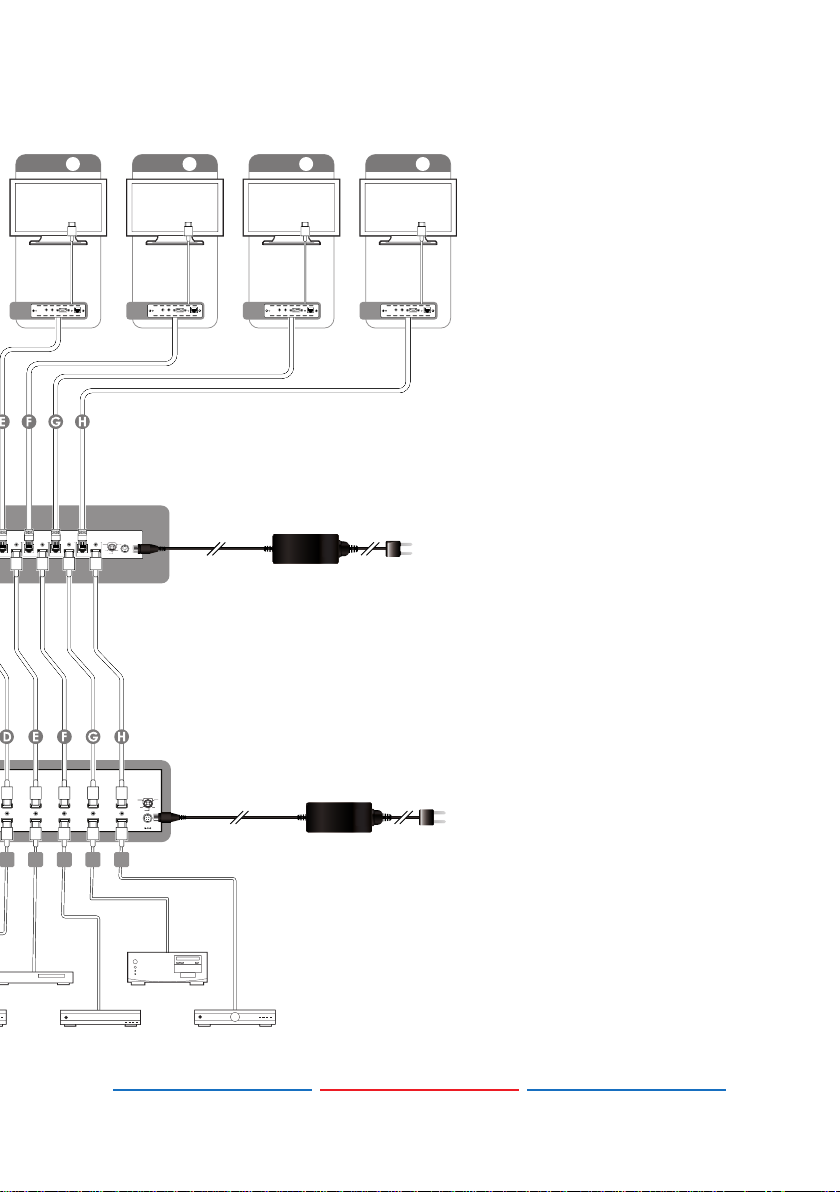
Connect to the Receiver units with a single CAT5e/6/7 cable for HDMI
Audio/Video, IR, and RS-232 signals transmission.
Note: Please do not miss connect CAT5e/6/7 ports with receiver
device's LAN port doing so will destroy the device.
hDMi in 1~8
Connect to the HDMI input source devices such as a DVD player or a
Set-top Box with HDMI cables or DVI to HDMI cables.
Dc 24v
Plug the 24 V DC power supply into the unit and connect the
adaptor to an AC outlet. This unit will also power PoE (Power over
Ethernet) capable receiver units or non Po E r e c e i v e r u n i t s .
4
Page 8
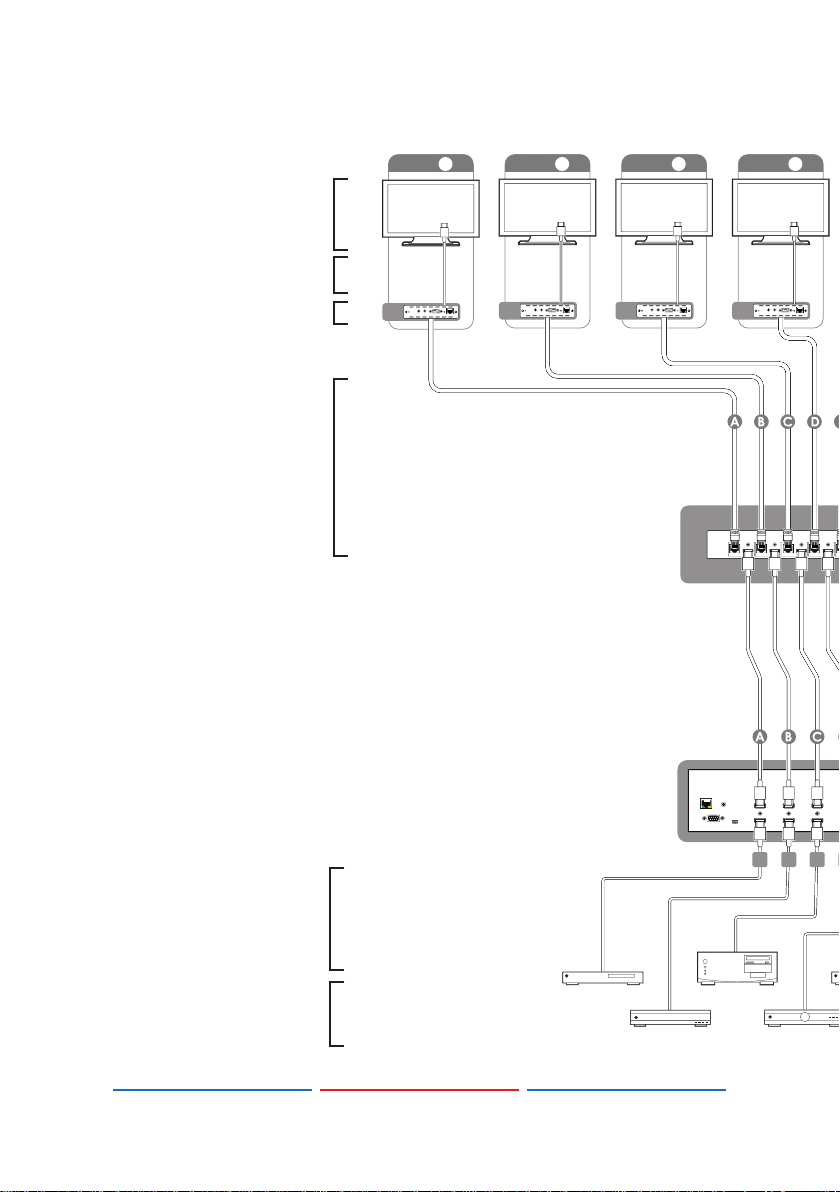
7. cONNectiON DiagraM
CAT Out
HDMI In 5
CAT Out
HDMI In 6
CAT Out
HDMI In 7
CAT Out
HDMI In 8
CAT Out
HDMI In 5
CAT Out
HDMI In 6
CAT Out
HDMI In 7
CAT Out
HDMI In 8
DC 24V
RXRXRXRX
Power
Extender
Blaster
IR 2
IR 1
RS232 Out
CAT5e/6 In
Link
Power
Extender
Blaster
IR 2
IR 1
RS232 Out
CAT5e/6 In
Link
Power
Extender
Blaster
IR 2
IR 1
RS232 Out
CAT5e/6 In
Link
ZONE
E ZONE F ZONE G ZONE H
DC 24V
D
HDMI Out
4
HDMI In
E
HDMI Out
5
HDMI In
F
HDMI Out
6
HDMI In
G
HDMI Out
7
HDMI In
H
HDMI Out
8
HDMI In
1
2
3
4
V+
GND
GND
GND
V+
3456 87
1
2
3
4
V+
GND
GND
GND
V+
1
2
3
4
V+
GND
GND
GND
V+
1
2
3
4
V+
GND
GND
GND
V+
Displays
hDMi Outputs
receiver units
single
cat 5e/6
cable
ZONE A ZONE B
Power
Link
IR 2
IR 1
Extender
Blaster
RS232 Out
RX
CAT5e/6 In
ZONE C
Power
Link
IR 2
IR 1
Extender
Blaster
RS232 Out
CAT5e/6 In
Power
Link
IR 2
IR 1
Extender
Blaster
RS232 Out
CAT5e/6 In
transmitter
RXRXRX
CAT Out
CAT Out
HDMI In 1 HDMI In 2 HDMI In 3
HDMI In 1 HDMI In 2 HDMI In 3
ZONE D
Power
IR 2
IR 1
Extender
Blaster
RS232 Out
CAT OutCAT Out
CAT OutCAT Out
Link
CAT5e/6 In
CAT Out
CAT Out
HDMI In 4
HDMI In 4
A
B
8x8 hDMi Matrix
(Optional)
HDMI Out
LAN
IR-In
Service
RS-232
HDMI In
C
HDMI Out
HDMI Out
1
2
3
HDMI In
HDMI In
12
hDMi
inputs
source
equipment
5
Page 9
ZONE E ZONE F ZONE G ZONE H
T Out
T Out
HDMI In 5
HDMI In 5
D
HDMI Out
4
HDMI In
Power
IR 2
IR 1
Extender
Blaster
RS232 Out
CAT Out
CAT Out
CAT Out
CAT Out
HDMI In 6
HDMI In 7
HDMI In 6
HDMI In 7
E
F
HDMI Out
HDMI Out
5
6
HDMI In
HDMI In
56 87
Link
CAT5e/6 In
CAT Out
CAT Out
Power
Link
IR 2
IR 1
Extender
Blaster
RS232 Out
CAT5e/6 In
GND
GND
1
2
4
3
DC 24V
V+
V+
GND
HDMI In 8
HDMI In 8
Power
Link
IR 2
IR 1
Extender
Blaster
RS232 Out
CAT5e/6 In
Power
Link
IR 2
IR 1
Extender
Blaster
RS232 Out
RXRXRXRX
CAT5e/6 In
power supply
G
H
HDMI Out
HDMI Out
GND
GND
GND
GND
GND
V+
V+
1
1
2
2
4
3
4
4
3
3
1
2
V+
V+
V+
V+
GND
GND
GND
GND
DC 24V
7
8
HDMI In
HDMI In
power supply
6
Page 10

8. specificatiONs
video Bandwidth 300 MHz/10.2 Gbps
input ports 8×HDMI
Output ports 8×CAT5e/6/7
input / Output resolution VGA~WUXGA, 480i~1080p
hDMi cable Distance Up to 10 meters@8-bit, 6 meters@12-bit
cat cable Distance Up to 100 meters@CAT5e/6/7 cable
esD protection Human-body Model:
±8 kV (Air-gap discharge)
±4 kV (Contact discharge)
power supply 24 V/6.25 A DC (US/EU standards, CE/
FCC/UL certied)
Dimensions 432 mm (W)×179 mm (D)×49mm (H)
weight 2000 g
chassis Material Metal
silkscreen color Black
F
~140 º
F
F
Operating temperature
storage temperature
relative humidity 20~90 % RH (non-condensing)
power consumption 71 W (Including PoE Receiver)
0 ºC~40 ºC/32 ºF~104 º
C
~60 º
C
/−4 º
−20 º
7
Page 11

9. acrONyMs
acrONyM cOMplete terM
Dts Digital Theater System
hDcp High-bandwidth Digital Content Protection
hDMi High-Denition Multimedia Interface
hDtv High-Denition Television
lcM Liquid Crystal Monitor
MAN315 REV 5/18/18
8
 Loading...