

Page 1
1
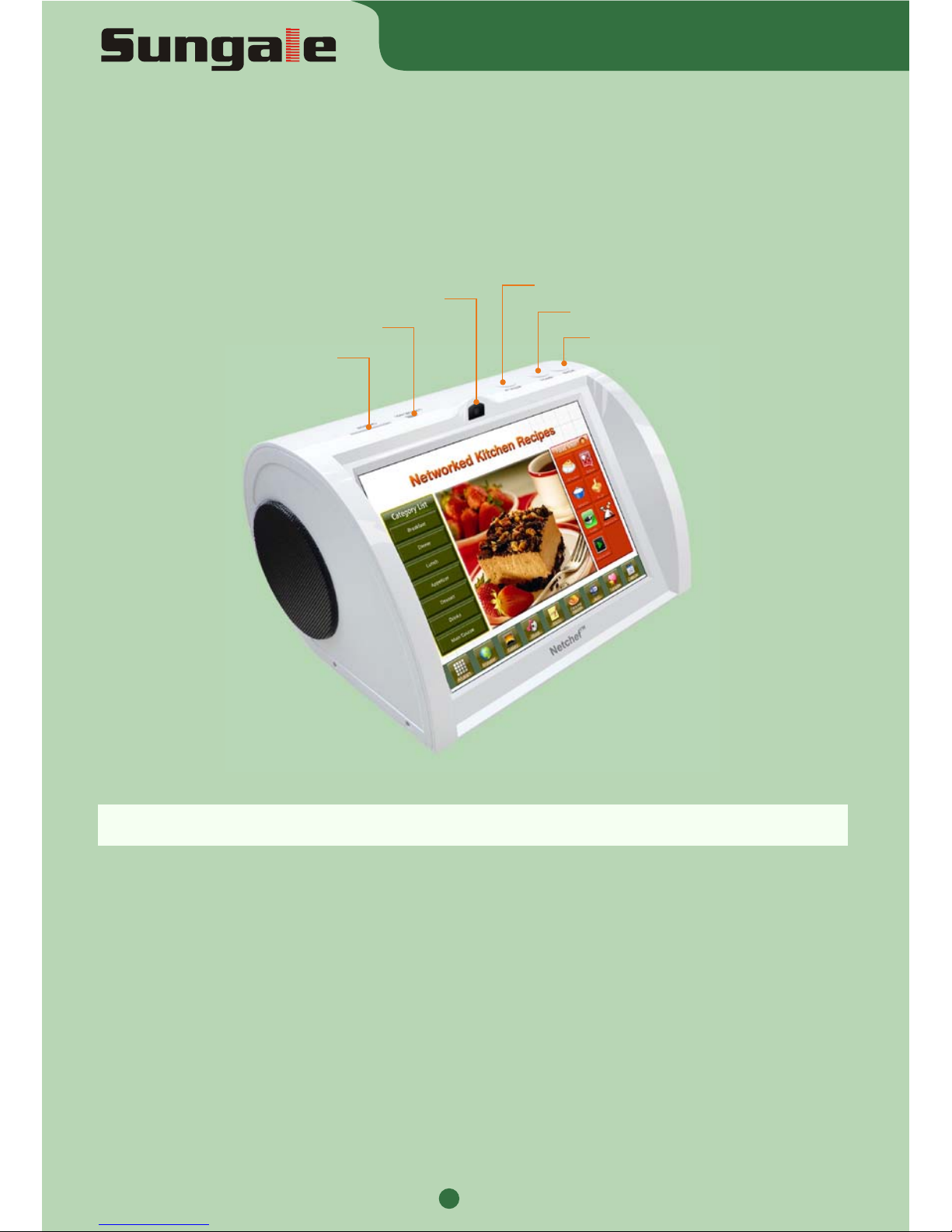
SD/SDHC card reader
USB device(For connecting PC)
Power on/off
Home screen
Back
Camera
Getting to know your Netchef
The Netchef is a touch screen recipe storing device suited to Wi-Fi Connectivity. Not only
does it offer the ability to store all your favourite recipes and photos, but you can also listen
to music, play videos, access the internet, download Apps and log onto Social sites all within
the privacy of your own kitchen.
There is a fantastic selection of over 500 recipes already preloaded into your Netchef for you
to access immediately. The Netchef can also be used as a Digital Photo Frame to display
your treasured memories. For your convenience we have also included a timer and a unit
converter at the bottom of every pre-installed recipe to convert measurements if required.
It comes complete with an 8” Hi-resolution screen (1024x768). The Netchef displays high
quality images and comes with a built in Memory for you to store all your favourite recipes.
The external memory can be extended up to 32GB.
MODEL: PF810
TM
Netchef
QUICK START GUIDE
Page 2
QUICK START GUIDE
2
2
3
1
Getting to know the home screen
3
ADDITIONAL
FUNCTIONS
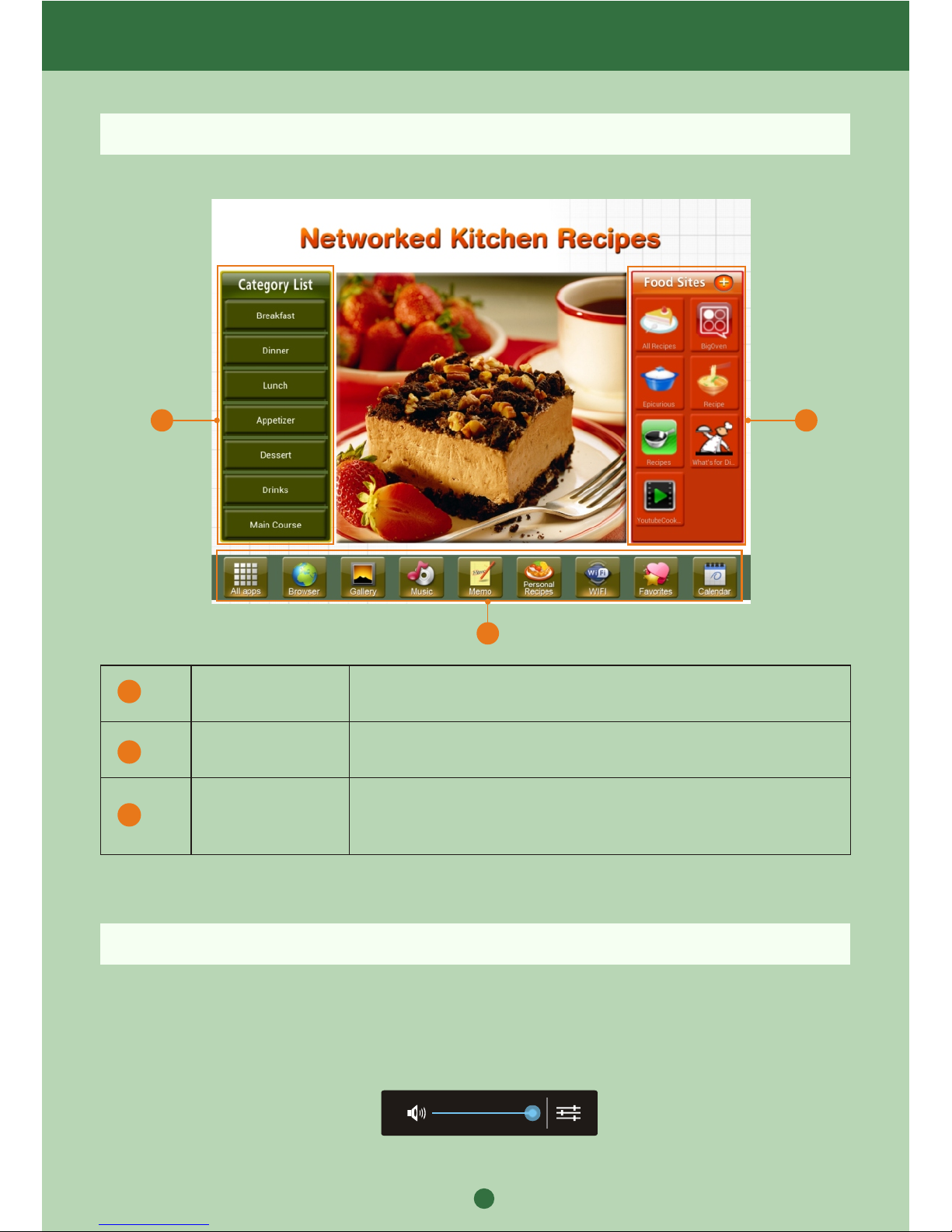
Select various tools to play music, view your photos (Stored
on your SD Card) and Access social sites. Scroll across to
view ALL options.
There are over 500 preloaded recipes within these categories
for you to choose from.
FOOD SITES
View our Favourite Recipe pages and access literally 1000's
of recipes and videos Online.
1
2
Adjust the Volume
1. Long press “HOME” button on the device, the volume bar will display on the top of the
screen, then slide the volume bar to adjust the volume.
2. On the home screen, you can slide the middle of the home screen and the volume bar
will appear at the top, slide the volume bar to adjust the volume.
CATEGORY LIST
Page 3
3
QUICK START GUIDE
Connecting your NetChef to your Wi-Fi
Please ensure your home Wi-Fi router is turned on to enable the Netchef to find and
connect to this signal.
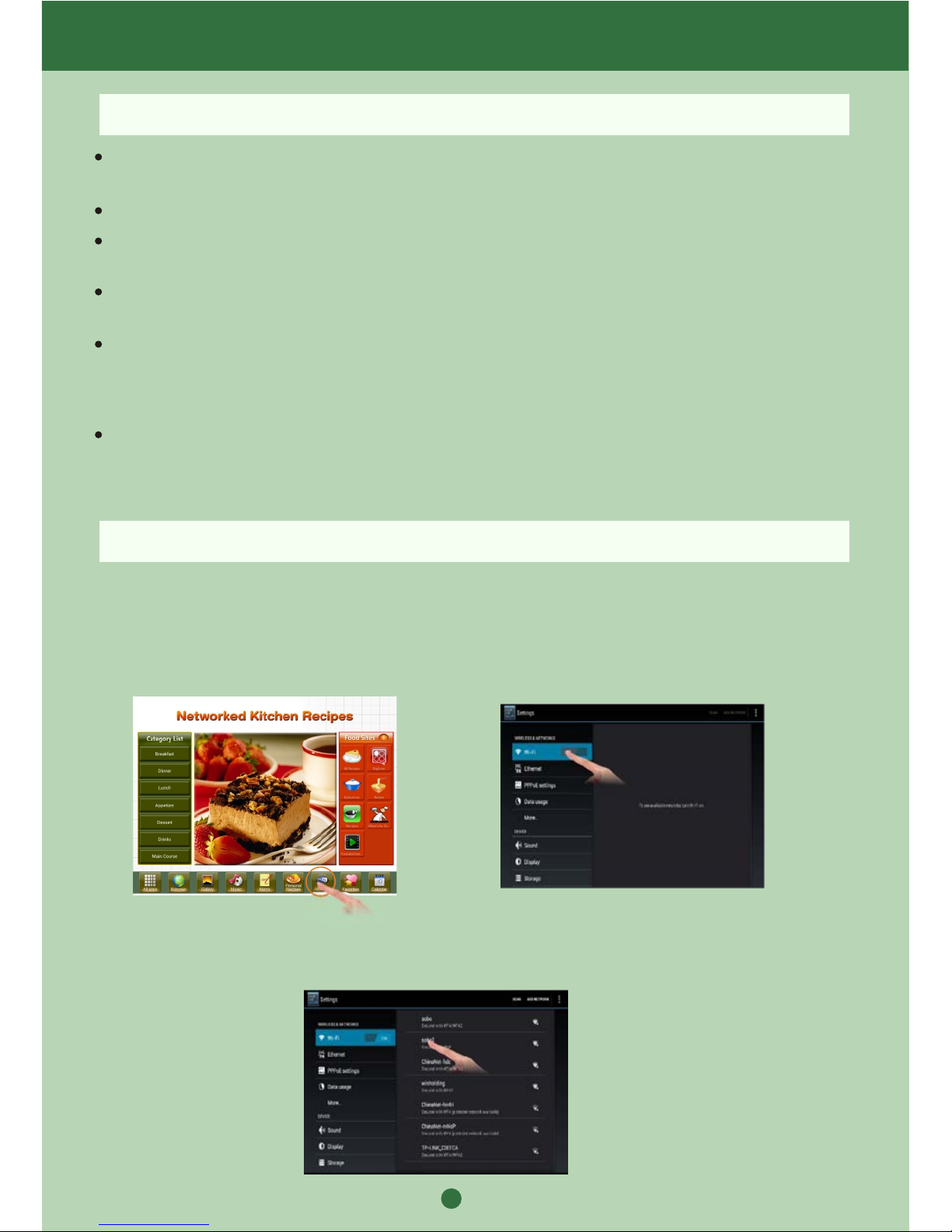
1. Select the Wi-Fi icon at the bottom of
the screen on your Netchef
2. Turn on the wifi by sliding the OFF
icon to the “ON” position (right).
Setup of your NEW NetChef
Connect your new Netchef to an available power source using the power adaptor included
in the box.
Press and hold the power Button down for 3 seconds.
The initial Netchef Welcome screen will appear. Please do not touch your Netchef whilst it
is powering up. (This will take approx. 5~10 seconds)
The Netchef will then show a message that the “Netchef is booting”. Please wait for this to
finalise. This will appear for approximately 20 seconds.
Within the right hand column, “Food sites”, we have listed a number of inspiring and helpful
links which may be of interest to you. Simply touch to access. (Please note you will need
to be connected to Wi-Fi to access these links) see below.
Your preloaded recipes are included in the Category List on the left. To slide the categories
simply use your finger and slide up and down to view other categories. When the categary
list shows red, the recipe list is online recipe, when the categary list shows green, the
recipe list is preloaded local recipe.
3. Your NetChef will search wireless routers in your surroundings and the name of your
Wi-Fi connection will appear on the right of the screen. Select your Connection.
Page 4
2. Contact Sungale Support team
1. Visit the support site
For manual download, FAQs and More supports: www.netchef-usa.com
Toll Free number in the USA: 800-473-5156
Service email: [email protected]
4
3. Follow Netchef on Twitter:
Netchef_Sungale, http://www.facebook.com/pages/Netchef/139698189448741
@Netchef_Sungale, http://twitter.com/#!/Netchef_Sungale
4. Follow Netchef on Facebook:
QUICK START GUIDE
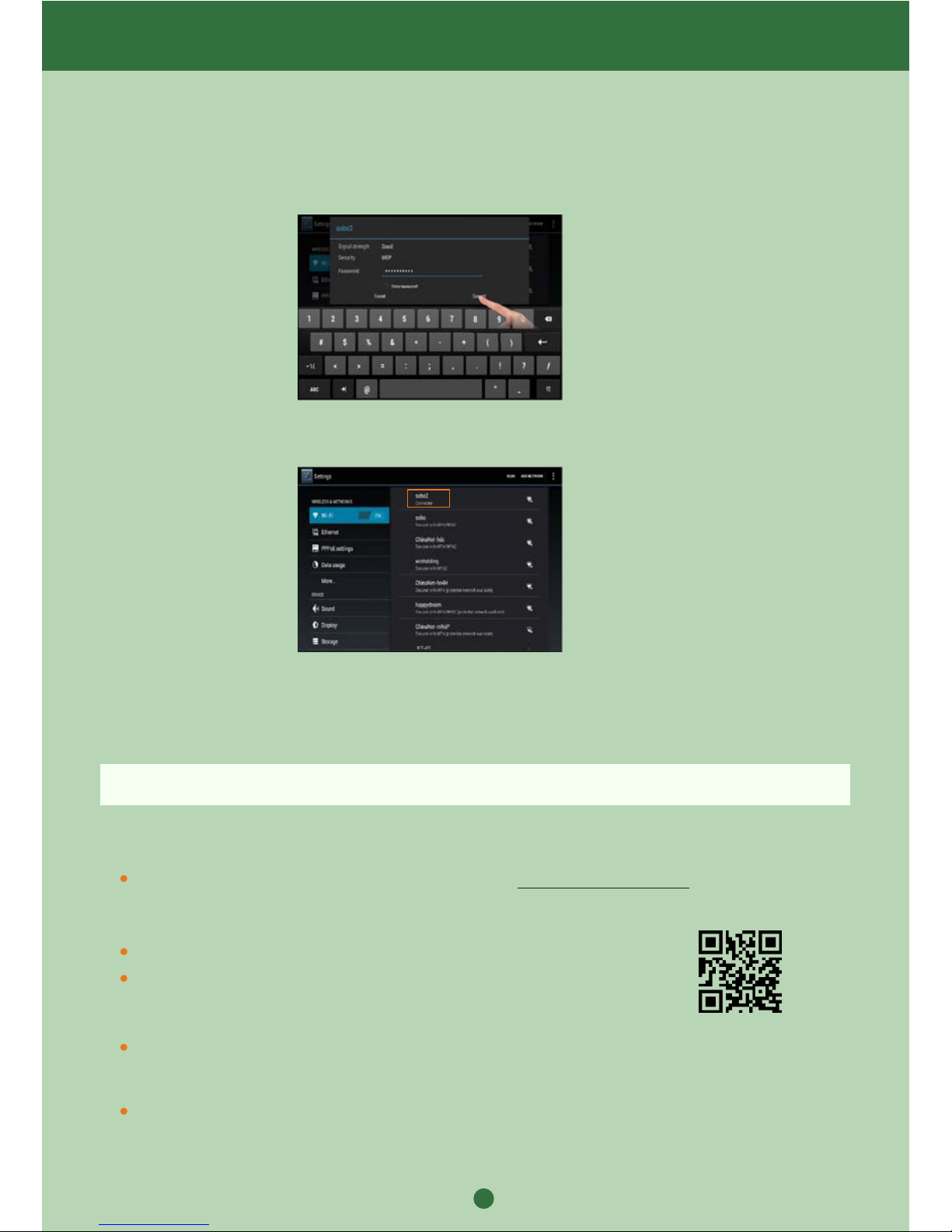
4. If you have not allocated a password to your Wi-Fi connection then the NetChef will
connect automatically. If you do have a password you will be prompted to enter it.
Support
5. Touch on the password box and enter your password using the keyboard on screen.
Then select Connect.
7. Netchef will remember these settings, so when re-starting your Netchef, if your home
router is turned on, it will re-connect automatically.
6. Your Wi-Fi has now been connected so you can start enjoying all the functions of the
Netchef.
www.netchef-usa.com
 Loading...