

Page 1
Welcome Guide
Page 2
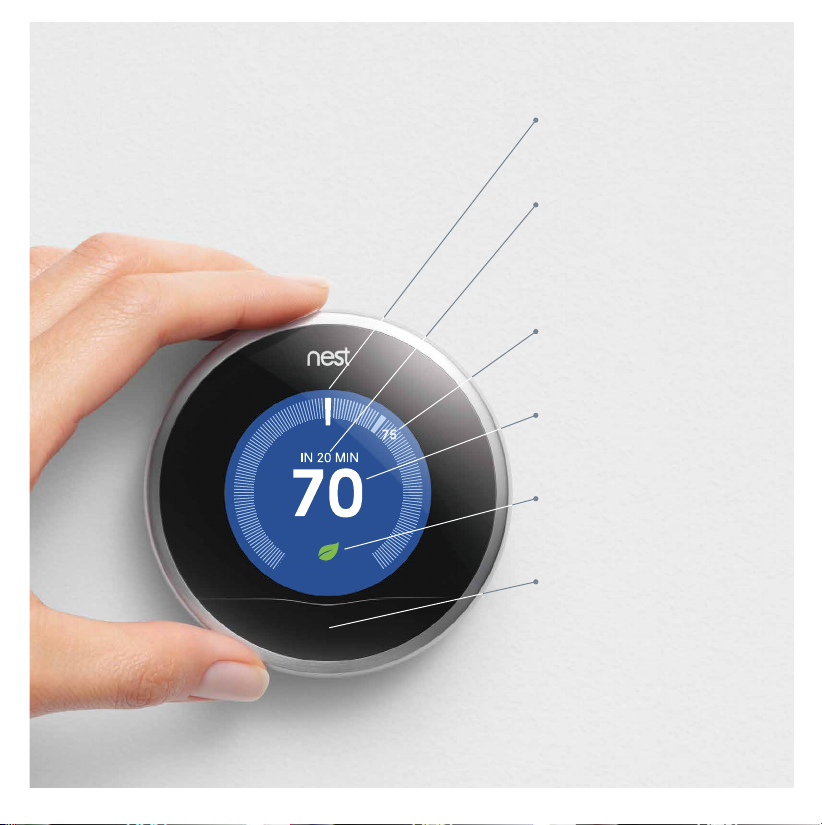
Meet the Nest Learning Thermostat
Display
Turns blue when cooling
and orange when heating.
Status
Nest shows you
Time-to-Temperature and
if it’s heating, cooling or
using Airwave.
Current temperature
Shows the temperature
in your home.
Target temperature
Shows the temperature
you want to reach.
Nest Leaf
Appears when you’re
saving energy.
Sensor Window
Contains temperature,
humidity, light and
activity sensors.
Page 3
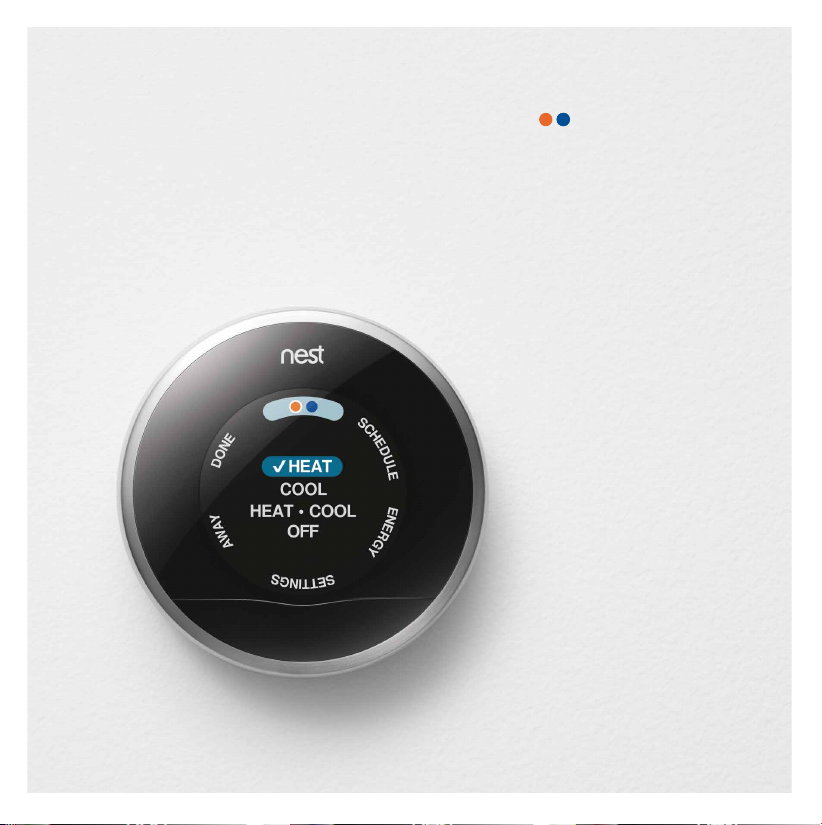
Explore Nest
Press the ring for the menu,
then rotate to select.
If you have heating and
cooling, easily switch
between them manually
or automatically.
Schedule
See the schedule Nest
has learned from your
temperature adjustments.
If it’s not right, change it.
Energy
See how much energy
you’ve used in the last
10 days and why.
Settings
Choose options like
thermostat lock and
fan control.
Away
Set Nest to Away when
you leave to save energy
while you’re gone.
Page 4
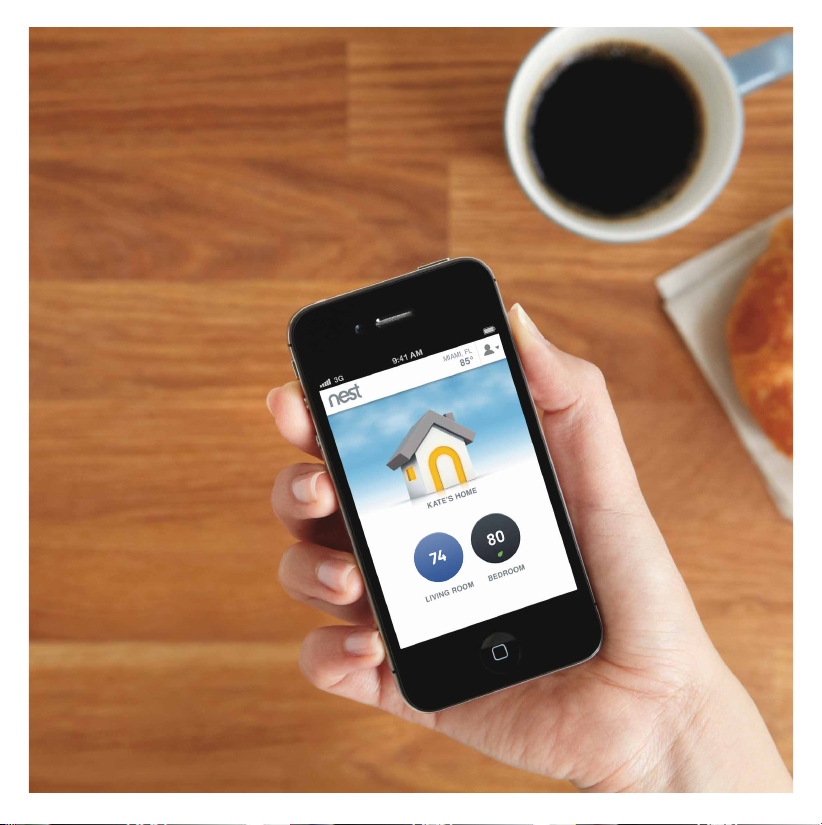
Away from home
Connect Nest to Wi-Fi, then
sign up for a Nest Account at
nest.com/account
With Nest's Web and Mobile
apps, you can adjust the
temperature, change your
schedule, see Energy History
and control multiple Nests.
We take your privacy seriously.
Find out more at nest.com/privacy
Visit nest.com for more info about
Nest’s facts and figures.
Page 5
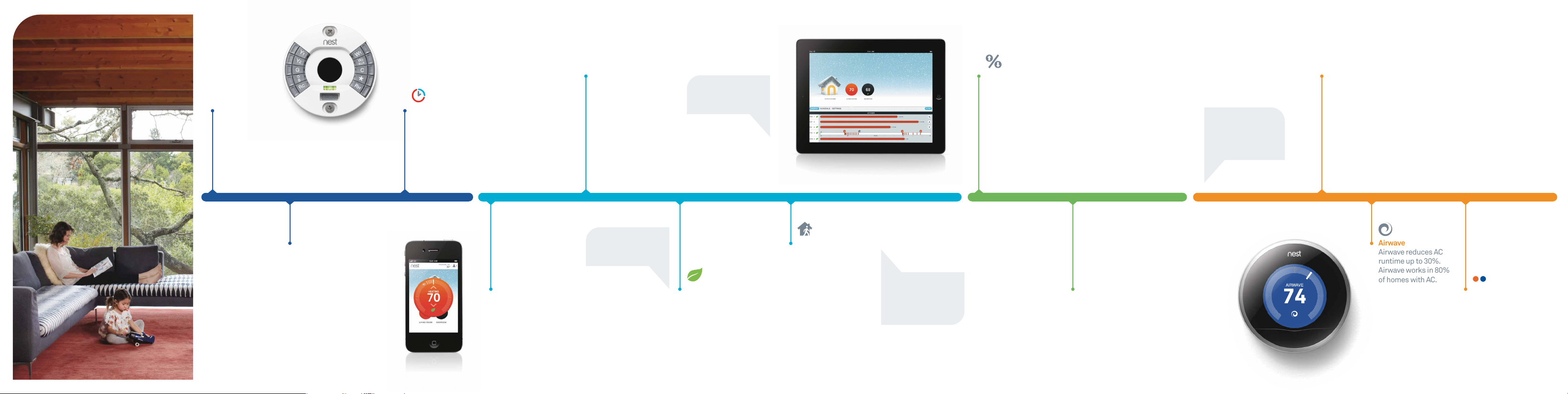
Airwave
Airwave reduces AC
runtime up to 30%.
Airwave works in 80%
of homes with AC.
Your life with Nest
Energy History
See when you used
heating and cooling and
how your temperature
changes, the weather
or Auto-Away affected
your energy use.
Going on vacation?
Start saving money
the minute you walk
out the door by turning
Nest to Away manually.
Install & setup
Read our installation
guide and watch videos at
nest.com/support
Auto-Schedule
Nest will remember the
temperatures you like
and build a schedule.
Teach Nest by turning it
System Match
Nest adapts to your
system, whether it’s
forced air, heat pump
or radiant.
Find even more detailed
Energy History on the Web
and Mobile apps.
down when you go to bed
or leave the house.
Day 1 Day 7 Day 30 Day 90
Remote control
Connect Nest to Wi-Fi,
sign up for a Nest
Account on nest.com,
and download the Nest
Mobile app for your
smartphone or tablet.
Check your schedule
You can edit your
schedule on Nest or
with the Web and
Mobile apps.
Changing the temperature
just one degree can lower
your energy use up to 5%.
Nest Leaf
The Leaf appears
when you choose a
temperature that
saves energy.
Auto-Away
Nest automatically
turns itself to an
energy-saving
temperature when
you’re away.
Save the most with
Auto-Away by setting your
Away “heat to” temp
below 65˚ and your Away
“cool to” temp above 80˚.
Energy Report
Your monthly Energy
Report is packed with
energy info and tips to
help you save.
Seasons change
When you switch from heat
to cool or vice versa, Nest
will learn a new schedule.
Heat • Cool
If you need to switch
between heating and
cooling often, choose
Heat • Cool to make the
change automatically.
Page 6
Guía de bienvenida
Page 7
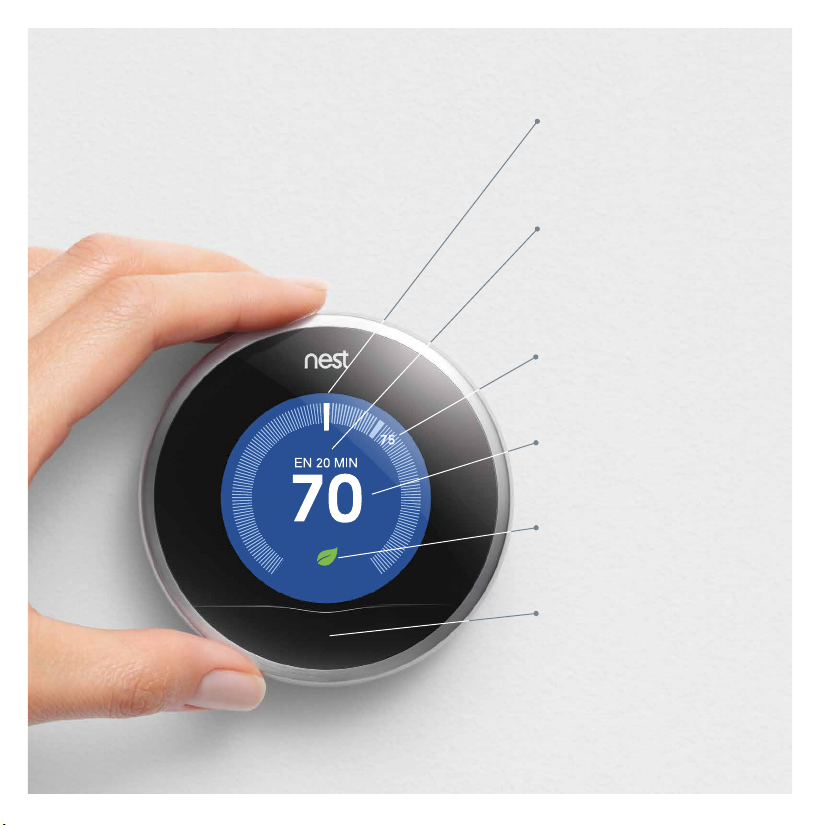
Conoce el Nest Learning Thermostat
Pantalla
Se coloca en azul cuando
enfría y en naranja cuando
calienta.
Estado
Nest te muestra al Tiempo
para temperatura y si está
enfriando, calentando o
utilizando Airwave.
Temperatura actual
Muestra la temperatura
del hogar.
Temperatura deseada
Muestra la temperatura
que deseas alcanzar.
Hoja Nest
Aparece cuando estás
ahorrando energía.
Ventana del sensor
Contiene sensores de
temperatura, humedad,
luz y actividad.
Page 8
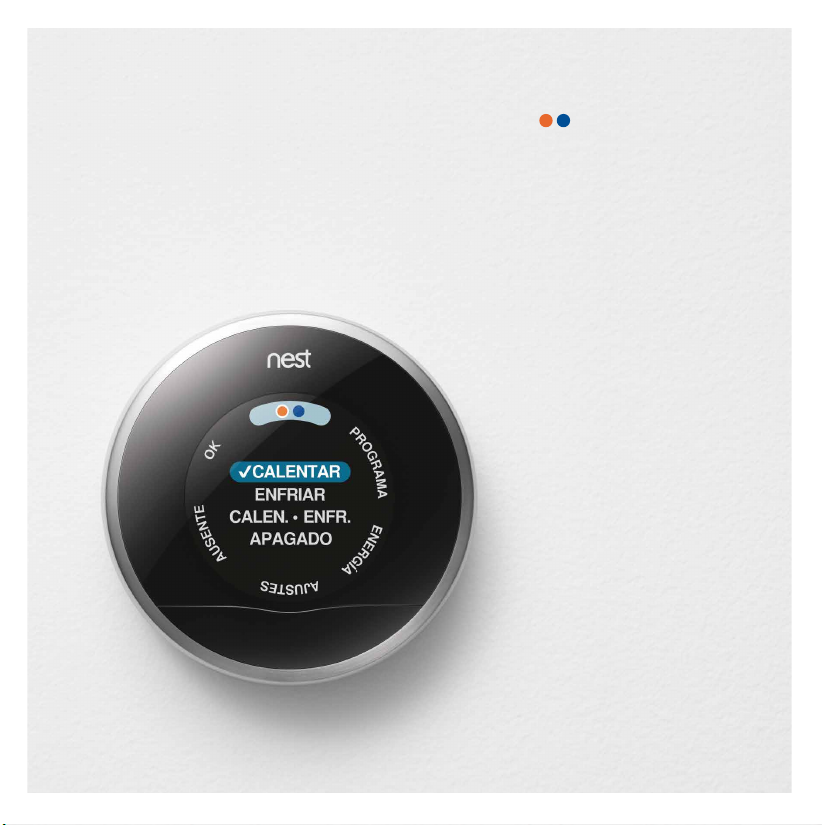
Explora Nest
Presiona el anillo para ver el menú
y luego gíralo para seleccionar.
Si tienes enfriamiento
y calentamiento,
cambia fácilmente
entre ellos de manera
manual o automática.
Programa
Puedes ver el programa que
Nest ha aprendido de tus
cambios de temperatura.
Si no es correcto, cámbialo.
Energía
Observa qué cantidad de
energía has utilizado en los
últimos 10 días y por qué.
Ajustes
Selecciona opciones como
bloqueo del termostato o
control del ventilador.
Ausente
Establece Nest en Ausente
cuando te vayas para
ahorrar energía mientras
estás fuera de casa.
Page 9
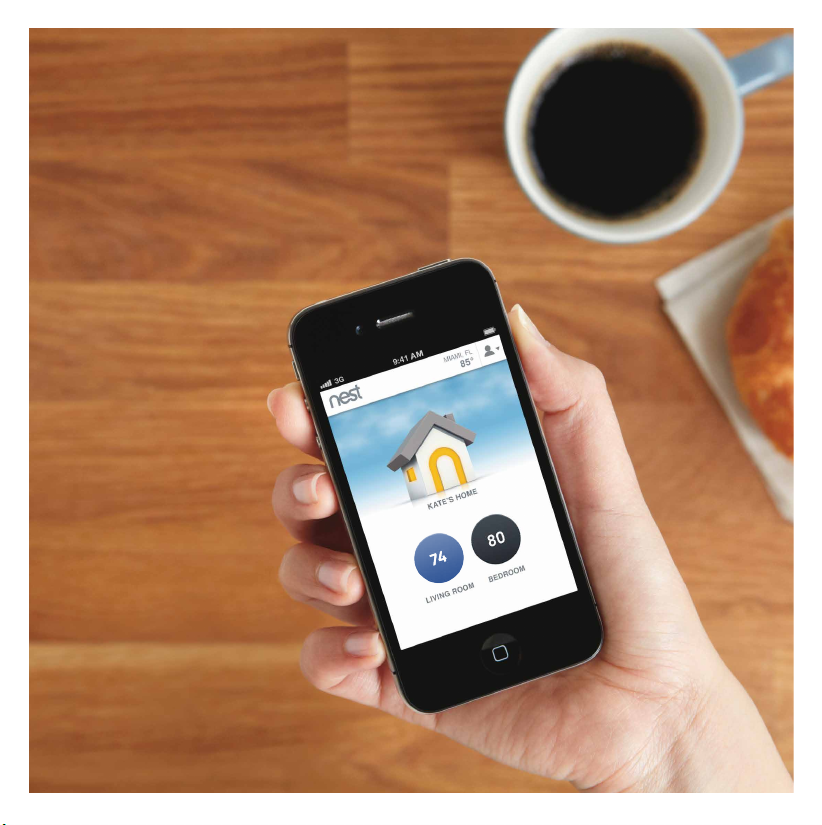
Fuera de casa
Conecta Nest a tu red Wi-Fi y
regístrate para obtener una
cuenta de Nest en
nest.com/cuenta
Con la aplicación web y móvil
de Nest puedes ajustar la
temperatura, cambiar el
programa, ver tu historial
de energía y controlar
varios Nest.
Valoramos tu privacidad. Obtén más
información en nest.com/privacidad
Visita nest.com para obtener más información
sobre hechos y estadísticas de Nest.
Page 10
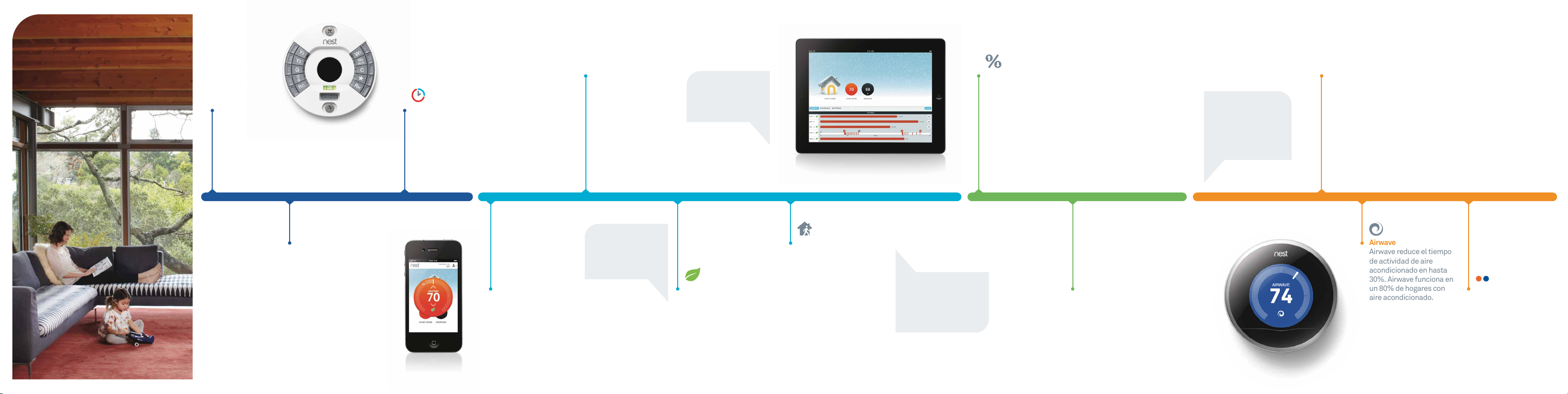
Tu vida con Nest
Airwave
Airwave reduce el tiempo
de actividad de aire
acondicionado en hasta
30%. Airwave funciona en
un 80% de hogares con
aire acondicionado.
Instalación y ajustes
Lee nuestra guía de
instalación y mira videos
en nest.com/soporte
Auto-Schedule
Nest recuerda las temperaturas
que te gustan y genera un
programa. Enseña a Nest
Adaptación a sistema
Nest se adapta a tu
sistema, ya sea de aire
forzado, bomba de calor
o radiante.
Encuentra un historial de
energia detallado en la
aplicación web y móvil.
Historial de energía
Observa cuándo has
usado enfríar o calentar
y la forma en que cambia
la temperatura, el clima
o cómo Auto-Ausente
afecta al uso de energía.
¿Te vas de vacaciones?
Comienza a ahorrar
dinero desde el primer
momento que te vayas de
casa colocando Nest en
ausente manualmente.
bajándo la temperatura cuando
te vas a dormir o sales de casa.
Día 1 Día 7 Día 30 Día 90
Control remoto
Conecta Nest a Wi-Fi,
regístrate para obtener
una cuenta de Nest en
nest.com y descarga la
aplicación móvil de
Nest para tu
smartphone o tablet.
Verifica tu programa
Puedes editar tu programa
en Nest o con la aplicación
web y móvil.
Cambiar la temperatura
en tan sólo un grado
permite ahorrar hasta un
5% en el uso de energía.
Hoja Nest
La hoja Nest aparece
cuando seleccionas
una temperatura que
ahorra energía.
Ausente automático
Nest se establece
automáticamente
en una temperatura que
ahorra energía cada vez
que no estas en casa.
Ahorra lo maximo posible con
Auto-Ausente establiciendo
las temperaturas Ausente:
“calentar a” por debajo de 65˚ y
“emfriar a” por encima de 80˚.
Informe de energía
Tu informe de energía está
lleno con información y
sugerencias que te
ayudarán a ahorrar.
Cambio de estación
Cuando cambias de
calor a frío o viceversa,
Nest aprenderá un
nuevo programa.
Calentar • Enfríar
Si necesitas cambiar
entre calentar y enfríar
con frecuencia, selecciona
Calentar • Enfriar para
realizar los cambios
automáticamente.
 Loading...