

Page 1
1 © NEC Corporation 2016
X551 UHD IGT with legs base
X651 UHD-2 IGT with legs base
User’s Manual
Page 2

2 © NEC Corporation 2016
Please be aware. This manual is a supplement to the monitor’s manufacturer instruction.
It can not be treated as a separate document.
Please follow all warnings and precautions pointed in main manual provided with product.
Table of contents
1. Unpacking unit and fitting legs .................................................... 3
2. Connecting cables ................................................................... 12
3. Touch Screen Calibration .......................................................... 12
Page 3
3 © NEC Corporation 2016
1. Unpacking unit and fitting legs
NOTE :
Due to mass of final product for installation and handling 4 people are
required . Do not start unless you have enough people available , fitting with
less people may result in injuries and damaged product.
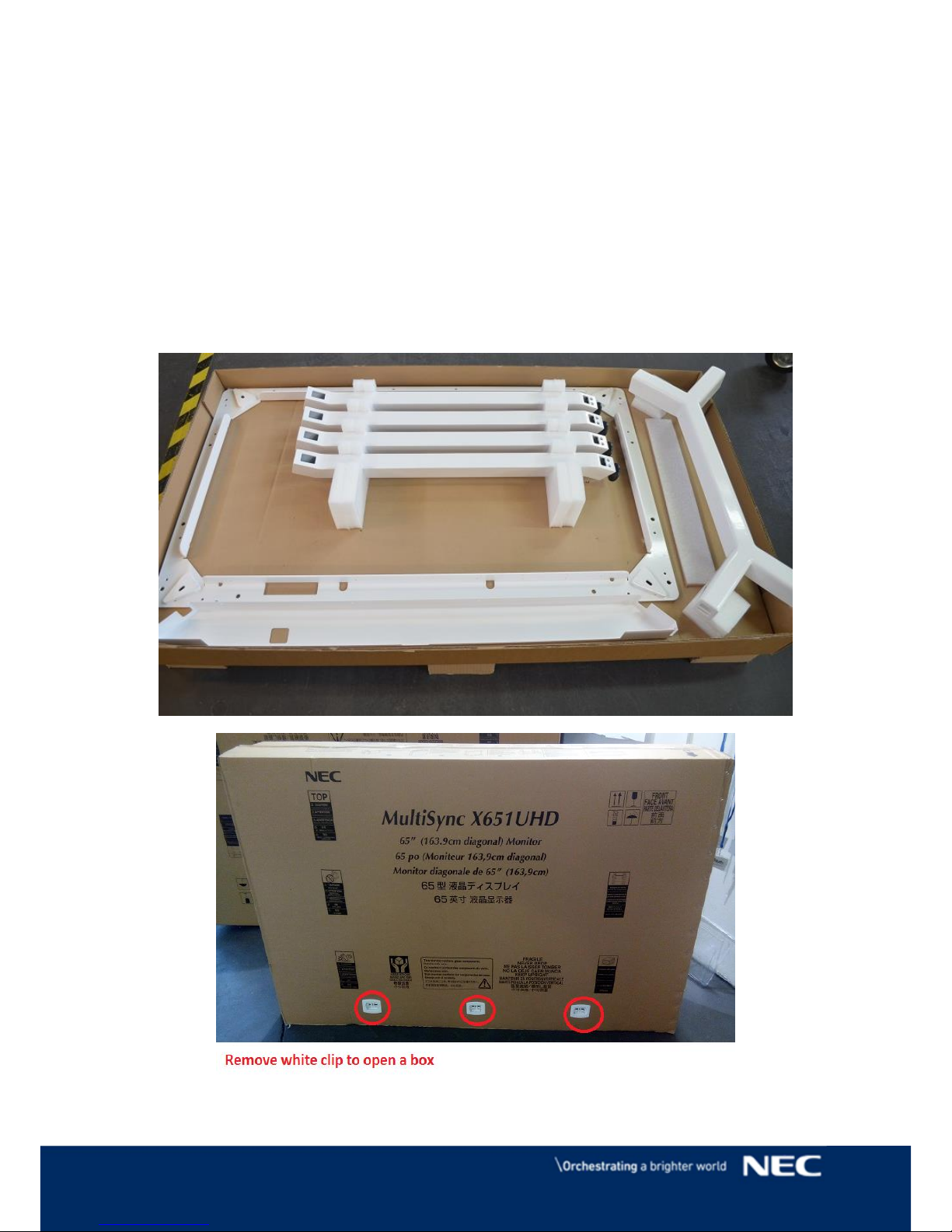
Product is provided in two boxes:
Page 4
4 © NEC Corporation 2016
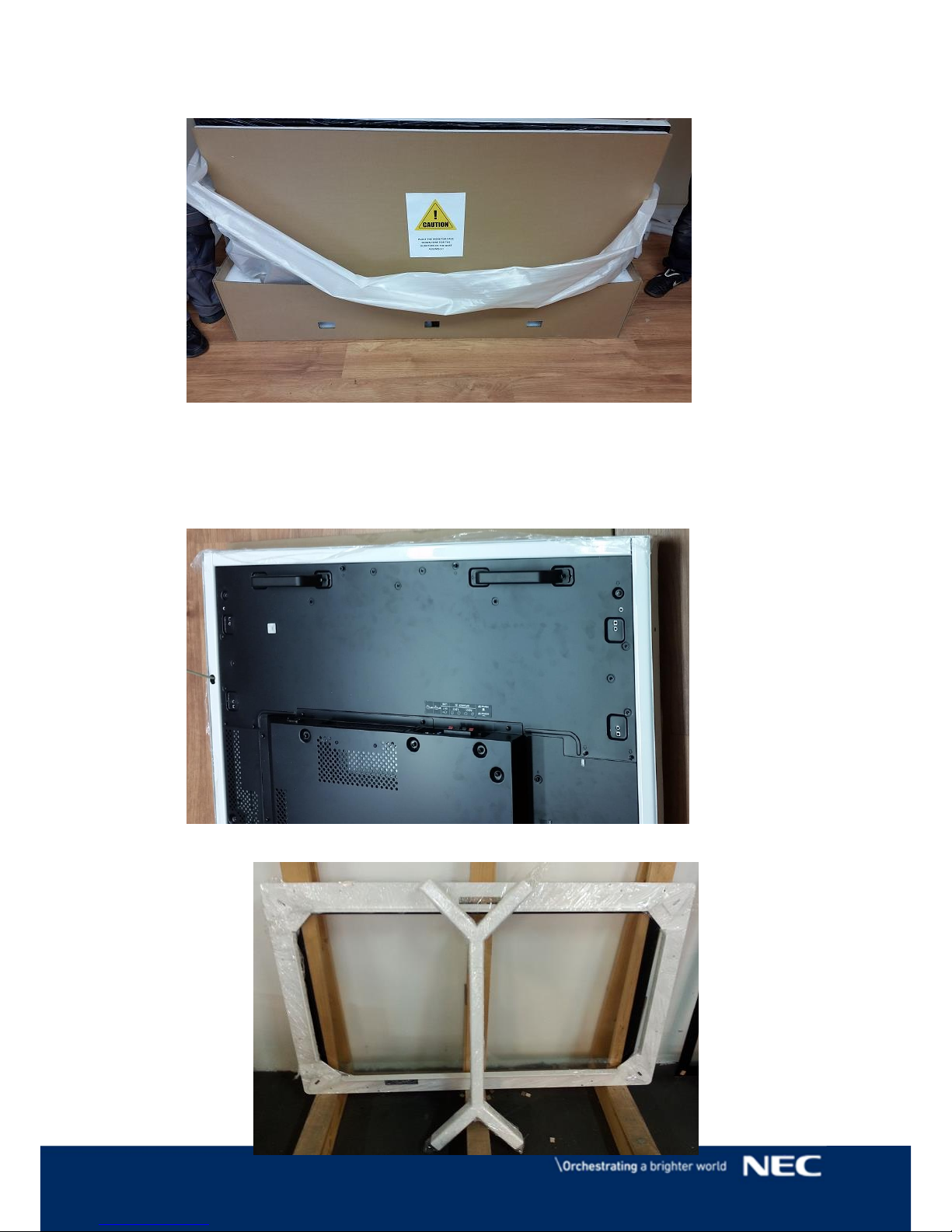
Unpack monitor from the box and put it flat on the floor with Cardboard still attached
at the front of screen to cover it from scratches.
NOTE :
Do not remove Cardboard from the front of the screen.
Page 5
5 © NEC Corporation 2016
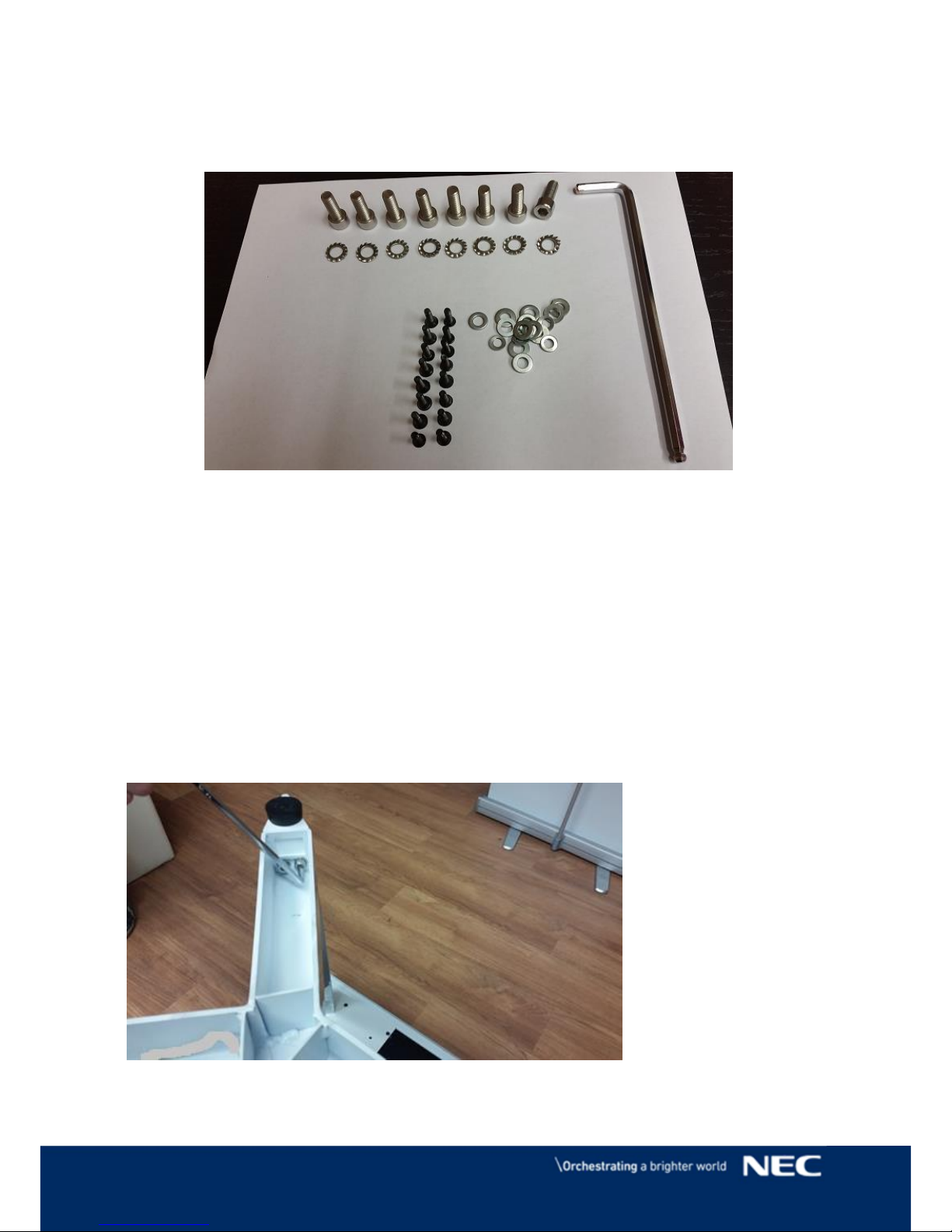
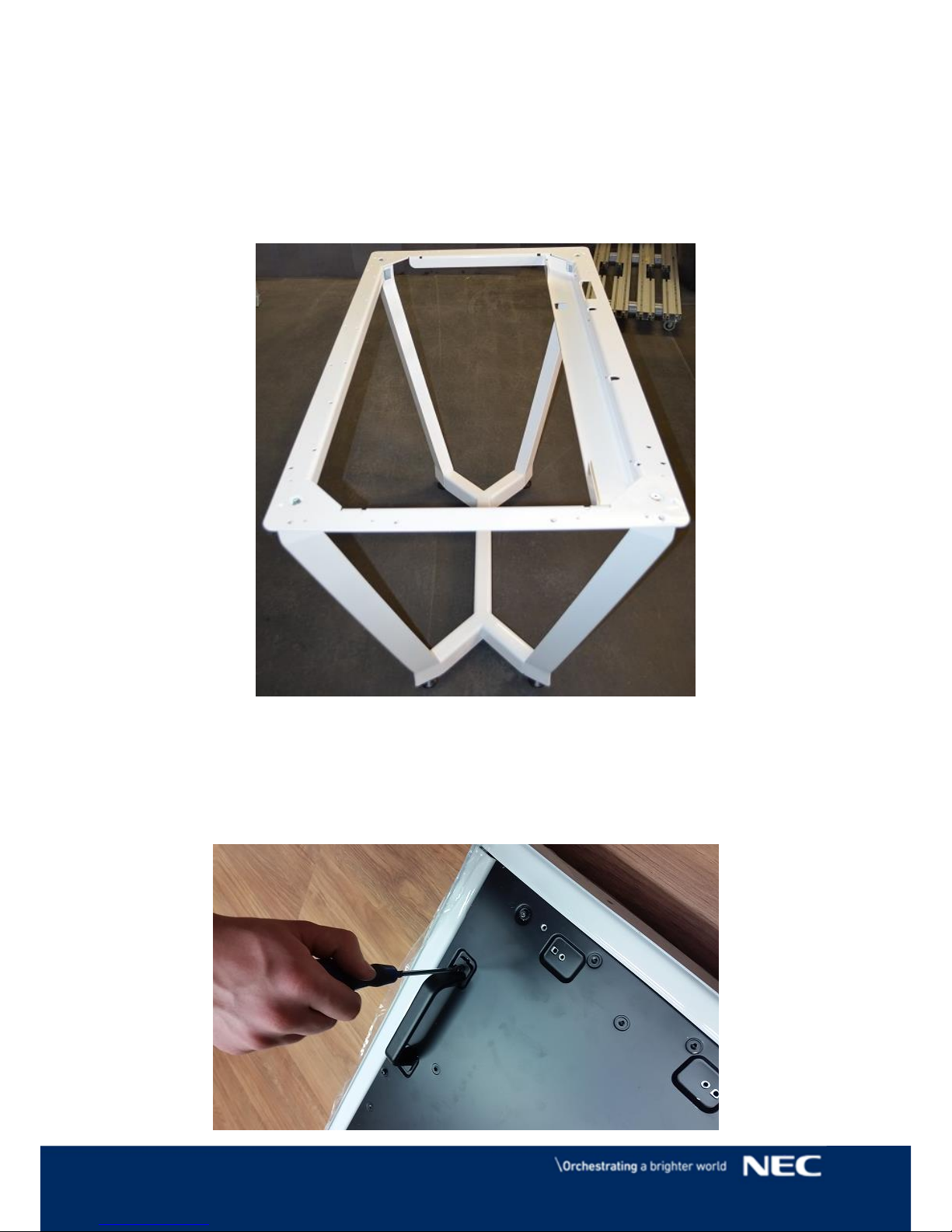
Unpack legs and top plate from box.
Prepare screws and key from accessory box.
Make sure that anti shake washers are on bolts and M4/M8 screws.
Put in X section of legs
Screw in 8 screws in marked positions for each leg.
Page 6
6 © NEC Corporation 2016
Note : Leg attach should hold leg base section while it is being mount to the
legs.
THE LEG BASE SHOULD BE SUPPORTED WHILST IT IS BEING ATTACHED TO
THE IDIVIDUAL LEGS USING M8 BOLTS AND ANTI-SHAKE WASHERS
(RACHET PROVIDED, 2X BOLTS 2X WASHERS PER LEG)
Turn over leg base and attach top plate by screws provided in accessory box.
Page 7
7 © NEC Corporation 2016
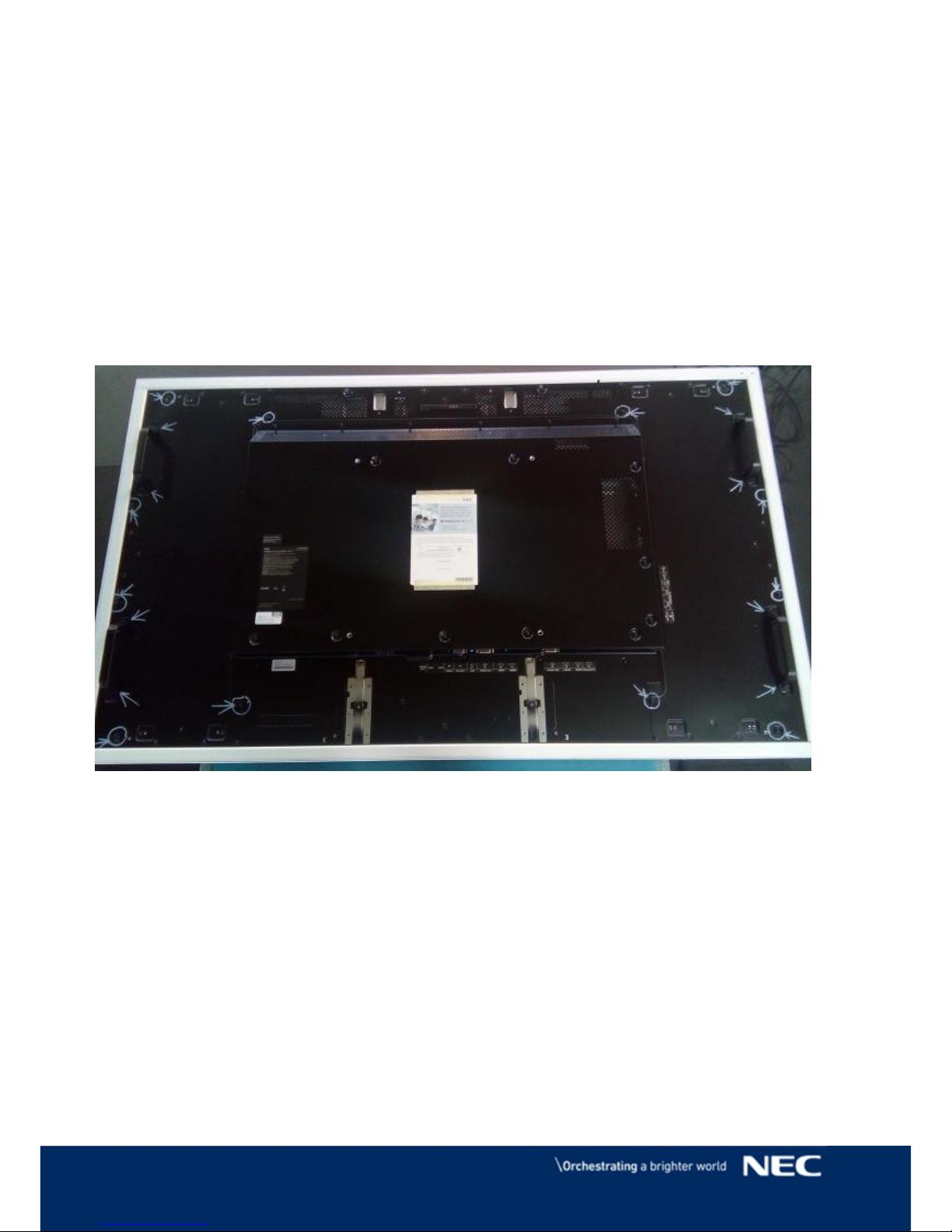
Unscrew and remove all the handles , table base will be fitted in their place.
.
Remove all screws marked on above picture.
NOTE: This action causes looseness of back plates. 4 people have to be presented
during placing display on legs base.
Page 8
8 © NEC Corporation 2016
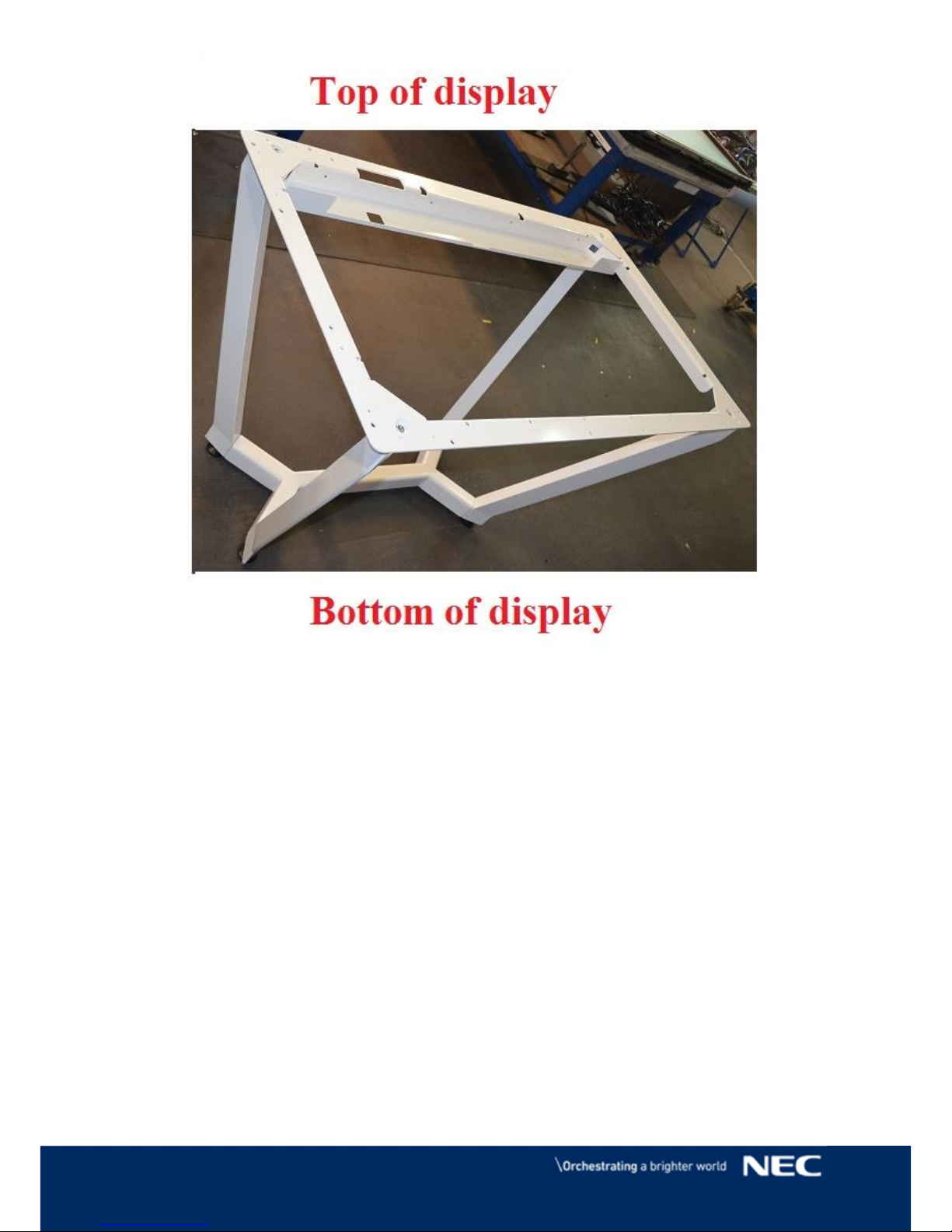
There is a top and bottom side of legs base.
Page 9
9 © NEC Corporation 2016
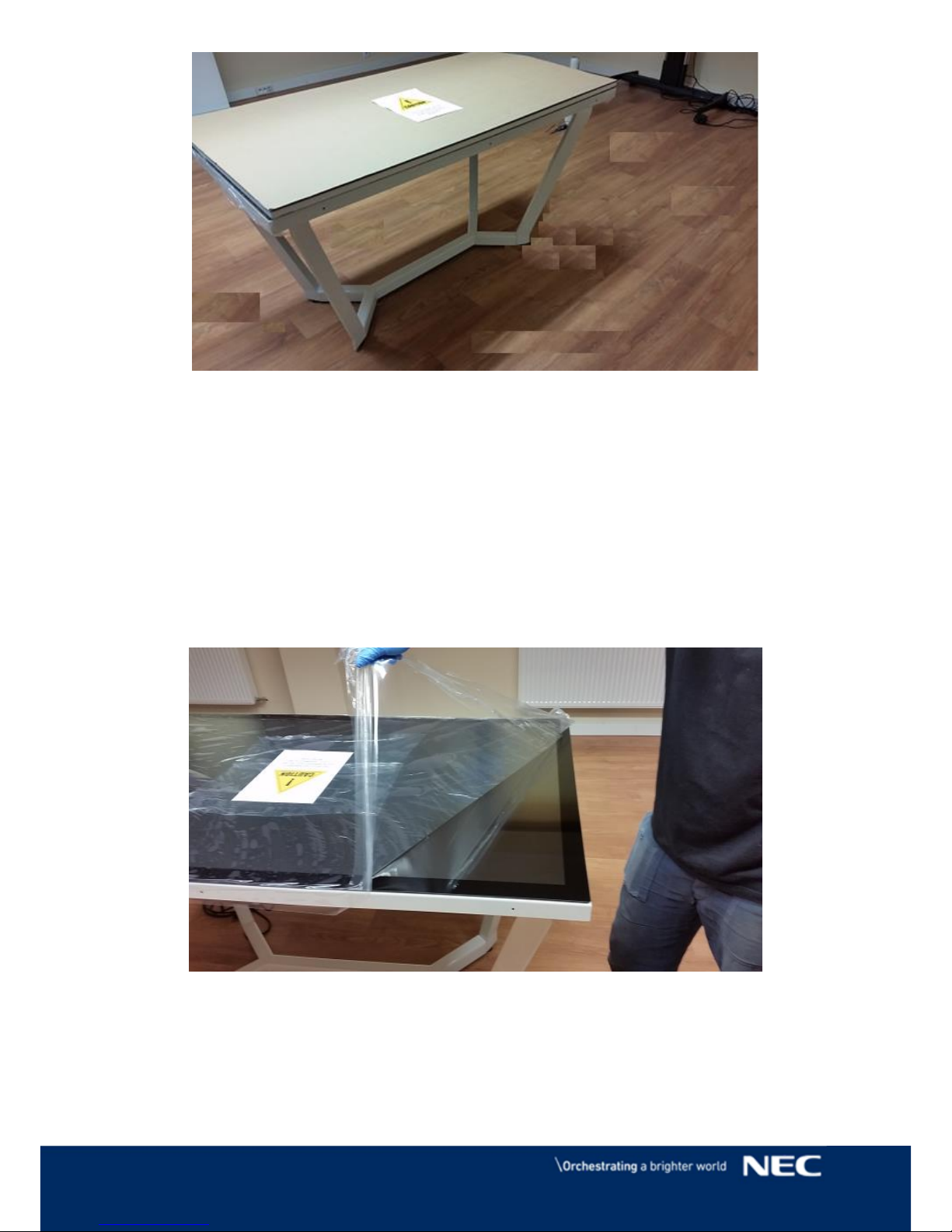
With 4 people holding each corner of display place it on the legs base.
Note : Do not put screen on the side during that action , It may result in touch screen
permanent damage and or matrix malfunction.
Remove styrofoam along with cardboard
Remove foil from the touch screen before you connect cables.
Now you can connect all cables.
The touch screen is HID 'Plug and Play' with no driver required.
Page 10
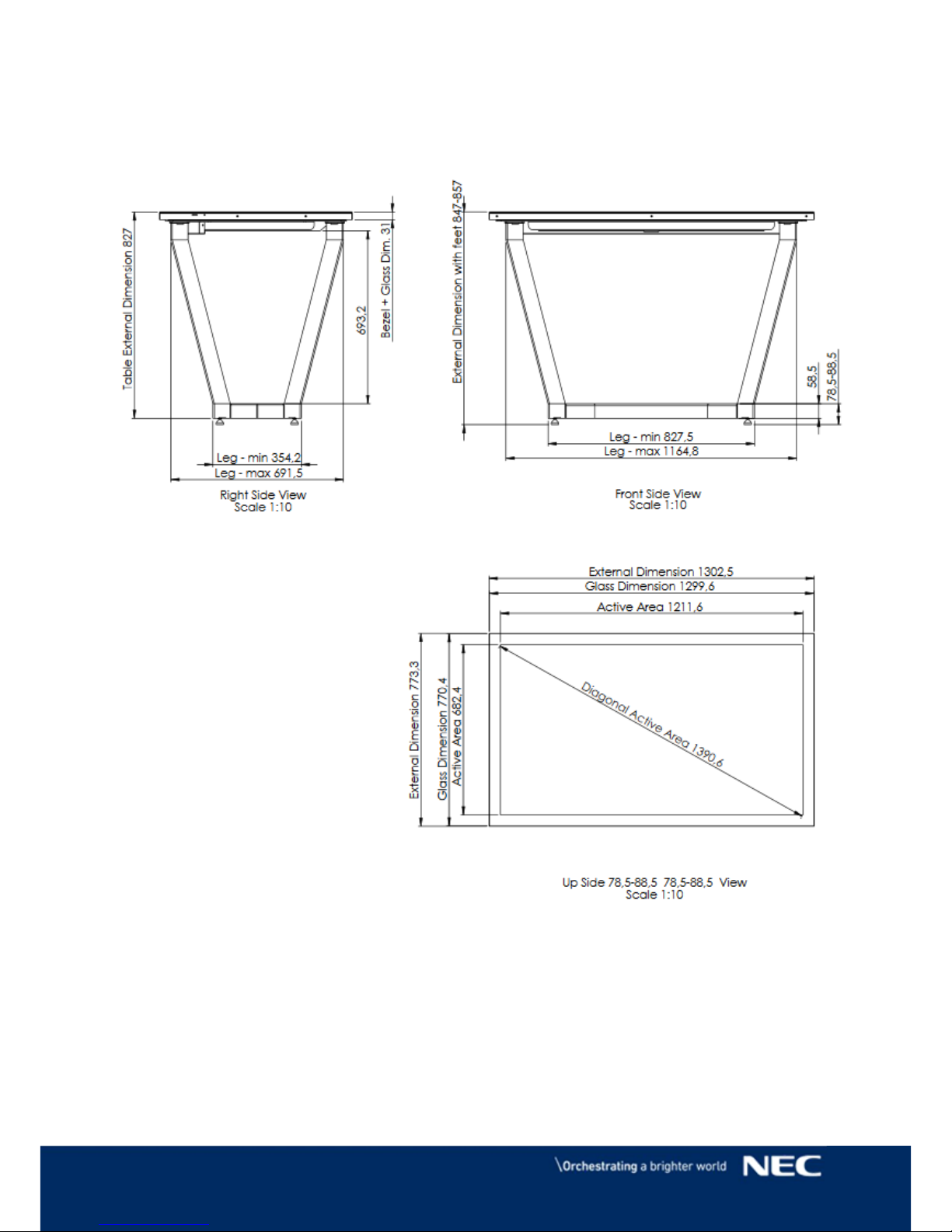
10 © NEC Corporation 2016
X551 UHD
Page 11
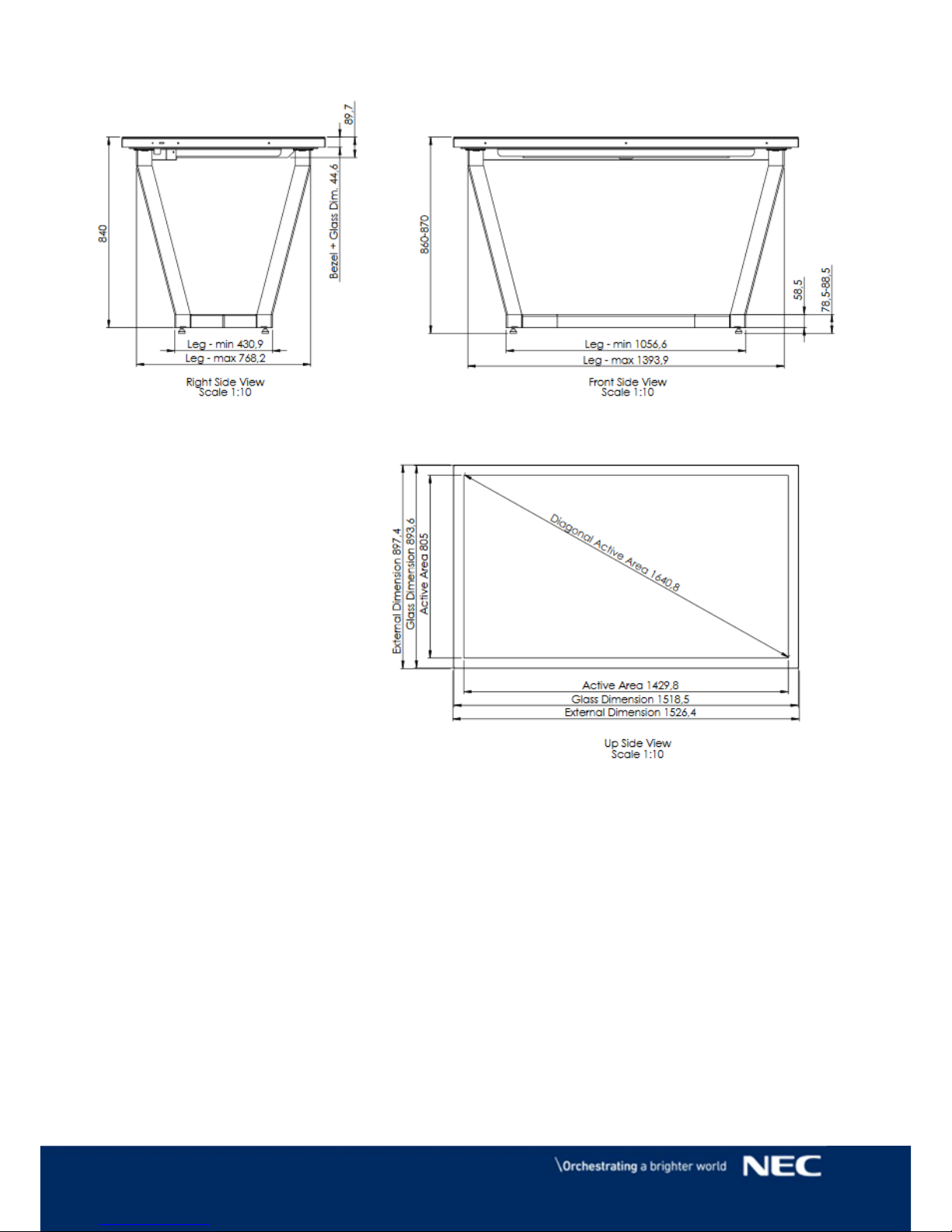
11 © NEC Corporation 2016
X651 UHD-2
Page 12
12 © NEC Corporation 2016
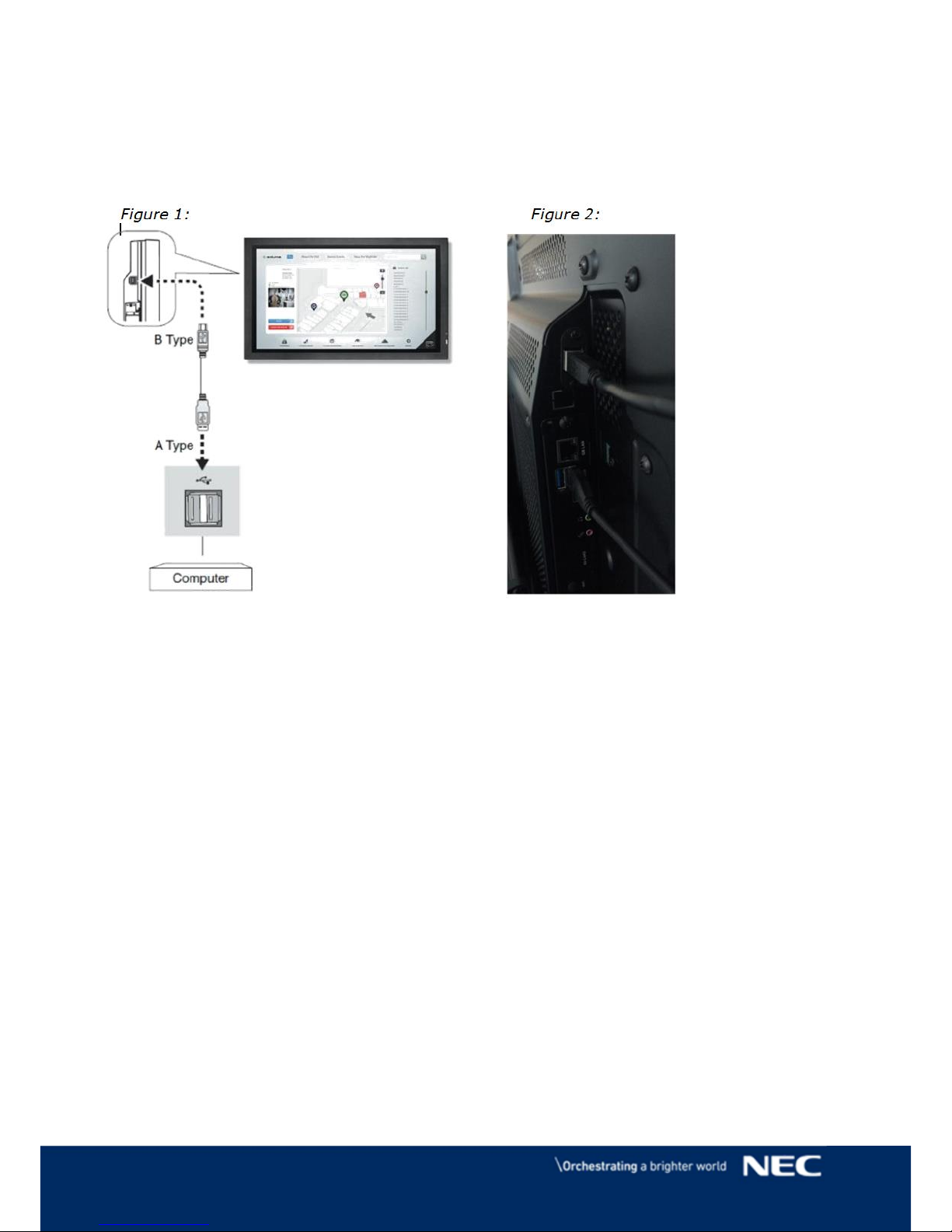
2. Connecting cables
NOTE: Touch screen USB connector is located on the bottom of the right back
side of the monitor.
3. Touch Screen Calibration
Touch screen
Re-Calibration
If the cursor fails to follow exact finger position, the screen can be recalibrated in the following way:
NOTE: Calibration under Windows is an option which can only make the touch screen
work more accurate but it is not required.
Page 13
13 © NEC Corporation 2016
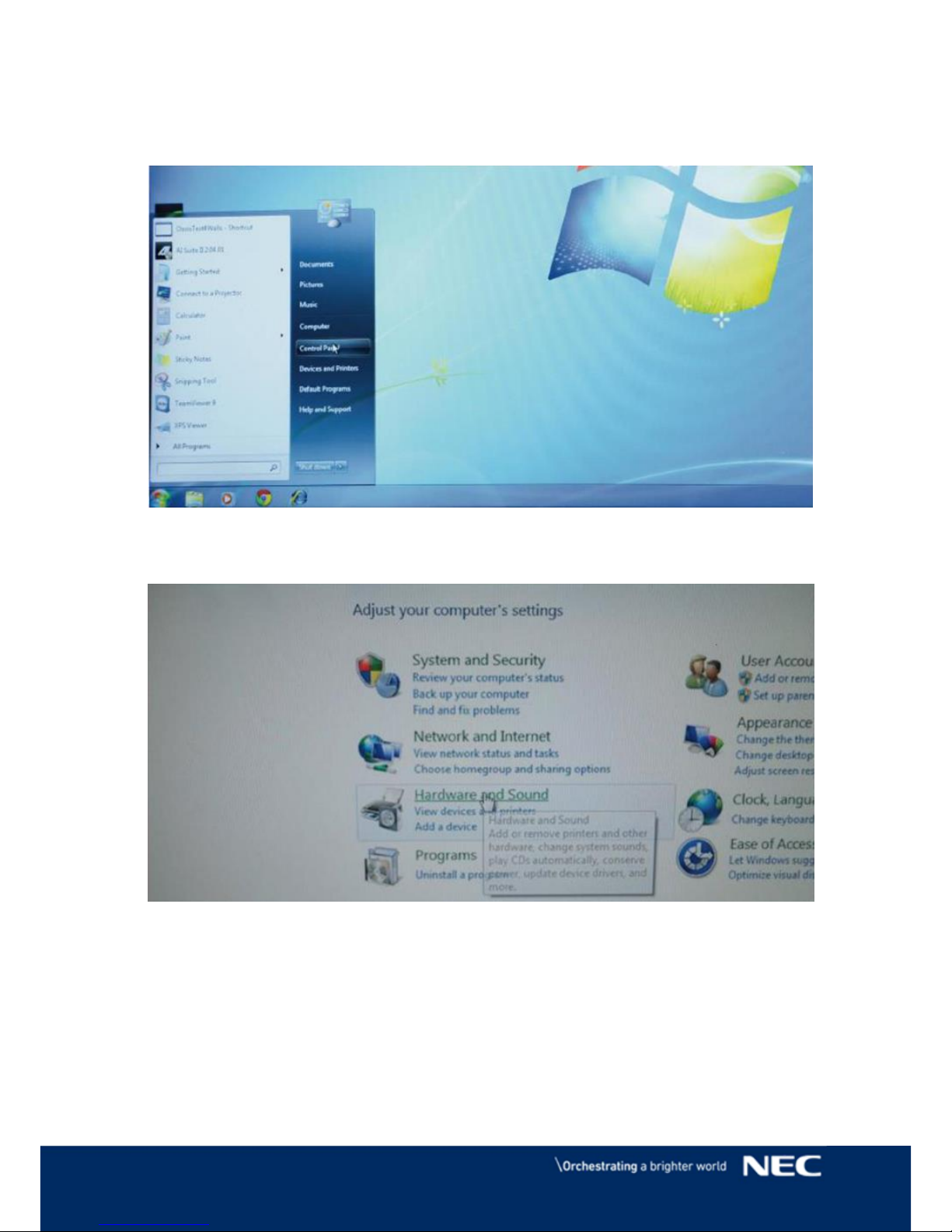
1. Open start menu in Windows and select Control Panel.
2. Open Hardware and Sound settings.
Page 14
14 © NEC Corporation 2016
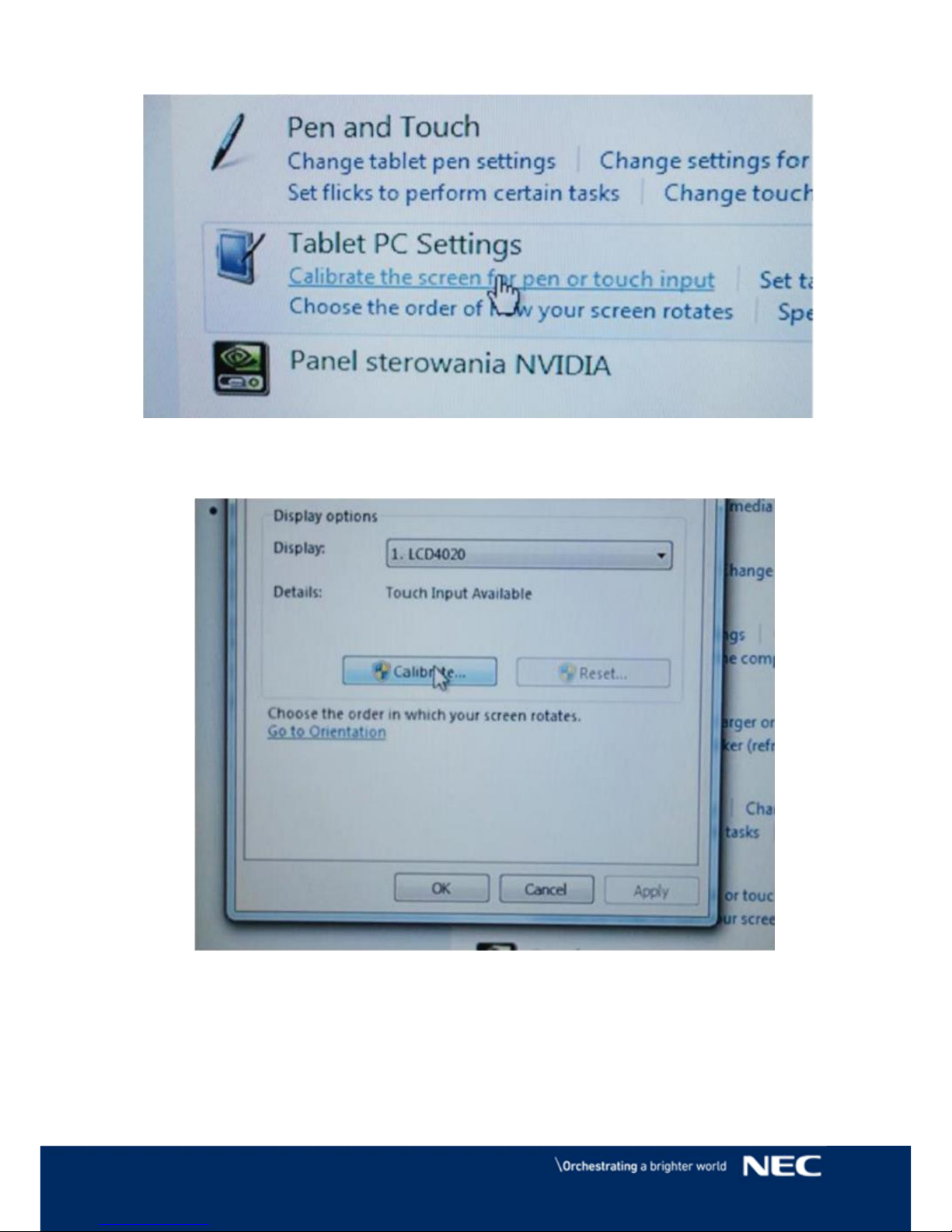
3. Open Tablet PC Settings
4. Press Calibrate button.
Page 15
15 © NEC Corporation 2016
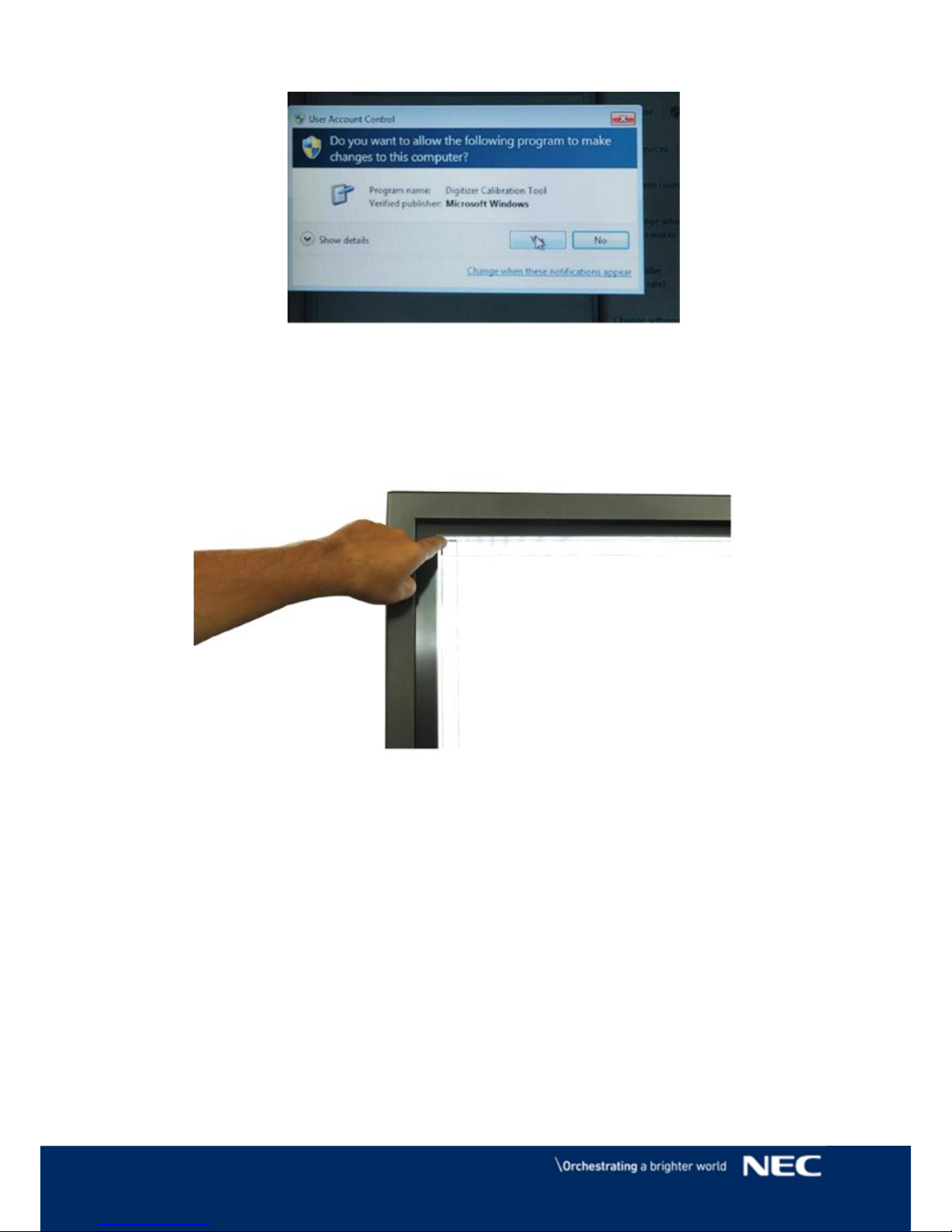
5. If User Account Control windows pops up , click yes
6. When the calibration process begins, touch the middle of each cross that appears
in bold on the screen; crosses shall appear several times in each corner of the screen.
After touching the last cross, the calibration process ends.
NOTE: If the touch is still not precise enough, the whole action can be repeated.
Page 16
16 © NEC Corporation 2016
Disposal Instruction
NEC products are meeting all EU norms regarding safety, health and
environmental requirements.
WEEE Mark (European Directive 2002/96/EC)
This includes monitors and electrical accessories, such as signal cables or power
cords. When you need to dispose of your NEC display products, please follow the
guidance of your local authority, or ask the shop where you purchased the product, or
if applicable, follow any agreements made between yourself and NEC. The mark on
electrical and electronic products only applies to the current European Union Member
States.
Outside the European Union
If you wish to dispose of used electrical and electronic products outside the
European Union, please contact your local authority so as to comply with the
correct disposal method.
Page 17

17 © NEC Corporation 2016
NEC Display Solutions Europe GmbH
Landshuter Allee 12-14
D – 80637 München
Phone: +49 (0)89 99 699-0
Fax: +49 (0) 89 99 699-500
www.nec-display-solutions.com
 Loading...