

Page 1
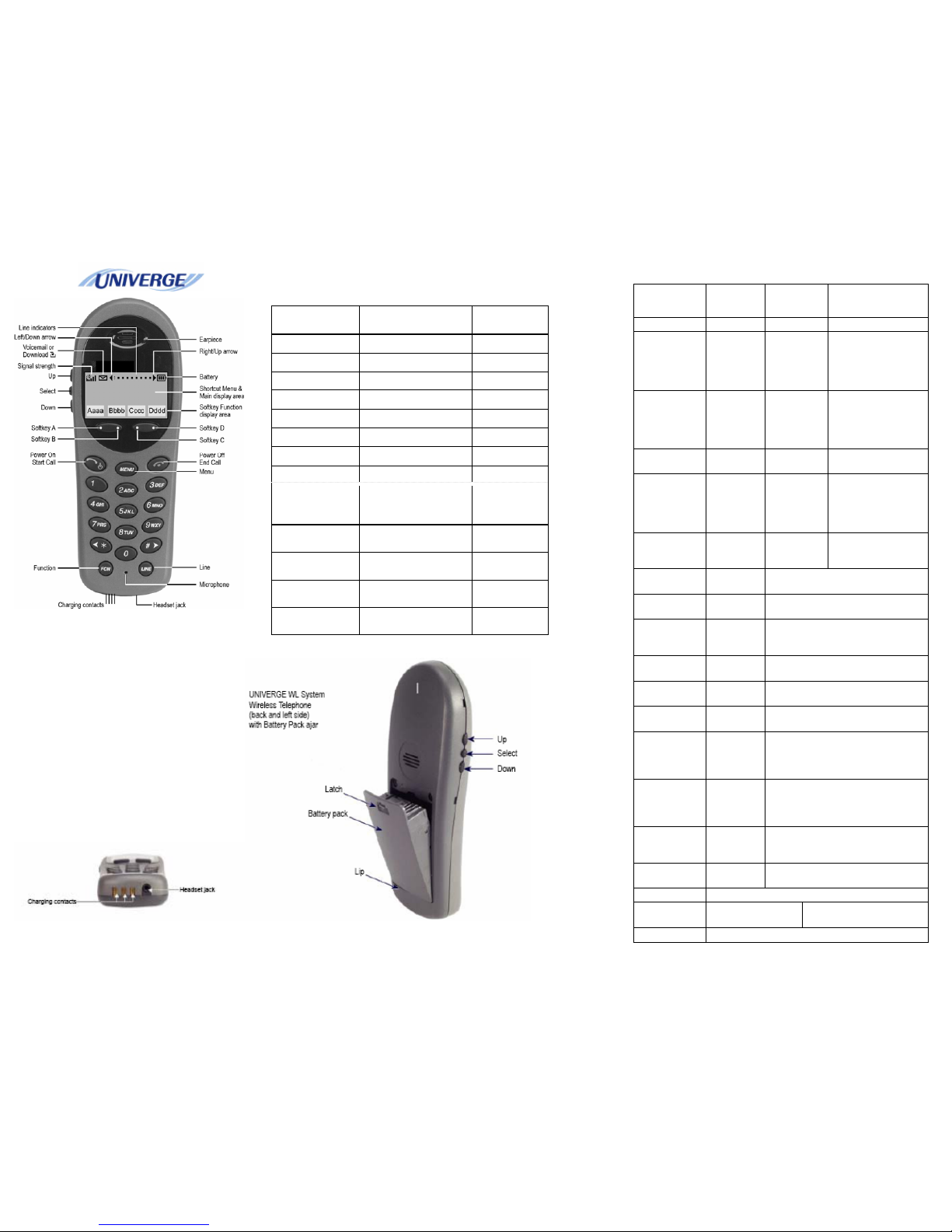
NEC WIRELESS HANDSET MH110
Standby
menu item
2nd Level 3rd Level 4th Level
Lock Keys
Ring Options Telephone
Ring
Ring
Cadence
Off
*PBX
Continuous
Short Pulse
Long Pulse
Ring Tone *Tone 1
Tone 2
Tone 3
Tone 4
Tone 5
Ring
Volume
Bars
Vibrate
Cadence
*Off
PBX
Continuous
Short Pulse
Long Pulse
Ring
Delay**
*No Delay
5 Second Delay
10 Second Delay
Auxiliary
Ring 1
Auxiliary
Ring 2
Note: All Softkeys remain the same as PBX setting.
Phone
Options
Noise
Mode
*Normal
High
Severe
Key
Tones
*Enable Tones
Disable Tones
Warning
Tones
*Enable warnings
Disable warnings
Display
Contrast
Contrast %
Keypad
Autolock
*Disable
5 seconds
10 seconds
20 seconds
System Info Phone IP
Addr
Displays current IP address
assigned the handset and current
Alias IP address assigned to the
handset from the SVP server.
Server IP
Addr
Displays the IP address of the SVP
server and the spectralink OAI
server.
Firmware
Version
Displays MAC address and version
of handset
Identification Enter in name to identify your handset.
NEC options NEC PBX IP Displays IP address of the
PBX.
Displays port information.
Function key
display:
Emulates fixed
operation keys:
Key
sequence
1 Hold Hold FCN + 1
2 Transfer Transfer FCN + 2
3 Conf Conference FCN + 3
4 Recall Recall FCN + 4
5 Redial Redial FCN + 5
7 Directory Directory FCN + 7
8 Message Message FCN + 8
9 Mute MIC FCN + 9
Line key display Emulates
programmable line
keys
Key sequence
1 Prime line Extension
number/Name
LINE + 1
2 Program as
required
Feature name (CB,
S&R etc)
LINE + 2
3 Program as
required
Feature name (CB,
S&R etc)
LINE + 3
LINE + 4 4 Program as
required
Feature name (CB,
S&R etc)
 Loading...