

Page 1
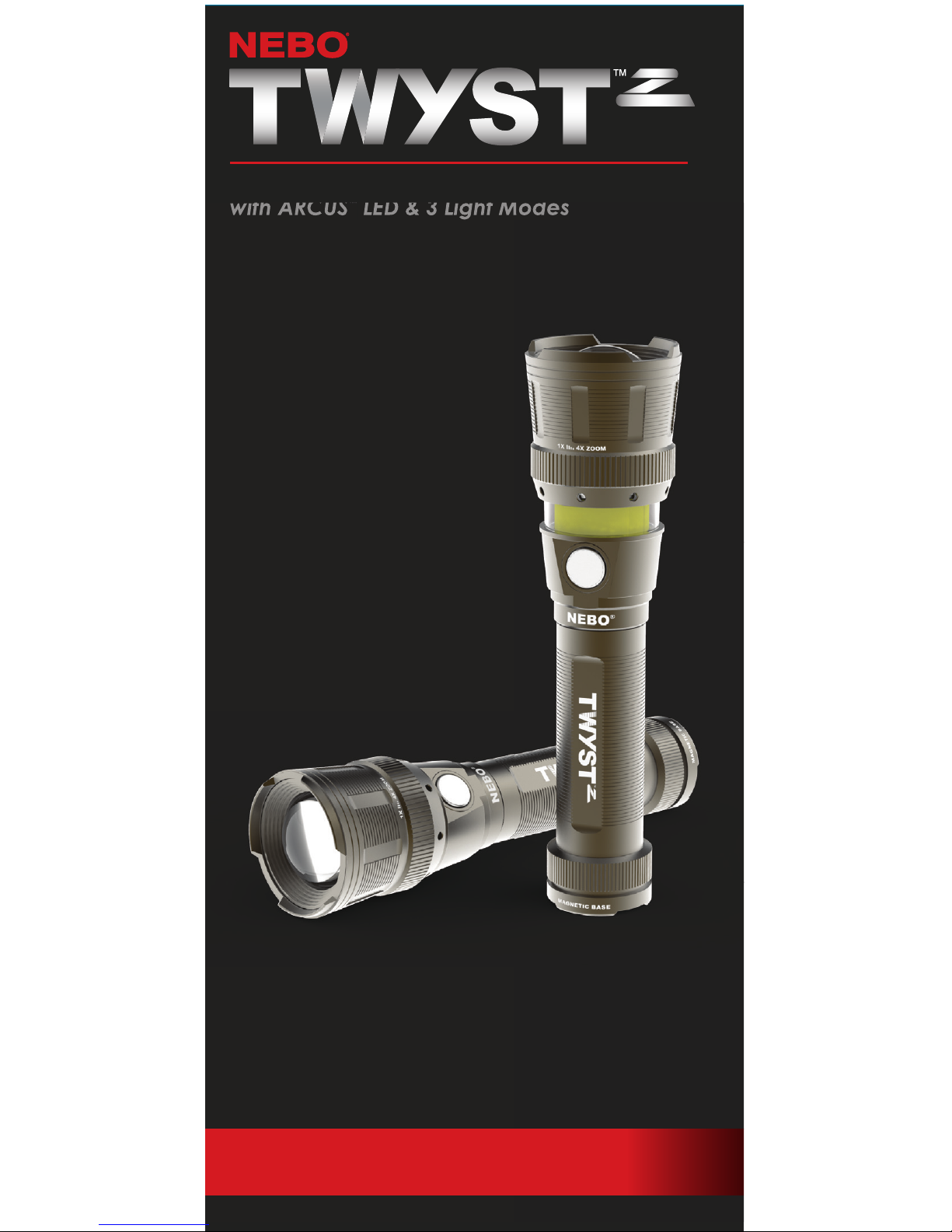
200 LUMEN LED FLASHLIGHT
with ARCUS
“
LED & 3 Light Modes
user manual
item #6372
Page 2
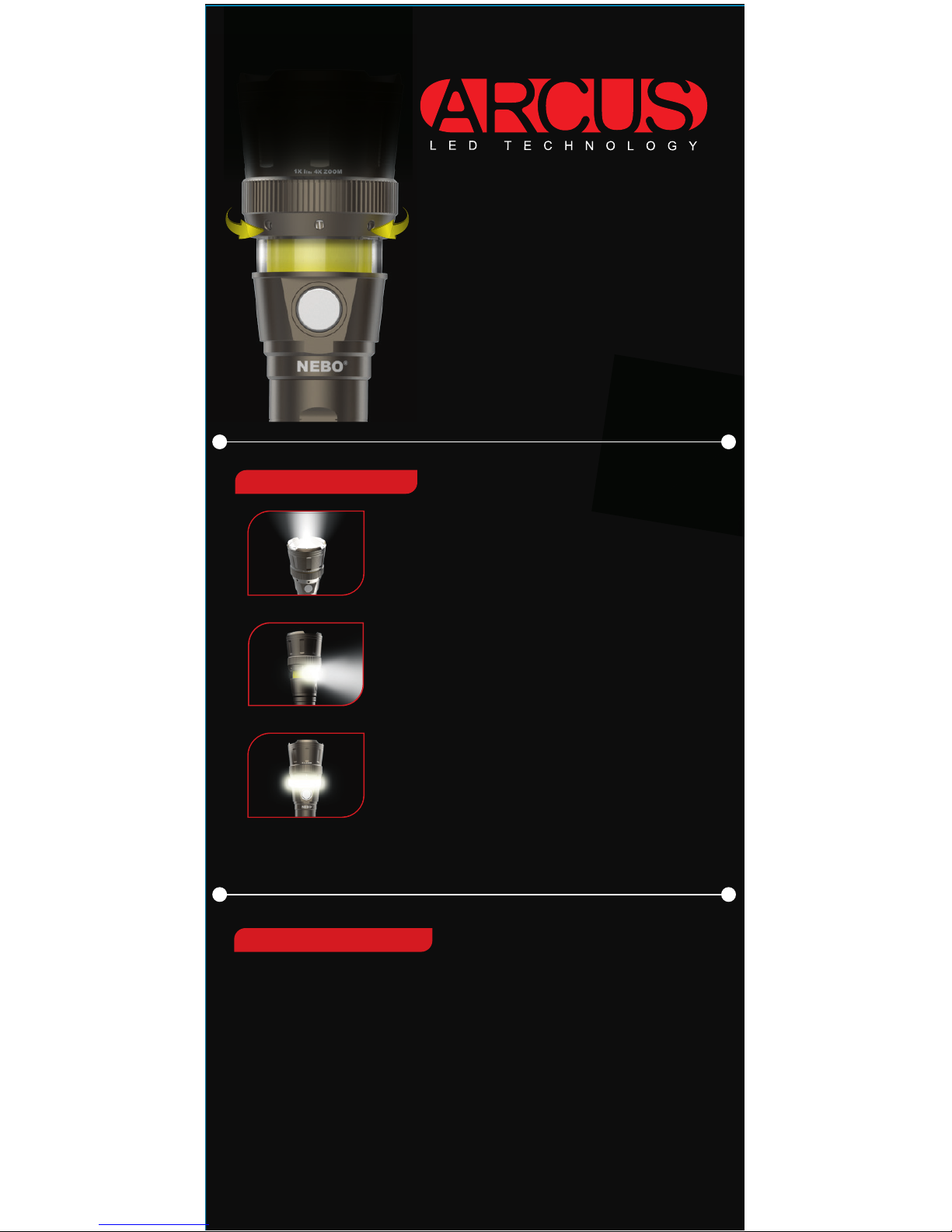
DIMMABLE BEAM
Each light mode is fully dimmable. Hold button for 1.5 seconds to
activate dimming function.
¥ Light will dim from 100% to 10% over 3 seconds.
¥ Light will flash quickly when it reaches 10% to indicate it has
r eached the lowest light output.
¥ Release button at any time to achieve desired brightness.
¥ Light will continue to dim/brighten between 100% and 10%
until button is released.
NOTE: Run times and viewing distance will change in relation to the
light s dimming function.
WORK LIGHT:
HIGH: 75 LUMENS (120… Light Coverage)
Run Time: 10 Hours / Viewing Distance: 10 Meters
LOW: 8 LUMENS
Run Time: 26 Hours / Viewing Distance: 4 Meters
FLASHLIGHT:
HIGH: 200 LUMENS
Run Time: 2 Hours / Viewing Distance: 110 Meters
LOW: 20 LUMENS
Run Time: 20 Hours / Viewing Distance: 34 Meters
LANTERN:
HIGH: 200 LUMENS (360… Light Coverage)
Run Time: 2 Hours / Viewing Distance: 15 Meters
LOW: 20 LUMENS
Run Time: 16 Hours / Viewing Distance: 4 Meters
3 LIGHT MODES
ARCUS is a new proprietary C¥O¥B LED
technology that allows the shaping of
light into full 3D patterns, giving optimal,
bright, unifor m light exactly where it’s
needed.
With TWYS T
“
Z, the ARCUS LED
provides 120… beam pattern in work
light mode and a 360… beam pattern
when used in lantern mode.
To reveal ARCUS LED, simply twist the
bezel counter-clockwise.
Introducing:
Page 3
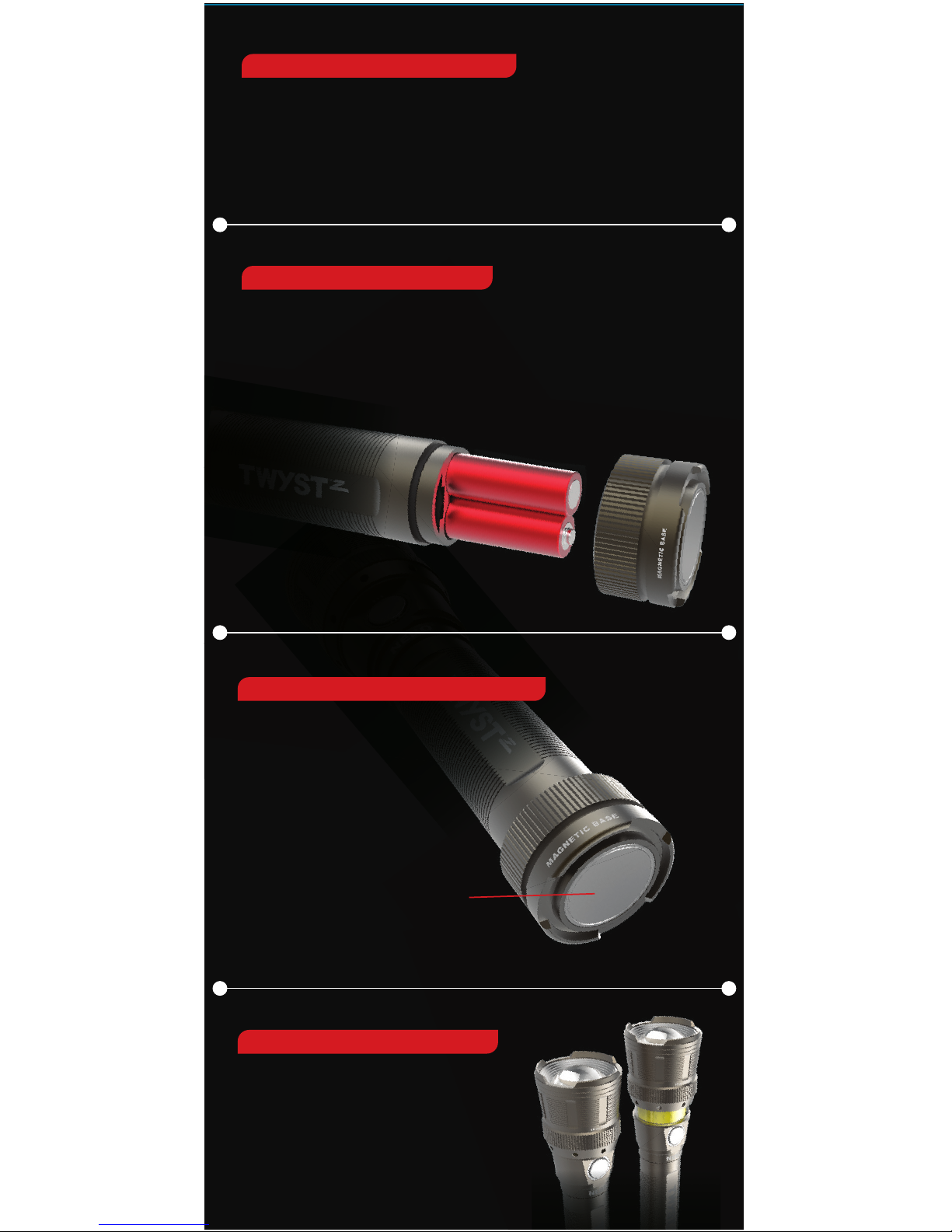
BATTERY INSTALLATION
LIGHTING INSTRUCTIONS
TWYST“Z is powered by 4 AAA batteries.
1. To open battery compartment, turn the end cap counter-clockwise.
2. Remove old batteries and dispose of properly.
3. Insert new batteries as shown below.
4. Reattach end cap by turning clockwise.
Powerful
magnetic base
Press button 1x to activate flashlight
Press 2x to activate worklight
Press 3x to activate lantern
Press again to turn Off
( Note: Leave any mode On for 5 seconds or longer
and your next press of the button turns light Off )
POWERFUL MAGNETIC BASE
For convenient, hands-free lighting
4X ADJUSTABLE ZOOM
¥ Turn the head counter-clockwise
to go from flood to spot
¥ Turn the head clockwise
to go from spot to flood
Page 4
 Loading...