

Page 1
Overview
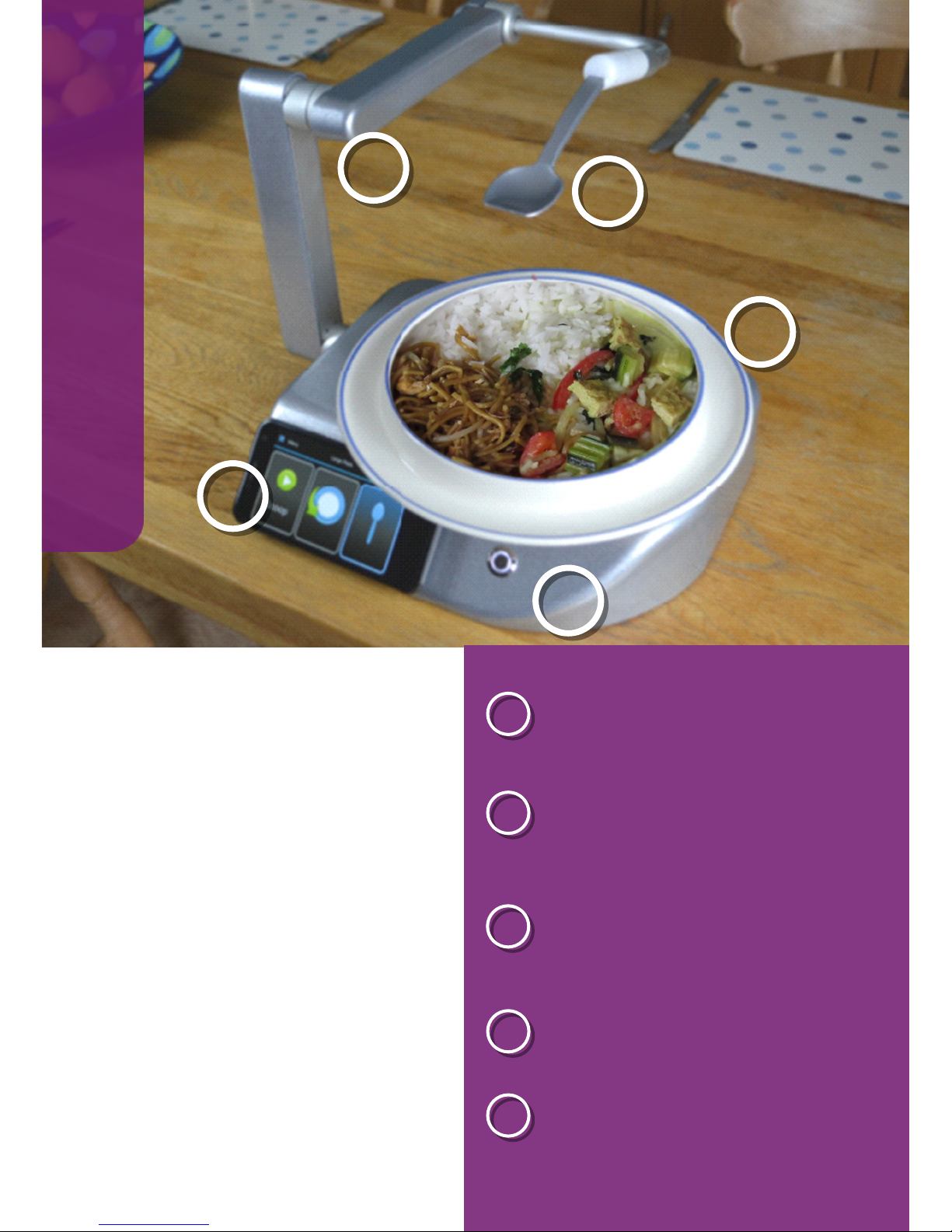
The Neater Eater Robotic enables
you to feed yourself. It is simple
to use; controlled by either a
touchscreen or plug-in switches.
Touchscreen menus and help
guide demonstrate many options
such as setting your mouth
position, automatic spoon-wiping
and plate-turning. There are fork
and snack-holder modes and a
routine to scrape the plate at the
end of your meal.
A
B
C
A
B
Neater Eater Robotic
D
D
E
E
C
PTO for easy setup!
On/Off switch
Removable touchscreen controller
with onscreen help and video guides
Robot arm has wide range of
movement to reach your mouth
Choice of plug-on cutlery
Choice of materials, sizes and styles
of turntable plate
Page 2
Quick start guide
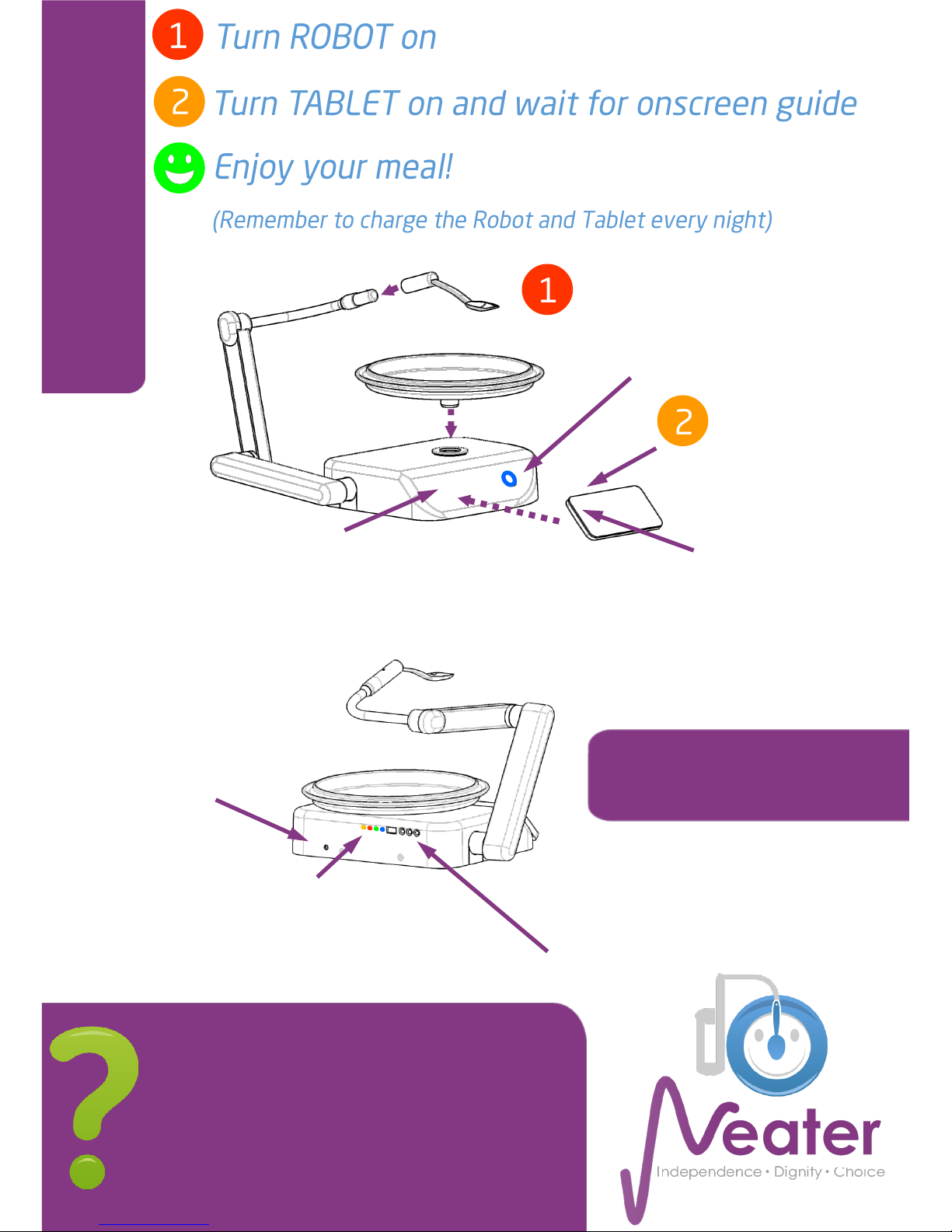
Plug-in optional switches
e.g. for foot or head control
The touchscreen will guide you through set-up
and use.
Press this question mark icon onscreen for help
and hold for videos.
PLEASE READ ALL SAFETY INSTRUCTIONS.
For further information, video hints, and tips go
Orange Light = robot battery charging
Red Light = power to touchscreen charger
Green Light = external power plugged in
Blue Light = touchscreen Bluetooth connected
Plug power in here every
night to charge batteries.
(Can be plugged
in when eating)
Problem? Restart robot/tablet and
sleep/wake screen.
Power Button
Press on — Lights up
Hold to switch off
Tablet power.
Screen wake/sleep
button
Red Light = charging
(flashing = battery low)
Green Light = fully charged
Removable
touchscreen
for easy access.
Replace here between meals
to recharge its battery wirelessly.
 Loading...