

Page 1
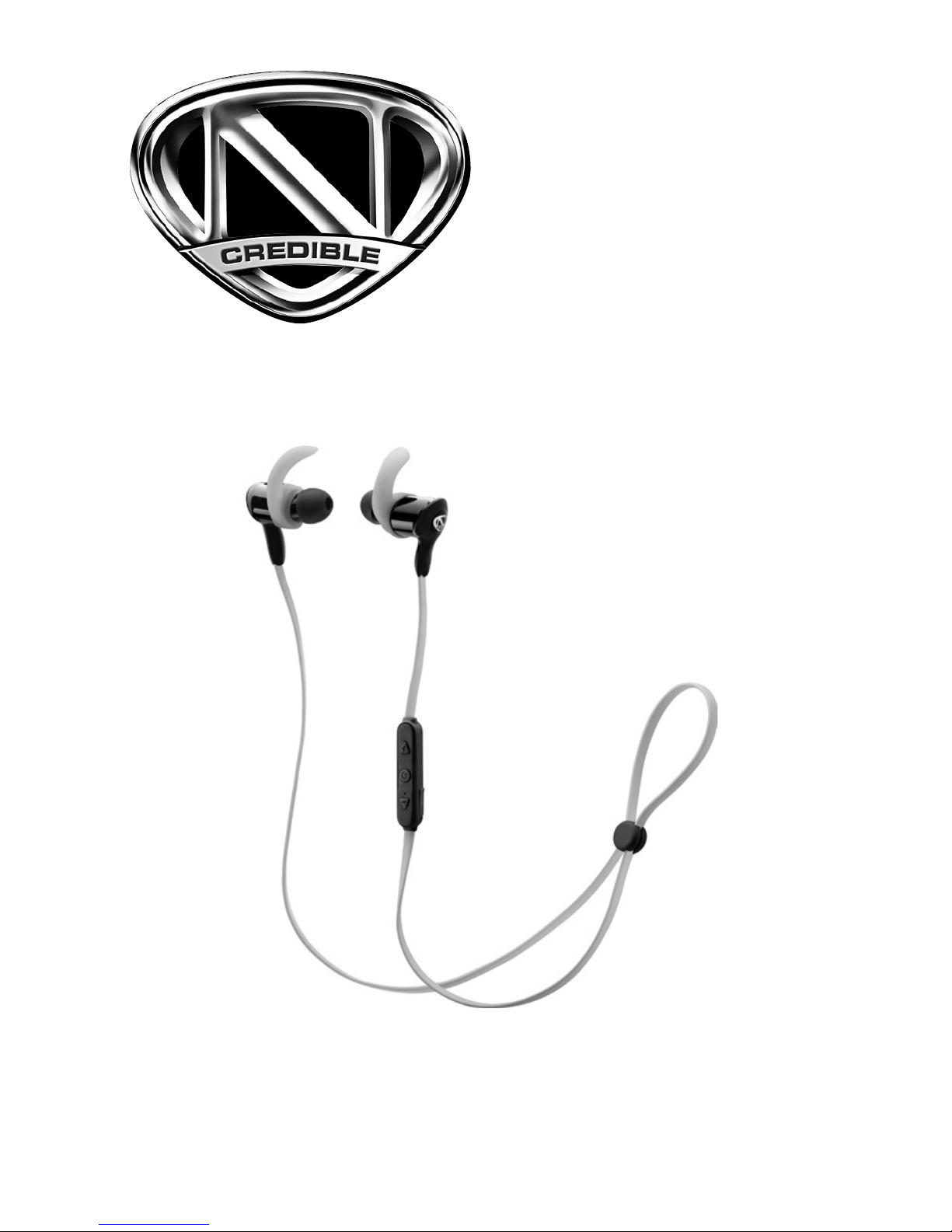
User’s Guide
3301757, 3301758, 3301759
N
credible
bluetooth
®
earbuds
Page 2
2
We hope you enjoy your N
credible
Bluetooth Earbuds.
Designed with an adjustable cable, these water-resistant
sporty earbuds allow you to listen music wirelessly during
workouts. Please read this user's guide before using your
earbuds.
Package Contents
• Earbuds • Carry Case
• 3 pairs of tips (S/M/L) • USB Charging Cable
• 3 pairs of ear hooks (S/M/L) • User's Guide
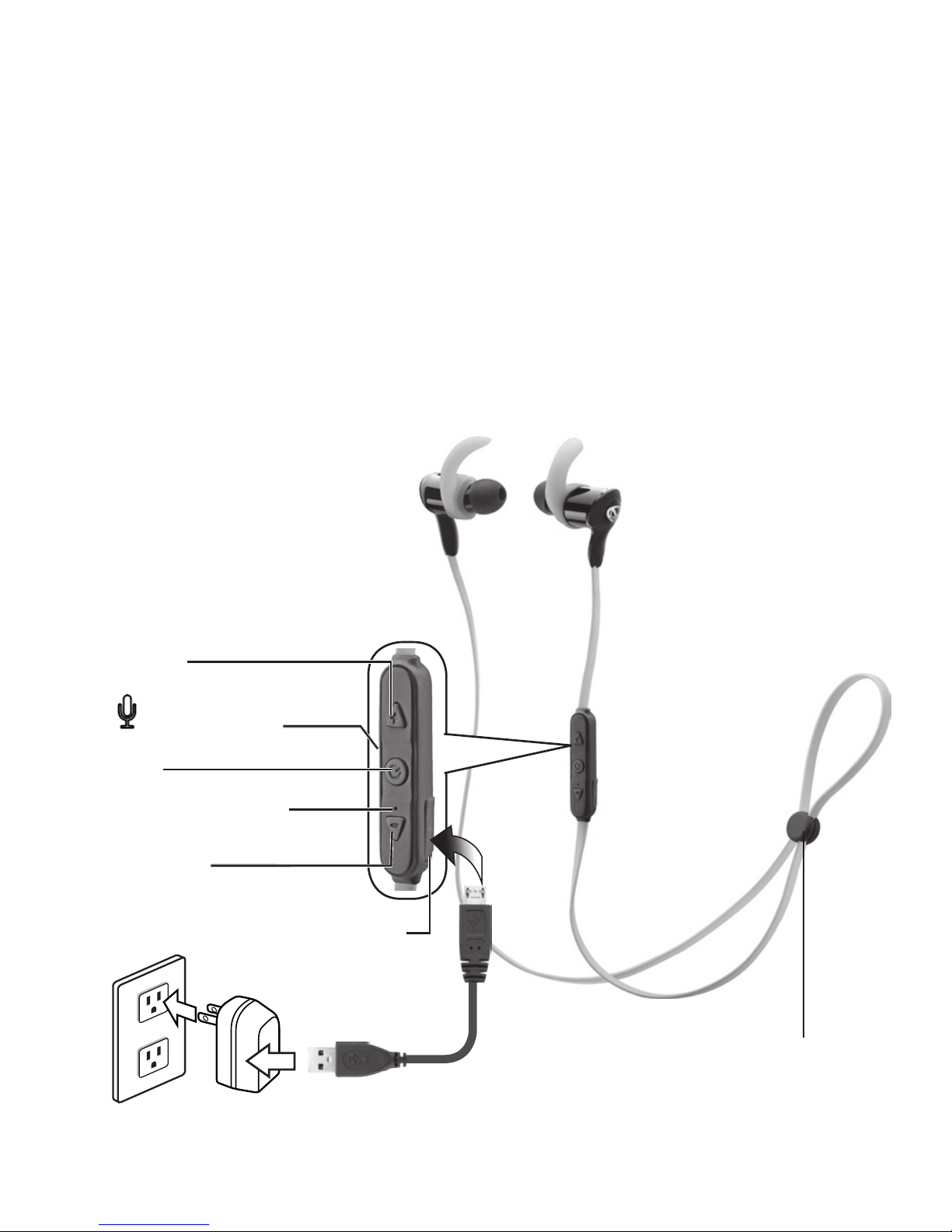
Vol -
º
Vol +
LED Indicator
Micro USB
Charging Port
Adjustable
cable
Mic (back)
Page 3

3
Charge
When the earbuds indicator ashes red or has no response,
charge your earbuds. Normal charging takes about 2 hours.
1. The LED indicator lights red when charging and turns
blue when fully charged.
2. Unplug the charging cable when the earbuds are fully
charged.
Pairing
1. Press and hold the º button for 4 seconds to enter
pairing mode. The LED indicator ashes red and blue as
your earbuds searches for Bluetooth-enabled devices.
2. On your device, turn on the Bluetooth function, and set it
to search for Bluetooth devices.
3. Select and connect to Ncredible Earbuds from the list
of found devices. When paired, the LED Indicator ashes
blue every 4 seconds and the earbuds enters standby
mode.
Note: If your Bluetooth-enabled device is out of connection
range and disconnects, move back within 5 minutes to
reconnect automatically.
Changing Bluetooth Devices
Your earbuds automatically reconnects to the most recently
paired device when it is powered on.
To pair a new device, you must disconnect the current
device’s Bluetooth functions rst. See your Bluetooth device’s
instructions for details.
Page 4

4
Using the Earbuds
To Button Press
Turn earbuds on/o
º
...hold for 2 seconds
Adjust volume
Vol +/-
≥1
Calls
Answer / end a call
º
x1, or use phone keys
Reject a call ...hold for 1 seconds
Last number redial x2 quickly
Toggle a call between
your earbuds and your
connected phone
...hold for 1 seconds
Answer a second call
during a call
x2 quickly
Answer a second call and
end the current call
x1
Mute or unmute a call Vol + ...hold for 2 seconds
Music
Play/Pause
º
x1
Previous Track Vol - ...hold for 2 seconds
Next Track Vol +
Note: The button functions may vary depending on your
device and phone’s protocol and devices.
Page 5

5
Listening Safely
Do not wear earbuds while driving a vehicle or cycling. This can
create a trac hazard and could be illegal in some areas. To
protect your hearing:
• Do not listen at high volume. Extended high-volume
listening can lead to permanent hearing loss.
• Set the volume to the lowest setting, then adjust to a
comfortable level.
• Avoid increasing the volume. Your ears adapt to volume, so
a level that does not cause discomfort could still damage
your hearing.
Specifications
Battery charge time ............................................................. approx. 2 hours
Operation time ...................................................................................... 7 hours
Standby time ..................................................................................... 280 hours
Battery charging voltage .............................................................................5V
Charging current ..................................................................................... 80 mA
Bluetooth protocol ..................................................................................... V4.0
Operating distance ...................................................................... 33 ft. (10m)
Frequency response ............................................................... 20Hz - 20KHz
Sensitivity ............................................................................................... 93±5dB
Impedance ............................................................................... 16 Ohms ±15%
Cable length (max. extended) .............................................2.1 ft. (0.63 m)
IPX .................................................................................................................level 3
Specications are subject to change and improvement without notice.
Actual product may vary from the images found in this document.
Lithium Battery Safety
• Do not burn or bury batteries. Do not puncture or crush.
Do not disassemble. Recycle lithium batteries. Do not
dispose of in the trash.
Page 6

6
• If the electrolyte in the cells should get on your skin,
thoroughly wash with soap and water. If in the eyes, rinse
thoroughly with cool water. Immediately seek medical
attention.
• The built-in battery may discharge completely after a long
period without use. Recharge.
• Follow the instructions for charging. Do not charge longer
than recommended. Unplug the USB cable when the
battery is charged.The headphones should never be left
unattended while charging.
FCC Information
This equipment has been tested and found to comply with the limits
for a Class B digital device, pursuant to Part 15 of the FCC Rules. These
limits are designed to provide reasonable protection against harmful
interference in a residential installation. This equipment generates, uses,
and can radiate radio frequency energy and, if not installed and used in
accordance with the instructions, may cause harmful interference to
radio communications. However, there is no guarantee that interference
will not occur in a particular installation. If this equipment does cause
harmful interference to radio or television reception, which can be
determined by turning the equipment o and on, the user is encouraged
to try to correct the interference by one or more of the following
measures:
• Reorient or relocate the receiving antenna.
•
Increase the separation between the equipment and receiver.
• Connect the equipment into an outlet on a circuit dierent from
that to which the receiver is connected.
• Consult the dealer or an experienced radio/TV technician for help.
If you cannot eliminate the interference, the FCC requires that you
stop using your equipment. Changes or modications not expressly
approved by the party responsible for compliance could void the user’s
authority to operate the equipment.
This device complies with Part 15 of the FCC Rules. Operation is subject
to the following two conditions: (1) this device may not cause harmful
interference, and (2) this device must accept any interference received,
including interference that may cause undesired operation.
Page 7
7
The Bluetooth® word mark and logos are owned by Bluetooth SIG,
Inc. and any use of such marks by General Wireless Operations Inc.
is under license.
Complies with the European Union’s
“Restriction of Hazardous Substances
Directive,” which protects the
environment by restricting specic
hazardous materials and products.
© 2016 General Wireless Operations Inc.
All rights reserved. The N
credible
logo is a
trademark of Nick Cannon Inc. used under
licence by General Wireless Operations
Inc. dba RadioShack.
radioshack.com
11A16
3301757
3301758
3301759
Printed
in China
Limited Warranty
Go to www.radioshack.com/help for details.
RadioShack Customer Relations
300 RadioShack Circle, Fort Worth, TX 76102
 Loading...