

Page 1
© myPhone 2015. All rights reserved. myPhone HaloX PL
USER’S MANUAL
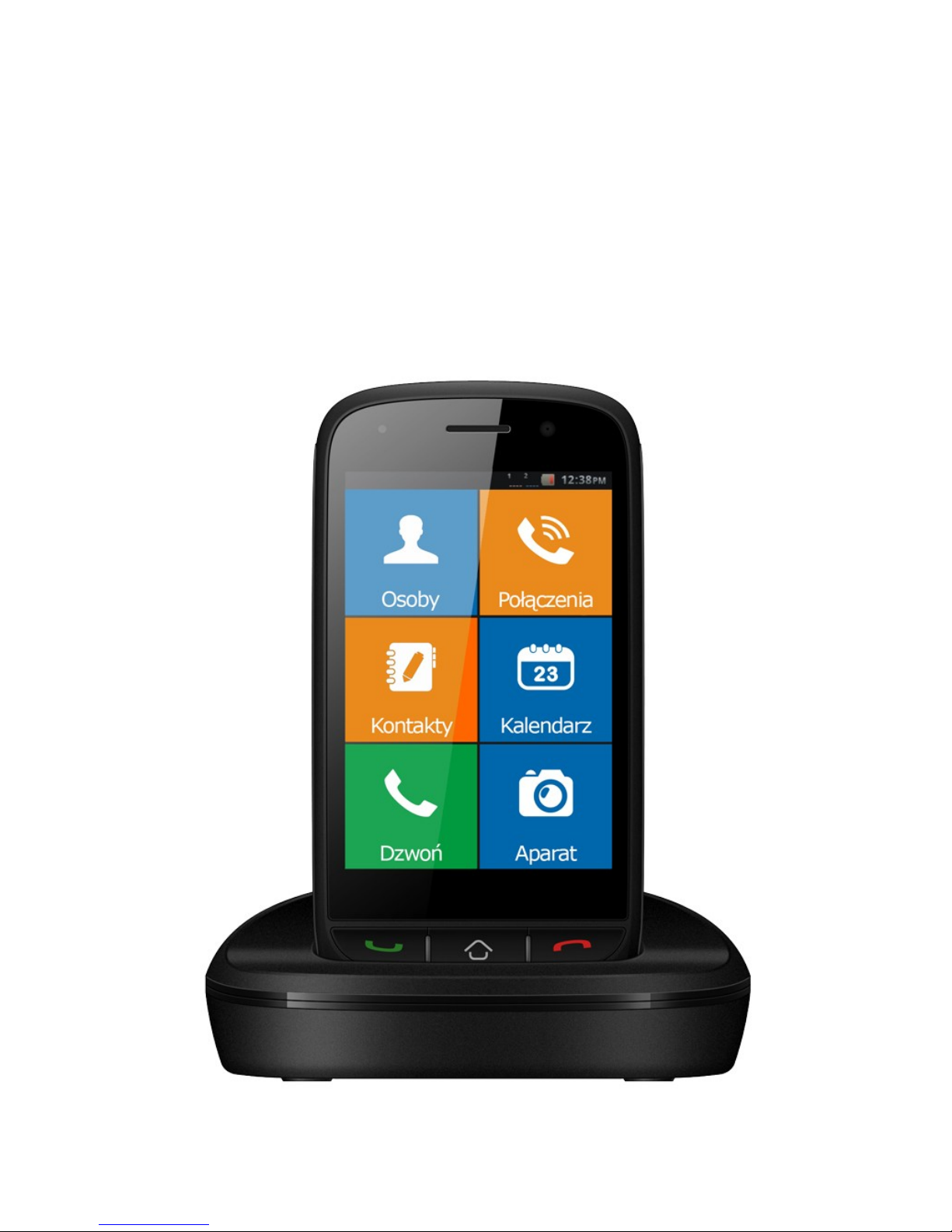
myPhone HaloX
1
Page 2

© myPhone 2015. All rights reserved. myPhone HaloX PL
myPhone HaloX set contains:
Before you begin to use you myPhone
HaloX check if all of these items can be
fund in the box:
myPhone HaloX phone,
battery,
charger,
charging base,
microUSB cable,
user manual,
Contact your retailer if one of the above
items is missing.
There is an IMEI sticker on the box. Keep
it for further use (warranty, identification
in case of theft, etc.)
Keep it away from water and children.
2
Page 3

© myPhone 2015. All rights reserved. myPhone HaloX PL
Tech. specification:
Frequency range: 900 / 1800 MHz; and
GPRS
One SIM card nest;
Size: 121 x 58 x 14 mm (L*W*H);
Touch panel and LCD display: 3.5” size
diagonally, constructed using G+F
technology, can display 262 thousands of
colours;
Camera:
o Picture resolution: max. 2Mpix;
o Recording movies: 480 x 320 px
resolution, 3 frames per second.
H-free loudspeaker;
Battery capacity: 1400 mAh, 5.18 Wh;
Wieght – device and battery: 115 g;
Box weighs:
3
Page 4

© myPhone 2015. All rights reserved. myPhone HaloX PL
o Net: around 272 g;
o Gross: around 344 g;
MicroSD memory card support: up to
32 GB;
Available sockets: 5-pin microUSB and
3.5 mm miniJack.
Memory available for user: around 3MB
Charger specs.:
o Input: 100-240 V~, 50/60 Hz, 150 mA;
o output: 5.0 V , 500 mA;
This cellphone can fit up to 500 contacts
into it’s memory.
We suggest to mount a microSD memory
card to increase available memory for
pictures and music.
FM radio will work without plugging
earphones in, but you may have to use
4
Page 5
© myPhone 2015. All rights reserved. myPhone HaloX PL
them in order to use them as an antenna.
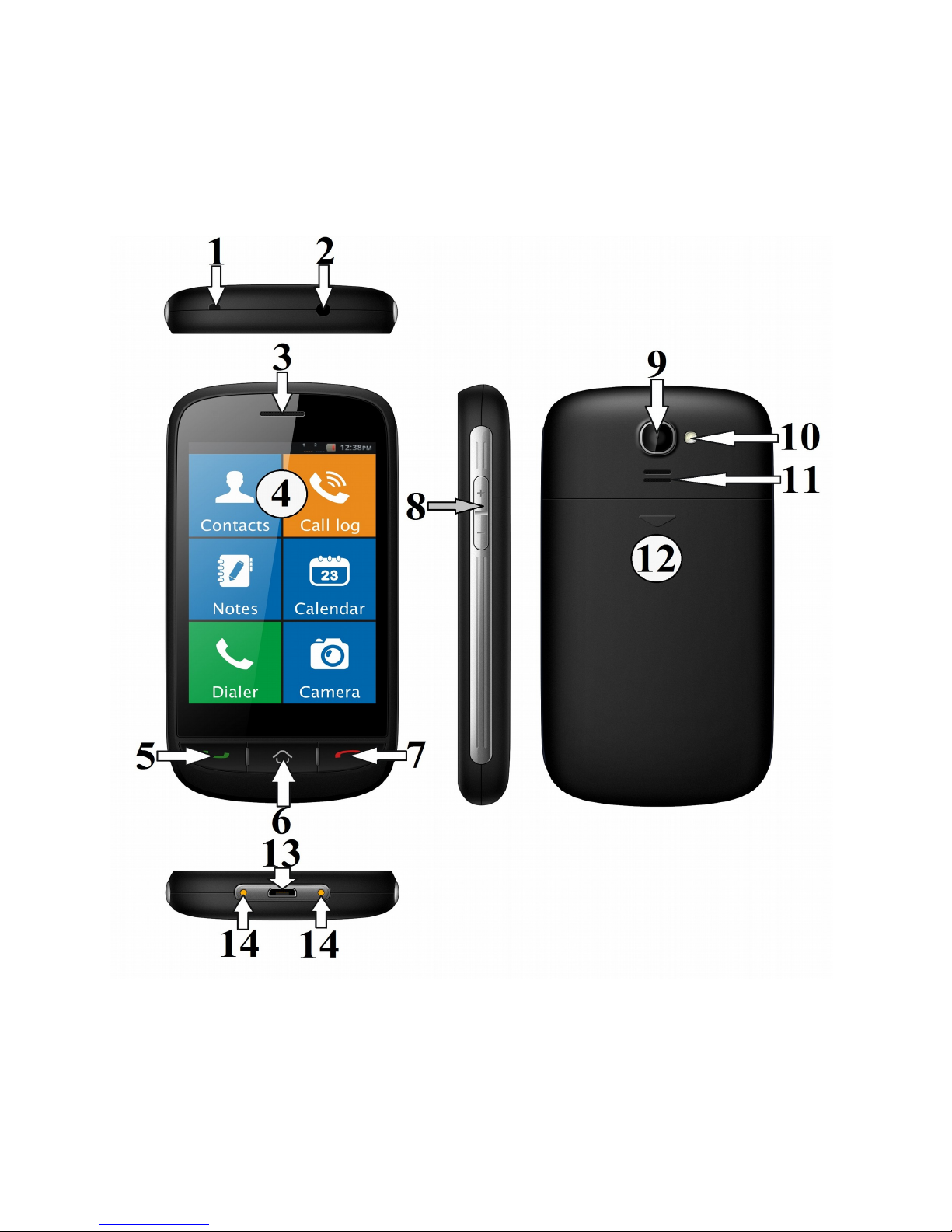
FUNCTIONS AND VIEW
5
Page 6

© myPhone 2015. All rights reserved. myPhone HaloX PL
1. „Leash” mount nest.
2. 3.5 mm miniJack socket.
3. Internal „handset” speaker.
4. Touch screen 3.5”
To move around and use the phone
use swipe and touch gestures similar
to that used in smartphones.
5. „Green phone” button used to
receive calls.
6. „Home” button.
Used to jump immediatelly to the
mainscreen from wherever you are.
7. „Red phone” button.
Used to cancel options, reject and
end calls. Pressing it in a menu will
have a “go back one level” effect.
Pressing it in the main screen will
6
Page 7

© myPhone 2015. All rights reserved. myPhone HaloX PL
cause the screenlock to take effect.
8. Volume control buttons.
This phone allows volume control over
media, incoming call ringtones, and
the call itself.
9. Camera lens.
10. LED diode. Used as a flashlight, or
a camera flash.
11. External speaker.
12. Back cover.
Turning the phone on/off
In order to turn the phone on, press and
hold the „red phone” button for about 3
seconds. To turn the phone off do the
same on the main screen, screen must
be unlocked.
7
Page 8
© myPhone 2015. All rights reserved. myPhone HaloX PL
Mounting the SIM and microSD card
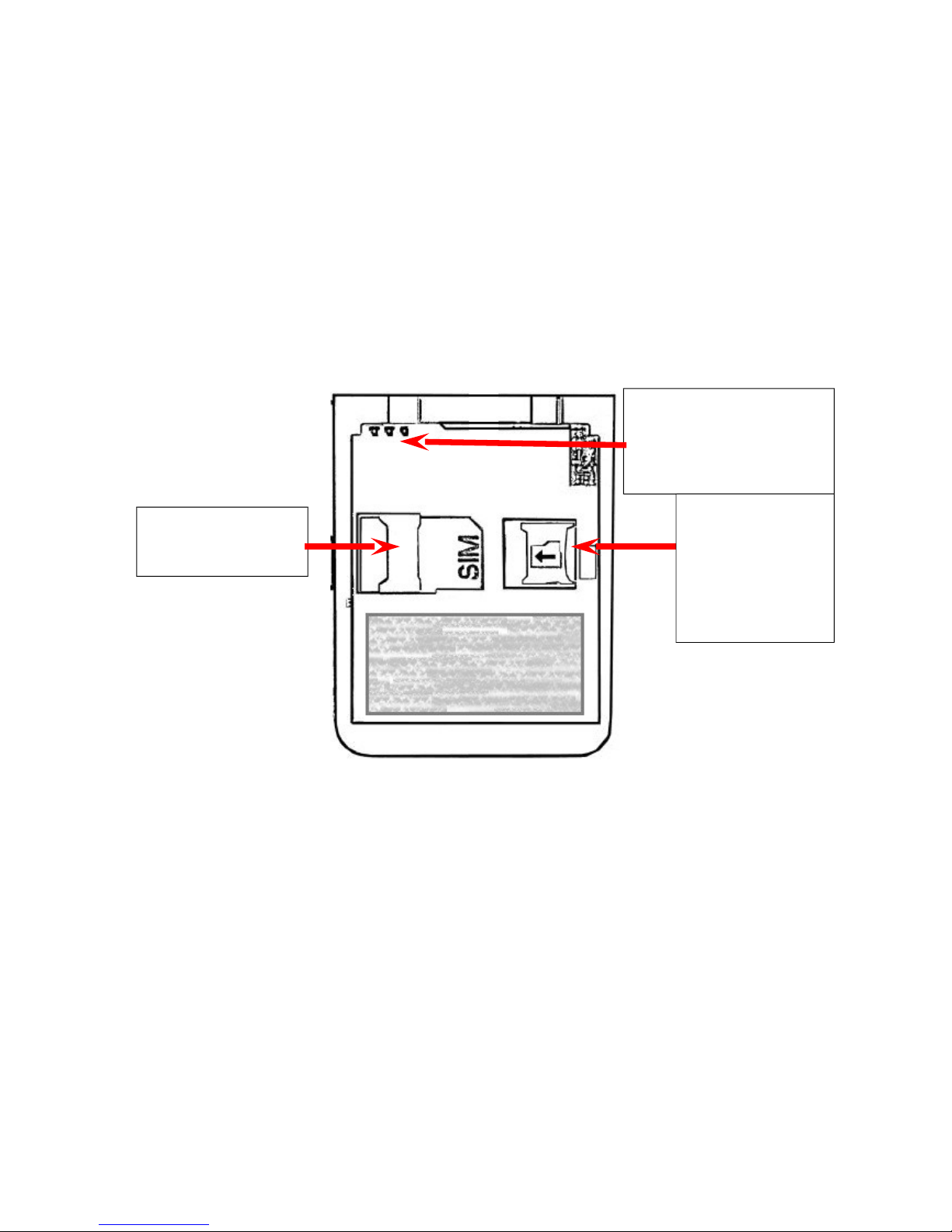
To mount the SIM card in – take the back
cover (12) off – there is a downwards
pointing arrow on it. Push it in and then
swipe down.
The SIM card must be inserted in such
a manner as shown in the figures - on
and next to the SIM slot.
To unlock the microSD slot push it to the
right side and it will open up. Insert the
microSD card and close the slot. You can
8
SIM nest
Battery
connectors
MicroSD
card
socket
Page 9

© myPhone 2015. All rights reserved. myPhone HaloX PL
lock it by pushing it to the left.
Insert the battery but pay attention to the
correct orientation, it should be
impossible to insert the battery wrong, but
be careful because you can still break the
battery connectors – these should be
adjacent to those on the battery in order
to fit into it.
Charge the device before you turn it on.
In case of any problems with the battery
the device must be sent to myPhone
service center. Contact your retailer.
Replace the back cover now and charge
the device
Charging
*WARNING: connecting the charger
forcefully and incorrectly may seriously
damage your device. Such damage does
not fall under warranty rules and may
9
Page 10

© myPhone 2015. All rights reserved. myPhone HaloX PL
lead to warranty cancellation.
To charge the phone use only the
provided charger. After properly plugging
the charger you will see this icon (or
alike), a red diode will light up in the left
upper corner of the phone. Plug the
adapter out from the wall plug and then
unplug it from the phone.
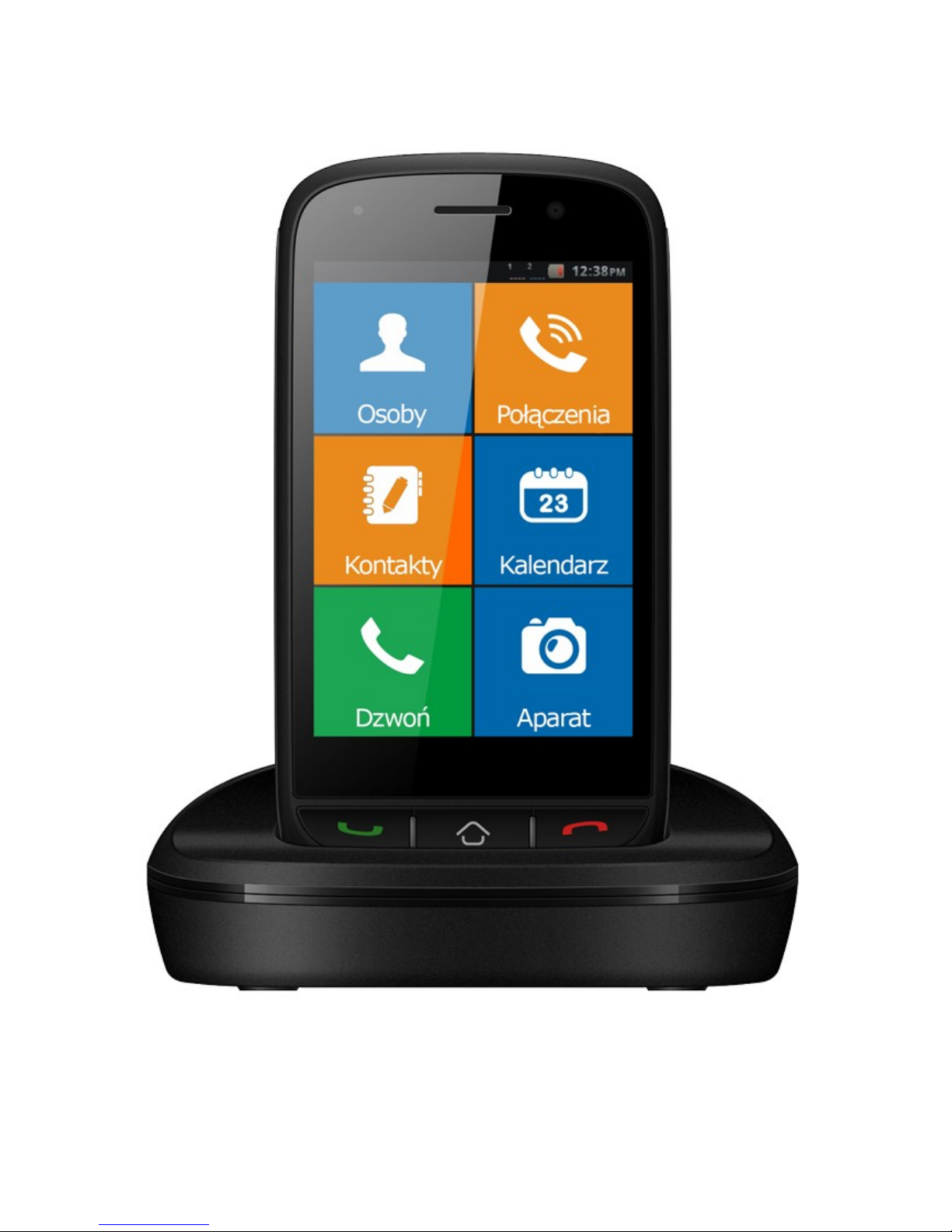
If you want to use the charging base
Plug in the charger’s USB connector into
the back of the charging base. A diode
should light up.
Place the phone in the charging base as
shown in the picture on the next page:
10
Page 11
© myPhone 2015. All rights reserved. myPhone HaloX PL
11
Page 12
© myPhone 2015. All rights reserved. myPhone HaloX PL
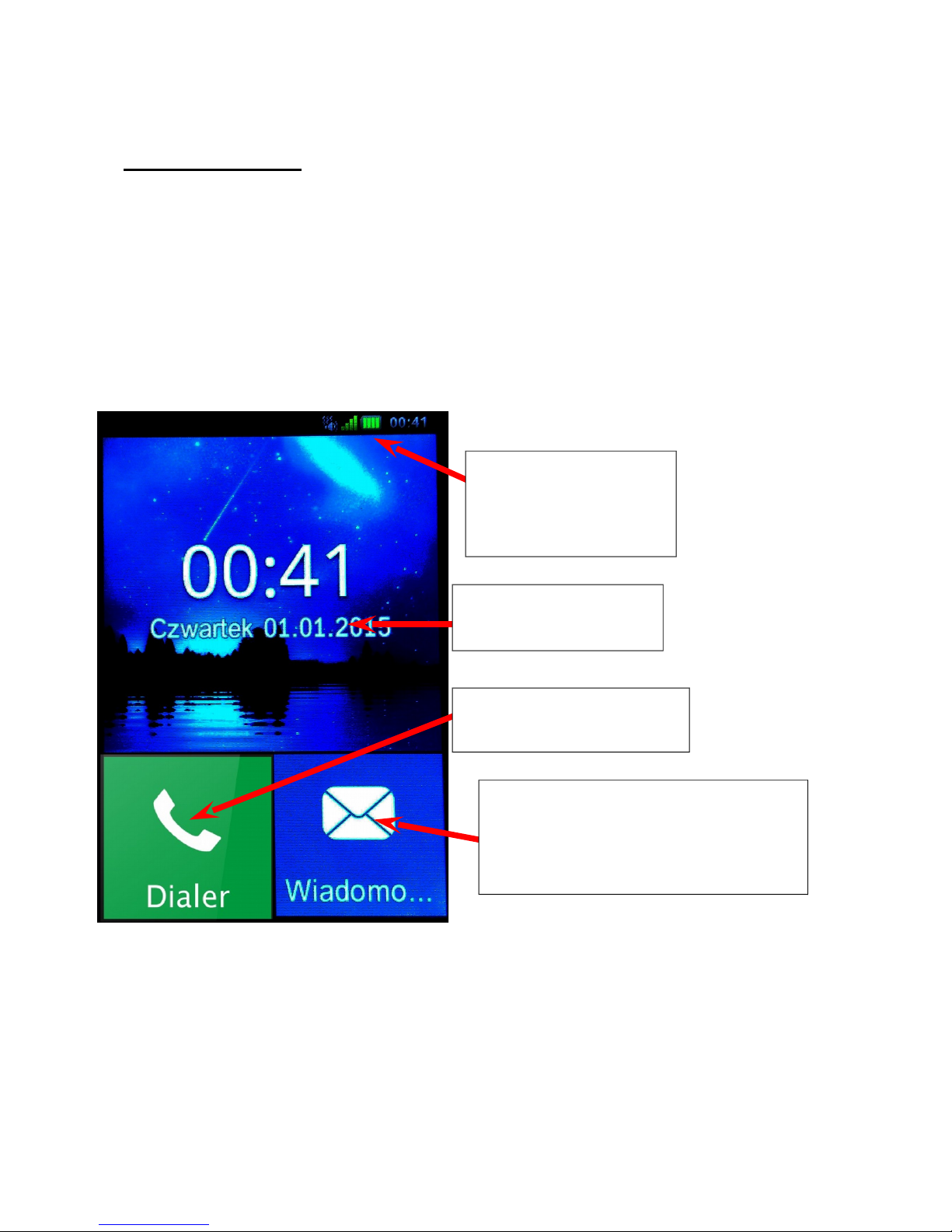
2. Basics:
Aby To unlock the screen press the red
phone button (7) and follow the steps
shown on screen. Once you’ve unlocked
the phone you will see the main screen –
as seen below:
12
Drag-down
toolbar
Date & time
Dialer app
„Messaging” app
For text messages
Page 13
© myPhone 2015. All rights reserved. myPhone HaloX PL
User Interface – touch screen
gestures
This phone’s easy to use touchscreen
can be operated using the following
gestures:
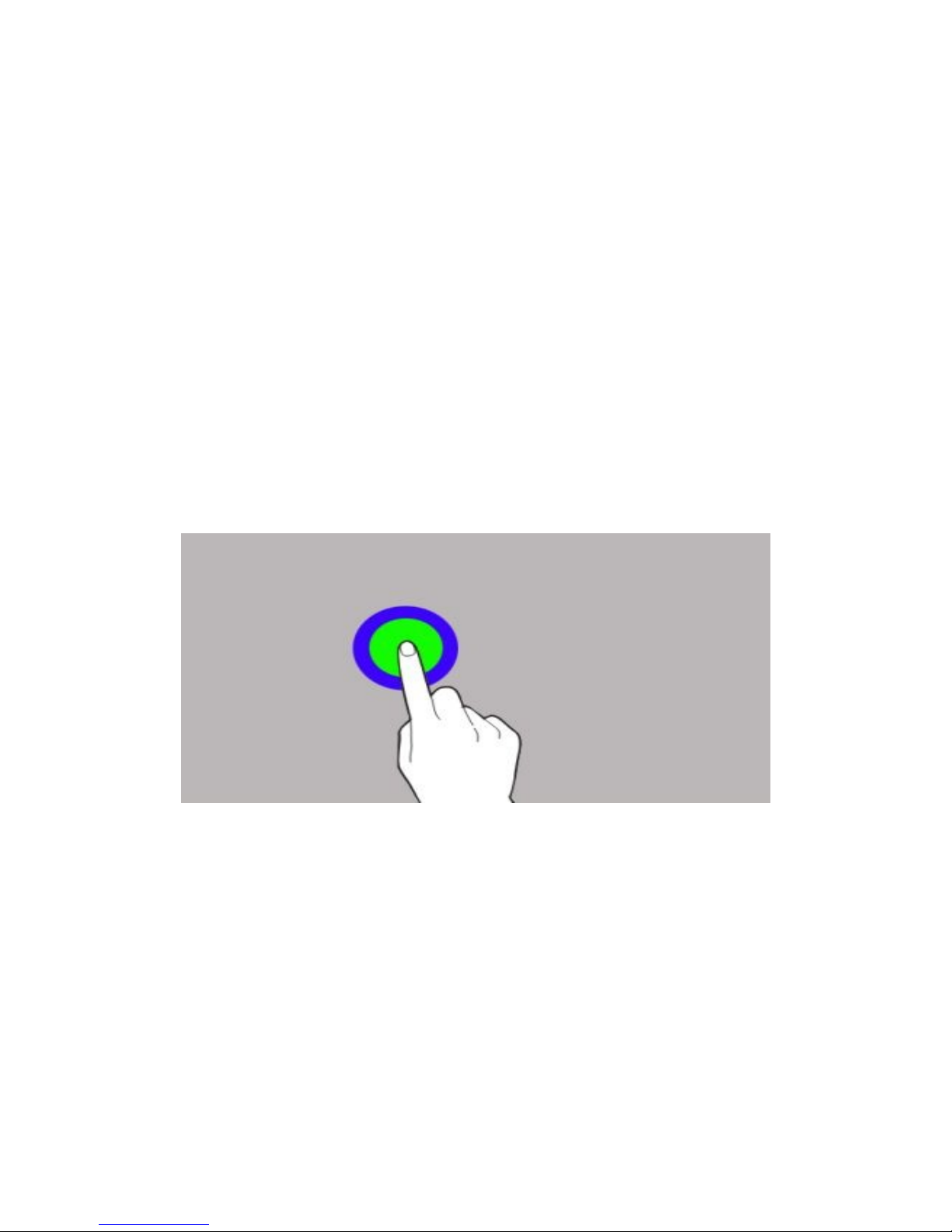
Touch or “tap”
Touch once to start applications and
select options.
13
Page 14

© myPhone 2015. All rights reserved. myPhone HaloX PL
Swipe
Swipe up, down, left, and right to move
around the screens, menus and to drag
down the toolbar.
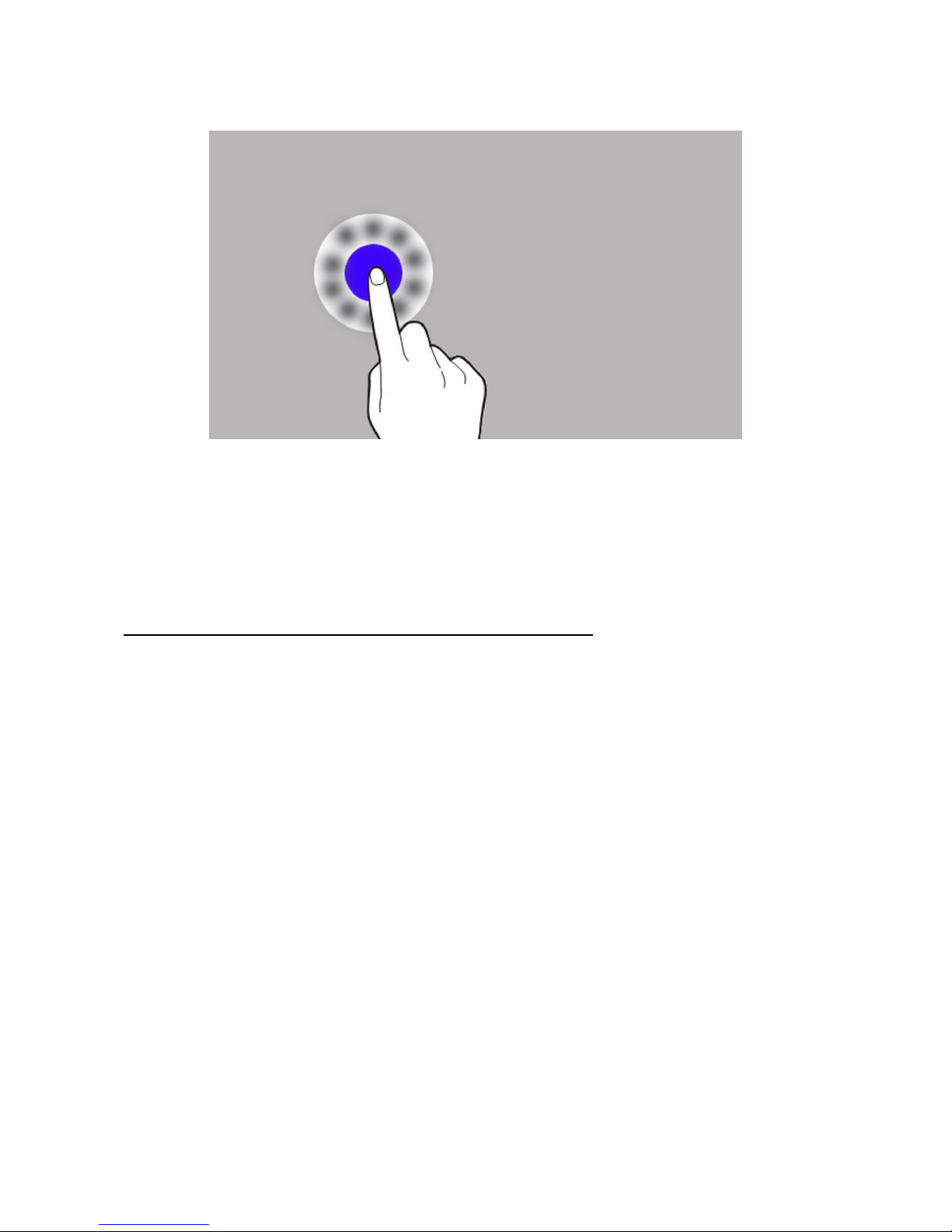
Touch and hold
Touch and hold items for about 2
senconds.
14
Page 15
© myPhone 2015. All rights reserved. myPhone HaloX PL
Touching and holding may in some cases
expand additional options and multiselect items.
Access the phone’s menu
Swipe right on the main screen in order to
go to the main menu.
Touch an icon, or a bar to perform
actions or go to the desired options.
Press the red phone button (7) in order
to go back to the previous menu. Press
home button (6) to go directly back to
the main screen.
There is a handfull of options in the main
15
Page 16

© myPhone 2015. All rights reserved. myPhone HaloX PL
menu for you to select from:
Call log;
Camera;
Contacts;
My favorite
Alarm;
FlashLight;
Gallery;
Recorder;
Music;
FM radio;
Movie;
Bluetooth;
Calendar;
16
Page 17

© myPhone 2015. All rights reserved. myPhone HaloX PL
Notes;
Calculator;
File mgr.;
Stopwatch;
Settings.
Screen keyboard
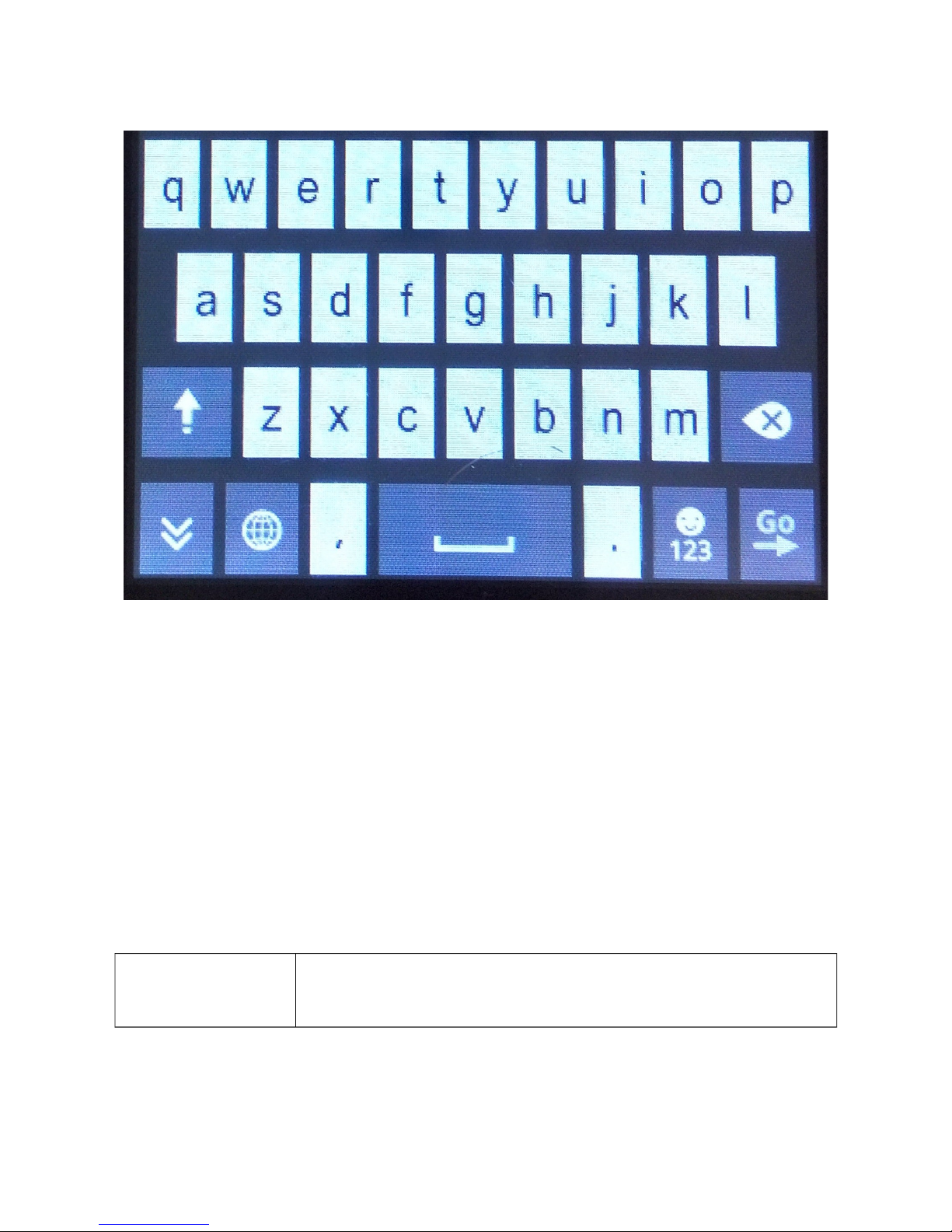
There are two screen keyboard types
available. First one is the QWERTY:
17
Page 18
© myPhone 2015. All rights reserved. myPhone HaloX PL
Some of the keys will react to touch and
hold gesture, allowing you to select
a different character.
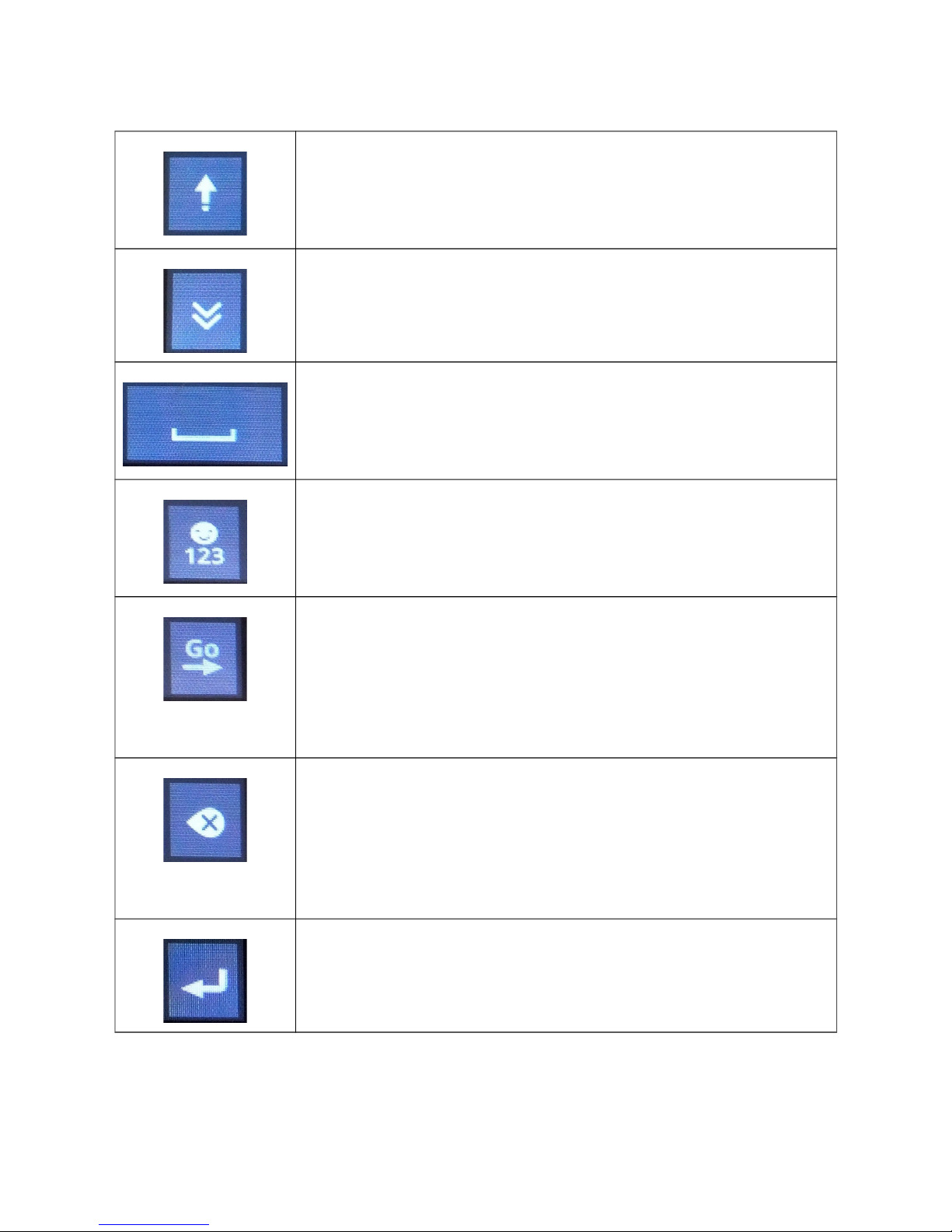
Functional keys:
Key Function
18
Page 19
© myPhone 2015. All rights reserved. myPhone HaloX PL
„Shift”, write using capital
letters
Hide keyboard
Spacebar – make some space
between your words
„Symbols”, switches the
keypad to symbols and emotes
„Next”, used to switch between
input bars. In some cases it
will be replaced by “Enter” key.
„Backspace” – deletes the
character behind the writing
indicator
„Enter” – Write in the next line
19
Page 20
© myPhone 2015. All rights reserved. myPhone HaloX PL
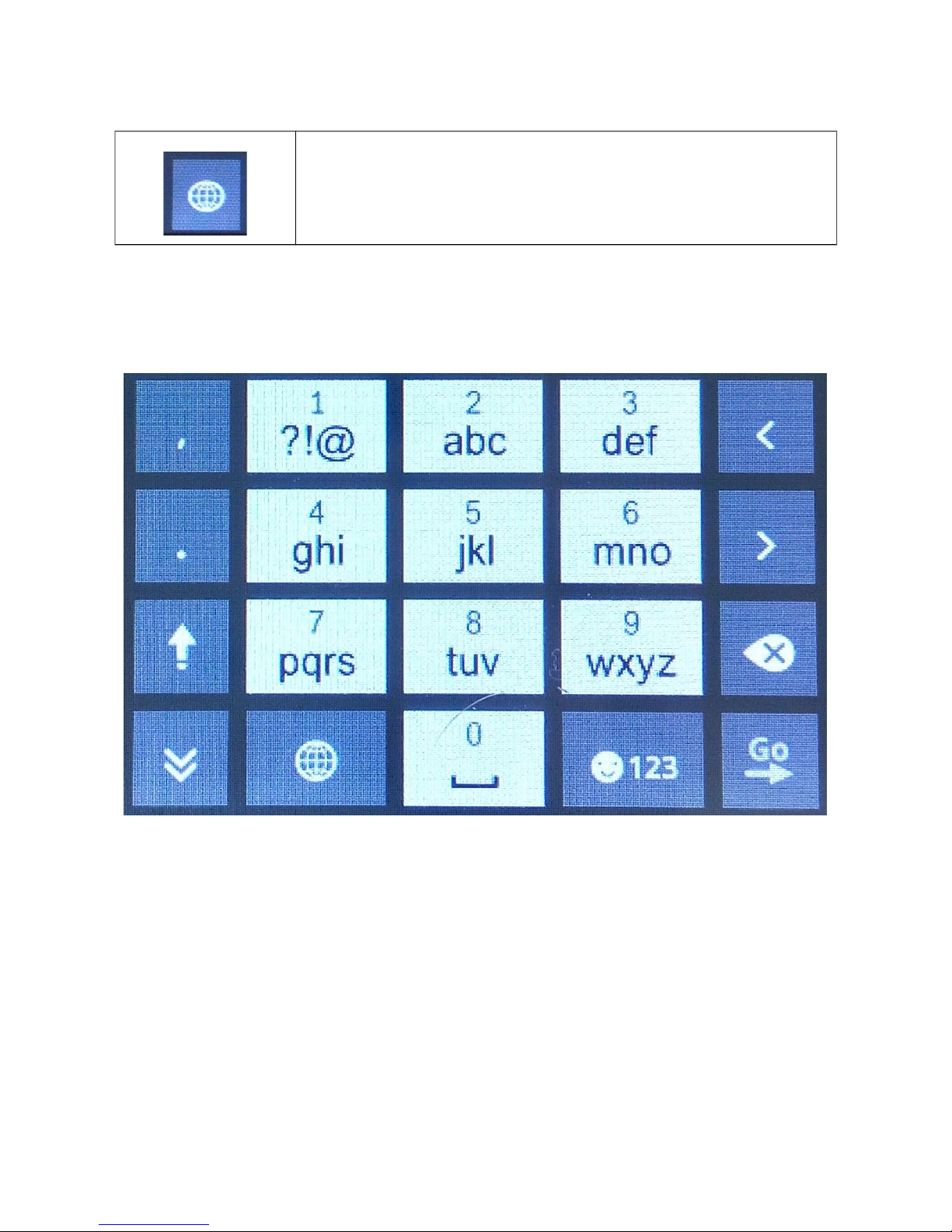
Switch to keypad
The second available input method is the
numeric keypad
20
Page 21

© myPhone 2015. All rights reserved. myPhone HaloX PL
Text messages [SMS]
Sending a message
Select [Messaging] from the main
screen. And then [New msg.]
Input the recipient and message text in
their respective sections (“To:” and “Tap
to compose”). The phone does not have
a dictionary or an autocorrect function.
Touch send to send message.
Viewing messages
Select: [Messaging], from the main
screen, and then touch desired thread to
read messages associated to the contact
or phone number.
To view messages stored on the SIM
card, select Messaging > Options > SIM
messages.
21
Page 22

© myPhone 2015. All rights reserved. myPhone HaloX PL
Multimedia messages [MMS]
myPhone HaloX can send multimedia
messages over the network.
Sending messages
After touching „Tap to compose”
section there will be a button “Insert”
available above the keypad. Select file
category and then find the desired file
you want to attach and send. Please
remember that some of the files may
have to be compressed before sending
them. This phone will do it automatically.
Tech. criteria
Network: GSM 900/1800 MHz
Some functions may be depending on the
network services you’re using.
22
Page 23
© myPhone 2015. All rights reserved. myPhone HaloX PL
(SAR) certificate
This cellphone is both radiowaves
transmitter and receiver.
Maximum SAR value for myPhone
HaloX is 0,719 W/kg
How to utilise the device properly
According to European
2012/19/UE directive this device
is marked with a crossed out
container. In order to utilise this
device or it’s components
23
Warning Statement
The manufacturer is not
responsible for consequences of improper use
of this device, and not
following the instructions
this manual contains.
The software version may
be upgraded without
earlier notice. Representative reserves the right to
his own, and proper
interpretation of this
manual.
Page 24

© myPhone 2015. All rights reserved. myPhone HaloX PL
i.e. the battery - you must deliver it to a
proper recycling center. Contact your
local authorities or your retailer for more
iformation
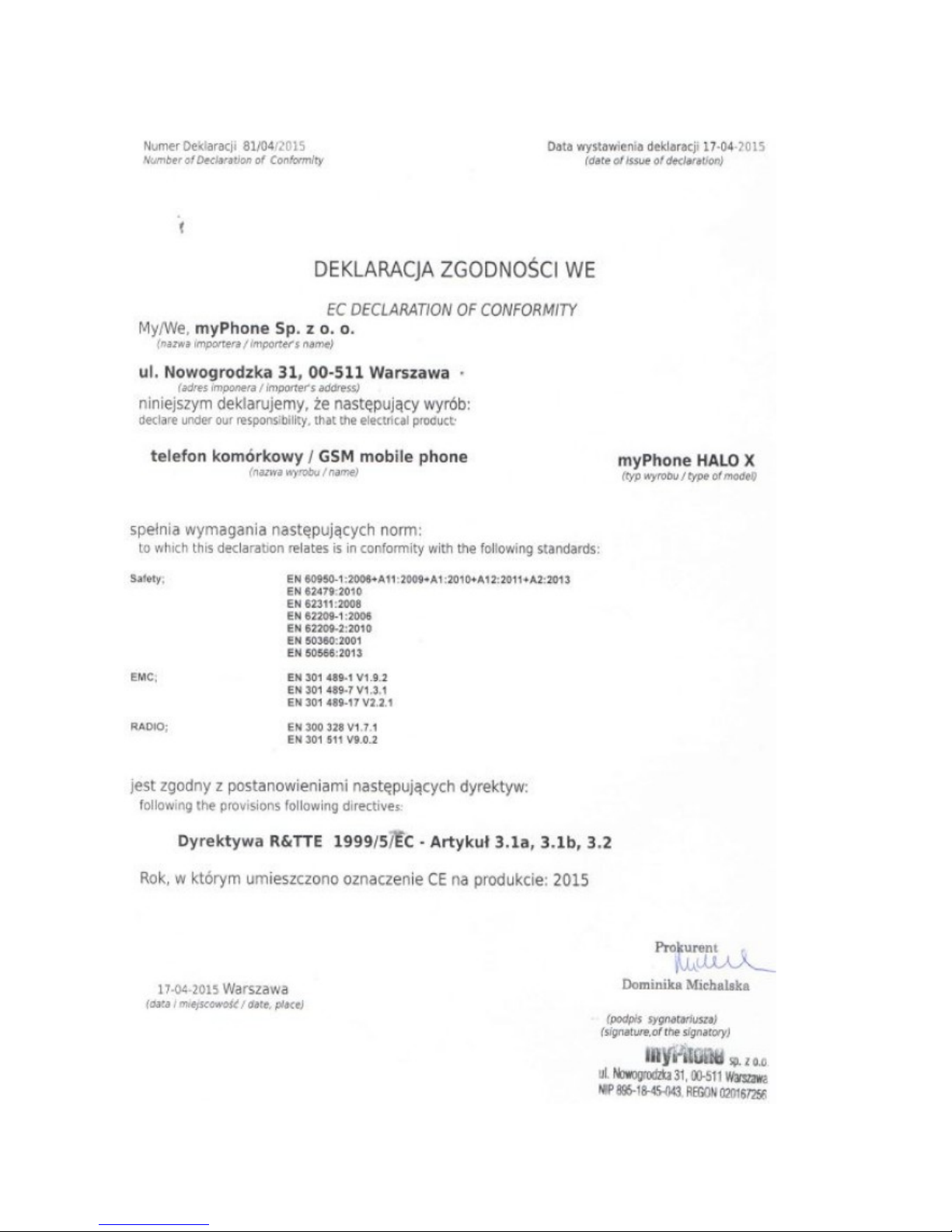
EC Declaration of conformity
myPhone Sp. z o.o. hereby states that
this device is compatibly with basic
requirements and other decisions
described in European Union’s
1999/5/EC directive.
24
Page 25
© myPhone 2015. All rights reserved. myPhone HaloX PL
25
 Loading...