

Page 1

MX 2000
User Manual
Quick Start:
We at MVP Recovery would like to thank you for choosing the top rated GPS tracking
device for your vehicle and personal assets.
● Charge the device before use minimum of 5 hours up to 24 hours.
● Power on the device button at the top of the unit, press and hold for 3 seconds
● Travel with the device for up to 1 hour so that the unit triangulates with our
satellites.
● Login to the device tracking page at http://www.mvprecovery.net
● Use the 7 digit number given for your username which is the last 7 digits of the
IMEI number on the back of the device and enter your password given.
● You will see an orange dot with your device number which is the last reported
position of the unit and a quick view guide.
● To locate your device you can use the locate now button or it will automatically
communicate every 5 minutes.
● The quick view display offers great features that allow you to set up geo-fence
alerts to your email or cell phone when the device enters or leaves the selected
area.
● SOS features allows you to input multiple cell numbers when activated
● Speeding alerts can be activated and the system will generate an alert when the
designated speed is exceeded.
● Battery life feature and much more!
For more information feel free to contact customer / technical support via
the ‘contact us’ link for any questions on setting up your personal device
and we will reply back to you within 24 hours, 7 days a week. For faster
service you may also email support directly at [email protected].
Introduction
Prime AT PLT is a powerful GPS locator which is designed for vehicle, pets and asset tracking.
With superior receiving sensitivity, fast TTFF and GSM frequencies 850/900/1800/1900. Its
location can be real time or schedule tracked by backend server or specified terminals. Based on the
embedded wireless tracking protocol, Prime AT PLT can communicate with the backend server
through GPRS/GSM network, and transfer reports of emergency, Geo-fencing, device status and
scheduled GPS position etc… Service provider can easily setup their tracking platform based on the
functional wireless tracking protocol.
1
Page 2
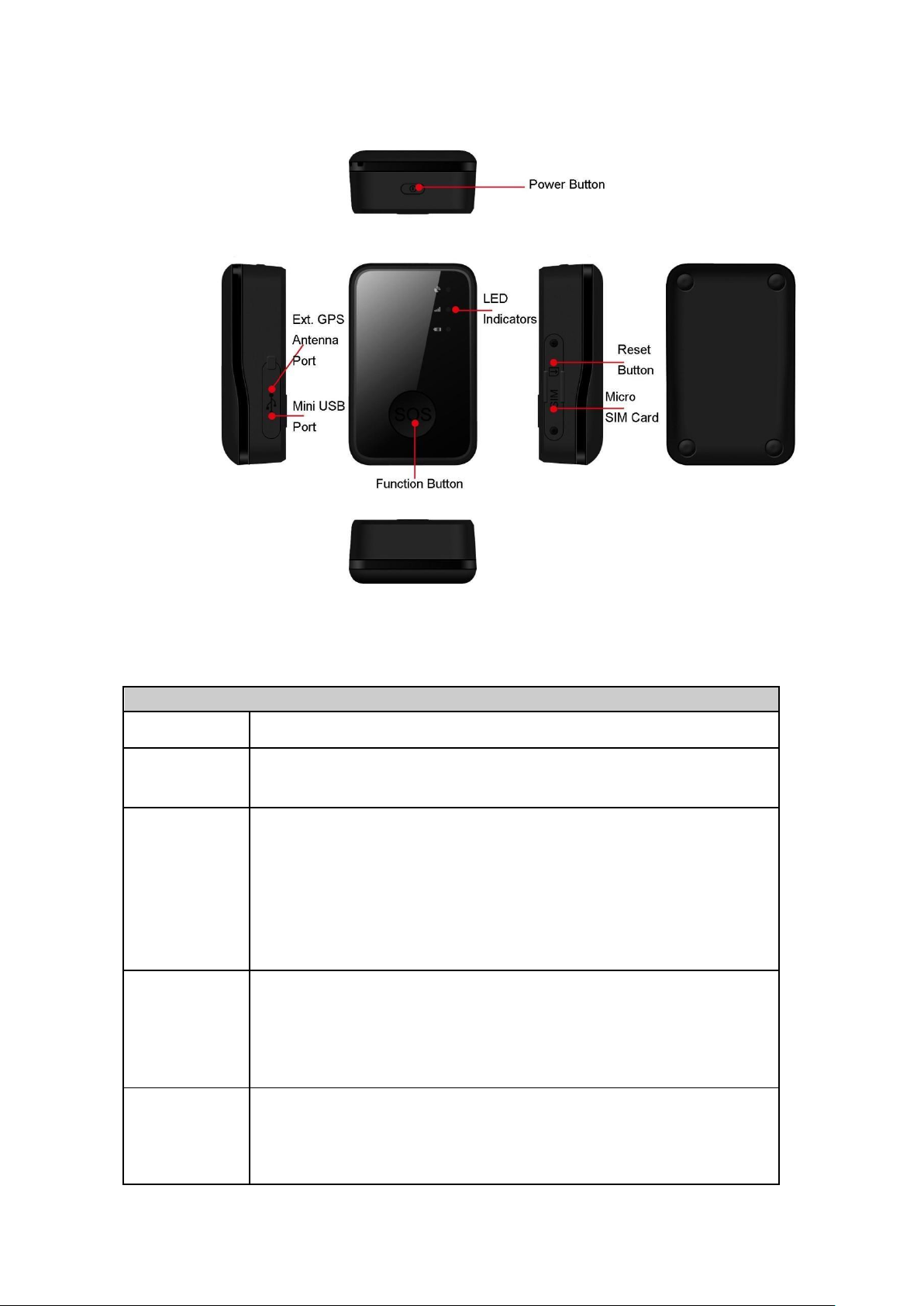
2 Product Overview 2.1
Button /Mini USB Interface Description
Button/interface
Description
Power Button
◆
Power on Prime AT PLT
◆
Power off Prime AT PLT (If power button is enabled)
Function
Button
◆
Geo-Fence mode
Long press the button to enable/disable Geo-Fence ID0
◆
Geo-Fence in current position mode
Long press the button to enable/disable Geo-Fence ID0. If enable
GeoFence ID0, using the current position as the center of Geo-Fence 0.
◆
SOS mode (default)
Long press the button to activate SOS alarm
Mini USB
interface
◆
Connect a 5V DC adapter to power on the Prime AT PLT and charge the
internal battery.
◆
Connect a 3.7V Li-ion or Li-Polymer battery to power on Prime AT PLT
◆
Backend server developer or administrator can use the data cable to
configure Prime AT PLT
Reset Button
◆
Clicking this button will cut off the internal power supply of this device,
which allow user to reset the Prime AT PLT while device malfunction.
You need to press the power button to power on the device again after the
reset button is clicked.
Appearance
Figure 1-1
2.2 Buttons/Mini USB Interface Description
2
Page 3
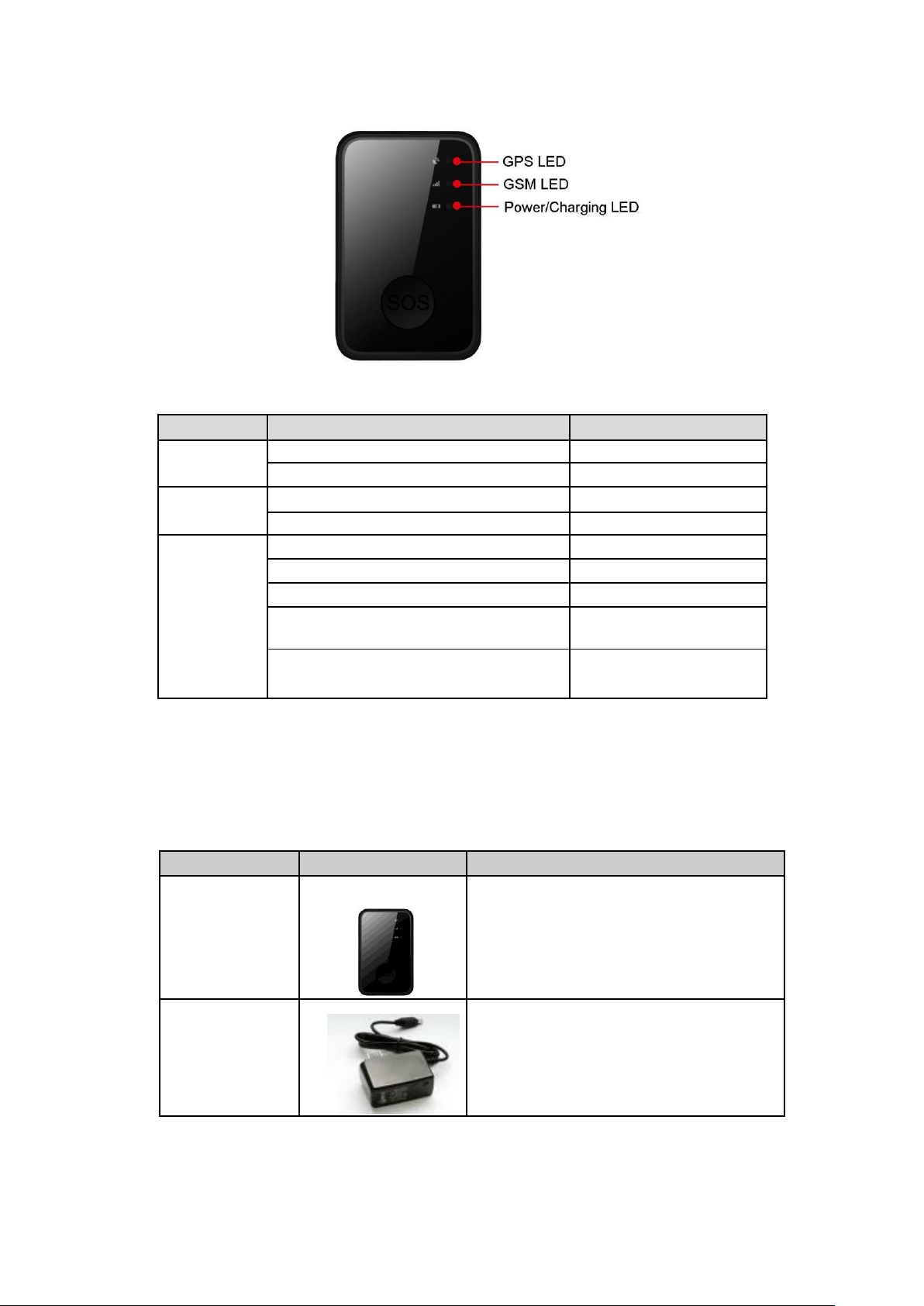
Light
Event
State
GPS LED
GPS signal valid
Fast flash (blue)
GPS turned off, GPS signal invalid
Dark
GSM LED
Network has been registered
Slow flash (green)
Power off
Dark
Power LED
Power on and normal
Dark
Fully charged
Slow flash (green)
In charging
Slow flash (red)
Power key was pressed and prepare to power
off
Fast flash (red)
Power key was pressed and prepare to power
on
Fast flash (green)
Name
Picture
Remark
Prime AT PLT
Locater
The GSM/GPRS/GPS locator.
AC-DC Power
Adapter
Used to charge the internal battery of the Prime
AT PLT.
2.3 LED Description
Figure 1-2
There are three LED lights in Prime AT PLT device, the description as following.
3.1 Parts List
3
Page 4
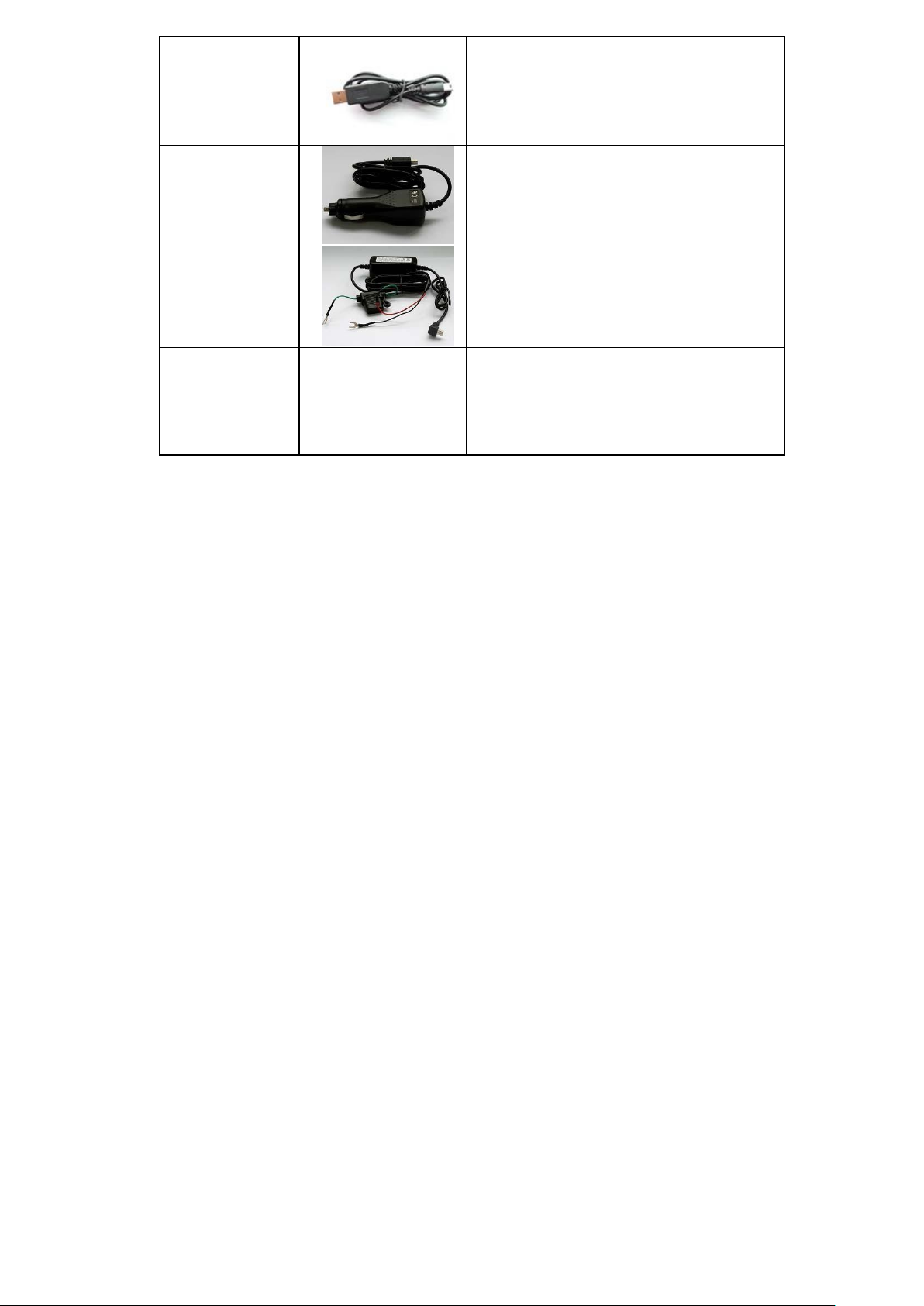
Prime AT PLT
Data and
Charging Cable
The USB data cable can be used for firmware
upgrading and configuration.
It can also be used as the charging cable for
the Prime AT PLT.
Car Cigarette
Charger
(Optional)
Used to power the Prime AT PLT with the
cigarette power output on a vehicle.
Car Kit Charger
(Optional)
Used to power the Prime AT PLT with the
battery output on a vehicle.
External Battery
Kit
(Optional)
A set of accessories including an external
battery and a pelican waterproof casing. It will
greatly improve the life and the waterproof
capabilities of the Prime AT PLT.
◆
Please connect AC-DC power adapter with the Prime AT PLT device.
◆
Insert the AC-DC power adapter into the power socket.
◆
During the charging process, the Power LED light will flash red. When the battery is
fully charged, the Power LED light will flash green.
◆
You can also charge the battery using the USB cable which connects the Prime AT
PLT device with the PC.
◆
Charging time will take about 5 hours.
3.2 Battery Charging
The following are suggestions for an optimal battery charge, please pay close attention.
Note: When the Prime AT PLT device is first used, please make sure that the battery is
fully charged, this will make the life of battery much longer.
3.3 Prime AT PLT Data Cable
Prime AT PLT Data Cable is a cable with a Mini USB connector.
The USB data cable is used for data download, which will be used for firmware update or
configuration and can be used for charging at the same time.
4
Page 5
Trouble
Possible Reason
Solution
Messages can’t be
reported to the
backend server by
GPRS.
The SIM card in Prime AT
PLT doesn’t has
GPRS service available.
This device needs to have Internet access
in order to working properly.
Please contact your mobile service
provider to make sure the GPRS service
is available for the demanding SIM card.
The preset configuration
of your internet access
through GPRS is incorrect.
Mobile service provider requests the
correct APN (Access Point Name),
username and password while the device
intend to access the Internet. Please
consult your mobile service provider for
the proper settings.
3.5 Power on/Power off
on:
◆ Press the Power key at least 3 seconds and release it to power on Prime AT PLT device.
Note that, the Power LED light will flash fast green.
Power off:
◆ Press the power key about 3 seconds: Power LED light will flash fast red and then turn
off, this indicates that Prime AT PLT device has been powered off.
Note: the user can not power off Prime AT PLT if the power button is disabled
by a preset protocol command.
Figure 2-3 Power
4 Trouble shooting and Safety information
4.1 Trouble shooting
5
Page 6

The preset configuration
of the backend server is
incorrect.
Please contact your vendor for help.
Unable to power off
Prime AT PLT.
The function of power
button was disabled.
The Prime AT PLT can be preset to not
allow user to power off the tracker.
Please contact your vendor for help.
Battery can not be
charged
The battery will be locked
after the device been
unused for several
months.
Please contact your vendor for help.
Prime AT PLT can’t
fix GPS
successfully. GPS
LED flashes
slowly.
The GPS signal is weak.
Please move Prime AT PLT to a place
with open sky.
It is better to let the top surface face to
the sky. (The same surface with
indication LED)
4.2 Safety information
ATTENTION:The following suggestions are for your safety.
◆ Please do not disassemble the device by yourself.
◆ Please do not subject the device to extreme temperatures or humidity and avoid exposure
to direct sunlight. High temperature will damage the device or even cause the battery
to explode.
◆ Please do not use Prime AT PLT on an airplane or near medical equipment.
6
 Loading...