

Page 1
AccessZone ® - GC120 Series – GC121 User Manual
GC120 Series – GC121 User Manual
User Manual for GC121
For modules with serial numbers from 0001
All information is subject to change without notice. All other products and brand names are registered trademarks of their respective companies 2014-01-20 US 0.02
Copyright © 2012-2014 All rights reserved MVC-Data ApS Skalhuse 5 9240 Nibe Denmark Web www.mvc-data.com E-mail [email protected] Phone +45 25 12 84 02
1/3
The New Generation of Wireless
Access Control Systems
Page 2

AccessZone ® - GC120 Series – GC121 User Manual
1 Disclaimer s
All rights reserved.
MVC-Data ApS assumes no responsibility for any errors in this manual.
MVC-Data ApS is constantly working to improve its products and offer new features in
collaboration with customers and partners. Therefore, MVC-Data ApS reserves the right to change
the hardware, software and / or specifications without notice and shall have no obligation to
update the information contained in this manual.
MVC-Data ApS's products are not authorized for use as system-critical components in life
supporting devices or systems.
AccessZone® is a registered trademark of MVC-Data ApS. PcManagement™ is a trademark of MVCData ApS.
The Bluetooth trademark is owned by the Bluetooth SIG. All other trademarks are owned by their
respective owners.
The displayed screen images may differ.
Copyright © 2012-2014 MVC-Data ApS
All information is subject to change without notice. All other products and brand names are registered trademarks of their respective companies 2014-01-20 US 0.02
Copyright © 2012-2014 All rights reserved MVC-Data ApS Skalhuse 5 9240 Nibe Denmark Web www.mvc-data.com E-mail [email protected] Phone +45 25 12 84 02
2/3
Page 3
AccessZone ® - GC120 Series – GC121 User Manual
2 Introdu c tion
Congratulations on your choice of an AccessZone® Bluetooth TAG. It is very easy to use and
designed for personal use. It allows quick access to doors and gates without a PIN at a distance up
to 20 meters. It can be used with all AccessZone® access control systems with Bluetooth Low
Energy, for example, GC640. No license or subscription is required.
This manual describes the steps for how to activate your GC121 Bluetooth TAG:
3 How to Wear
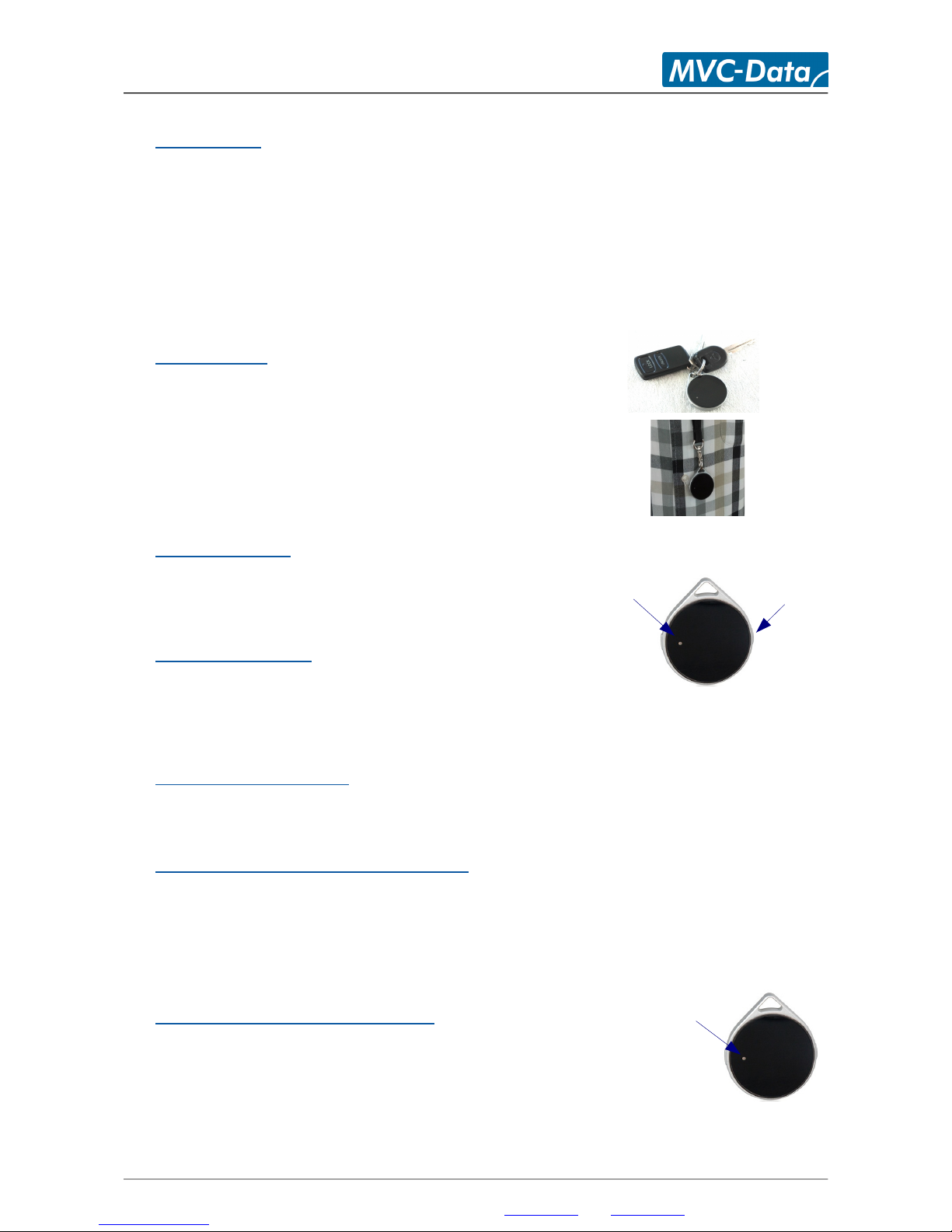
GC121 can be worn in 2 ways or put in your pocket:
• Place in a key chain or
• Use a necklace to wear it around your neck
Note! The signal strength can be attenuated depending on the location.
4 How to Activate
1. Press and hold until the LED flashes green
Note! Must be pressed for 1 second
5 How to Deactivate
1. GC121 turns automatically off after activation
Note! If GC121 is not within range of a Bluetooth reader, it will automatically retry for a some seconds before
it automatically turns off to save power
6 How to change battery
1. GC121 can be gently opened (rear) for insertion of a new CR2032 3V battery
7 7 How to find the Unique ID-Number
The unique Bluetooth ID number (BD) address can be found on a label on the back. This number
must be entered in the AccessZone access control system to access.
Note! The GC121 cannot be used with a guest PIN code.
8 LED Colors – What does it mean?
LEDs will normally be off to save power.
• No lights GC121 TAG is powered OFF
• Red GC121 TAG sends data to the Bluetooth reader
• Green blink GC121 activation of button / scanning for Bluetooth readers
All information is subject to change without notice. All other products and brand names are registered trademarks of their respective companies 2014-01-20 US 0.02
Copyright © 2012-2014 All rights reserved MVC-Data ApS Skalhuse 5 9240 Nibe Denmark Web www.mvc-data.com E-mail [email protected] Phone +45 25 12 84 02
3/3
Red/green LED
Push button
to activate
Red/green LED
 Loading...