

Page 1
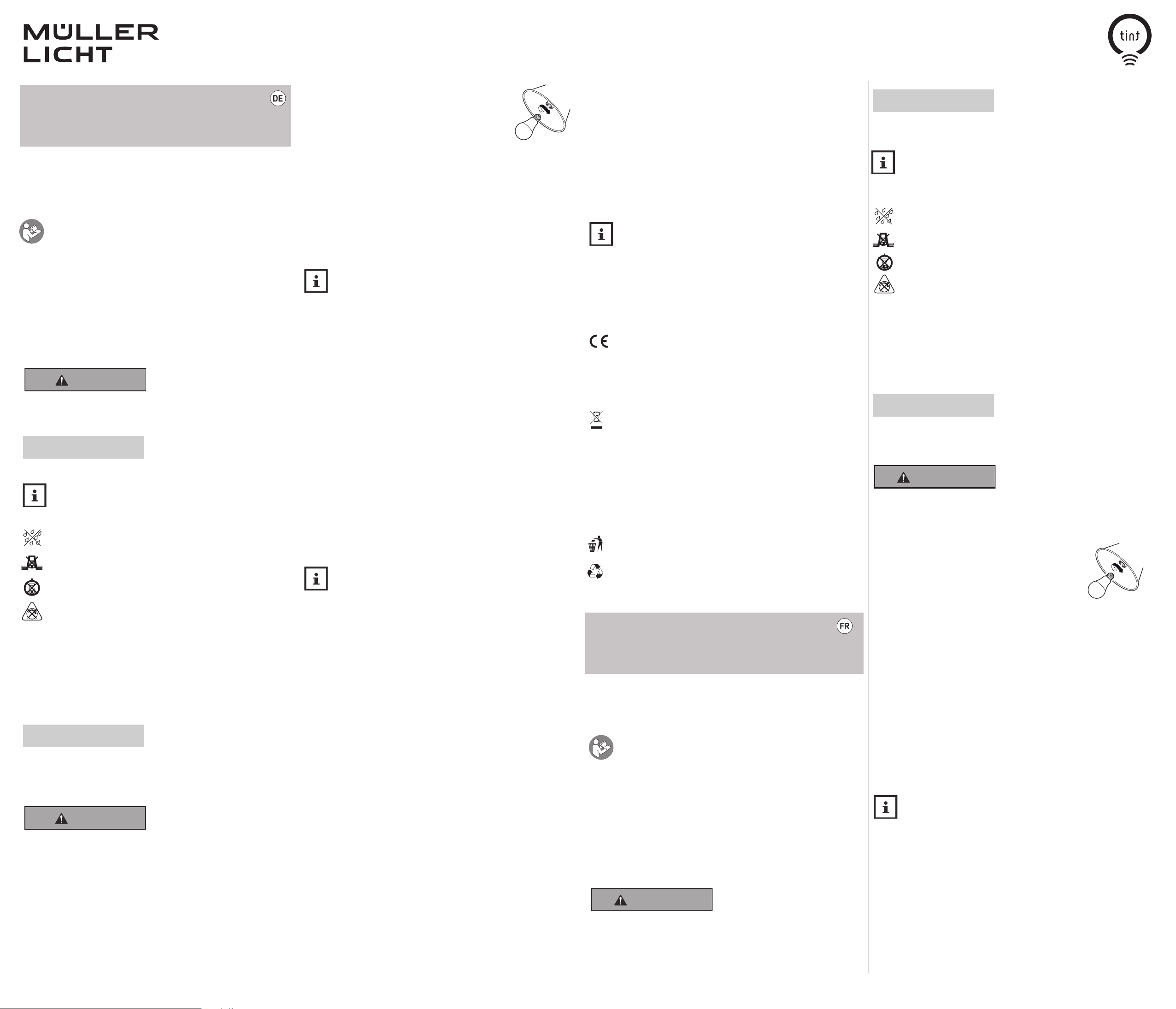
Bedienungsanleitung
Leuchtmittel
Art.-Nr.:
404036, 404037, 404038, 404065, 404066, 404105, 404114
Lieferumfang
• 1 tint-Leuchtmittel • Bedienungsanleitung
Sehr geehrte Kundin, sehr geehrter Kunde!
Diese Bedienungsanleitung enthält wichtige Informationen zur Inbetriebnahme und Ver-
Leuchtmitteln führen.
Bewahren Sie die Bedienungsanleitung für die weitere Nutzung auf. Wenn Sie die Leucht
mittel an Dritte weitergeben, geben Sie unbedingt diese Bedienungsanleitung mit.
Sie können diese Anleitung auch im Internet unter hey-tint.de als pdf Datei herunterladen.
Zeichenerklärung
Die folgenden Symbole und Signalwörter werden in dieser Bedienungsanleitung, auf dem
Leuchtmittel oder auf der Verpackung verwendet.
Dieses Signalsymbol/-wort bezeichnet eine Gefährdung mit einem mittleren Risikograd,
die, wenn sie nicht vermieden wird, den Tod oder eine schwere Verletzung zur Folge
haben kann.
Dieses Signalwort warnt vor möglichen Sachschäden.
Sicherheitssymbole
Bestimmungsgemäßer Gebrauch
Dieses Leuchtmittel dient zu Beleuchtungszwecken und kann mit der „tint Smart Light“
App (über Bluetooth) oder mit der tint Fernbedienung gesteuert werden und/oder in ein
Smarthome-System mit Zigbee Gateway eingebunden werden.
Das Leuchtmittel kann in handelsüblichen Leuchten mit passender Gewindefassung ver
wendet werden. Das Leuchtmittel darf nur in trockenen Innenräumen verwendet werden.
Für eine gewerbliche Nutzung ist der Artikel ungeeignet.
Sicherheitshinweise
404000, 404001, 404004, 404005, 404006, 404008, 404019, 404023, 404024,
wendung.
Lesen Sie die Bedienungsanleitung, insbesondere die Sicherheitshinweise, sorg
fältig durch, bevor Sie die Leuchtmittel einsetzen. Die Nichtbeachtung dieser
Bedienungsanleitung kann zu schweren Verletzungen und zu Schäden an den
WARNUNG!
HINWEIS!
Dieses Symbol gibt Ihnen nützliche Zusatzinformationen zur Handhabung oder
zum Betrieb. Bitte aufmerksam lesen.
Diese Lampe keiner Feuchtigkeit oder Nässe aussetzen
Diese Lampe nicht in Reflektorgehäusen verwenden
Diese Lampe nicht in geschlossenen Leuchten verwenden
Nicht dimmbar über konventionelle Dimmer
HINWEIS!
• Dieser Artikel kann von Kindern ab 8 Jahren und darüber sowie von Personen mit
verringerten physischen, sensorischen oder mentalen Fähigkeiten oder Mangel an
Erfahrung und Wissen benutzt werden, wenn sie beaufsichtigt oder bezüglich des
sicheren Gebrauchs des Artikels unterwiesen wurden und die daraus resultierenden
Gefahren verstehen.
WARNUNG!
GEFAHR für Kinder
• Kinder dürfen nicht mit dem Artikel spielen.
• Halten Sie Kinder von Verpackungsmaterial fern. Bei Verschlucken besteht Ersti
ckungsgefahr.
-
GEFAHR von Brand/Verbrennung und/oder Explosion
• Stellen Sie vor der Benutzung sicher, dass die vorhandene Netzspannung mit der
benötigten Betriebsspannung des Artikels übereinstimmt (siehe „Technische Daten“).
• Verwenden Sie den Artikel nicht, wenn er beschädigt ist.
• Vermeiden Sie den Kontakt des Artikels mit Wasser oder anderen Flüssigkeiten.
• Die Leuchtmittel dürfen nicht mit einem konventionellen Dimmer gedimmt werden.
-
Inbetriebnahme
Leuchtmittel einsetzen
Sie können das Leuchtmittel in unterschiedliche Leuchten einsetzen,
z.B. in eine Deckenleuchte und eine Stehleuchte oder in eine Schreibtischleuchte. Einzige Voraussetzung ist, dass die Leuchten jeweils
über eine passende Fassung verfügen.
1. Schalten Sie die Leuchten aus und ziehen Sie ggf. den/die Netzstecker und/oder schal
ten Sie die Raumsicherung am Sicherungskasten aus.
2. Lassen Sie die zuvor eingesetzten Leuchtmittel – falls erforderlich – abkühlen.
3. Entfernen Sie die alten Leuchtmittel und drehen Sie die neuen Leuchtmittel in die Fas
sungen ein.
4. Stecken Sie den / die Netzstecker ein und / oder schalten Sie die Haussicherung wieder
ein und stellen Sie die entsprechenden Schalter auf I bzw. ON.
Steuerung einrichten
-
Dieses tint Leuchtmittel mit Dual Chip-Technologie ist mit Zigbee- und BluetoothFunktechnik ausgestattet. Über Bluetooth ist die Steuerung per Smartphone mit
der tint Smart Light-App ohne Zusatzgeräte möglich. Die Lichtsteuerung über
Bluetooth ist nur innerhalb des Raumes, in dem man sich gerade befindet, über ca. 10
Meter, möglich. Es können bis zu 20 tint Produkte eingebunden werden, sofern diese Bluetooth unterstützen.
Per Zigbee ist die Verbindung mit der tint Fernbedienung oder das Einbinden in Smart
home-Systeme oder Sprachassistenten anderer Anbieter mit Zigbee-Technik möglich.
Hierfür wird ein Zigbee-Gateway benötigt. Mit dieser Lösung kann das Licht über größere
Distanzen im ganzen Haus gesteuert werden. Zudem lässt sich, je nach System, eine
größere Anzahl von Lampen und Leuchten steuern. Weitere Infos und Antworten auf häufig
gestellte Fragen unter hey-tint.de
Steuerung per Smartphone und tint App
A)
a. Laden Sie die „tint Smart Light“ App aus dem App Store bzw. Play Store herunter und
folgen Sie den Anweisungen in der App.
B)
Wenn Sie eine tint Fernbedienung haben:
a. Schalten Sie die Lampe ein.
b. Bereiten Sie die Fernbedienung entsprechend der Bedienungsanleitung auf das Verbinden
vor und halten Sie diese entsprechend nah an das Leuchtmittel.
c. Die Lampe ist verbunden, wenn diese 3x aufleuchtet.
C) Wenn Sie ein Zigbee Gateway (Beisp. Hue Bridge V2, Amazon Echo-Gerät mit integriertem
Zigbee Smarthome-Hub, Lightify Gateway) haben:
a. Starten Sie auf dem Gateway bzw. der dazugehörigen APP den Suchvorgang.
b. Schalten Sie erst jetzt das Leuchtmittel ein (auch wenn ggf. etwas anderes angezeigt wird)
c. Das Leuchtmittel ist verbunden, wenn dieses 3x aufleuchtet.
Um die Leuchtmittel mit einer Fernbedienung oder einem Zigbee Gateway zu verbin-
den, müssen sich diese im Kopplungsmodus befinden (beim Einschalten erscheint
ein kurzer Farbdurchlauf bzw. das Leuchtmittel blinkt kurz auf). Sollte dies nicht der
Fall sein, muss das Leuchtmittel zurückgesetzt werden, siehe „Reset des tint-Leuchtmittels/
Kopplungsmodus einstellen“. Weitere Informationen finden Sie auf hey-tint.de
Zurücksetzen auf 100% Licht
Die tint Leuchtmittel können ganz bequem per Lichtschalter auf die Grundeinstellung
warmweiß und 100% Helligkeit zurückgesetzt werden. Das kann
z. B. dann erforderlich sein, wenn Sie die Leuchtmittel zuvor gedimmt
haben und die Fernbedienung gerade nicht griffbereit ist.
Schalten Sie dazu über den Lichtschalter das jeweilige Leuchtmittel 3x aus
und wieder ein. Das Leuchtmittel wechselt nun in die Grundeinstellung.
Reset des tint-Leuchtmittels/Kopplungsmodus einstellen
Ein Reset des tint-Leuchtmittels ist nur im Ausnahmefall erforderlich, z.B. wenn die Fernbedienung zurückgesetzt werden musste, oder wenn Sie die Leuchtmittel in ein Smart
Home Gateway einbinden möchten.
1. Schalten Sie das tint-Leuchtmittel in einem Intervall von ca. 1 s 5x ein und aus.
Schalten Sie das tint-Leuchtmittel wieder ein. Es erscheint nun je nach Leuchtmittel
2.
ein kurzer Farbdurchlauf bzw. das Leuchtmittel blinkt kurz auf.
Der gewünschte Reset ist erfolgt und/oder Sie können das tint-Leuchtmittel wie ge-
wohnt in Ihre Fernbedienung oder anderweitige Zigbee-Systeme einbinden.
Reinigung
Schalten Sie die Leuchte aus und ziehen Sie den Netzstecker und/oder schalten Sie die
Raumsicherung am Sicherungskasten aus.
Reinigen Sie die Leuchtmittel nur mit einem trockenen Tuch. Bewahren Sie sie bei Nicht
gebrauch an einem trockenen, vor Kindern geschützten Ort auf.
Technische Daten
Frequenzband (Zigbee + Bluetooth): 2405-2480,0 MHz
Maximale Sendeleistung: <10 dB
Funkreichweite Zigbee (Freifeld): 30 m
Funkreichweite Bluetooth (Freifeld): 10 m
Standby-Verbrauch pro Lampe: <0,5 W
Netzspannung: 220-240 V
Netzfrequenz: 50/60 Hz
Umgebungsbedingungen:
Temperatur (Betrieb): -20°C...40°C
Temperatur (Aufbewahrung): -25°C...60°C
Relative Luftfeuchtigkeit: 5–95% (keine Kondensation)
-
Ce mot de signalisation met en garde concernant d‘éventuels dommages matériels.
Symboles de sécurité
Smart Home Ready:
Die tint Produkte von MÜLLER-LICHT sind steuerbar per Bluetooth und tint Smart
Light App sowie über den aktuellsten Zigbee Funkstandard 3.0 und kompatibel
mit zahlreichen Lichtsteuerungssystemen wie zum Beispiel Philips Hue*, Osram
Lightify*, dem Sprachassistenten von Amazon (über Amazon Echo-Geräte mit integriertem
Zigbee Smarthome-Hub)** und vielen weiteren.
*Einschränkungen bei einzelnen Diensten möglich, aktuelle Infos unter und Antworten
auf häufig gestellte Fragen finden Sie unter hey-tint.de
** Sofern dieser Service in Ihrem Land verfügbar ist.
Konformitätserklärung
-
Hiermit erklärt Müller-Licht International GmbH, dass der Funkanlagentyp „Müller-Licht tint“ der Richtlinie 2014/53/EU entspricht.
Der vollständige Text der EU-Konformitätserklärung ist unter der folgenden Internetad
resse verfügbar: hey-tint.de
Utilisation conforme
Le produit tint peut être contrôlé par l‘application „tint Smart Light“ (via Bluetooth) ou par
la télécommande tint et/ou être intégré dans un système smarthome avec Zigbee Gateway.
L’ampoule peut être utilisée dans les lampes usuelles avec une douille filetée adaptée. Le
kit doit être utilisé exclusivement en intérieur et au sec. L‘article ne convient pas pour un
-
usage industriel.
AVIS !
Ce symbole fournit des informations complémentaires utiles concernant la
manipulation ou l’utilisation. Veuillez lire ce document avec attention.
Ne pas exposer cette lampe à l‘humidité ou à l’eau
Ne pas utiliser cette lampe dans les boîtiers de réflecteur
Ne pas utiliser cette lampe dans les luminaires fermés
Régulation impossible par le variateur conventionnel
Consignes de sécurité
Entsorgen
-
Das nebenstehende Symbol einer durchgestrichenen Mülltonne auf Rädern zeigt an, dass
dieses Gerät der Richtlinie 2012/19/EU unterliegt. Diese Richtlinie besagt, dass Sie dieses
Gerät am Ende seiner Nutzungszeit nicht mit dem normalen Hausmüll entsorgen dürfen,
sondern in speziell eingerichteten Entsorgungsbetrieben abgeben müssen.
Für den deutschen Markt gilt: Beim Kauf eines Neugerätes haben Sie das Recht das entsprechende Altgerät an Ihren Händler zurückzugeben. Händler von Elektro- und Elektronikgeräten mit einer Verkaufsfläche von mindestens 400 qm sowie Lebensmittelhändler mit
einer Verkaufsfläche von mindestens 800 qm, die regelmäßig Elektro- und Elektronikgeräte
verkaufen, sind außerdem verpflichtet Altgeräte unentgeltlich zurückzunehmen, auch ohne
dass ein Neugerät gekauft wird, wenn die Altgeräte in keiner Abmessung größer sind als 25
cm. Informieren Sie sich auch bei Ihrem Händler über die Rücknahmemöglichkeiten vor Ort.
Entsorgen Sie auch die Verpackungsmaterialien umweltgerecht, indem Sie diese sortenrein
in die bereitgestellten Sammelbehälter geben.
Allgemeines Recyclingsymbol. Weiterführende Informationen finden Sie unter: www.muellerlicht.de/recycle/
Mode d‘emploi
Ampoule
Réf. : 404000, 404001, 404004, 404005, 404006, 404008, 404019, 404023, 404024,
404036, 404037, 404038
Volume de livraison
• Ampoule tint • Mode d‘emploi
Chère cliente, cher client !
Ce mode d’emploi contient des informations importantes concernant la mise en
service et l‘utilisation.
Avant d’installer l’ampoule, veuillez lire soigneusement le mode d’emploi, en parti
culier les consignes de sécurité. Le non-respect de ce mode d’emploi peut entraîner de graves
blessures et endommager l’ampoule.
Conservez le mode d’emploi afin de pouvoir vous y référer ultérieurement. Si l’ampoule est
transmise à des tiers, joignez-leur impérativement ce mode d’emploi.
Vous pouvez aussi télécharger ce mode d’emploi en tant que fichier pdf sur Internet à l’adresse
hey-tint.de.
Légende
Les symboles et remarques suivants sont utilisés dans ce mode d’emploi, sur l’ampoule
ou sur l‘emballage.
AVERTISSEMENT !
Ce symbole/mot de signalisation désigne un danger de degré moyen qui, s’il n’est pas
écarté, peut conduire à des blessures graves voire mortelles.
, 404065, 404066, 404105, 404114
-
• Le présent article peut être utilisé par des enfants à partir de 8 ans, ainsi que par des
personnes présentant des capacités physiques, sensorielles ou mentales diminuées,
ou un manque d’expérience et de connaissances si elles sont sous surveillance ou ont
été informées sur l’utilisation sûre de l‘article et les dangers qui en résultent
DANGER pour les enfants
• Les enfants ne peuvent pas jouer avec l‘article.
• Gardez le matériau d‘emballage hors de portée des enfants. Risque d‘étouffement en
cas d‘ingestion.
DANGER d‘incendie/de brûlure et/ou d‘explosion
• Avant utilisation, vérifiez que la tension secteur disponible correspond à la tension de service requise par l‘article (voir « Caractéristiques techniques »).
• N‘utilisez pas l‘article s‘il est endommagé.
• Évitez le contact de l‘article avec de l‘eau ou d‘autres liquides.
• Les ampoules ne doivent pas être atténuées avec un variateur de lumière conventi
onnel.
Mise en service
Insérer l‘ampoule
Vous pouvez insérer l’ampoule fournie dans différentes lampes, par exemple, dans un
plafonnier ou un lampadaire ou encore une lampe de bureau. La seule condition préalable
est que les lampes doivent disposer d’une douille adaptée.
1. Arrêtez les lampes et débranchez au besoin le/les prises secteur et/ou utilisez le fusible
du boîtier.
2. Au besoin, laissez refroidir les ampoules utilisées auparavant.
3. Retirez les anciennes ampoules et insérez les nouvelles ampoules dans les douilles.
4. Branchez la/les prise(s) secteur et/ou réactivez le fusible local et positionnez les com
mutateurs correspondants sur I ou ON.
Domaine d’application
mande de l‘éclairage via Bluetooth n‘est possible qu‘à l‘intérieur de la pièce dans laquelle
on se trouve, sur une distance d‘environ 10 mètres. Il est possible d‘intégrer jusqu‘à 20
produits tint, à condition qu‘ils soient compatibles Bluetooth.
Par Zigbee, il est possible de se connecter à la télécommande tint ou de s‘intégrer à
des systèmes smarthome ou à des assistants vocaux d‘autres fournisseurs utilisant la
technologie Zigbee. Pour cela, une passerelle Zigbee est nécessaire. Cette solution permet
de commander l‘éclairage sur de plus grandes distances dans toute la maison. En outre,
selon le système, il est possible de commander un plus grand nombre de lampes et de
luminaires. Plus d‘informations et de réponses aux questions fréquemment posées sur
hey-tint.de
Contrôle par smartphone et application tint
A)
a. Téléchargez l‘application „tint Smart Light“ sur l‘App Store ou le Play Store et suivez les
instructions de l‘application.
AVIS !
AVERTISSEMENT !
-
-
Cette lampe tint avec la technologie Dual Chip est équipée de la technologie sans
fil Zigbee et Bluetooth. Grâce à Bluetooth, la commande par smartphone avec
l‘application tint Smart Light est possible sans appareil supplémentaire. La com-
- 1 -
Page 2
B) Si vous disposez d‘une télécommande tint :
a. Branchez la/les prise(s) secteur et/ou réactivez le fusible local et positionnez les com
mutateurs de lampe correspondants sur I ou ON.
b. Préparez la télécommande au raccordement selon le mode d’emploi et conservez le
mode d’emploi à proximité de l’ampoule.
c. La lampe est connectée si elle s’allume 3x.
C) Si vous disposez d’un Zigbee Gateway (ex. Hue Bridge V2, Amazon Echo avec hub connec
té Zigbee intégré, Lightify Gateway) :
a. Lancez la recherche sur le Gateway ou l’APP correspondante.
b. Branchez la/les prise(s) secteur et/ou réactivez le fusible local et positionnez les com
mutateurs de lampe correspondants sur I ou ON.
c. L‘ampoule est connectée si elle s’allume 3x
Afin de raccorder l’ampoule avec une télécommande ou un Zigbee Gateway, ils
doivent se trouver en mode de couplage (lors de la mise en marche, un changement de couleur rapide apparaît ou l’ampoule clignote brièvement). Si ce n‘est pas
le cas, l‘ampoule doit être réinitialisée, voir „Réinitialisation de l‘ampoule tint/du
mode de couplage“
.
-
-
Réinitialisation à une luminosité de 100 %
Les ampoules tint peuvent être réinitialisées très facilement avec l‘interrupteur sur le
réglage blanc chaud et à une luminosité de 100 %. Cela peut s’avérer nécessaire, par ex.
lorsque vous avez tamisé l’ampoule au préalable et que les piles de la télécommande sont
vides.
Éteignez l‘ampoule 3 fois et rallumez-la au moyen de l‘interrupteur. L‘ampoule commence
à présent avec le réglage par défaut.
Réinitialisation de l‘ampoule tint/du mode de couplage
Une réinitialisation de l‘ampoule tint n‘est nécessaire que dans des cas exceptionnels,
par exemple, si la télécommande a dû être réinitialisée et/ou si vous souhaitez raccorder
l’ampoule dans un Smart Home Gateway.
1. Activez et désactivez l‘ampoule tint 5 fois.
2. Réactivez l‘ampoule tint. En fonction de l’ampoule, un changement de couleur rapide
apparaît ou l’ampoule clignote brièvement.
La réinitialisation souhaitée a eu lieu et vous pouvez intégrer l‘ampoule tint comme à
l’accoutumée à votre télécommande ou à d‘autres systèmes Zigbee.
Nettoyage
Arrêtez la lampe et débranchez au besoin le/les prises secteur et/ou utilisez le fusible du
boîtier.
Nettoyez l’ampoule et la télécommande avec un chiffon sec. Conservez l’ampoule au sec
et hors de portée des enfants si elle n’est pas utilisée.
Données techniques :
Bande de fréquence (Zigbee+Bluetooth) : 2405-2480,0 MHz
Puissance de transmission maximale : <10 dB
Portée de radio Zigbee (champ libre) : 30 m
Portée de radio Bluetooth (champ libre) : 10 m
Consommation de veille par lampe : <0,5 W
Tension réseau : 220−240 V
Fréquence du secteur : 50/60 Hz
Conditions ambiantes :
Température (service) : -20 °C...40 °C
Température (conservation) : -25 °C...60 °C
Humidité ambiante relative : 5–95 %
(pas de condensation)
Smart Home Ready :
Les produits tint de MÜLLER-LICHT peuvent être commandés à l‘aide de la
technologie Bluetooth et de l‘application tint Smart Light, ainsi que via la norme
radio Zigbee 3.0. et sont compatibles avec de nombreux systèmes de commande de l‘éclairage, par exemple Philips Hue*, Osram Lightify*, l‘assistant linguistique
d‘Amazon**, et bien d‘autres. Si vous avez une passerelle Zigbee (par exemple Hue Bridge
V2, Amazon Echo avec hub connecté Zigbee intégré**, Passerelle Lightify), démarrer la
recherche sur la passerelle ou l‘application associée. Branchez la (les) prise(s) d‘alimentation et / ou remettez le fusible de la maison en marche et réglez le commutateur de
lampe correspondant su I ou ON. L‘ampoule est connectée quand elle s‘allume 3 fois.
Chaque ampoule est intégrée individuellement l‘une après l‘autre.
*Restrictions sur les services individuels possibles, informations actuelles et réponses
aux questions fréquemment posées sur hey-tint.de
**Si ce service est disponible dans votre pays.
Déclaration de conformité
La société Müller-Licht International GmbH déclare par la présente que le type
d‘installation radio « Müller-Licht tint » est conforme à la directive 2014/53/UE.
Le texte complet de la déclaration de conformité UE est disponible à
l’adresse Internet suivante : hey-tint.de
Élimination
Les appareils usagés ne peuvent pas être éliminés avec les ordures ménagères. Selon la
-
directive 2012/19/UE, l‘appareil en fin de durée de vie doit être soumis à une élimination contrôlée. Les matériaux contenus dans l‘appareil sont soumis à un recyclage et l‘environnement
n‘est pas pollué.
Déposez l‘ancien appareil sans frais auprès d‘un point de collecte pour déchets électroniques
ou d‘un centre de recyclage.
Éliminez également les matériaux d‘emballage de façon conforme à l‘environnement en
les déposant par type dans les conteneurs mis à disposition.
Symbole de recyclage général. Vous trouverez des informations complémentaires à l’adresse :
www.mueller-licht.de/recycle/
TRIMAN: Éliminez également les matériaux d‘emballage de façon conforme à l‘environne
ment en les déposant par type dans les conteneurs mis à disposition.
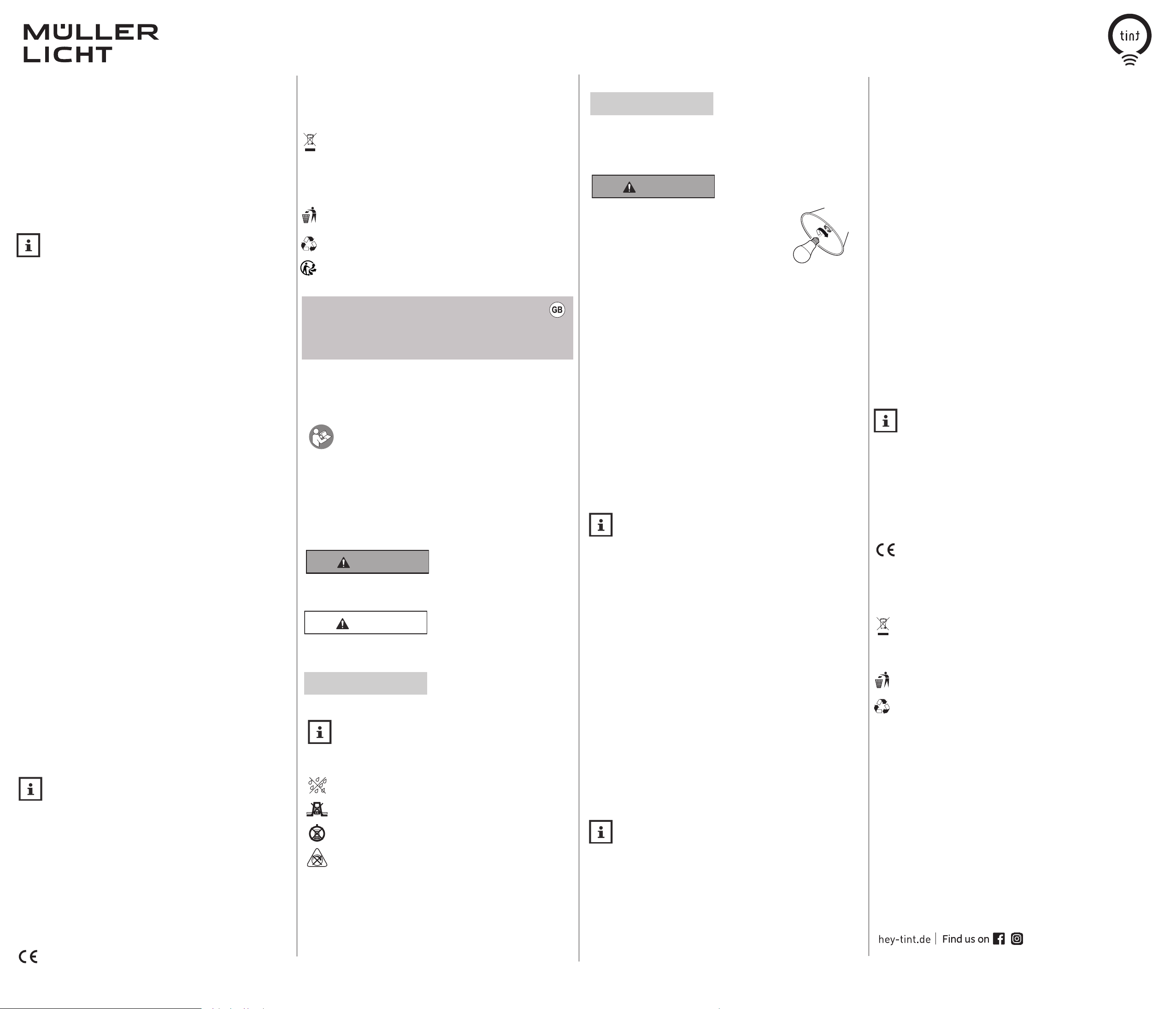
Instruction manual
Lamps
Art.-No.: 404000, 404001, 404004, 404005, 404006, 404008, 404019, 404023, 404024,
404036, 404037, 404038, 404065, 404066, 404105, 404114
Included with the item
• 1 tint bulb • Operating manual
Dear customers!
This user manual contains important information on start-up and use. Before
using the bulbs, please read through the user manual carefully. This particu-
larly applies for the safety notes. Failure to follow this user manual may result
in severe injury or damage the bulbs. Store the user manual for future use. If you pass the
bulb on to third parties, please be absolutely sure to include this user manual.
You can also download the manual: hey-tint.de.
Explanation of symbols
The following symbols and signal words are used in this user manual, on the lamp or on
the packaging.
WARNING!
This signal symbol/word designates a hazard with moderate degree of risk which may
lead to death or severe injury if not avoided.
This signal symbol/word designates a hazard with low degree of risk which may severe a
moderate injury if not avoided.
This signal word warns against potential damages to property.
Safety Instructions
Proper use
The tint product can be controlled with the „tint Smart Light“ app (via Bluetooth) or with
the tint remote control and/or integrated into a smarthome system with Zigbee gateway.
The light bulb can be used in commercially available luminaires with a suitable thread
version. The set may only be used in dry interiors. The item is not suitable for commercial
use.
ATTENTION!
NOTICE!
This symbol gives useful additional information for handling or operation.
Please read carefully.
Do not expose this lamp to moisture
Do not use this lamp in reflector housings
Do not use this lamp in closed luminaires
Not dimmable by conventional dimmers
Safety Notes
NOTICE!
• These bulbs may be used by children ages eight and over as well as persons with
impaired physical, sensory or mental capacities or those lacking experience and
knowledge if they are supervised or have been instructed in how to safely use the light
and have understood the risks associated with using it.
WARNING!
DANGER for children
• Children are not allowed to play with the item
• Do not let children play with the packaging. Children may get
caught in it when playing and suffocate.
-
DANGER of fire/combustion and/or explosion
• Before use, make sure that the existing power voltage matches the required operating
voltage of the item (see „Technical data“)
• When inserting the batteries, pay attention to the right polarity.
• Do not use different types and do not use a used battery and a new battery with each other.
• Do not use the item if it is damaged.
• Avoid contact of the item with water or other liquids.
• The bulbs can not be adjusted via conventional dimmers.
Setup
Fitting the bulbs
You can insert the supplied bulb into different fittings, e.g. into a ceiling light and a freestanding lamp or a desk lamp. The only requirement is that the lights each have a suitable
socket.
1. Switch lamps off and unplug them from the mains (where applicable) and/or switch off
the fuse for the room at the fuse box.
2. Allow previously inserted bulbs to cool when necessary.
3. Remove the old bulbs and screw the new bulbs into the sockets.
4. Plug the lamp back in at the mains and/or switch the house fuse back on and set the switch to I or ON.
Application
This tint light with dual chip technology is equipped with Zigbee and Bluetooth
wireless technology. Via Bluetooth, control is possible via smartphone with the
tint Smart Light app without additional devices. Light control via Bluetooth is only
possible within the room you are in, over about 10 meters. Up to 20 tint products can be
integrated, as long as they support Bluetooth.
Via Zigbee, it is possible to connect to the tint remote control or to integrate it into smarthome systems or voice assistants with Zigbee technology from other providers . A Zigbee
gateway is required for this. With this solution, the light can be controlled over bigger
distances throughout the house. In addition, depending on the system, a larger number
of lamps and lights can be controlled. More information and answers to frequently asked
questions at hey-tint.de
A)
Control via smartphone and tint app
a. Download the „tint Smart Light“ app on the App Store or Play Store and follow the
instructions in the app.
B) If you have a tint remote control, a tint mobile switch or a tint mobile sensor:
a. Plug in the net plugs and I or turn the home security back on and set the
corresponding lamp switch to 1 or ON.
b. Prepare the remote control/sensor according to the manual for connecting and
keep it correspondingly close to the bulb.
c. The lamp is connected when it lights up 3x.
C) If you have a Zigbee Gateway (e.g. Hue Bridge V2, Amazon Echo with integrated Zigbee
smart home hub, Lightify Gateway):
a. Start the search on the gateway or associated APP.
b. Plug in the net plugs and I or turn on the home security again and set the
corresponding lamp switch to 1 or ON.
c. The bulb is connected when it lights up 3x.
To connect the bulbs to a remote control or a Zigbee gateway, they must be in a
pairing mode (when switched on, the bulb will cycle through its colours or the
bulb flashes briefly). If this is not the case, the bulb must be reset, see „Resetting
the tint bulb/pairing mode“.
Reset to 100% light
The tint light bulbs can be easily reset by light switch to the basic setting
of warm white and 100% brightness. This may be necessary, for example,
if you have dimmed the bulbs before and you don‘t have the tint remote control on hand.
Use the light switch to switch the bulb off and on again 3 times. The bulb will now start in
its basic setting.
Resetting the tint bulb/pairing mode
Resetting the tint bulb is only required in exceptional cases, such as when the remote control has had to be reset or when you want to incorporate the bulb into a smart home gateway.
1. Switch the tint bulb on and off 5 times
2. Switch the tint bulb on again. Depending on the light bulb, a short cycle through the
colours appears or the bulb flashes briefly. The reset has occurred as desired and you
can now use the tint bulb as normal using your remote control and/or other Zigbee
system.
Cleaning
Turn off the light and pull out the power plug and/or turn off the room protection at the
fuse box.
Clean the bulb only with a dry cloth. If not in use, keep them in a dry place protected from
children.
Technical data
Frequency band (Zigbee+Bluetooth): 2405-2480.0 MHz
Maximum transmission power: <10 dB
Radio range Zigbee (free field): 30 m
Radio range Bluetooth (free field): 10 m
Standby consumption per lamp: <0.5W
Mains voltage: 220-240V
Mains frequency: 50/60 Hz
Environmental conditions:
Temperature (operation): -20 ° C ... 40 ° C
Temperature (storage): -25 ° C ... 60 ° C
Relative humidity: 5-95% (no condensation)
Smart Home Ready:
MÜLLER-LICHT‘s tint products can be controlled using Bluetooth technology and
the tint Smart Light app, as well as the latest Zigbee wireless standard 3.0. and
are compatible with a range of light control systems, such as Philips Hue*, Osram
Lightify*, Amazon’s voice assistant (Amazon Echo with integrated Zigbee smart home
hub**), and many more. You can find more information about the Zigbee Alliance at www.
zigbee.org.
To integrate into a gateway/an app, the bulbs must be reset, see „Resetting the tint bulb”.
*Restrictions on individual services possible, current information and answers to
frequently asked questions, see hey-tint.de
**If this service is abailable in your country.
*
Declaration of Conformity
Hereby Müller-Licht International GmbH declares that the radio equipment type
„Müller-Licht tint“ complies with the directive 2014/53 / EU.
The full text of the EU Declaration of Conformity is available at the following Internet
address: hey-tint.de
Dispose
Old appliances must not be disposed of with normal household waste. In accordance with
Directive 2012/19/EU, the device must be disposed of properly at the end of its service life.
The recyclable materials contained in the device are recycled and pollution of the environment
is avoided.Return the old device free of charge to a collection point for electrical waste or a
recycling yard.
Dispose of the packaging materials in an environmentally friendly manner by placing them in
the collection containers provided.
General recycling symbol Further information can be found under:
www.mueller-licht.de/recycle/
The Bluetooth® word mark and logos are registered trademarks owned by Bluetooth SIG, Inc.
and any use of such marks by Müller-Licht International GmbH is under license. Other trade
marks and trade names are those of their respective owners.
MÜLLER-LICHT International GmbH
Goebelstr. 61/63 | D-28865 Lilienthal
Tel. 00800 44003311
-
- 2 -
_017
 Loading...