

Page 1
RD43120600C/B
WIRELESS EDGE
INSTALLATION INSTRUCTIONS
FOR MT-466009/N
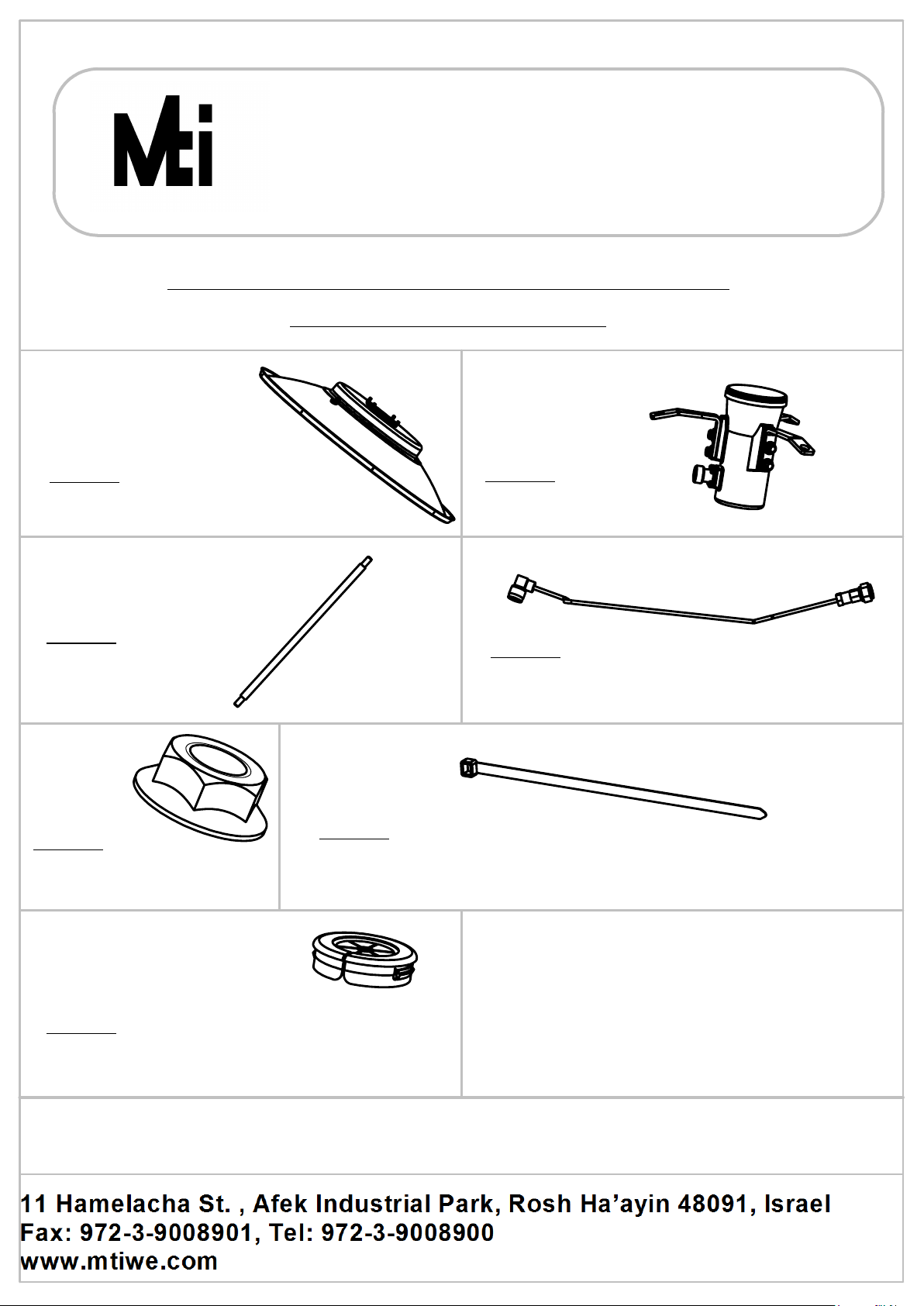
Item 1
Antenna Dish
Qty. x1
Item 3
Strut
Qty. x3
Item 5
Nut 5/16" Self Locking
Qty. x3
Item 2
Antenna Feed
Qty. x1
Item 4
Cable
Qty. x1
Item 6
Cable tie
Qty. x2
Item 7
Cable Grommet
Qty. x2
SHEET 1 OF 3
Page 2
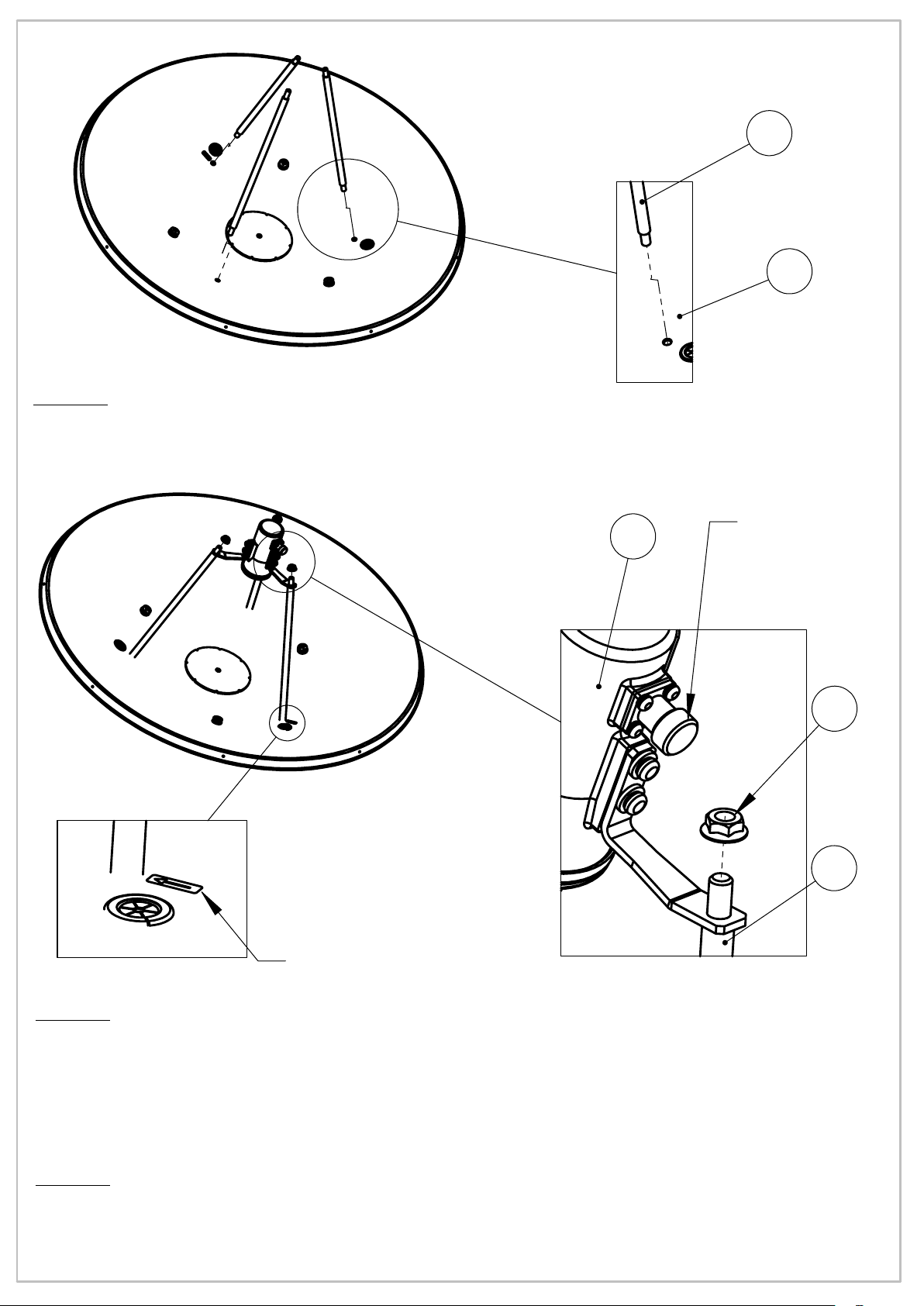
Step 1
Screw Struts items (3) to the Antenna Dish item (1)
Tighten by firm hand force.
RD43120600C/B
3x
3
1x
1
Arrow
2
Connector
3x
5
3x
3
Step 2
Attach Antenna Feed item (2) to the Struts items (3).
Assemble Feed connector indicates to Arrow note direction labeled on Dish,
using items (5) as shown.Use tightening torque force of 71kg-cm.
Step 3
Attach Mounting Kit to the pole and to Antenna, according to
Installation Instructions to be found inside Mounting Kit Package.
SHEET 2 OF 3
Page 3
RD43120600C/B
1
2x
6
2x
7
4
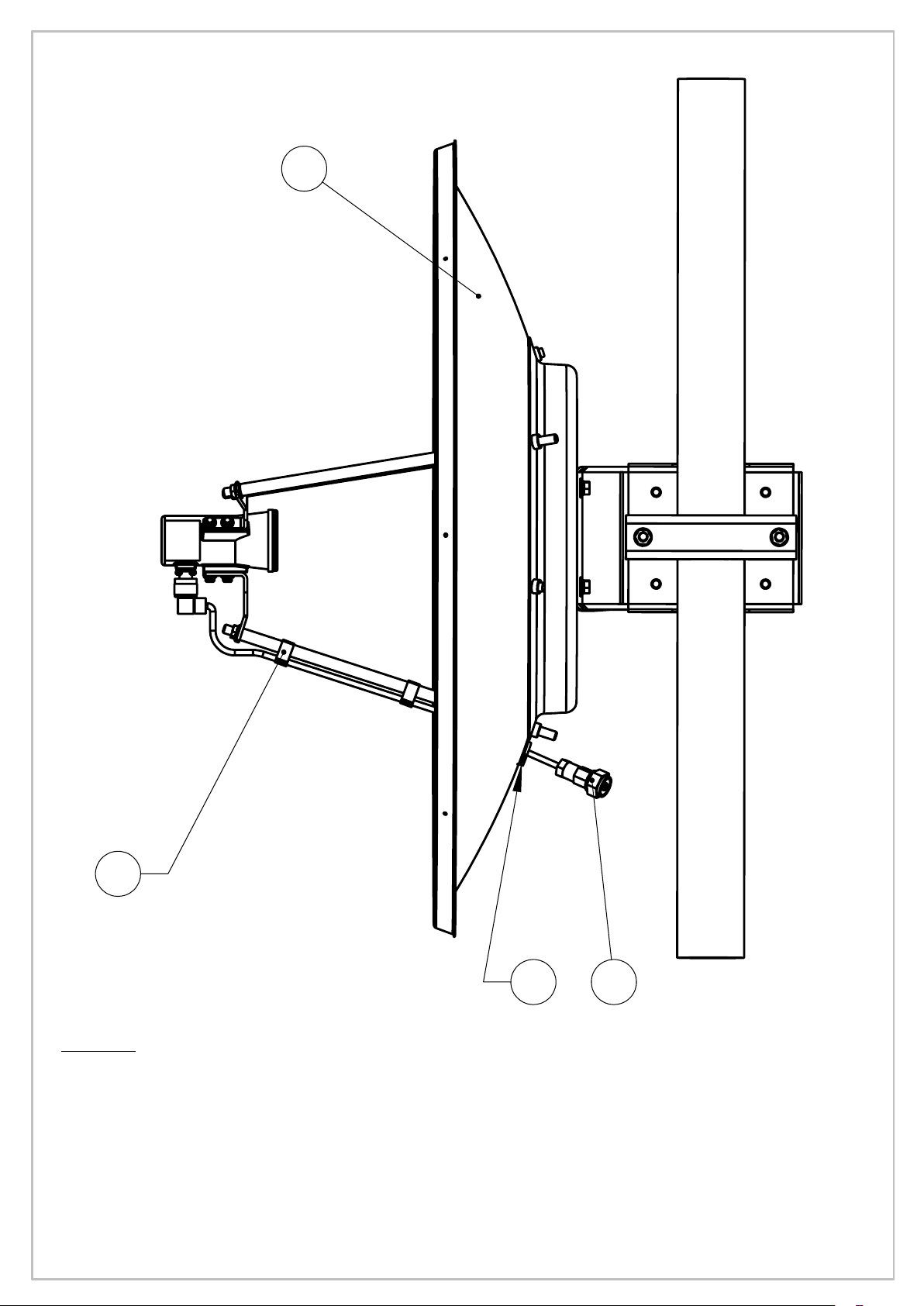
Step 4
Insert the Cable's Right Angle connector item (4) through the hole in
the Dish, towards the Horn. Using 20mm open wrench, connect the
Right Angle connector to the Connector on the Feed. Attach cable with
Cable Ties items (6) to strut nearby. Assemble Cable Grommet item (7)
on the cable (insertion from the dish concaved side) and
place it and the other Grommet firmly in the Dish holes.
SHEET 3 OF 3
 Loading...