

Page 1
RD43762900C/A
120034 INSTALLATION INSTRUCTIONS
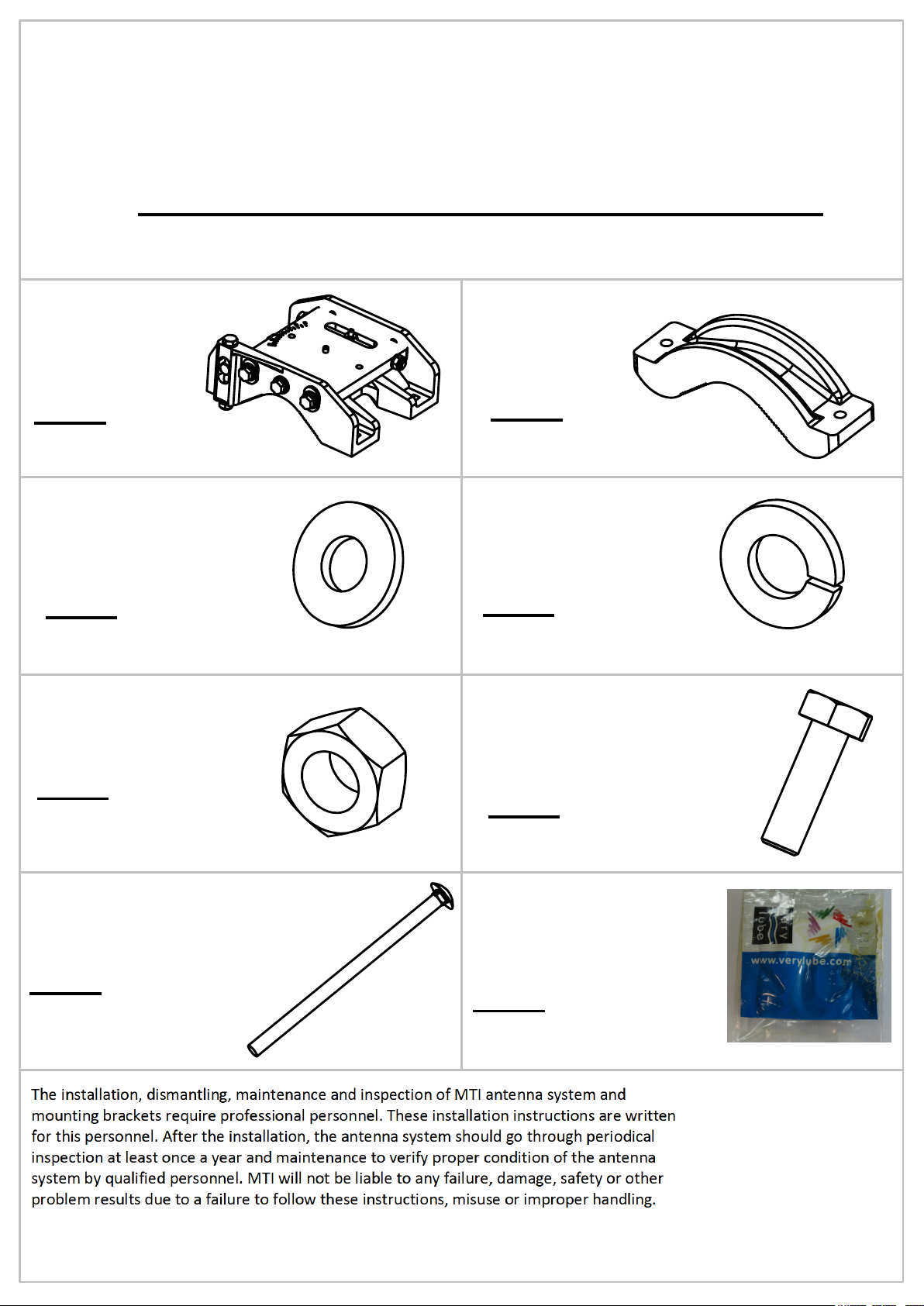
Item 1
M.K - Sub Assy
Qty: 1
Item 3
Washer Flat M6
Qty: 6
Item 5
Nut M6
Qty: 4
Item 2
Holder Bracket
Qty: 2
Item 4
Washer Spring M6
Qty: 6
Item 6
Screw Hex Cap M6x20
Qty: 2
Item 7
Bolt Round Head Square
Qty: 4
SHEET 1 OF 2
Item 8
Lithium Universal Grease
Qty: 1
Page 2
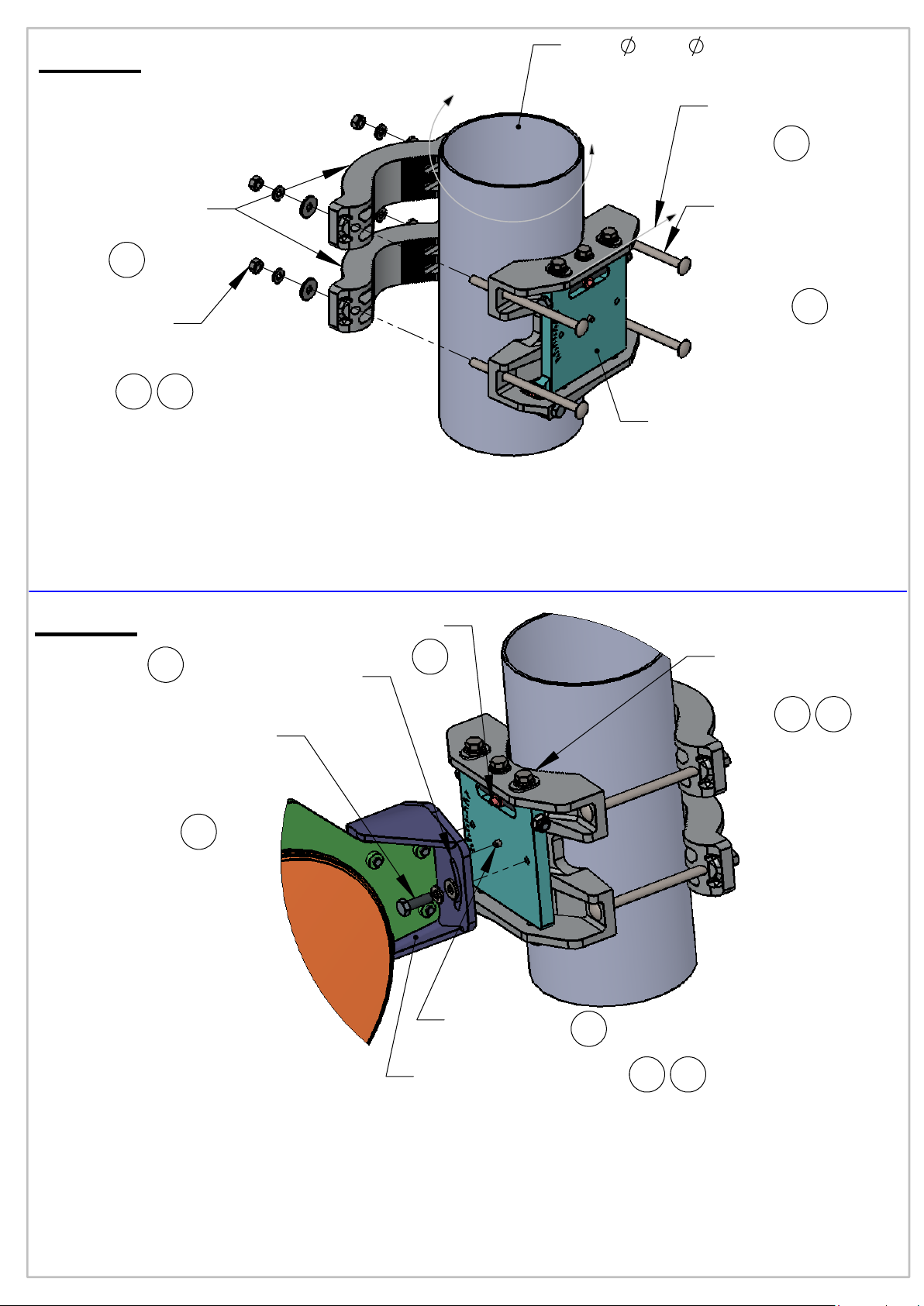
Step 1
Mast
2.5"-
4.5" outer diameter
Sight View Line
2
Holder Bracket
(2pl.)
1
Mounting Lock Bolt
(Round
Head Square)
(4pl.)
1
Hex nut M6
Washer Spring M6
Washer Flat M6
(4pl.)
1 3
Mounting Kit
Notes:
1.
assemble Holder Brackets (2pl.) on the Bolts. Hand tight the nuts & washers (4pl.)
on the Bolts without finally fastening.use #11 open end, or deep socket wrench
2. Roughly Rotate and aim the Mounting Kit while the Sight view line towards the target.
3. Use tightening Torque of 8Nm on Mounting Lock Bolts Nuts (4pl.)
Step 2
Insert the Mounting Lock Bolts (4pl.) to the sockets, attach to the mast and
Pivot
Grease surface
around the slots
4
Pin
5
from both sides
Sub Assy
Azimuth lock Bolts
(6pl.)
6 7
Screw Hex Cap
Washer Spring
Washer Flat
(2pl.)
6
Mounting Kit
Pin
Notes:
4. Use grease on marked recommended places and on Adjustment Bolts
(Elevation & Azimuth). (see drawing).
5. Attache Antenna Dish Base to Mounting Kit Pin and Pivot pin.
6. Assembly Bolts and washers (2pl.) to the M.K Sub Assy use tightening torque of 6Nm .
make sure azimuth lock bolts (6pl.) fasten with tightening torque of 6Nm.
7. After fine adjustment, use tightening lock torque of 8
and Elevation Lock Bolts (2pl.). Use #11 open end, or deep socket wrench.
8. Adjustment Bolts (Elevation+Azimuth) must be greased at all time.
Antenna Dish Base
5
56
Nm
on Azimuth Lock Bolts (6pl.)
 Loading...