

Page 1
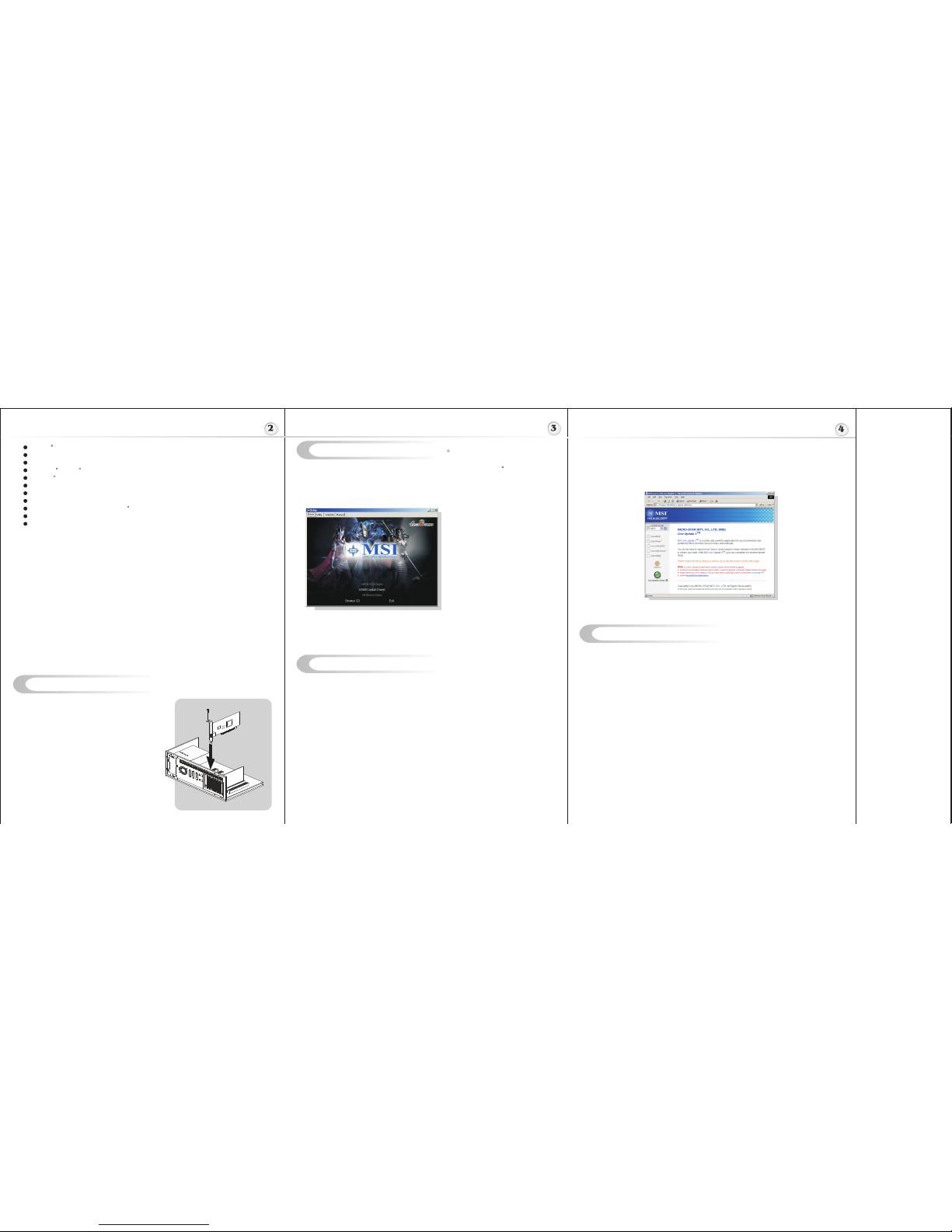
Hardware Installation
Follow the steps to install the VGA card :
1. Remove the computer case.
2. Locate the PCI Express slot on your mainboard.
Warning: Inserting the VGA card into a wrong
slot (e.g. AGP slot) may damage your card (refer
to your mainboard manual for more Information).
3. Put the card directly over the slot
and press one end of the card into the slot first.
Gently but firmly press the other end until it is
fully seated in the slot.
4. Secure the card with a bracket screw.
5. Install all other cards and devices and connect
all the cables, and then install the case.
6. Connect the monitor. Now, you are ready to
install the software on your computer.
below
PCI Express
I
TM TM
nstalling MSI Live Update 3
To install the driver of the VGA card to your computer running CDWindows XP or 2000,
please follow the steps below:
1. Turn on the computer.
2. Insert the into the CD-ROM drive. The Autorun program will start the Setup
program, and show the setup screen as follows:
R
Tip : If, on your computer, the
Autorun program does not execute
automatically, please 1) enable the
CD-ROM drive Auto-detect function
from Control Panel; or 2) find and
run the setup.exe file manually from
the CD.
3. Click nVIDIA VGA Drivers. Follow the on-screen instructions to complete the
installation.
4. After finishing the installation, restart the computer as instructed.
U
TM TM
sing MSI Live VGA Driver Update
MSI Live VGA Driver Update
This service enables you to update the latest VGA driver for your VGA card.
1. To update the MSI Live VGA Driver , click Live VGA Driver item on the left
column of the main page.
TM TM
TM TM TM
2. This utility will start checking your platform and the information on the VGA card, and
display the information in a list.
3. Click the graph button on the bottom to connect MSI Live Update Series Server.
Then, it will automatically connect the Internet and compare the version of the driver
in the database.
4. It may take several minutes to detect the required drivers. Please wait while
proceeding detection.
5. Click the InstallShield Wizard button on the right side of the table to download and
update the driver. All actions will proceed automatically.
6. Follow the on-screen instructions to complete the updating procedure.
NVIDIA Digital Vibrance Control 3.0
On-chip video processor
64-bit floating point texture filtering and blending
Microsoft DirectX 9.0 Shader Model 3.0 support
OpenGL 1.5 support
Superscalar GPU architecture
128-bit memory interface with advanced memory control
Innovative 0.13 micron process technology
Operating Systems Support Windows XP / 2000
Power supply of 350 (and up) watt is highly recommended for system stability
Memory Interface: 64-bit
TM
R
R R
R
R
TM
MSI Live Update 3 is a useful utility for you to upgrade your MSI mainboard and
VGA card. Thanks to the powerful capacity of this utility, you can conveniently
download and automatically update the BIOS and the drivers on-line, without spending
much time in searching many Web sites to find the BIOS or drivers you want.
Installing from the CD-Title
1. Insert the CD into the CD-ROM drive, and start the Setup program.
2. Click the Utility tab on the setup screen.
3. Click the MSI Live Update 3 . Follow the on-screen instructions to complete the
installation.
Installing from the MSI Web Site
1. Link to MSI's website at http://www.msi.com.tw
2. Select /Download/ VGA on the upper part of the MSI's homepage to enter
the Download page.
TM TM
TM TM
TM
3. Select Utility under the selections of VGA on the left side of the web page.
The page of the MSI Live Update 3
TM TM
4. Find and click MSI Live Update to download the utility.
5. Unzip the downloaded utility first and then install this utility by clicking on LiveUpdate.exe.
6. Follow the on-screen instructions to complete the installation.
7. Launch MSI Live Update and to enter the main page of this utility as shown below.
Software Installation (for )
Windows XP/ 2000
R
Page 2
Getting Started
System Requirements
Card Features
Please check out the following items to make sure that you get the complete product:
VGA card
CDs
- Drivers and documentation on CD
- Applications on CD
Consult your dealer immediately if anything is missing or damaged.
U
TM TM
sing MSI Live VGA BIOS Update
G52-VV046X1
January 2006
MICRO-STAR
INTERNATIONAL
To install the VGA card, your computer system needs to meet the following requirements:
Intel Pentium III (and above), AMD K7 (and above), or compatible with PCI Express slot
128MB of system memory
Installation software requires CD-ROM drive
DVD playback requires DVD drive
Interactive Program guide requires Internet connection for listing updates
Operation System Support: Windows XP / 2000
Power supply of 350 (and up) watt is highly recommended for system stability.
TM
R R R
NVIDIA CineFX 3.0 engine
TM
TM
TM
TM
TM
TM
TM
64-bit texture filtering support delivers full-speed, high dynamic-range (HDR) lighting effects
Unmatched image quality delivered through new 16x anisotropic filtering and rotated grid
antialiasing
4x shadow processing power with NVIDIAUltraShadow II for next generation games
Infinite program length allows for a new class of special effects
Hardware-accelerated MPEG and WMV9 decode delivers smooth, artifact-free video
Dedicated video hardware reduces CPU utilization and improves overall system
performance
On-chip video encoder and motion estimation engine provides fast, high-quality encoding
from TV tuner
Programmable video engine ensures compatibility with future video codecs
High-quality video scaling and filtering improves playback quality at any window size
PCI Express support accelerates video editing by speeding up data transfer rates
Integrated HDTV-output brings content from your desktop to your high-definition TV
NVIDIA ForceWare software delivers unmatched features and rock-solid stability
High dynamic-range (HDR) rendering
NVIDIA UltraShadow II technology
NVIDIA Intellisample 3.0 technology
NVIDIA ForceWare Unified Driver Architecture (UDA)
NVIDIA nView multi-display technology
R
R
R
R
R
R
R
For reference only
I
n
t
e
r
a
r
t
n
a
S
-
t
i
o
o
r
n
c
i
a
l
M
TEL. 886-2-32345599
FAX. 886-2-32345488
http://www.msi.com.tw
* All trademarks used in this manual are the sole property of their respective owners.
VGA is a trademark of International Business Machines Corporation.
Pentium is a registered trademark of Intel Corporation.
Windows is a registered trademark of Microsoft Corporation.
R R
R R
Macrovision Corporation Product Notice
This product incorporates copyright protection technology that is protected by method claims of
certain U.S. patents and other intellectual property rights owned by Macrovision Corporation and
other right owners. Use of this copyright protection technology must be authorized by Macrovision
Corporation, and is intended for home and other limited viewing uses only unless otherwise
authorized by Macrovision Corporation. Reverse engineering or disassembly is prohibited.
MICRO-STAR INT'L
MS-V046
MSI Live VGA BIOS Update
This service enables you to update the latest VGA BIOS for your VGA card.
1. To update your VGA BIOS, click Live VGA BIOS item on the left column of the main page.
TM TM
TM
TM
2. If your VGA card does not support the Live VGA BIOS function, you will receive a warning
message on the screen.
TM
3. If your VGA card do support the Live VGA BIOS function, please pay attention to the message
shown on the screen telling you that in what circumstance flashing BIOS may fail to reboot.
4. Click Yes if you would like to try it at your own risk or No to return to the main page with
everything unchanged.
5. If you click Yes to continue, it will check the information and BIOS version of your VGA card,
and list them in a table.
TM TM
6. Click the graph button at the bottom to connect the MSI Live Update 3 Server.
TM TM
7. The MSI Live VGA BIOS will automatically connect the Internet and search the supported
TM
BIOS in the database of MSI .
8. If it has found one (or several) supported BIOS for your VGA card, click the InstallShield
Wizard button on the right side of the table to have the new BIOS downloaded and updated
automatically.
9. Follow the on-screen instructions to complete the updating procedure.
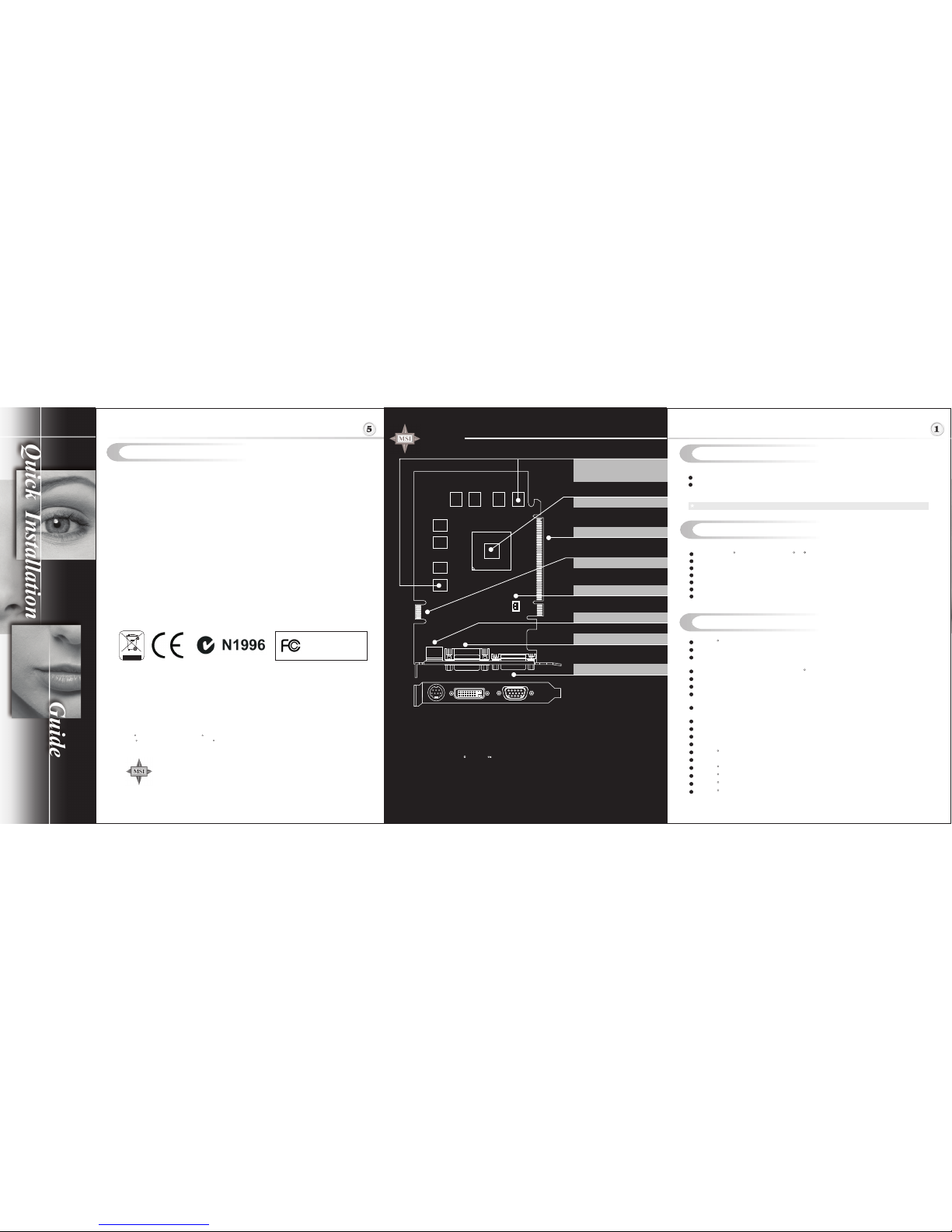
NX6600 Ares-TD series
nVIDIA GeForce 6600 inside!!!
PCI Express Interface
Note: The VGA card shown here
may vary from the actual card.
For further information, please
visit MSI website at
www.msi.com.tw
512MB DDR2 memory or
256MB DDR2 memory or
128MB DDR2 memory
TV_Out Connector (S)
nVIDIA GeForce 6600
PCI Express Interface
D-Sub Port
DVI-I Port
Fan Connector
SLI Interface
 Loading...