

Page 1
Quick Start Guide for the
Medical, Inc.
Pharm Pump II
LOADING TUBING
1
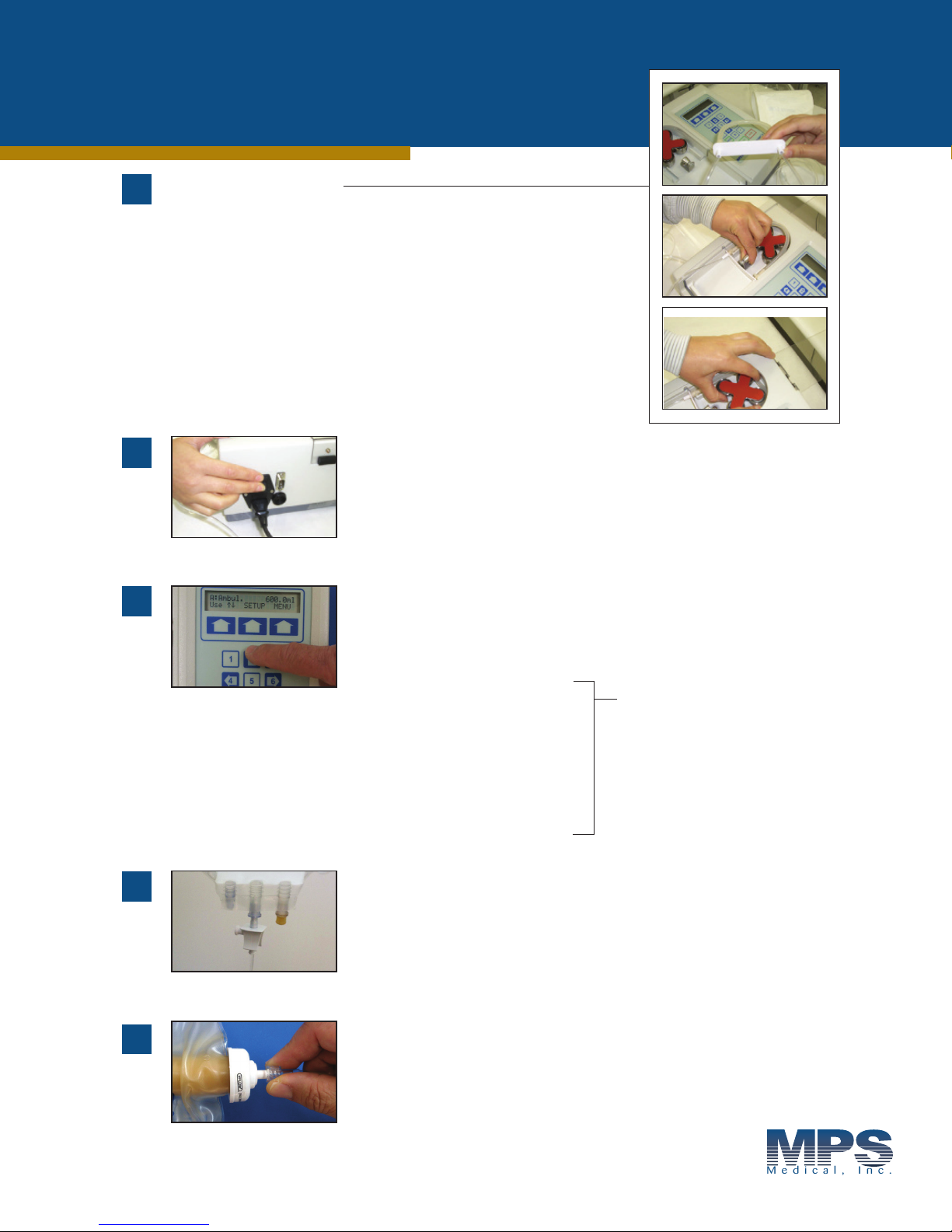
The white bar connector has an arrow on it. Point the arrow down
(facing the pump) then slide it into the side grooves of the pump.
Pull the spring clip knob up and push the bar connector
down as far as possible.
Once the tubing is in, give the rotor head a full turn to the
left so the tubing is even on both sides of the rotor head.
Catalog #17789HP3M (Spike Set for Bags)
Catalog #17789HP3MLL (Luer Set for Vials)
2
3
4
POWER
Turn on the power switch that is located in the rear right
hand side of the pump. Spike bulk container with the
tubing set. Now you are ready to start programming.
SELECT PROGRAM
Based on your fill volume, select the program
by pressing “2” or “8” on the key pad.
Filling pump is pre-programmed as follows:
A - 300ml (Elastomeric Pump)
B - 400ml (Elastomeric Pump)
C - 550ml (Elastomeric Pump)
D - 600ml (Elastomeric Pump)
E - 750ml (Elastomeric Pump)
F - 100ml (filling empty bag)
G - 60ml (filling syringe)
These are pre-programmed
options. There are twenty-one
additional memory banks for
customized programming.
Refer to FAQ document,
step #3, if fill volume needs
to be changed.
CONNECT
Connect to medication source. This may vary
depending on how your facility receives medication.
Note: Prime the set before using.
5
Once full, disconnect the male luer lock from the Elastomeric Pump
and the process is complete.
FILL ELASTOMERIC PUMP
Connect male luer to the Elastomeric Pump and
fill by pressing the “START” function key.
Page 2
Quick Calibration for Program or Filling Changes Only
Medical, Inc.
CALIBRATE FILLING PUMP WHENEVER
PROGRAM OR FILLING DEVICE CHANGES
(calibration not required with each use)
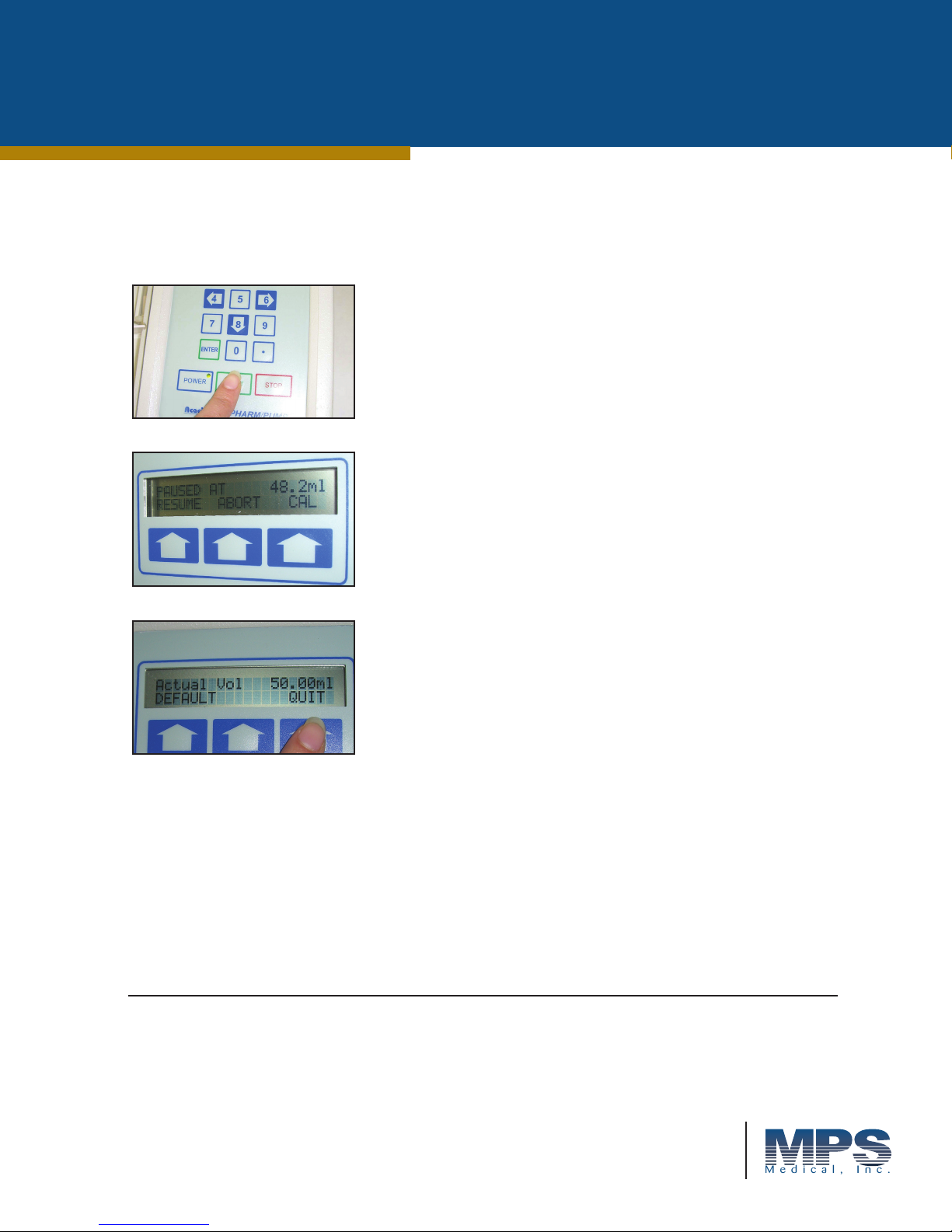
Connect the distal end of the tubing for the device you are going
to use i.e., syringe, bag or bottle. Press the “START” button and
after dispensing approximately 70% press the “STOP” button.
Measure the volume that was dispensed; press the “CAL” key
on the right side.
The LCD Screen will display:
Enter the volume that was dispensed by using the numeric
keypad and follow it by pressing “ENTER,” then press QUIT
key to resume filling.
Note: Whenever “QUIT” appears on the screen you may press
the function key beneath it and return to the main menu. Foot
switch may be used in lieu of start/stop button for dispensing
by plugging into round receptacle located at rear of pump.
Refer to the pump instruction manual for
additional manual operation details.
Call 1-844-641-3814 for assistance.
©MPS Medical, Inc.
M-0151A 120914
830 Challenger Street, Brea, CA 92821
Ph: 844.641.3814 Fax: 844.641.3813
www.mpsmedical-inc.com
 Loading...