

Page 1
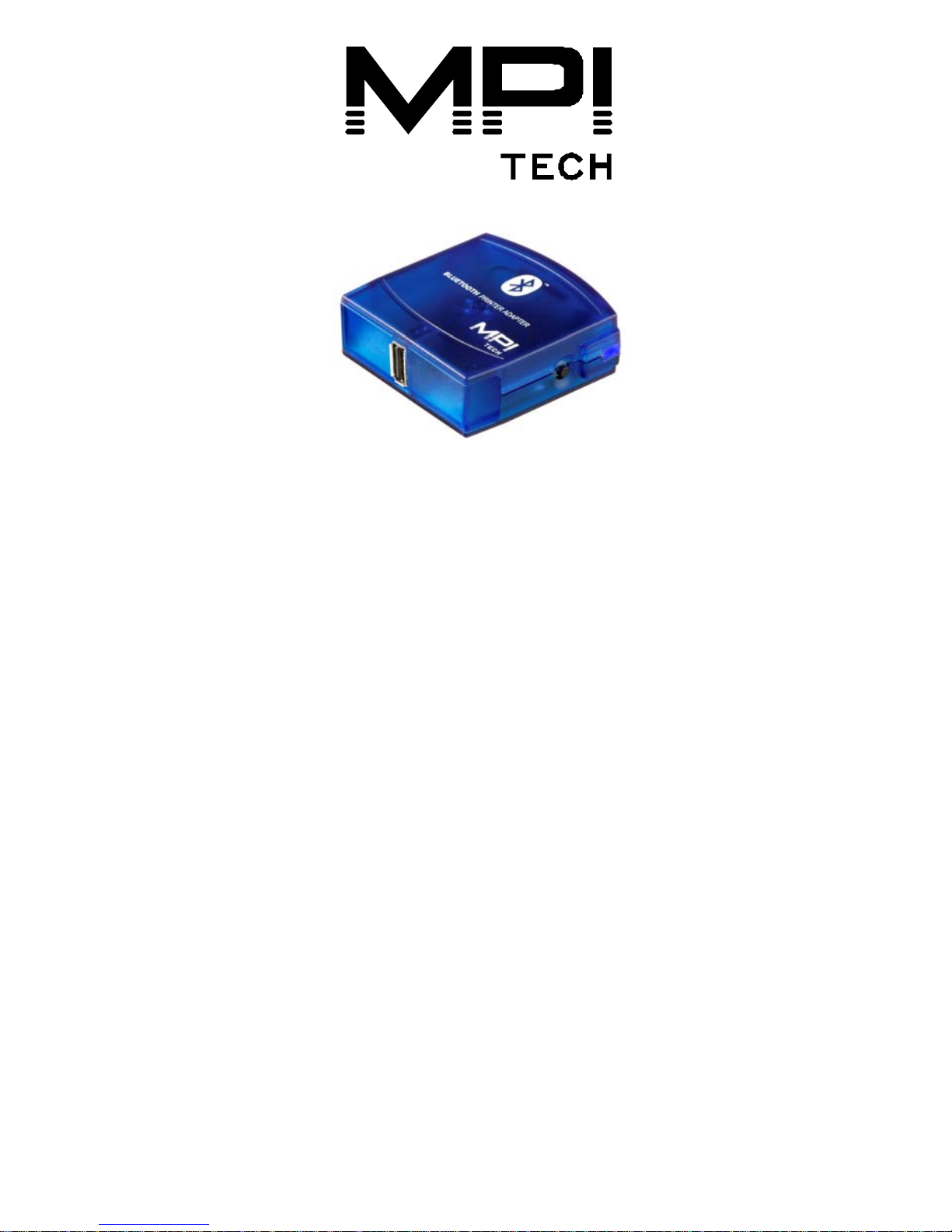
Quick Guide
Bluetooth Printer Adapter USB
English | Deutsch | Français | Español | Italiano
10525-04
MPI Tech is a global vendor of workflow and output
management solutions with distribution worldwide. MPI
Tech develops and markets a world-leading portfolio of
technologies and products for unique Document
Management and Printing solutions.
MPI Tech operates in most of the world through sales and
support offices and partners.
Page 2

ENGLISH
A. CONNECT HARDWARE
Follow the steps below to connect the
hardware:
1. Power off your printer.
2. Connect the Bluetooth Printer Adapter to the USB port of
the printer using the enclosed cable.
3. Power on the printer.
4. Connect the included power adapter to the Bluetooth
Printer Adapter and to the power outlet. Turn on the
power.
5. The test page is printed after approx. 10 seconds. The
Bluetooth Printer Adapter can now be used for Bluetooth
printing.
B. PRINTING
1. Further instructions for Bluetooth Printing are available at
www.mpitech.com/bpa
C. ADDITIONAL PRINT OFTEST PAGE
Press the Bluetooth Printer Adapter's TEST button to print the
test page. The test page contains information about the software
version (501.xxx) and the Bluetooth Device Address
(00:03:6E:XX:XX:XX).
Congratulations with your Bluetooth Printer Adapter from MPI
Tech. This document will assist you in getting started with
Bluetooth printing.
Page 3

INTRODUCTION
The Bluetooth Printer Adapter replaces the parallel cable of the
printer and enables printing from Bluetooth enabled devices
such as Laptops, PDAs and mobile phones.
ITEMS SUPPLIED
The Bluetooth Printer Adapter Kit contains:
• Bluetooth Printer Adapter
• Power adapter
• Quick Guide (this document)
• USB cable
PREREQUISITES
At www.mpitech.com/bpa you will find an updated list of
supported Bluetooth devices and printers. In general the
following is required:
• A Bluetooth enabled device, e.g. a Laptop, PDA or mobile
phone. The Bluetooth device must support at least one of
the following Bluetooth profiles to print.
SPP - Serial Port Profile.
OPP - Object Push Profile.
HCRP - Hardcopy Cable Replacement Profile.
LIGHT INDICATORS
At power on the blue light is on for approx. 10 seconds, after
which it starts to flash (indicating it is ready). The blue light is on
whenever a connection has been established to another
Bluetooth device. The yellow light indicates that data is available.
Page 4

SUPPORT
Please refer to the documentation that came with your Bluetooth
device. Further instructions for Bluetooth Printing are available at
www.mpitech.com/bpa
REGULATORY INFORMATION
This product complies with any mandatory product specification
in any country where the product is sold. In addition, the product
complies with the following directives:
SAFETY REGULATIONS
NOTE: Only use this product with a Class 2 Direct Plug-In
Transformer rated 5.0-> 5.5 VDC minimum 300 mA
United States of America and Canada
The equipment is tested to comply with UL1950 3rd edition and
marked in accordance with UL and cUL marks.
European Union
The product is tested to comply with the Low voltage Directive
73/23/EEC according to EN60950 with amendments.
RADIO EQUIPMENT REGULATIONS
European Union
This equipment complies with the R&TTE directive 1999/5/EC and
has been provided with the CE mark accordingly. Note that the
radio frequency band used by this equipment has not been
harmonized in all of the EU.
United States of America and Canada
Tested to comply with FCC Standards FOR HOME OR OFFICE
Page 5

USE. See FCC 47CFR part 15.19(b)(2). This device complies with
part 15 of the FCC rules and with RSS-210 / RSS-139 of
the Industry Canada. Operation is subject to the following two
conditions: (1) This device may not cause harmful interference,
and (2) this device must accept any interference received,
including interference that may cause undesired operation.
CAUTION: Any changes or modifications to this equipment not
expressly approved by the manufacturer may void the FCC
authorization to operate this equipment.
Canada (IC notice)
To prevent radio interference to the licensed service, this device
is intended to be operated indoors and away from windows to
provide maximum shielding. Equipment that is installed outdoors
is subject to licensing.
ELECTRONIC EMISSION NOTICES
Federal Communications Commission (FCC) Statement
NOTE: This equipment has been tested and found to comply with
the limits for a Class B digital device, pursuant to Part 15 of the
FCC Rules. These limits are designed to provide reasonable
protection against harmful interference in a residential
installation. This equipment generates, uses, and can radiate
radio frequency energy and, if not installed and used in
accordance with the instructions, may cause harmful interference
to radio communications. However, there is no guarantee that
interference will not occur in a particular installation. If this
equipment does cause harmful interference to radio or television
reception, which can be determined by turning the equipment off
and on, the user is encouraged to try to correct the interference
by one or more of the following measures:
Page 6

• Reorient or relocate the receiving antenna. Increase the
separation between the equipment and receiver.
• Connect the equipment into an outlet on a circuit different
from that to which the receiver is connected.
• Consult an MPI Tech authorized dealer or service
representative for help.
Properly shielded and grounded cables and connectors must be
used in order to meet FCC emission limits. Proper cables and
connectors are available from MPI Tech authorized dealers. MPI
Tech is not responsible for any radio or television interference
caused by using other than recommended cables and connectors
or by unauthorized changes or modifications to this equipment.
Unauthorized changes or modifications could void the user's
authority to operate the equipment. This device complies with
Part 15 of the FCC Rules. Operation is subject to the following
two conditions: (1) this device may not cause harmful
interference, and (2) this device must accept any interference
received, including interference that may cause undesired
operation.
This product uses a wireless RF module to communicate with
other devices using the 2.4 GHz ISM band. The radiated power
output of this card is well below FCC radio frequency exposure
limits. However, it is advised to maintain a minimum 20 cm
separation between the product and user(s)or bystanders to
minimize human exposure to the transmitted radio frequencies.
Industry Canada Class B emission compliance statement
This Class B digital apparatus complies with Canadian ICES-003.
Page 7

European Union EMC Directive conformance statement
This product is in conformity with the protection requirements of
EU Council Directive 89/336/EEC on the approximation of the
laws of the Member States relating to electromagnetic
compatibility. MPI Tech cannot accept responsibility for any
failure to satisfy the protection requirements resulting from a
non-recommended modification of the product.
This product has been tested and found to comply with the limits
for Class B Information Technology Equipment according to
CISPR 22/European Standard EN 55022. The limits for Class B
equipment were derived for typical residential environments to
provide reasonable protection against interference with licensed
communication devices. Reorient or relocate the receiving
antenna. Increase the separation between the equipment and
receiver. Connect the equipment into an outlet on a circuit
different from that to which the receiver is connected. Consult an
MPI Tech authorized dealer or service representative for help.
Page 8

DEUTSCH
A. HARDWARE ANSCHLIEBEN
Folgen Sie den nachstehenden Schritten, um Ihre Hardware
anzuschlieben:
1. Schalten Sie Ihren Drucker aus.
2. Schließen Sie den Bluetooth Printer Adapter mit Hilfe des
mitgelieferten Kabels an die USB-Schnittstelle des
Druckers an.
3. Schalten Sie den Drucker ein.
4. Verbinden Sie das mitgelieferte Stromkabel mit dem
Bluetooth Printer Adapter und der Steckdose.
5. Eine Testseite wird nach etwa 10 Sekunden ausgedruckt.
Der Bluetooth Printer Adapter ist nun bereit für den
Bluetooth Druck.
B. DRUCKEN
1. Weitere Informationen für das Bluetooth Drucken erhalten
Sie unter www.mpitech.com
C. WEITERE AUSDRUCKE VON TESTSEITEN
Drücken Sie den TEST Knopf des Bluetooth Printer Adapters, um
weitere Testseiten auszudrucken. Die Testseite enthält
Informationen über die software version (500.xxx) und die
Bluetooth Geräteadresse (00:03:6E:XX:XX:XX).
Gratulation zu Ihrem Bluetooth Printer Adapter von MPI Tech.
Dieses Dokument wird Ihnen beim Start mit Bluetooth Printing
helfen.
Page 9

EINLEITUNG
Der Bluetooth Printer Adapter ersetzt das Parallelkabel des
Druckers und ermöglicht das Drucken von Bluetooth-fähigen
Geräten, wie Laptops, PDAs und Mobiltelefonen.
INHALT
Das Bluetooth Printer Adapter Paket enthält:
• Bluetooth Printer Adapter
• Netzteil
• Kurzanleitung (dieses Dokument)
• USB Kabel
VORAUSSETZUNGEN
Unter www.mpitech.com/bpa finden Sie eine aktuelle Liste von
unterstützten Bluetooth Geräten und Druckern. Generell werden
die folgenden Anforderungen gestellt:
• Ein Bluetooth-fähiges Gerät, z.B. ein Laptop, PDA oder
Mobiltelefon. Das Bluetooth Gerät muss mindestens eines
der folgenden Bluetooth Protokolle für Druck unterstützen.
SPP - Serial Port Profile.
OPP - Object Push Profile.
HCRP - Hardcopy Cable Replacement Profile.
LEUCHTANZEIGEN
Wenn das Gerät ans Stromnetz angeschlossen ist, leuchtet die
blaue Diode ca. 10 Sekunden durchgehend, danach blinkt sie
(um die Arbeitsbereitschaft anzuzeigen). Die blaue Diode leuchtet
sobald eine Verbindung zu einem anderen Bluetooth Gerät
aufgebaut wurde. Die gelbe Diode zeigt an, dass Daten verfügbar
sind.
Page 10

SUPPORT
Bitte halten Sie sich an die Betriebsanleitung Ihres Bluetooth
Gerätes. Weitere Informationen für das Bluetooth Drucken
erhalten Sie unter www.mpitech.com/bpa
VERORDNUNGSINFORMATION
Dieses Produkt entspricht jeder obligatorischen
Produktspezifikation in jedem Land, in dem es vertriebenwird.
Ergänzend dazu entspricht dieses Produkt den folgenden
Direktiven:
SICHERHEITSBESTIMMUNGEN
Bitte beachten: Wenden Sie dieses Produkt nur mit einem Class 2
Direkt Plug-In Transformer von 5,0-> 5,5 VDC, Minimum 300
mA, an.
Europäische Union
Dieses Produkt wurde getestet, um der
Niederspannungsverordnung 73/23/EEC, entsprechend EN60950
mit Zusätzen, nachzukommen.
RADIOGERÄTE BESTIMMUNGEN
Europäische Union
Dieses Gerät entspricht der R&TTE Direktive 1999/5/EC und trägt
entsprechend das CE Zeichen. Bitte beachten Sie, dass die
Frequenzbereiche dieses Gerätes nicht für alle EU Staaten
abgestimmt wurden.
Page 11

ANMERKUNGEN ZUR ELEKTRONISCHEN EMISSION
Deutsche EMV-Direktive
(elektromagnetische Verträglichkeit)
Dieses Gerät ist berechtigt, in Übereinstimmung mit dem
deutschen EMVG vom 9. Nov. 92, das EG-Konformitätszeichen zu
führen.
Der Aussteller der Konformitätserklärung ist die MPI Tech
Dänemark.
Dieses Gerät erfüllt die Bedingungen der EN 55022 Klasse B.
Page 12

FRANÇAIS
A. CONNEXION DU MATÉRIEL
Pour connecter le matériel, procédez comme suit:
1. Mettez l'imprimante hors tension.
2. Connectez l’adapteur d’imprimante Bluetooth au port USB
de l’imprimante à l’aide du câble fourni.
3. Mettez l'imprimante sous tension.
4. Connectez l'adaptateur de courant inclus à l'adaptateur
d'imprimante Bluetooth et à la prise de courant. Mettez
sous tension.
5. La page Test est imprimée après environ 10 secondes.
L'adaptateur d'imprimante Bluetooth peut maintenant être
utilisé pour une impression Bluetooth.
B. IMPRESSION
1. Pour plus d'informations sur l'impression Bluetooth,
accédez au site www.mpitech.com/bpa
C. IMPRESSION D'UNE PAGE TEST
Appuyez sur le bouton TEST de l'adaptateur d'imprimante
Bluetooth pour imprimer la page Test. La page Test contient des
informations sur la version du logiciel (501.xxx) et sur l'adresse
du périphérique Bluetooth (00:03:6E:XX:XX:XX).
Merci d'avoir choisi l'adaptateur d'imprimante Bluetooth de MPI
Tech. Ce document présente l'impression Bluetooth.
Page 13

INTRODUCTION
L'adaptateur d'imprimante Bluetooth remplace le câble parallèle
de l'imprimante et permet une impression depuis des
périphériques compatibles Bluetooth tels que des ordinateurs
portables, des assistants personnels et des téléphones mobiles.
ÉLÉMENTS FOURNIS
Le kit de l'adaptateur d'imprimante Bluetooth contient :
• Adaptateur d'imprimante Bluetooth
• Adaptateur de courant
• Petit guide (le présent document)
• Câble de USB
CONDITIONS PRÉALABLES
Sur le site www.mpitech.com/bpa vous trouverez la liste
actualisée des périphériques et imprimantes Bluetooth pris en
charge. En général, les éléments suivants sont nécessaires:
• Un périphérique compatible Bluetooth, par exemple un
ordinateur portable, un assistant personnel ou un
téléphone mobile. Le périphérique Bluetooth doit au moins
prendre en charge l'un des profils Bluetooth suivants pour
imprimer.
SPP - Serial Port Profile.
OPP - Object Push Profile.
HCRP - Hardcopy Cable Replacement Profile.
VOYANTS
Lors de la mise sous tension, le voyant s'allume pendant environ
10 secondes, après quoi il commence à clignoter
(indiquant ainsi qu'il est prèt). Le voyant bleu est allumé
lorsqu'une connexion a été établie à un autre périphérique
Bluetooth. Le voyant jaune indique que des données sont
disponibles.
Page 14

SUPPORT
Veuillez vous reporter à la documentation fournie avec votre
périphérique Bluetooth. Pour plus d'informations sur l'impression
Bluetooth, accédez au site www.mpitech.com/bpa
INFORMATIONS RELATIVES À LA RÉGLEMENTATION
Ce produit est conforme à toutes les spécifications de produit
imposées dans tous les pays où le produit est vendu. En outre, le
produit est conforme aux directives suivantes :
RÉGLEMENTATIONS RELATIVES À LA SÉCURITÉ
REMARQUE : Utilisez uniquement ce produit avec un
transformateur direct incorporé classe 2 présentant les
spécifications nominales suivantes : 5,0-> 5,5 VDC minimum 30 0
mA
États-Unis d'Amérique et Canada
Cet équipement a été testé et il s'est avéré conforme aux
spécifications UL1950 3e édition et a reçu les marques de
conformité UL et cUL.
Union Européenne
Ce produit a été testé et s'est avéré conforme à la directive de
faible alimentation 73/23/EEC conformément à EN60950 avec
modifications.
Page 15

RÉGLEMENTATIONS RELATIVES AUX ÉQUIPEMENTS RADIO
Union Européenne
Cet équipement est conforme à la directive R&TTE 1999/5/EC et
a donc reçu la marque CE. Notez que la bande de fréquences
radio utilisée par cet équipement n'a pas été harmonisée dans
l'ensemble de l'Union Européenne.
Canada (avis IC)
Pour empêcher un brouillage radioélectrique au service faisant
l'objet d'une licence, cet appareil doit être utilisé à l'interieur et
loin des fenêtres afin de founir un écran de blindage maximal.
Dans le cas d'une installation en plein air, le materiel doit faire
l'objet d'une licence.
AVIS SUR L'ÉMISSION ÉLECTRONIQUE
Avis de conformité à la réglementation d'Industrie Canada
Cet appareil numérique de classe B est conforme à la norme
NMB-003 du Canada.
Union Européenne - Directive Conformité
électromagnétique
Ce produit est conforme aux exigences de protection de la
Directive 89/336/EEC du Conseil de l´UE sur le rapprochement
des lois des États members en matière de compatibilité
électromagnétique.
MPI Tech ne peut accepter de responsabilité quant au
manquement aux exigences de protection résultant d'une
modification non recommandée du produit. Ce produit a été testé
et il satisfait les conditions d'un équipment informatique de
classe B en vertu des spécifications CISPR22/standard européen
EN 55022. Les conditions pour l'équipment de classe B ont été
définies en fonction d'un contexte résidentiel ordinaire afin de
fournir une protection raisonnable contre l'interférence
d'appareils de communication autorisés.
Page 16

ESPAÑOL
A. CONEXIÓN DEL DISPOSITIVO
Siga los siguientes pasos para conectar el hardware:
1. Apague la impresora.
2. Conecte el Adaptor para la Impresora Bluetooth al puerto
USB de la impresora mediante el cable suministrado.
3. Encienda la impresora.
4. Conecte el adaptador de potencia a la toma de corriente y
al Adaptador para la Impresora Bluetooth suministrado.
Conecte la corriente.
5. Unos 10 segundos más tarde, se imprime la página de
prueba. Ya puede utilizar el Adaptador para la Impresora
Bluetooth para la impresión Bluetooth.
B. IMPRESIÓN
1. Si desea más información acerca de la impresión
Bluetooth, visite la página web www.mpitech.com/bpa
C. IMPRESIÓN ADICIONAL DE LA PÁGINA DE PRUEBA
Si desea imprimir la página de prueba, pulse el botón de prueba
(TEST). La página de prueba contiene información acerca de la
versión del software (501.xxx) y de la Dirección del Dispositivo
Bluetooth (00:03:6E:XX:XX:XX ).
Enhorabuena por la adquisición del Adaptador para la Impresora
Bluetooth de MPI Tech. Utilice este documento como guía para
imprimir con la impresora Bluetooth.
Page 17

INTRODUCCIÓN
El Adaptador para la Impresora Bluetooth sust ituy eel cable
paralelo de la impresora y permite imprimir desde dispositivos
compatibles con Bluetooth como Portátiles, PDA y teléfonos
móviles.
INCLUYE
El Kit del Adaptador para la Impresora Bluetooth incluye:
• Adaptador para la Impresora Bluetooth
• Adaptador de corriente
• Guía rápida (este documento)
• Cable del USB
REQUISITOS PREVIOS
En la página web www.mpitech.com/bpa podrá encontrar una
lista actualizada de los dispositivos e impresoras con soporte
Bluetooth. En general debe cumplir con los siguientes requisitos:
• Un dispositivo compatible con Bluetooth, por ejemplo un
Portátil, un PDA o un móvil. El dispositivo Bluetooth debe
soportar uno de los siguientes métodos de impresión
Bluetooth como mínimo.
SPP - Serial Port Profile.
OPP - Object Push Profile.
HCRP - Hardcopy Cable Replacement Profile.
INDICADORES LUMINOSOS
Al encender el dispositivo, se ilumina un indicador azul y después
de 10 segundos empieza a parpadear (lo que indica que esté
preparado). El piloto azul se enciende siempre que se conecte a
otro dispositivo Bluetooth. Elindicador amarillo indica que los
datos están disponibles.
Page 18

SOPORTE
Consulte la documentación suministrada con el dispositivo
Bluetooth. Si desea más información acerca de la impresión
Bluetooth, visite la página web www.mpitech.com/bpa
INFORMACIÓN REGULADORA
Este producto cumple con todas las normas referentes al
producto de cualquier pa's donde se venda el producto. Además
este producto cumple con las siguientes directivas:
NORMAS DE SEGURIDAD
NOTA: Utilice este producto únicamente con un Transformador
Plug-in Directo de Clase 2 asignado 5.0-> 5.5 Voltios de corriente
continua, mínimo 300 mA
Unión Europea
El producto ha sido sometido a pruebas para cumplir con la
Directiva de baja tensión 73/23/EEC según el EN60950 y las
correspondientes enmiendas.
NORMAS DE EQUIPOS DE RADIO
Unión Europea
Este equipo cumple con la Directiva R&TTE 1999/5/EC y cuenta
con el correspondiente sello CE. El equipo utiliza una banda de
frecuencia de radio que no está armonizada en toda la Unión
Europea.
NOTAS DE EMISIÓN ELECTRÓNICA
Unión Europea - Directiva EMC
(Conformidad electromagnética)
Este producto satisface los requisitos de protección del Consejo
de la UE. Directiva 89/336/CEE en lo que a la legislatura de los
Estados Miembros sobre compatibilidad electromagnética se
refiere.
Page 19

MPI Tech no puede aceptar responsabilidad alguna si este
producto deja de satisfacer dichos requisitos de protección como
resultado de una modificación no recomendada del producto.
Este producto ha sido probado y satisface los límites para
Equipos Informáticos Clase B de conformidad con el Estándar
CISPR22 y el Estándar
Europeo EN 55022. Los límites para los equipos de Clase B se
han establecido para entornos residenciales típicos a fin de
proporcionar una protección razonable contra las interferencias
con dispositivos de comunicación licenciados.
Page 20

ITALIANO
A. CONNESSIONE DELL'HARDWARE
Per la connessione dell'hardware, eseguire le seguenti
operazioni:
1. Spegnere la stampante.
2. Collegare l’adattore Bluetooth per stampanti alla porta USB
della stampante utilizzando el cavo in dotazione.
3. Accendere la stampante.
4. Collegare l'adattatore Bluetooth per stampanti alla presa di
corrente. Attivare l'accensione.
5. Dopo circa 10 secondi viene stampata la pagina di verifica.
Ora è possibile utilizzare l'adattatore Bluetooth per la
stampa Bluetooth.
B. STAMPA
1. Per ulteriori informazioni sulla stampa Bluetooth, visitare il
sito Web all'indirizzo www.mpitech.com/bpa
C. STAMPA ULTERIORE DELLA PAGINA DI VERIFICA
Premere il pulsante di verifica dell'adattatore Bluetooth per
stampanti per la stampa della pagina di verifica. La pagina di
verifica contiene informazioni sulla versione del software
(500.xxx) e dell'indirizzo del dispositivo Bluetooth
(00:03:6E:XX:XX:XX).
Congratulazioni per aver acquistato l'adattatore Bluetooth per
stampanti di MPI Tech. Nel presente documento troverete
l'assistenza necessaria per il corretto utilizzo dei dispositivi di
stampa Bluetooth.
Page 21

INTRODUZIONE
L'adattatore Bluetooth per stampanti sostituisce il cavo parallelo
della stampante e consente di eseguire la stampa mediante
dispositivi abilitati Bluetooth come laptop, PDA e telefoni cellulari.
ACCESSORI
• Il kit dell'adattatore Bluetooth per stampanti contiene i
seguenti accessori:
• Adattatore Bluetooth per stampanti
• Adattatore di corrente
• Guida rapida (il presente documento)
• Cavo del USB
REQUISITI RICHIESTI
All'indirizzo www.mpitech.com/bpa è possibile reperire l'elenco
aggiornato dei dispositivi e delle stampanti supportati Bluetooth.
Sono richiesti i seguenti requisiti:
• Un dispositivo abilitato Bluetooth, come ad esempio laptop,
PDA o telefono cellulare. Per effettuare la stampa, il
dispositivo Blue tooth deve supportare almeno uno dei
profili Bluetooth riportati di seguito.
SPP - Serial Port Profile.
OPP - Object Push Profile.
HCRP - Hardcopy Cable Replacement Profile.
SPIE
Dopo l'accensione, la spia blu rimane fissa per circa 10 secondi,
per poi iniziare a lampeggiare indicando lo stato di pronto. La
spia blu si accende quando si effettua il collegamento ad un altro
dispositivo Bluetooth. La spia gialla indica che i dati sono
disponibili.
Page 22

SUPPORTO
Fare riferimento alla documentazione fornita con il dispositivo
Bluetooth. Per ulteriori informazioni sulla stampa Bluetooth,
visitare il sito Web all'indirizzo www.mpitech.com/bpa
INFORMAZIONI SULLE NORMATIVE
Questo prodotto è conforme alle specifiche obbligatoriein tutti i
paesi in cui è commercializzato. Inoltre è conforme alle seguenti
direttive:
NORME DI SICUREZZA
NOTA: utilizzare questo prodotto soltanto con un trasformatore
di classe 2 plug-in diretto con consumo nominale di 5.0-> 5.5
VDC minimo 300 mA
Unione Europea
Il prodotto è stato sottoposto a controlli per la conformità alla
Direttiva sulla bassa tensione 73/23/EEC in ottemperanza alle
norme di sicurezza EN60950 e successive modifi che.
NORMATIVE SULLE APPARECCHIATURE RADIO
Unione Europea
La presente apparecchiatura è conforme alla Direttiva 1999/5/EC
R&TTE (Radio Equipment and Telecommunications Terminal
Equipment) ed ha ottenuto il marchio CE. Si tenga presente che
la banda di frequenza radio utilizzata non è stata armonizzata in
tutti i paesi dell'Unione Europea.
Page 23

COMUNICAZIONE SULLE EMISSIONI ELETTRONICHE
Dichiarazione di conformità alla Direttiva EMC Il presente
prodotto è conforme ai requisiti di protezione stabiliti dalla
Direttiva del Consiglio Europeo 89/336/EEC in merito al
ravvicinamento delle legislazioni dei paesi membri sulla
compatibilità elettromagnetica. MPI Tech non si assume alcuna
responsabilità per la mancata osservanza dei requisiti di
protezione in seguito a modifiche non autorizzate del prodotto.
Il prodotto à stato sottoposto a test ed à risultato conforme ai
limiti per l´apparecchiatura per la tecnologia dell´informazione di
classe B stabiliti nella normativa CISPR 22/European Standard EN
55022. I limiti per l'apparecchiatura di classe B si applicano agli
ambienti tipici residenziali per garantire la protezione dalle
interferenze con i dispositivi di comunicazione muniti di licenza.
LICENZA
Per l'utilizzo di questo dispositivo è necessario ottenere la licenza
da:
Minstero delle Comunicazioni
Direzione Generale Concessioni ed
Autorzzazioni
V.le America 201
00144 Roma
Tel 06.54441
Page 24

This page is intentionally left blank
Page 25

This page is intentionally left blank
Page 26

This page is intentionally left blank
Page 27

Support
For technical support, please direct all information to:
Denmark
Phone: +45 4436 6000
E-mail:
France
Phone: +33 (0) 1 4573 0940
E-mail:
North America (East coast)
Phone: +1 (703) 243 3322
E-mail:
North America (West coast)
Phone: +1 (714) 840 8077
E-mail:
United Kingdom
Phone: +44 (0) 1344 891 008
E-mail:
Germany
Phone: +49 (0) 89 35 4762 - 30
E-mail:
Page 28

NOTE:
This equipment has been tested and found to comply with the limits for a
Class B digital device, pursuant to part 15 of the FCC Rules. These limits are
designed to provide reasonable protection against harmful interference in a
residential installation.
This equipment generates, uses and can radiate radio frequency energy
and, if not installed and used in accordance with the instructions, may
cause harmful interference to radio Communications. However, there is no
guarantee that interference will not occur in a particular installation. If this
equipment does cause harmful interference to radio or television reception,
which can be determined by turning the equipment off and on, the user is
encouraged to try to correct the interference by one or more of the
following measures:
- Reorient or relocate the receiving antenna.
- Increase the separation between the equipment and receiver.
- Connect the equipment into an outlet on a circuit different from that
to which the receiver is connected.
- Consult the dealer or an experienced radio/TV technician for help.
CAUTION:
Only use this product with a Class 2 Direct Plug-In Transformer rated 5 VDC
minimum 300 mA.
Changes or modifications not expressly approved by MPI Tech could void
the user's authority to operate this equipment according to part 15 of the
FCC rules.
CE conformance
This product has been developed and produced in accordance with the EMC
directive and the Low Voltage directive and therefore carries the CE mark.
Company and product names mentioned in this guide are trademarks or
registered trademarks of their respective owners.
MPI Tech A/S
Vadstrupvej 35
DK-2880 Bagsvaerd
Denmark
Phone: +45 4436 6000 - Fax: +45 4436 6111
www.mpitech.com
 Loading...