

Page 1
WIRELESS HARD DISC
USER MANUAL
Page 2
Introduction
Wi-Disk is a portable flash storage device that allows you to stream digital media content wirelessly (such as audios, photos,
videos, texts etc.) to your IOS/Android/Windows devices. Serving as its own wireless network, Wi-Disk is equipped with
high capacity lithium-polymer battery that gives you up to 4 hours of continuous access to your digital library anywhere
you go. Available in 16GB to 64GB capacities and simple to set up, Wi-Disk is the perfect solution for expanding your
on-the-go media library with devices that have no way of adding to their storage capacity.
Packing List
Components Quantity
Wi-Disk Device 1
Power Switching Adaptor 1
USB Cable 1
User Manual 1
Warranty Card 1
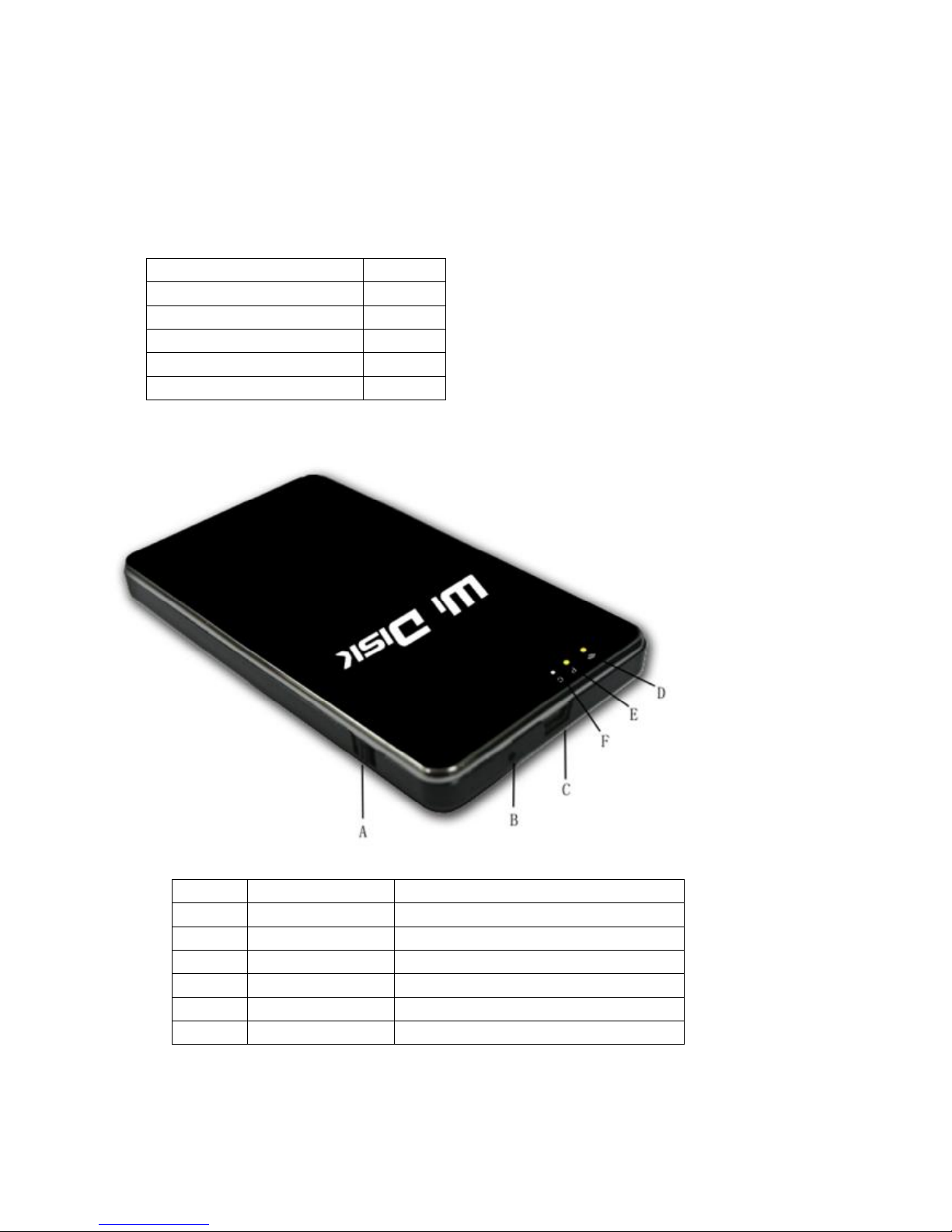
Product Appearance
Symbol Name Description
A POWER Slide up to turn on and down to turn off
B DC PORT
Charging(5V)
C USB PORT
D Wi-Fi Indicator
E Power Indicator
F Charging Indicator
Page 3
Steps
1. Switch ON
Slide the Power button A up to “ON” position, Wi-Disk will start to work with the yellow indicator shines. Wi-Disk will
start to emit Wi-Fi signal 15 seconds after and the blue indicator would shine. Connect the mobiledevices with it and
you can start to enjoy the digital contents in it.
Switch OFF
In the ON condition, slide the Power button A to “OFF” position and Wi-Disk would stop working.
Wi-Disk will turn off automatically after battery consumed. Please charge the battery before using again.
If Wi-Disk shock unexpectedly, please switch it off and switch on again.
2. Battery Management and Charging
Please fully charge the Wi-Disk for the first time using.
When the indicator twinkles rapidly and become darker, it indicates that battery would consume soon. Please charge
in time.
The charging indicator C would light up when the adaptor is connected to Wi-Disk to charge and would light off once
battery is fully charged.
Note: In order to keep the battery working to its full potentiality, please pay attention to the following advices:
1) Don’t charge the battery in excessively high temperatures.
2) Unnecessary to charge after battery consumed, you can charge the battery even when there is still power left inside
without it affecting the lifespan of the battery.
3) In order to maintain the battery in good condition, make sure to charge it for at least one time every two weeks if
the device hadn’t been used for a long time.。
3. How to Operate with WIDISK
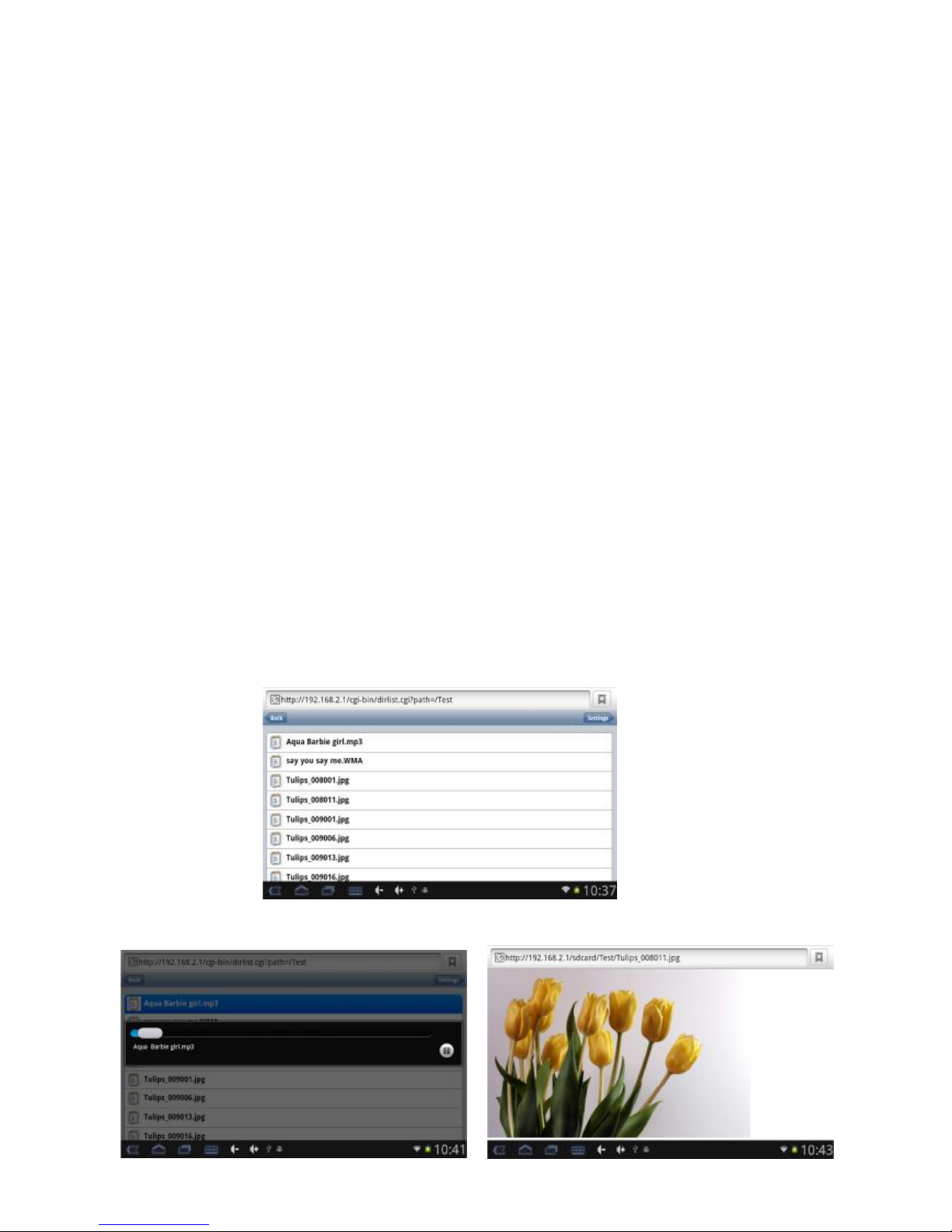
Connect iPad, iPhone, iPod touch or Android MID to the WIFI signal of WIDISK. Open the browser(e.g. Safari in IOS),
type in 192.168.2.1,and click enter into the main page of Wi-Disk.
Select and tap the digital contents(photos/ videos/ audios/ texts) you like
Page 4
Wi-Disk supports the following format
Audio:mp3, wav, wma
Video:mp4, mov,m4v
Image:bmp, jpeg, jpg, png
Texts:pdf, doc, ppt, txt, xls
Note: While reading some digital contents, some mobile devices may download the files to open.
4. Setting
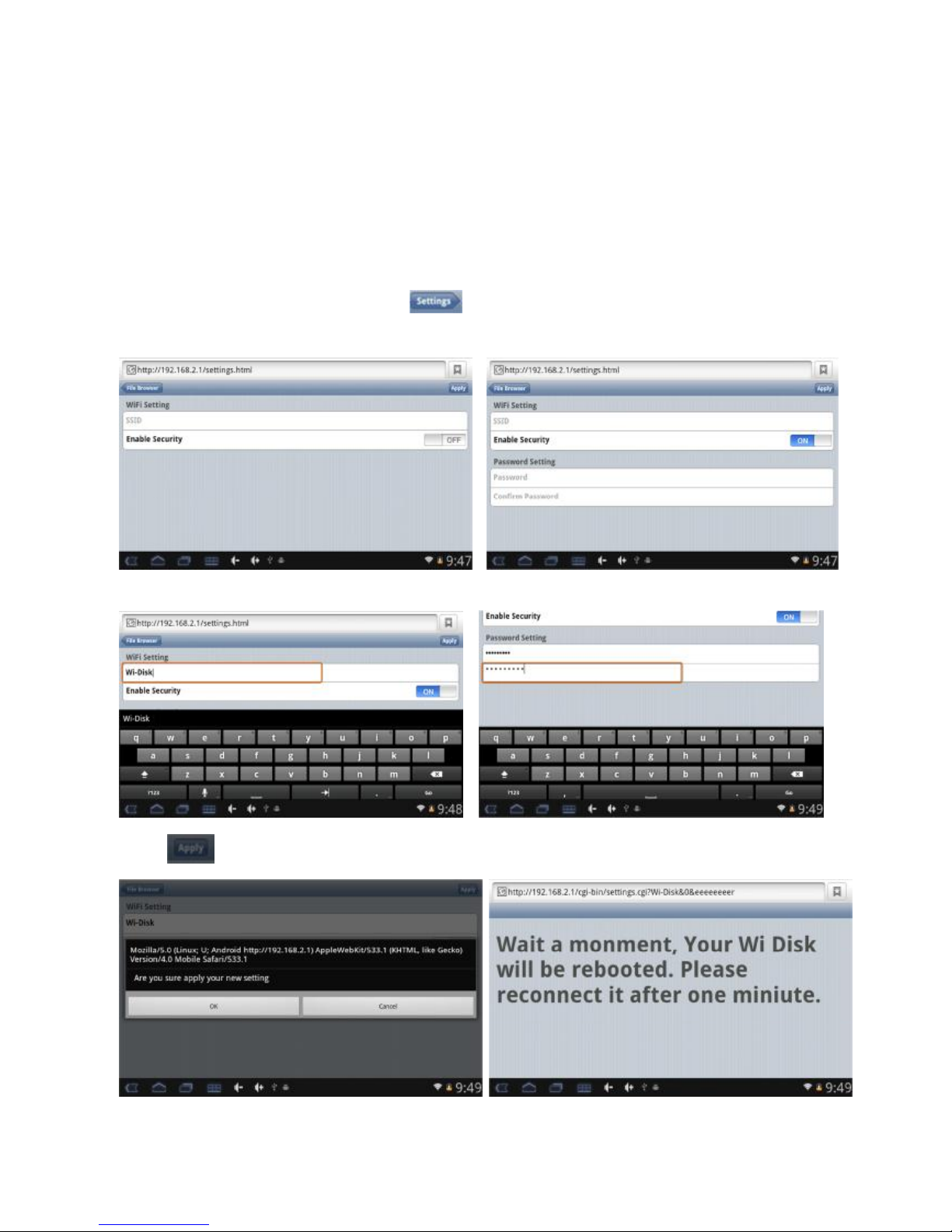
The Wi-Disk Wi-Fi signal is defaulted to be open and under the name ”Wi-Disk”. User can rename the device and
secure it with passwords the first time to use it.
1. In the main page of Wi-Disk, tape Setting“ ” on the right-up corner and the following window will pop-up.
Select Enable Security.
2. Rename it as you like and type in the password to secure it.
3. Tap into the following window and reconnect your devices after 1 minute.
4. Add shortcuts to launcher
To make it easier to read the contents inside, you can add shortcut to the launcher. And you can simply tap the
Page 5
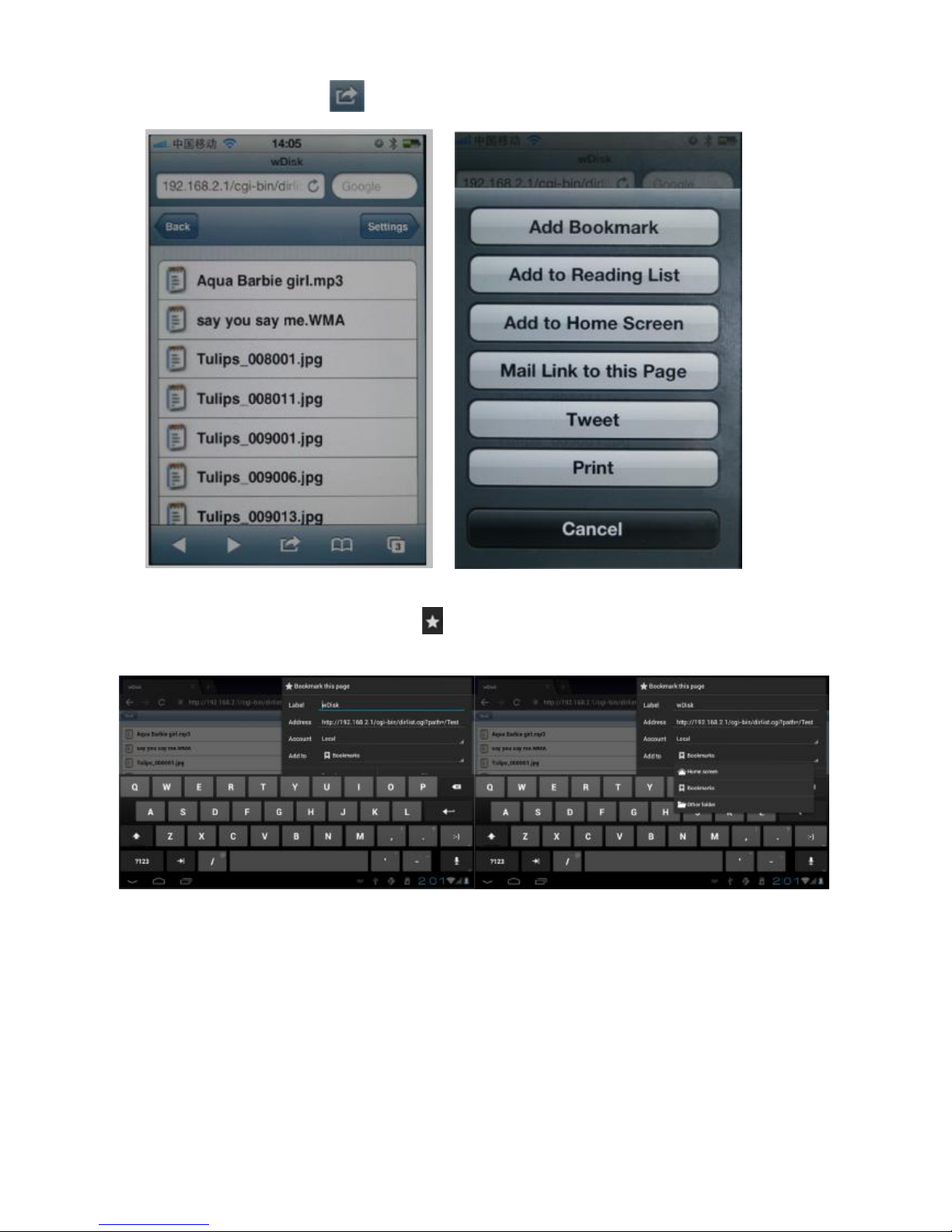
shortcut after connecting to its Wi-Fi signal.
IOS devices for example,tap ,select Add to Home Screen and “WDISK” icon would be created.
Android device(4.0 as below)
In the main page of WI-Disk, click buttons to the right of address bar, tap ”Add to”, select Home screen,
and press OK to finish.
Page 6

Technical Specifications
Built-in Flash Flash Memory: 16GB(Optional 32GB/64GB)
Power Supply
Built-in Lithium rechargeable baery
AC charger: DC 5V/1.5A
Music Function MP3, WMA, WAV
Video Function mp4, mov,m4v
Photo Browse JPG, JPEG, BMP, GIF
Office Files pdf, doc, ppt, txt, xls
WI-FI Function
Main chip set 802.11b/g/n
Work Frequency 2.4GHz
Recording function Format WAV
Working temperature 5 - 40 $
Languages English, Chinese
Operation systems supported Windows98SE/ME/2K/XP/7
 Loading...