

Page 1
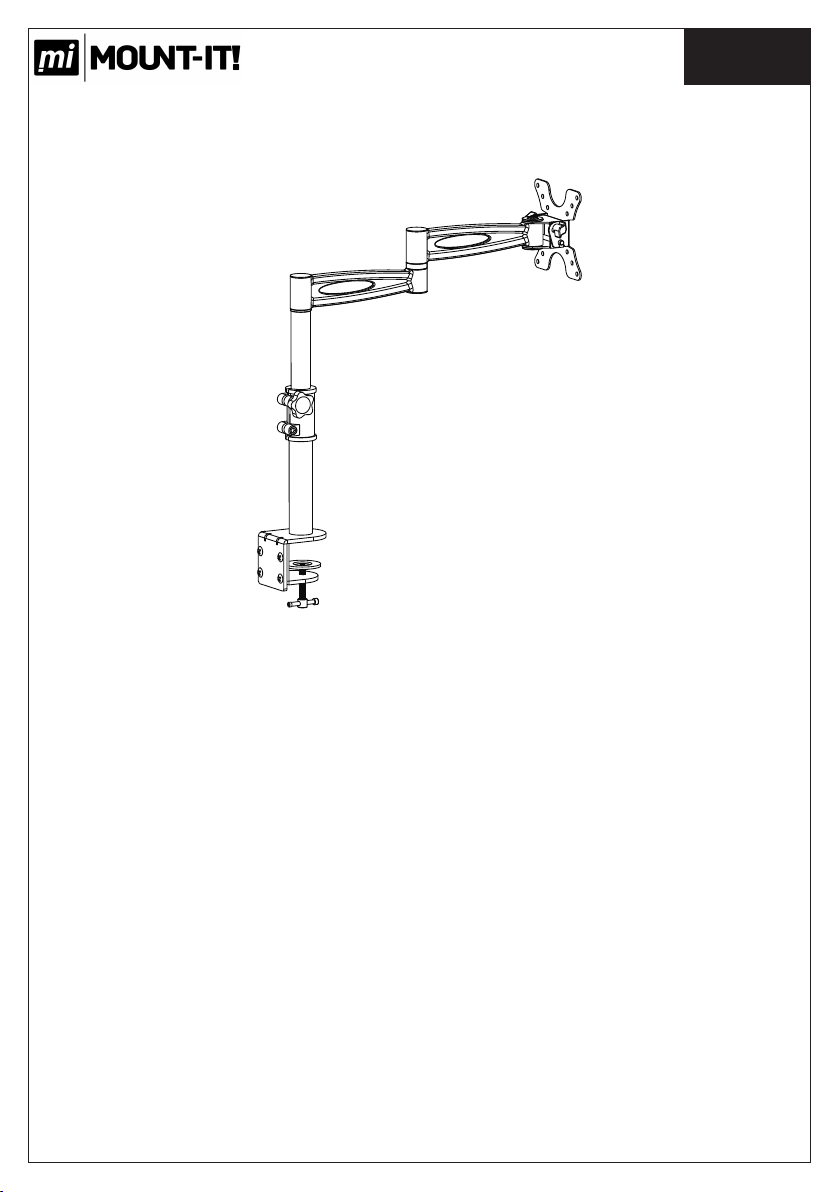
En glish
Installation Instruction
UNPACKING INSTRUCTIONS
! Carefully open the carton, remove contents and lay out on cardboard or other
protective s urface to avoid damage.
! Check package c ontents again st the Suppli ed Pa rts List in t he next page to assure
that al l com ponents we re receive d und amage d. Do not use damaged or de fective
parts.
! Care fully read all inst ructi ons before attemp ting installation.
IMPORTANT SAFETY INFORMATION
Install and op erate th is d evice wi th care. P lease re ad t his instr uction be fore
beginning the installatio n, an d car efull y fol low a ll in structions contained herein. Use
proper safet y equip ment during insta llation.
!Please call a qual ified instal latio n contr actor for help if yo u don't understand these
directions o r have an y doubts about the sa fety of the install ation .
Do not use this produc t for any p urpose or in any configuration not expli citly specified
in this in struction. We hereby discla ims any and all liabi lity for inju ry or da mage
arising from i ncorr ect assembly, incorre ct moun ting, or incorrec t use of this product.
1
Page 2
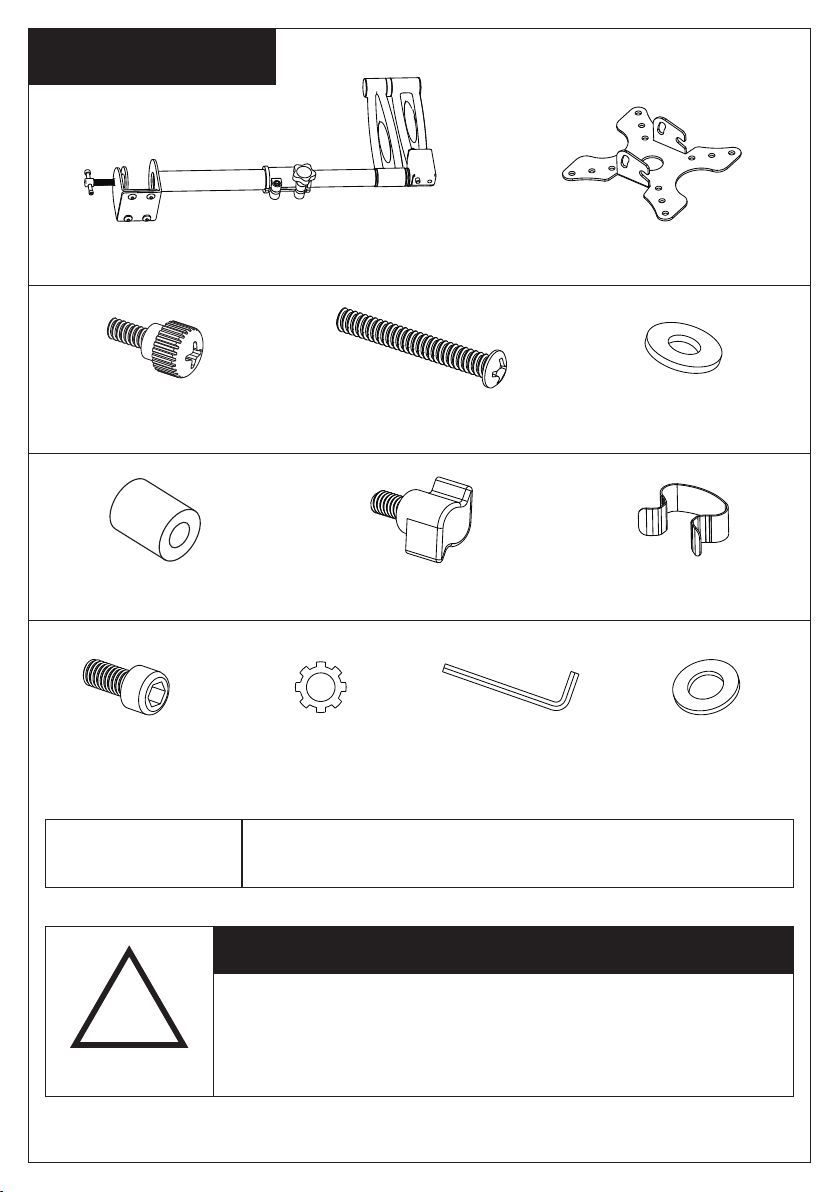
Su pp li ed Par ts List
(1) Desk Bracket Assembl ed-a (1)Mornitor Bracket-b
(4)M4x12
Thumb Bolt-c
(4)M4 Space-f
2 x Allen Bolt (i) 1 x Allen Key (k)2 x Spring Was her (j) (2)M6 Wash er-(l)
Tools Required
(4)M4x30 Bolt-d (8)M4 Washer-e
(2)Safety Knob-g
Phillips Screwdriver
(2)Cable Rin g-h
CAUTION!
!
WARNING
This TV Desk mount must be securely attached to
the horizontal desk. If the mount is not properly
installed it may fall, resulting in possible injury
and/or damage.
2
Page 3
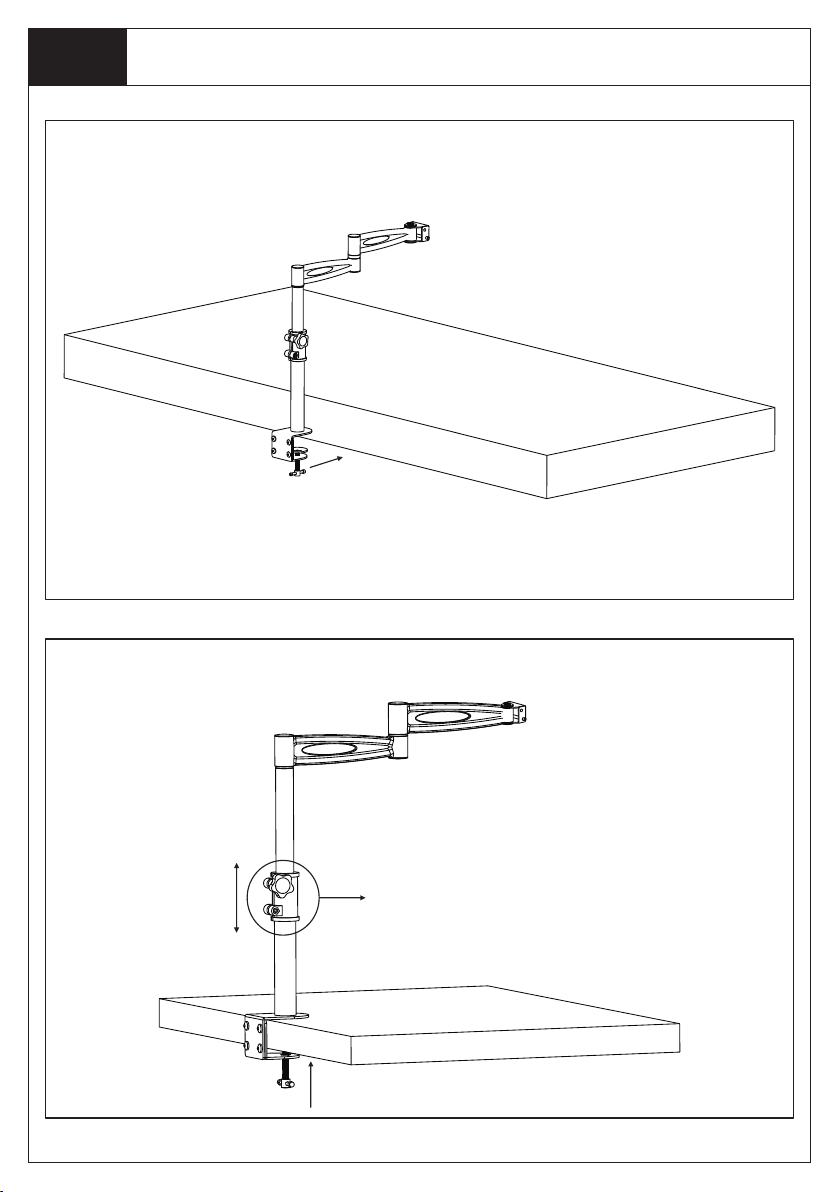
St ep 1
Mounting the bracket to the Desk
Make the tube ex tension by
loose and fast en the knob
3
Page 4
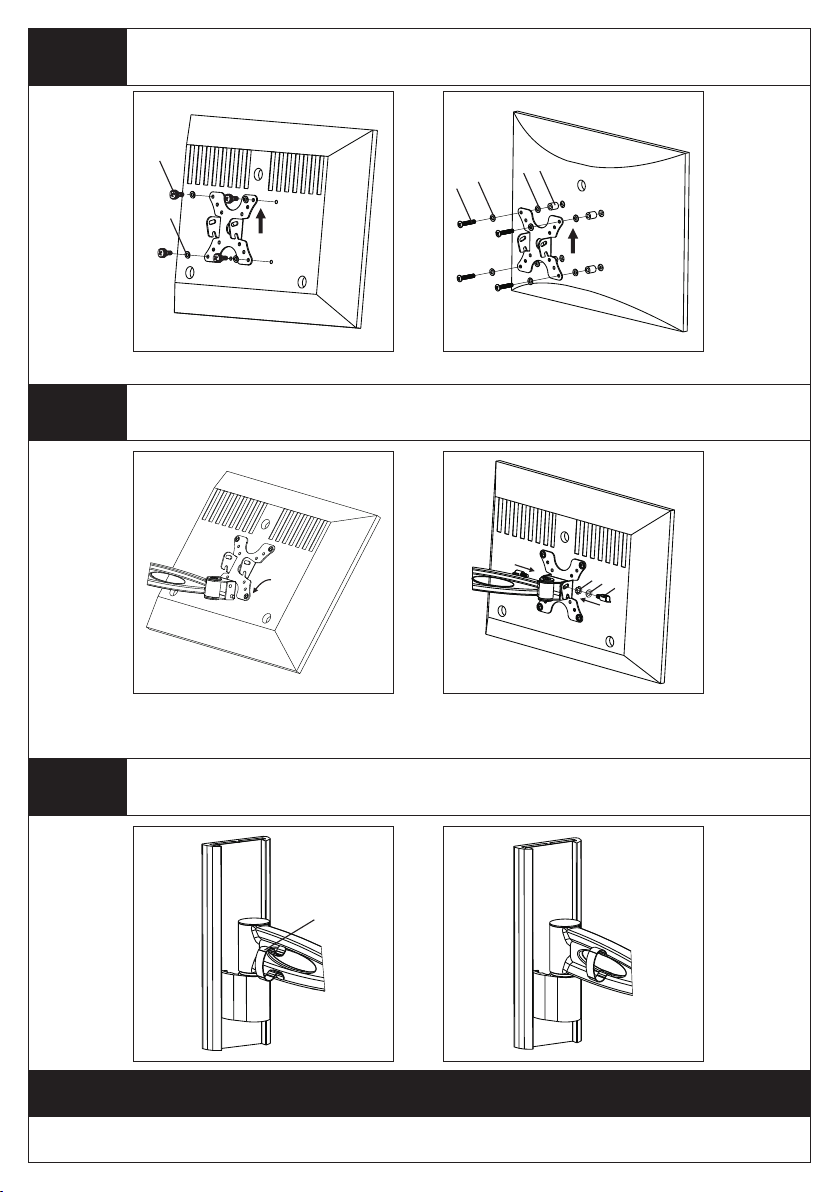
St ep 2
Mounting the Monitor Bracket to a TV
c
d
e
e
f
e
Thi s way up!
For Flat Bac k TV
St ep 3
Remarks: You can us e the supplied 2pcs All en Bolt ( i) to instead of plas tic knobs
if you have prob lem to fix the TV t ilting angle.
Attaching TV to Wall Plate and Adding the Knobs
For Curved B ack T V
Thi s way up!
j
l
g
St ep 4
Install the Cable Management Ring on the Arm
h
Thank you for choosing our products!
4
 Loading...