

Page 1
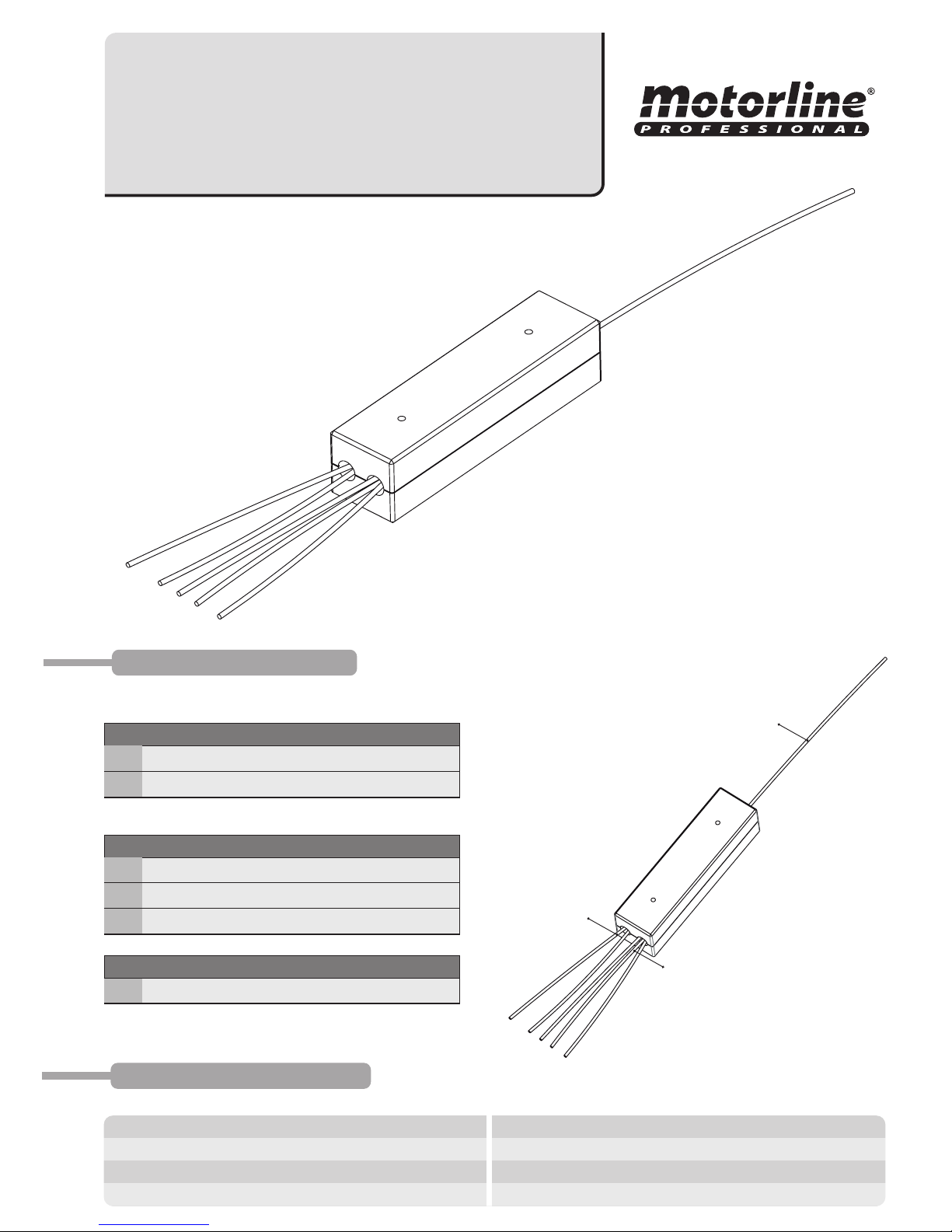
CONTROL BOARD
MC4SP
OPERATION MANUAL / PROGRAMMER
▷ TECHNICAL INFORMATION
▷ TECHNICAL SPECIFICATIONS
▷ Power Supply
▷ Operating Temperature
▷ Frequency Transmission
▷ Nº of Channels
▷ Code Type
▷ Dimensions
AC230V; 50-60Hz
433,92 MHz
-10°C to 65°C
▷ Motor’s Output
AC230V; 350W Máx
15
Rolling Code
▷ Protection Level IP44
100x26x24mm
A
B
12Blue - Line Input AC230V (neutral)
Brown - Line Input AC230V (phase)
CN1: CONNECTORS OF CENTRAL’S POWER
6 Antenna
3
4
5
Black - Motor’s Output AC230V (UP)
Blue - Motor’s Output AC230V (COMUM)
Brown - Motor’s Output AC230V (DOWN)
CN2: MOTOR’S CONNECTIONS
A
B
C
C
Page 2
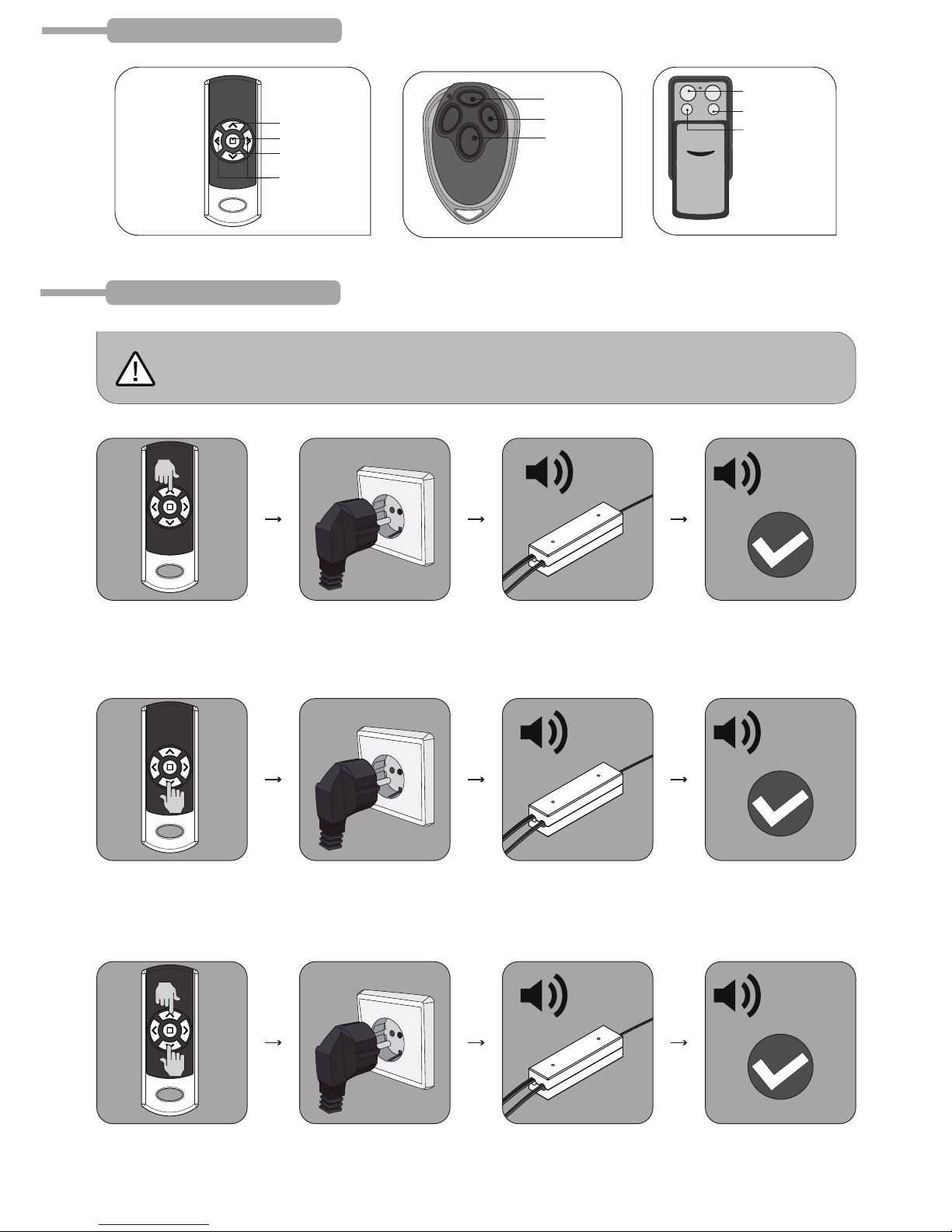
▷ CONTROLLERS KEYS
▷ PROGRAMMING
UP
STOP
DOWN
[MX4SP]
UP
STOP
DOWN
[MXS4SP]
DOWN
SELEC.
CHANNELS
UP
STOP
[MX88]
[MX89]
[MX90]
[MX91]
▶ Changing motor's direction
Connect the control board
to the mains 230v
Press and hold the "UP"
button
Wait 10sec, while pressing
the "UP" button, during
which the control board will
make 5 spaced beeps
2 beeps confirm that the
operation was completed
successfully
Connect the control board
to the mains 230v
Press and hold the "DOWN"
button
Wait 10sec, while pressing
the "DOWN" button, during
which the control board will
make 5 spaced beeps
2 beeps confirm that the
operation was completed
successfully
Connect the control board
to the mains 230v
Press and hold the “UP” and
"DOWN" buttons at the
same time.
Wait 10sec, while pressing
the "UP" and “DOWN”
buttons, during which the
control board will make 5
spaced beeps
2 beeps confirm that the
operation was completed
successfully
▶ Add new controller
▶ Erase the controllers from the control board’s memory
The control board MC4SP has capacity for 15 different controllers. Once out of memory, 4 beeps
will signal that the memory is full.
Start each the following settings with the central disconnected from the mains.
5x
2x
5x 2x
5x
2x
 Loading...