

Page 1

QUICK START GUIDE
CALL
MAKE
APPOINTMENT
CONNECTED
Page 2
QUICK START GUIDE
30-40 ft
250 ft
LAN 1 LAN 2 POWER
LAN 1 LAN 2 POWER
COMMANDER
This guide illustrates how to set-up and connect your
877-224-1538
Mosquito Magnet® Commander trap to the internet.
• Assemble the trap, including the antenna
Before you begin, be sure to:
• Fully charge the battery overnight
STEP 1:
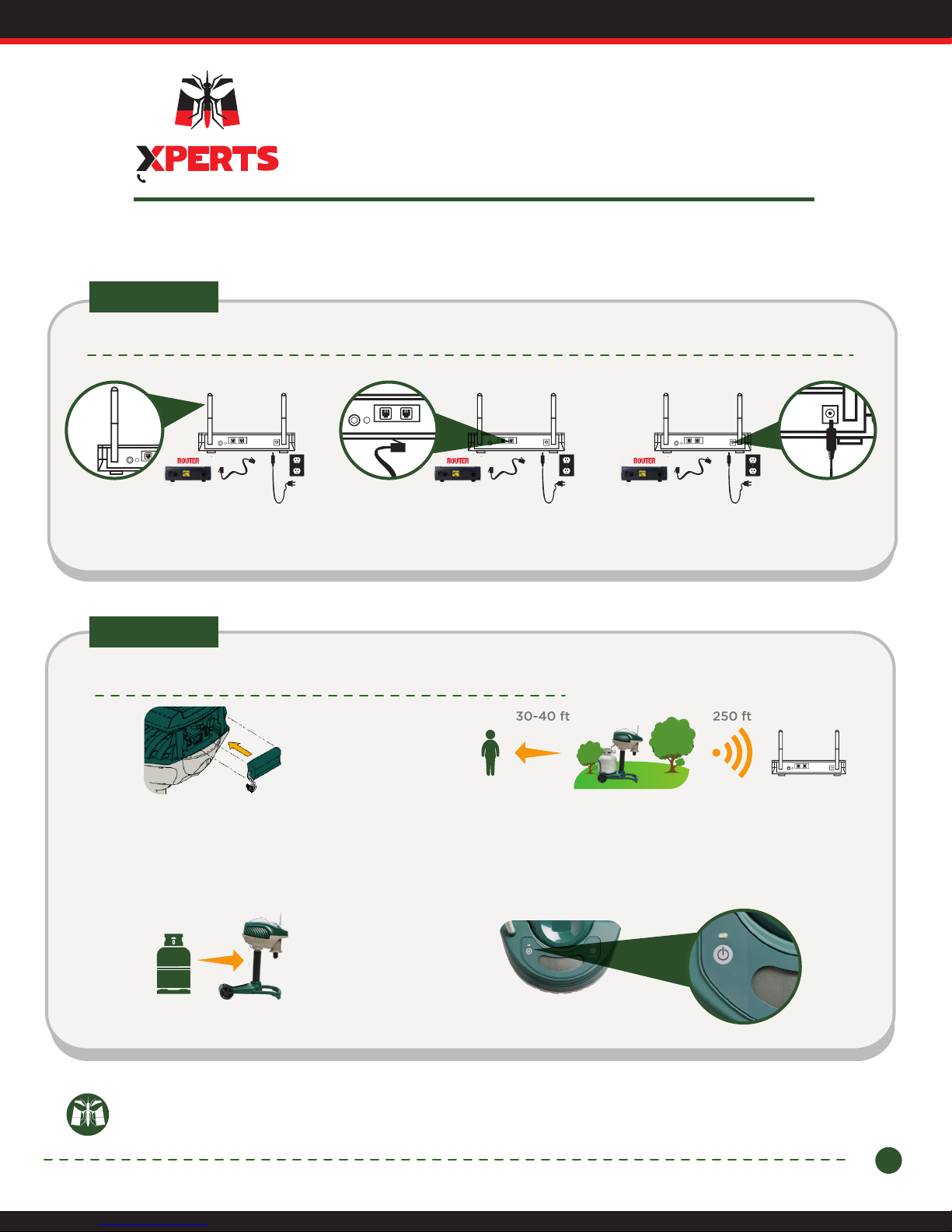
Install the Wireless Access Point (WAP):
LAN 1 LAN 2 POWER
1.1 - Assemble WAP antennas. 1.2 - Connect the network cable from
the WAP to your router using either
LAN1 or LAN2.
LAN 1 LAN 2 POWER
LAN 1 LAN 2 POWER
1.3 - Connect the WAP's power cord
into an outlet.
STEP 2:
Connect your trap and place in yard.
2.1 - Plug in your Commander trap's battery.
The trap will automatically connect to the
Wireless Access Point.
The trap will display a series of numbers for up
to a minute. After 1 minute, no numbers should
show.
2.3 - Connect a full 20 lb. propane tank.
2.2 - Place your trap upwind in between mosquito breeding
areas (standing water, bushes) and people areas (patio, deck)
making sure it's at least 30-40 feet away from human activity
and no more than 250 ft. away from the WAP.
Visit www.mosquitomagnet.com for details on trap placement.
2.4 - Turn trap "ON".
LAN 1 LAN 2 POWER
Note: If the trap’s LCD screen displays a Service Error Code (2-digit number) for
longer than 2 minutes, refer to the back of this guide for trouble-shooting steps.
1
Page 3
STEP 2:
STEP 3:
Serial Number
CMXXXXXXXXXXXXX
Register your trap
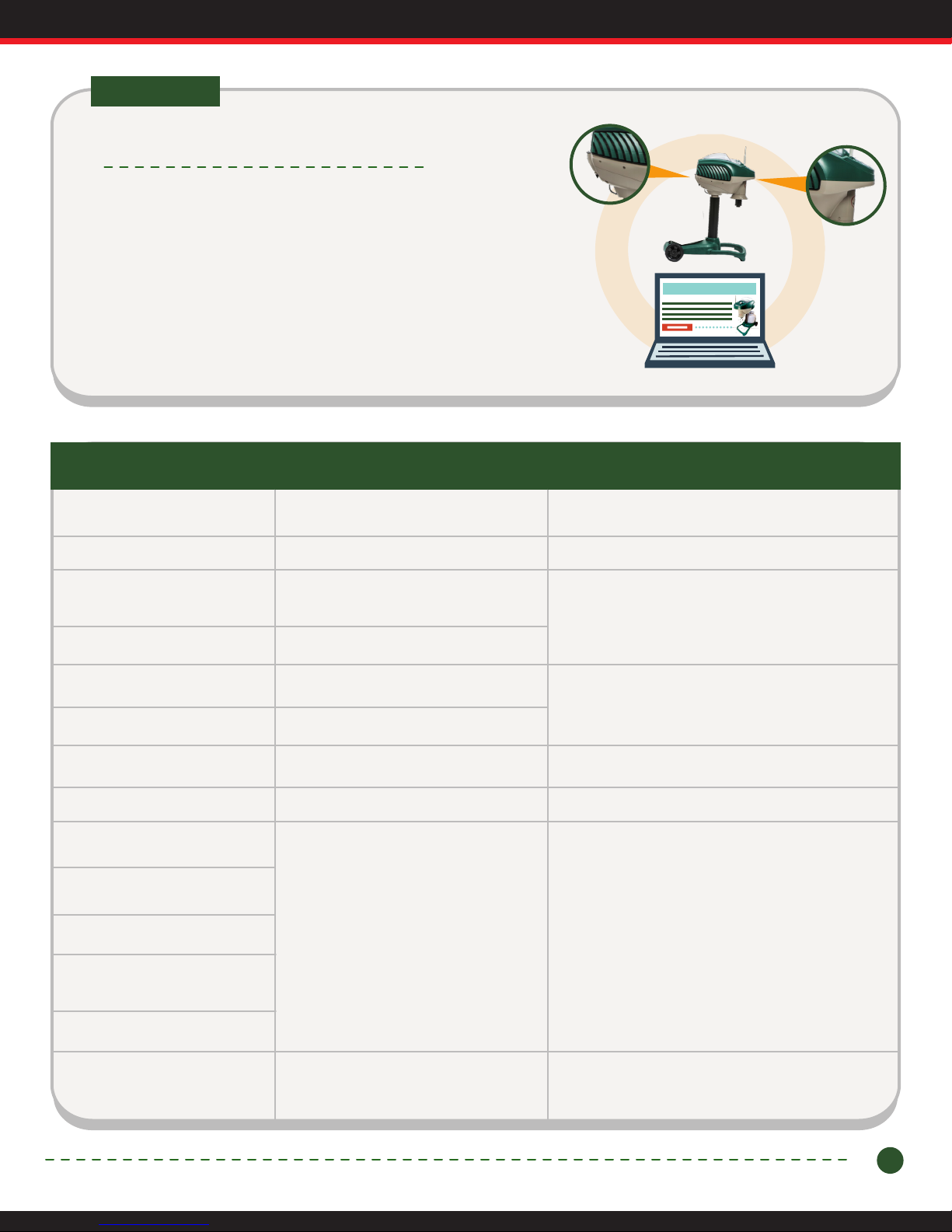
3.1 - Go to your internet browser & visit
www.mosquitomagnet.com/product-registration to register your trap using
the serial number on the trap and the MAC address located on the outside of
the Commander trap box or underneath the trap's handle.
3.2 - Create an account if you have not already done so. Make sure to use the
same email address for your product registration and My Account information.
Full instructions available at www.mosquitomagnet.com/Commander-Manual
MAC Address
XX:XX:XX:XX:XX:XX
Trap Display Trap Status Action Required
1
2
3
4
5
6
7
Blinking 91, 92, 93, 95
91
92
93
Bag Half Full
Bag Full
Knocked Over
Theft Alert
5 Days of Gas Left
Tank Empty
Plume Thermister Error
Trap is connecting
Computer cannot connect
to trap
1. Check to make sure you have a replacement net.
1. Replace with new net.
1. Reposition trap properly.
2. Unplug & plug-in battery.
3. Turn trap back ON.
1. Replace with full tank and/or press and hold
mode button on trap to select Gas Saver Mode.
2. Reset Tank Status in the Control
Panel on the web interface.
1. Contact Customer Care at
1.877.224.1538.
None, no numbers should show after a minute.
1. Automatic wireless set-up failed.
Visit support.mosquitomagnet.com/help or
call 1.877.224.1538
94
95
Flashing COOL with
Thermometer Icon
Low Ambient Temperature
1. Reset trap on web interface.
2. Trap will automatically restart when ambient
temperature rises above selected temperature.
2
 Loading...