

Page 1
© 2015 All rights reserved. Adelpho Systems Ltd.
MoonBox M3S User Guide
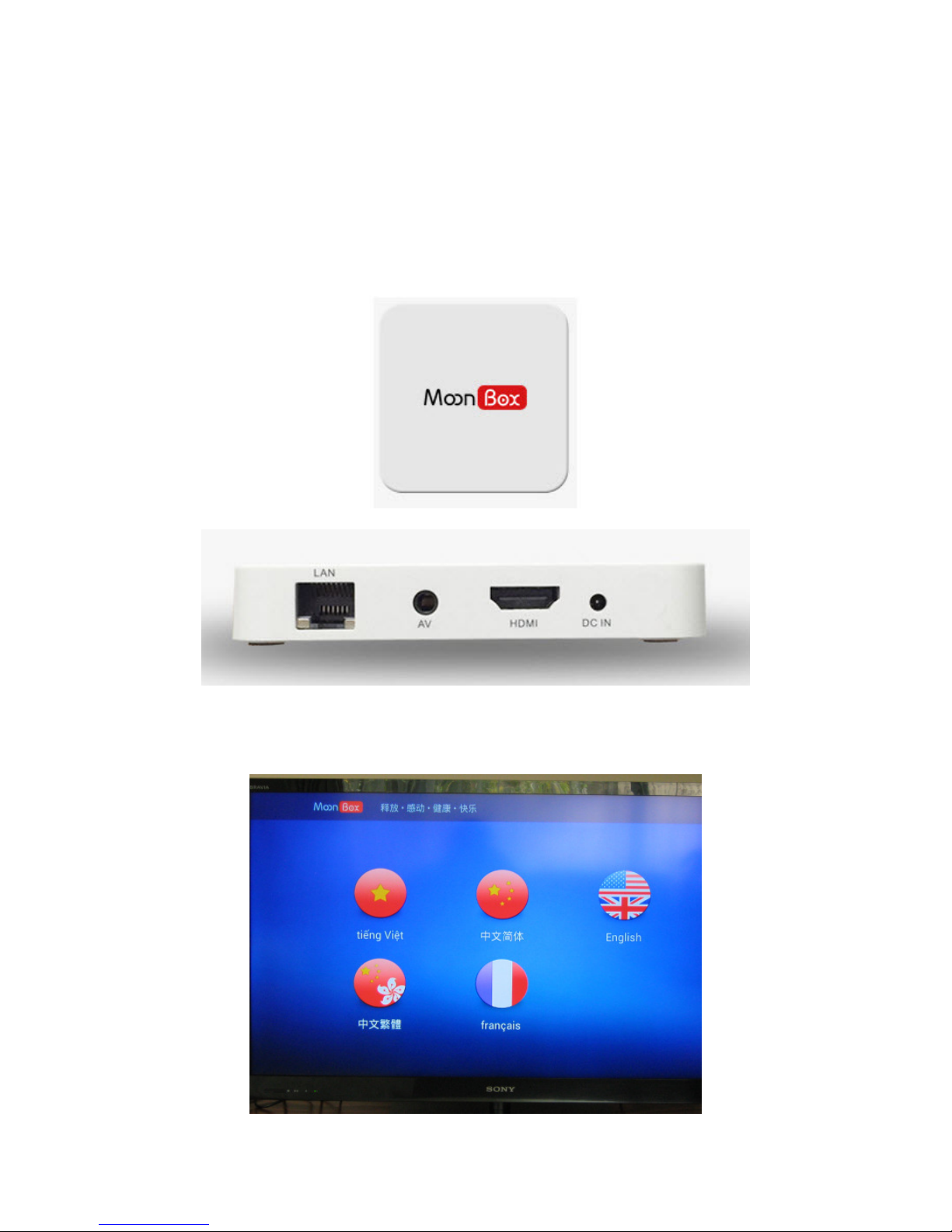
1. M3S Device Physical Connection
Connect M3S power supply and then connect it to your TV via a HDMI cable.
2. Language Select
When the device boots up, you can select the language as below.
Page 1 of 10
Page 2
© 2015 All rights reserved. Adelpho Systems Ltd.
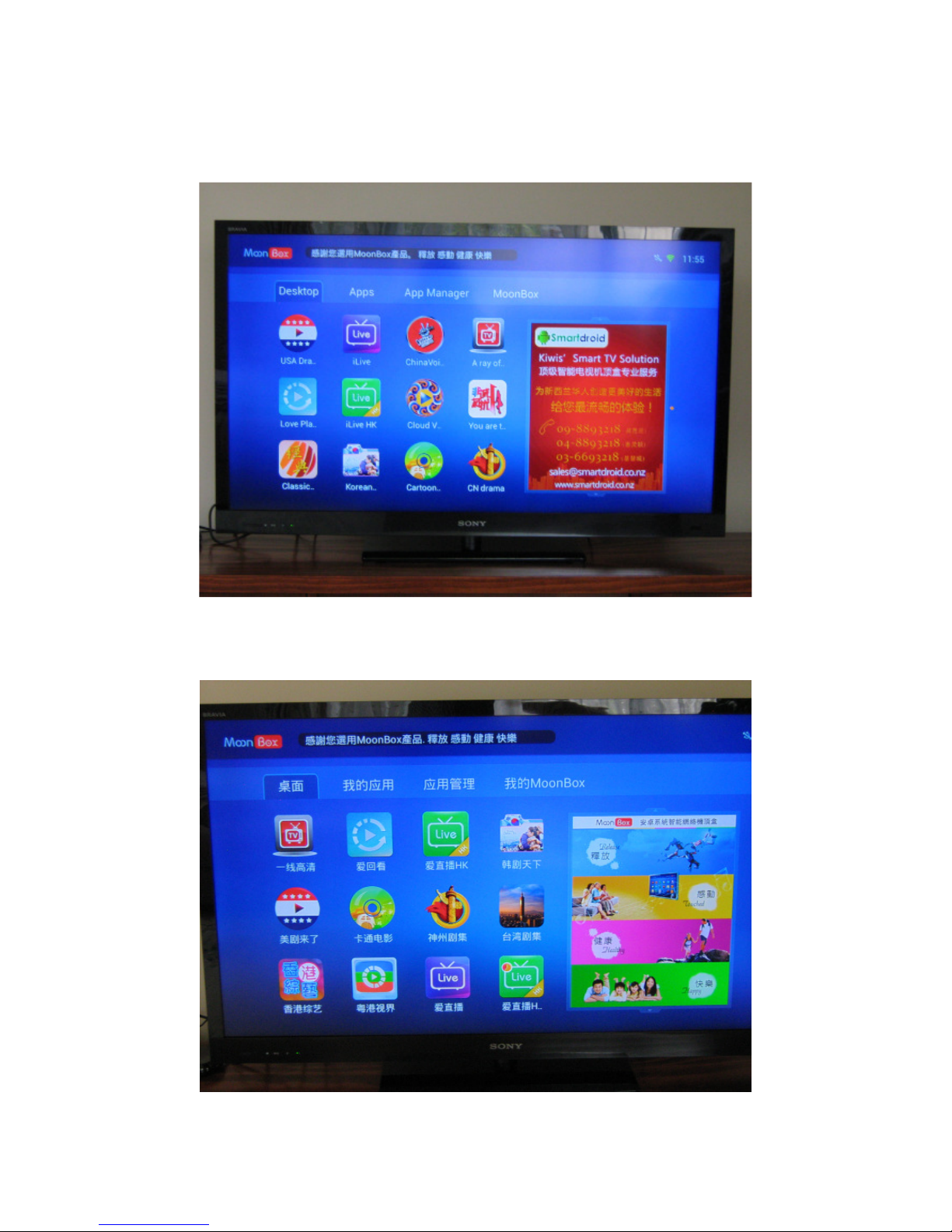
3. Applications on Desktop
To run an application, use the remote to select it and click OK. Click return button to exit
the application.
Page 2 of 10
Page 3
© 2015 All rights reserved. Adelpho Systems Ltd.
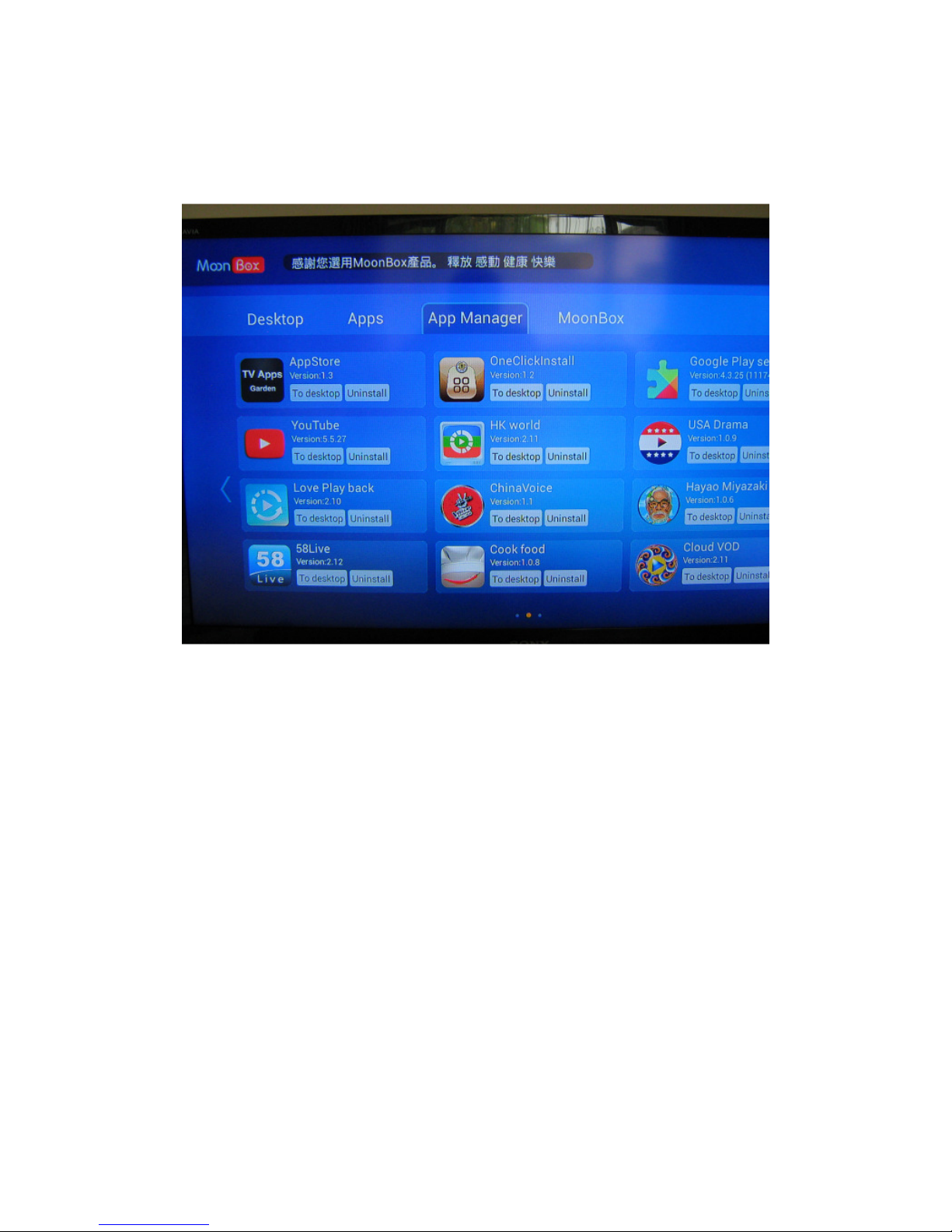
4. Manage Applications
Application Manager: here you can uninstall an application or put a shortcut to it on the
Desktop.
Page 3 of 10
Page 4
© 2015 All rights reserved. Adelpho Systems Ltd.
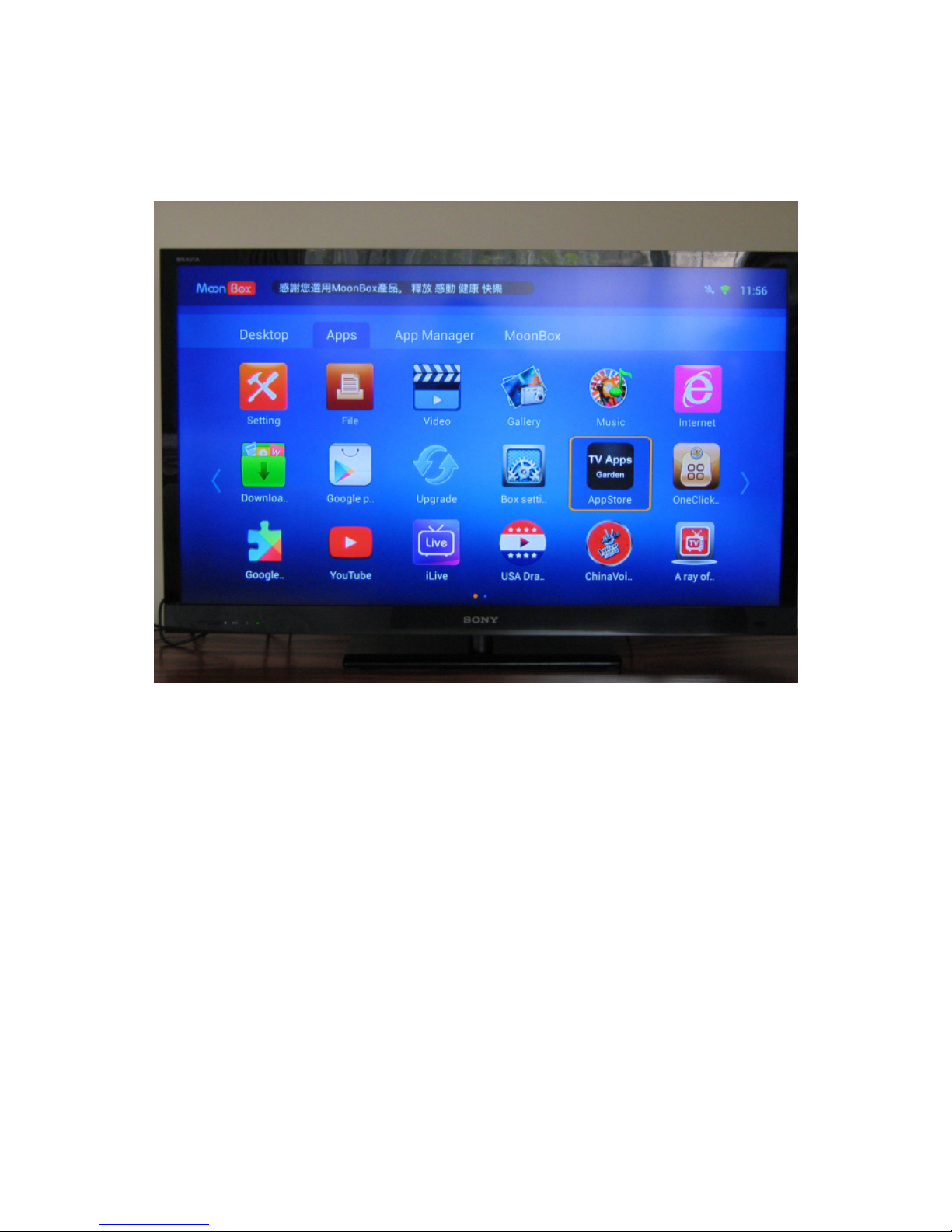
5. View Installed Applications
Here you see a list of all installed applications.
Page 4 of 10
Page 5
© 2015 All rights reserved. Adelpho Systems Ltd.
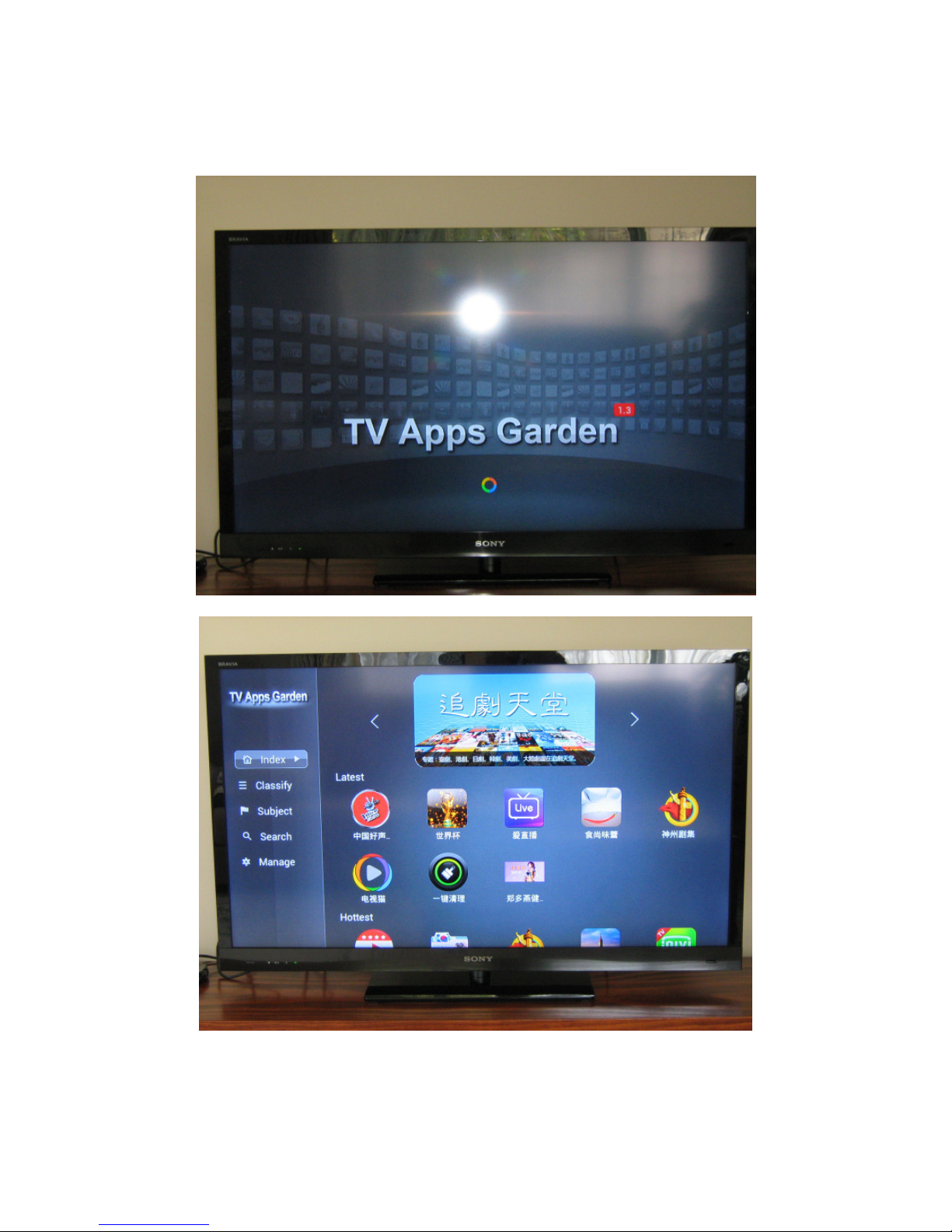
Install apps from MoonBox App Garden or Google Play Store (Google Email account
required). See images below.
Page 5 of 10
Page 6
© 2015 All rights reserved. Adelpho Systems Ltd.
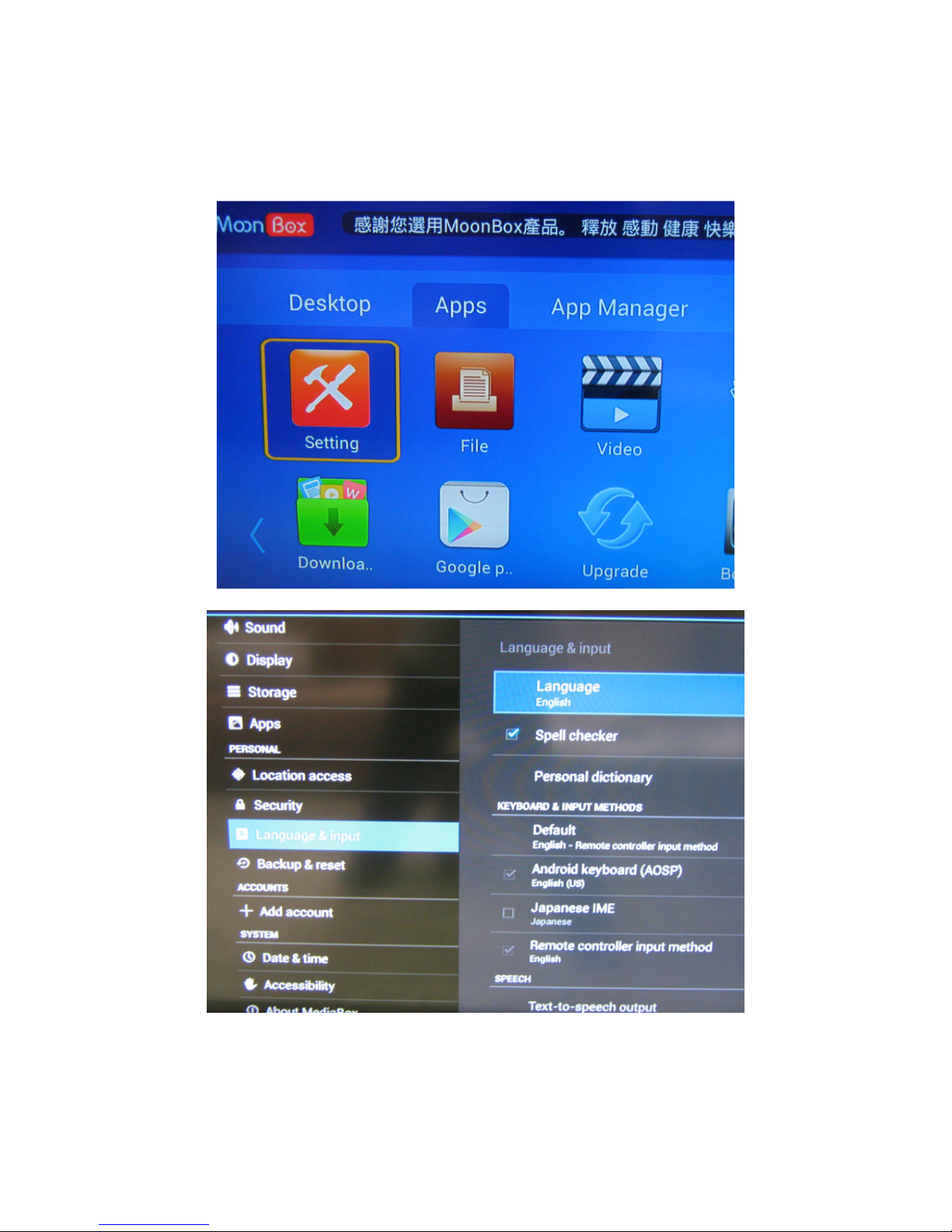
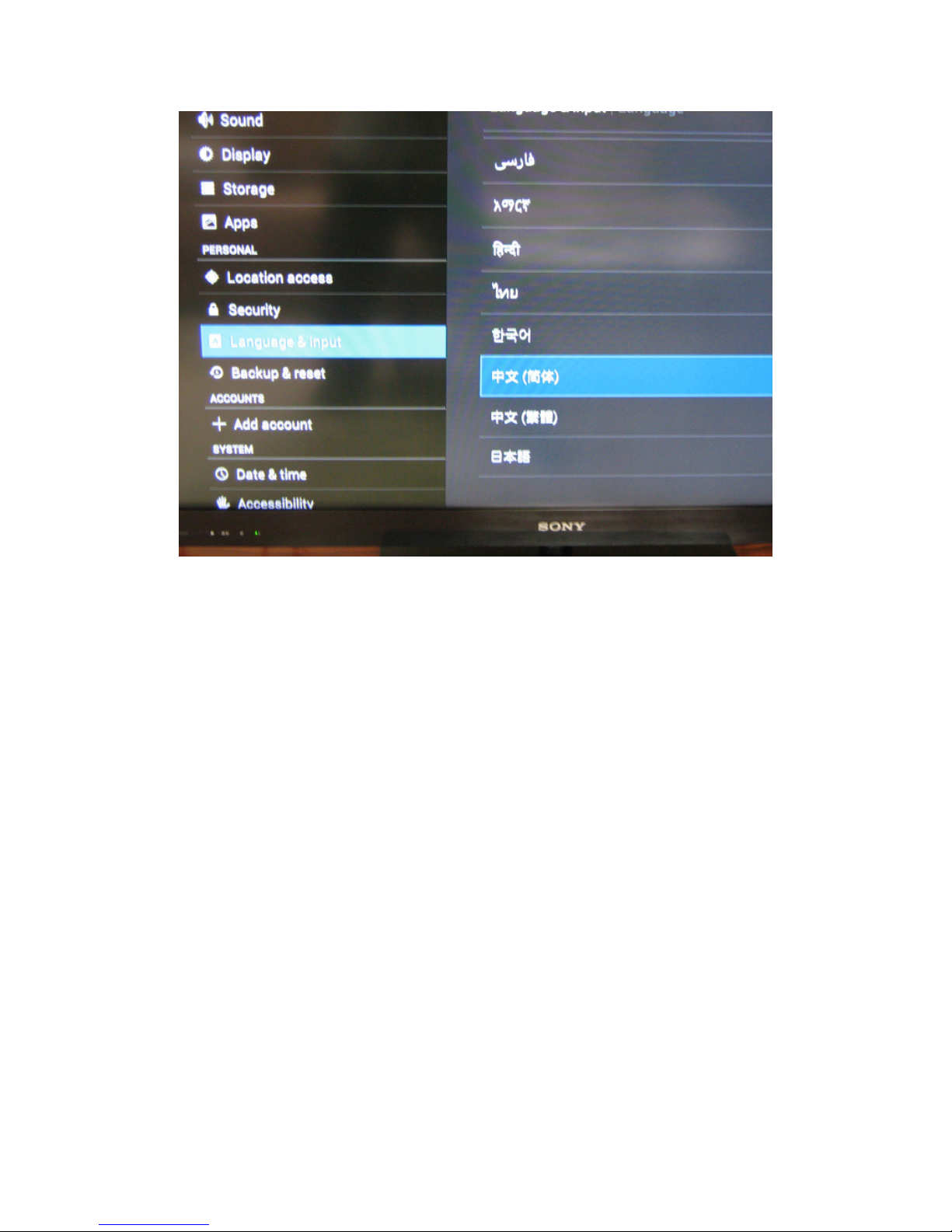
6. Change Language
Go to Apps > Setting > Language & Input. Select your language there.
Page 6 of 10
Page 7
© 2015 All rights reserved. Adelpho Systems Ltd.
Page 7 of 10
Page 8
© 2015 All rights reserved. Adelpho Systems Ltd.
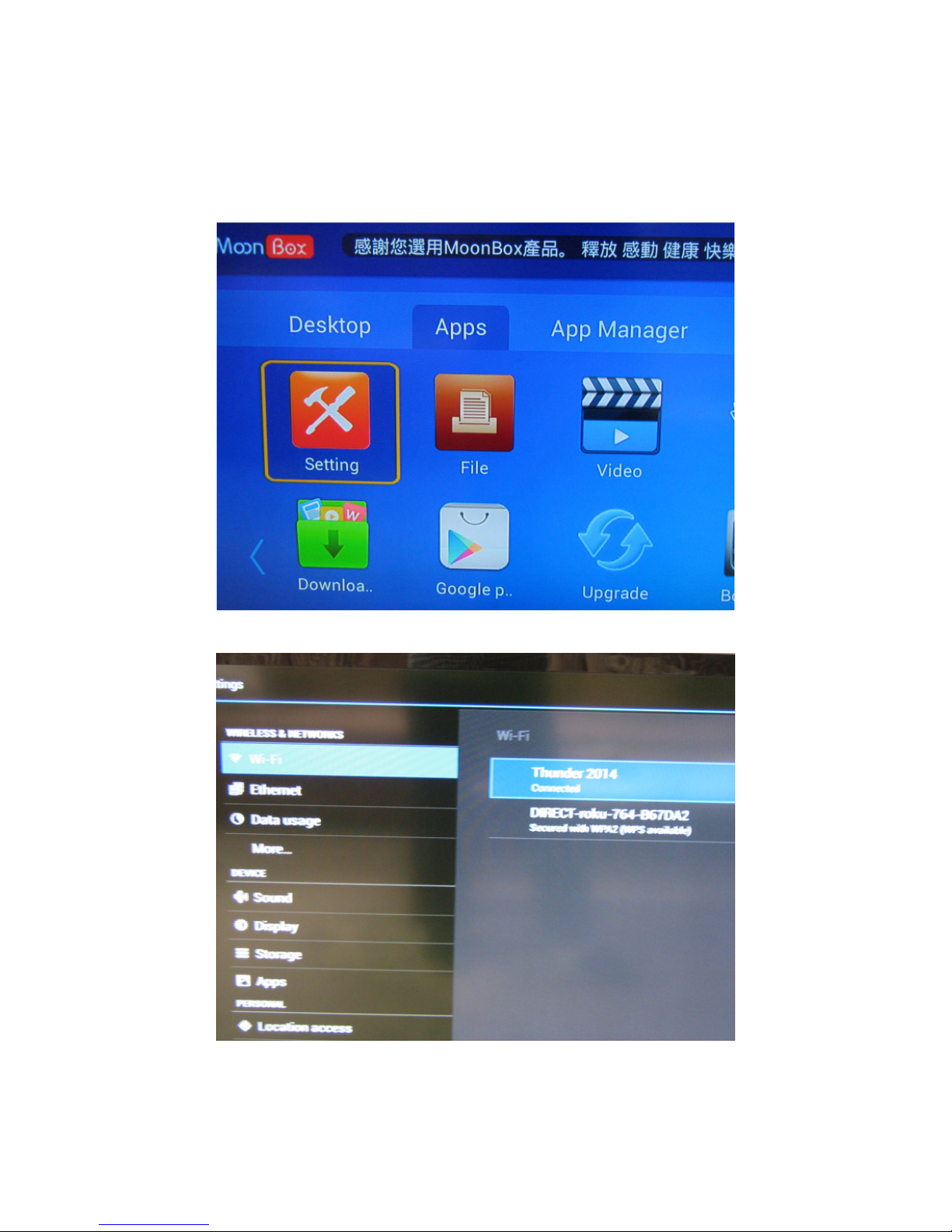
7. Set up Wireless Connection to your home network
Go to My Applications > Settings > Wireless & Networks > WiFi.
Select your access point and enter the password to connect.
Page 8 of 10
Page 9

© 2015 All rights reserved. Adelpho Systems Ltd.
8. Video Streaming
Streaming from Internet depends on a lot of factors. For example, your broadband speed
or Internet traffic congestion. If you experience a lagging playback of video, check out
your Internet speed at speedtest.net. There are also times, e.g. 7-11pm when New Zealand
internet is quite busy thus you are affected.
On M3, applications are classified into the following categories:
1. Moonbox apps: these include iLive, Love Play Back, Cloud Video, CN Drama,
etc. They are maintained by servers running in overseas countries such as China
and Australia. Internet speed there can change over time thus affect the video
playback. MoonBox technical team constantly monitors the server operation and
do their best to rectify any problem that occurs.
2. Third party applications: these include apps that are available from Google Play
store and Apps Garden. Examples are BesTV, Youtube, and so on. As Android is
an open system, the applications are developed by third parties therefore their
quality/reliability varies. If you encounter any problem, please contact their
respective developers.
9. How reliable is streaming on Moonbox?
IPTV products such as Moonbox is not 100% reliable due to technology limitations and
Internet speed fluctuations. On the other hand, service outage caused by malicious attacks
seems more often than other online services like web hosting. Therefore the streaming
quality may be affected by these events occasionally. Moonbox continuously monitors its
service infrastructure and always does its best to ensure it availability. In worst cases, 3-5
attacks may happen a year. We'll try our best to keep all users informed.
Internet speed is another factor that may affect your streaming experience. It's
recommended that your internet connection is not used by other online streaming
activities or file download while using Moonbox.
10. Is it legal to use Moonbox M3S?
YES, it is legal. The device is a platform for users to install the apps of their choice on.
The only responsibility of the company is to provide the hardware. The apps, themselves,
come from third-party vendors so you can stream and view video content. Moonbox has
no control over the contents in the videos.
Disclaimer
Smartdroid distributes the Moonbox M3 device hardware only. The copyrights of the
content/software made available through the M3 device belong to their respective 3rd
party owners. Our only responsibility is hardware warranty and related technical support.
We're not responsible for any intellectual property issues involving use of those
content/software.
Page 9 of 10
Page 10

© 2015 All rights reserved. Adelpho Systems Ltd.
If you need any technical assistance, please email [email protected].
Page 10 of 10
 Loading...