

Page 1
INNO-BIZ Certification • FCC • CE Certification • KCC Authentication.
Y MIC
microphone system which provides a variety of
ys p
yp p
Wireless Microphone System
www.modnnet.co.kr
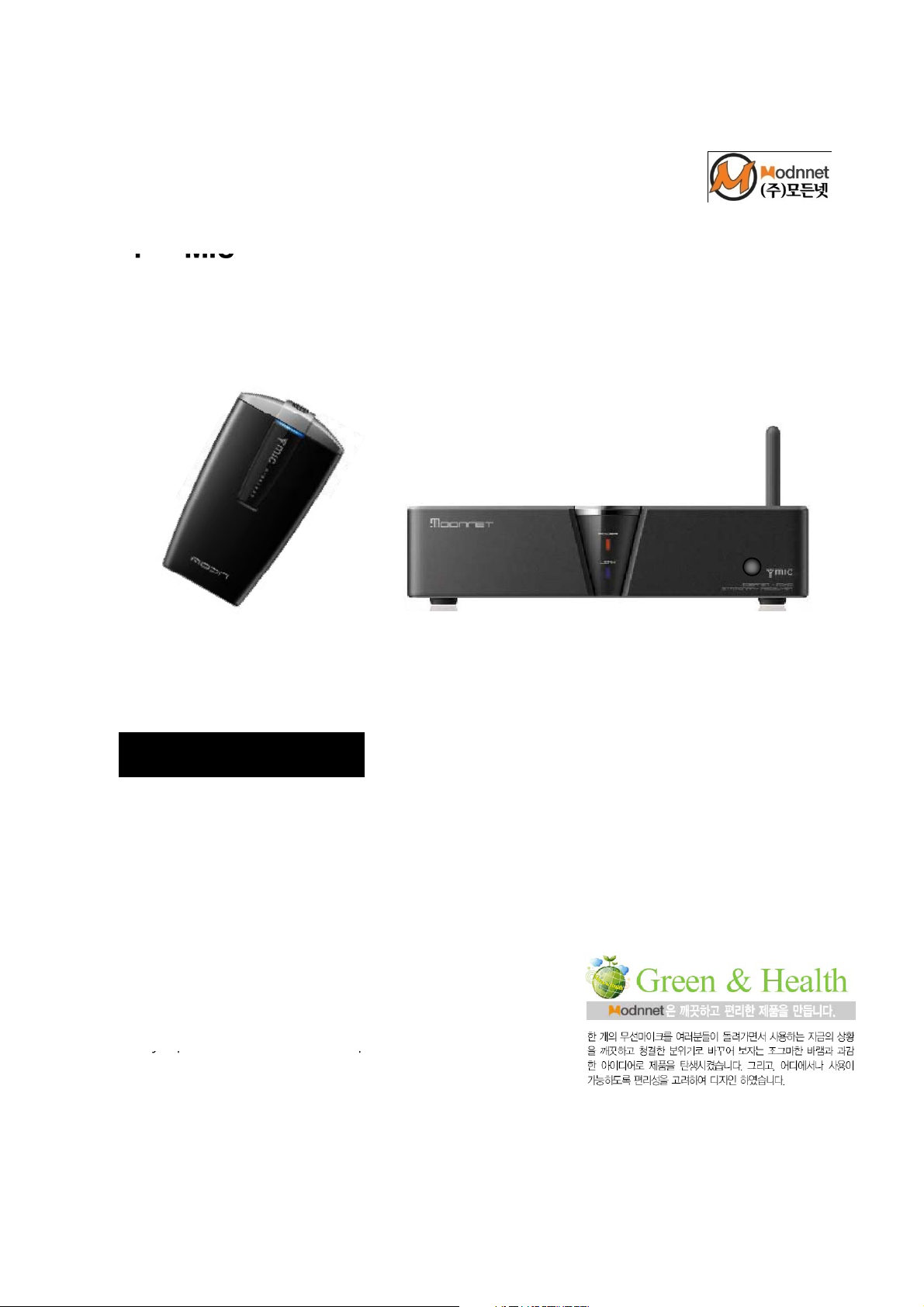
Transmitter (YM-09TX)
Receiver (YM-09RX)
What is Y-MIC ?
The users of the wireless sound system require a
strong wireless microphone which guarantees the
reliability and stability. Y-Mic is a 2.4GHz wireless
features such as the excellent voice clarity, the
appearance design considering a style convenient
for the use of the various voice output capabilities.
Y-Mic is a 2.4GHz wireless microphone system
engrafted by the fast and easy installable and
interference-free wireless technology which
alwa
used in the schools, churches, exhibitions,
conferences, and seminar rooms, etc
rovides the reliable performance. Y-Mic is
Page 2

Greetings
1. Product overview & specifications
4
4. H
7
We deeply thank you for having purchased the product of MODNNET CO., LTD.
Our Modnnet Wireless Microphone realized a stable sound by adopting the high
Pro microphone with high cost-performance ratio and noise removal circuit.
And it applied the high sensitivity filter circuit to prevent interruption or
interference, and therefore the product is suitable for a wide range of applications
such as broadcasting, lectures, seminars, events, exhibitions, religious events, etc.
For the sufficient performance of the product, read this manual carefully before use
to understand fully about the features, performance, and operation and to use it correctly
CE notice to users:
Hereby, Modnnet Co., Ltd. declares that this models is in compliance with the essential
requirements and other relevant provisions of directive 1999/5/EC.
Contents
Safety precautions for use 3
2. Names and functions of each part 5
3. How to set the features 6
ow to operate
5. Displaying the Certification 8
6. Product warranty 9
Page 3

Safety Precautions for Use
,
,gp p
human injury and its damage
To prevent the failure or risk of the product and the damage of the property through the
correct use of the product
1. When you supply the power to this equipment, connect the given 12V 1.5A adapter. Using
other equipment to supply power to this equipment can cause the critical product damage.
2. User should not repair this equipment. Do not open the cover, or do not disassemble the
internal parts. Only skilled service personnel of MODNNET CO., LTD. or an employee of the
sales representative who has the knowledge about the electrical fire and electrical shock
hazard can repair the equipment .
3. Proper ventilation condition
Keep the proper ventilation condition to prevent product overheating .
4. Do not operate the product when its failure is suspected. .
When a problem occurs on this product, inquire the service center or the sales representative
of MODNNET CO., LTD. for service
5. The influx of materials or liquids
Do not use the product near water and keep it away from the moist air, water and dust.
Never insert any stuff into the equipment
(It may short circuit of the parts and may cause fire or electric shock .)
Not any kind of liquid should be poured over the equipment .
6. Places to avoid
The equipment typically work at -20 ˚C ~ +55 ˚C.
However
of the product..
① Where the vibration is severe and humidity is high
② Where the equipment is exposed to the direct sunlight or the active gas
③ Do not use this equipment where gas exists or where there are phosphide or explosives
nearby
④ If you install the equipment at either high or unstable place, it can drop and cause the
7. Because this wireless equipment can have the potential interference of the electric wave,
the following places should be avoided in order to maintain the best performance
.
any services related to the safety of life can not be provided .
Page 4
01 Product Overview & Specifications
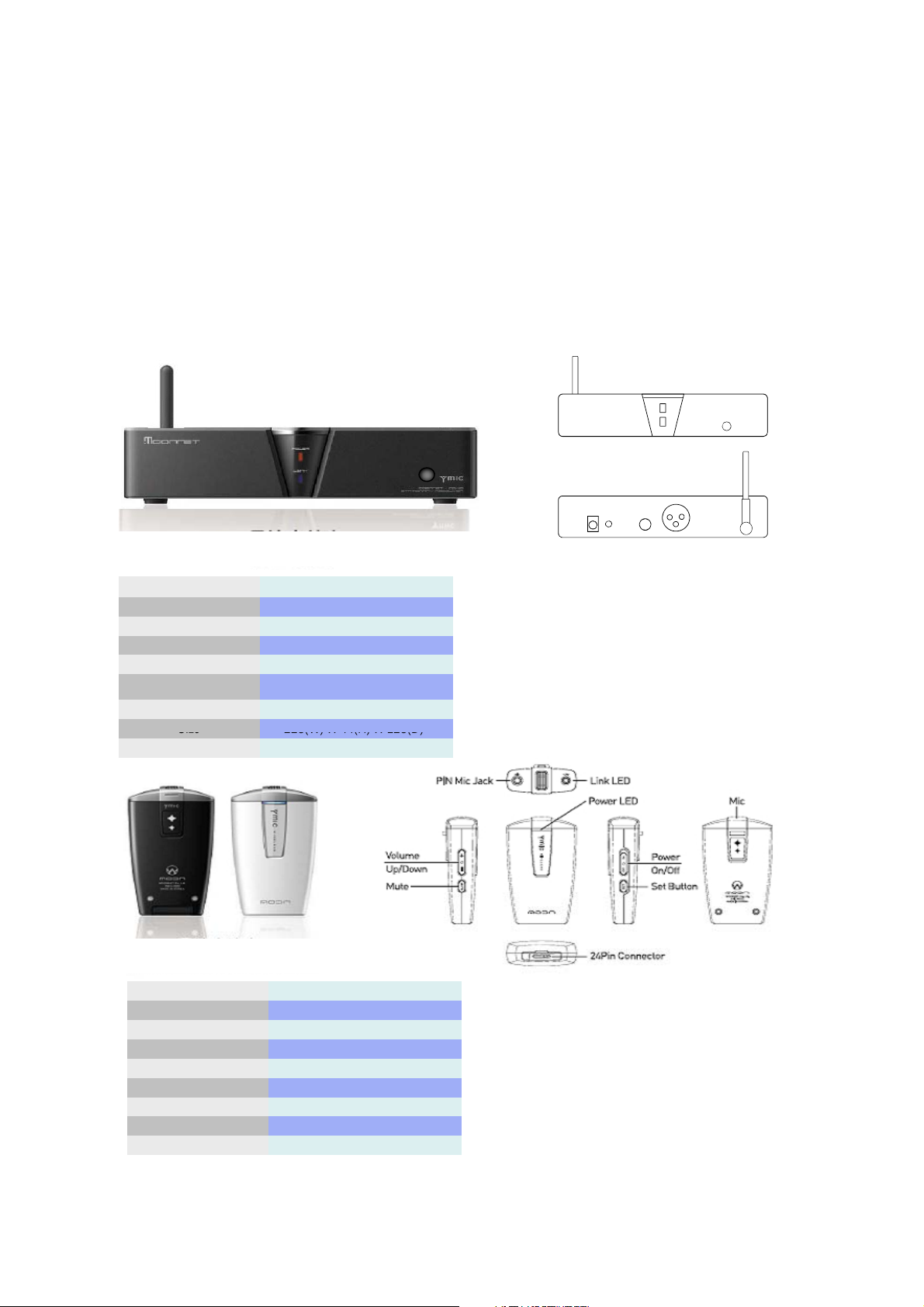
Size
228(W) X 44(H) X 128(D)
RF output
10.78dBm
±
3dBm
The outline of product
Y-Mic is a 2.4GHz wireless microphone system engrafted by the fast and easy installable
and interference-free wireless technology which always provides the reliable performance .
Product Specifications
Wireless receiver
(YM-09RX)
Use frequency
Audio frequency range
THD+N
S/N
Receive sensibility
Power
Operating temperature
2402MHz ~ 2480MHz
20 ~ 20,000Hz
0.04%
-92dB
TYP -83dBm @ *FER<0.007%
12V, DC
-20 ˚C ~ +50 ˚C
TM
-LSEC (LED Status Extension Connector )
-Provide variable output ports.
-Solid plastic and steel structure
-High quality sound output
Weight
1.1Kg
Wireless transmitter
(handheld/pin type. YM-09TX)
Use frequency
Transducer
Audio Frequency range
Operating time
Power
Operating temperature
Size
Weight
2402MHz ~ 2480MHz
Condenser
0.04%
5Hours
3.7V, 900mA
-20 ˚C ~ +50 ˚C
45(W) X 86(H) X 20(D)
0.5Kg
-Internal high sensitivity microphone
-Provide external pin-type microphone
-Paring mode by button
-Whenever can charge by cell-phone charger (Standard 24pin)
-Display Charging and capacity the battery by LED
-Display link condition by LED
Page 5
02 Names and functions of each part
①
g
p
①gp
⑦
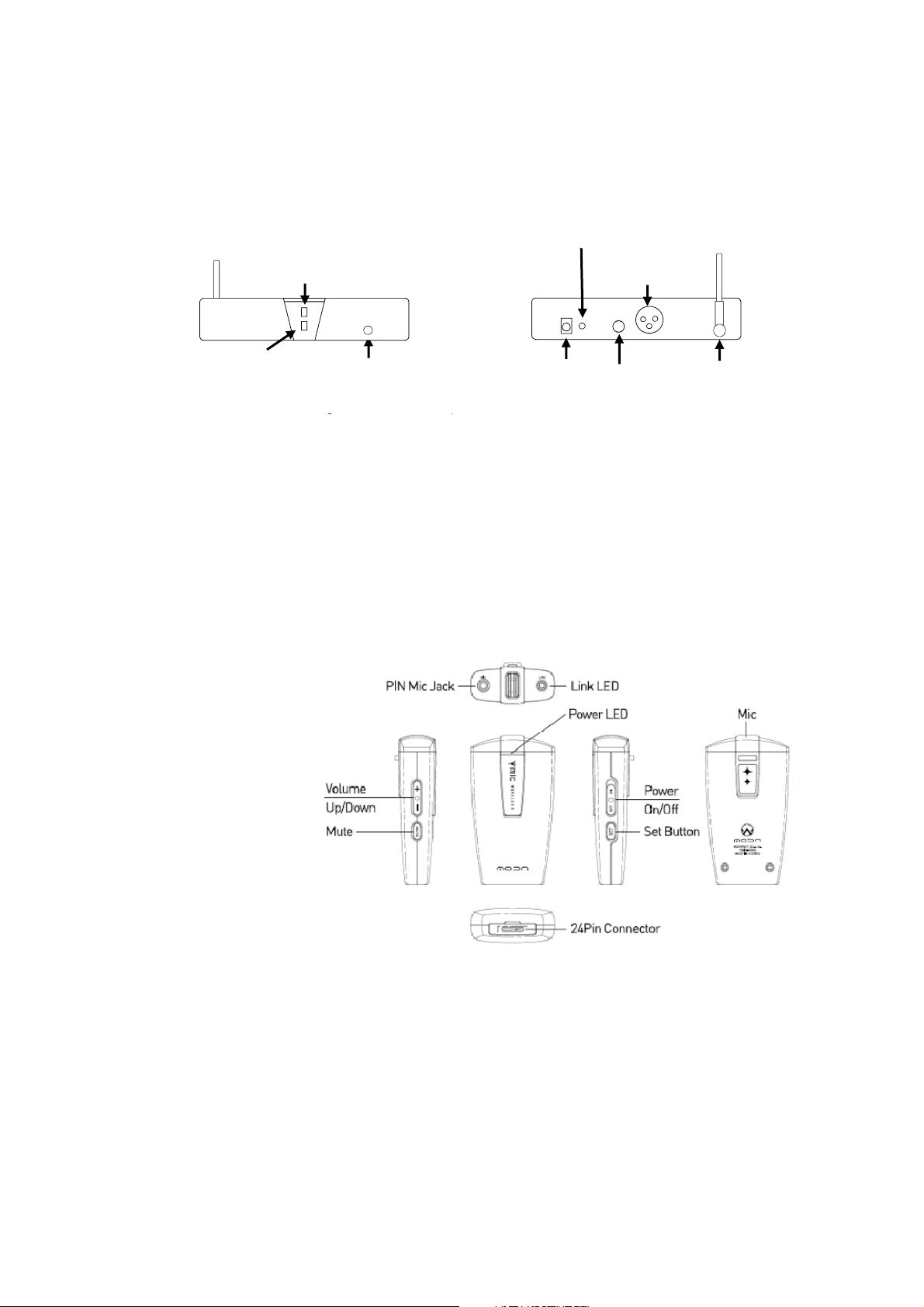
Balanced Output : Balanced XLR Jack connection socket
[ Receiver] ( YM-09RX)
LED Extension
Power LED
LINK LED
Power LED : checkin
② LINK LED : checking the transmitter’s connection status
③ Power Switch or Power Push Button provided
④ DC 12V : input power
⑤ LED Extension : LSEC (LED Status Extension Connector )
⑥ Unbalanced Output : Balance & Unbalance output connection
⑧Antenna
Power Switch
the receiver’s o
TM
eration status
DC 12V
Unbalanced
Output
[ Transmitter] ( YM-09RX)
Balanced
Output
Antenna
① Pin Mic Jack : pin typed jack
② LINK LED : displaying the status of the connection between transmitter and receiver
③ Power LED : displaying the status of the product’s operation and battery
④ 24 Pin Connector : USB fittings of the cellular phone charger type
⑤ Volume Up/Down : volume up/down control
⑥Mute : mute function
⑦ Set Button : start Paring.
⑧ Mic : high-performance built-in condenser microphone
Page 6

03 How to set the functions
the volume by percentage (%)
p
1. Paring mode
▶ Press the SET button once and it finds the receiver.
The connect is linked and the LED of the transmitter and the receiver becomes
ON state. If the LED of transmitter and the receiver is not ON state,
press the SET button once again.
2. Volume Control
▶ Press Volume △ (Increase) / ▽ (decrease) button. Select the desired volume by
pressing the button .
You can select the volume control by 6-steps and the displayed value represents
The value set : 00 / 20 / 40 / 60 / 80 / 100
3. Power ON/OFF
▶Push up and down the Power On/Off button .
When it is ON, the power is working. And when it is OFF, the power is shut down.
4. How to use the charge cradle
▶ You can charge the wireless microphone transmitter by using 24Pin USB
Connector and a regular cellular phone charger. Usually, charging is completed
within 1-2 hours and its completion can be confirmed through the color of LED on
the front part of the wireless microphone transmitter.
LED state : proper state (green) / middle state (yellow) / shortage state (red)
※ Please note that the excessive charging or impact may cause the damage.
Page 7

04 How to operate
th
1. Wh
1 . AC power connection
▶ Connect the specified AC power cord to the AC input terminal of
the receiver .
2. DC power connection
▶ Connect the specified DC power cord to the DC input terminal of
e receiver .
3. AUDIO output connection
▶ Connect the audio input and output properly to the audio system,
mixer and amplifier with the audio cable .
4. Turn on the receiver (Transmitter)
▶ Turn on the receiver (Transmitter) by pressing the power button .
※ Note: Before turning on the transmitter, set the volume of the
receiver, MIXER, AMP a minimum.
5. Synchronization between the transmitter and receiver
▶ However, the synchronization between the transmitter and receiver is
linked by giving a special ID to the transmitter, and therefore you
should press SET button to change or select it to use
[ Note ]
▶ Please note the following for better use of the performance of this
product .
en you use the wireless microphone close to the mouth, set to
lower the GAIN and on the reverse case, set to raise the GAIN.
2. Please turn off the power of the battery of the wireless microphone
when you do not use it for a long time .
Page 8

05 Displaying the Certification
The name of equipment (model)
Thenameofequipment(model)
The name of equipment (model) :
This device complies with Part 15 of the FCC s Rules. Operation is subject to the following two Conditions:
Connect the equipment into an outlet on a circuit different from that to which the receiver is connected
The entity who received the certification : Modnnet Co., Ltd.
:
The wireless device for wireless data communication system (YM-09TX)
Date of production : 20 . .
Manufacturer/Manufacturer’s country : MODNNET CO., LTD. / Korea
The entity who received the certification : MODNNET CO., LTD.
The wireless device for wireless data communication system (YM-09RX)
Date of production : 20 . .
Manufacturer/Manufacturer’s country : MODNNET CO., LTD. / Korea
※ This wireless equipment can have the radio interference during its operation
No service for the safety of life is provided with this equipment.
FCC (Federal Communications Commission)
WARNING: This equipment may generate or use radio frequency energy. Changes or odifications to this
equipment may cause harmful interference unless the modifications are expressly approved in the
instruction manual. The user could lose the authority to operate this equipment if an unauthorized
change or modification is made.
`
1. This device may not cause harmful interference, and
2. This device must accept ant interference received, including interference that may cause
undesirable operation.
Information to User
This equipment has been tested and found to comply with the limits for a Class B digital device, Pursuant to
part 15 of the FCC Rules. These limits are designed to provide reasonable protection against harmful
interference in aid ti l i t ll residential installation.
This equipment generates, uses and can radiate radio Frequency energy and, if not installed and used in
accordance with the instructions, may cause harmful interference to radio communications.
However, there is no guarantee that interference will not occur in a particular installation. If this equipment
does cause harmful interference to radio or television reception, which can be determined by turning
the equipment off and on, the user is encouraged to try to correct the interference by one or more of
the following measures:
- Reorient or relocate the receiving antenna.
- Increase the separation between the equipment and receiver
-
- Consult the dealer or an experienced radio/TV technician for help.
.
CE notice to users:
Hereby, MODNNET CO., LTD. declares that this models is in compliance with the essential
requirements and other relevant provisions of directive 1999/5/EC.
Page 9
Product Warranty
Address
2) Failure in moving and transportation after installation of the product
free repair service is not provided. Therefore, please check it with the place where you
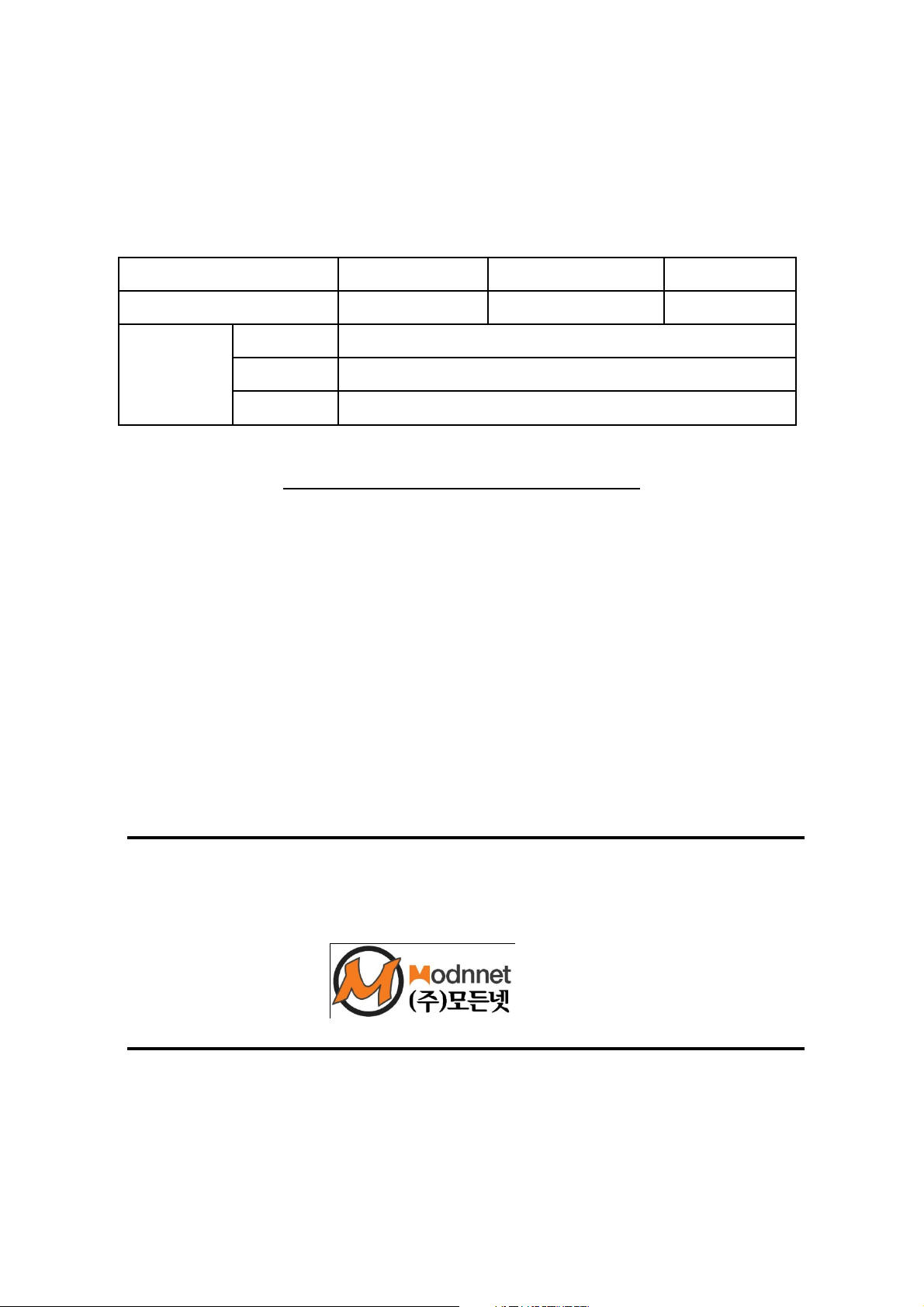
Modnnet Co., Ltd. guarantees this product with the contents listed below.
Product Y-Mic Product No.
Data of purchase Warranty Period 1 year
Name
Purchaser
Tel No.
Warranty Repair Information
The product is guaranteed as follows .
1. This product is manufactured through the strict quality control .
If a failure occurs due to the manufacturing defects, such failure will be repaired as free
of charge at a Modnnet A/S center within 1 year from the date of purchase .
2. If a failure occurs after the end of warranty period, the repair for such failure should be
paid.
3. As for the following cases, the repair should be paid even during the warranty period .
1) Failure due to the user's mishandling
3) In case that the product is damaged or its content is altered because others than
the staffs of Modnnet A/S centers.
4) Failure or damage caused by the natural disasters such as fire and flood.
If any due clauses are omitted in each column of this warranty or the warranty is lost
※ purchase the product and keep the warranty safely .
www.modnnet.co.kr
Room 206, E&C INNOBIZ TOWER, # 1320-2, Shindang-dong, Dalseo-gu,
Daegu Metropolitan City(704-919), Korea
Tel. 053-600-8777, Fax. 053-600-8778, A/S Center. 1588-7945
.
 Loading...