

Page 1
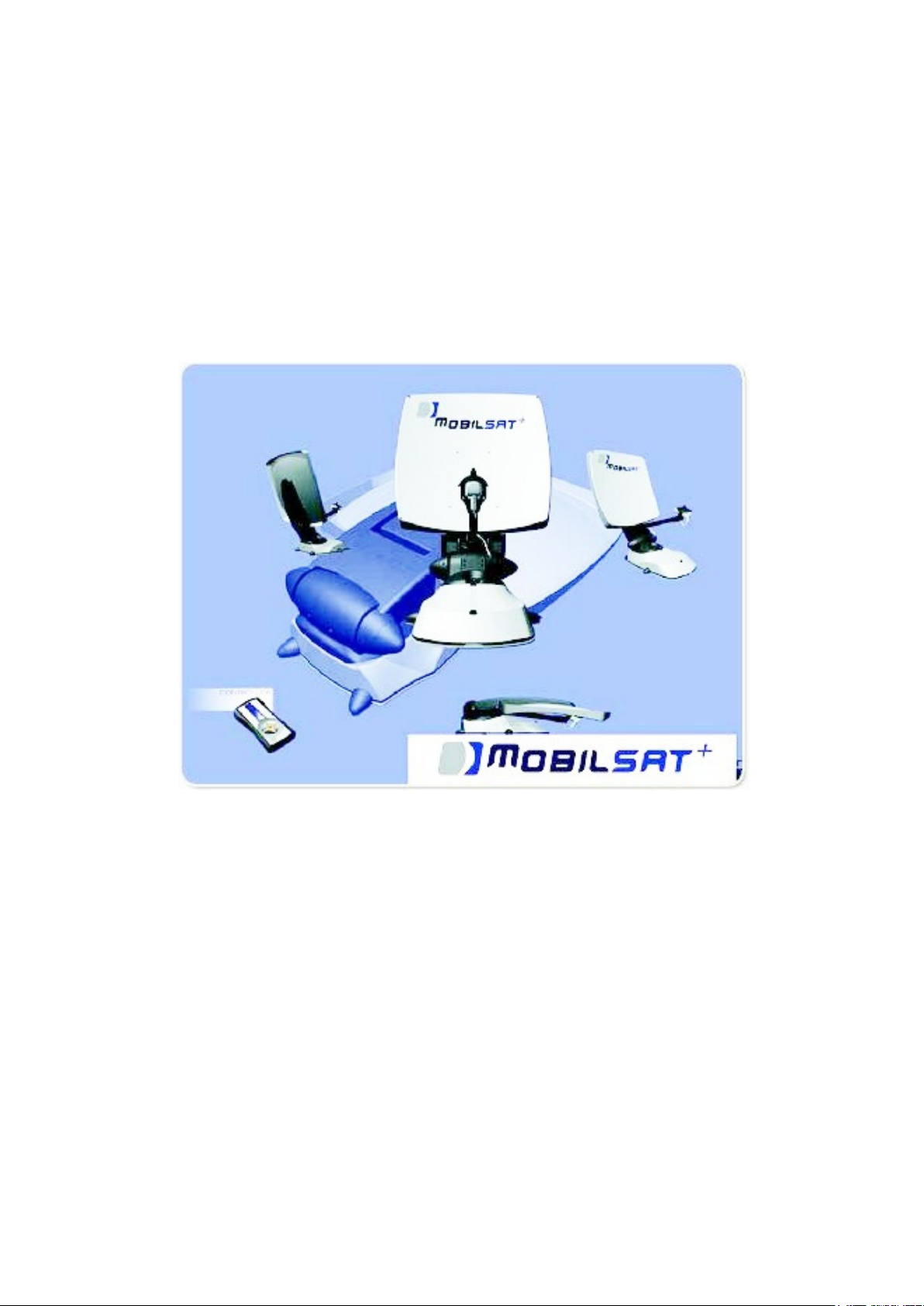
Digital satellite antenna
with control panel
MobilSat
+
User’s Manual
Models: MSP-S / MSP-C
Page 2

MobilSat+ User’s manual
SUMMARY
1. Introduction.......................................................................................................................................... 2
1.1. Usage..............................................................................................................................................2
1.2. General notes .................................................................................................................................3
1.3. The Control Panel ..........................................................................................................................3
2. Base functions....................................................................................................................................... 4
2.1. Power on and automatic satellite search ........................................................................................4
2.2. Antenna closing .............................................................................................................................4
3. Advanced functions.............................................................................................................................. 5
3.1. Satellite selection ...........................................................................................................................5
3.2. Fine satellite tracking.....................................................................................................................6
3.3. Manual positioning (“SKEW” setting) ..........................................................................................6
3.4. Sector setting..................................................................................................................................7
4. Menu tree.............................................................................................................................................. 8
5. Failures or errors .................................................................................................................................9
6. Notes ....................................................................................................................................................10
7. References........................................................................................................................................... 12
1. Introduction
Thank you for purchasing a MobilSat product. Thanks to the automatic pointing system
MobilSat+ you will appreciate without any problem your preferred TV programs, even when
relaxing in your caravan.
For installation instructions we issue a dedicated manual, the Installation Manual, where are
described all needed steps to install the system in the right way.
1.1. Usage
MobilSat+ has been developed to be used in trailers and caravans: when the vehicle is parked it
is able to automatically point the antenna to the desired geostationary Europe dedicated
satellite. Power supply line must be realized following the law requirements and must assure a
nominal voltage of 12V.
It is forbidden any other use except those specified in this manual.
During the installation and the normal use it is necessary to adopt the following indications:
The installation must be executed only by qualified personnel.
The system must be mounted only to vehicle’s roofs able to offer an adequate resistance,
rigidity and stability.
It is not allowed to modify any part of the system, taking away any component or inserting
others.
It is not allowed the usage of not original antennas and/or LNBs.
MobilSat+ does not need maintenance. If necessary, all maintenance operation must be
performed only by qualified personnel.
In case of doubts, refer to the supplier or to a qualified centre
Page 2 of 12
Page 3
MobilSat+ User’s manual
For correct operations, please take care to have a “free view toward South”, because the most
of TV satellites that covers central Europe are positioned in South direction. If there’s an
obstacle (building, mountain, tree, etc) between the caravan and the South line, it will be not
possible for the system to receive correctly to the satellite signal.
1.2. General notes
General notes regarding the usage of the system:
• Base operations have been developed in such a way that power on and satellite search
will be performed simply switching on the unit.
• The system manages three satellites. Default configuration consist of Hot Bird , Astra 1
and Atlantic Bird 3. In case you need another satellite (the complete list is available in
Chap. 3.1) please contact the installation personnel.
• The system automatically saves the last used satellite and the geographical sector
setting, if selected.
• It is possible to interrupt in any moment the automatic satellite search function, simply
pressing any key of the Control Panel.
• System goes automatically in stand-by 5 minutes after having pressed the last key. To
exit the stand-by status press any key. During stand-by phase the typical system
absorption is only 5mA.
• System beeper issues three different signals;
A “low” signal issued for three seconds, at the end of the automatic satellite search
function
A “high” signal, issued during the closing procedure of the antenna. This signal will
be stopped only when the antenna is completely closed
A “short” signal every time a Control Panel key is pressed
1.3. The Control Panel
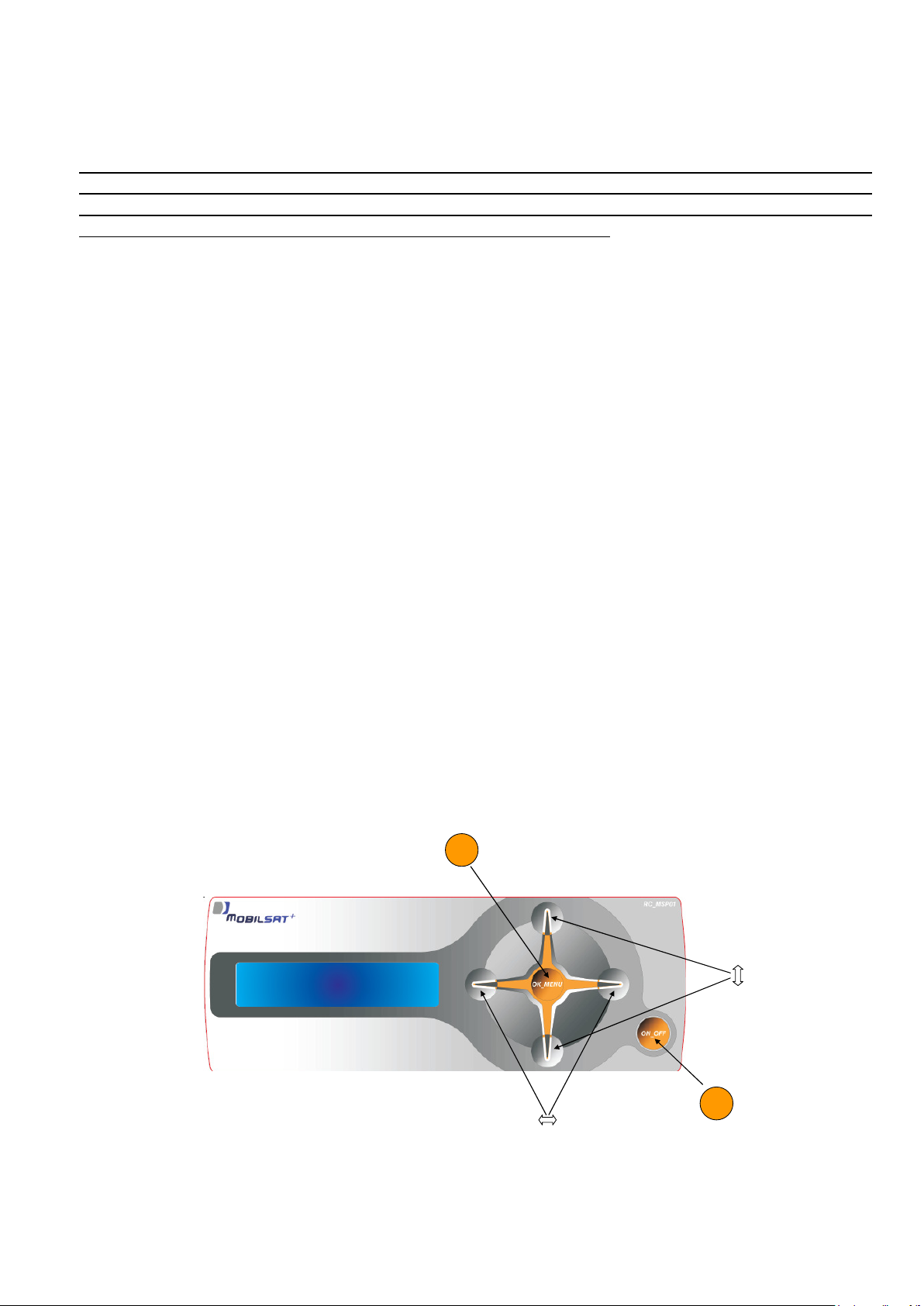
All the functions of the system are controlled via the Control Panel, displayed in the following
picture:
OK menu
On/Off
Page 3 of 12
Page 4
MobilSat+ User’s manual
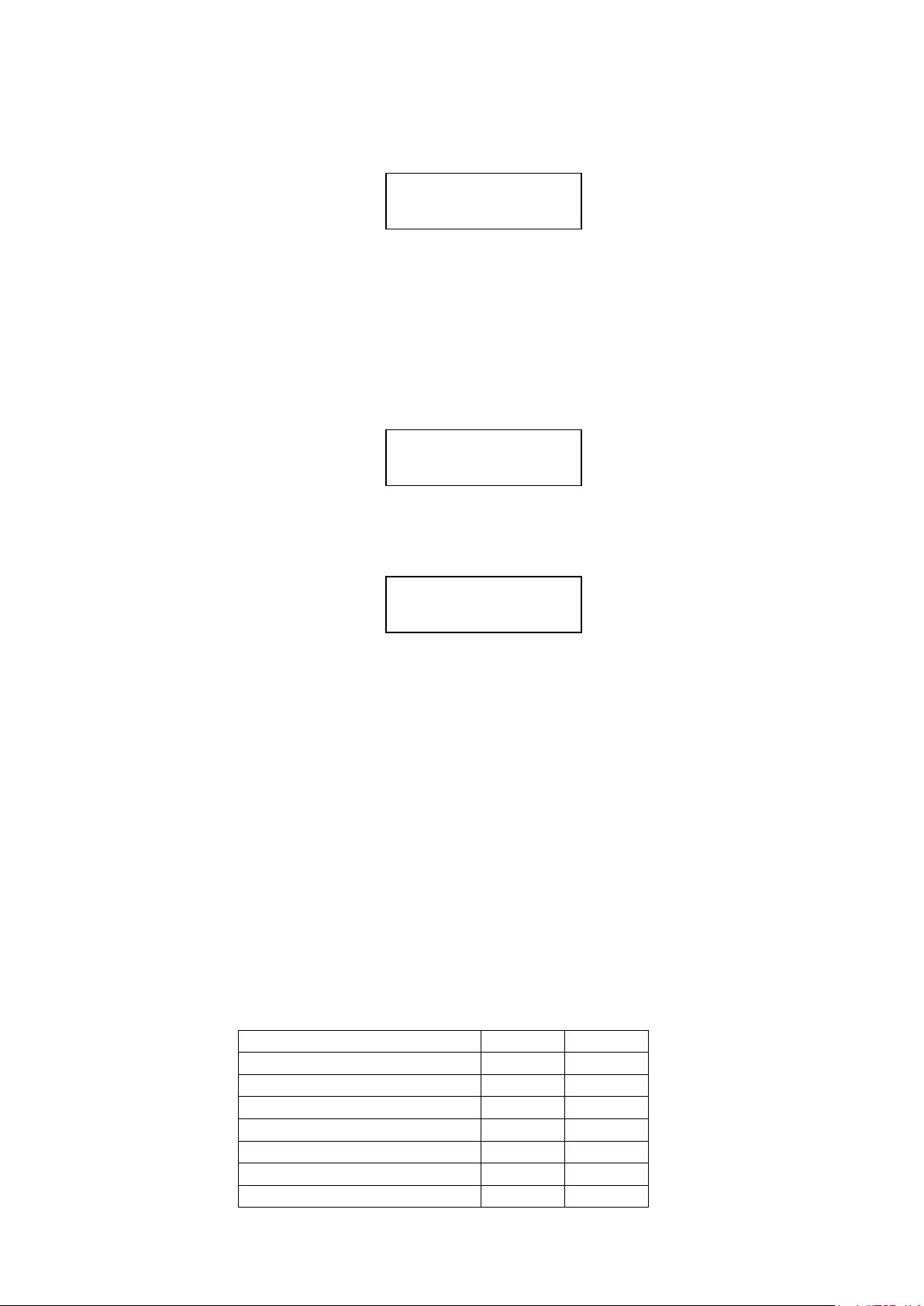
SATELLITE FOUND
2. Base functions
In this chapter are described all the “base” operations, needed to operate the system most of the
times. Normally, to power on the system and to receive a correct satellite signal, the only
thing to do is to press the ON/OFF key.
2.1. Power on and automatic satellite search
1. Press ON/OFF key; the antenna moves automatically to the point where was positioned the
last time when the system was witched off.
At this point there are two possibilities:
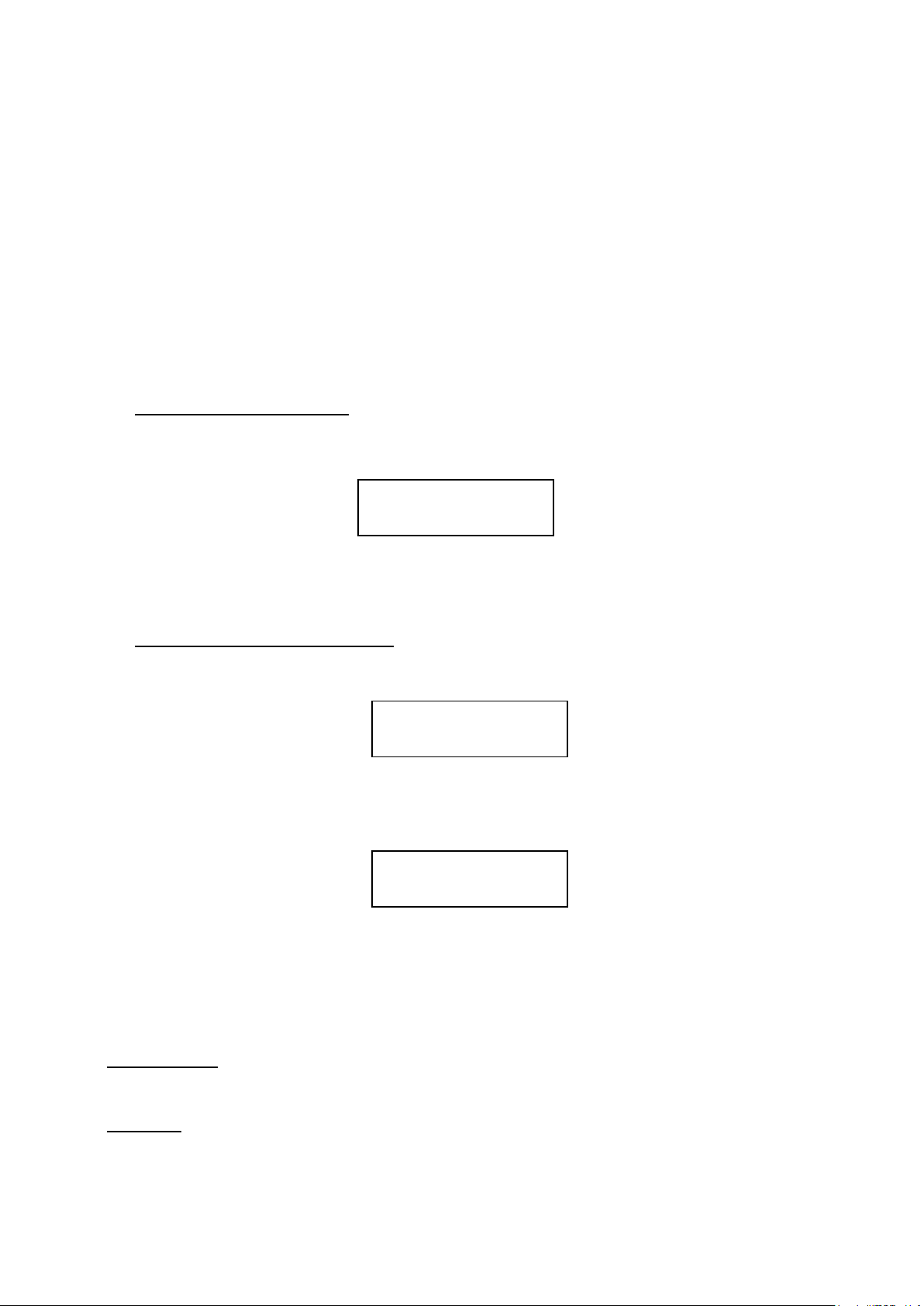
A. Signal received correctly. If at the end of the positioning procedure a correct signal is
received – the vehicle has not been moved - the beeper issues a 3 seconds tone and the
display shows the following indications:
The system is ready to be used. No other operation must be performed. Enjoy your TV
programs, within 5 minutes the system will automatically switch to stand-by status
B. Signal NOT received correctly. If in the last position no signal is received – this means
that the vehicle has been moved – at the end of the positioning phase the display will
show the following indications
Without pressing any key, after a 2 seconds pause the system starts automatically the
search procedure for the given satellite. If a correct signal is found, the beeper issues a 3
seconds tone and the display shows the following indications:
Now the system is ready to be used. No other operation must be performed. Enjoy your
TV programs, within 5 minutes the system will automatically switch to stand-by status.
2.2. Antenna closing
Antenna closing procedure can be activated in two ways::
1. Automatically, switching on the vehicle’s engine: if the dedicated yellow cable has been
connected to the vehicle’s board, switching on the engine the antenna will be automatically
closed.
2. Manually, pressing the ON/OFF key.
< Sat name >
SAT NOT FOUND
AUTOM SEARCH
SATELLITE FOUND
< Sat name >
Page 4 of 12
Page 5
MobilSat+ User’s manual
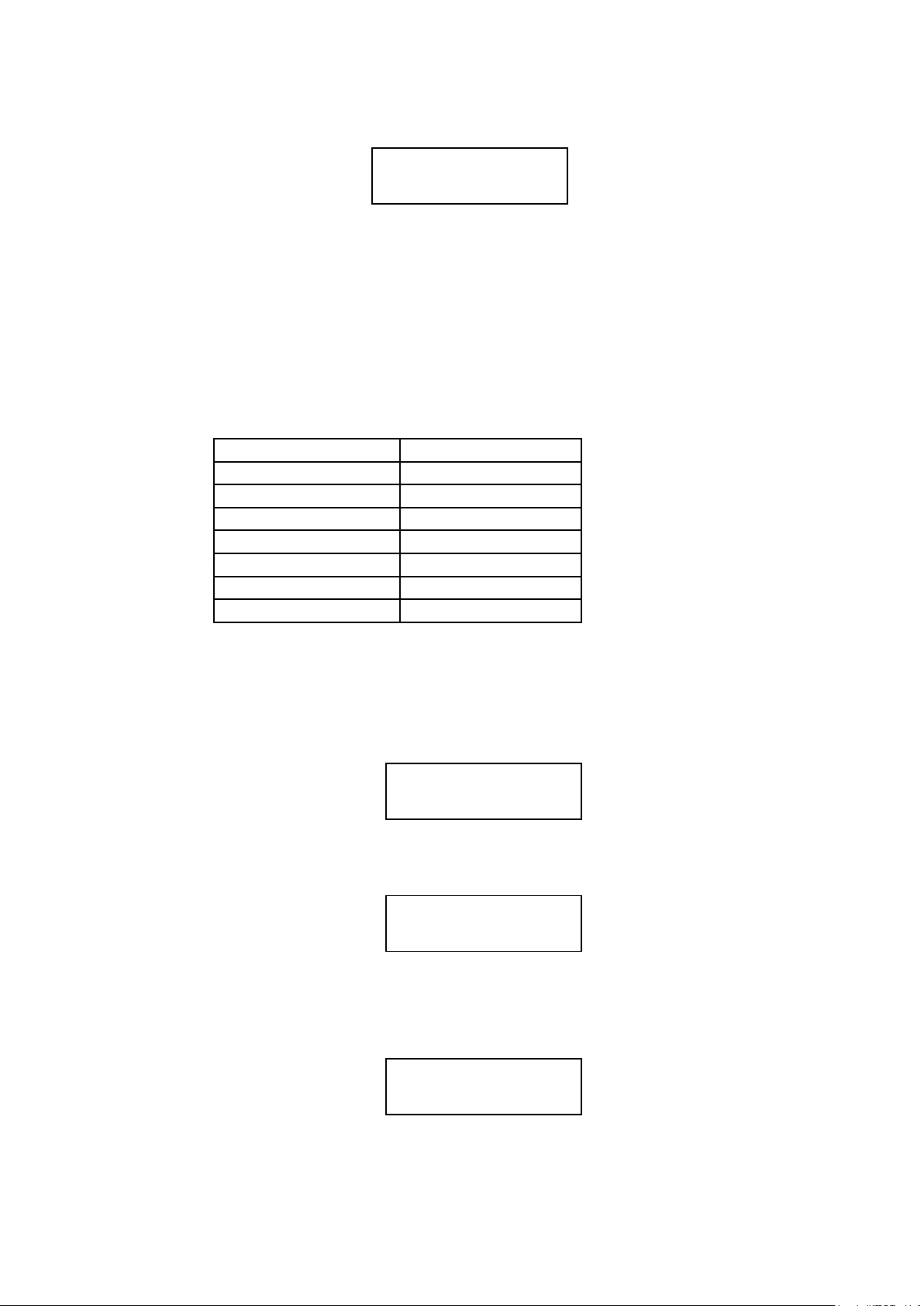
During the closing procedure, the display will show the following indications:
ANTENNA
CLOSING
The beeper issues a “high” tone for the entire procedure and will stop only when the antenna will
be completely closed. At the end of the procedure the display will be switched off.
3. Advanced functions
3.1. Satellite selection
The system manages three different satellites, selected by the installation personnel from a list
of 16 satellites:
ATLANTIC BIRD 1 EURO BIRD 9
ATLANTIC BIRD 2 EUTELSAT W2
ATLANTIC BIRD 3 EUTELSAT W3A
ASTRA 1 HISPASAT 1
ASTRA 2 HOT BIRD
ASTRA 3 SIRIUS 4
EURO BIRD 2 THOR 2
EURO BIRD 3 THOR 3
The three satellites normally set in factory are Hot Bird 8, Astra 1 and Atlantic Bird 3. For any
other need, please ask your installator.
If the automatic search function did not find a good signal, or if you want to change the selected
satellite, when the display shows the following information:
1. Press UP/DOWN keys: the Satellite Selection function will be activated. The display will
show;
2. Press RIGHT/LEFT keys: the other two satellites present in the user’s list are displayed.
Select the desired one.
3. Press OK: the automatic search function for the selected satellite will be activated. The
display will show:
SAT NOT FOUND
NO SIGNAL
SEARCH FOR SAT
< Sat name >
ANTENNA MOVING
< Sat2 name >
Page 5 of 12
Page 6
MobilSat+ User’s manual
If the search procedure will find a correct signal for the new satellite, the beeper issues a 3
seconds tone and the display will show:
SAT FOUND
< Sat2 name >
Now the system is ready to be used. No other operation must be performed. Enjoy your TV
programs. Within 5 minutes the system will automatically switch to stand-by status.
If the procedure will NOT find a good signal, the system will go back to the Sat Search Menu.
3.2. Fine satellite tracking
This function is useful when the caravan has been moved a little, or if it’s necessary to perform
again the satellite fine tracking. Starting from the following display menu:
SAT FOUND
< Sat Name >
Execute the following operations:
1. Press two times the DOWN key; the display will show :
SEARCH FOR SAT
< sat name >
2. Press OK key for 3 seconds; the fine tracking function will be activated.
3.3. Manual positioning (“SKEW” setting)
Thanks to the new advanced technologies, the area where it’s possible to receive correctly a
satellite signal is increasing more and more. All Europe dedicated TV satellites obviously point
their signals over Central Europe. When the receiver – your caravan – is outside this area, the
antenna looks at the satellite by side, from a certain “angle”. This effect is called “skew” or
"polarization” and affects the receivers located in several countries: Portugal, South Spain,
Morocco, Greece, Turkey and Canary Islands
Normally the satellite system is able to compensate this effect without problems, but in some
cases a manual LNB re-positioning is needed; in practical terms, the LNB must be rotated by
some degrees.
In the following table are displayed the necessary corrections of the SKEW effect, for some
European countries (approximated values)
Zone Astra I Hotbird
South Spain +15° +10°
Portugal +25° +15°
Morocco, Gibilterra +20° +20°
Canary Islands +35° +25°
Greece -12° -20°
Turkey, West Russia -15° -17°
Other countries 0° 0°
Page 6 of 12
Page 7
MobilSat+ User’s manual
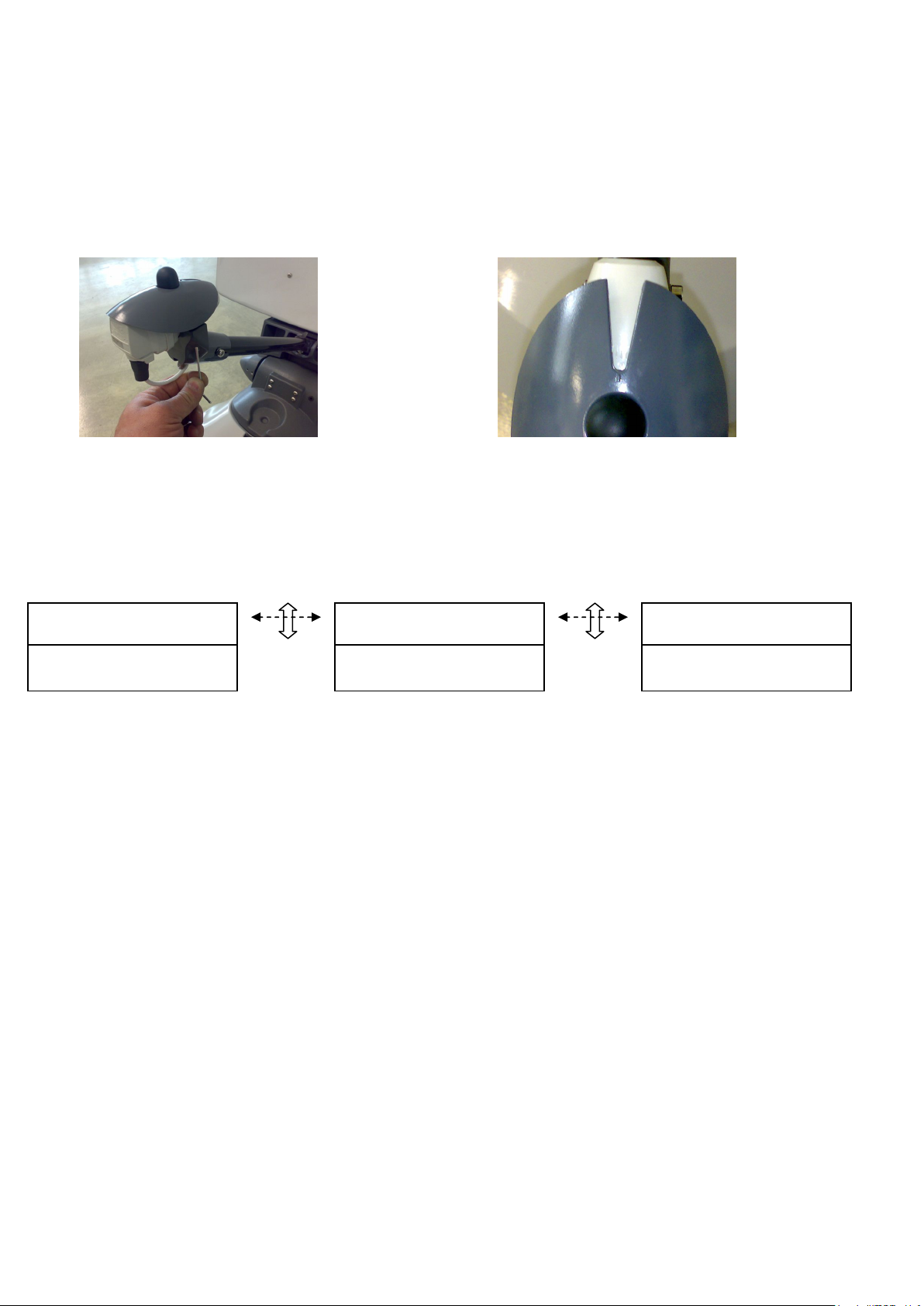
For positive values it is necessary to rotate the LNB CLOCKWISE, using the “zero” indication on
the LNB support as reference. For negative values the arm must be rotated
COUNTERCLOCKWISE. As displayed in the following pictures, to perform this operation
unscrew with an 3mm Allen wrench the two screws that fix LNB and rotate the LNB until the
desired value is displayed in the hollow of the upper plate.
In some cases corrections lower than 15° can be avoided, if the signal has already a good
quality without manual re-positioning.
For manual antenna positioning it is necessary that satellite receiver and TV set are switched
on, in order to evaluate correctly the signal quality.
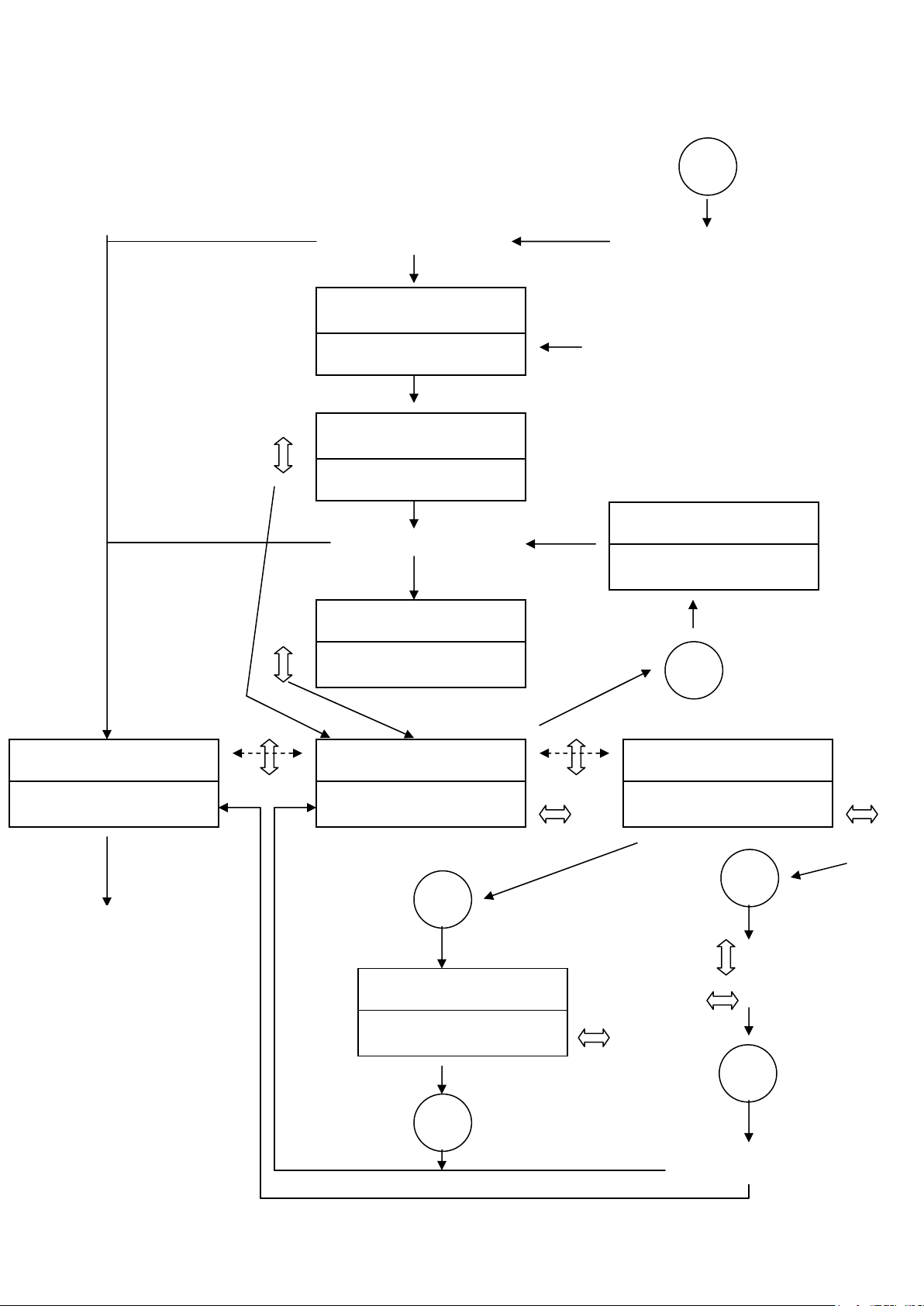
To activate manual positioning, go to SEARCH FOR SAT menu (see Menu Tree chapter) and
press UP/DOWN keys to activate SEARCH MODE menu.
SAT FOUND
< Sat name >
SEARCH FOR SAT
< Sat name >
SEARCH MODE
AUTOMATIC
In the SEARCH MODE menu:
1. Press RIGHT/LEFT keys: the manual positioning feature is selected
2. Press OK: Manual positioning will be activated
3. Press UP key to raise antenna
4. Press DOWN key to lower antenna
5. Press RIGHT key to move the antenna clockwise
6. Press LEFT key to move the antenna counter-clockwise
7. During the positioning procedure verify on the satellite receiver and on the TV set the
signal presence, trying to maximize signal intensity.
8. Press OK to stop manual positioning. If the system detects a good signal it will go
automatically to the SAT FOUND menu. If no signal is detected the system will activate
again the SEARCH FOR SAT menu.
3.4. Sector setting
1. Go to SEARCH MODE menu (see Tree Menu chapter) and select AUTOMATIC
2. Press OK: automatic search is selected.
3. Press RIGHT/LEFT keys to select one of the following items:
ALL SECTORS
NORTH EUROPE
CENTER EUROPE
SOUTH EUROPE
4. Press OK to terminate selection. The SEARCH FOR SAT menu is activated.
Page 7 of 12
Page 8
MobilSat+ User’s manual
On/Off
SATELLITE FOUND?
NO
NO
SAT3
SAT2
MANUAL
Ok Menu
Ok Menu
Ok Menu
Ok Menu
Ok Menu
2 sec pause
SATELLITE FOUND?
4. Menu tree
SATELLITE FOUND?
SAT NOT FOUND
AUTOMATIC SEARCH
POSITIONING ON THE
LAST POSITION
During automatic
SAT FOUND
< Sat name >
search
AUTOMATIC SEARCH
< Sat name >
ANTENNA MOVING
< Sat2 name >
SAT NOT FOUND
NO SIGNAL
SEARCH FOR SAT
< Sat name >
SEARCH MODE
AUTOMATIC
NORMAL
OPERATIONS
AUTOMATIC SEARCH
ALL SECTORS
Page 8 of 12
UP
DOWN
CW
CCW
NORTH EUROPE
CENTER EUROPE
SOUTH EUROPE
NO
YES
Page 9
MobilSat+ User’s manual
5. Failures or errors
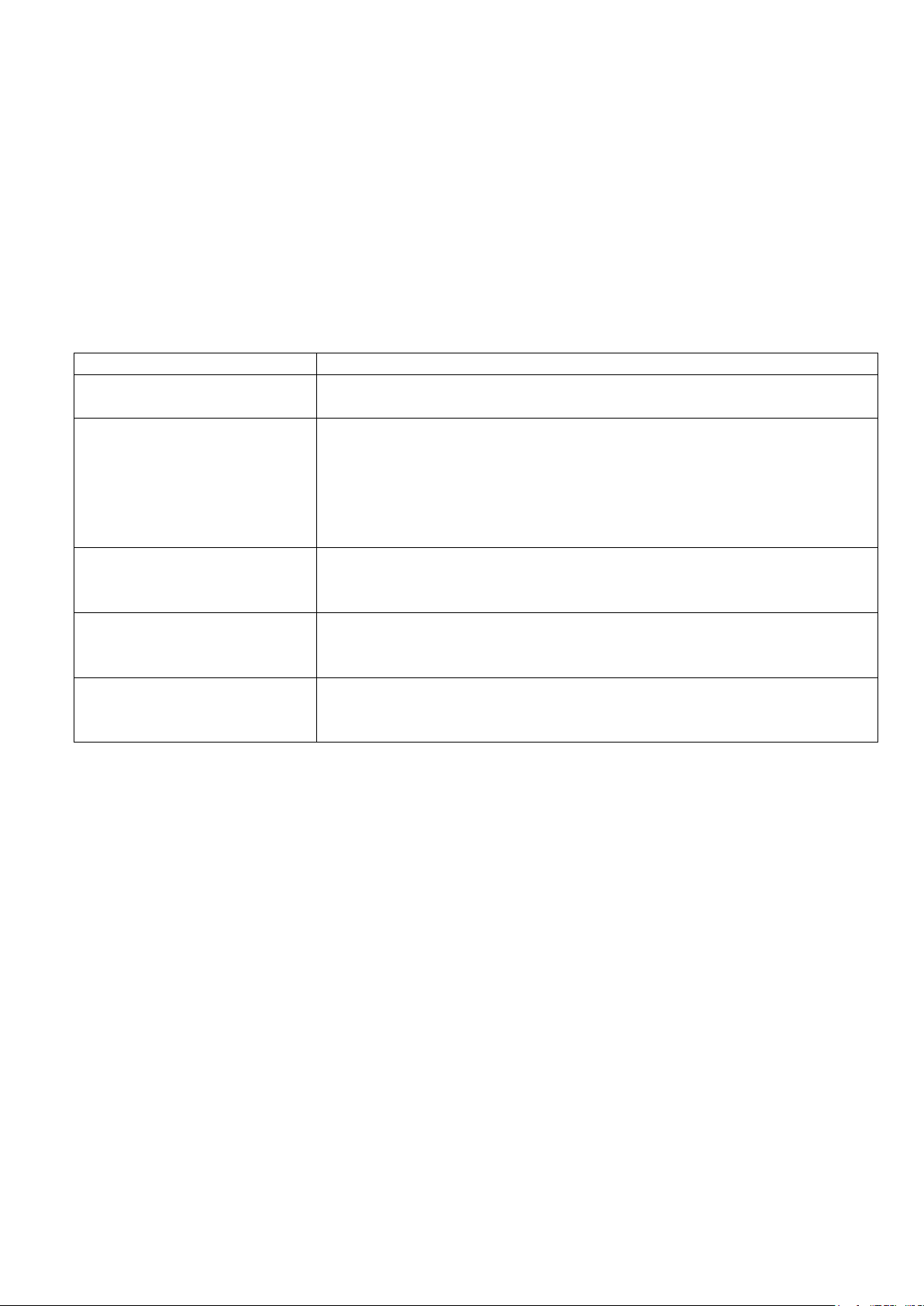
If during normal operations the system detects an error, the beeper issues a special tone (5
times) and shows on the display the anomaly found.
In the following table are displayed the most common failures/errors and the related solutions, if
applicable.
Failure Possible solution
The system does not power
up
The antenna performs the
automatic satellite search
but the TV does not display
any signal
Display shows
“SYSTEM FAULT”
“MECHANICS LOCK”
Display shows
“SYSTEM FAULT”
“LOW BATTERY”
Display shows
“SYSTEM FAULT”
“ELECTRONICS”
Check the fuse on the power line.
Check that all cables are correctly plugged in
Check that the direction toward South is free from obstacles
(building, mountains, trees, …)
Check that in your location it is not necessary to compensate
the SKEW angle
Check if you are in the area covered by the selected satellite
Check that all cables are correctly plugged
Check the presence of obstacles (tree branches, luggage) in
the antenna rotation area. If the rotation area is free, contact
your installator
Check the battery voltage
Check the power line for electrical leakage
Contact your installator
Page 9 of 12
Page 10

MobilSat+ User’s manual
6. Notes
_________________________________________________________________________________
_________________________________________________________________________________
_________________________________________________________________________________
_________________________________________________________________________________
_________________________________________________________________________________
_________________________________________________________________________________
_________________________________________________________________________________
_________________________________________________________________________________
_________________________________________________________________________________
_________________________________________________________________________________
_________________________________________________________________________________
_________________________________________________________________________________
_________________________________________________________________________________
_________________________________________________________________________________
_________________________________________________________________________________
_________________________________________________________________________________
_________________________________________________________________________________
_________________________________________________________________________________
_________________________________________________________________________________
_________________________________________________________________________________
_________________________________________________________________________________
_________________________________________________________________________________
_________________________________________________________________________________
_________________________________________________________________________________
Page 10 of 12
Page 11

MobilSat+ User’s manual
_________________________________________________________________________________
_________________________________________________________________________________
_________________________________________________________________________________
_________________________________________________________________________________
_________________________________________________________________________________
_________________________________________________________________________________
_________________________________________________________________________________
_________________________________________________________________________________
_________________________________________________________________________________
_________________________________________________________________________________
_________________________________________________________________________________
_________________________________________________________________________________
_________________________________________________________________________________
_________________________________________________________________________________
_________________________________________________________________________________
_________________________________________________________________________________
_________________________________________________________________________________
_________________________________________________________________________________
_________________________________________________________________________________
_________________________________________________________________________________
_________________________________________________________________________________
_________________________________________________________________________________
_________________________________________________________________________________
_________________________________________________________________________________
Page 11 of 12
Page 12

MobilSat+ User’s manual
7. References
Mobiltech s.a.s.
Via Brughetti, 9/E
20030 Bovisio Masciago (MI)
Tel: (+39) 0362 – 544.928
Fax: (+39) 0362 – 576.478
Internet: www.mobiltech.it
Mailto: [email protected]
Page 12 of 12
 Loading...