

Page 1
BTH-600
Dual Link Wireless Speaker
Microphone
User Manual
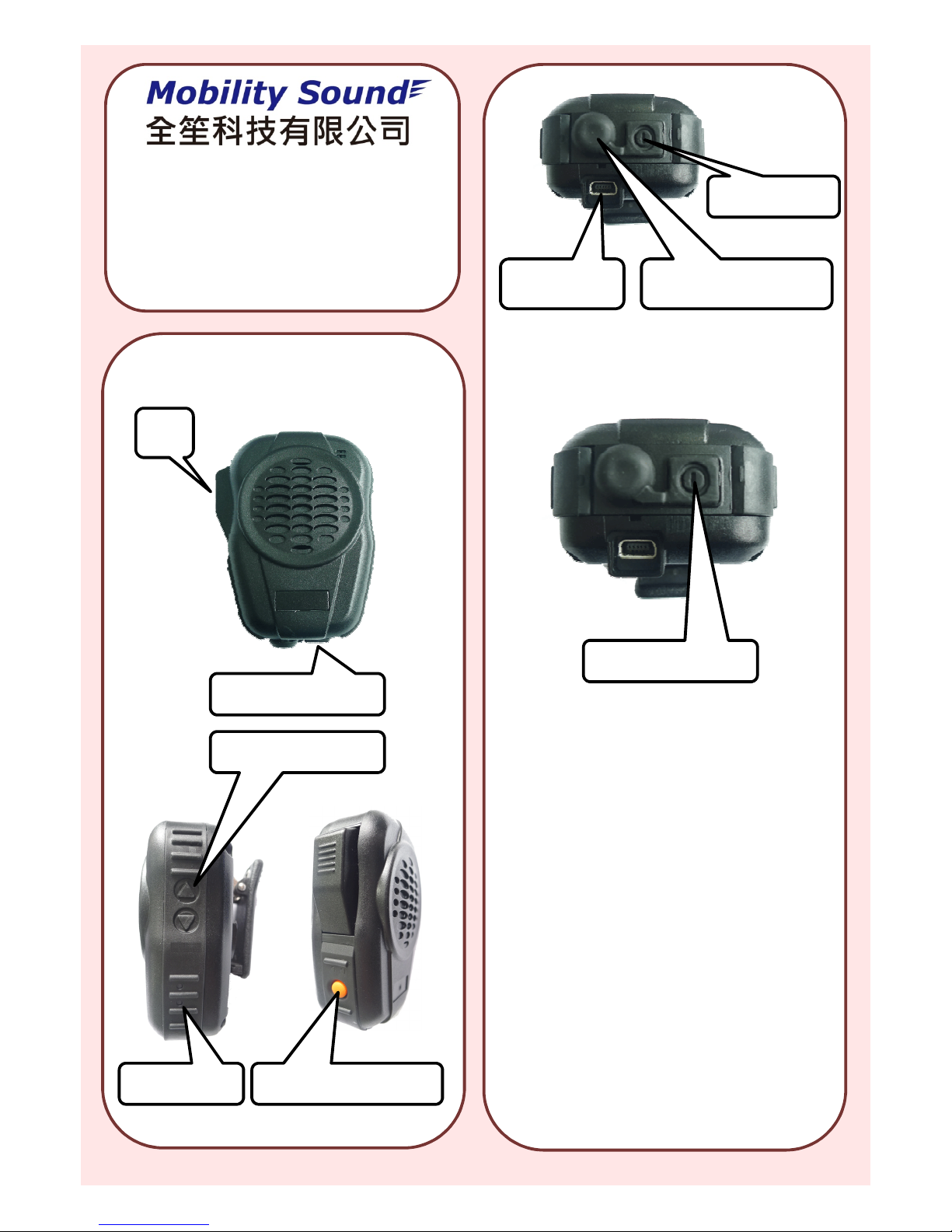
1. Function keys of BTH-600
2. Get BTH-600 into pairing mode
PTT
3.5mm ear phone jack
with cap
Mini USB
charging jack
Power/Pairing
1. Turn off BTH-600.
2. Press and hold the power/
pairing button for 6 seconds.
3. The Red/Blue LED will flash
alternately, indicates BTH-600 is
now in pairing mode.
4. Release the button.
Power /Pairing button
Blue/Red LED Talk/End Button
Volume Up/Down
Press and hold the
Power/Pairing button
Page 2
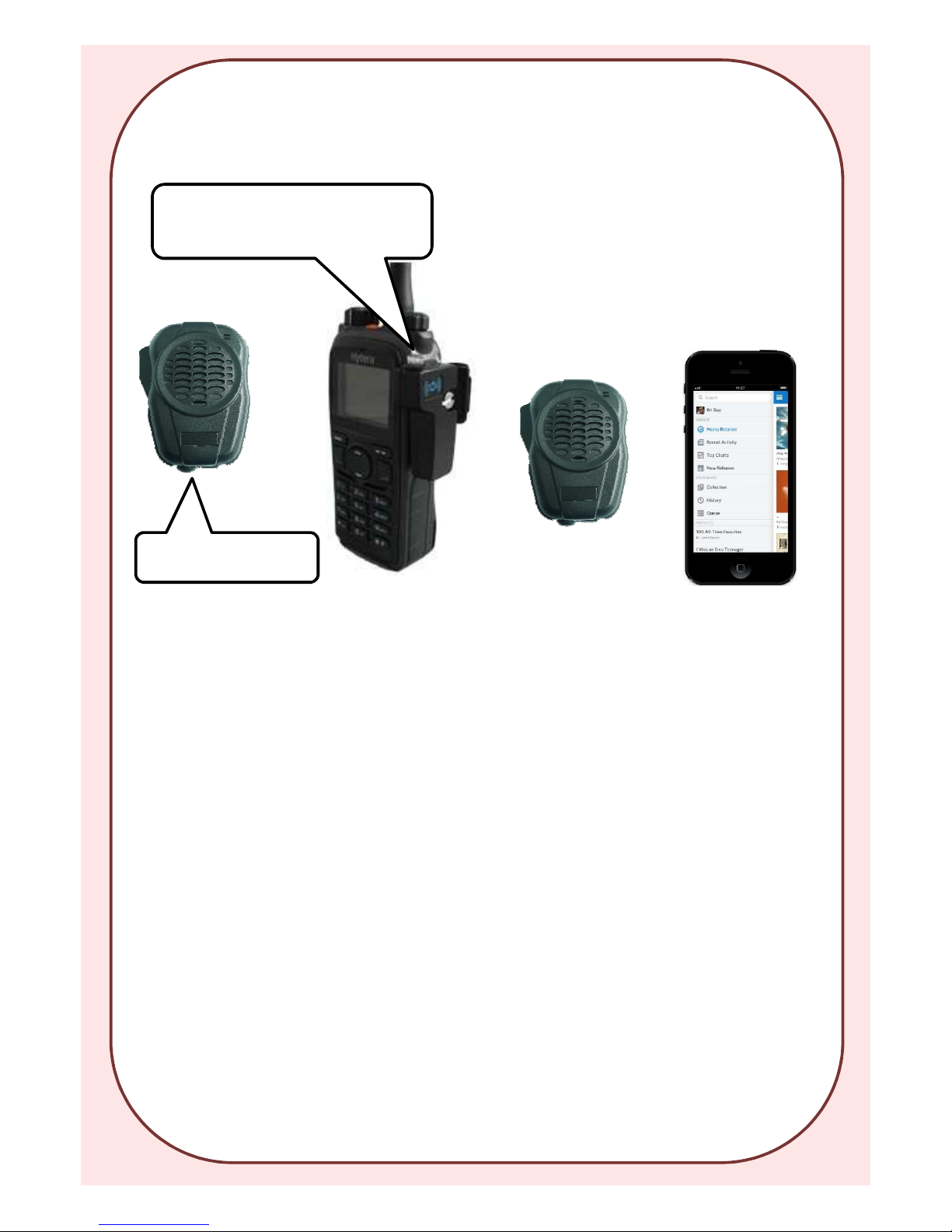
3.Pairing BTH-600 with
Audio Dongle for Radio
4. Pairing BTH-600
with Cell Phone
Make sure BTH-600
is in Pairing mode
1. Get BTH-600 into pairing mode
2. Using cell phone to search the
devices in range.
3. When BTH-600 is found, choose
and connect it.
Press and hold the dongle’s PTT
button for 3 seconds till the LED is
double flashes per second
5. Dual link functions:
1. BTH-600 can link both radio and
mobile phone at the same time
when both devices are paired and
turned on.
2. When in dual link mode, phone
call has the priority. During the
phone call, PTT button and radio
talk functions are disabled.
3. During the phone call, volume
buttons are to control the phone.
6. Listen the music of the phone
1. In Phone-only link mode, BTH600 can listen the music in the
phone(iPhone only).
2. Press the Talk/END button will
trigger the music player.
3. Music will stop when pick up the
incoming up, and will resume
when call ends.
7. Ear Phone Jack:
BTH-600 built-in a 3.5mm female audio
jack for external listen only earphone
Page 3
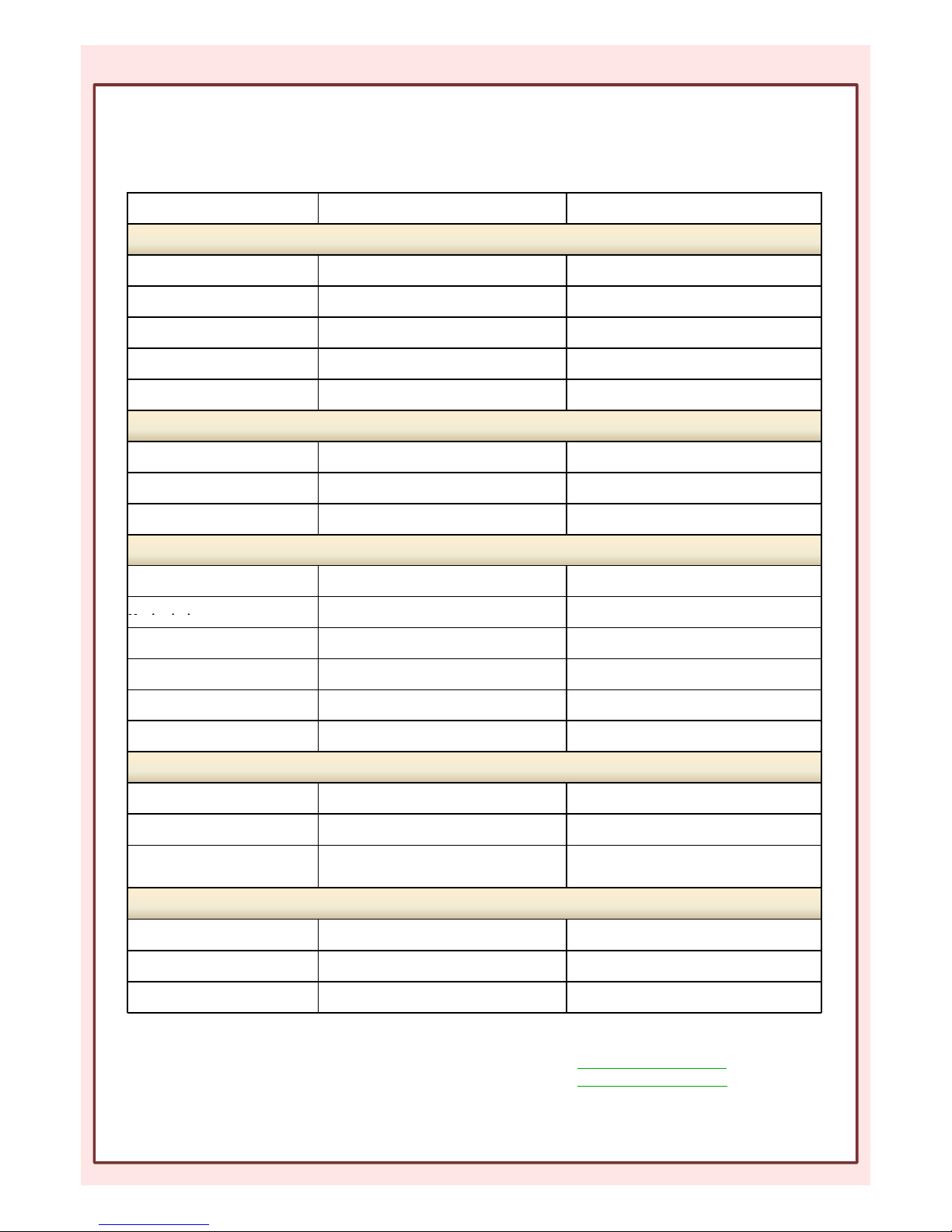
BTH-600 State & Button press LED MESSAGE FUNCTION
No link and no paired
BTH-600 is OFF No LED BTH-600 OFF
BTH-600 is OFF, press Power
button for 3 sec.
Both Blue & Red LED ON for 1 second then
OFF
Turn BTH-600 ON
BTH-600 ON, press power button
for 3 seconds
Red LED flashed 3 times then OFF Turn BTH-600 OFF
BTH-600 ON, press power button
for 6 seconds
Red & Blue LED flashes alternatively Get BTH-600 into pairing mode
Unpaired or lost link Blue LED flashes once every 2 seconds No link, no pair
BTH-600 link with audio dongle on Radio only
Stand-By mode Blue LED flashes once every 6 seconds Single link with dongle
Press PTT button Red LED continuous ON When button is released, Red LED OFF
Volume Up/Down pressed(when
radio not transmitting)
Blue LED flashes once every 6 seconds Adjust radio volume UP/Down
Single link with Cell Phone
Stand by mode, press Talk/END
Button
Blue LED flash once every 6 secs Music player starts(iPhone only)
Press Volume Up/Down when
BTH-600 State and LED Flashing Pattern
Music playing
Blue LED flash
once every 6 secs
Adjust music volume UP/Down
Double press Volume keys when
music playing
Blue LED flash once every 6 secs Skip to Next/Previous track
Press Talk/END button when call
coming
Will pickup the call, music will stop during
the call and resume when call ends
Press volume keys during the
call
Adjust the volume of the phone
Stand-by mode, double press the
Talk/END button
Redial last number
Dual Link with Radio/Phone at the same time
Stand-By mode Blue LED flash once every 6 secs
When in Dual Link mode, music playing
function is DISABLED
Stand-By mode Blue LED flash once every 6 secs
PTT, Volume Up/Down is to control Radio
setting
Press Talk/End button to pick up
the incoming call
Talk, Volume buttons are to control the
phone, PTT and other Radio functions are
disabled during the call
Battery Charging
In Charging Red LED continuously ON BTH-600 In charging
Charging Finished ALL LED OFF
Low Battery Red LED flash once every 6 secs Short beep sound is heard every 6 seconds
MobilitySound Technology LTD.
www.mobilitysound.com
[email protected]
Page 4
Volume adjustment
Volume UP
5 steps in volume adjust, when reach the
maximum volume, a beep sound is heard
Volume Down
5 steps in volume adjust, when reach the
minimum volume, a short beep is heard and
the earphone is muted
External Earphone
BTH-600 comes with a 3.5mm female audio jack for extern listen only earphone
BTH-600 State and LED Flashing Pattern(continued)
MobilitySound Technology LTD.
www.mobilitysound.com
[email protected]
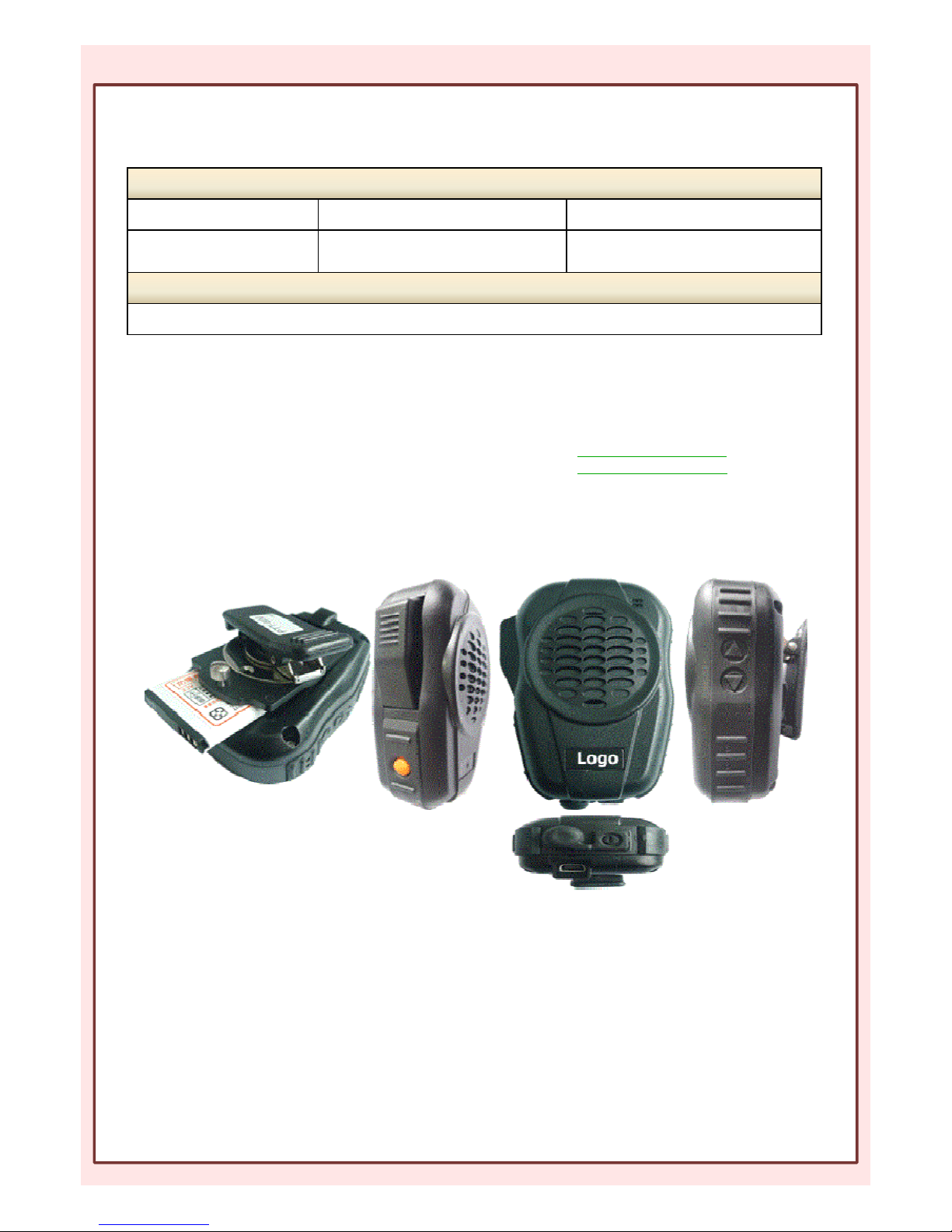
Replaceable battery
Phone pickup button
USB Charge jack
Volume control
Large PTT button
Page 5

BTH-600 Specification
Type: Bluetooth Speaker Microphone
Operating Temp: -20℃±2℃ ~ 50℃±2℃
Approx. Weight: 130g
• Fully Qualified Bluetooth v4.0.
• Echo cancellation, noise reduction, Stereo audio (A2DP audio), also extended features
• High Quality DAC
• 80MHz RISC MCU and 80MIPS Kalimba DSP
• High Current(200mA) battery charge
• SBC, MP3, AAC, Fast stream, APTX codec support
• RoHS compliant
• HSP / HFP / A2DP / AVRCP/ PBAP / SPP / MAP profile supports
• Speaker Output : 1.5W
• PTT function: built-in
• Talking Range: Bluetooth class 2, 10 meters
• Display LED: Blue and Red
• DC Input : 5 Vdc (std.)
• DC Current : 25 mA (Average)
• Battery : 1000mAH
• Continue Talking Time : 40 Hours
 Loading...