

Page 1
INSTALLATION & MAINTENANCE MANUAL
TE5
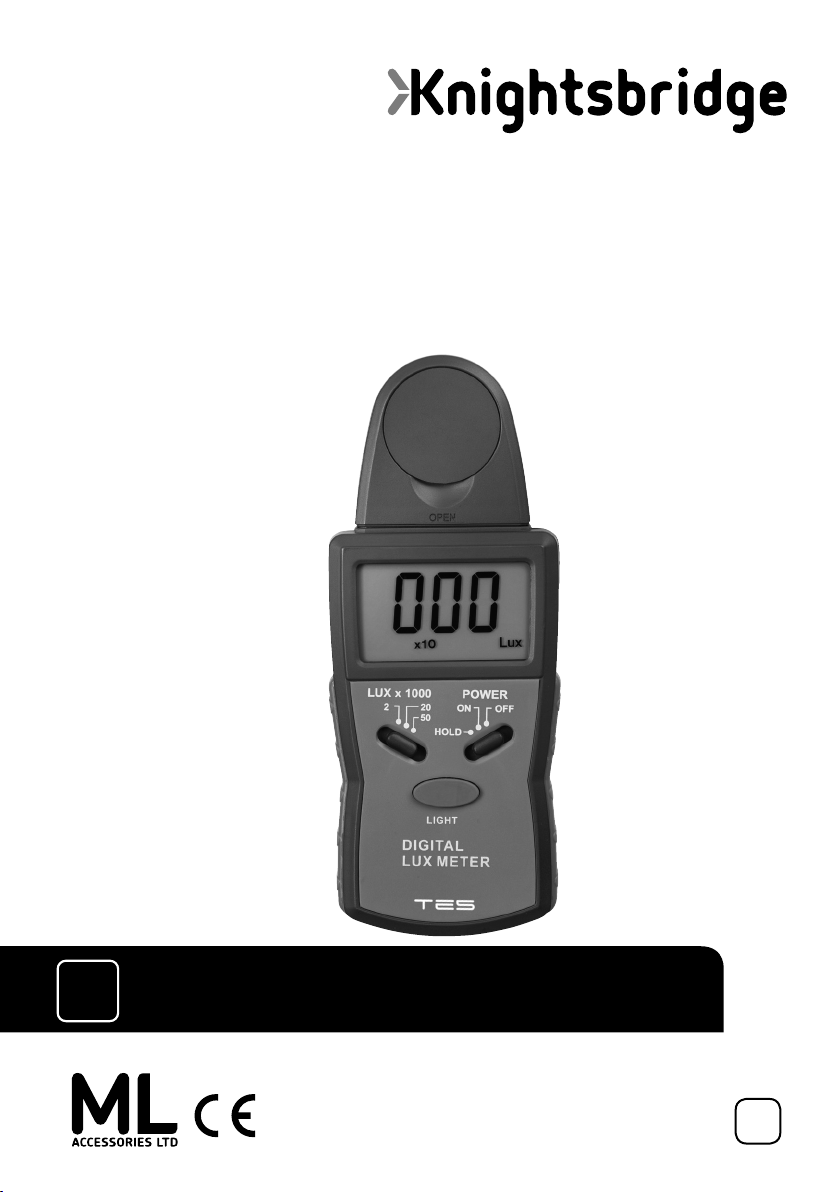
DIGITAL LUX METER
1LUX
TO
50,000
LUX
79
Page 2
GENERAL INSTRUCTIONS
These instructions should be read carefully and retained after installation by the end user for
future reference and maintenance.
These instructions should be used to aid the use of the following product: TE5
DESCRIPTION
The Knightsbridge lux meter has a measuring range of between 1 lux and 50,000 lux; accurate to within
+/- 4%. Please note that this device is for indication purposes only. Comes with a backlit LCD screen (4 digit).
Very easy to use, hand-held, and ideal for surveying or testing light outputs. Supplied with its own carry case.
Requires 1 x 9V battery (not included).
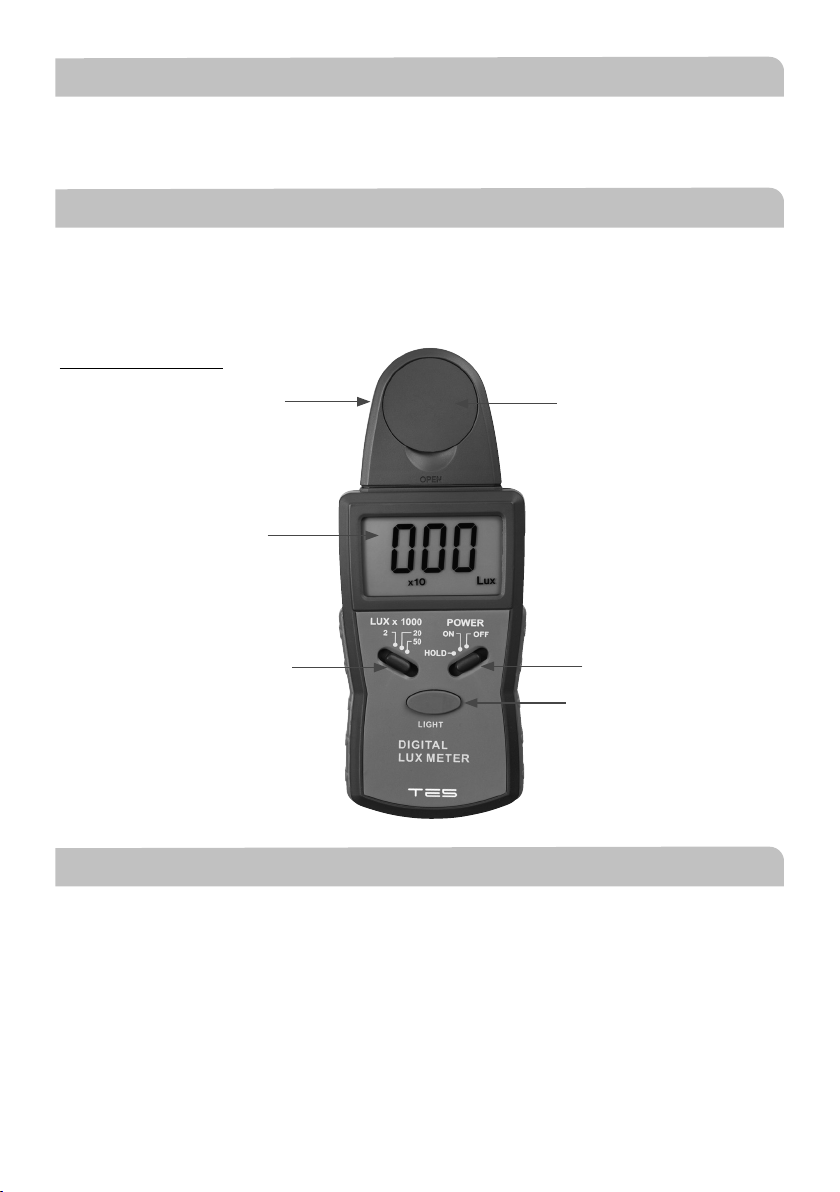
Panel descriptions
Photo detector
LCD display
Range
selection button
Photo detector cap
Backlight on/off
(Fig. 1)
GENERAL SPECIFICATIONS
Display: 3 ½ digits LCD display, maximum reading value display 1999
Range: 1 - 50,000
Lux resolution: 1 lx
Accuracy: ≤ 10,000lx: ±4%rdg±0.5f.s
≥ 10,000lx: ±5%+10 digits
(Calibrated to standard incandescent lamp at colour temperature 2856K)
Operation temperature: (0°C to 40°C) 0-70% RH
Storage temperature: (-10°C to 50°C) 0-80% RH
Power on/off
value hold
Page 3

OPERATING INSTRUCTIONS
• Connect the battery and switch “ON” (see fig. 1)
• Set the range selection switch to desired range: 2 - reads up to 2,000lx; 20 - reads up to 20,000lx;
50 - reads up to 50,000lx
• Remove the photo detector cap and face it to the light source in a horizontal position
• The photo detector can be detached from the body of the sensor to take measurements at an optimum
position
• Read the test value from the LCD display
• Over range: if the instrument only displays “1” the input signal is too strong, and a higher range should be
selected. If the display reads “OVER” then the light source is out of range
• Slide the switch to “HOLD”. When “HOLD” mode is selected, the lux meter stops all further measurements
and the test value will be held on the LCD display. Slide the switch from the “HOLD” position to the “ON”
position and the held value will be cancelled
• When the measurement is completed, replace the photo detector cap and slide the switch to the “OFF”
position
BATTERY CHECK AND REPLACEMENT
• Low battery indicator appears in the left hand corner of the LCD display when battery power is running low
• After turning off the meter, remove the screw securing the battery cover and push the cover in the direction of
the arrow to expose the battery
• Replace battery and slide the battery cover into place and fasten screw
MAINTENANCE
• The white plastic disk at the top of the detector should be cleaned with a soft dry cloth only, do not use
aggressive cleaning products or solvents which may damage the sensor
• Do not store the instrument where temperature or humidity is excessively high
• These units are calibrated at the factory at time of manufacture but are for indication purposes only
• The calibration interval for the photo detector will vary according to operational conditions, but generally the
sensitivity decreases in direct proportion to the product of luminous intensity by the operational time. In order to
maintain the basic accuracy of the instrument, periodic calibration is recommended
Page 4
GENERAL
The unit should be recycled in the correct manner when it reaches the end of its life. Check local authorities for
where facilities exist
WARRANTY
This product has a warranty of 1 year from date of purchase. Improper use, or removal of the batch codes will
invalidate the warranty. If this product should fail within its warranty period it should be returned to the place
of purchase for a free of charge replacement. Your statutory rights are not affected. ML Accessories reserve the
right to alter product specification without prior notice.
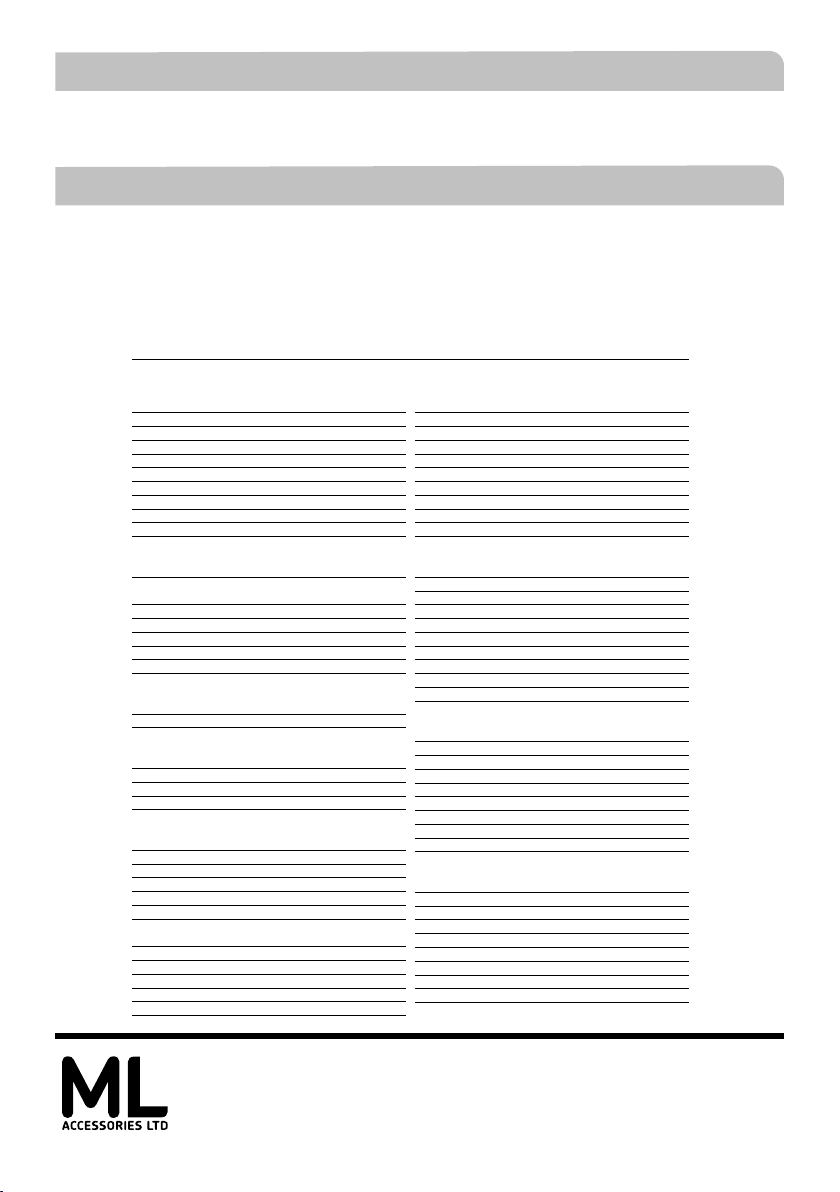
These lux levels are recommendations made by CIBSE and should only be used as a guide
Maintained Illuminance Guide
Sector Maintained illuminance lux
Nursing homes
Entrance lobbies 200lux
Lounges (communal) 100-300lux
Kitchens 150-300lux
Bathrooms 150lux
Toilets 100lux
Corridors 20-100lux
Staircases 100lux
Quiet/rest rooms 100lux
Dining rooms 150lux
Stores 100lux
Offices
Filing, Copying, etc... 300lux
Writing, typing reading,
data processing 500lux
Technical drawing 750lux
CAD work stations 500lux
Conference and meeting rooms 500lux
Reception desk 300lux
Archives 200lux
Public houses
Cashier desk 300lux
Kitchen 500lux
Retail
Sales area 300lux
Till area 500lux
Wrapper table 500 lux
Dressing rooms 300 lux
Car parks
Parking bays (multi-story/underground) 75lux
Access lanes (multi-story/underground) 75lux
Ramps (multi-story/underground) 150lux
Corners (multi-story/underground) 150lux
Intersections (multi-story/underground) 150lux
Multi-story roof level 30lux
Entrance/exit zones (multi-story/
underground) Day300lux/Night 75lux
Pedestrian areas (multi-story/underground) 100lux
Stairs (multi-story/underground) 100lux
Lifts (multi-story/underground) 100lux
Rural zones E1 and E2 (outdoor) 15lux
Urban zones E3 and E4 (outdoor) 30lux
Sector Maintained illuminance lux
Education
Classrooms,tutorial rooms 300lux
Lecture hall 500lux
Technical drawing rooms 750lux
Practical rooms and laboratories 500lux
Computer practice rooms 300lux
Entrance halls 200lux
Circulation areas & corridors 100lux
Stairs 150lux
Sports halls, gymnasiums & swimming pools
School canteens 200lux
Hospitals
Waiting rooms 200lux
Corridors: during the day 200lux
Corridors: during the night 50lux
Day rooms 200lux
Staff office 500lux
Staff rooms 300lux
Autopsy room 5000lux
Simple examination room 300lux
Operating theatre 1000lux
Bathroom & toilets for patients 200lux
Hotels and Leisure
Reception & Porters desk 300lux
Kitchen 500lux
Self-service restaurant 200lux
Buffet 300lux
Conference rooms 500lux
Corridors 100lux
Bathroom (hotel suite) 150 lux
Toilets (hotel suite) 100 lux
Foyers 200lux
Justice and Custodial
Main entrances 200lux
Corridors 100lux
Staircases 150lux
Lounges 150lux
Dining rooms 150lux
Launderies 300lux
Stores 100lux
Staff office 500lux
Staff room 300lux
300 lux
ML Accessories Limited
LU5 4LT
www.mlaccessories.co.uk
DCJUN19_V1
 Loading...