

Page 1
MITMG2
Mobile Game Console
User’s Guide
Page 2

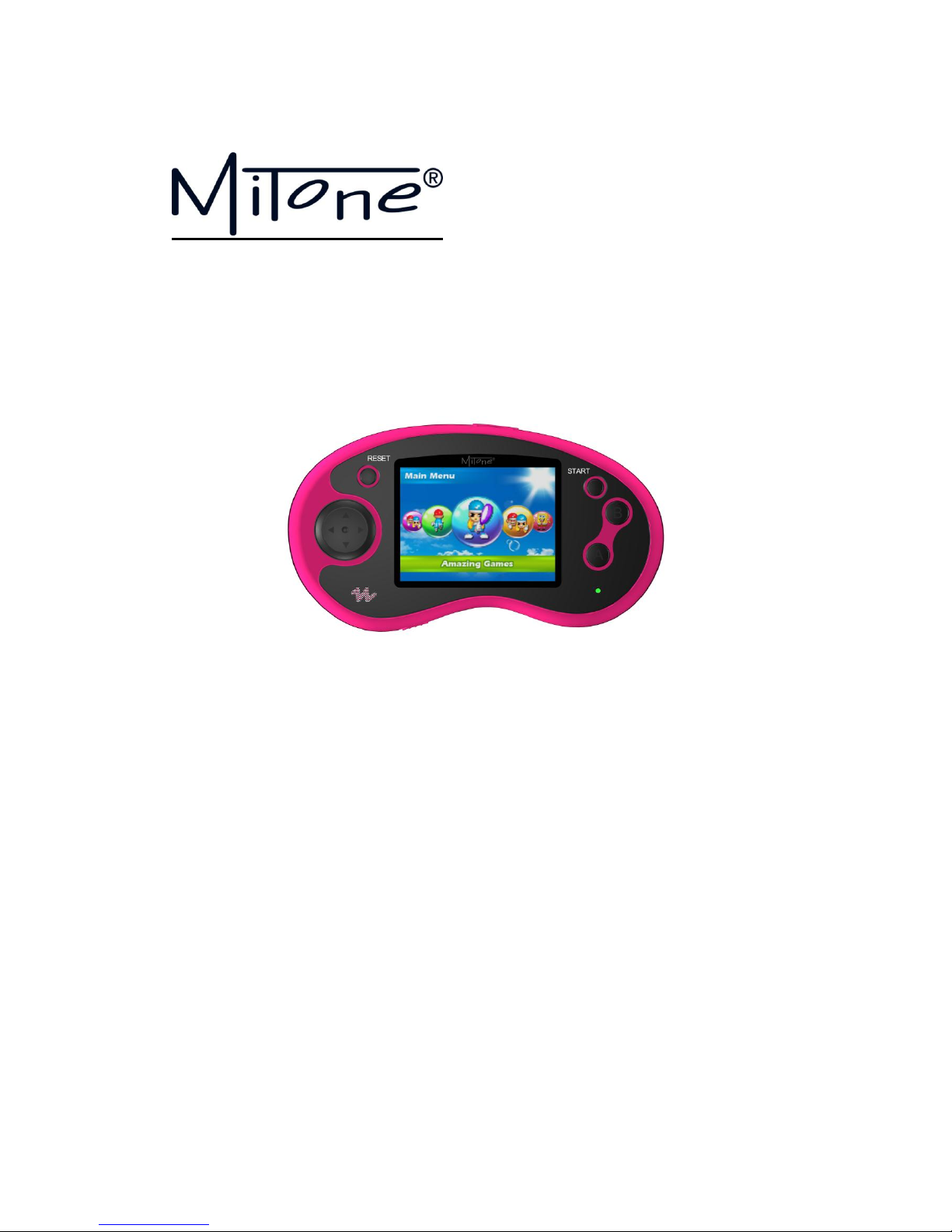
1.1: Buttons
Following are brief descriptions of the buttons used to play the game. Details will be given
later in the game introduction and operation instructions.
D-pad— — — — — — — — — — — — — — Direction Key
A button— — — — — — — — — — — — — Confirm Key
B button— — — — — — — — — — Special functional Key
AV out cable port— — — — — Connect with TV set via AV cable
Earphone port— — — — — — Connect with the earphone
Volume Button— — — — — — — —Adjust the Volume
1.2: Features:
* 16bit Mobile Game Console with 120 fantastic Games built-in
* 11 x high-resolution 3D Sport Games and 109 x Excited Arcade Games built-in
* 2.77” LCD TFT screen with crystal clear sharp images
* Resolution 960x240 pixels
* Operated by 3x AAA-batteries
* Operating system: Linux
* Earphone jack built-in
* TV output by AV cable (optional)
* Age group 4+
* Available in various colours
* Product Dimension:137mm × 76mm × 27mm
1.3: Accessories:
Page 3
* Instruction Manual
*3pcs x AAA battery
* Neck strap
1.4: Battery Installation
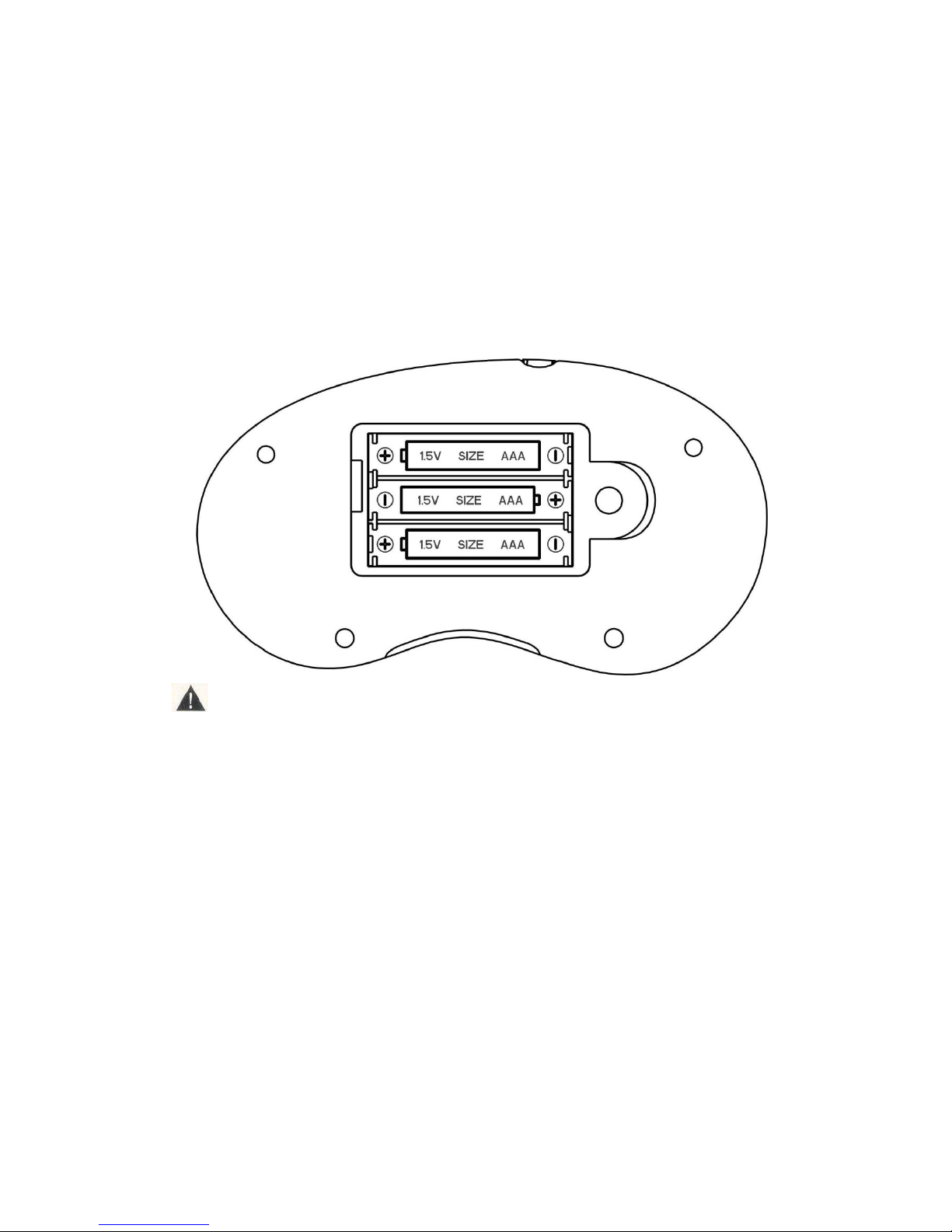
Please use a coin to open the battery cover on the back side of device, Insert three
pieces of AAA batteries into it. When installing, pay attention to the “+” & “-“markings
of the battery as of following.
Caution:
1. Always follow the instructions carefully. Use only batteries specified and be sure to
Insert them correctly by matching the “+” and “–“ polarity markings
2. Do not mix old batteries and new batteries, or standard with alkaline batteries.
3. Remove exhausted or dead batteries from the product.
4. Remove batteries if product has not being used for a long time.
5. Do not short-circuit the supply terminals.
6. Should this product cause or be affected by local electrical interference, move
away from other electrical equipment. Reset (switching off and back on again or
removing and re-inserting batteries) if necessary.
1.5 Game Operation Instruction:
Page 4

TENNIS:
Left/Right:choose different side the ball will land
A key:Confirm/hit ball
B key:Return
START:Pause or exit game
RESET:Reset
BASEBALL:
Arrow keys: Select
A key : Confirm / offensive side, the move to the next base / defensive side, the ball
B key : return / offensive side, the return on the first baseman / defensive side, the pursuit
runner handle: press A, is batting swing
START:Pause or exit game
RESET : reset
GOLF:
Arrow keys: Select the arrow keys around: A key to adjust the angle shots: Make sure / do
action B ready to hit the button: return
A key: Hold down the A button to select a suitable power, quick release the A button, which
is swing hit
START:Pause or exit game
RESET: reset
Page 5

TABLE TENNIS:
Arrow keys: Select
A button: Confirm/batting swing
B button: Return
START:Pause or exit game
RESET: reset
BASKETBALL:
Arrow keys: Select the arrow keys around: to adjust the location of pitch
A button: Confirm / do action shots of the preparation/pitching
B button: return
START:Pause or exit game
RESET: reset
BOWLING:
Arrow keys: Select the arrow keys around: to adjust the location of throw / angle
A button: Confirm / so throw the preparation of action B button: return
A key: Hold down the A button to select a suitable power, quick release the A button, that is,
START:Pause or exit game
RESET: reset
Page 6

DARTS:
Arrow keys: Select
A button: Confirm the throwing darts regional / confirmation of throwing darts placement /
recognition efforts
A key: press the A button to select a suitable power, quick release the A button, which darts
START:Pause or exit game
RESET button: reset
BOXING:
Direction keys:choose
A:Confirm
B:Return
LEFT + A:Left attack LEFT + B:Left Defense
Right + A:Right attack
Right + B:Right Defense
START:Pause or exit game
Curling:
Direction keys:Choose
A key: Confirm
B key: Rub the ICE
IceHockey:
Direction keys:choose
A key: Hit the ice ball
Trampoline:
UP:jump
Up+Right: swivel
A key:Confirm
B key:Confirm
Page 7
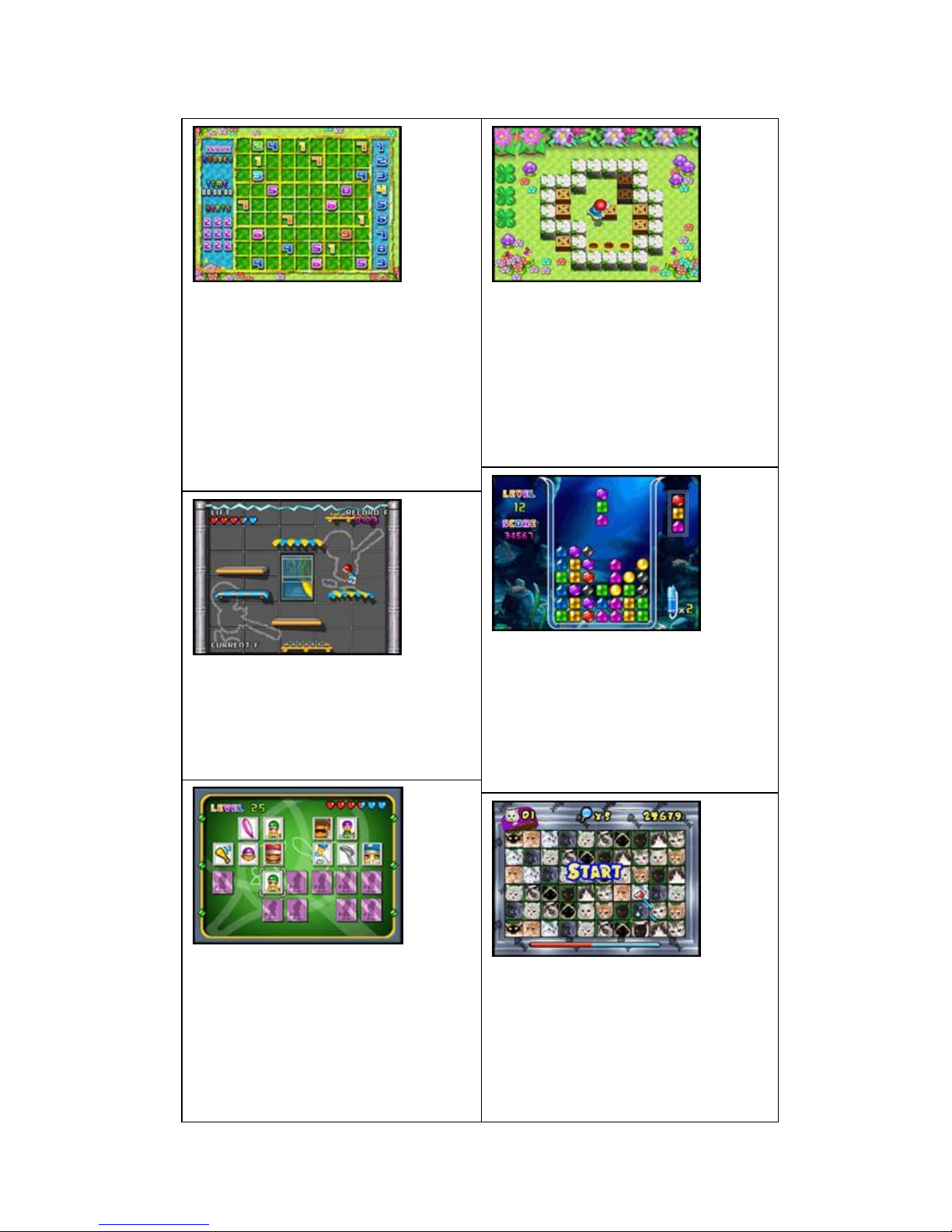
MINIGAME-SHUDUKU:
Arrow keys: move the selection box
A button: Select the district to switch to
digital / confirmation
B button: delete the current figure of
lattice
MENU key: to suspend or withdraw from
the game
RESET button: reset
MINIGAME-MOVE BOX:
Arrow keys: move the protagonist /
mobile box
A key: to return to the previous step
B key: re-play of the customs
MENU key: to suspend or withdraw from
the game
RESET button: reset
MINIGAME-100 FLOOR:
About arrow keys: move the protagonist
MENU key: to suspend or withdraw from
the game
RESET button: reset
MINIGAME-BENTHAL JEWEL:
Arrow keys: Move box
A button: switch box
B key: the use of help functions
MENU key: to suspend or withdraw from
the game
RESET button: reset
MINIGAME-SUPER MEMORY:
Arrow keys: move the selection box
A key: to confirm
MENU key: to suspend or withdraw from
the game
RESET button: reset
MINIGAME-LINKING PET:
Arrow keys: Mobile magic wand
A key: to confirm
B key: the use of computers to help
MENU key: to suspend or withdraw from
the game
RESET button: reset
Page 8

MINIGAME-SUB WARFARE:
Around the arrow keys: move the
submarine
A key: a bullet left
B key: a bullet to the right
MENU key: to suspend or withdraw from
the game
RESET button: reset
MINIGAME-COLOR STONE:
Arrow keys: move precious stones
A key: re-play
B key: MENU button to return to the
previous step: suspend or withdraw from
the game
RESET button: reset
MINIGAME-BLACKJACK:
Arrow keys: move the selection box
A key: to confirm
B key: the licensing
MENU key: to suspend or withdraw from
the game
RESET button: reset
MINIGAME-RALLY:
About arrow keys: about turning
A key: throttle b button: brake
MENU key: to suspend or withdraw from
the game
RESET button: reset
MINIGAME-GT RACING:
Left/Right:direction key
A key:acceleration
B key: Brake
START:Pause or exit game
RESET:Reset
MINIGAME-PAIR MATCH:
Arrow keys: move the selection box
A key: to confirm
B key: the use of special function key
MENU: to suspend or withdraw from the
game
RESET button: reset
Page 9

MINIGAME-FREECELL:
Arrow keys: move the fingers
A button: button to confirm
B button: to view the license select
MENU key: to suspend or withdraw from
the game
RESET button: reset
MINIGAME-MINE SWEEPING:
Arrow keys: move the selection box
A button: button to confirm
B button: marked by mines with ab key
MENU key: to suspend or withdraw from
the game
RESET button: reset
MINIGAME-UP STAIRS:
About arrow keys: move the protagonist
MENU key: to suspend or withdraw from
the game
RESET button: reset
MINIGAME-JUMPING MARY:
Arrow keys: move the protagonist
MENU key: to suspend or withdraw from
the game
RESET button: reset
MINIGAME-GOBANG:
Arrow keys: move the selection box
A key: to confirm
B key: MENU button to return to the
previous
step: suspend or withdraw from the
game
RESET button: reset
MINIGAME-FIND FAULT:
Arrow keys: Select the cursor
A key: to confirm
B key: the use of special function key
MENU: to suspend or withdraw from the
game
RESET button: reset
Page 10

MINIGAME-Gather Eggs:
Arrow keys: move the protagonist
MINIGAME-Brick Blaster:
Arrow keys: Move the monolithic
MINIGAME-Elvish Boy:
Direction keys:Move
A key:Jump B key:Shooting
MENU:Pause or exit
MINIGAME-RobotWar:
Direction Keys:Move Tank
A key:Shooting
MINIGAME-30 Degree:
Left:Acceleration Right:Deceleration
A key:Little Jump
B key:Big Jump
MINIGAME-Change Cup:
Direction Keys:Move
A key:Confirm
MINIGAME-PaoPao:
Left:Deceleration
Right:Acceleration
A key:Jump
MINIGAME-Diamond Forest:
Left/Right:Move
A key:Suction B:Throw
Page 11
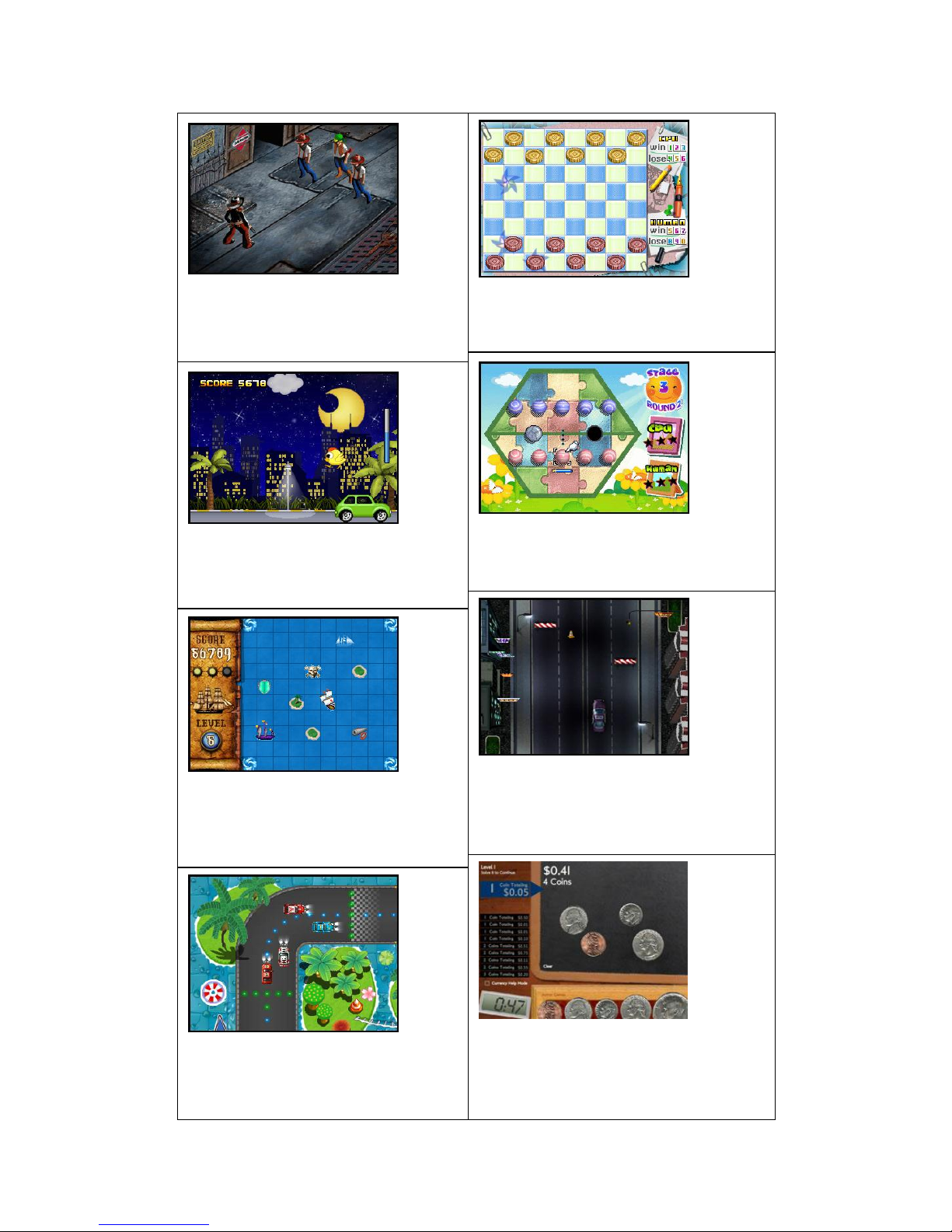
MINIGAME-WestCowboy:
Left/Right:Move
A key:Shooting
MINIGAME-Big Shot Checker:
Direction keys:choose position
A key: confirm B:Cancel
MINIGAME-HappyNight:
A key:Fly/Drop
MINIGAME-Bumper balls:
Direction keys:Move
A key:Ready A release:bating
MINIGAME-Sea Fight :
Direction keys:choose direction
A key:Confirm
B key:shooting
MINIGAME-HighWay Racing:
Direction keys:Move
A key:Acceleration
B key:Shoot
MINIGAME-Track Racing:
Direction keys:Move
A key:Acceleration
MINIGAME-Pocket Change :
Direction keys:Move
A key:confirm
B key:clean coins
Page 12

MINIGAME-Slot Machine:
Direction keys:Move
A key:confirm
MINIGAME-Brain Challenge:
Direction keys:Move
A key:confirm
MINIGAME-Mini Soccer:
Up/Down:Move
MINIGAME-Crossing
Direction keys:Move
A key:Jump
MINIGAME-Table Football:
Direction keys:choose/move
A key:confirm
B key:return
MINIGAME-Archery:
Direction keys: Move
A key:shoot
MINIGAME-Color Bead Loops:
Direction keys:Move
A key:confirm
MINIGAME-Beer Master:
Up/down:Move
A key:food
MENU:Pause or exit
Page 13

MINIGAME-Homeward Journey
Direction keys:Move
MINIGAME-Bubble Destroyer
Direction keys:Move
A key:Throw
MINIGAME-Hare Fighter
Direction keys:Move
A key:Jump
B key:Attack
MINIGAME-Balloon Shooting
Direction keys:Move
A key:Shooting
MINIGAME-Parking Lot
Direction keys:Move
A key:confirm
MINIGAME-DOGS
Direction keys:Move
A key:confirm
MINIGAME-Maze Combination
Direction keys:Move
A key:confirm
MINIGAME-PRECIPICE
Direction keys:Move
A key:confirm
Page 14

MINIGAME-Monkeys
Direction keys:Move
A key:Shooting
MINIGAME-MINIBEE
Direction keys:Move
A key:Shooting
MINIGAME-Rolling Box
Direction keys:Move
MINIGAME-Cartoon Match
Direction keys:Move
A key:confirm
MINIGAME-Shape Switcher
Direction keys:Move
A key:Replay
MENU:Pause or exit
MINIGAME-CrazyPush
Direction keys:Move
A key:Use the tools
MENU:Pause or exit
MINIGAME-Maze of Doors
Direction keys:Move
MINIGAME-Spin Match
Direction keys:Move
A key:Turn the little ball B key:Replay
Page 15
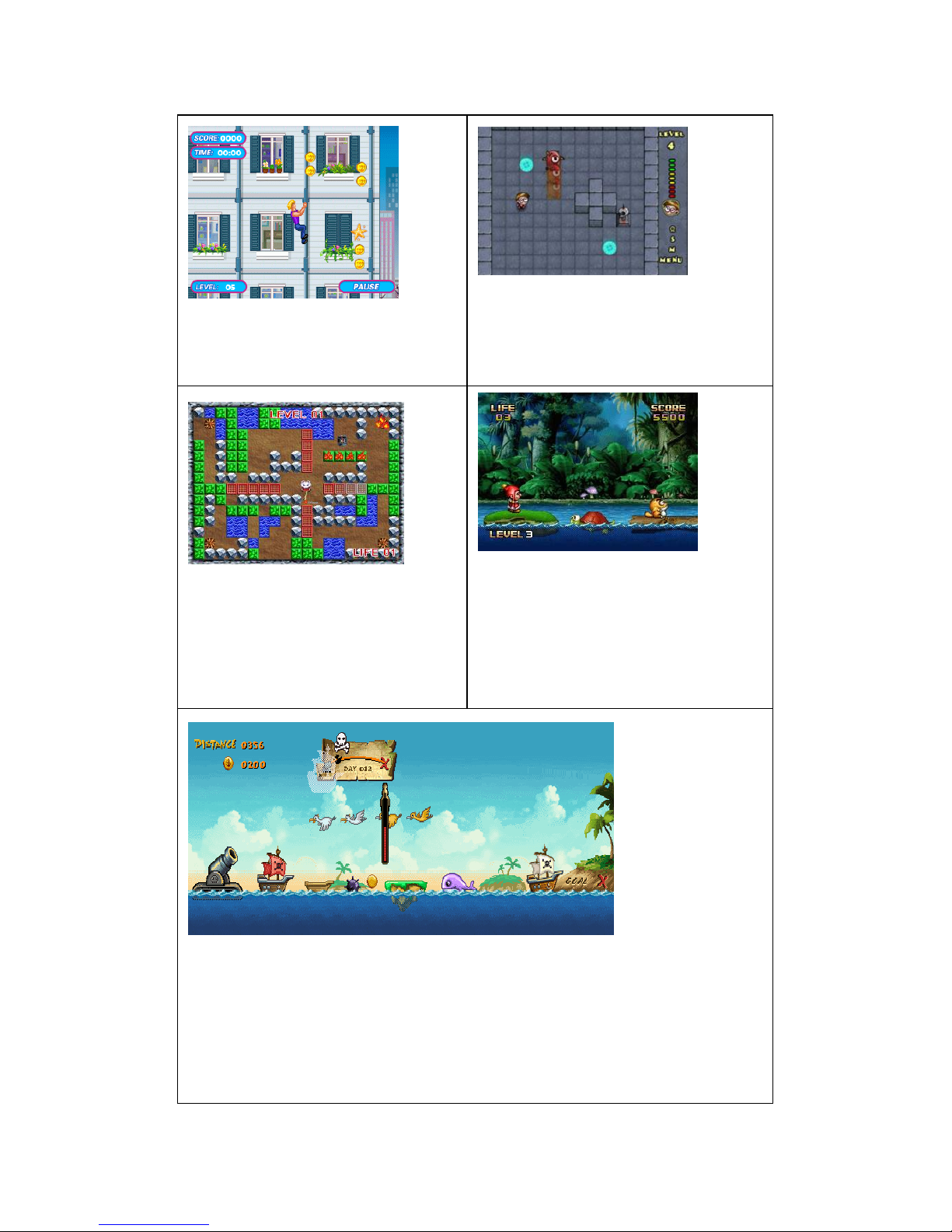
MINIGAME-Climbing Exper
Direction keys:Move
MENU:Pause or exit
MINIGAME-Follow Me
Direction keys:Move
MINIGAME-OnFire
Direction keys:Move
MINIGAME-Jack Adventure
Left/Right: Move
UP:Jump
Down: Down
A key: Shooting
MINIGAME-PirateLanding
Direction keys:Move
UP/DOWN:Adust angle
A key:confirm
Page 16
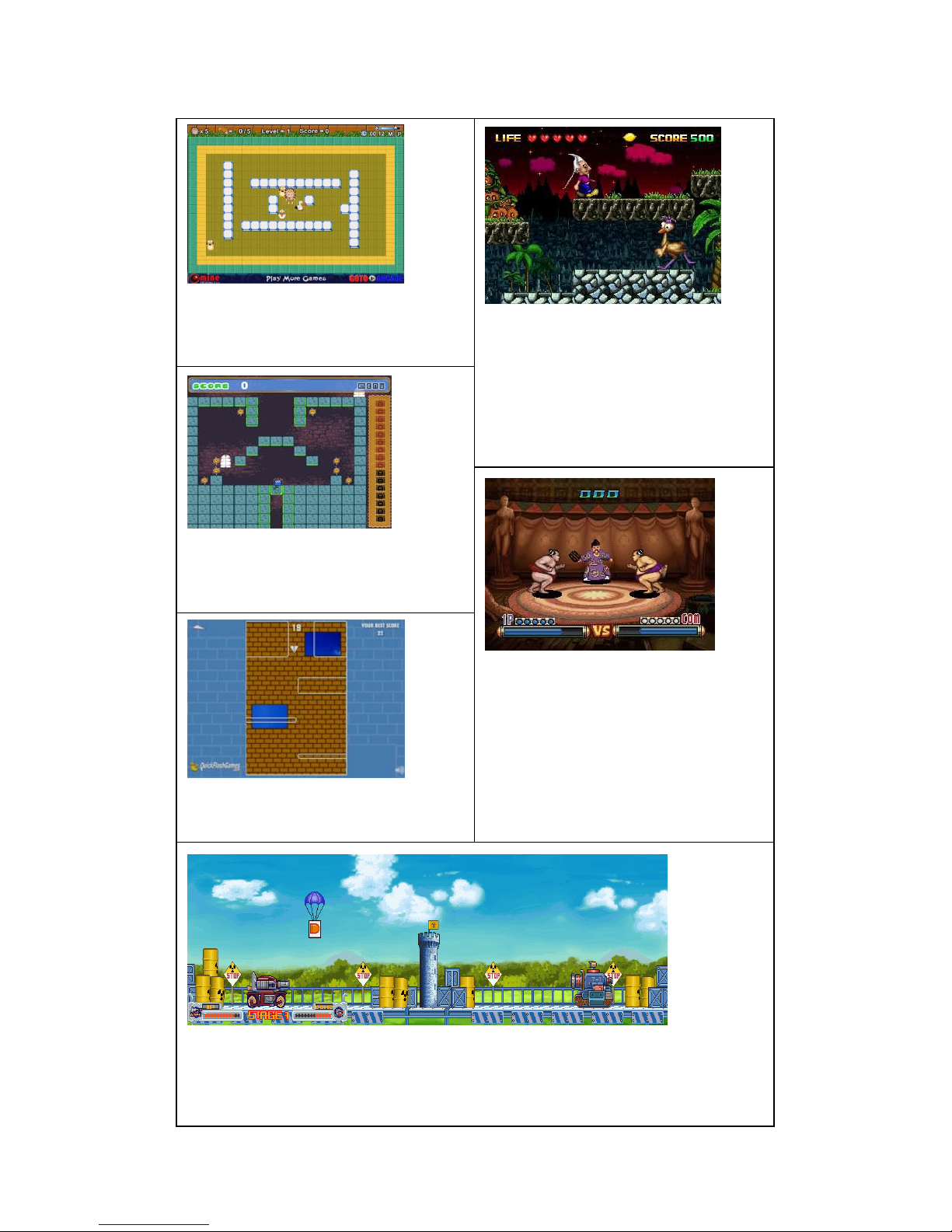
MINIGAME-Herculean Guy
Direction keys:Move
A key:Push stone
MINIGAME-Forest Adventure
Direction keys:Move
A key:Jump
B key:Shooting
MENU:Pause or exit
MINIGAME-Magnet Boy
Direction keys:Move
A key:Jump
MINIGAME-Japanese Sumo
Left/Right: Move
A key: Attack
B key: Wrestling
MINIGAME-Paper Planes
Left/Right: Control direction
MINIGAME-Tanks PK War
Left/Right: Move
A key: Confirm
Page 17
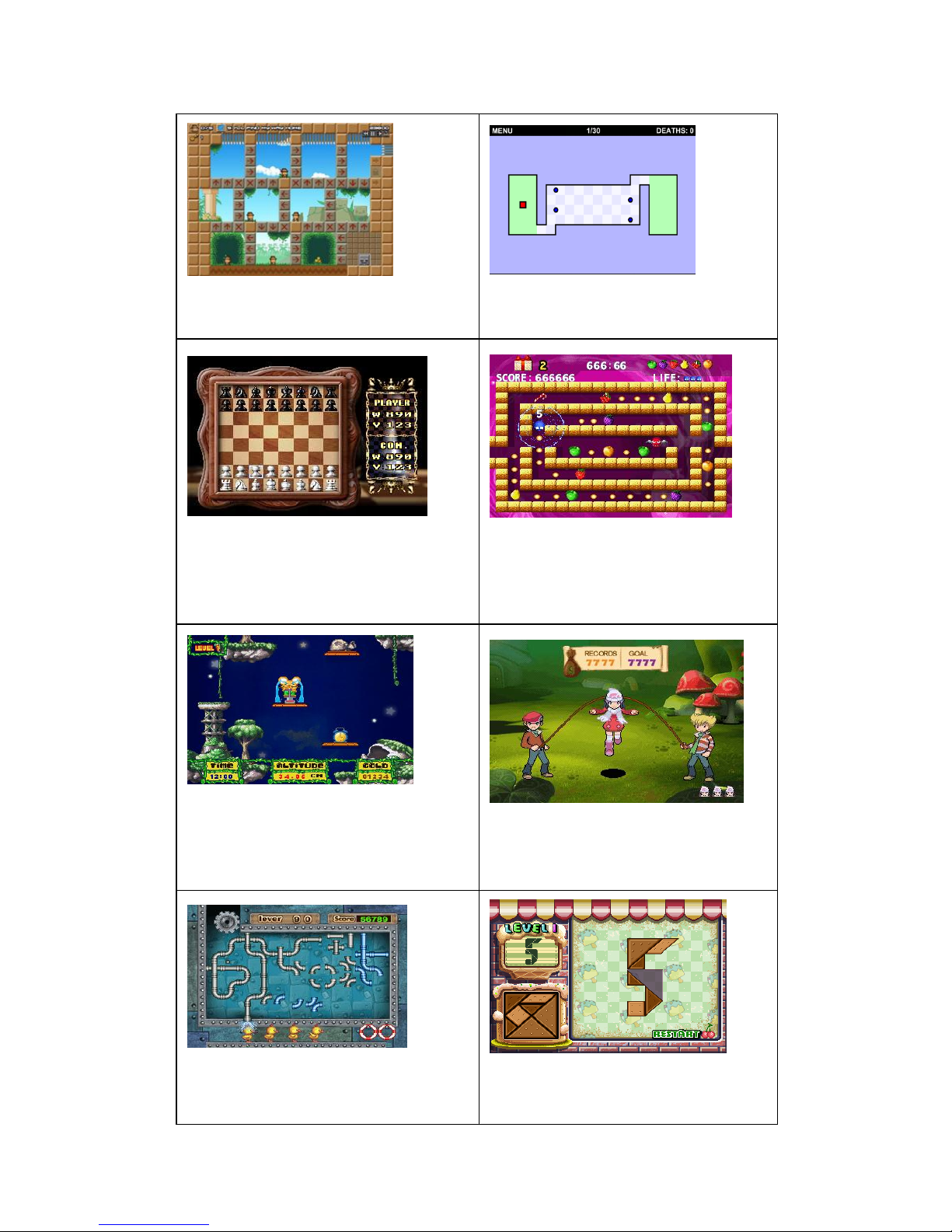
MINIGAME-PalaceGuardian
Direction keys:Move
MINIGAME-Nimble stones
Direction keys:Move A:Replay
MINIGAME-Chess
Direction keys:Move
A key:Confirm
B key:Back
MINIGAME-Eat Bean
Direction keys:Move
MINIGAME-Spring Mice
Direction keys:Control the direction
A key:Jump
MINIGAME-Rope Skipping
A key:Jump
MINIGAME-Link Water Pipe
Direction keys:Move
MINIGAME-Classic Tangram
Direction keys:Move
Page 18
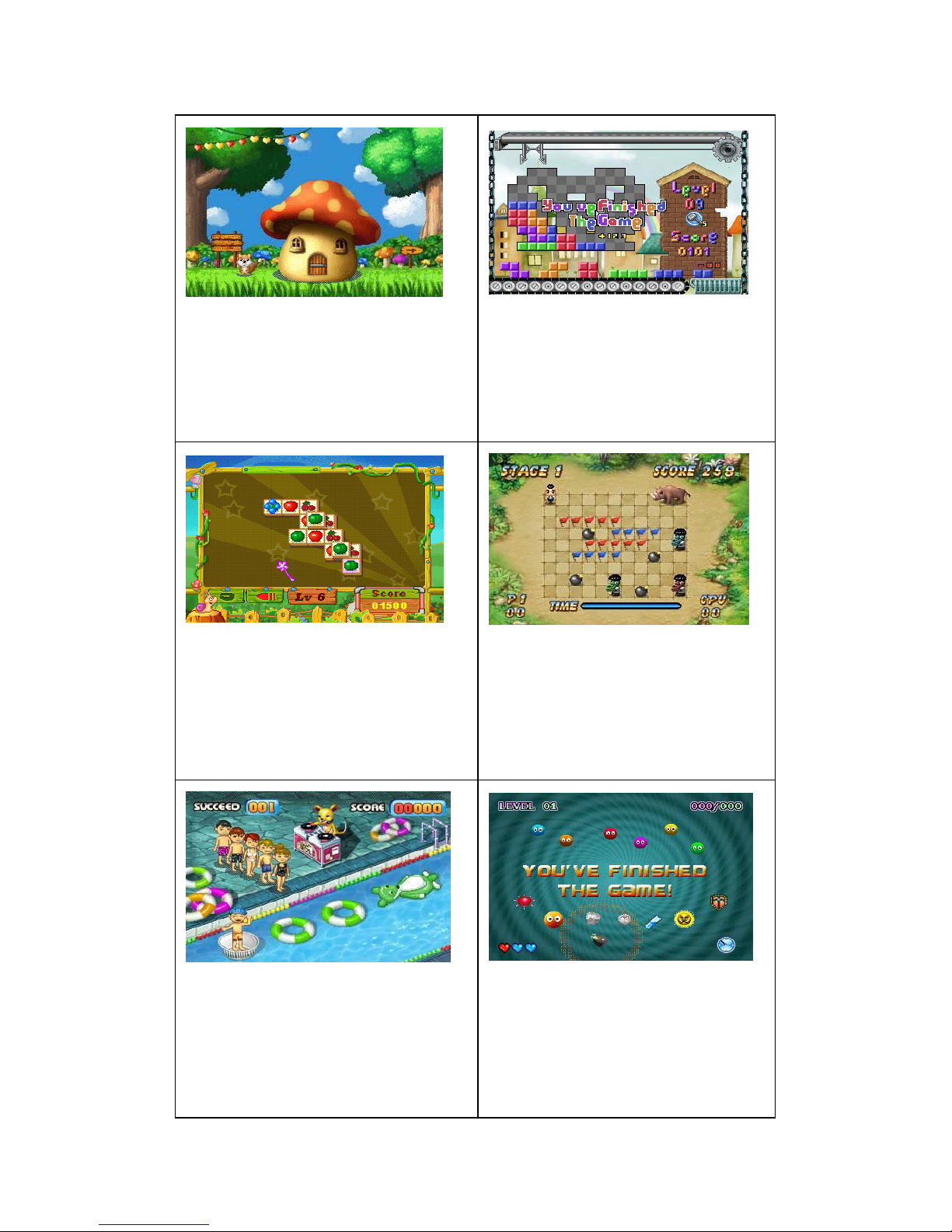
MINIGAME-Brain Age Test
Direction keys:Move selection
A key: Confirm B:Replay
MINIGAME-Block Construction
Direction keys:Move
A key:Confrim
MINIGAME-Fruit Family
Direction keys:Move
A key:Confirm
B key:Use the tool
MINIGAME-Flag Match
Direction keys:Move
A key:Use the tool
MINIGAME-Pool Party
Left/Right:Move
A key:Jump
MINIGAME-Wonderful Pompon
Direction keys:Move
A key:Bomb
Page 19

MINIGAME-Cafeteria
Direction keys:Move
A key:Confirm
MINIGAME-IQ Cow
Direction keys:Move
A key:Confirm
B key:START RUN
MINIGAME-Silversphere
Direction keys:Move
MINIGAME-Anti Gravity Robo
Direction keys:Move
A key:Jump
B key: Swith direction
MINIGAME- Piggy Golf
Left/Right: Adjust angle
A key:Confirm
MINIGAME- Heroboy
Left/Right: Move
A key:Continue jump
Page 20
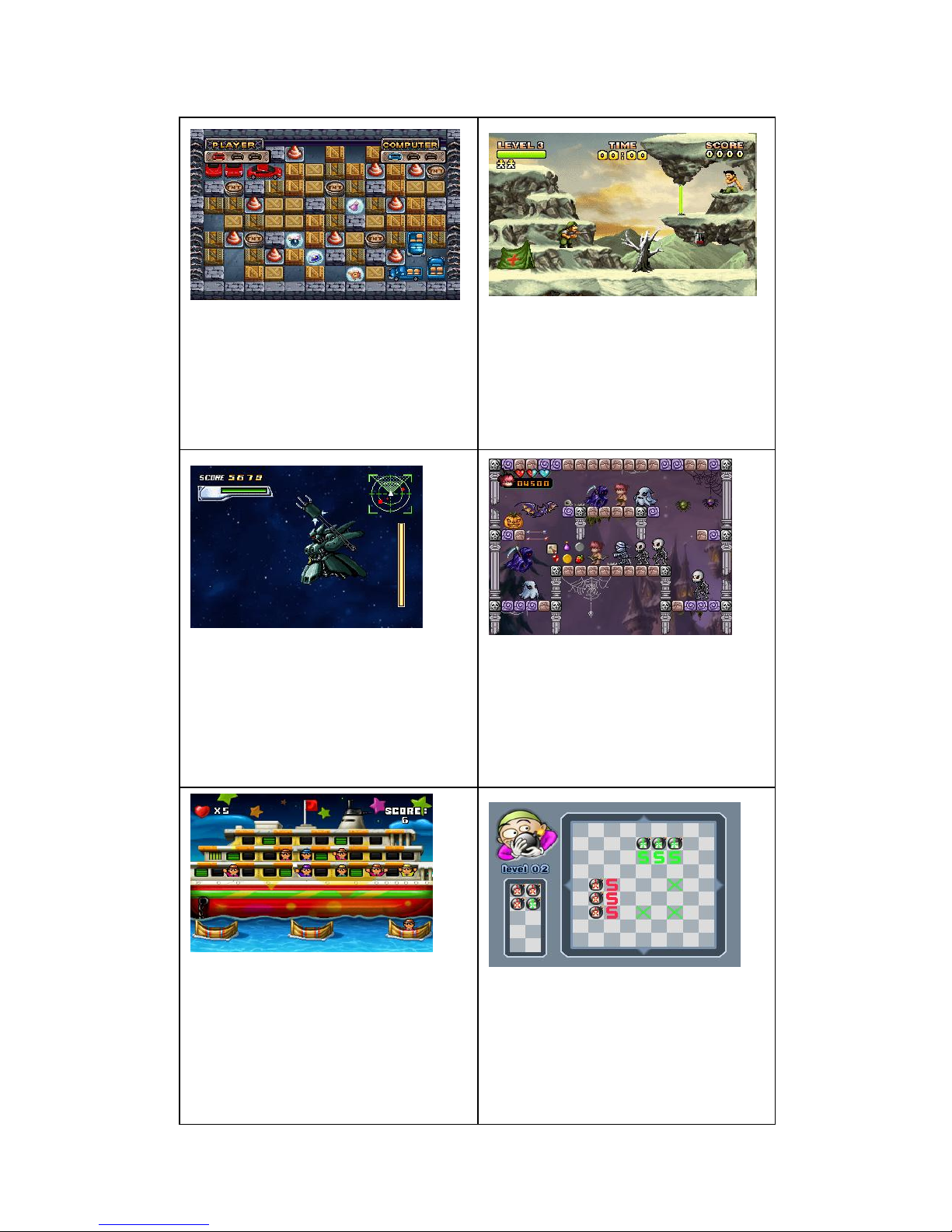
MINIGAME- Bombman
Direction keys:Move
A key:Set bom
MINIGAME- Save The Fallen
Direction keys:Move
A key:Jump
B key:Shoot
MINIGAME- StarWar
Direction keys:Move
A key:Attack
B key:Defense
MINIGAME- Hell Marksman
Direction keys:Move
A key:shoot
MINIGAME- Water Rescue
Direction keys:Move
MINIGAME- Bomb Chain Unlimited
Direction keys:Move
A key:Set Bomb
Page 21

MINIGAME- Suicide Squad
Direction keys:Move
A key:Set the direction of the arrow
MINIGAME- Overmaze
Direction keys:Move
MINIGAME- Seven
Direction keys:Move
A key:fall
MINIGAME- Move Squares
Direction keys:Move
A key:confirm
MINIGAME- Four Boxes
Direction keys:Move
MINIGAME- Airborne Alien
Direction keys:Move
MINIGAME- Gliding Apple Girl
Right Direction key:speed up
Down direction key: fall
MINIGAME- Throw The Coins
Direction keys:Move
A key:confirm
Page 22

MINIGAME- Horse Racing
Direction keys:Move
A key:speeed up
MINIGAME- Puzzle Ball
Direction keys:Move
A key:confirm
MINIGAME- Jumping Ball
Direction keys:Move
MINIGAME- Madball
Direction keys:Move
MINIGAME- Crazy Tank
Direction keys:Move
A key:shoot
MINIGAME- Glide Object
Direction keys:Move
Page 23

www.capi.com
If at any time in the future you should need to dispose of this
product please note that: Waste electrical products should not be
disposed of with household waste. Please recycle where facilities exist.
Check with your Local Authority or retailer for recycling advice. (Waste
Electrical and Electronic Equipment Directive)
 Loading...