

Page 1
T–6 Operating Guide
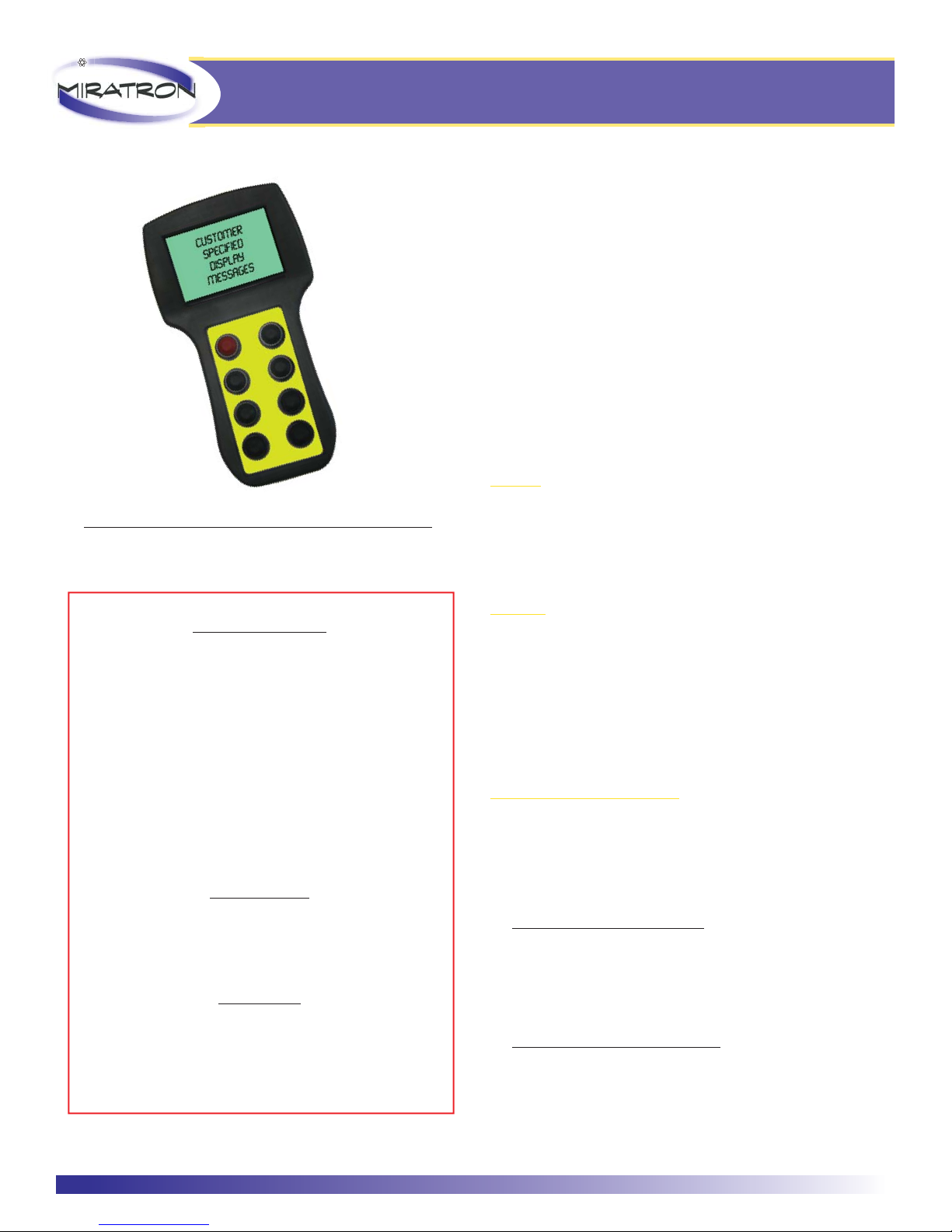
Handheld LCD Display Transmitter
Photo for reference only. Actual product appearance will vary.
Care and Handling
Failure to follow care and handling instructions will void the
warranty and could result in unsafe equipment operation.
Clean transmitter gently with a damp cloth or dry, compressed air.
Do not immerse transmitter in water, or spray with hose. Do not
store outside.
Do not drop transmitter or otherwise subject transmitter to
physical shock.
Do not expose transmitter to extreme temperatures.
Do not open transmitter enclosure. Transmitter contains no user
serviceable parts.
OPERATION
Controls
Transmitters are built-to-suit, and may be equipped with joysticks,
potentiometers, paddles, pushbuttons, switches, and other
customer-specifi ced controls. Take time to familiarize the operation
and arrangement of the controls before operating equipment.
IMPORTANT!
Read this manual completely before operating system.
Keep this manual available for future reference.
Make sure the area is safe for operating equipment before
turning power on or starting equipment.
If you encounter any problem or malfunction, discontinue
use immediately, and contact your equipment dealer for
service or replacement parts.
CAUTION
Improper operation of these controls could cause damage
to equipment. Do not allow anyone to operate this
equipment before completely reading all manuals.
NOTICE
Miratron, Inc. controls are not intended for life or safety
applications. Miratron, Inc. shall not accept responsibility
for installation, application, or safety of machine or systems
which utilize miratron, Inc. controls.
Batteries
is transmitter operates from 4 “AA” cell batteries. Alkaline
batteries generally provide longest life. If rechargeable batteries
are used, NiMH type are recommended. Batteries are accessible
by removing the back of the transmitter housing. A small, phillips
screwdriver is required. To ensure maximum battery life, be sure to
turn the transmitter OFF when not in use. Remove batteries prior
to shipping or storing transmitter.
Transmitter/Receiver Matching
Transmitters and receivers are shipped from the factory as matched
pairs. If a new transmitter is to be used, it must be trained to
operate the receiver.
Training procedure:
Transmitters with tether cables:
1. Connect transmitter to receiver using tether cable provided.
2. Operate transmitter to verify tether is connected.
3. Disconnect tether, and resume normal operation.
Transmitters without tether cables:
1. Power on transmitter and receiver.
2. Press “LEARN” button on receiver.
3. Operate transmitter normally.
MIRATRON 866-417-5008 503-352-0654 www.miratron.com
Page 2

SPECIFICATIONS
Transmitter Frequency 2.4-2.4835GHz, Unlicensed ISM band international option
Type Frequency hopping spread spectrum
Modulation ZigBeeTM 802.15.4
FCC id OURXBEE
Range (line of sight) 300-500 feet typical
RF Power Output 60mW (100mW EIRP)
Battery Type 4 “AA” size alkaline or rechargeable, internal
Battery Life (fully charged) Standby, 8 Hrs; Transmit, 5 hrs
Controls Pushbuttons only
Enclosure LCD Handheld Polyamide, UL94 V2
Approximate size: 7.36” L x 4.17”W x 1.97”D
Sealing IP65
Environmental Storage -40ºC to 85ºC
Operating -10ºC to 60ºC
Troubleshooting:
ISSUE SOLUTIONS
Transmitter not working. LED not on or blinking. Replace batteries with new alkaline types.
Make sure power switch is on.
Transmitter not working. LED on or blinking. Make sure E-Stop switch is out (if equipped.)
Replace batteries with new alkaline types.
Make sure receiver is powered.
Check receiver fuse.
Make sure transmitter is in range of receiver.
Make sure transmitter and receiver are matched.
Poor range. Check receiver antenna and cable for loose connections or damage.
Replace batteries with new alkaline types.
Obstructions, interference, and adverse weather can aff ect range.
One or more functions do not operate properly. Verify receiver wiring is correct.
Verify control device is operational (solenoid valve, pump, etc.)
Inspect transmitter, receiver, and cabling for damage. (Do not open.)
Some control systems feature special program logic that can disable
functions under certain conditions. Consult factory for specifi c details.
MIRATRON 866-417-5008 503-352-0654 www.miratron.com
 Loading...