

Page 1
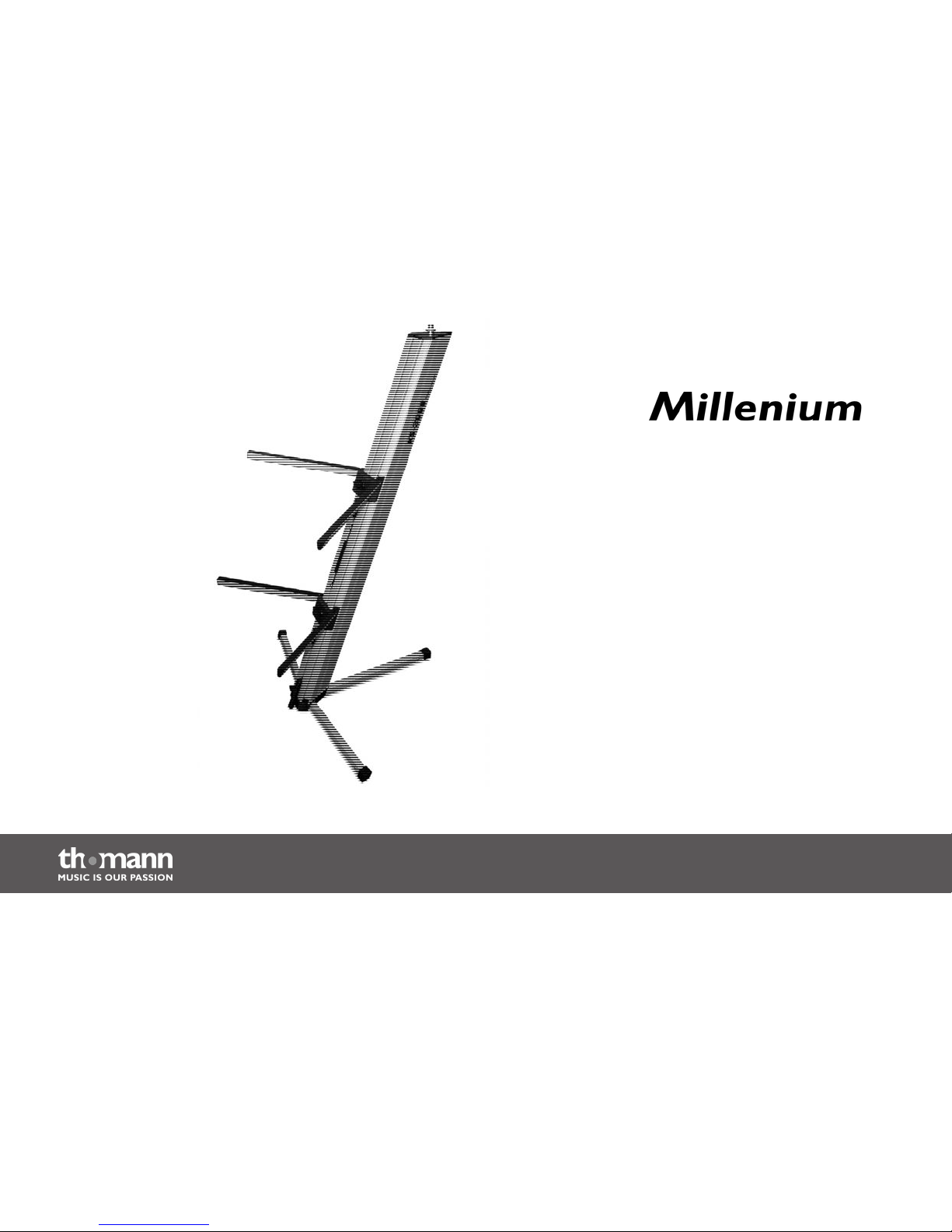
KS-3000 B/KS-3000 S
keyboard stand
user manual
Page 2

Musikhaus Thomann e.K.
Treppendorf 30
96138 Burgebrach
Germany
Telephone: +49 (0) 9546 9223-0
E-mail: [email protected]
Internet: www.thomann.de
15.10.2013
Page 3
Table of contents
1 General notes............................................................................................................................................... 4
2 Safety instructions..................................................................................................................................... 6
3 Features.......................................................................................................................................................... 7
4 Operating elements.................................................................................................................................. 8
5 Operating....................................................................................................................................................... 9
6 Technical specifications....................................................................................................................... 13
7 Protecting the environment.............................................................................................................. 14
Table of contents
KS-3000 B/KS-3000 S
3
Page 4
1
General notes
This user manual contains important information on the safe operation of the product. Read
and follow all safety notes and all instructions. Save this manual for future reference. Make sure
that it is available to all persons using this product. If you sell the product to another user, be
sure that they also receive this manual.
Our products are subject to a process of continuous development. We therefore reserve the
right to make changes without notice.
This section provides an overview of the symbols and signal words used in this user manual.Symbols and signal words
General notes
keyboard stand
4
Page 5
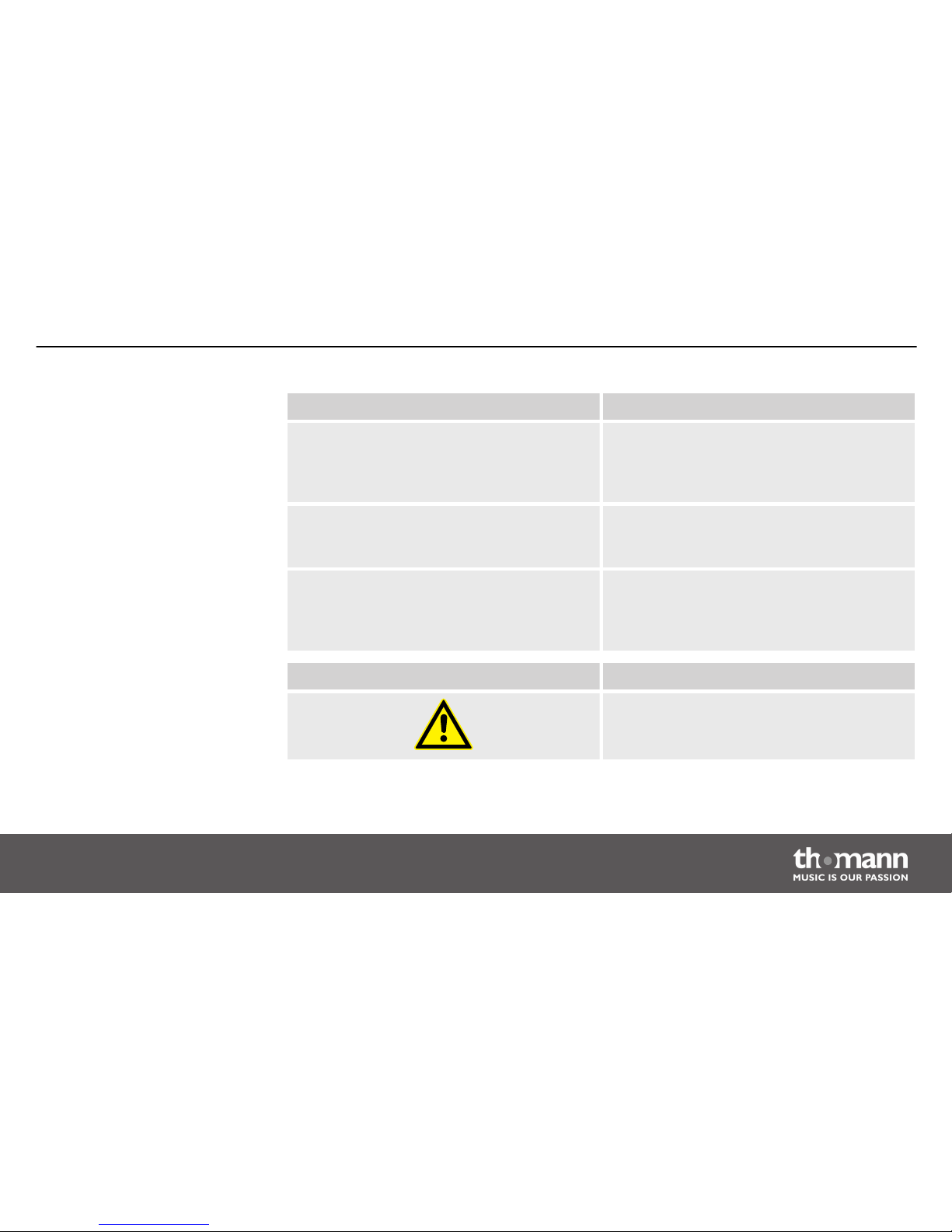
Signal word Meaning
DANGER! This combination of symbol and signal word
indicates an immediate dangerous situation
that will result in death or serious injury if it is
not avoided.
CAUTION! This combination of symbol and signal word
indicates a possible dangerous situation that
can result in minor injury if it is not avoided.
NOTICE! This combination of symbol and signal word
indicates a possible dangerous situation that
can result in material and environmental
damage if it is not avoided.
Warning signs Type of danger
Warning – danger zone.
General notes
KS-3000 B/KS-3000 S
5
Page 6
2
Safety instructions
This keyboard stand is used for the stable and height-adjustable installation of keyboards. Use
the product only as described in this user manual. Any other use or use under other operating
conditions is considered to be improper and may result in personal injury or property damage.
No liability will be assumed for damages resulting from improper use.
This device may be used only by persons with sufficient physical, sensorial, and intellectual
abilities and having corresponding knowledge and experience. Other persons may use this
device only if they are supervised or instructed by a person who is responsible for their safety.
DANGER!
Danger for children
Ensure that plastic bags, packaging, etc. are properly disposed of and are not in
the reach of babies and young children. Choking hazard!
Ensure that children do not detach any small parts (e.g. knobs or the like) from
the product. They could swallow the pieces and choke!
Never let children play unattended with the product.
Intended use
Safety
Safety instructions
keyboard stand
6
Page 7
3
Features
Special characteristics:
n Keyboard stand in columnar form for mobile use.
n Three feet and securing pin for stable standing.
n Two levels with a capacity of 35 kg each
n Carrying handle
n Maximum height: 1.20 m
n 3/8" thread for optional microphone holder, thread adapter to 5/8" thread included
n Weight: 7.7 kg
Features
KS-3000 B/KS-3000 S
7
Page 8
4
Operating elements
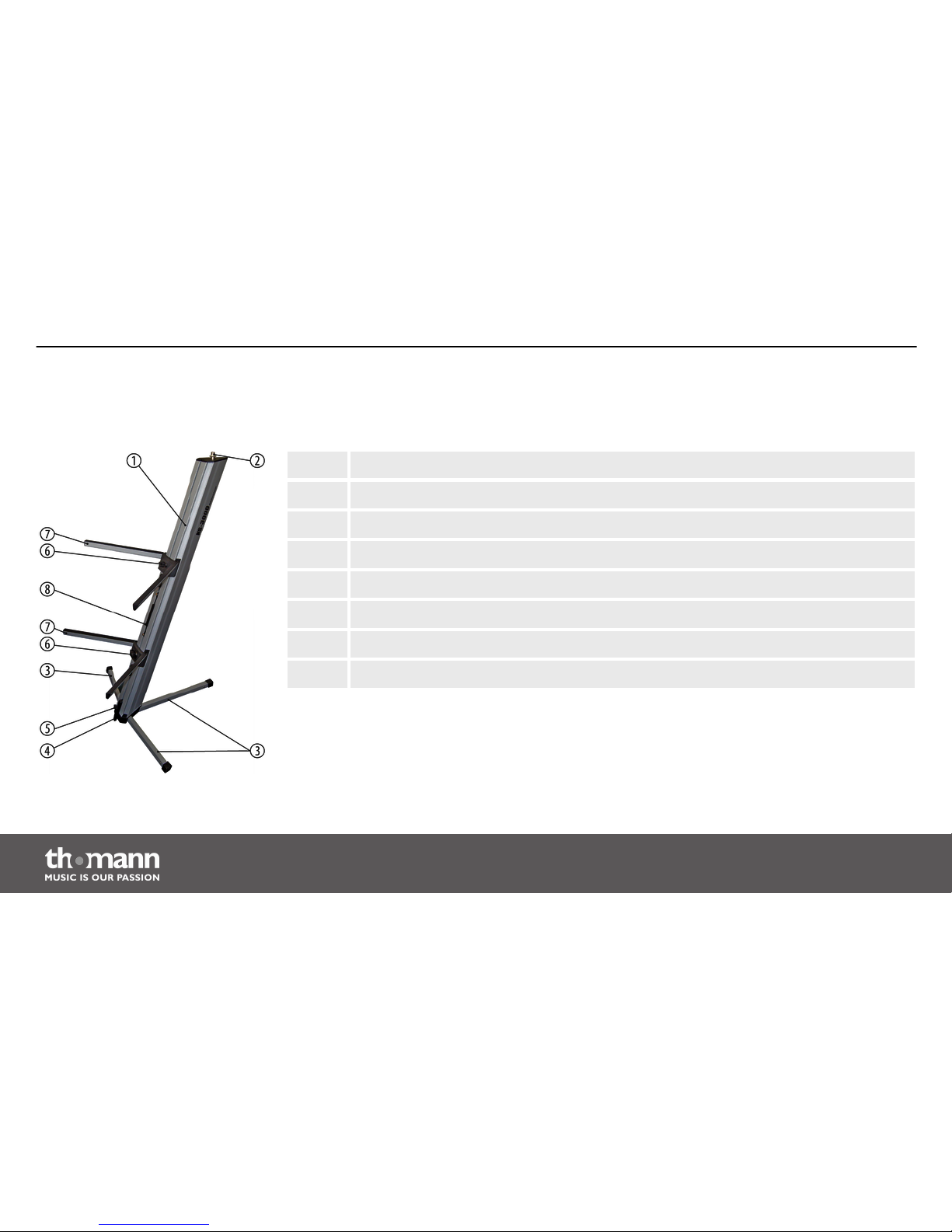
1 Body.
2 Thread for optional microphone holder.
3 Feet.
4 Securing pin.
5 Locking screw for securing pin.
6 Locking screws for the keyboard rests.
7 Keyboard rests.
8 Carrying handle with locking screws.
Operating elements
keyboard stand
8
Page 9
5
Operating
Unpack and check carefully there is no transportation damage before using the product. Keep
the equipment packaging. To fully protect the product against vibration, dust and moisture
during transportation or storage use the original packaging or your own packaging material
suitable for transport or storage, respectively.
CAUTION!
Danger of tipping on unsuitable ground
If placed on soft or uneven ground, the stand may overturn and cause injuries
and property damage.
Place the stand on a flat and solid surfaces only.
Operating
KS-3000 B/KS-3000 S
9
Page 10
CAUTION!
Danger of tipping during loaded transport
If the stand is moved without removing the loaded equipment, the stand may tip
over and cause injuries and property damage.
Remove all equipment from the stand before moving the stand.
NOTICE!
Possible staining
The plasticiser contained in the rubber feet of this product may possibly react
with the coating of your parquet, linoleum, laminate or PVC floor and after some
time cause permanent dark stains.
In case of doubt, do not put the rubber feet directly on the floor, but use felt-pad
floor protectors or a carpet.
Operating
keyboard stand
10
Page 11
1. Place the body (1) on the floor that the rail with the locking screws points downward.
Pull the feet (3) of the keyboard stand completely out of the body (1). Then fold the feet
outwards until they snap into place. Now set the keyboard stand with its feet on the
floor.
2. Loosen the locking screw of the securing pin (5) and slide the securing pin (4) to the
ground. Then tighten the locking screw of the securing pin back firmly.
3. Flip out the arms of the lower and the upper keyboard rest (7). Loosen the associated
locking screws (6) and slide the keyboard rests (7) to the desired height. If the handle (8)
should be obstructing at that, loosen its locking screws, move it to a different position
and tighten the locking screws of the handle back firmly.
If the keyboard rests are at the correct height, tighten the locking screws (6) back firmly.
4. Now you can put your instruments on the keyboard rests. To facilitate the wiring, two
movable cable holders are attached to the body.
On the thread (2) at the head of the body, you can attach a suitable microphone arm.
Setting up
Operating
KS-3000 B/KS-3000 S
11
Page 12
1. Remove your instruments.
2. Loosen the locking screw for the securing pin (5) and slide the securing pin (4) all the
way up. Then tighten the locking screw for the securing pin back firmly.
3. Loosen the locking screw (6) of the lower keyboard rest (7) and slide the keyboard rest as
far as possible towards the foot of the keyboard stand. Fold up the arms of the lower
keyboard rest fully into the recess of the body (1). Then tighten the associated locking
screw (6) back firmly.
4. Loosen the locking screw (6) of the upper keyboard rest (7) and slide the keyboard rest
as far as possible towards the centre of the keyboard stand. Fold up both arms of the
upper keyboard rest fully into the recess of the body (1). Then tighten the associated
locking screw (6) back firmly.
5. Place the body (1) on the floor that the rail with the locking screws points downward.
Fold the feet (3) one after the other forward and push the feet into the body until they
click into place.
6. If you want to use the carrying handle (8), first loosen its locking screws. Slide the car‐
rying handle as possible to the centre of the body (1), then pull it out and tighten the
two locking screws back firmly.
7. Pack all parts of the system in their original package, as possible, and store the package
in a dry place protected against moisture.
Dismounting
Operating
keyboard stand
12
Page 13
6
Technical specifications
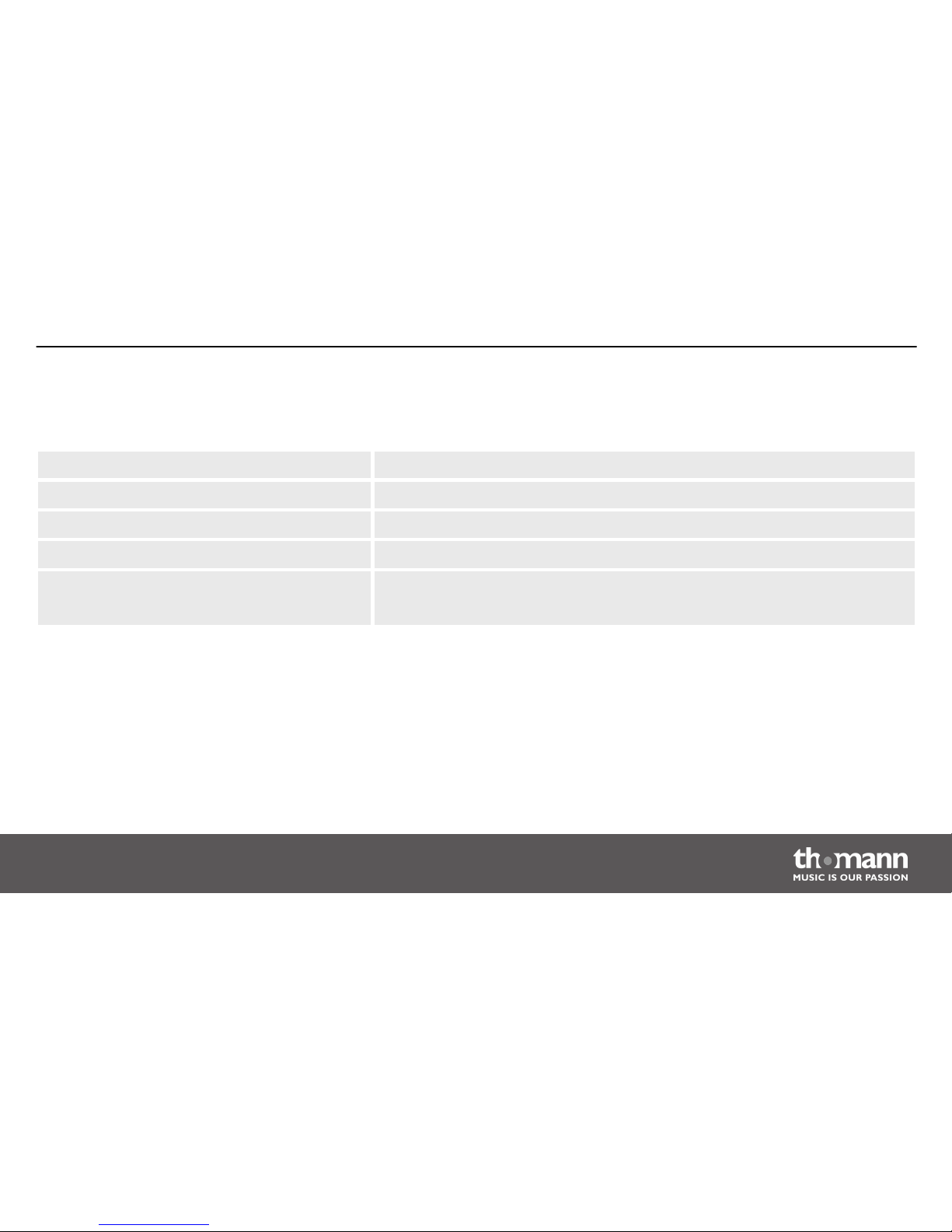
Height 1200 mm
Rest depth 380 mm
Maximum load capacity per level 35 kg
Weight 7.7 kg
Colour Item no. 265101: Silver
Item no. 265103: Black
Technical specifications
KS-3000 B/KS-3000 S
13
Page 14
7
Protecting the environment
For the transport and protective packaging, environmentally friendly materials have been
chosen that can be supplied to normal recycling.
Ensure that plastic bags, packaging, etc. are properly disposed of.
Do not just dispose of these materials with your normal household waste, but make sure that
they are collected for recycling. Please follow the notes and markings on the packaging.
Disposal of the packaging mate‐
rial
Protecting the environment
keyboard stand
14
Page 15

Page 16

Musikhaus Thomann e.K. · Treppendorf 30 · 96138 Burgebrach · Germany · www.thomann.de
 Loading...