

Page 1
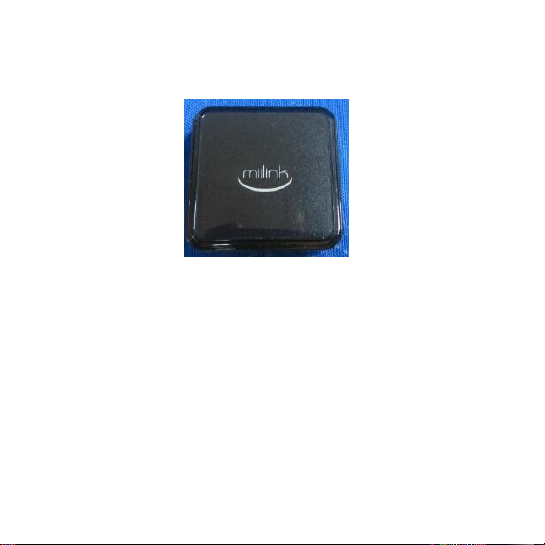
User Manual
Welcome to join MiiLink family.
MiiLink GPS locator is one for the pet positioning and tracking system, using
GPS and wireless transmission technology, can let you whenever and wherever
possible to find your pet. MiiLink is not just a positioning system, it is more
about a life circle pet loving, when you have any questions about the beloved
its topic or question, can share in the circle.
Start your MiiLink line, in the convenience of their own at the same time, will
find more like-minded people around you, to love their own that it.
Page 2
MiiLink LLC
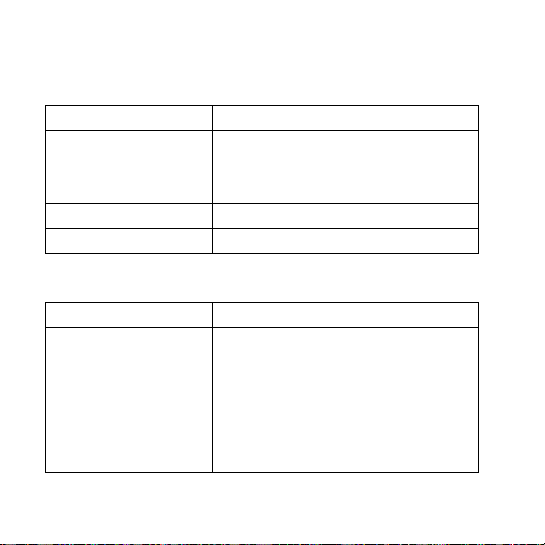
Accessories
description
A、MiiLink locator
Pet positioning equipment, when wear on
their pets, can try transfer corresponding
location information on your mobile phone.
B、data line
Charging equipment line
C、Velcro straps
Used in and tied the device on your pet strap
Function
description
Switch and power
Switches for appliances
According to click on the button,
equipment with different colors to
indicate the current electricity
equipment: red, blue represents the
middle power needs to be charged,
Accessories description
The MiiLink locator
Page 3
green represents a full power
Charging mouth
Insert the cable can be charged
SIM bayonet
inserted SIM card
Use the steps
1、For the charging equipment
Charging data line is inserted into the MiiLink port, and the data line USB port
into the computer USB port, can be charged, the indicator light shows green
wait for equipment, said equipment has been full of.
2、Insert the SIM card
The equipment will be randomly inserted SIM card device with SIM card slot, if
the device indicator with 3 blue lights flashing, said equipment has been
properly connected to the network.
3、Download MiiLink Apps
Two dimensional Code corresponding to the Apps scan on the package, Apps
software can automatically download; or in Apple Apps Store and Google play
Page 4

search MiiLink, you can download the corresponding Apps.
4、MiiLink registered account
Use the mailbox account registered in MiiLink Apps, you can
5、Binding equipment and account
By adding device functions inside the Apps, scanning the packaging
equipment marked two-dimensional code, and set the nickname and the
description to bind.
6、Give your pet belt MiiLink
So you can start your trip to the MiiLink, in MiiLink, you can view the pet
history can also see real-time position pet, can also see other favorite pet topic
of concern.
Tips and techniques
Switch show:
1、Switch machine: press a switch for more than 5 seconds, if the device lights
show red said equipment is shut down, if blue, said device is turned.
2、Display power: press the switch, if the device lights did not show, said
equipment has been turned off, if the display of red, indicating that the
Page 5

equipment power is low, if blue, said equipment for electrical medium, if
shown in green, said equipment full power.
Waterproof description:
The MiiLink locator has passed the waterproof and dustproof standard IP64
test, when the interface plug is plugged in the normal condition, the liquid
from any direction on the device shell, the equipment will not be harmed. But
do not support the time under water immersion, may cause equipment
damage.
Customer service supports.
Page 6

Federal Communications Commission (FCC) Interference Statement
This device complies with part 15 of the FCC Rules. Operation is subject to the
following two conditions: (1) This device may not cause harmful interference, and (2)
this device must accept any interference received, including interference that may
cause undesired operation.
This equipment has been tested and found to comply with the limits for a Class B
digital device, pursuant to part 15 of the FCC Rules. These limits are designed to
provide reasonable protection against harmful interference in a residential installation.
This equipment generates, uses and can radiate radio frequency energy and, if not
installed and used in accordance with the instructions, may cause harmful
interference to radio communications. However, there is no guarantee that
interference will not occur in a particular installation. If this equipment does cause
harmful interference to radio or television reception, which can be determined by
Page 7

turning the equipment off and on, the user is encouraged to try to correct the
interference by one or more of the following measures:
—Reorient or relocate the receiving antenna.
—Increase the separation between the equipment and receiver.
—Connect the equipment into an outlet on a circuit different from that to which the
receiver is connected.
—Consult the dealer or an experienced radio/TV technician for help.
Note: Any changes or modifications not expressly approved by the party responsible
for compliance could void the user's authority to operate the equipment.
This mobile device meets guidelines for exposure to radio waves. Your mobile device
Page 8

is a radio transmitter and receiver. It is designed not to exceed the limits for exposure
to radio waves recommended by international guidelines.
The SAR limit adopted by USA and Canada is 1.6 watts/kilogram (W/kg) averaged
over one gram of tissue. The highest SAR value reported to the Federal
Communications
Commission (FCC) and the Industry Canada (IC) for this device type when it is
properly worn on the body is 0.889 W/kg.
The device complies with the RF specifications when the device is at a minimum
distance of 0.5 cm from your body which was declared by the supplier. Ensure that
the device accessories such as a device case and a device holster are not composed
of metal components. Keep your device 0.5 cm away from your body to meet the
requirement earlier mentioned.
 Loading...