

Page 1
IQvitals® Serial Cable Installation [9A478]
midmark.com
Applies to Models:
625 (-004)
626 (-003, -004)
Special Tools:
none
WARNING
IEC 60950 approved Information Technology Equipment must be placed outside the
“patient environment.” Refer to safety instructions in the exam table user’s guide.
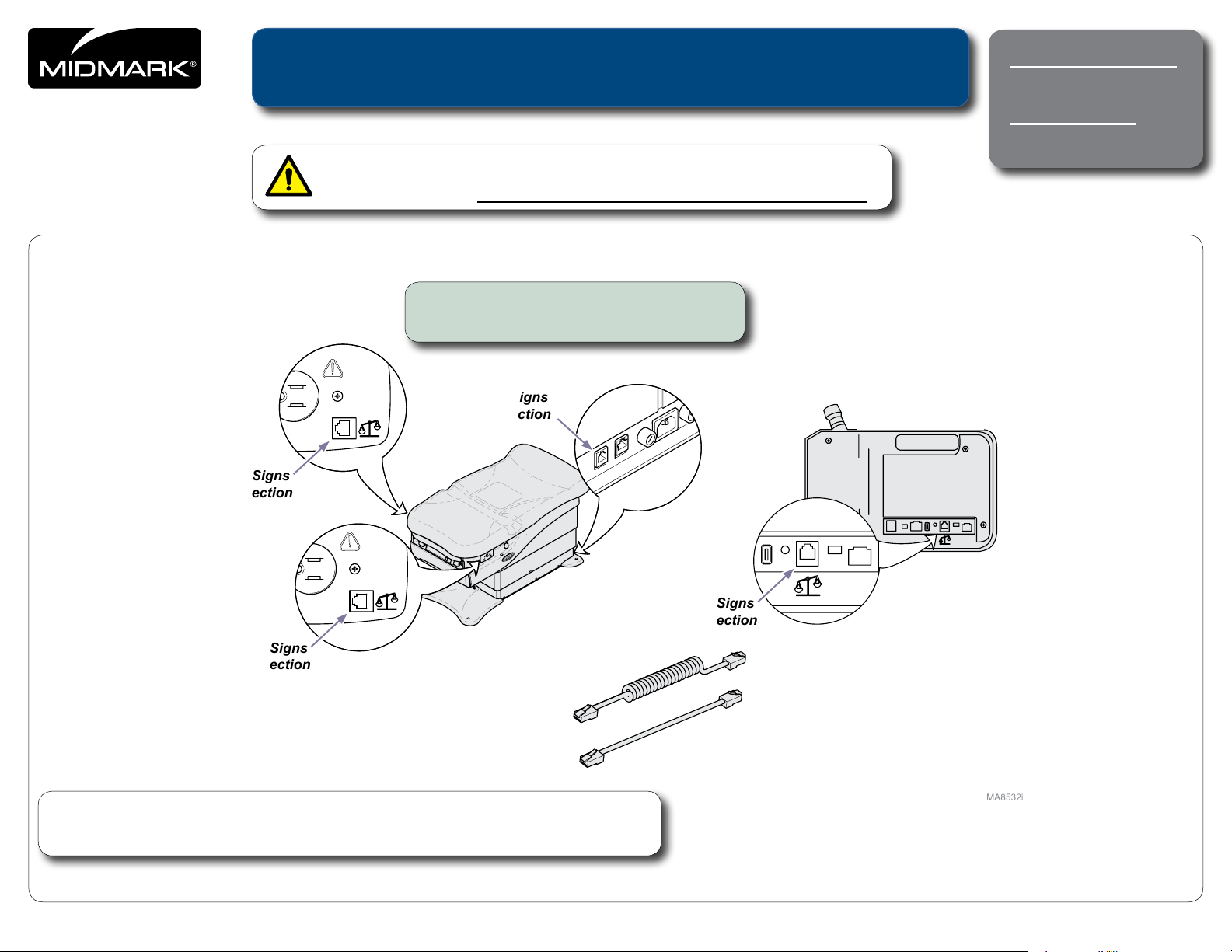
Step 1: Connect serial cable to the exam
table and the IQvitals® device.
Vital Signs
Connection
Vital Signs
Connection
IQvitals® Device
Vital Signs
Connection
Note
The IQvitals
TP201 Rev. A
However, only one IQvitals® device may be connected at a time.
© 2011 Midmark Corp. | 60 Vista Drive Versailles, OH 45380 USA | 1-800-643-6275 | 1-937-526-3662 |
®
device may be connected to any of the three connection points on the exam table.
English-1
Vital Signs
Connection
Style G
003-2544-00 Rev. BA1 6/27/17
Page 2
midmark.com
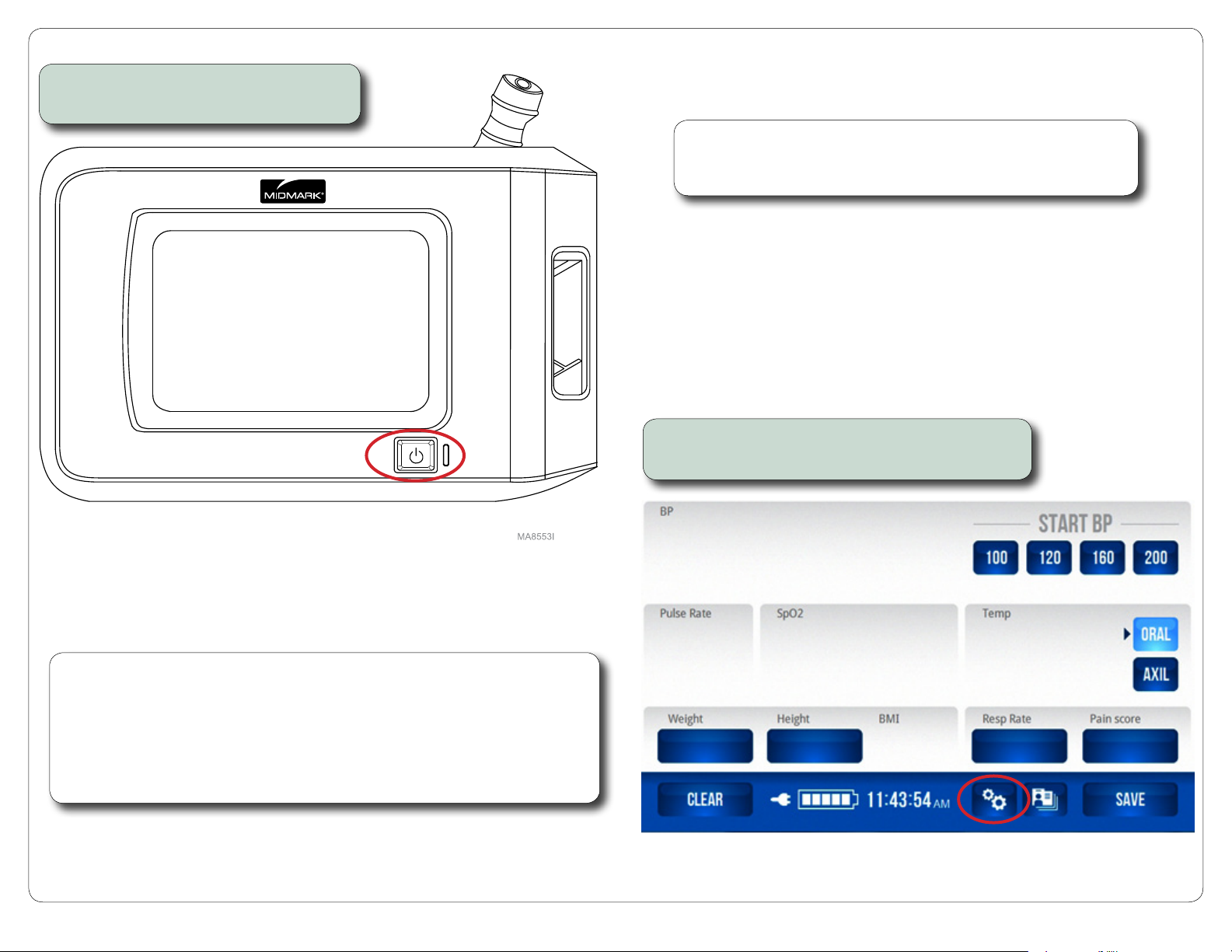
Step 2: Press the power button to turn
on the IQvitals® device.
Note
Refer to the IQvitals
®
operation manual for complete details regarding
device set-up and usage.
Step 3: On the IQvitals
®
Home screen, press the
Tool icon to display the Password screen.
Note
If the screen on your IQvitals
contact Midmark Support Services at 1-800-624-8950, option 2, to order an upgrade
kit for your IQvitals
®
device.
®
device does not look like the one shown in step 3,
Without this upgrade, the table controls shown in step 10 will not be available.
However, sharing of patient weight between the exam table and the IQvitals
will work properly without any further setup required.
TP201 Rev. A
© 2011 Midmark Corp. | 60 Vista Drive Versailles, OH 45380 USA | 1-800-643-6275 | 1-937-526-3662 |
®
device
IQvitals® Home Screen
English-2
Page 3
midmark.com
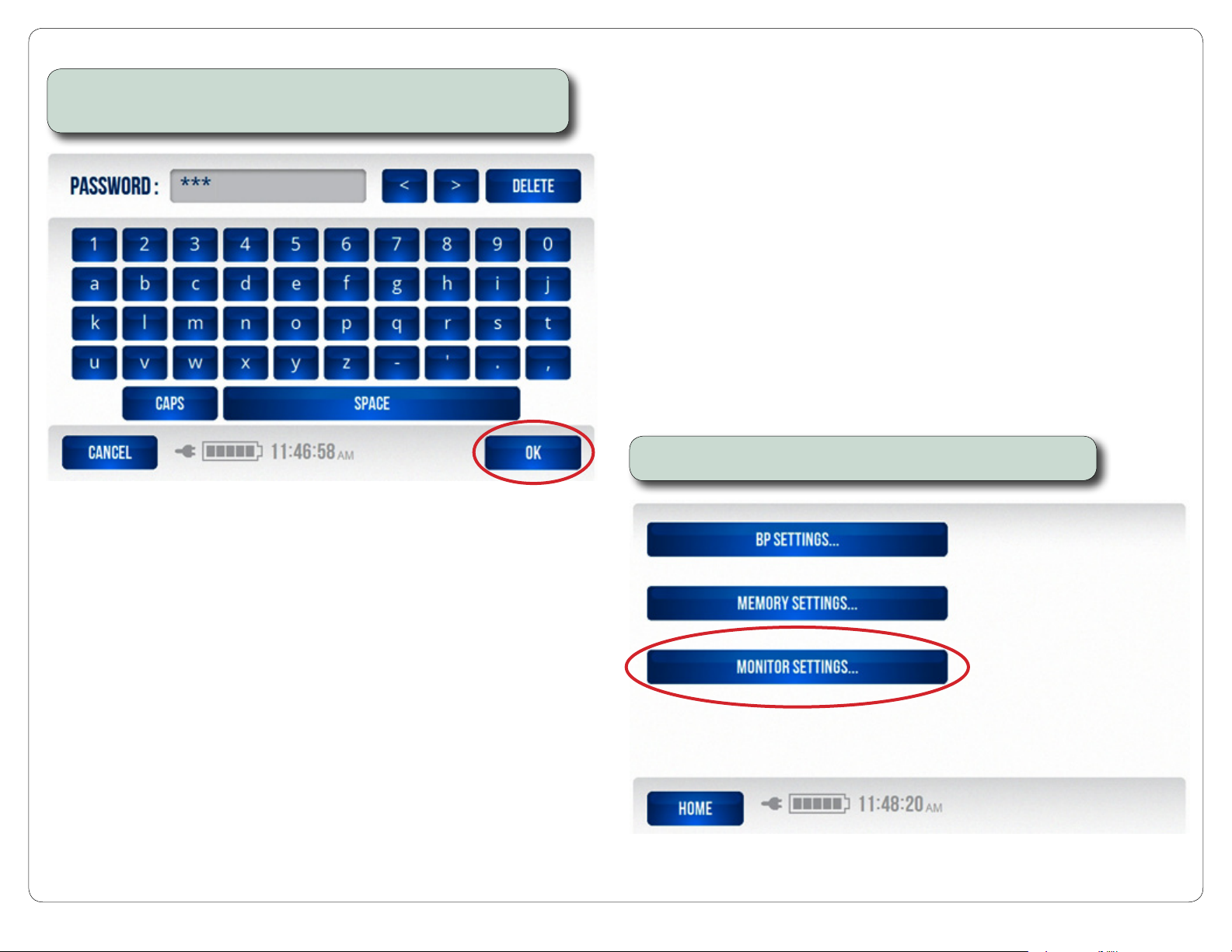
Step 4: On the Password screen, enter your password (986 Default).
Next, press OK to display the Settings screen.
Step 5: On the Settings screen, press MONITOR SETTINGS.
Password Screen
TP201 Rev. A
© 2011 Midmark Corp. | 60 Vista Drive Versailles, OH 45380 USA | 1-800-643-6275 | 1-937-526-3662 |
Settings Screen
English-3
Page 4
midmark.com
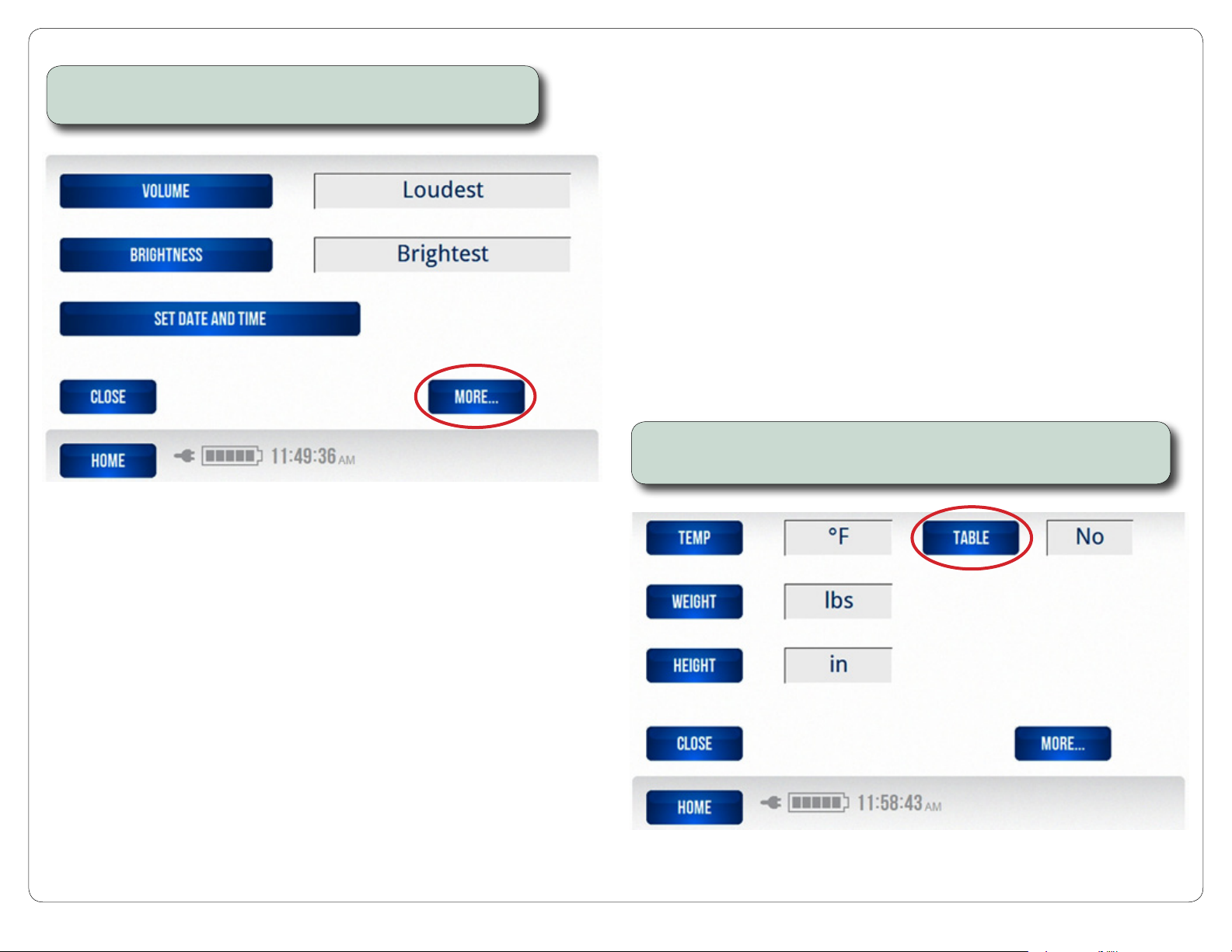
Step 6: Once you have selected your monitor settings, press the
MORE button to display the Units of Measure screen.
Step 7: Once you have made your units of measure selections,
press the TABLE button to display the Table Connection screen.
Monitor Settings Screen
TP201 Rev. A
© 2011 Midmark Corp. | 60 Vista Drive Versailles, OH 45380 USA | 1-800-643-6275 | 1-937-526-3662 |
Units of Measure Screen
English-4
Page 5
midmark.com
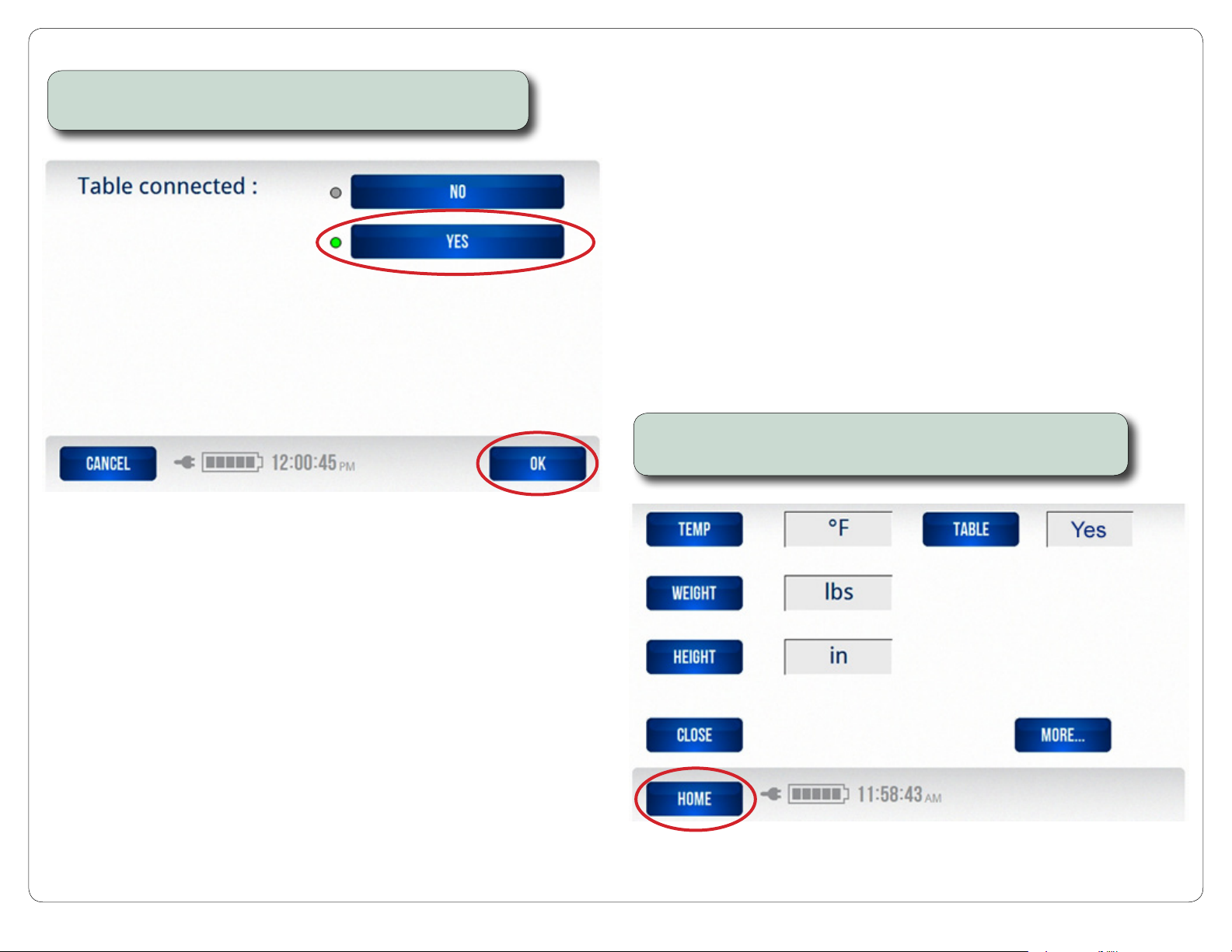
Step 8: On the Table Connection screen, select YES,
then press OK to return to the Units of Measure screen.
Step 9: On the Units of Measure screen, press the HOME button
to display the IQvitals® Home screen.
Table Connection Screen
TP201 Rev. A
© 2011 Midmark Corp. | 60 Vista Drive Versailles, OH 45380 USA | 1-800-643-6275 | 1-937-526-3662 |
Units of Measure Screen
English-5
Page 6
midmark.com
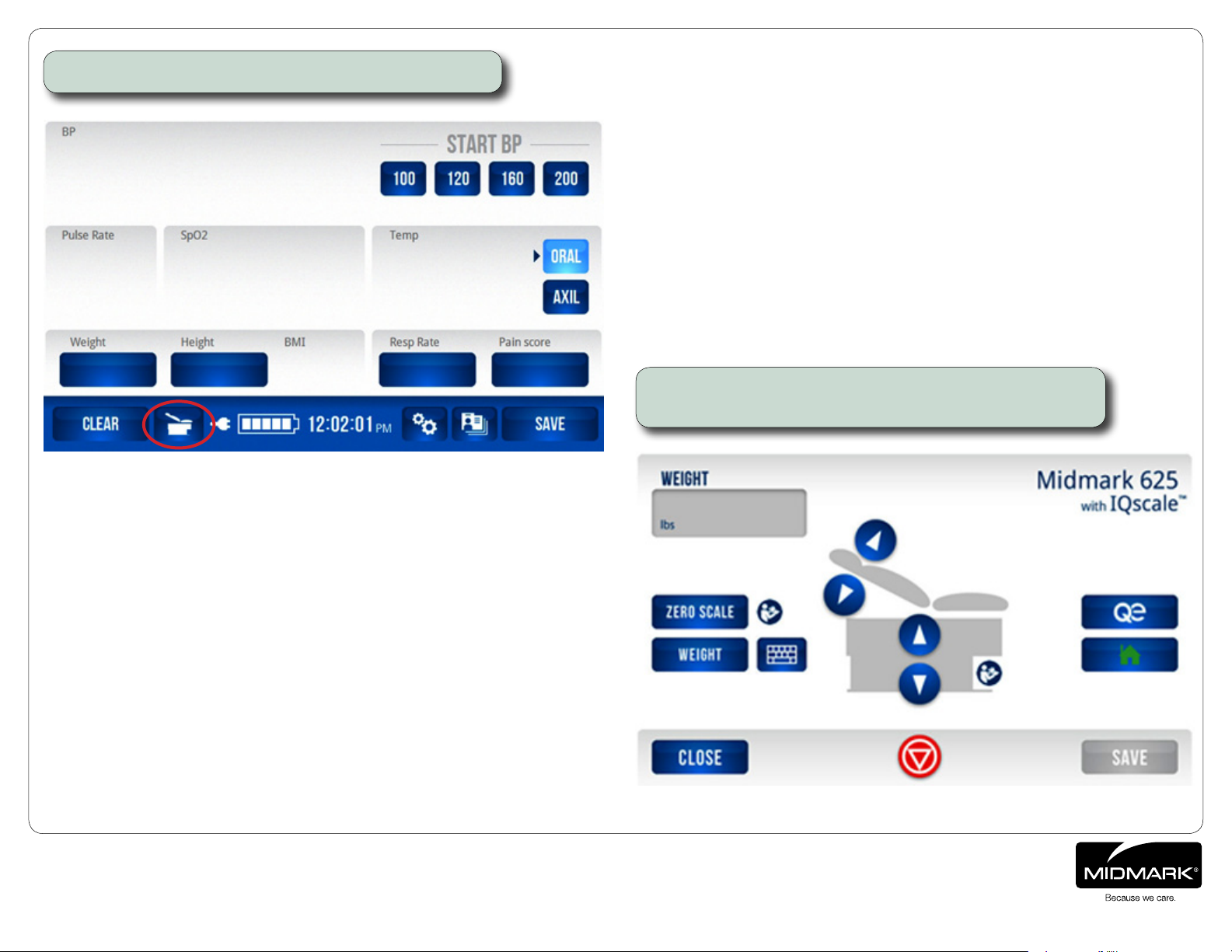
Step 10: On the IQvitals® Home screen, press the Table icon.
IQvitals® Home Screen
When the Table icon is pressed on the IQvitals® Home screen,
the IQscale® screen will be displayed.
TP201 Rev. A
© 2011 Midmark Corp. | 60 Vista Drive Versailles, OH 45380 USA | 1-800-643-6275 | 1-937-526-3662 |
IQscale® Screen
English-6
 Loading...