

Page 1
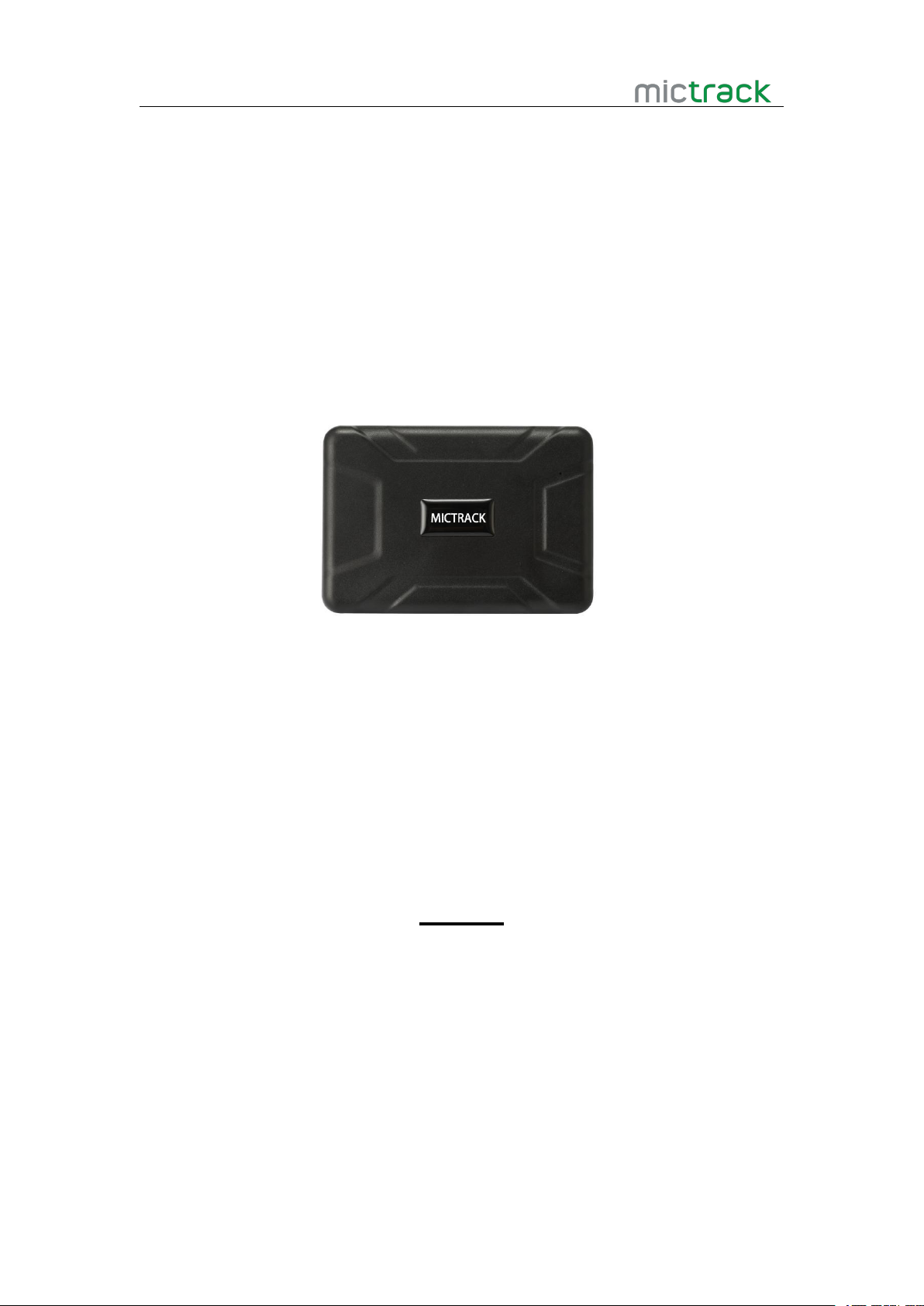
MC330 User Manual V1.0
MC330 3G Magnetic GPS Tracker
User Manual V1.0
Preface
Thank you for choosing the tracker.This manual shows how to operate the device
smoothly and correctly.Make sure to read this manual carefully before using this product.
Please note that specification and information are subject to changes without prior notice
in this manual. Any change will be integrated in the latest release.The manufacturer
assumes no responsibility for any errors or omissions in this document.
Page 2

MC300 User Manual V2.0
http://www.mictrack.com
Contents
1. Overview
2. Features
3. Specification....................................................................................................................................... 1
4. MC320 and Accessories................................................................................................................. 2
5. How to Install the SIM Card......................................................................................................... 2
6. LED Status
6.1.1 Orange LED-GSM indication
6.1.2 Blue LED-GPS indication
6.1.3 Red LED-Charge indication.............................................................................................. 3
7. Work Mode......................................................................................................................................... 3
8. Detail Operation................................................................................................................................ 3
8.1 Set the Authorized phone number
8.2 Work Mode Exchange
8.3 Change user password
8.4 Request the single position................................................................................................. 4
8.5 Request location with Google Map link........................................................................... 4
8.6 Monitor...................................................................................................................................... 5
8.7 Shake Alert
8.8 Phone Tracking
8.9 Daily Report
8.10 Geo-Fence............................................................................................................................. 5
8.11 Over speed Alarm
8.12 Low Battery Alarm
8.13 Time Zone............................................................................................................................. 6
8.14 Voice ON/OFF...................................................................................................................... 6
8.15 Sleep Mode........................................................................................................................... 6
8.16 Remove Alarm
8.17 Set Access Point Name(APN)
8.18 Set server IP address and Port
8.19 Set Data upload interval time.......................................................................................... 7
9. Special Command.............................................................................................................................7
.............................................................................................................................................
..............................................................................................................................................
.........................................................................................................................................
............................................................................................
..................................................................................................
....................................................................................
..........................................................................................................
.........................................................................................................
..............................................................................................................................
.......................................................................................................................
.............................................................................................................................
8.10.1 Set Geo Fence.........................................................................................................5
8.10.2 Turn On Geo-fence................................................................................................. 5
8.10.3 Turn Geo-fence off
................................................................................................................
...............................................................................................................
......................................................................................................................
..................................................................................................
..........................................................................................
......................................................................................
1
1
2
2
3
3
3
4
5
5
5
6
6
6
7
7
7
Page 3
MC300 User Manual V2.0
http://www.mictrack.com
1
1. Overview
2. Features
3G WCDMA/GSM support
Strong Magnet for easy installation
Real time traffic
Custom Geo-fences
Custom Reporting
Remove alarm
Shake alarm
Over-speed alarm
Low battery alarm
Long standby for 70 days
6 months of historical data
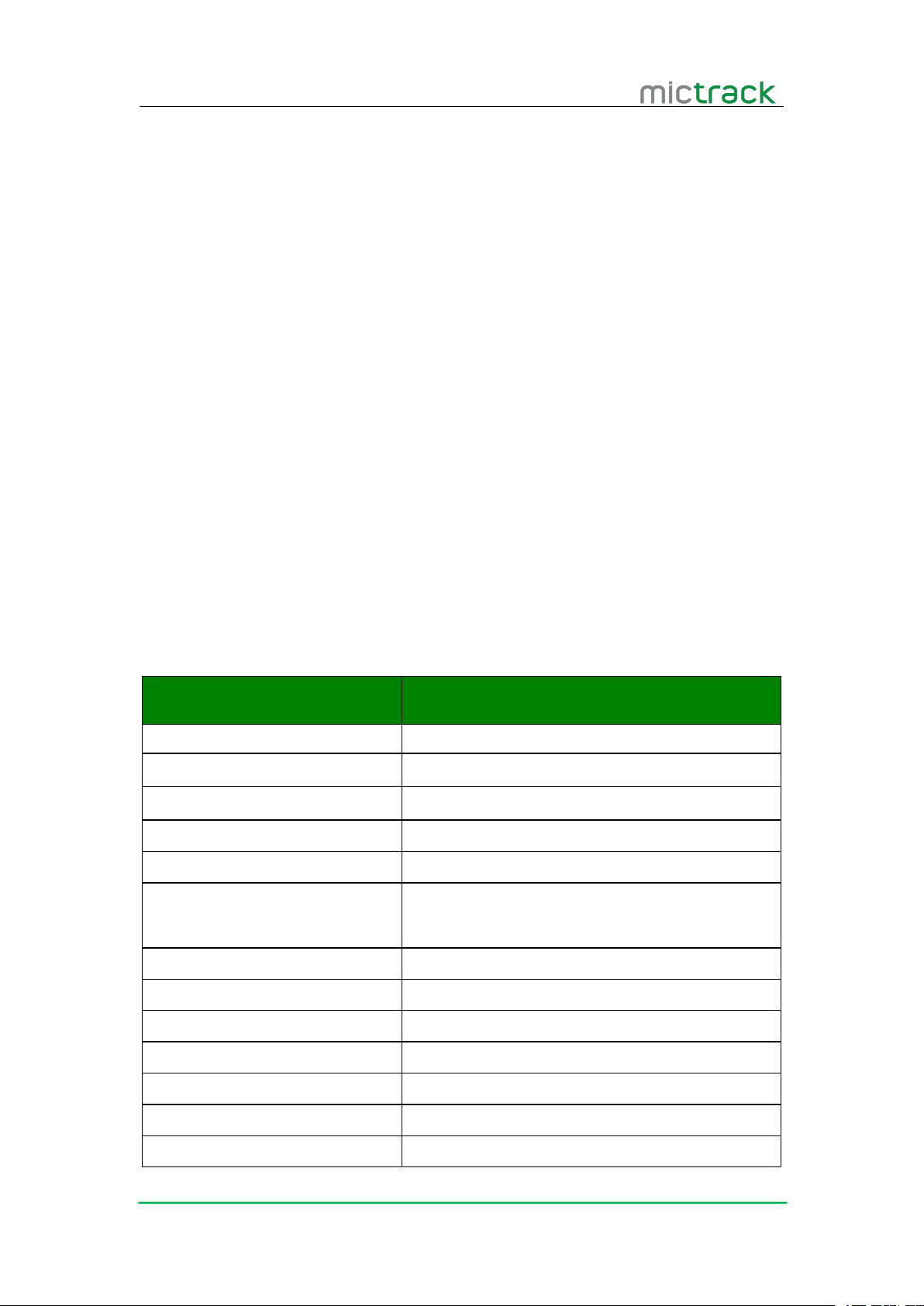
3. Specification
Items
Specifications
Dimensions
108*75*20mm
Weight
300g
Battery
7500mAh/3.7V
Operation Temperature
-20°C to 55°C
Work Humidity
5% to 95% Non-condensing
3G Frequency
850/900/1900/2100MHz@UMTS
850/900/1800/1900MHz@GSM
GPS Chipset
UBLOX7020
GPS Sensitivity
--162dBm
Channel
56
Position Precision
10m
Hot Start
1s
Warm Star
30s
Cold Start
32s
The MC330 combined with the 3G WCDMA and GPS technique and use the
fireproofing material that arrived Industry standard which is 6PCS 18*3mm super magnet
and IPX5, the internal battery is 75000mAh that can standby 70 days. The MC320 can
track the vehicle and person’s position by SMS and GPRS on line tracking software.
Page 4
MC300 User Manual V2.0
http://www.mictrack.com
2
4. MC320 and Accessories
1* MC330 GPS Tracker
1* USB Charger
1* USB Cable for charging
1* User Manual
1* SIM Card PIN
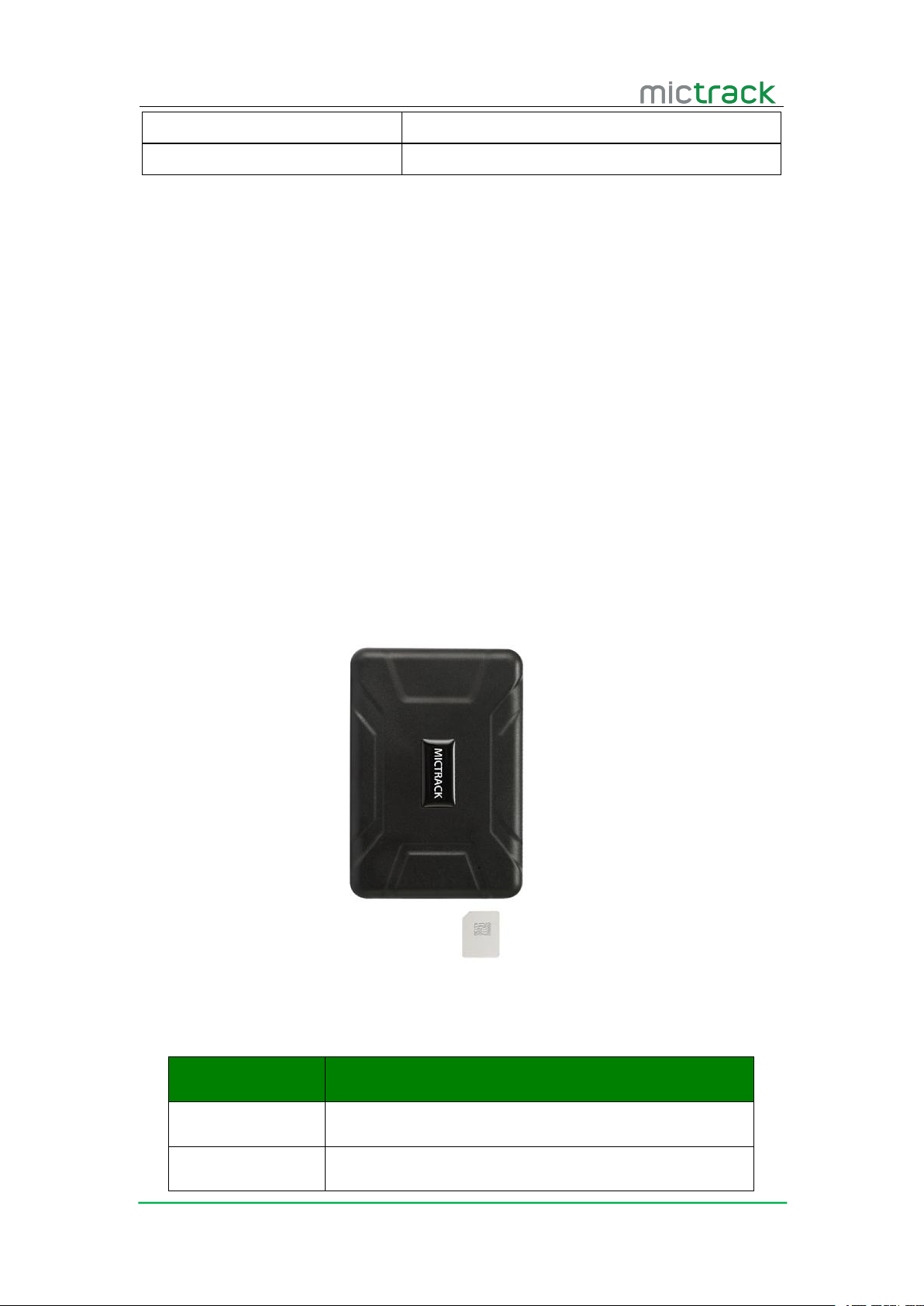
5. How to Install the SIM Card
The device will Power on automatically after insert SIM card
Ensure SIM Card enable the GPRS function
Ensure SIM Card enable the “Caller ID display” function
Ensure that the SIM Card have enough money。
Install the SIM Card
Get ready a Micro SIM Card .
Open the waterproof cover, insert the SIM Card correct as follow
6. LED Status
6.1.1 Orange LED-GSM indication
LED indicator
GSM/Charge/GPS
SIM Card interface
Micro Size SIM card
Status
Description
Light On
GSM work
Flash
No GSM network or SIM card not detected
Pay attention before install SIM Card
Page 5
MC300 User Manual V2.0
http://www.mictrack.com
3
6.1.2 Blue LED-GPS indication
6.1.3 Red LED-Charge indication
7. Work Mode
8. Detail Operation
8.1 Set the Authorized phone number
Unauthorized number also can control the tracker, but alarm information only to
The defaulted password is:0000
8.2 Work Mode Exchange
Status
Description
Flash
GPS No Work or No GPS Signal
Light On
GPS Work
Status
Description
Flash
Charging/working
Light Off
Normally Work or full Power
This tracker have two work mode which is SMS and GPRS Mode. SMS mode is for off line
tracking by Mobile phone. GPRS Mode is for on line tracking by computer and mobile
phone .
Command: Cell phone number+password+space+Sequence number(1-3)
Example: 134243923300000 1
Reply: SET OK
Note:
Authorized number
SMS Mode Command:700+ user password
Example:7000000
Reply: SET OK.
GPRS Mode Command:710+ user password
Example: 7100000
Page 6

MC300 User Manual V2.0
http://www.mictrack.com
4
8.3 Change user password
8.4 Request the single position
8.5 Request location with Google Map link
Reply: SET OK.
Command: 777+new password+old password (4 figures)
Example: 77712340000
Reply: SET OK
Command: 666+user password
Example: 6660000
Reply: when the tracker receive the command, then will send the position with longitude
and latitude as follow:
ID: 8151023474
FIX:A
Lat: N22.62963
Long: E114.03546
Speed:0KM/H
Date:2015-09-13
Time:04:58:3002
BS:2531 6447
STATE:SMS
Command:669+ user password
Example: 6690000
Reply: When the tracker receive the command, tracker will send a Google link to the
sender.
http://maps.google.com/maps?q=22.56312%2c114.09191
Date: 2013-12-27
Time:10:15
ID: 8151023474
FIX:A
Speed: 0KM/H
Bat:3
Note:
Date : Date of Currently
Time : Time of Currently
ID : ID number of the tracker
State : The way to send the command
FIX : A means GPS available and V means GPS unavailable
Speed : Speed of Currently
Page 7

MC300 User Manual V2.0
http://www.mictrack.com
5
8.6 Monitor
8.7 Shake Alert
8.8 Phone Tracking
8.9 Daily Report
8.10 Geo-Fence
8.10.1 Set Geo Fence
Command: 005+user password+R
8.10.2 Turn On Geo-fence
Bat : Battery Status , 5 is mean 100% power, 1 is mean 20% power .
Command:66
Reply : SET OK
Note: Only the authorized phone number send command to the tracker, then tracker will
call the phone number and be the monitor mode .
Command:181+Password+TXX
Example: 1810000T05
Reply : SET OK
Close Shake Alarm Command : 180+Password
Example : 1800000
Reply : SET OK
Note: T is the time of shake, the range is :【0,120】,unit is : second
Only send alarm message to the first authorized phone number
Any phone can call the tracker and tracker will hang off the phone automatically,then
send a position message to the sender, if GPS no work, tracker will send a invalid
message to sender , tracker will send a valid position message to the sender again once
GPS work normally by automatically.
Command: 665+user password+HHMM
Example: 66500001022
Reply:SET OK.
Close timing report: 665+user password+OFF
Example: 6650000OFF
Reply: SET OFF
Note: HH stands for hour with defined range of [00, 23]. MM stands for minute with
defined range of [00, 59].
Example: 0050000R1000
Reply: SET OK
Command: 211+ password
Page 8

MC300 User Manual V2.0
http://www.mictrack.com
6
8.10.3 Turn Geo-fence off
8.11 Over speed Alarm
8.12 Low Battery Alarm
8.13 Time Zone
8.14 Voice ON/OFF
8.15 Sleep Mode
Example: 2110000
Reply: SET OK
Note : The default is 500 meter
Command: 210+ password
Example: 2100000
Reply: SET OK
Note :Tracker will call and send alarm message to the first authorized phone number.
Command:122+user password+space+X
Example: 1220000 100
Reply: SET OK
Close command: 1220000 0
Note: 1. X is speed benchmark value, which is an integral number. unit is KM/H definition
domain of [0, 999].
2. Tracker will call and send alarm message to three authorized number.
While device detect internal battery is low power, it will send coordinate SMS with
STATE:LOW POWER
Command:896+user password+space+D+NN
Example:8960000 E08
Reply:SET OK
Note:D takes E or W to indicate east or west time zone respectively. N takes a 2-digit
number (1-12) to indicate time zone number.
Voice ON command:150+password
Example:1500000
Reply :SET OK
Voice OFF Command:151+password
Example:1510000
Reply :SET OK
Explanation :tracker will call and send message to authorized number in Voice on mode
when take alarm, and will not call but only send message to authorized number in voice
off when take alarm.
Enable Sleep Mode command : SLEEP+Password+Space+ number
Page 9

MC300 User Manual V2.0
http://www.mictrack.com
7
8.16 Remove Alarm
8.17 Set Access Point Name(APN)
8.18 Set server IP address and Port
8.19 Set Data upload interval time
9. Special Command
Reset Command: RESET
Read Configuration Command: RCONF
Tips:
How to setup APN: https://www.mictrack.com/apn-settings-for-mictrack-gps-trackers
How to use Mictrack Server: https://www.mictrack.com/how-to-use-mictrack-server
Global Frequency bands check: https://www.mictrack.com/4g-lte-frequency-bands-list
Example : SLEEP0000 1
Reply:SET OK
Disable Sleep command : SLEEP+Password+Space+ 0
Example : SLEEP0000 0
Reply:SET OK
Note : 1 is mean the sleep time, the wide is 1-720 , the unit is “minute” , Tracker will close
GPS/GSM/POWER in sleep mode for save power, once shake, tracker will work again.
Tracker will send remove alarm message to 3 authorized number and send remove alarm
data to platform if tracker was removed .
Command1:803+user password+space+APN
Example: 8030000 CMNET
Command2:803+user password+space+APN+space+APN user name+space+APN password
Example: 8030000 INTERNET INTERNET INTERNET
Reply:SET OK
Command:804+user password+space+IP+space+Port
Example: 8040000 192.168.1.1 2014
Reply:SET OK
Command:805+user password+space+X
Example: 8050000 30
Reply:SET OK
Note :X is mean interval time, the unit is seconds,the wide is【10,18000】,
If you have any questions please do not hesitate to contact us [email protected].
 Loading...