

Page 1
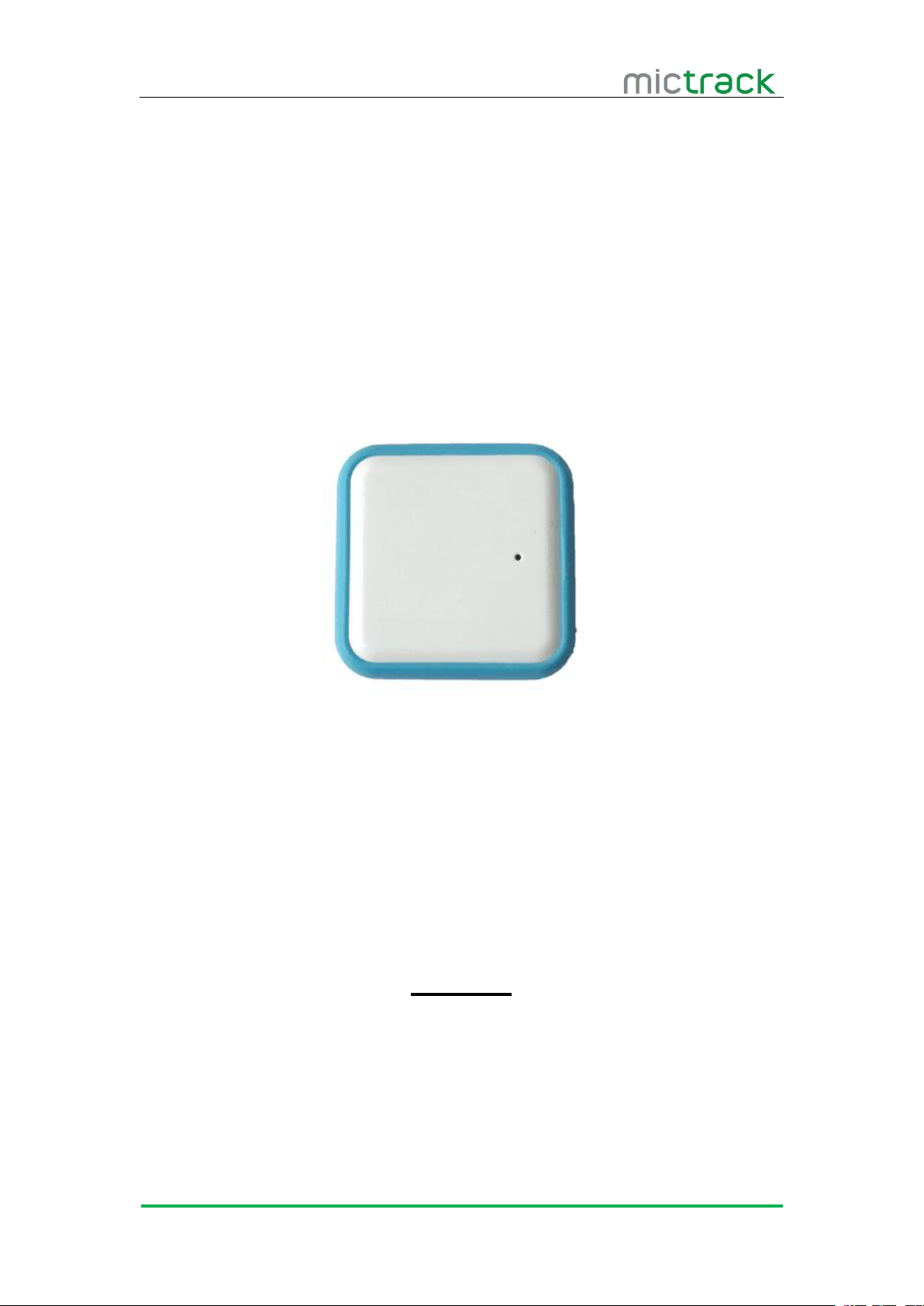
G902 User Manual V1.0
http://www.mictrack.com
G902 NB-IoT GPS Tracker
User Manual V1.0
Preface
Congratulations on choosing the Mictrack G902 NB-IoT GPS tracker. This manual shows
how to easily program and setup the tracker for best results. Make sure to read this manual
carefully before using this product, so as to avoid delays or confusion with it’s operation.
Please note that specifications and instructions are subject to change without notice to
facilitate product improvement. Updates and changes will be integrated into the latest release.
The manufacturer assumes no responsibility for any errors or omissions in outdated
documents.
Page 2

G902 User Manual V1.0
http://www.mictrack.com
Contents
1. Overview
2. Features
3. Applications.........................................................................................................................................1
4. Specifications..................................................................................................................................... 1
5. G902 interface................................................................................................................................... 2
6. Installation
6.1 SIM Card installation
6.2 LED Indications
7. PC & App tracking........................................................................................................................... 3
7.1 PC login:.................................................................................................................................. 3
7.2 Mobile App............................................................................................................................... 3
8. FAQ
.............................................................................................................................................
..............................................................................................................................................
...........................................................................................................................................
.............................................................................................................
.......................................................................................................................
7.2.1 Download the App
7.2.2 Register and Login
7.2.3 Add your device to server
7.2.4 App main interface..................................................................................................... 4
7.2.5 Menu options............................................................................................................... 5
7.2.6 Functions...................................................................................................................... 6
......................................................................................................................................................
.....................................................................................................
....................................................................................................
.......................................................................................
1
1
3
3
3
3
4
4
7
Page 3
G902 User Manual V1.0
http://www.mictrack.com
1
1. Overview
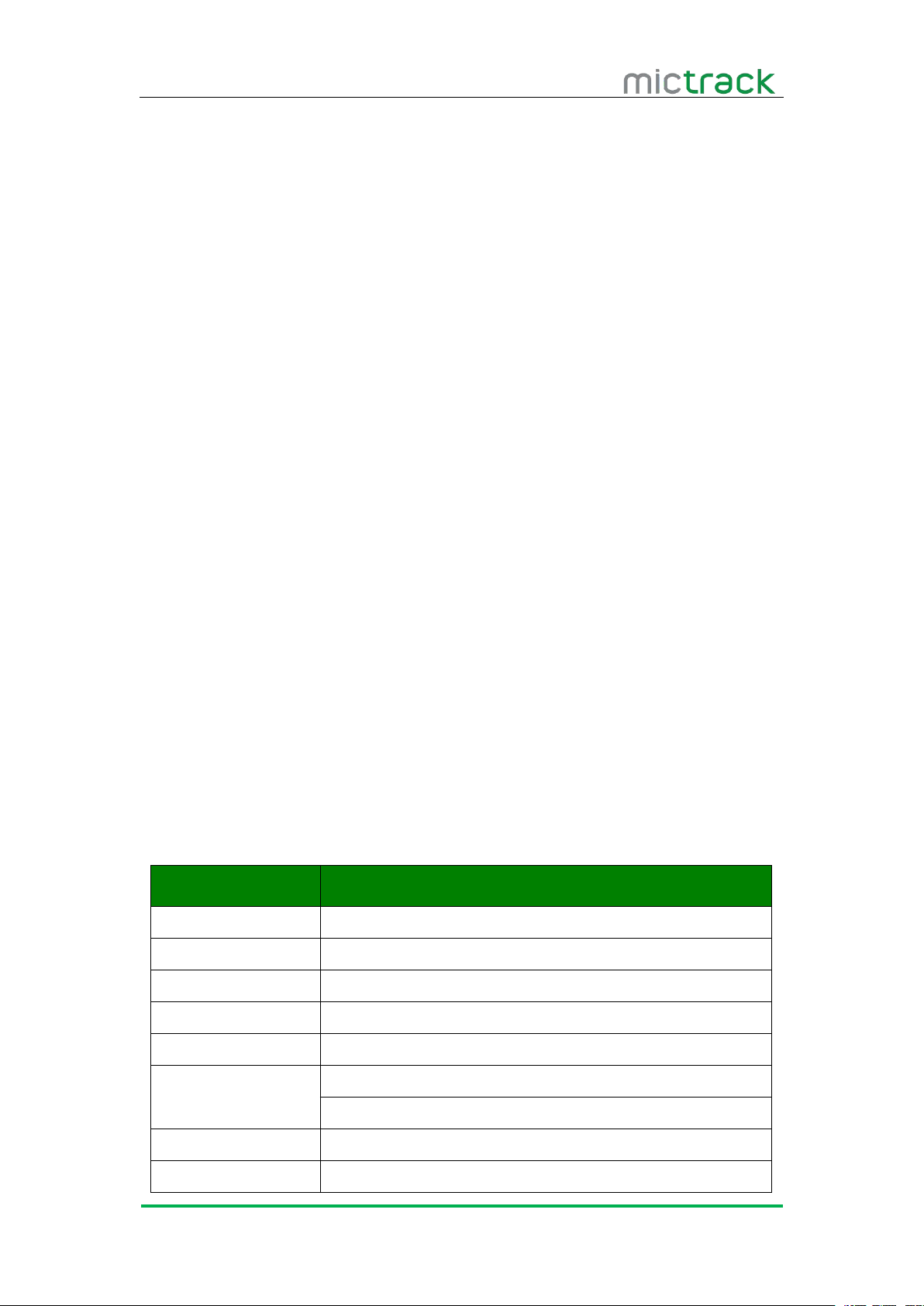
The G902 is the Mini GPS tracker with NB-IoT interface and Bluetooth low energy. It can
2. Features
NB-IoT Network Support
GPS+WiFi Positioning
Bluetooth Low Energy
Real-time tracking
History record check
Geo-Fence alarm
Low battery alert
Standby for 200days
Waterproof IP65
3. Applications
Kids & Elderly tracking
Lonely workers tracking
Pets tracking
Cows tracking
Logistics
Agriculture
Asset tracking
4. Specifications
Item
Specifications
Dimension
41*41*13mm
Weight
26g
Input Voltage
DV 5V Micro USB
Backup battery
500mAh/3.7v
Power consumption
50uA standby current
Working time
30days every 10mins upload interval
200days every 24hours upload interval
Working temperature
-20°C to 70°C
GPS
GPS, Glonass, Beidou (optional)
be used to monitor and track everything via PC Computer or Mobile APP.
Page 4
G902 User Manual V1.0
http://www.mictrack.com
2
Item
Specifications
NB-IoT Bands
G902-B5: (China & Korea)
FDD LTE B5 (850MHz)
G902-B8: (China & Europe & Australia )
FDD LTE B8(900MHz)
G902-B20: (Europe)
FDD LTE B20(800MHz)
G902-B28: (Australia)
FDD LTE B28(700MHz)
* Please choose correct model according to your local NB-IoT network.
Antennas
Internal NB-IoT & GPS antennas
Sensor
Accelerometer
LED
RED/GREEN
SIM Card interface
PUSH Nano SIM
Waterproof
IP65
Certification(Chip)
CE/GCF/NBTC/RCM
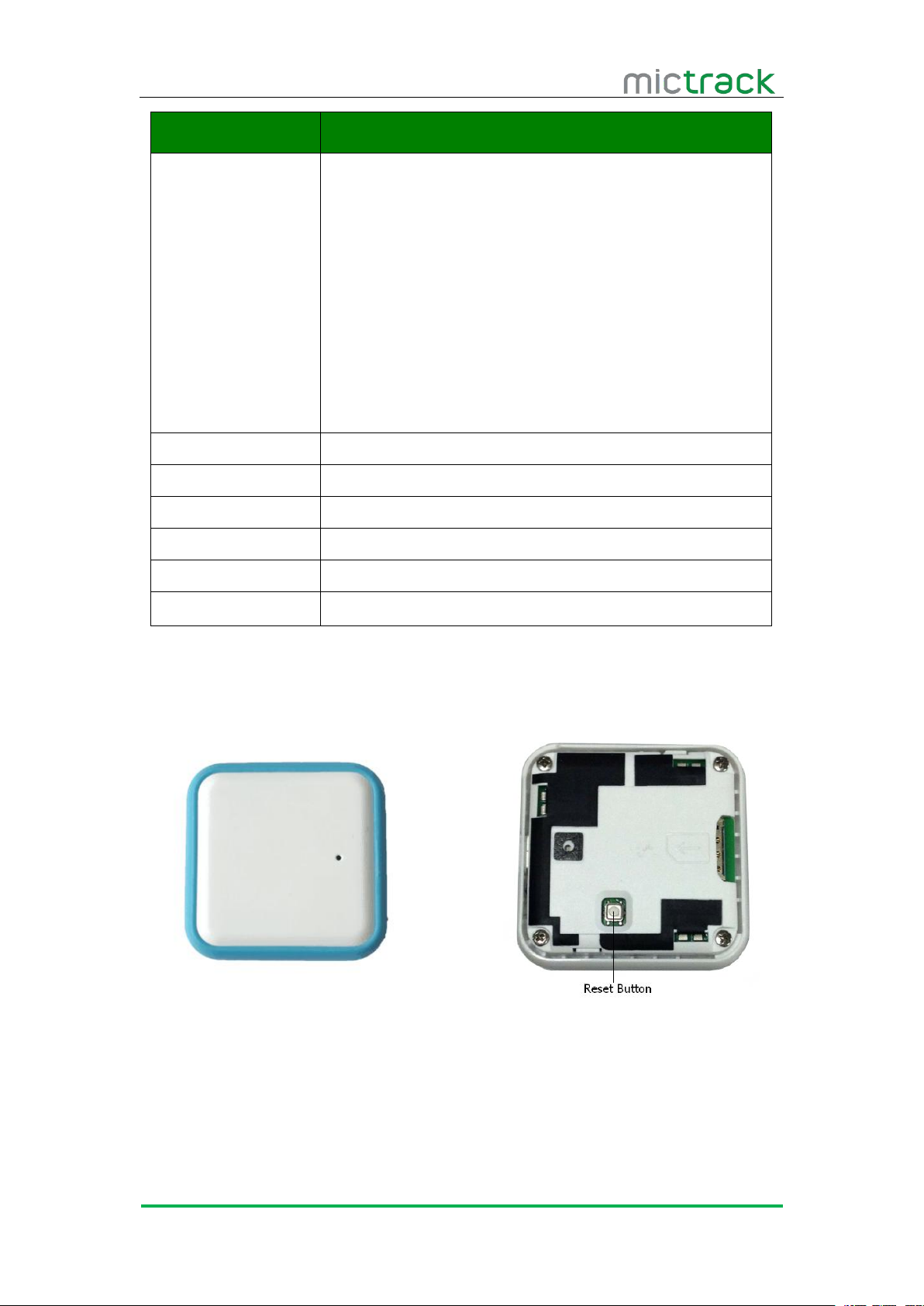
5. G902 interface
Page 5
G902 User Manual V1.0
http://www.mictrack.com
3
6. Installation
6.1 SIM Card installation
Get one Nano SIM card that support NB-IoT network.
Insert the SIM card into the SIM card slot.
Press the RESET button to reset it.
After that the device will be ready.
Check the LED status until access the NB-IoT network.
6.2 LED Indications
7. PC & App tracking
7.1 PC login:
Web: http://www.aiday.com.cn/loginpage/gps/login.htm
Username: Mictrack
Password: Demo
7.2 Mobile App
7.2.1 Download the App
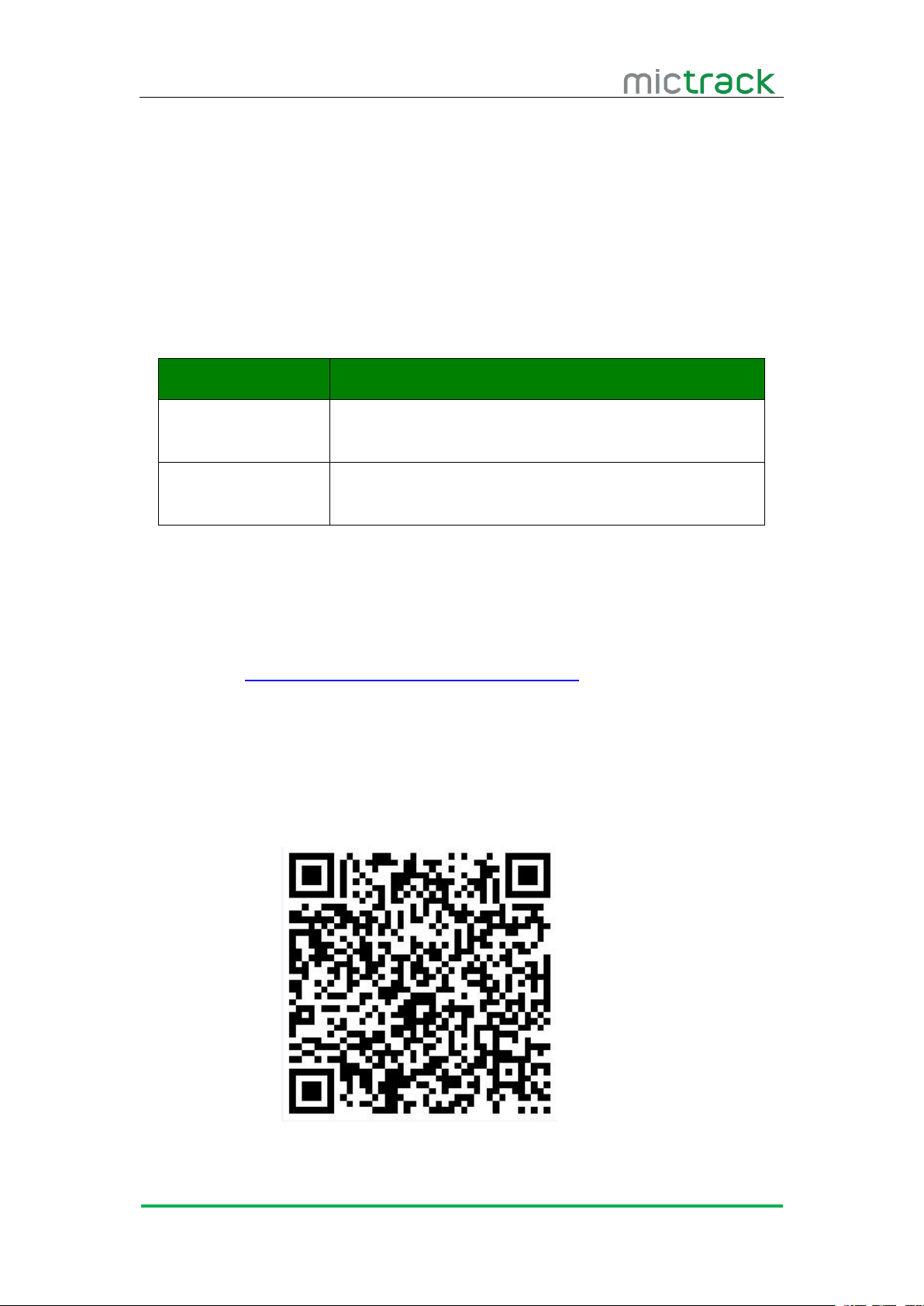
Scan the following QR code to download the App.
Status
Description
RED LED
Searching the network
Charging the device
GREEN LED
Access the network successful
Charging complete
Page 6
G902 User Manual V1.0
http://www.mictrack.com
4
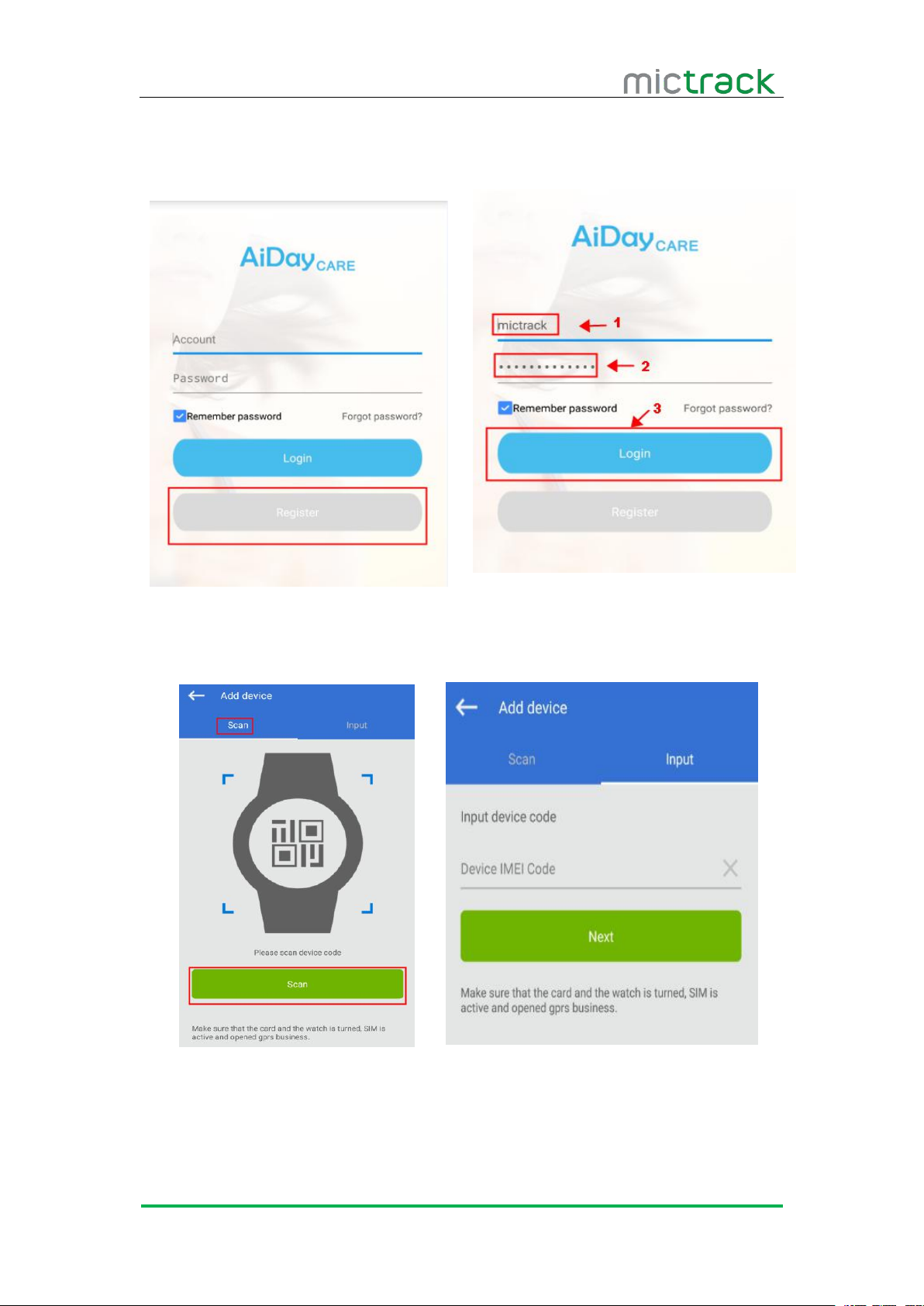
7.2.2 Register and Login
Register it and then login with the username and password.
7.2.3 Add your device to server
Scan the QR code on device or input the IMEI number.
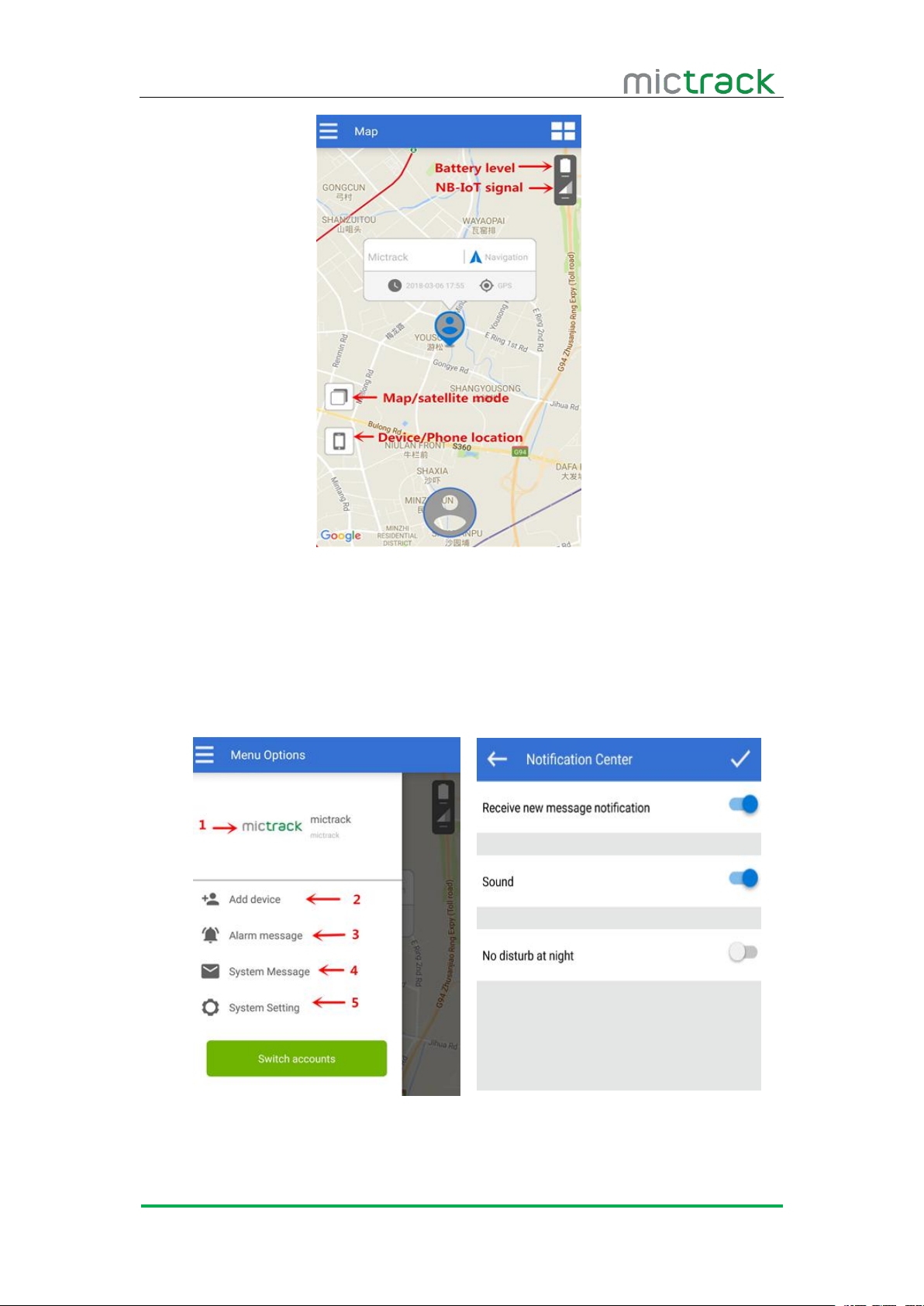
7.2.4 App main interface
Page 7
G902 User Manual V1.0
http://www.mictrack.com
5
Battery level: will show the current battery info.
NB-IoT signal: indicator the network status.
Map/satellite mode: switch to map or satellite mode.
Device/Phone location: switch to device location or phone location.
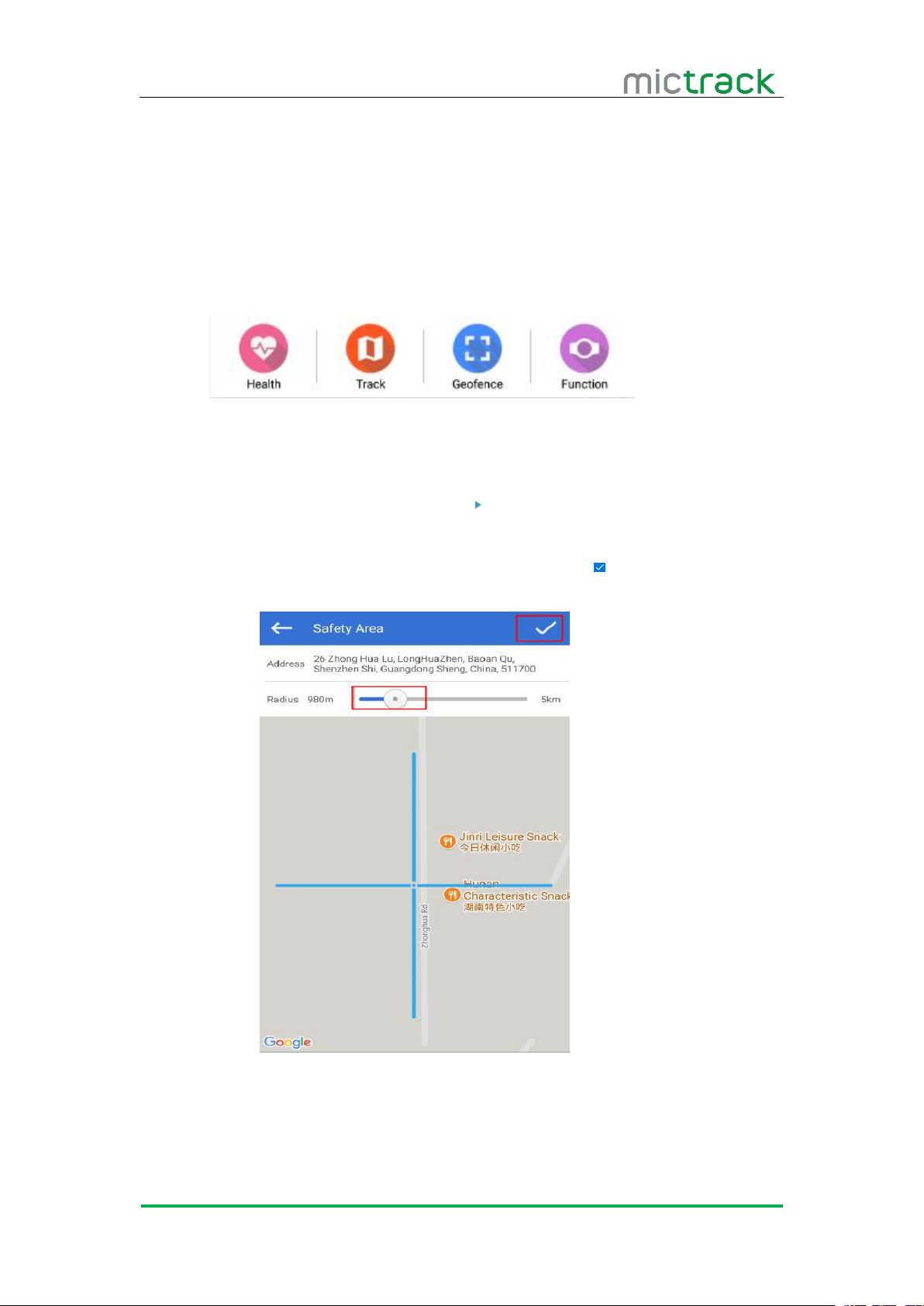
7.2.5 Menu options
1. Click the Icon to update the account info.
2. Add the new devices by QR or input IMEI number.
Page 8
G902 User Manual V1.0
http://www.mictrack.com
6
3. Alarm Messages included Geo-fence alert, low power alert.
4. It will show the alert of new guardian request.
5. System Setting :
i. Receive new message notification.
ii. Sound ON/OFF.
iii. No disturb at night ON/OFF.
7.2.6 Functions
Health( unavailable now )
Track
Choose the during time and click the “ ” icon to replay the history.
Geo-fence
Click the “+” icon to create a Safety Area and then click to finish.
Function
Page 9
G902 User Manual V1.0
http://www.mictrack.com
7
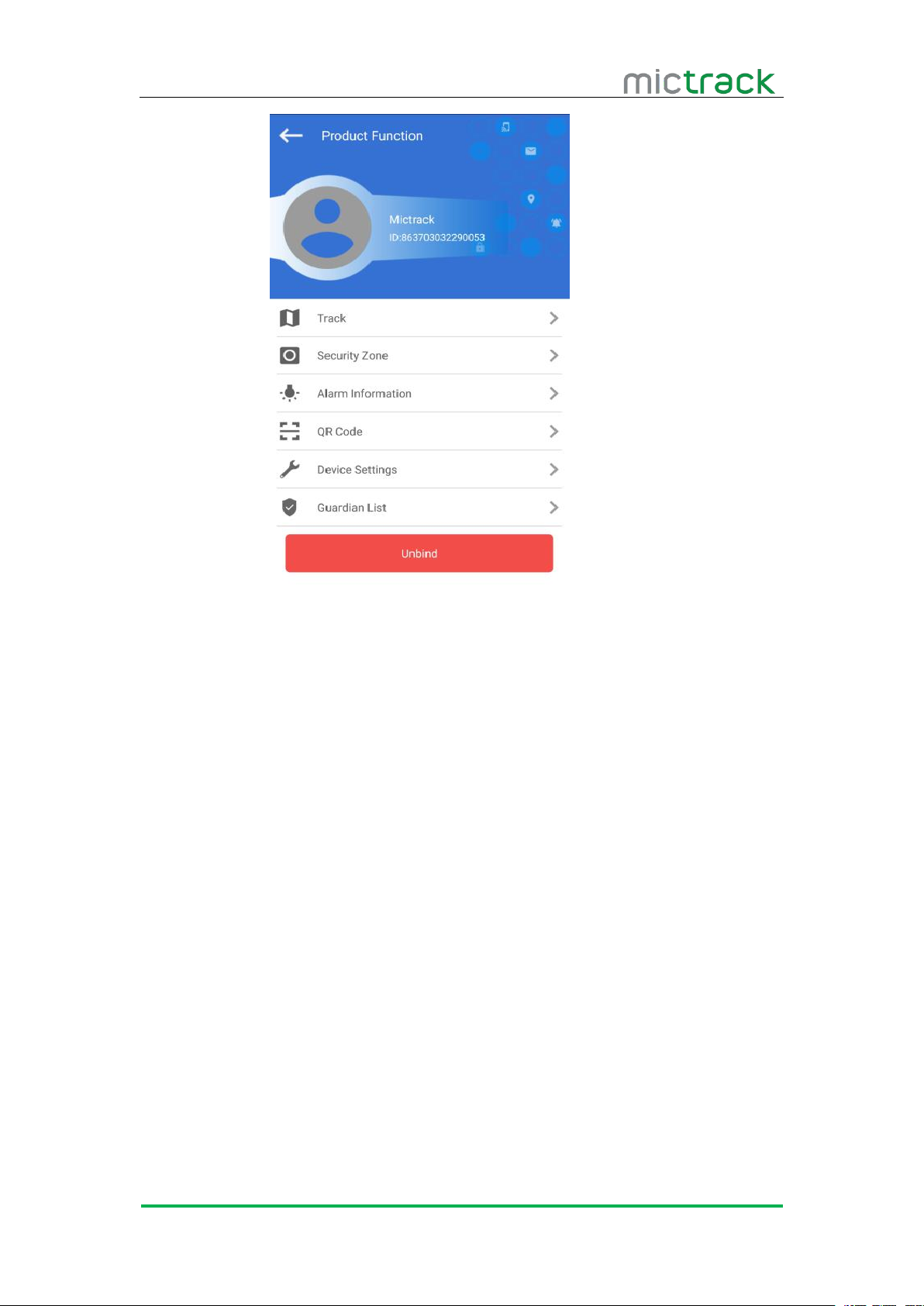
Track: same as 7.2.6
Security Zone: same as 7.2.6
Alarm information: same as 7.2.5
QR Code: Device QR code and IMEI Number.
Device Settings: Set the time positioning time
Guardian List
8. FAQ
Q: Why the device cannot power on?
Maybe the battery is low power, please charge it.
If long time without charge, please charge it for 30minutes at least.
It will take 3-4 hours charge full.
Q: Why the device positioning take a long time?
The network signal is weak
Make the device outside to get good GPS signal.
Q: The device can be bond to multiple mobile phones?
Click the “Add device” in the “Menu Options” to add on other mobile phones.
Q: The device can be monitored by multiple mobile phones?
Have to get the approval from the main controller.
Page 10
G902 User Manual V1.0
http://www.mictrack.com
8
Any questions please do not hesitate to contact us:
Shenzhen Mictrack Electronics Co.,Ltd.
Add: B305-306, Kangsheng Electronic Industrial Park, Zhonghua Rd, Longhua District,
Shenzhen, China 518131
Tel: +86-755-21014699
Fax: +86-755-21014699
Web: www.mictrack.com
Email: [email protected]
Forum: https://www.mictrack.com/forums/
 Loading...