

Page 1

Quick user guide
Bedienungsanleitung
Page 2

Page 3

INDICE
Ringraziamenti 4
Contenuto della scatola
Panoramica
Per ricaricare il vostro e-tab Style
Precauzioni di sicurezza per l’alimentatore
e la batteria
Avvertenze
Gestione degli aggiornamenti
Utilizzo Android™
Funzioni
Scheda tecnica
Tutela ambientale
Corretto smaltimento
Assistenza e supporto
QUICK USER GUIDE
BEDIENUNGSANLEITUNG
5
6
8
9
10
12
13
14
15
17
18
19
21
41
Page 4

4
RINGRAZIAMENTI
Grazie per aver acquistato e-tab Style.
Questo prodotto è stato progettato per sfruttare la
mobilità e l’interazione diretta tramite il touch screen e
la connettività Wi-Fi.
Il Team Microtech
Tutela dei marchi
Il logo e-tab Style è un marchio depositato Microtech.
Tutti i marchi registrati ed i copyright appartengono ai
rispettivi legittimi proprietari.
Page 5
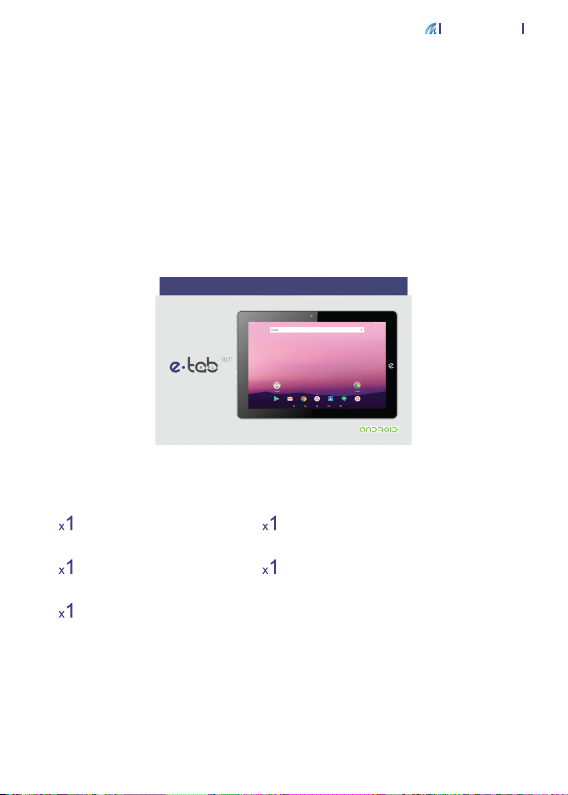
e-tab Style
CONTENUTO DELLA SCATOLA
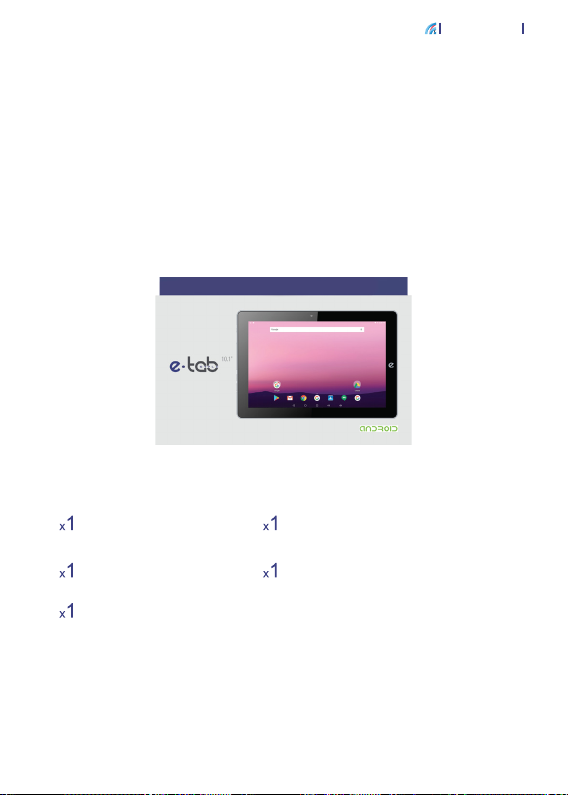
Accertati che nella confezione siano presenti i seguenti
elementi:
5
e-tab Style
Alimentatore
Cavo USB Type-C
Manuale utente in lingua
italiana/inglese/tedesca
Cavo OTG
Se qualcosa dovesse mancare o risultasse danneggiato,
per favore contatta il produttore e conserva interamente
la confezione per il trasporto.
www.e-tab.it
Page 6
6
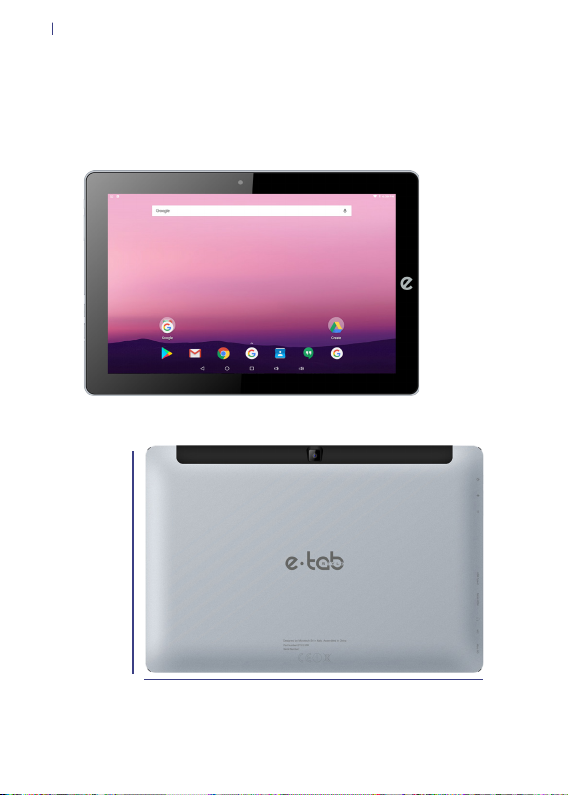
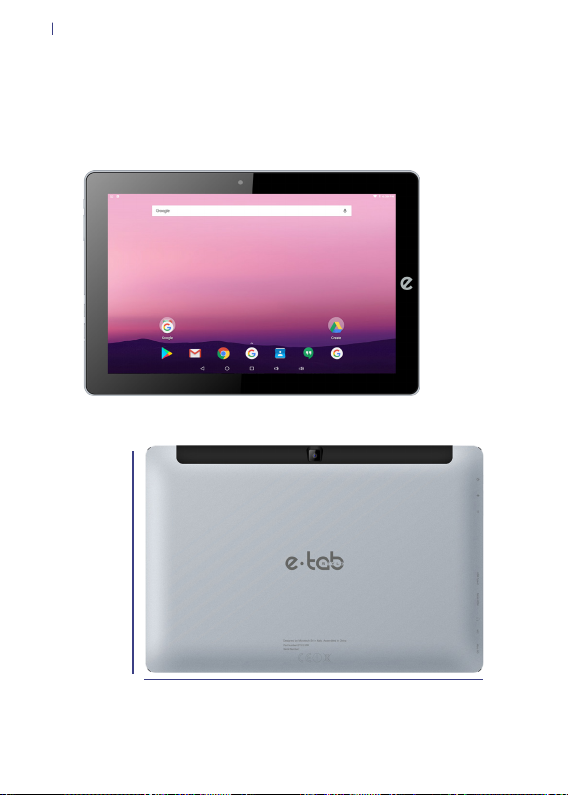
PANORAMICA
172 mm
256 mm
Page 7
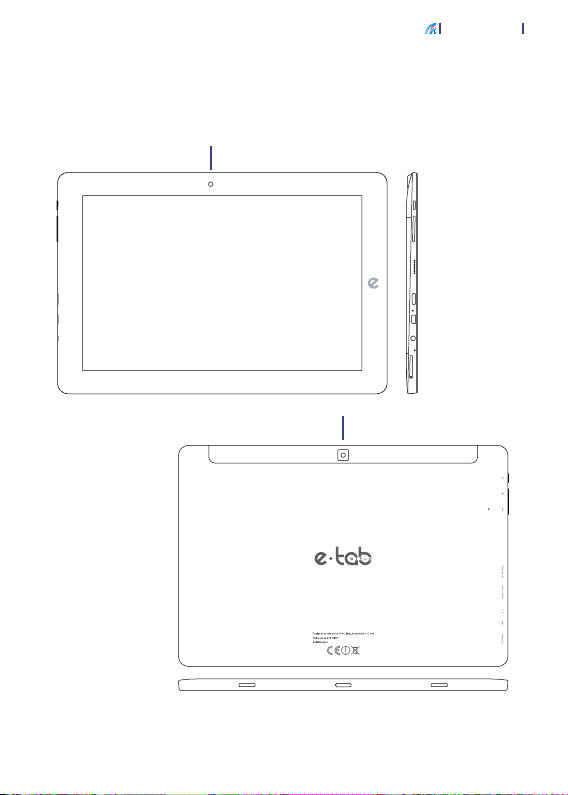
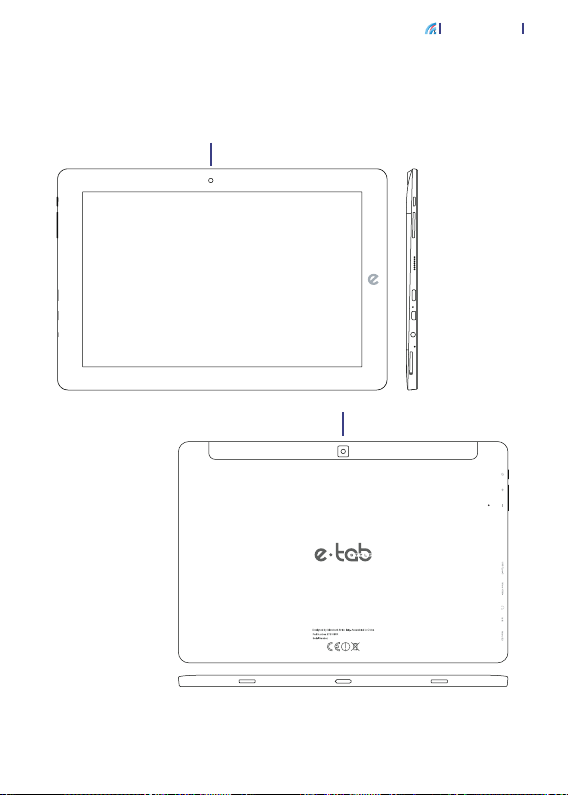
IL TUO E-TAB STYLE
Fotocamera anteriore
Pannello touch screen
Fotocamera posteriore
e-tab Style
Tasto di avvio e
spegnimento
Bilanciere del volume
Altoparlanti
USB Type - C
MicroHDMI
Porta Audio Jack
Microfono
MicroSD
R
Reset
7
Page 8

8
PER RICARICARE IL VOSTRO E-TAB STYLE
Collega il cavo USB all’adattatore di alimentazione.
Collega il connettore USB al tablet.
Collega l’adattatore di alimentazione ad una presa di
corrente dotata di messa a terra.
Page 9

e-tab Style
PRECAUZIONI DI SICUREZZA PER L’ALIMENTATORE
E LA BATTERIA
Utilizza la corretta sorgente di alimentazione esterna.
L’adattatore di alimentazione di questo prodotto può
essere usato esclusivamente con il tipo di sorgente
di alimentazione indicato sull’etichetta dei valori
nominali elettrici. Se non si è certi del tipo di sorgente di
alimentazione richiesta rivolgiti al servizio di assistenza
Microtech autorizzato.
Cura del gruppo batteria
Il prodotto contiene una batteria ai polimeri di litio.
Se il gruppo batteria viene maneggiato in modo errato può
vericarsi il rischio di incendio e ustioni. Non tentare di
aprire o di riparare il gruppo batteria.
Ricarica del dispositivo
Assicurati di mantenere collegato ad una fonte di
alimentazione il tuo e-tab Style per evitare improvvisi
spegnimenti durante il suo utilizzo.
9
Page 10

10
AVVERTENZE
Usa solamente l’adattatore di alimentazione e il cavo USB
in dotazione per caricare la batteria del tuo e-tab Style.
Usare un adattatore di alimentazione diverso potrebbe
danneggiare il tablet.
Assicurati di collegare l’adattatore di alimentazione
alla presa di corrente adeguata con la corretta potenza
nominale in ingresso. La tensione in uscita dell’adattatore
è DC 5.0V, 2A.
Per la carica di e-tab Style ti suggeriamo di caricarlo
tramite una presa di corrente dotata di messa a terra.
Mantieni il tablet lontano da intensi campi magnetici:
potrebbero danneggiare il dispositivo.
Solo persone qualicate ed autorizzate da Microtech
possono riparare il tablet.
Si raccomanda di tenere il volume ad un livello di
sicurezza per preservare la tua salute. In caso di
esposizione prolungata a suoni a volume elevato
potrebbero presentarsi danni all’udito.
Page 11

e-tab Style
Attenzione a non far cadere il dispositivo o a farlo urtare
contro oggetti, potrebbe riportare danni non coperti da
garanzia standard.
Non esporre il tablet ad ambienti umidi, alla pioggia o ad
ambienti eccessivamente caldi.
Nel caso del contatto con acqua, sabbia o esposizioni
prolungate ad alte temperature potrebbero vericarsi
malfunzionamenti irreparabili.
Non utilizzare prodotti chimici o detergenti per pulire il
tablet, potrebbero corrodere la supercie.
Evita di utilizzare il tablet con le mani bagnate per non
incorrere in scariche elettriche inaspettate.
Tutti i dispositivi wireless sono soggetti ad interferenze
che ne potrebbero compromettere le prestazioni.
11
Non utilizzare il tablet in stazioni di rifornimento o in
prossimità di carburanti o prodotti chimici.
Page 12

12
GESTIONE DEGLI AGGIORNAMENTI
Durante gli aggiornamenti software o durante le operazioni
di download non rimuovere l’alimentazione, potrebbero
vericarsi perdite di dati irreversibili.
L’eventuale manomissione del software potrebbe generare
costi aggiuntivi per il ripristino.
Page 13

e-tab Style
UTILIZZO ANDROID™
Avvio
Premi e rilascia il tasto di accensione posto in alto a
sinistra del tablet
Spegnimento
Tieni premuto per qualche secondo il tasto di accensione
> seleziona spegni
Blocca lo schermo
Premi il tasto di accensione
Cambio della lingua di sistema
Vai in: Impostazioni > Lingua e immissione > Lingua >
Seleziona la lingua
13
Page 14

14
FUNZIONI
Doppia fotocamera
Scatta foto, registra video
Multitouch capacitivo
Usa le dita sullo schermo per il controllo del sistema
Porta Micro HDMI: connetti il cavo
Connetti un cavo Micro HDMI per collegarti ai dispositivi
multimediali
USB Type-C
Connetti un cavo USB Type -C
Slot MicroSD
Supporta MicroSD no a 32 GB
Jack audio 3,5 mm
Connetti delle cufe o auricolari tramite questo ingresso
Microfono
Rileva la tua voce ed i suoni provenienti dall’ambiente
circostante
Altoparlanti
Offrono una qualità del suono nitida ed ottimale
Tasti Volume
+ Aumenta Volume / - Diminuisce Volume
Page 15
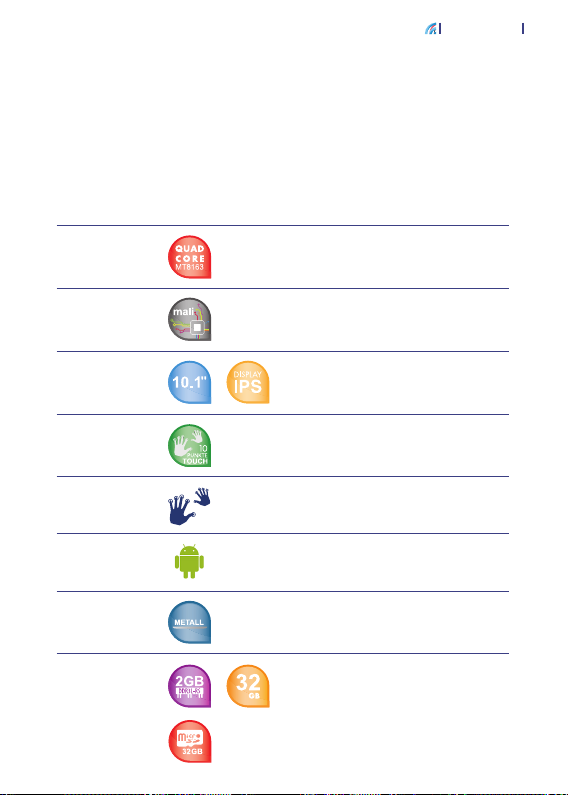
SCHEDA TECNICA
e-tab Style
15
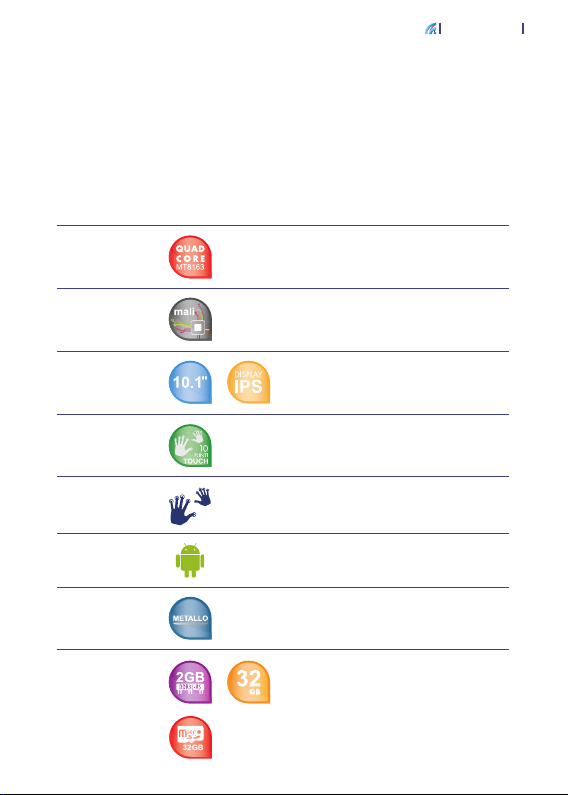
Dimensioni
tablet
Chip
Graca
Display
Touch
Screen
Metodo di
input
Sistema
Operativo
Case
Memoria
Larghezza: 256 mm
Altezza: 172 mm
Profondità: 8 mm
Mediatek 8163 Quad Core 64 Bit
operante no a 1.5 GHz
Mali 720 MP2 600MHz / 800MHz
Display 10.1’’ IPS
Risoluzione FHD 1.920 x 1.200
300 Lumens
Capacitivo a 10 Punti
Multitouch
Android™ 7.0
Il robot Android è riprodotto o modicato dal lavoro creato e condiviso da Google e
utilizzato secondo i termini descritti nella licenza di attribuzione Creative Commons 3.0.
Metallo
RAM 2GB DDR3
Capacità di archiviazione di 32 GB
Espansione tramite MicroSD card
no ad ulteriori 32 GB
Page 16
16
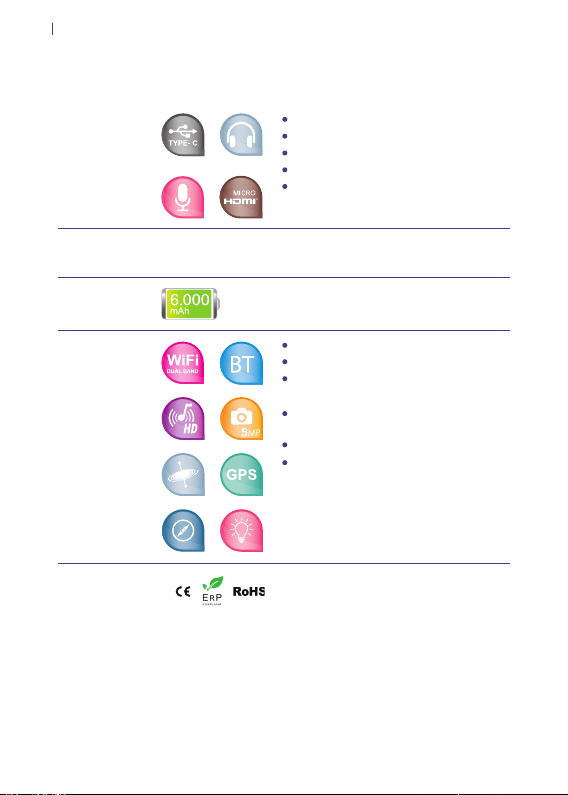
Ingressi e
Uscite
Tasti
Batteria
Caratteristiche
Certicazioni
Porta USB Type-C
Porta MicroHDMI
Slot MicroSD card
Uscita Audio
DC-In
Accensione
Volume
Batteria ai Polimeri
di Litio: 6.000 mAh
Wi- 802.11 a/b/g/n Dual Band
Bluetooth 4.0
Audio AAC: HD Audio, altoparlanti
integrati
Camera: 2 MP Frontale,
5 MP Posteriore
GPS
Sensore di Luminosità, Giroscopio,
Compasso
CE / RoHS / ErP
Page 17

e-tab Style
TUTELA AMBIENTALE
Microtech si impegna a realizzare prodotti e materiali per
l’imballaggio privi di impatto ambientale per salvaguardare
la salute dei consumatori e rispettare l’ambiente. La
diminuzione del numero di pagine di questo manuale fa
parte delle politiche di riduzione delle emissioni di anidride
carbonica.
17
Page 18
18
CORRETTO SMALTIMENTO
RISCHIO DI ESPLOSIONE se la batteria è sostituita
con una di un altro tipo non compatibile. Smaltisci le
batterie usate attenendoti alle istruzioni fornite dal
produttore.
NON BUTTARE la batteria nei bidoni dei riuti
municipali. Il simbolo X sul bidone dei riuti indica che
la batteria non deve essere buttata nei bidoni dei riuti
municipali.
NON BUTTARE il tuo e-tab Style nei bidoni dei riuti
municipali. Questo prodotto è stato concepito per
permettere il riutilizzo di alcune parti e il riciclaggio
di altre. Il simbolo X sul bidone dei riuti indica che
il prodotto (elettrico, elettronico, batterie contenenti
mercurio) non deve essere buttato nei bidoni dei riuti
municipali. Controllate le normative locali vigenti per il
corretto smaltimento dei prodotti elettronici.
NON BUTTARE il tuo e-tab Style nel fuoco. NON
creare cortocircuiti tra i contatti. NON disassemblare
il tablet.
Page 19

e-tab Style
ASSISTENZA E SUPPORTO
Per eventuali richeste di riparazione contattare il seguente
indirizzo:
www.e-tab.it
In seguito registra il tuo e-tab Style nell’Area Clienti
Microtech:
http://www.microtechsrl.com/microadmin/it/auth/
register_user?rma=1
Dopo aver effettuato la registrazione riceverai una e-mail
contenente le credenziali d’accesso all’Area Clienti.
Tutte le richieste di riparazione dovranno infatti essere
inserite all’interno dell’Area Clienti per poter essere evase.
19
Nome modello: ETS101PR
Page 20

Microtech S.r.l
Via Aldo Moro, 9 Buccinasco, 20090 (MI)
Sito: www.e-tab.it
Page 21

QUICK USER GUIDE
Page 22

Page 23

INDEX
Acknowledgements 24
Package contents
Overview
How to recharge your e-tab Style
Safety precautions for power supply and
Battery
Warnings
Updates management
Android™
Features
Technical datasheet
Environmental protection
Correct disposal
Technical assistance and support
QUICK USER GUIDE
BEDIENUNGSANLEITUNG
25
26
28
29
30
32
33
34
35
37
38
39
21
41
Page 24

24
ACNOWLEDGMENTS
Thank you for purchasing e-tab Style.
This product has been designed to take advantage
of the mobility and the direct interaction through the
touch screen, and the Wi-Fi connectivity.
Microtech team
Trademark protection
e-tab Style is a registered trademark of Microtech.
All registered trademarks and copyrights belong to their
rightful owners.
Page 25
e-tab Style
PACKAGE CONTENT
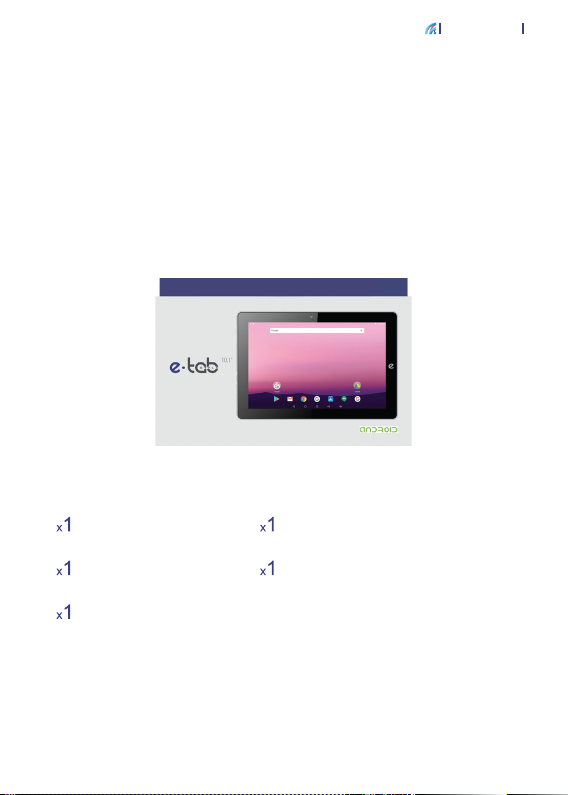
Verify that the following items are included in the
package:
25
e-tab Style
A power charger
USB Type-C cable
User manual in ITA/EN/
DEU
OTG cable
If something is missing or damaged, please contact the
manufacturer and keep intact the package for transport.
www.e-tab.it
Page 26
26
OVERVIEW
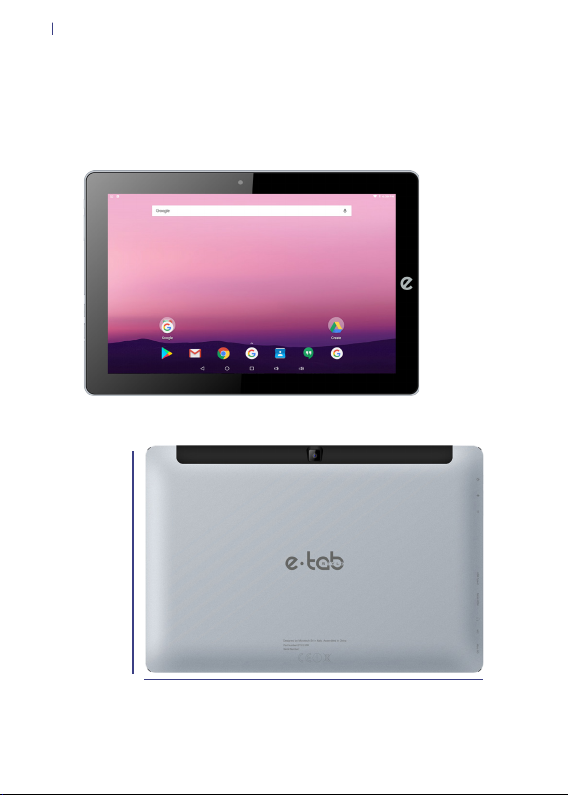
172 mm
256 mm
Page 27
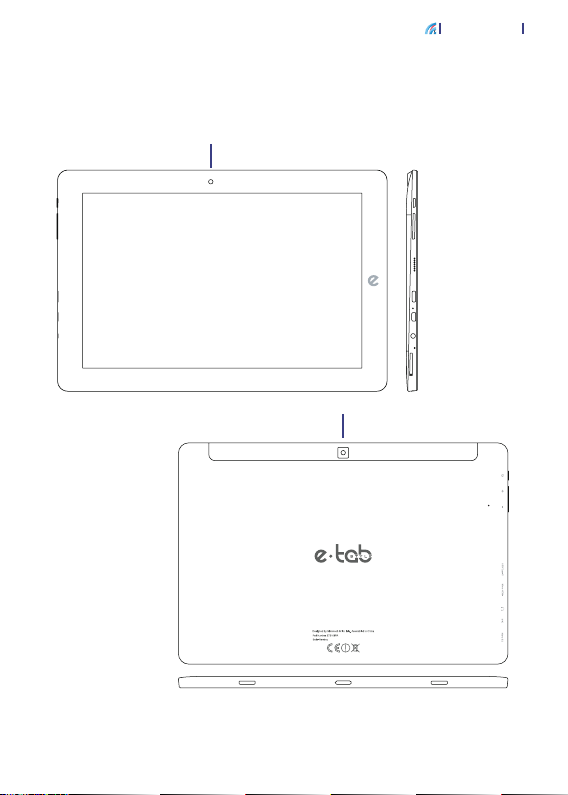
YOUR E-TAB STYLE
Front facing camera
Touch screen panel
Rear facing camera
e-tab Style
Power
Button
Volume up/down
Speakers
USB Type - C port
MicroHDMI port
Headphone Jack
Microphone
MicroSD port
R
Reset
27
Page 28

28
RECHARGE YOUR E-TAB STYLE
Connect the USB cable to the power adapter.
Connect the USB connector to the tablet.
Connect the power adapter to a grounded power outlet.
Page 29

e-tab Style
SAFETY PRECAUTIONS FOR POWER SUPPLY AND
BATTERY
Use the correct external power source.
The power adapter of this product can only be used with
the power source indicated on the electrical ratings label.
If you are not sure of the power source required please
contact the Microtech support.
Battery pack care
The product contains a lithium polymer battery.
An incorrect handling of the batteries used in this product
can result in the risk of re or skin burns. Do not attempt to
open or x the battery.
Device charging
Make sure that your e-tab Style is connected to a power
supply in order to avoid unexpected shutdowns during the
use.
29
Page 30

30
WARNINGS
Only use the supplied power adapter and the USB cable
to charge the battery of your e-tab Style. Using a different
power adapter may damage the tablet.
Make sure you plug the power supply into the power
outlet with the correct input voltage. The adapter output
voltage is DC 5.0V, 2A.
We suggest you to charge your e-tab Style through
grounded outlet.
Keep your device away from strong magnetic elds which
may damage the device.
Only the Microtech qualied staff can repair the tablet.
We recommend keeping the volume at a safe level to
preserve your health. In case of prolonged exposure to
loud noise hearing troubles may arise.
Page 31

e-tab Style
Be careful not to drop the device or bump it against
objects, it may cause damages not covered by the
standard warranty.
Do not expose your device to damp environments, rain or
extremely hot environments.
The contact with water, sand or prolonged exposure to
high temperatures may cause an irreparable damage.
Do not use chemicals or detergents to clean the tablet,
they may corrode the surface.
Do not use your device with wet hands in order to avoid
unexpected electrical discharges.
All wireless devices are susceptible to interferences,
which could affect the performance.
Do not use the tablet in petrol stations or near fuels or
chemicals.
31
Page 32

32
UPDATES MANAGEMENT
During software updates or during download operations
do not remove the power supply, it may cause irreversible
data loss.
Any tampering with the software may generate additional
costs for recovery.
Page 33

e-tab Style
ANDROID™
Start
Press and release the power button on the top left of the
tablet
Power off
Hold for a few seconds the power button
> Select power off
Lock the screen
Press the power button
Changing the Language of the System
From Settings go to > Language & input > Language >
Select language
33
Page 34

34
FEATURES
Dual Camera
It takes pictures, records videos.
Capacitive multi touch
Use your ngers on the screen to control the system.
MicroHDMI port: Connect the cable
Insert a Micro HDMI cable to connect to the multimedia
devices.
USB Type-C
Connect a USB cable Type – C
Slot MicroSD
Support a Micro SD up to 32 GB
Jack audio 3,5 mm
Connect headphones or earphones through this input.
Microphone
It captures your voice and all the sounds coming from the
surrounding environment.
Speaker
It offers a clear and optimal quality of sound.
Volume keys
+ Increases Volume / - Decreases Volume
Page 35
TECHNICAL DATASHEET
e-tab Style
35
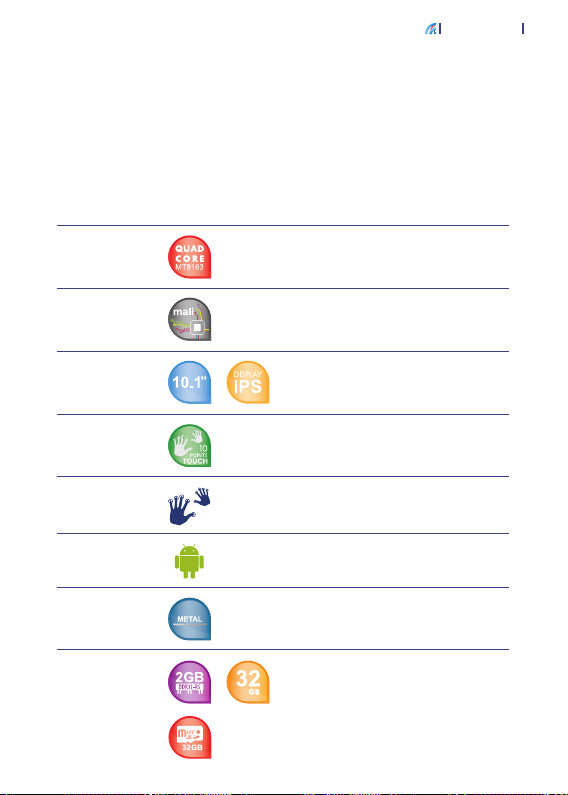
Tablet
dimensions
Chip
Graphics
Display
Touch
Screen
Input
method
Operating
system
Case
Memory
Width: 256 mm
Height: 172 mm
Depth: 8 mm
Mediatek 8163 Quad Core 64 Bit
up to 1.5 GHz
Mali 720 MP2 600MHz / 800MHz
Display 10.1’’ IPS
Resolution FHD 1.920 x 1.200
300 Lumens
Capacitive 10 Points
Multitouch
Android™ 7.0
The Android robot is reproduced or modied from work created and shared by Google
and used according to terms described in the Creative Commons 3.0 Attribution
License.
Metal
RAM 2GB DDR3
Storage capacity of 32 GB
Expansion through MicroSD Card
up to 32 GB
Page 36
36
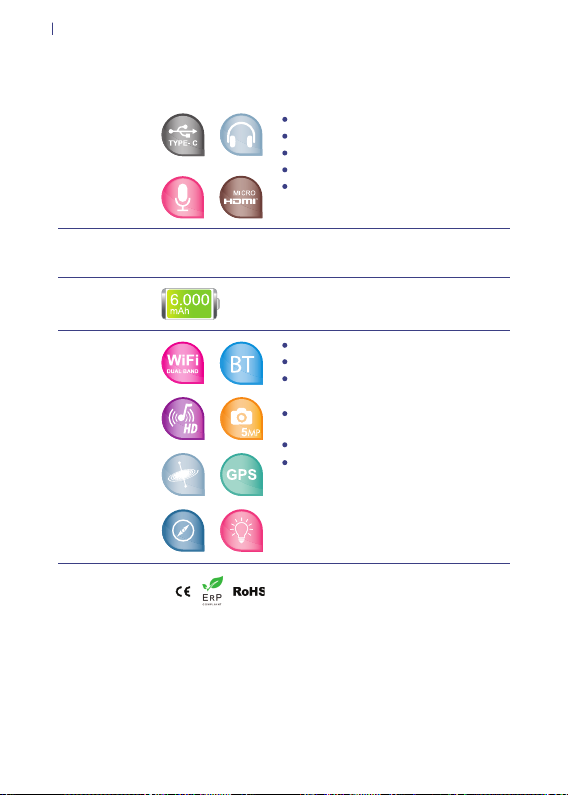
Inputs and
outputs
Buttons
Battery
Features
Certications
USB Type-C port
MicroHDMI port
MicroSD card slot
Audio output
DC-In
Power on
Volume
Lithium Polymer battery:
6.000 mAh
Wi- 802.11 a/b/g/n Dual Band
Bluetooth 4.0
Audio AAC: HD Audio, integrated
speakers
Camera: 2 MP Front camera,
5 MP Rear
GPS
Brightness sensor, Gyroscope,
Compass
CE / RoHS / ErP
Page 37

e-tab Style
ENVIRONMENTAL PROTECTION
Microtech has pledged to deliver products and packaging
materials with no environmental impact to safeguard the
health of the consumers and to respect the environment.
The decrease in the number of pages of this manual is
part of the policies aiming at reducing emissions of carbon
dioxide.
37
Page 38
38
CORRECT DISPOSAL
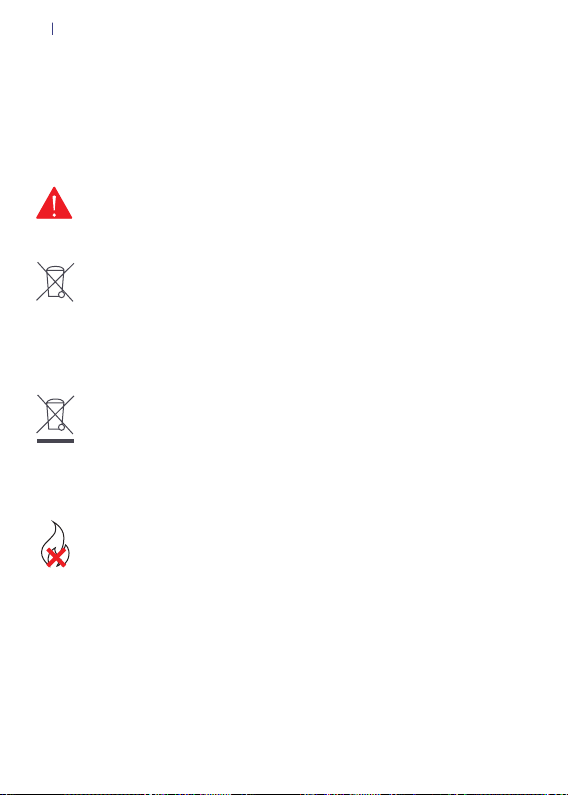
EXPLOSION HAZARD if the battery is replaced with
a not compliant model. Dispose of used batteries
according to the manufacturer’s instructions.
DO NOT THROW the battery in the dustbins. The X
symbol on the dustbin indicates that It is forbidden to
throw the battery in it.
DO NOT THROW our e-tab Style in the dustbins. This
product has been designed to enable the reuse of some
parts and the recycling of other parts. The X symbol
on the dustbin indicates that the product (electrical,
electronic, batteries containing mercury) should not
be thrown in the bins of municipal waste. Check local
regulations for proper disposal of electronic products.
DO NOT THROW our e-tab Style in the re. DO
NOT short-circuit among the contacts. DO NOT
disassemble your tablet.
Page 39

e-tab Style
TECHNICAL ASSISTANCE AND SUPPORT
For any repair request please contact the following
address:
www.e-tab.it
Then register your e-tab Style in the Microtech Customer
Area:
http://www.microtechsrl.com/microadmin/en/auth/
register_user?lang=en
After registration, you will receive your access credentials
to the Customer Area by e-mail.
All repair requests must be entered in the Customer Area
to be processed.
39
Model name: ETS101PR
Page 40

Microtech S.r.l
Via Aldo Moro, 9 Buccinasco, 20090 (MI)
Sito: www.e-tab.it
Page 41

BEDIENUNGSANLEITUNG
Page 42

Page 43

VERZEICHNIS
Danksagung
Verpackungsinhalt
Übersicht
Wie kann man das e-tab Style auaden
Sicherheitsvorkehrungen für das Netzteil
und die Batterieversorgung
Warnungen
Updates Verwaltung
Android™ Verwendung
Funktionen
Datenblatt
Umweltschutz
Korrekte Entsorgung
Wartung und Kundendienst
QUICK USER GUIDE
BEDIENUNGSANLEITUNG
44
45
46
48
49
50
52
53
54
55
57
58
59
21
41
Page 44

44
DANKSAGUNG
Vielen Dank für den Einkauf des e-tab Style.
Dieses Produkt ist entwickelt worden, um die Vorteile der
Mobilität und die direkte Interaktion über den Touchscreen
und die WiFi - Konnektivität auszunutzen.
Microtech Team
Markenschutz
Das e-tab Style Logo ist eine Microtech eingetragene
Warenmarke. Alle Warenmarken und Urheberrechte sind
Eigentum ihrer jeweiligen Inhaber.
Page 45
e-tab Style
VERPACKUNGSINHALT
Stellen Sie sicher, dass folgende Elemente vorhanden
sind:
45
e-tab Style
Netzteil
USB-Kabel
Bedienungsanleitung auf
Italienisch / Englisch /
OTG-Kabel
Wenn etwas fehlt oder beschädigt ist, wenden Sie sich
bitte an den Hersteller und bewahren Sie die komplette
Verpackung für den Transport.
www.e-tab.it
Deutsch
Page 46
46
ÜBERSICHT
172 mm
256 mm
Page 47
IHR E-TAB STYLE
Vorderkamera
Touch screen Panel
Hinterkamera
e-tab Style
Start- und Ausschalttaste
Lautstärketaste
Lautsprecher
USB Typ - C Anschluss
MicroHDMI Anschluss
Ohrhörer
Mikrofon
MicroSD Anschluss
47
Zurücksetzen
R
Page 48

48
WIE KANN MAN DAS E-TAB STYLE AUFLADEN
Verbinden Sie das USB-Kabel mit dem Netzadapter.
Verbinden Sie den USB – Anschluss mit dem Tablet.
Verbinden Sie das Netzteil mit einer geerdeten Steckdose
Page 49

e-tab Style
SICHERHEITSVORKEHRUNGEN FÜR DAS NETZTEIL
UND DIE BATTERIEVERSORGUNG
Verwenden Sie die richtige externe Stromquelle.
Das Netzteil kann einzig mit der Stromquelle verwendet
werden, die auf der Nennwertenetikette angegeben ist.
Wenn Sie die richtige Stromversorgung nicht kennen,
wenden Sie sich bitte an Microtech Kundendienst.
Batteriewartung
Das Produkt enthält eine Lithium-Polymer-Batterie.
Wenn die Batterie nicht ordnungsgemäß verwendet wird,
kann es zu Brandgefahr und Verbrennungen führen.
Versuchen Sie keineswegs, den Akku aufzumachen oder
zu reparieren.
Wiederauadung der Vorrichtung
Stellen Sie sicher, dass Ihr e-tab Style an einer Stromquelle
verbunden ist, um plötzliche Abschaltungen während des
Betriebs zu vermeiden.
49
Page 50

50
WARNUNGEN
Verwenden Sie nur das gelieferte Netzteil und das USB
– Kabel, um den Akku Ihres e-tab Style aufzuladen. Die
Verwendung eines anderen Netzadapters kann das
Tablet beschädigen.
Stellen Sie sicher, dass das Netzteil mit der korrekten
Stromleistung an die angebrachte Steckdose
angeschlossen ist. Die Ausgangsspannung beträgt DC
5.0V, 2A.
Um das e-tab Style aufzuladen, empfehlen wir Ihnen, es
an eine geerdete Steckdose anzuschließen.
Halten Sie Ihr Tablet weg von starken Magnetfeldern:
die das Gerät beschädigen könnten.
Nur unsere qualizierten Fachmänner sind autorisiert,
das Tablet zu reparieren.
Wir empfehlen Ihnen, die Lautstärke auf einem sicheren
Niveau zu halten, um Ihre Gesundheit zu bewahren.
Gesundheitsschäden können durch übermassigen Lärm
entstehen.
Page 51

e-tab Style
Lassen Sie das Gerät nicht fallen oder stoßen Daraus
können sich Schäden ergeben, die nicht unter der
Standardgarantie fallen.
Setzen Sie Ihr Tablet nicht den feuchten Umgebungen,
der direkten Sonneneinstrahlung, dem Regen oder
extremer Hitze aus.
Wasser, Sand oder hohe Temperaturen können
irreparable Schäden verursachen
Verwenden Sie keine Chemikalien oder Reinigungsmittel
zur Reinigung des Tablets. Sie könnten die Oberäche
korrodieren.
Fassen Sie das Tablet mit nassen Händen nicht an, um
elektrische Entladungen zu vermeiden.
Alle Wireless-Geräte sind Interferenzen ausgesetzt, die
den Leistungen schaden könnten.
51
Verwenden Sie das Gerät nicht an Tankstellen, in der
Nähe von Brennstoffen oder Chemikalien.
Page 52

52
UPDATES VERWALTUNG
Während der Software Aktualisierungen oder beim
Downloaden, entfernen Sie die Batterie nicht.
Unumkehrbare Datenverluste könnten vorkommen.
Die Manipulation an der Software könnte zu Zusatzkosten
zur Wiederherstellung führen.
Page 53

e-tab Style
ANDROID™ VERWENDUNG
Starten
Drücken Sie die Power-Taste auf der linken oberen Ecke
des Tablets
Ausschalten
Halten Sie für einige Sekunden die Power- Taste gedrückt
> Wählen Sie ausschalten
Bildschirm-Sperre
Drücken Sie die Power-Taste
Änderung der Systemsprache
Bewegen auf : Einstellungen> Sprache und Eingabe >
Sprache> Sprache wählen
53
Page 54

54
FUNKTIONEN
Dual-Kamera
Sie nimmt sowohl Bilder als auch Videos auf.
Kapazitives Multi-Touch
Berühren Sie mit Ihren Fingern den Bildschirm, um das
System zu kontrollieren.
Micro HDMI-Anschluss: Kabel anschließen
Schließen Sie ein Micro-HDMI Kabel zum Anschluss an
den Multimedia-Geräte an
USB Typ-C Kabel
Verbinden Sie das USB Typ – C Kabel
Micro SD-Card Slot
Es unterstützt eine Micro SD-Karte bis zu 32 GB
3,5 mm Audio-Anschluss
Verbinden Sie die Kopfhörer oder die Ohrhörer mit diesem Anschluss
Mikrofon
Ermitteln Sie Ihre Stimme und die Geräusche aus der
Umgebung
Lautsprecher
Sie bieten eine klare und optimale Klangqualität
Lautstärketasten
+ Lautstärke erhöhen / - Lautstärke verringern
Page 55
DATENBLATT
e-tab Style
55
Tablet
Maße
Chip
Grak
Display
Touch
Screen
Eingabe
methode
Betriebssystem
Hülle
Speicher
Breite: 256 mm
Höhe: 172 mm
Tiefe: 8 mm
Mediatek 8163 Quad Core 64 Bit
bis 1.5 GHz
Mali 720 MP2 600MHz / 800MHz
Display 10.1’’ IPS
Auösung FHD 1.920x1.200
300 Lumens
Kapazitiv 10 Punkte
Multitouch
Android™ 7.0
Der Android-Roboter wird anhand von Werken reproduziert bzw. abgewandelt,
die von Google erstellt oder geteilt wurden. Seine Verwendung erfolgt gemäß den
Bestimmungen der Creative Commons Namensnennung 3.0-Lizenz.
Metall
RAM 2GB DDR3
Speicherkapazität of 32 GB
Erweiterung mittels MicroSD Card
bis weitere 32 GB
Page 56
56
Ein- und
Ausgänge
Tasten
Batterie
Eigen
schaften
Kennzeichnungen
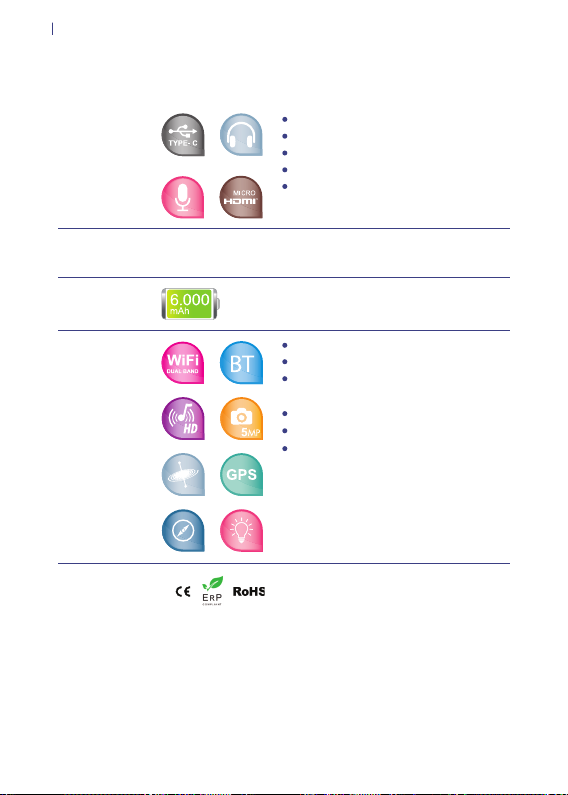
USB Typ-C Anschluss
MicroHDMI Anschluss
MicroSD card slot
Audio Ausgang
DC-In
Starten
Volume
Lithium-Polymer-Akku:
6.000 mAh
Wi- 802.11 a/b/g/n Dual Band
Bluetooth 4.0
AAC Audio: HD Audio, integrierte
Kamera: 2 MP Vorderkamera, 5 MP
Hinterkamera
GPS
Lichtsensor, Gyroskop, Kompass
CE / RoHS / ErP
Page 57

e-tab Style
UMWELTSCHUTZ
Microtech hat sich verpichtet, Produkte und
Verpackungsmaterialien zu realisieren, die auf die Umwelt
nicht auswirken, um die Gesundheit der Verbraucher zu
bewahren und die Umwelt zu respektieren.
Die geringe Seitenzahl in diesem Handbuch gehört zu
den politischen Maßnahmen zur Reduzierung von C02Emissionen.
57
Page 58
58
KORREKTE ENTSORGUNG
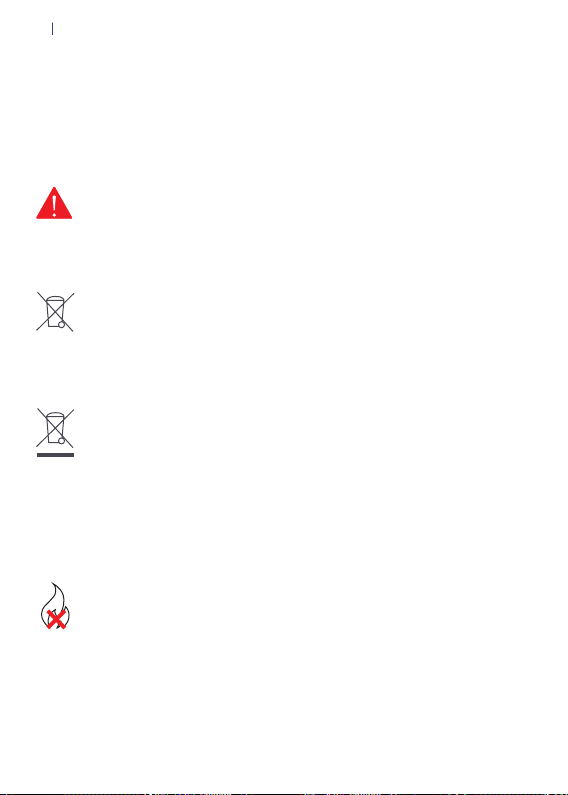
EXPLOSIONS-RISIKO, wenn die Batterie durch einen
ungeeigneten Typ ersetzt wird. Bitte entsorgen Sie die
gebrauchten. Batterien gemäß den Anweisungen der
Hersteller.
WERFEN SIE die Batterie in die Abfallbehälter NICHT.
Das Symbol X zeigt an, dass die Batterie nicht in die
Abfallbehälter geworfen werden darf.
WERFEN SIE Ihr e-tab Style in die Abfallbehälter
NICHT. Dieses Produkt wurde entwickelt, um die
Wiederverwendung von Teilen und Recycling von
anderen zu ermöglichen. Das Symbol X auf den
Abfallbehälter zeigt an, dass das Produkt (elektrisch,
elektronisch, Quecksilber enthaltene Batterien) in die
Abfallbehälter nicht geworfen werden darf. Überprüfen
Sie die örtlichen Vorschriften für die ordnungsgemäße
Entsorgung der elektronischen Produkte.
Werfen Sie Ihr e-tab Style im Feuer NICHT.
Verursachen Sie Kurzschlüsse durch die Verbindungen
nicht . Zerlegen Sie Ihr Tablet nicht.
Page 59

e-tab Style
WARTUNG UND KUNDENDIENST
Für jede Anfrage nach Reparatur wenden Sie sich an die
folgende Adresse:
www.e-tab.it
Registrieren Sie dann Ihr e-tab Style im Microtech
Kundenbereich:
http://www.microtechsrl.com/microadmin/de/auth/
register_user?rma=1
Nachdem Sie sich registriert haben, erhalten Sie eine
E-mail mit den Zugangsdaten.
Alle Reparaturanträge müssen im Kundenbereich
eingetragen werden, damit man sie erledigen kann.
59
Modell Name: ETS101PR
Page 60

 Loading...