

Page 1
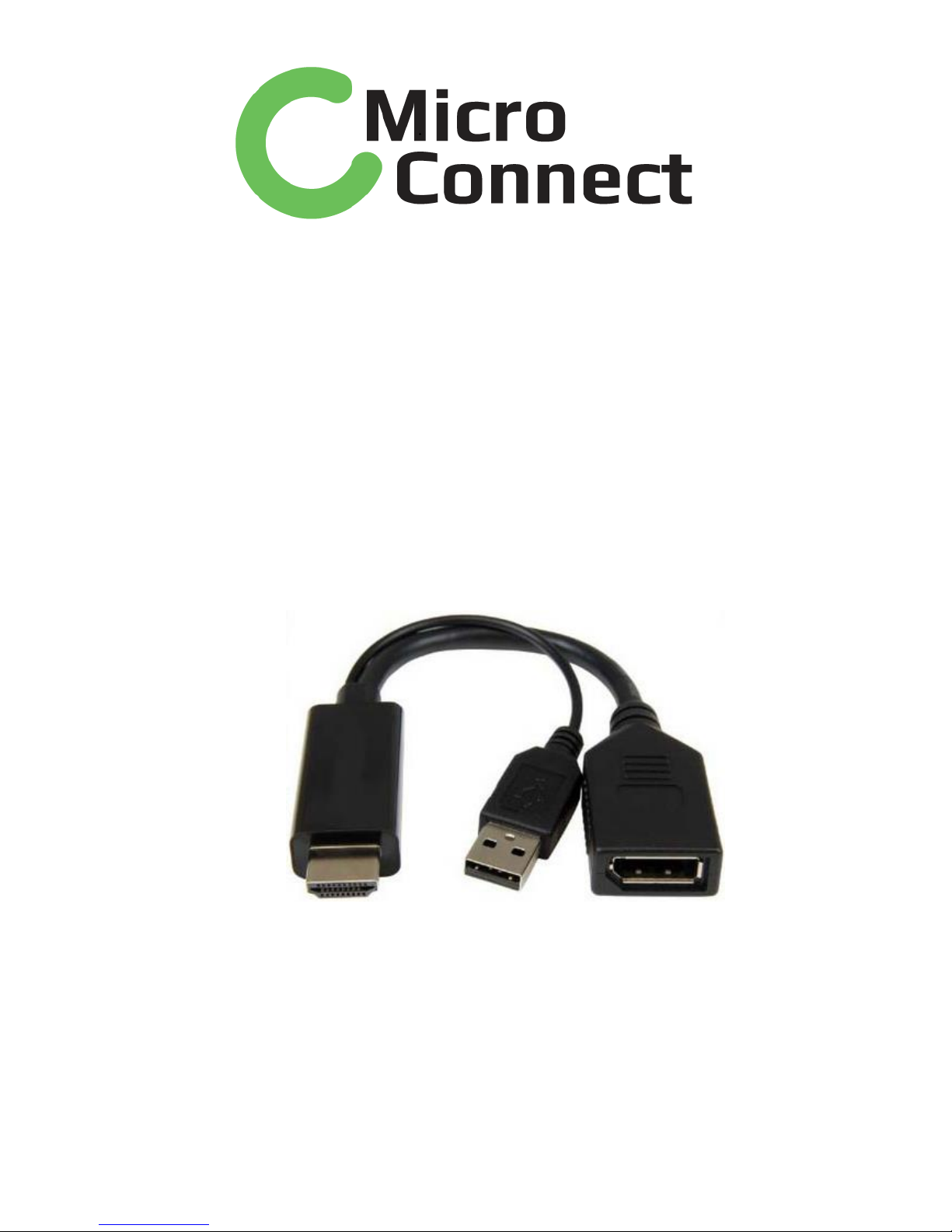
HDMI to DP++(V1.2)Adapter
P/N: HDMDPP1
User Manual
Page 2

HDMI to DP++ V1.2 Adapter
Contents
1.0 INTRODUCTION .............................................. 1
2.0 FEATURES ...................................................... 1
3.0 SPECIFICATIONS ............................................ 2
4.0 PACKAGE CONTENTS ....................................... 3
5.0 OPERATION .................................................... 3
6.0 CONNECTION DIAGRAM ................................... 3
Page 3

HDMI to DP++ V1.2 Adapter
1
DEAR CUSTOMER
Thank you for purchasing this product. For optimum performance and
safety, please read these instructions carefully before connecting,
operating or using this product. Please keep this manual for future
reference.
1.0 INTRODUCTION
This is an HDMI to DisplayPort Adapter which allows you to transmit
HDMI signal into DP++ signal. This product supports DP1.2
specification with resolution up to 4096 x 2160@30Hz. Besides, it is
equipped with USB-A port to supply power in case there isn’t enough power
from HDMI source.
How it works:
1) Connect USB-A port to Power source (USB-A female port or USB
Power Adapter), if there is enough power from HDMI source,
there is no need to connect this port
2) Connect HDMI port to HDMI source (eg: DVD, BD, PC…)
3) Connect DisplayPort port to DisplayPort monitor, or connect this
port to “DP to HDMI Adapter” or “DP to DVI” Adapter
Overview of DP++:
DP++ is a kind of DP port that supports DP dual mode source output.
It supports both active DP output and passive DP to HDMI Adapter.
2.0 FEATURES
Support HDMI input, DisplayPort output with USB-A port
for power supply
Support HDMI:
Link rate up to 2.97 Gbps/data pair
Color depth up to 48 bits
3D video timings
Support DisplayPort:
DP++
Compliant with DP 1.2a and lower versions
Link rate HBR2/HBR/RBR
AUX CH 1 Mbps
Supports eDP operation
Page 4
HDMI to DP++ V1.2 Adapter
2
HDMI / DVI operation with level translator
Max resolution up to 4KX2K@30Hz
Supports Video Convert:
RGB/YCC (4:4:4) – 16-bit color
YCC (4:2:2) – 16-bit color
Color space conversion – YUV to RGB and
RGB to YUV
Supports Video Resolution:
Video resolution up to 4K x 2K @ 30 Hz;
Video resolution up to 1920 x 1080 @ 120 Hz
Supports Audio: 7.1 Ch up to 192 kHz sample rate
HDCP 1.4 Compliant
Low power consumption design: HDMI source can supply
enough power to this product under most circumstances, the
USB-A port is connected only when there isn’t enough power
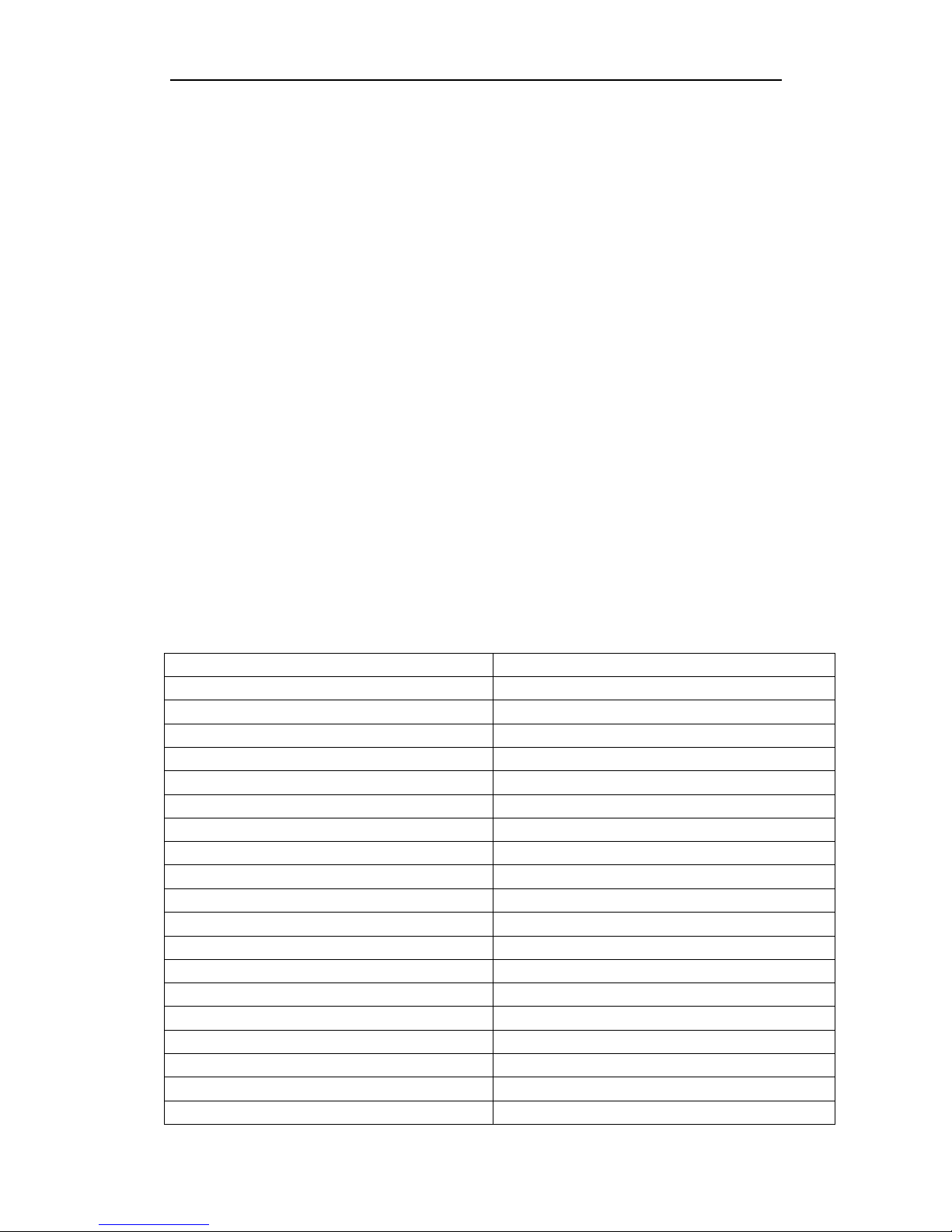
3.0 SPECIFICATIONS
Input/Output Connector
Input
HDMI Malex1
Output
DisplayPort Femalex1
Other port
USB-A malex1(for power supply)
Resolution
DisplayPort
Max 4096 x 2160@30Hz
Mechanical
Size
20.8x11x245MM
Weight
42g
Environmental
Operating Temperature
0℃~45℃
Operating Humidity
10% ~ 85 % RH (no condensation)
Storage Temperature
-10℃~ 80℃
Storage Humidity
5% ~ 90 % RH (no condensation)
Power
External Power Supply
USB-A
Other power Supply
HDMI source
Warranty
Limited Warranty
1 Year
Regulatory Approvals
Page 5
HDMI to DP++ V1.2 Adapter
3
Certifications
FCC, CE
Accessory Adapter
User Manual
English Version
4.0 PACKAGE CONTENTS
Before attempting to use this unit, please check the packaging and
make sure the following items are contained in the shipping carton:
Main unit x1
User Manual x1
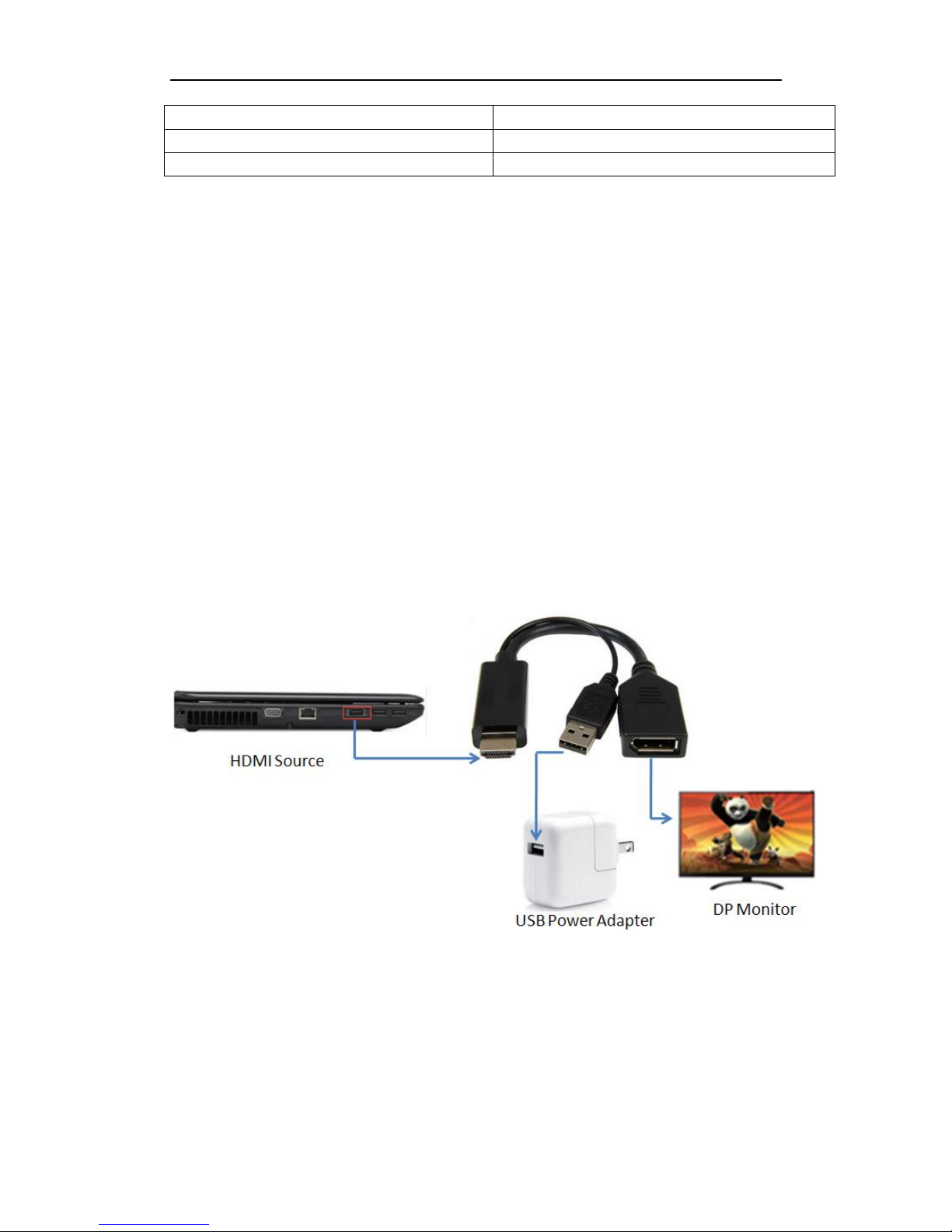
5.0 OPERATION
1) Connect HDMI male to HDMI source
2) Connect DisplayPort female to DisplayPort monitor
3) Connect USB-A port to Power source (USB-A female port or USB
Power Adapter), if there is enough power from HDMI source, there is
no need to connect this port
6.0 CONNECTION DIAGRAM
 Loading...