

Page 1
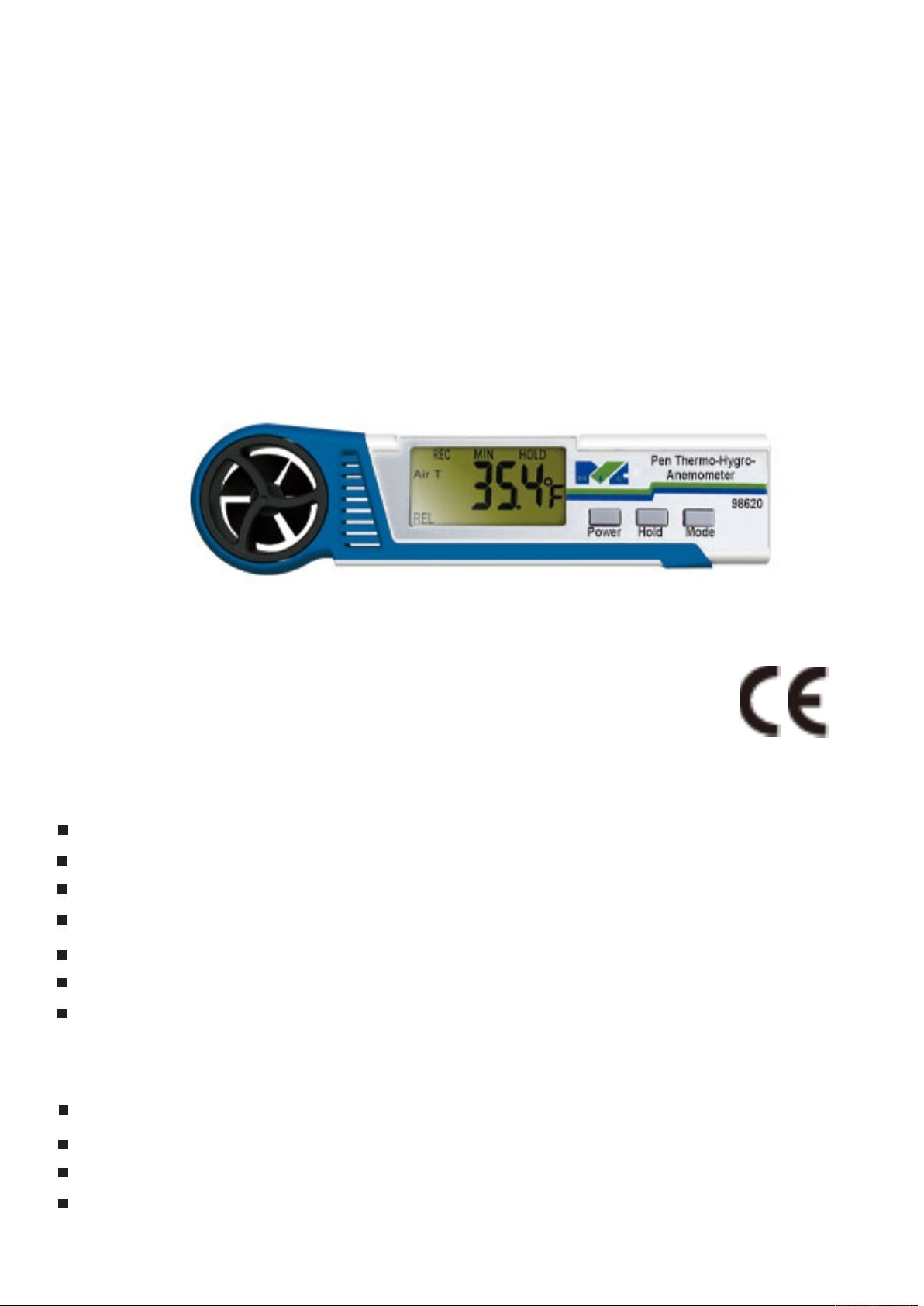
OPERATIONMANUAL
Thermo-Hygro Anemometer
98610/98620/98621
FEATURES
Contacted temperature measurement.
Relative humidity/Web Bub/Dew Point (98620/98621)
Heat Index/WBGT(98621 only)
Data hold/Maximum/Average functions.
Auto power off function(15 minutes).
Quick response and high accuracy
Low battery indication
MATERIAL SUPPLIED
Meter
Battery(CR2032 battery included)
Operation manual
Box
Page 2
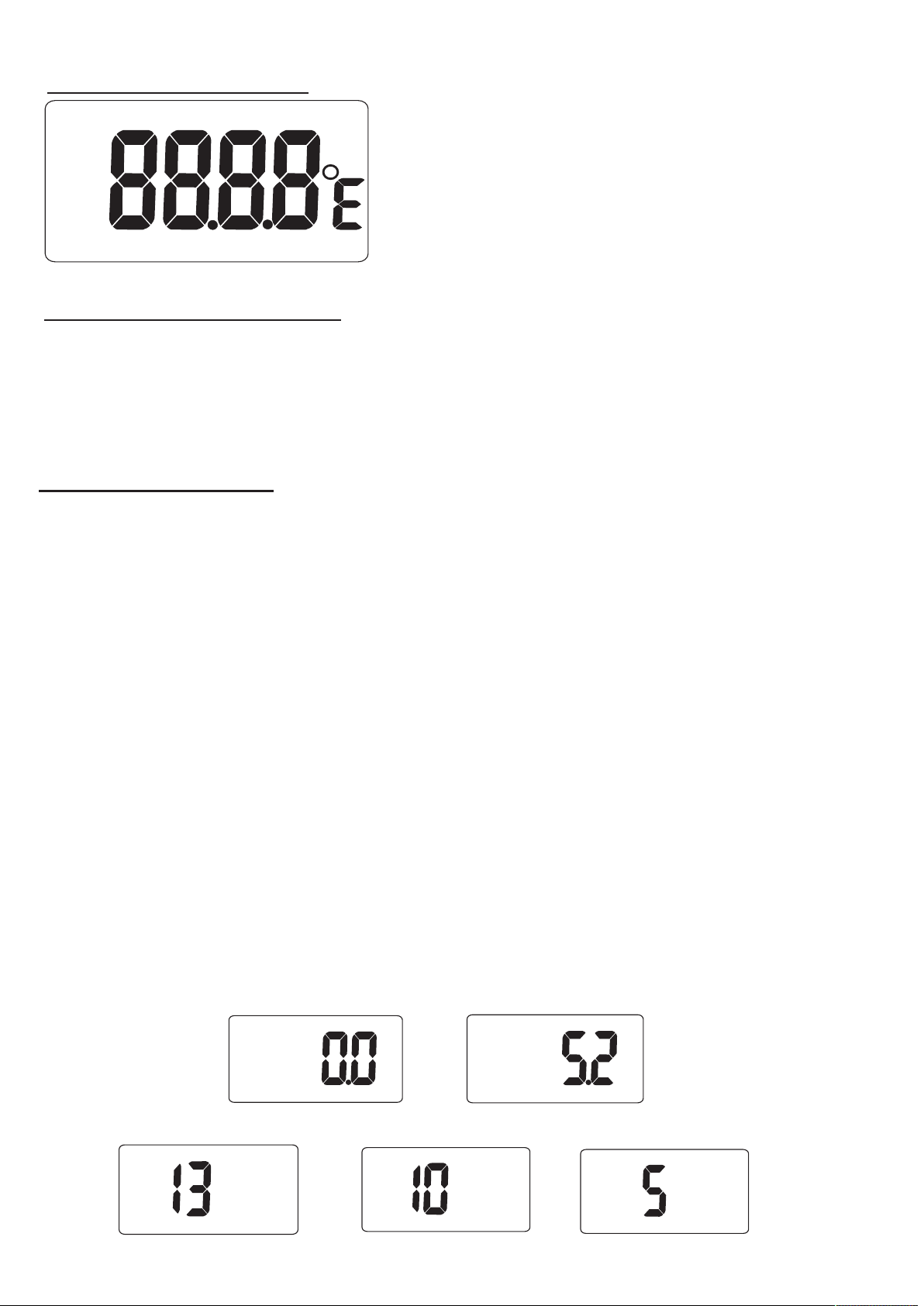
LCD DISPLAY
MAX
MIN
AVG
MOIST
TEMP
AIR T
R H I
DPWB
WNCL
REL
REC
BFT FPM/H KMH m/s KNT
HOLD
BAT
%
KEY FUNCTION
POWER: Max/Min/Average(5s’10s’13s’)
HOLD: Data hold mode/wind speed unit/Temp. unit
MODE: WNCL/Temp.(98610)/RH/DP/WB(98620/98621)
HI/WBGT(98621 only)
OPERATION
(1)Power On/Off
With meter off, short press POWER to turn on the meter.
To turn the meter off, long press POWER to turn off.
The meter will also turn off automatically after 15 minutes if
no action is taken.
(2)Maximum and Minimum mode
With meter on, press POWER button “MAX” icon will appear
on the display with temp. reading. Press POWER again
LCD appear “AVG” icon and each press goes from
5sec,10sec to13sec average. The meter will circularly
appear MAX ,5sec AVG, 10sec AVG,13sec AVG reading on
the display.
Note:5sec,10sec,13sec icon only appear for a sec then start
measure.
MAX
m/s
↑
AVG
m/s
←
→
m/s
AVG
m/s
↓
AVG
←
m/s
Page 3
(3)Data Hold
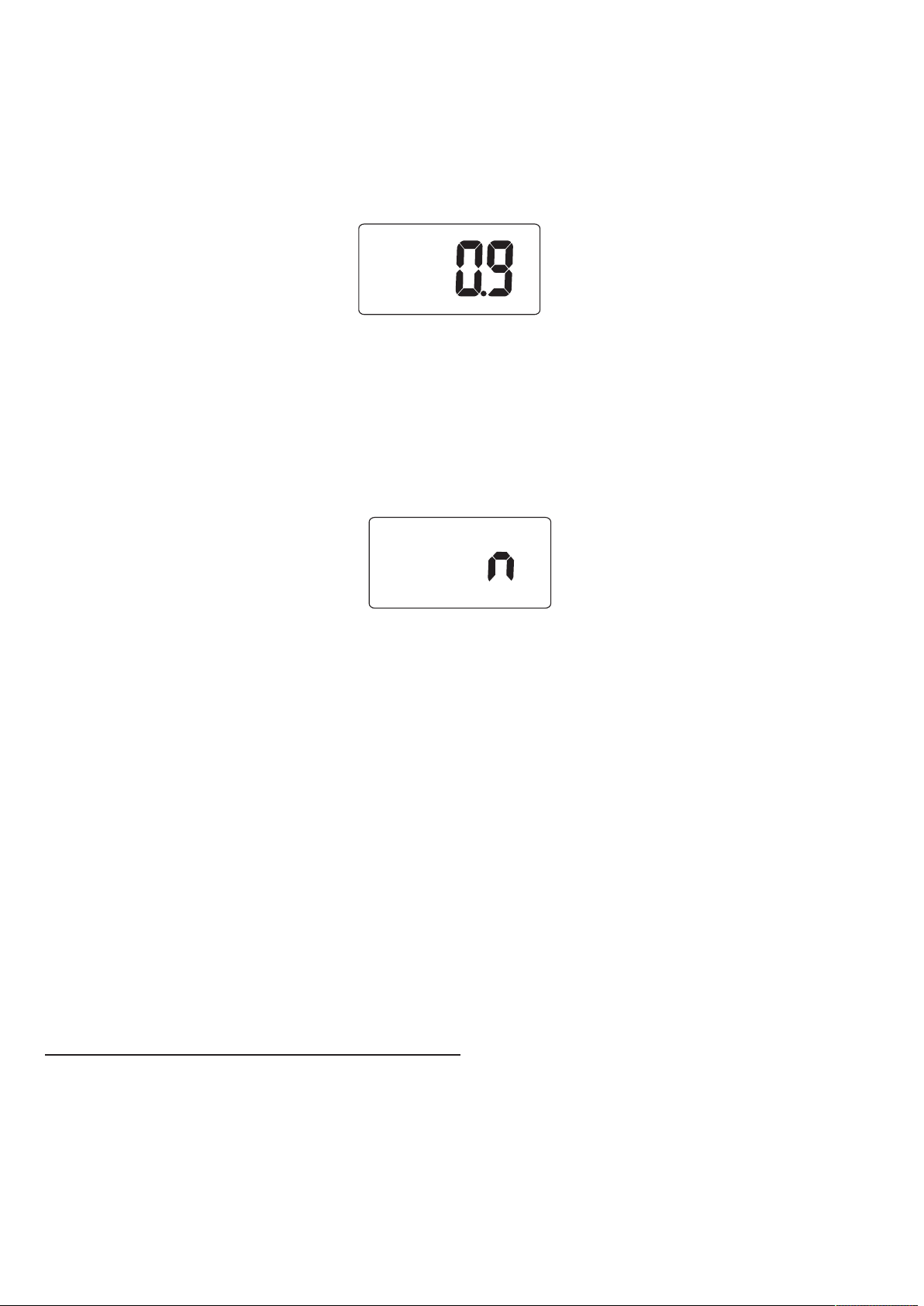
Press HOLD button to freeze the displayed reading. The
‘HOLD’ icon and the held reading will appear on the display.
Press the HOLD button again, the meter will return to the
normal measurement.
HOLD
m/s
(4)Auto Power OFF
The meter will shut off automatically after approximately 15
minutes, if no action is taken.
To disable auto power off, when meter off press
HOLD+POWER button, “n” icon will appear on the LCD.
The meter will return to normal measurement
(5)Change wind speed unit
When meter is under air flow measurement, long press
HOLD button to change unit from m/s→KMH→M/H→FPM→
BFT→KNT and back to m/s.
(6)Select Temp. mode
Short press MODE button to circularly appear m/s→WNCL→
Temp.→Humidity→Heat Index→Dew Point→Wet Bulb→WBGT
and back to m/s.
(7)Change Temp. unit
Under WNCL,Temp.,HI,DP,WB and WBGT mode, short press
HOLD button to change Temp. unit from °C/°F.
TROUBLE SHOOTING
Er1:Disconnection of sensor/Low battery to connect sensor.
Er2:Out of range
Page 4
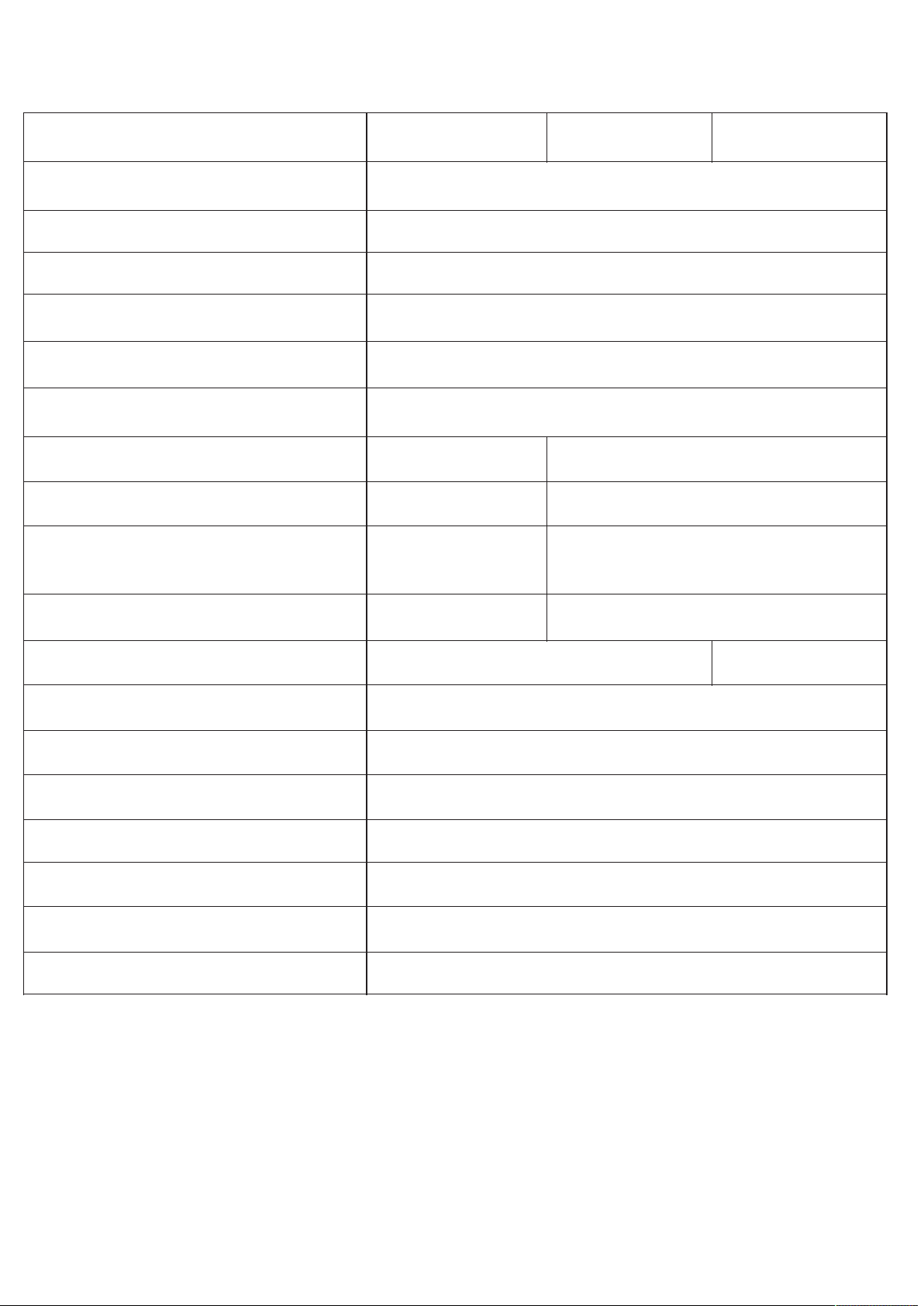
SPECIFICATION
Spec./Model no.
98610
98620
98621
Temp. range
-15.0~50.0°C(5~122°F)
Resolution
0.1°C
Accuracy
±1ºC
Air Velocity range
0.4~25m/s,80~4920ftm
Accuracy
±3%of FS
Wind Unit
m/s,ftm,kmh,mph,knot,BFT
RH% range
N/A
5.0~95.0%
Resolution
N/A
0.1%
Accuracy
N/A
±3%RH(at25ºC
10~90%),others 5%
Dew point/Web bulb/ Windchill
N/A
YES
Heat index/WBGT
N/A
YES
HOLD
YES
MAX/MIN/AVG
YES
Recall/Reset
YES
Power
CR2032 x1 pc
LCD display
28 x 14mm
Operating Temp.&RH
0~50°C(32~122°F),<80%RH
Meter size
152 x 40 x 18mm
BATTERY REPLACEMENT
Use a coin to remove the battery compartment cover on the rear
of the meter. Replace the CR-2032 lithium battery; install the
new battery face up (+) in the battery compartment.
Disposal: Follow the valid legal stipulations in respect of the
disposal of the device at the end of its life cycle.
 Loading...