

Page 1

Where There is Miboxer There is Power
Model No.: C2-6000
User Manual
Page 2

Introduction
Features
Compatible with Li-ion (4.2v ), Ni-MH/ Ni-Cd (1.48v)
batteries;
Applicable to different types of cylindrical
rechargeable Li-ion and Ni-MH/Ni-Cd batteries;
Powerbank function, using lithium batteries;
Maximum 3A/ channel fast charging;
Manual current selection;
High precision reference voltage source calibration;
Automatically stop charging when battery was fully
charged;
With reverse-battery and short circuit protection
function;
Automatic adaptation to input power;
Intelligent battery temperature control function;
Automatically detect the battery and display the
state of charging;
Automatic battery internal resistance and capacity
measurement;
Two fully independent slots, supports charging of
two different battery types;
Support small capacity battery charging;
Support Li-ion battery repair function;
Supports DC12V car charger mode;
Made of PC fire retardant material;
Excellent heat dissipation and circuit design;
1 year warranty.
C2-6000 is a highly advanced battery charger, that
includes a power bank function.
The charger automatically adapts the charge current
according to characteristics of each battery. During
the charging process, the charger will automatically
determine the battery capacity, internal resistance,
charging time, the battery percentage, charging
voltage, charging current, temperature and so on.
The charger is fully compatible with Li-ion, IMR, INR,
ICR, Ni-MH, Ni-Cd batteries. The charger has a
backlit LCD display, which can display charging
parameters and charging status of the battery.
The charger will select different charging methods
automatically according to different battery types.
For Li-ion, IMR, INR, ICR batteries, the charger will
apply normal Li-ion battery charging mode (trickle,
constant current, constant voltage), for Ni-MH /
Ni-Cd battery, the charger will apply -△V full
charging capacity termination method.
Page 3
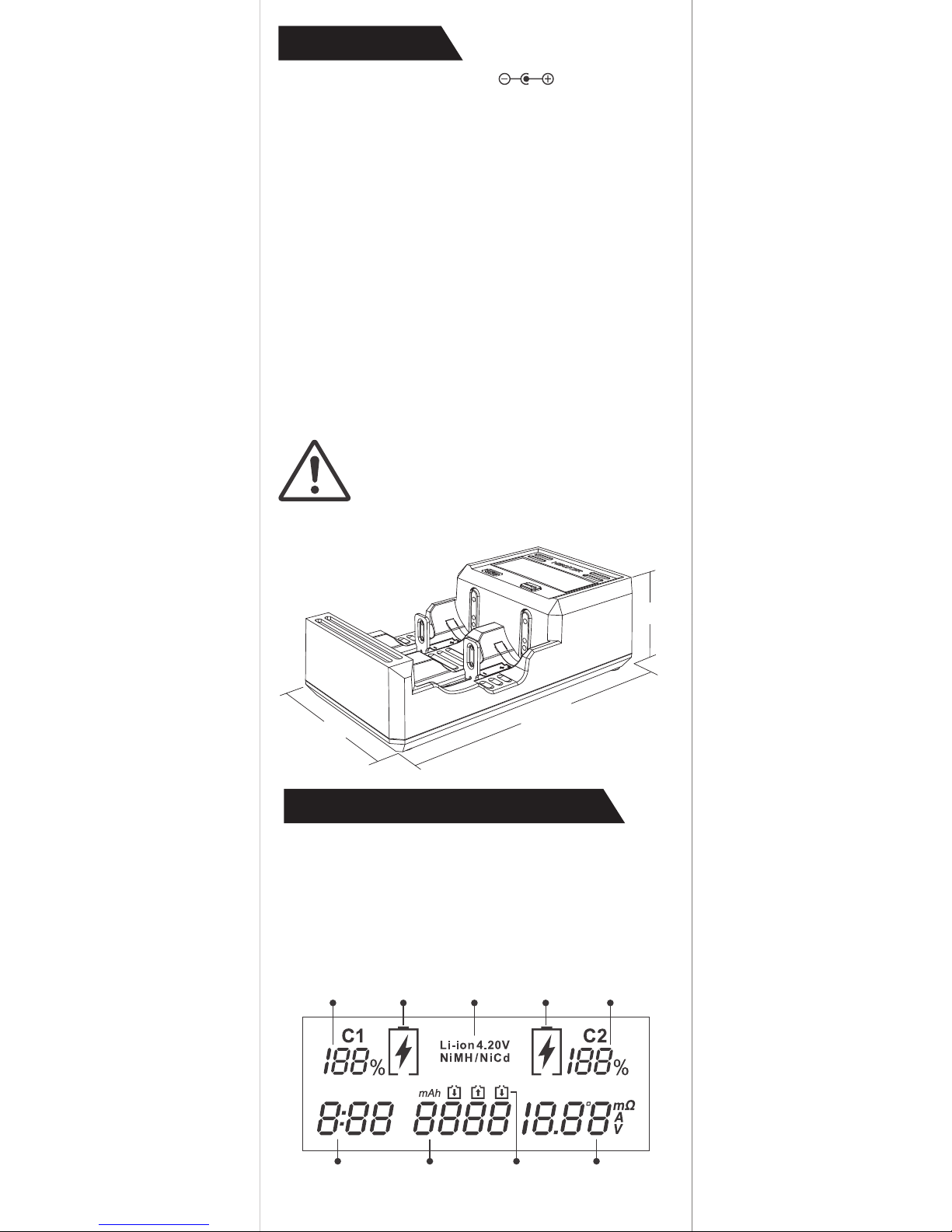
Parameters
LCD display introduction
Input voltage: DC 12V / 3A
Output voltage: 4.20V±1% / 1.48V±1%
Output current:
Li-ion maximum 2*3.0A
Ni-MH/Ni-Cd maximum 2*1A
USB Output: DC 5V / 1A
Products weight: 196g
The charger is not compatible with
LiFePO4 batteries; otherwise batteries will
be overcharged and may explode.
For the 4.35V Li-ion battery, charger
considers 4.20V as full charge in defaults.
Rich user interface display, the LCD screen
displays the states of the voltage, current,
charging time, battery type, internal resistance,
capacity, temperature and percentage, which let
you understand the battery charging state more
intuitively.
Apply to:
Li-ion (4.2V) (IMR/INR/ICR)
10340 / 10350 / 10440 / 10500 / 12340 / 12500
12650 / 13450 / 13500 / 13650 / 14350 / 14430
14500 / 14650 / 16500 / 16340(RCR123) / 16650
17350 / 17500 / 17650 / 17670 / 18350 / 18490
18500 / 18650 / 18700 / 20700 / 21700 / 22500
22650 / 25500 / 26500 / 26650
Ni-MH / Ni-Cd (1.48V)
AAAA / AAA / AA / A / SC / C / D
Battery
percentage
Charging time
Battery capacity
Charge symbol
Internal resistance/
current/ voltage/
temperature
First
channel
Battery
type
Second
channel
Battery
percentage
Note
48mm
148.5mm
78.5mm
Page 4
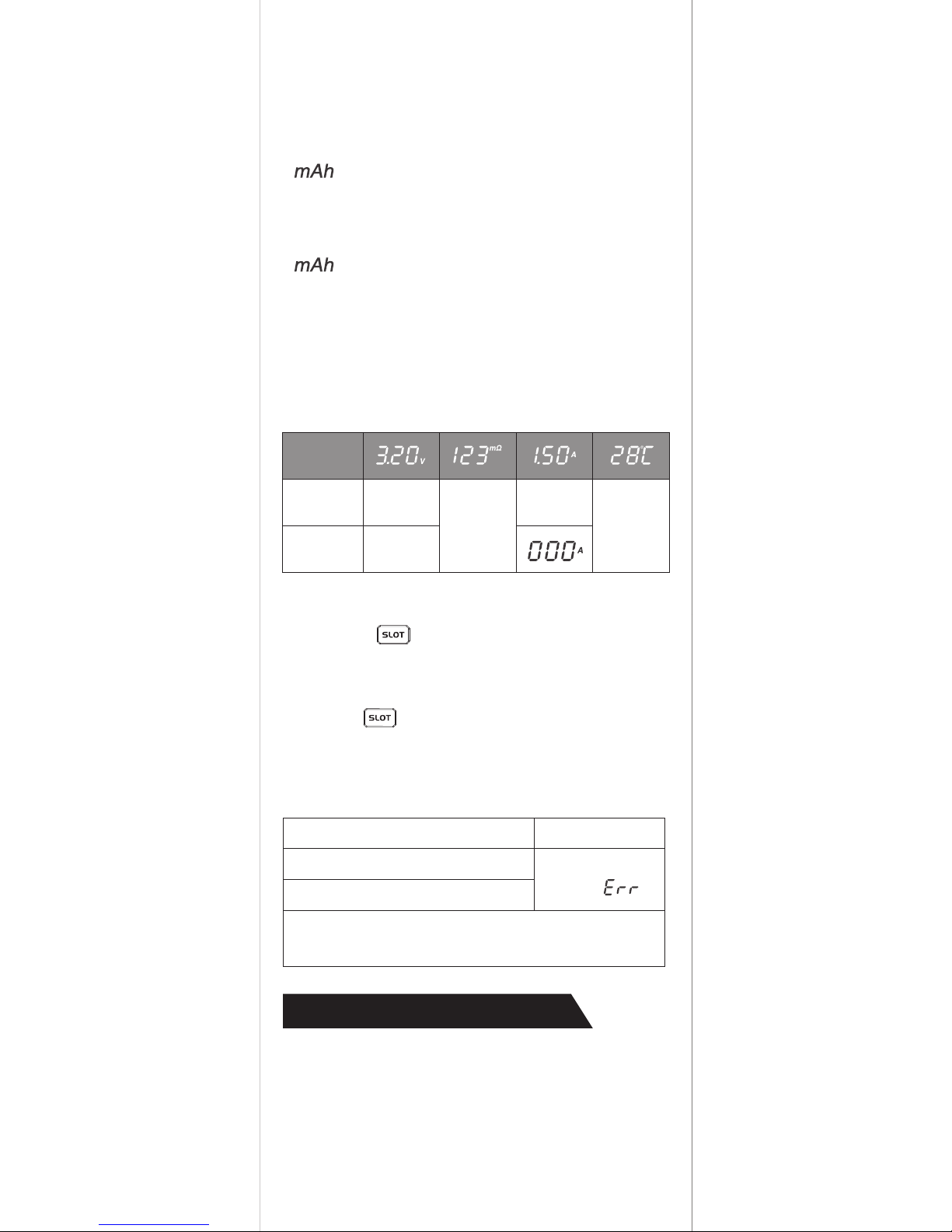
Operating Instructions
Battery percentage
Battery Capacity
Switch the display channels
Voltage / internal resistance / current / temperature
“ ” Flickering:
The data indicates the accumulated capacity
volume of the battery which was charged by the
charger.
“ ” Constant shinning:
The data indicates the battery’ s total capacity (the
total capacity of the battery which was calculated
according to the cumulative capacity by charger).
Put the battery in any channel, the charger will
display the battery internal resistance automatically.
Short press key to switch the channel (C1 / C2)
information display.
LCD backlight
Press the button to turn on the LCD backlight,
if there is no operation, LCD backlight will gradually
darken in 1 minute.
1. Put the battery in any channel, the charger starts
to detect battery-related data and display it on
the LCD screen. After 5 seconds, the most
suitable current charge (maximum 3.0A, minimum
0.1A) is automatically selected according to the
battery characteristics.
After battery was placed in one of the charging
slots, the battery percentage will display automatically.
When
charging
When fully
charged
Charging
voltage
Charging
current
Battery
voltage
Internal
resistance
Temperature
Switch
display
Battery detection and error alarm
Battery activation and detection
When the battery is reversed
When the battery is shorted
Error warning
Current channel
shows “ ”
Correctly put into the battery, check is OK, enter
into the normal state of charge.
Page 5
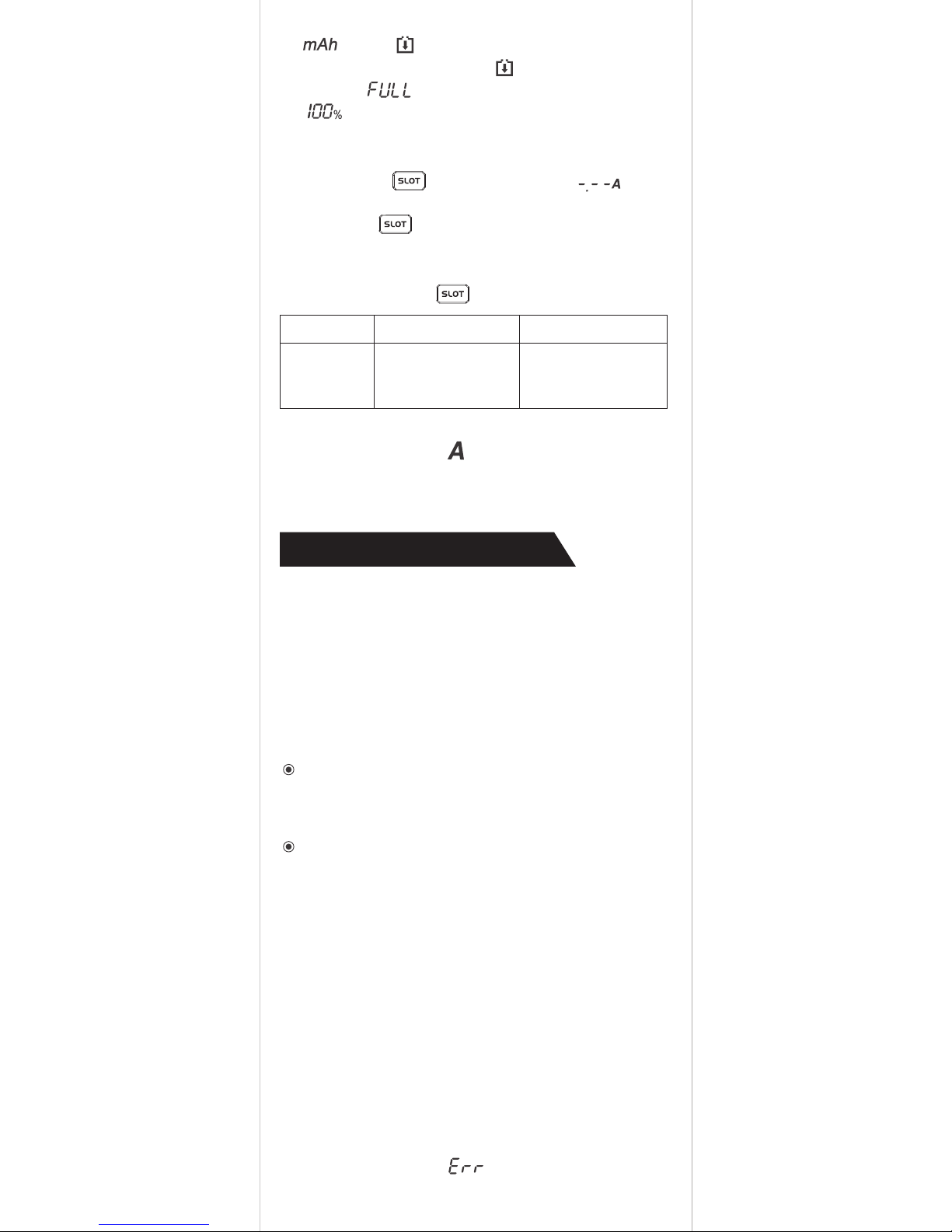
Function Description
Set the charging current
Automatically set the charging current
Intelligent temperature control function
Input power
Put the battery into any channel, the charger will
automatically select the most suitable current
charge according to the battery characteristics.
The maximum charge current is 3.0A and the
minimum charge current is 0.1A.
If during a charging process a battery temperature reaches more than 60℃, the charger will
reduce the charging current in order to prevent
damage to the battery.
If battery temperature reaches temperature more
than 70 ℃, the charger will stop charging the
battery and prompt “ ” .
The charger is suitable with DC12V / 3A standard power supply, it is highly recommended to
use the original standard power supply adapter.
When using a non-standard power supply
that cannot provide the charger with sufficient
current (3A).
The charger will automatically adapt to the
power supply, and the maximum output
power of 80% of the charger power supply.
2. “ ” and “ ” flashing, The charger is charging.
3. When the battery is full “ ” will show and
show “ ” , Battery percentage show
“ ” .
1. Long press key, The current ( )
Flashing,
2. Press the button briefly to select the
current.
3. To exit current selection mode wait 3 seconds,
or long press the key.
*Automatically:
The current symbol " " flash, expressed as
automatic setting. The maximum charge current is
3.0A and the minimum is 0.1A.
Li-ion Ni-MH / Ni-Cd
The charging
current range
(unit: A)
0.1 / 0.2 / 0.3 / 0.5 / 0.8 /
1.0 / 1.5 / 2.0 / 2.5 / 3.0 /
Automatically
0.1 / 0.2 / 0.3 / 0.4 / 0.5 /
0.6 / 0.7 / 0.8 / 0.9 / 1.0 /
Automatically
Page 6
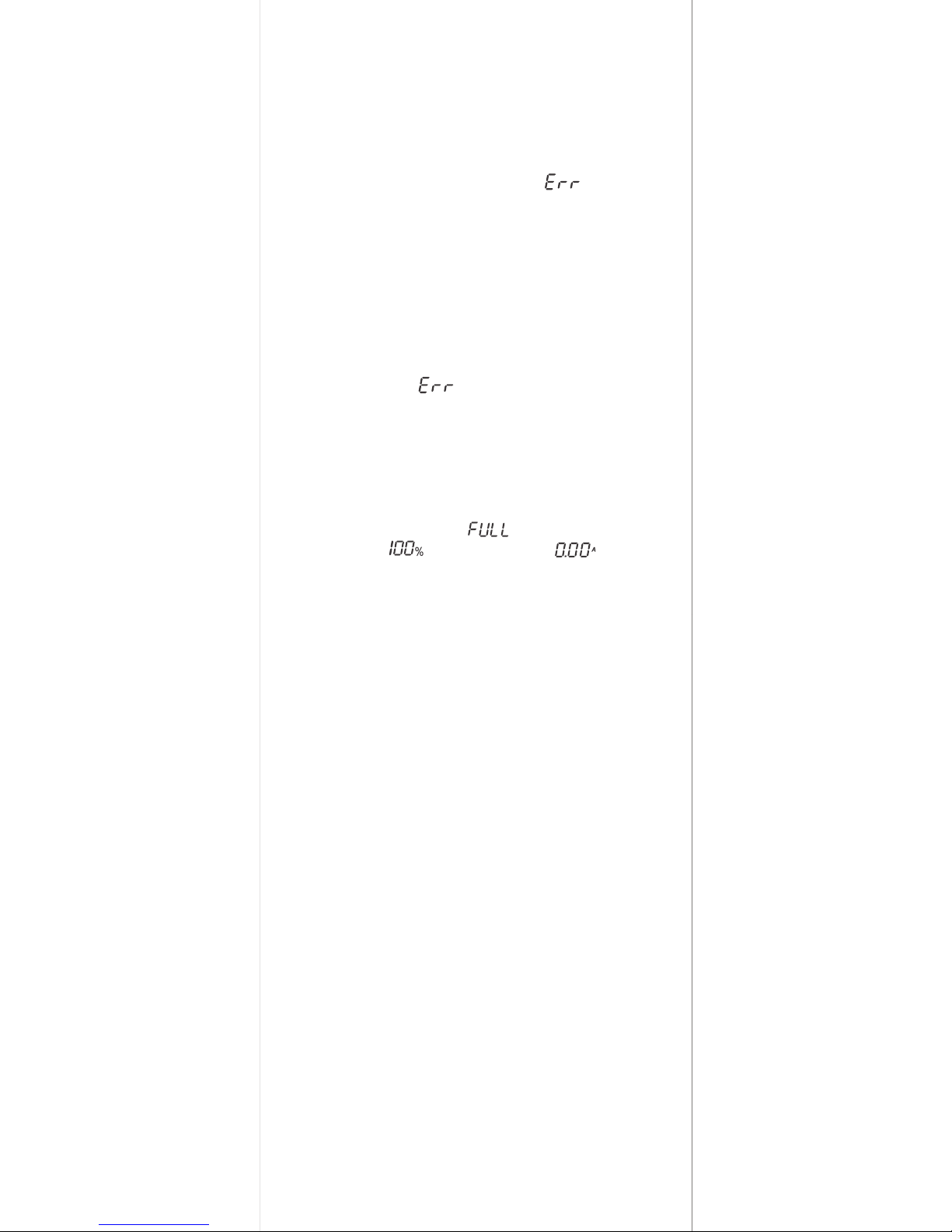
Activate the battery function
When a protected lithium battery requires activation
the charger will attempt to perform battery activation
automatically, according to the standard
charging method. If the charger can not activate
the battery will be considered to be damaged or
responding channel prompt " " and stop
charging.
Repair lithium battery function
When the lithium battery is discharged to 0V, the
charger will use trickle charge method to repair,
the battery voltage will slowly increase, repair OK,
enter the normal charging mode. If the battery
voltage can not be raised for a long time, the charger will display " " and stop charging.
When the battery is full, the charger will
immediately stop charging automatically
to prevent overcharge
High sensitivity -△V to determine the battery
charging saturation (Ni-MH / Ni-Cd battery)
When the battery is fully charged, the LCD
screen will display " " battery capacity
percentage
" " charge current " " charger
automatically stop charging, to prevent the battery
because of overcharge and shorten the battery life.
A high sensitivity -△V battery charging termination
method is in use for Ni-MH/Ni-Cd batteries. It can
automatically detect when the battery has reached
full capacity.
Power Bank function
1. If the charger is not connected to external
power supply, and battery voltage is greater
than 3.30V in any channel, the charger will work
in the mobile power mode, providing USB maximum output of 5V / 1A.
2. When the two channels have lithium batteries
having voltage of 3.3V or more the charger will
automatically select the higher-voltage battery
priority power supply output until the battery
voltage is lower than 3.30V, and automatically
switch to another battery when the first one is
drained.Long press the SLOT button, you can
manually switch the battery, LCD will blink once
in order to confirm battery switch.
3. During power bank function the LCD screen will
display battery channel and USB output
current.
Page 7

1. The charger is limited to lithium-ion, IMR, INR,
ICR and Ni-MH / Ni-Cd rechargeable
batteries. Charging other batteries may cause
explosion, battery rupture or leakage, personal
injury or damage to property.
2. the charger cannot charge the LiFePO4;
otherwise the battery will get damaged or
even exploded. For the 4.35V Li-ion battery,
charger considers 4.20V as full charge in
defaults.
3.
Use of the environment: temperature -10~40℃,
storage temperature: -20~60 ℃. Do not use or
store the charger in the event of a fire, direct
sunlight, hot equipment, or other high
temperature.
4. The charger is intended to be used by adults
over 18 years of age, children must be under
the supervision of adults to use.
5. If the battery has leakage, expansion, skin
damage, color or deformation, etc., prohibit
the charge and discharge.
6. Do not use this charger to charge the
disposable battery, such as Zinc-Carbon,
one-time lithium metal battery, CR123A
battery, CR2 battery, and other batteries that
do not support charging material, otherwise it
may cause a fire or explosion.
7. Do not charge the incomplete IMR battery,
otherwise it may cause the charger to short
circuit and cause an explosion.
8. When the charger starts to work, can not be
left unattended. If any problems are found,
stop the operation immediately and read the
instructions carefully.
9. Do not disassemble, assemble or modify the
charger, may cause damage to the charger or
even explosion.
Precautions
Note:
Do not use a small capacity lithium battery
for mobile power output.
4. When the batteries cannot provide the power
required for USB load, LCD backlight will flash 3
times, suggesting that low voltage and the powerbank function will be disabled.
5. If there is no load connected to the USB output,
the charger will disable the POWERBANK function after 20 seconds. In order to enable the
powerbank function, please short press the
button.
Page 8

Warranty service
1. Man-made destruction, dismantling, modification of this product.
2. Incorrect operation results in damage to the
product (such as refitting the battery, putting
it into a non-rechargeable battery, or violating
the warning).
3. Battery leakage causes product damage.
The free warranty does not apply to the following:
For the latest information on products and
services, please contact a local distributor
or send an email to
[email protected].
Aftersale warranty service is only for
the products purchased from authorized sources,
this rule is compliant to all products.
products have after-sales warranty
service. In the purchase of this product within
15 days, if any quality problems can be asked
to the dealer free replacement. In the purchase
of this product enjoy up to 1 year free warranty
service.
Beyond 12 months (1 year), a limited warranty
applies, covering the cost of labor and maintenance,
but not the cost of accessories or replacement
parts.
10. Please use it in indoor ventilation. Do not
allow the charger to be used or placed in a
humid environment. Do not place flammable
and explosive substances in the operating
area.
11. When not using the charger, remove the
battery and remove the charging cable.
12. Do not use conductive material or metal
objects into the charger inside, to avoid the
occurrence of short circuit explosion charger
accident.
13. Avoid mechanical vibration and shock, to
prevent damage to the charger.
14. Carefully read the electrode mark on the
charger and make sure that the battery is
properly seated when charging.
15. Do not overcharge or over-discharge battery,
lease charge as soon as possible after the
battery was discharged.
16. Do not expose the charger to rain or snow.
17. Do not touch the heating surface, full power,
high power charge and discharge, rechargeable
battery or charger itself may be hot.
Page 9
Packing list
Scan for more
Made in China
Name Quantity
C2-6000 Charger
User Manual
AC TO DC 12V / 3A
Power Supply
1 PC
1 PC
1 PC
MiBoxer Hi-Tech Co.,Ltd.
Add: Floor 2, Buiding D, Fusen Technology Park, Hangcheng Road,
Bao’an District, Shenzhen City, Guangdong Province, China
E-mail: [email protected]
http://www.miboxer.com
 Loading...