

Page 1
Door Sensor
Model: mFi-DS
Introduction
Thank you for purchasing the
Ubiquiti mFi™Door Sensor. The
mFi-DS is designed for use with
the mFi mPort. Once they are
connected, you can use the mFi
Controller software to monitor
your sensors using your Web
browser.
Page 2
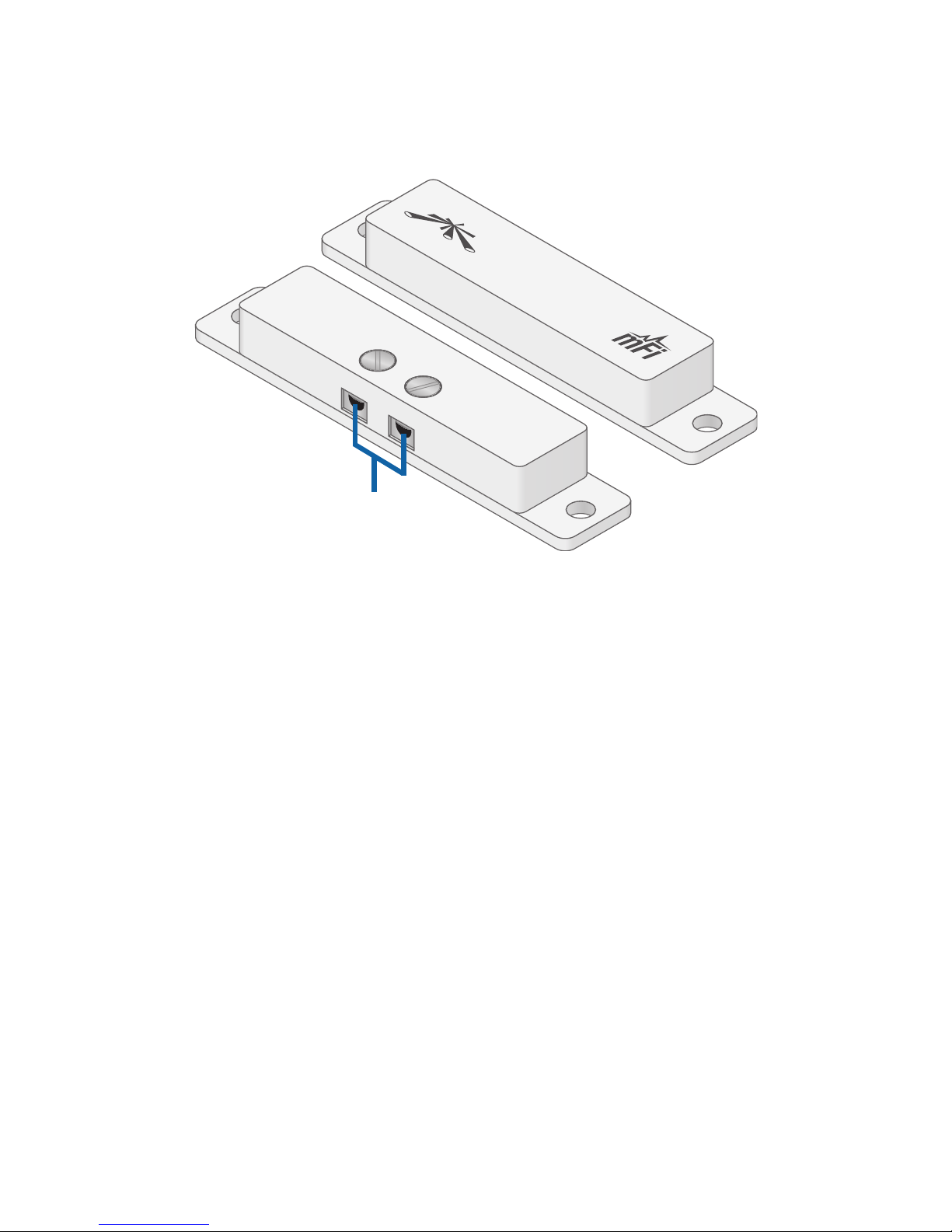
Hardware Overview
Switch
Magnet
Screw
Terminals
Switch Features Screw Terminals
and attaches to the frame of the
door or window.
Magnet Attaches to the door or
movable part of the window.
Installation Requirements
• mFimPort
• 2.4 mm Flathead Screwdriver
• Phillips Screwdriver (Optional)
Page 3
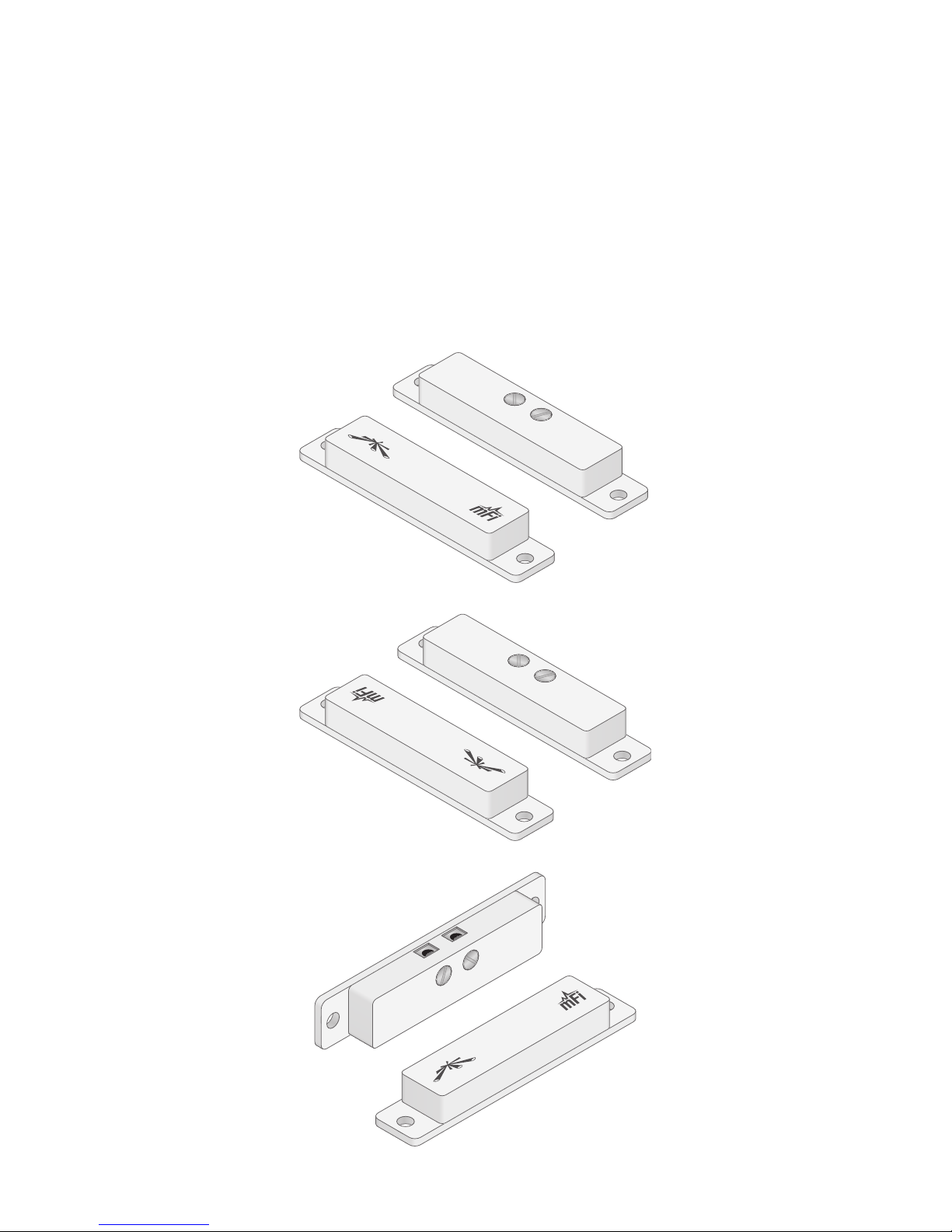
Installation Tips
• For optimal performance,
use one of these end-to-end
configurations:
Page 4
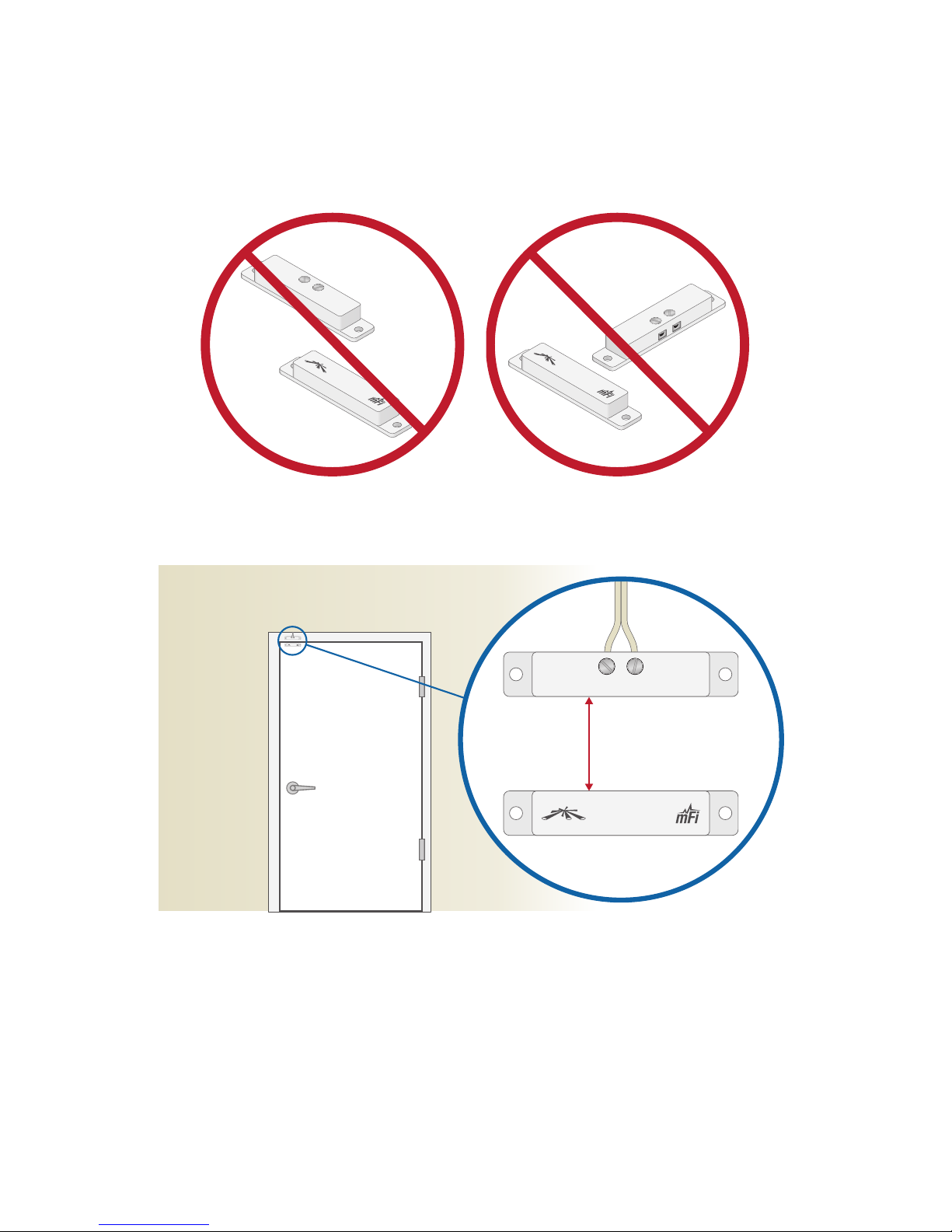
• Do NOT use an offset or T-shaped
configuration:
• The maximum gap is 20 mm.
Max. 20 mm
• On a door, we recommend that
you install the mFi-DS as high up
as possible, either at the top or on
the side opposite of thehinges.
Page 5

www.ubnt.com
© 2012 Ubiquiti Networks, Inc. All rights reserved.
Ubiquiti Networks Support
Email: [email protected]
Phone: 408-942-1153
(9 a.m. - 5 p.m. PST)
Online Resources
Wiki Page: wiki.ubnt.com
Support Forum: forum.ubnt.com
Downloads: downloads.ubnt.com
JL043012
Page 6
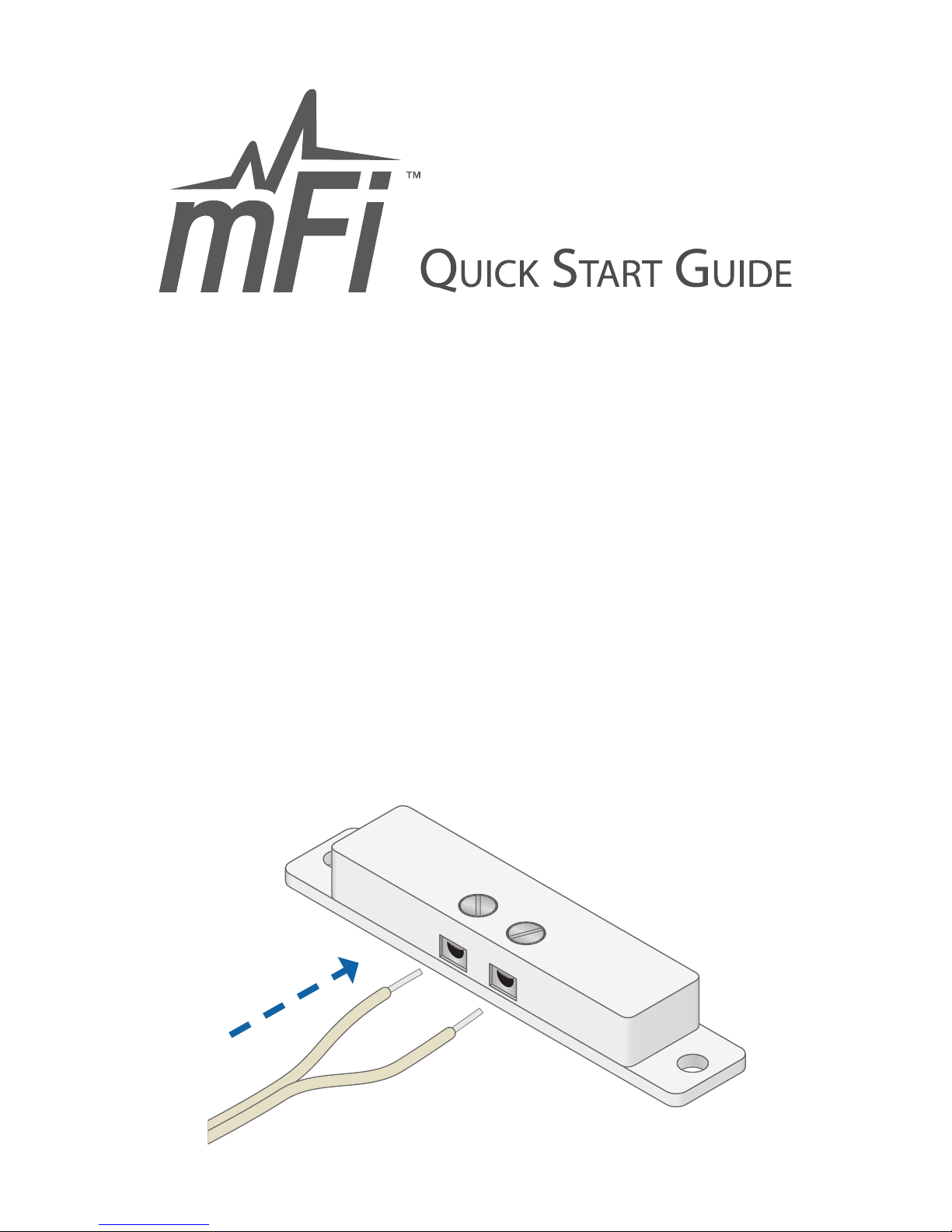
Door Sensor
Model: mFi-DS
Wiring Instructions
Perform these steps to connect the
wire from the Switch to the mPort:
1. Insert each pre-stripped wire at
one end of the 22AWG Double
Wire into each Screw Terminal.
Page 7
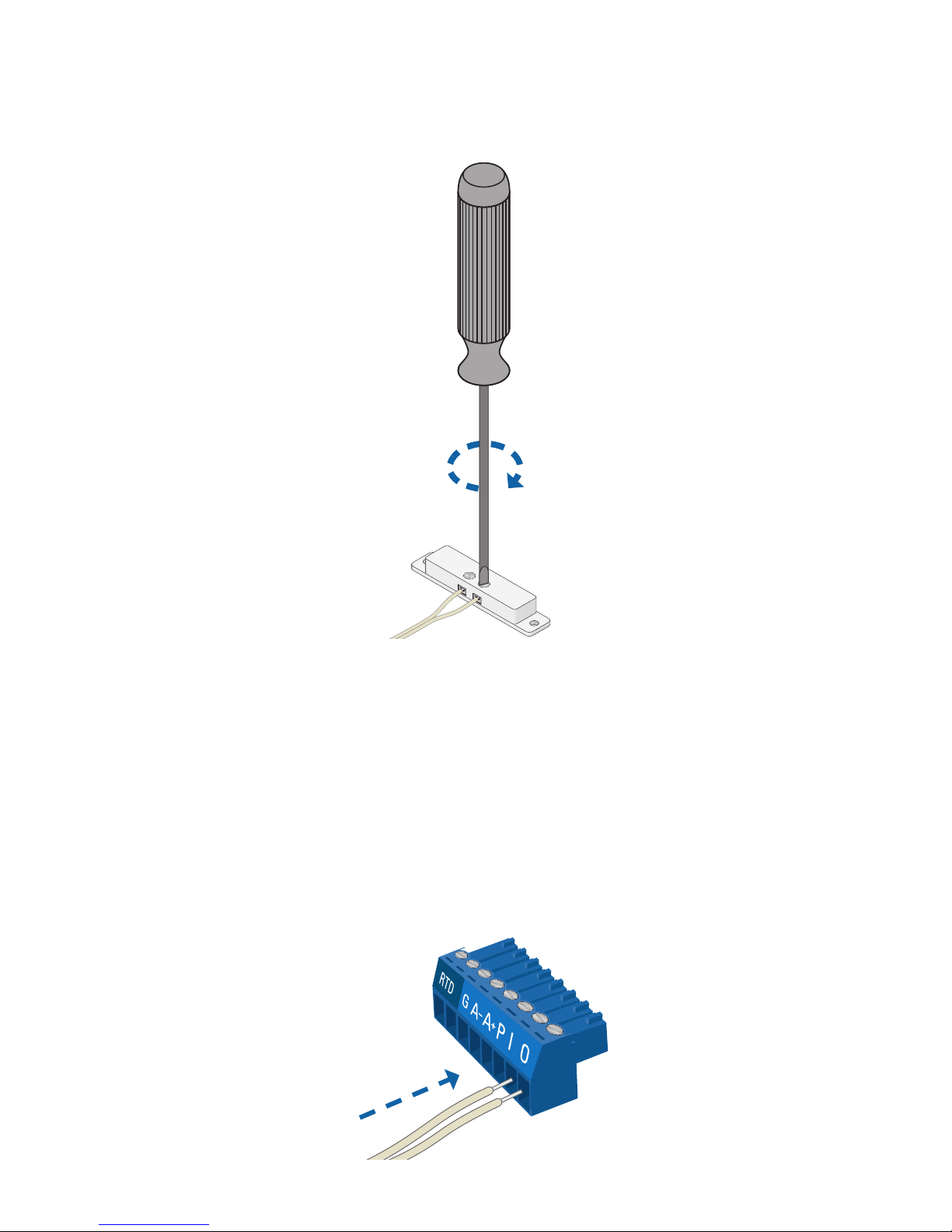
2. Tighten each Terminal Screw.
3. On the other end of the 22AWG
Double Wire, repeat steps 1-2 to
connect the wire to the I and O
Terminals of the Terminal Block
that is included with the mPort.
Page 8
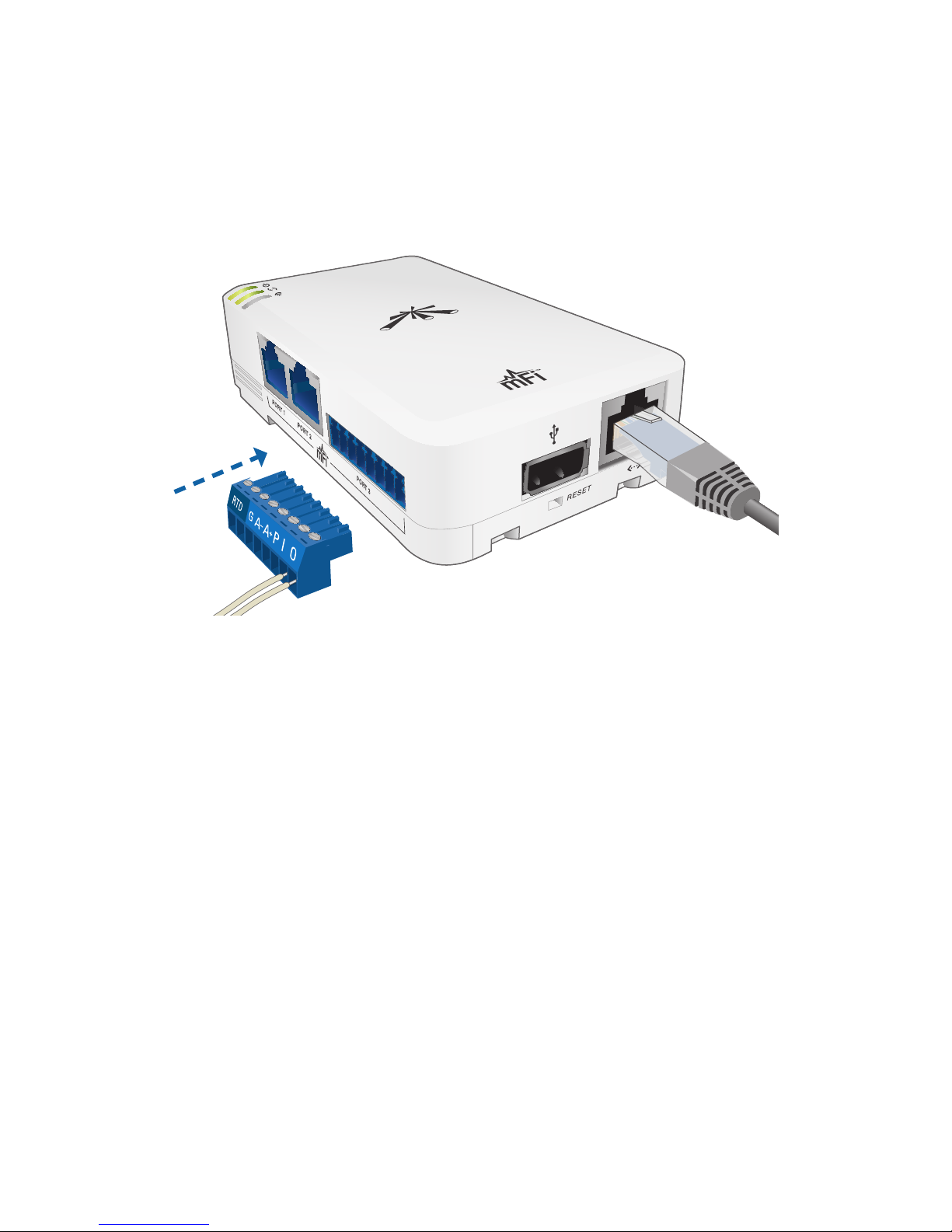
4. Connect the Terminal Block to
the Terminal Block Port (labeled
Port 3 on the mPort).
Mounting Instructions
You have two mounting options
available:
• Use the self-adhesive.
• Use a Phillips screwdriver and the
3 x 12 mm Mounting Screws.
Page 9
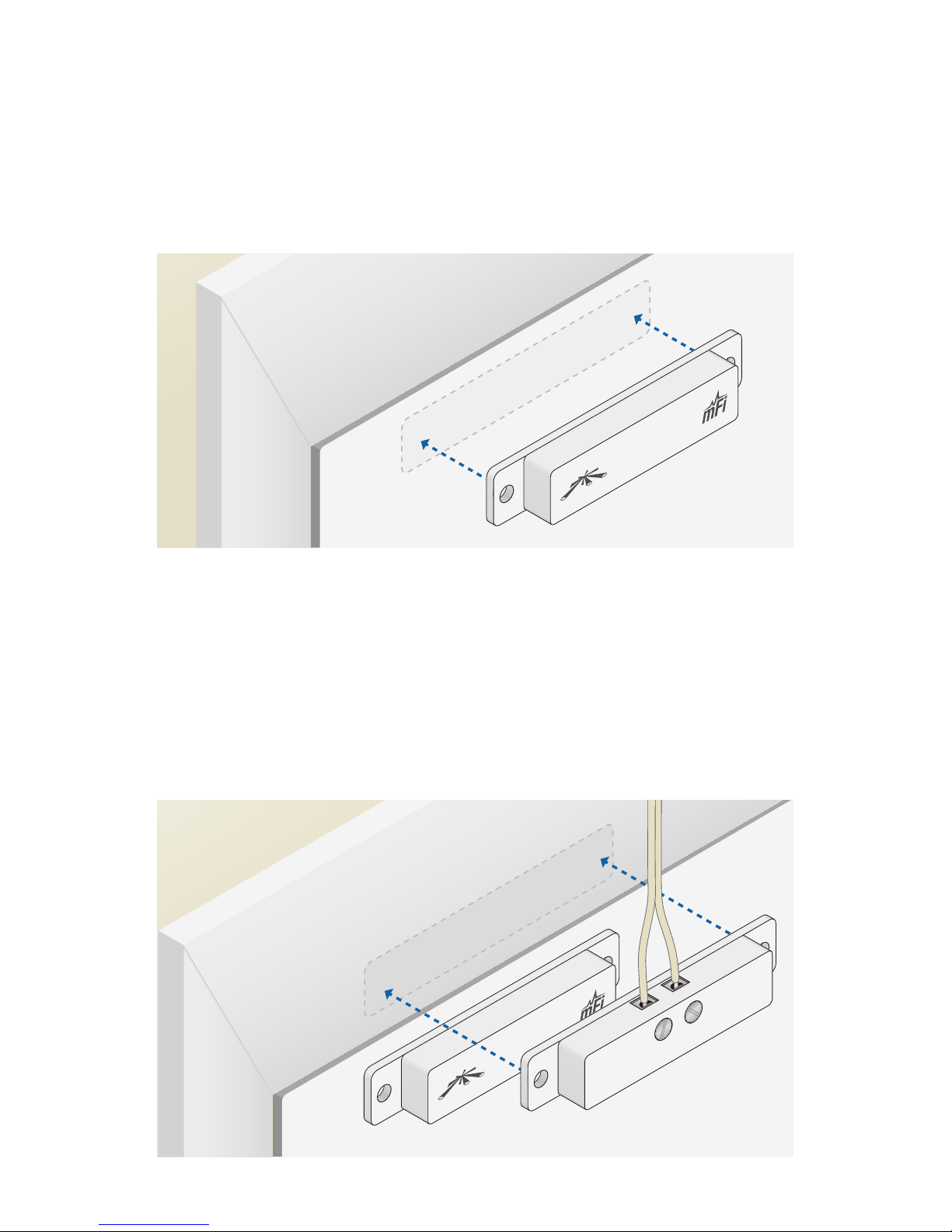
1. Mount the Magnet onto the
door or movable part of the
window.
2. Align the Switch with the
Magnet so their edges line up
when the door or window is
closed.
Page 10
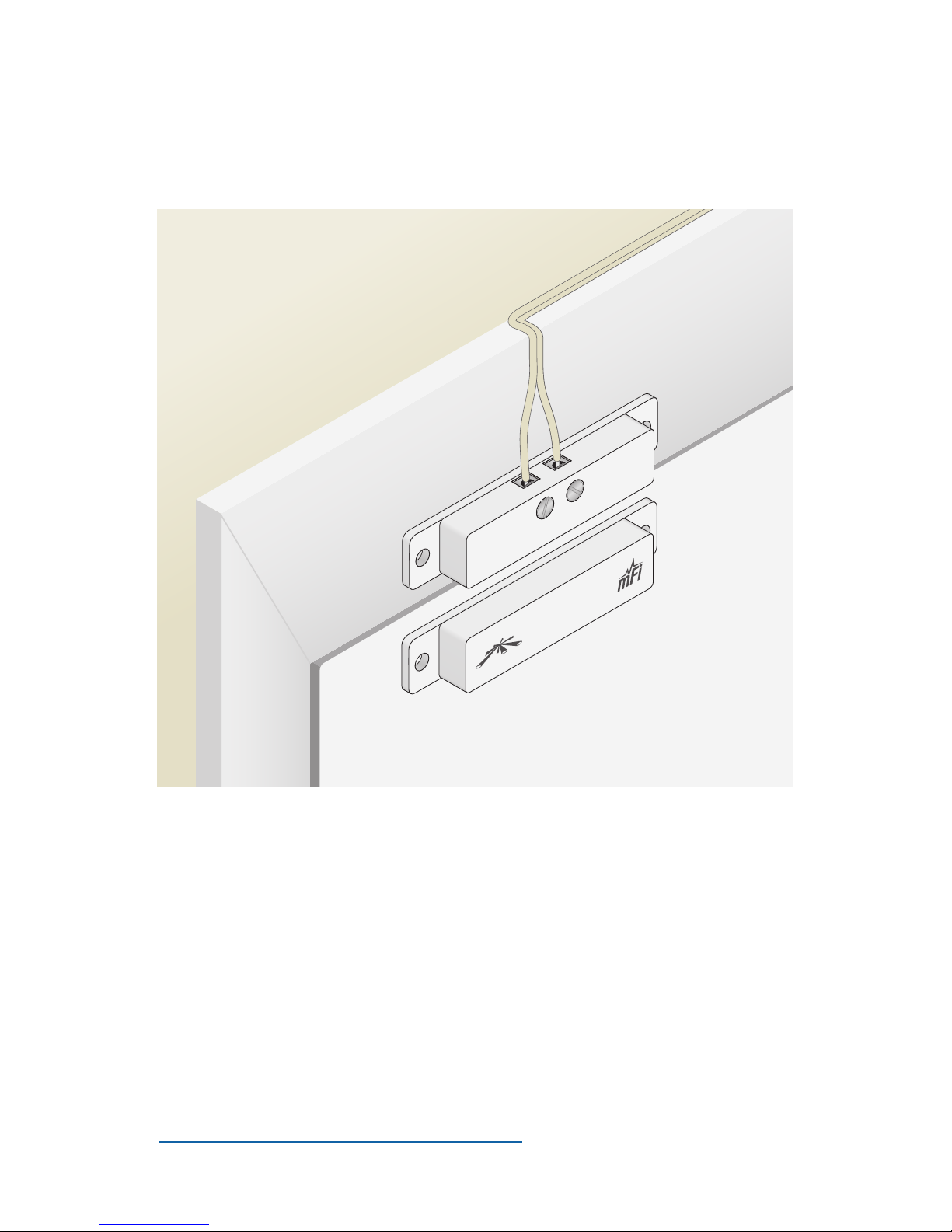
3. Mount the Switch onto the
frame of the door or window.
Refer to the User Guide on the
CD-ROM that was included with
your mFi mPort for instructions on
configuring the mFi-DS in the mFi
Controller software. The User Guide
is also available at
www.ubnt.com/mfi
 Loading...