

Page 1
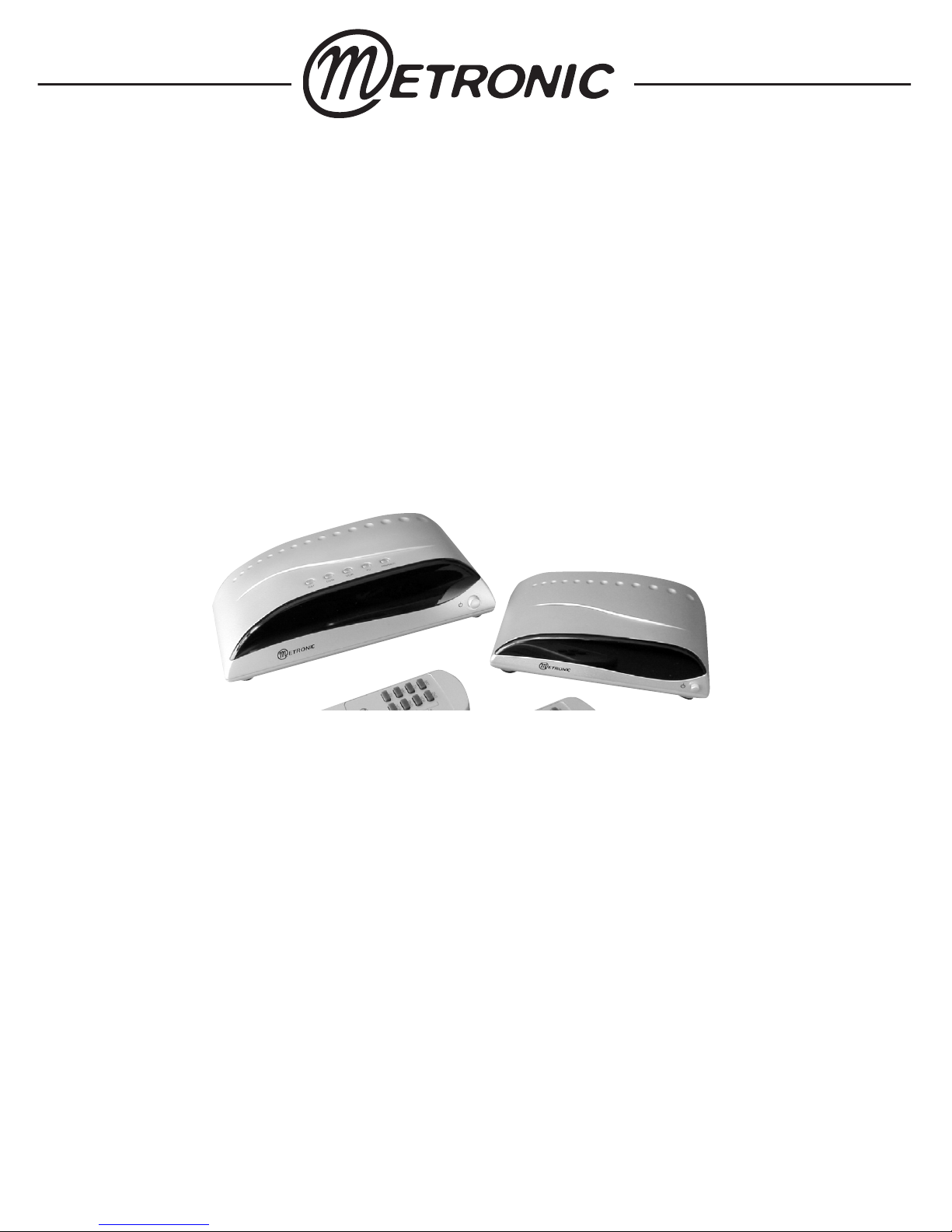
USER GUIDE
Ref 475183 (silver)
Ref 475180 (black)
Multi-sources video sender
Page 2

GENERAL OVERVIEW
1
The Metronic multi-sources video sender is designed to send to a
distant TV set the sources (satellite, Freeview, DVD,…) connected
to the transmitter. Thanks to the embedded remote extender, you
can remotely control the sources with their original remote control.
For example, you can bring the remote control of your satellite
receiver to your bedroom making it possible to watch the satellite
and change channels from the distant location.
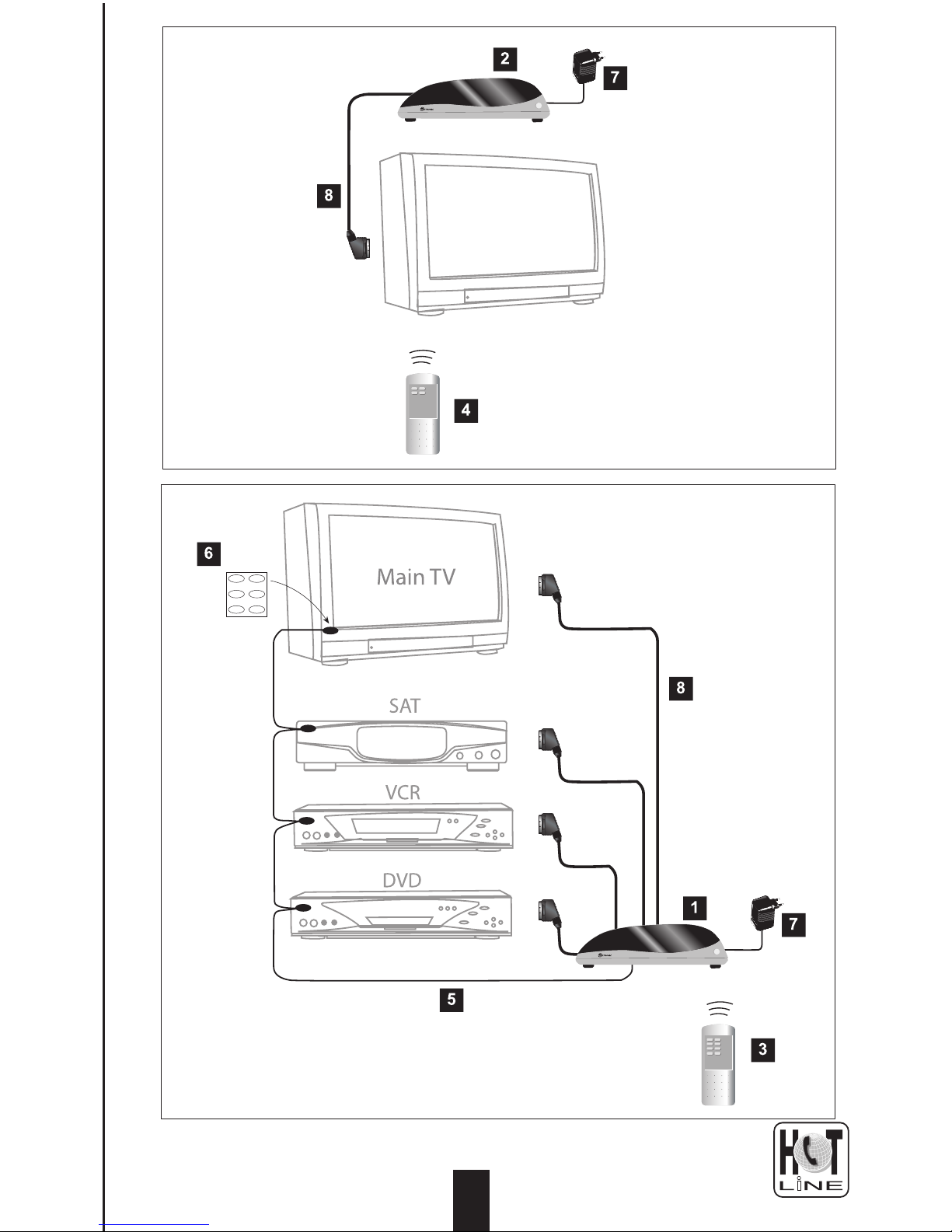
The pack contains :
1 - A transmitter. It sends the audio-video signal from the sources
to the sender located in a distant room.
2 - A receiver. It gets the RF signal from the transmitter and sends
it to the secondary TV through a provided scart lead.
3 - A 8-buttons remote control. The 4 buttons on the top (SEC)
allow to choose, from the main TV, which source is sent to the
receiver. The 4 buttons on the bottom (PRI) allow to choose
which source is sent to the main TV.
4 - A 4-buttons remote control. Allows to choose, from the
secondary TV, which source is sent to the secondary TV.
5 - An infrared (IR) «garland». Brings to the sources the infrared
signal of their original remote control when used from the
distant TV. The garland has 4 «beads», 3 for the devices, and
1 for the main TV.
6 - Adhesive patches to fix the beads on the front panel of the
sources.
7 - AC/DC adapters (x 2)
8 - Scart leads (x 2) to link the transmitter to the main TV and the
receiver to the secondary TV.
9 - RF lead (option)
1
0 208 994 11 81
Page 3
Secondary TV
2
0 208 994 11 81
Page 4
33
PRECAUTIONS FOR USE / WARNINGS
2
The device (including the AC/DC adapters) may not be exposed to
dripping or splashing and no object filled with liquid, such as vases,
must be put on the device.
The frequency of the RF signal used to carry the audio-video
information is the same as the frequency used by microwave ovens
and other wireless transmissions such as Wi-Fi. The frequency used
for the remote extension is also used by miscellaneous wireless
equipmentʼs like alarm systems and many home appliances. In case
of malfunction, try to switch OFF the other wireless equipmentʼs.
If someone in your neighbourhood uses the same video sender, it
may interfere with yours. Try another of the 4 allowed channels.
As soon as you stop using the video sender, you have the legal
responsibility to switch off the transmitter by pressing the power
button on the front panel.
Generally, the video senders donʼt feature any tuner. So, if your
satellite receiver is tuned on a given channel, you may not watch
another satellite channel on the secondary TV. However, thanks
to its fully independent switching matrix, This multi-sources video
sender allows to watch any source on the distant TV and any other
source on the main TV.
Each remote control need a AA battery (not provided). In respect of
both the environment and the law, donʼt throw the used batteries in
the bin. Bring them back instead in the shop where you should find
a container for recycling.
In case of thunderstorm, disconnect all your equipmentʼs from
the mains, they might suffer from damages not covered by the
warranty.
0 208 994 11 81
Page 5
0 208 994 11 81
INSTALLATION
3
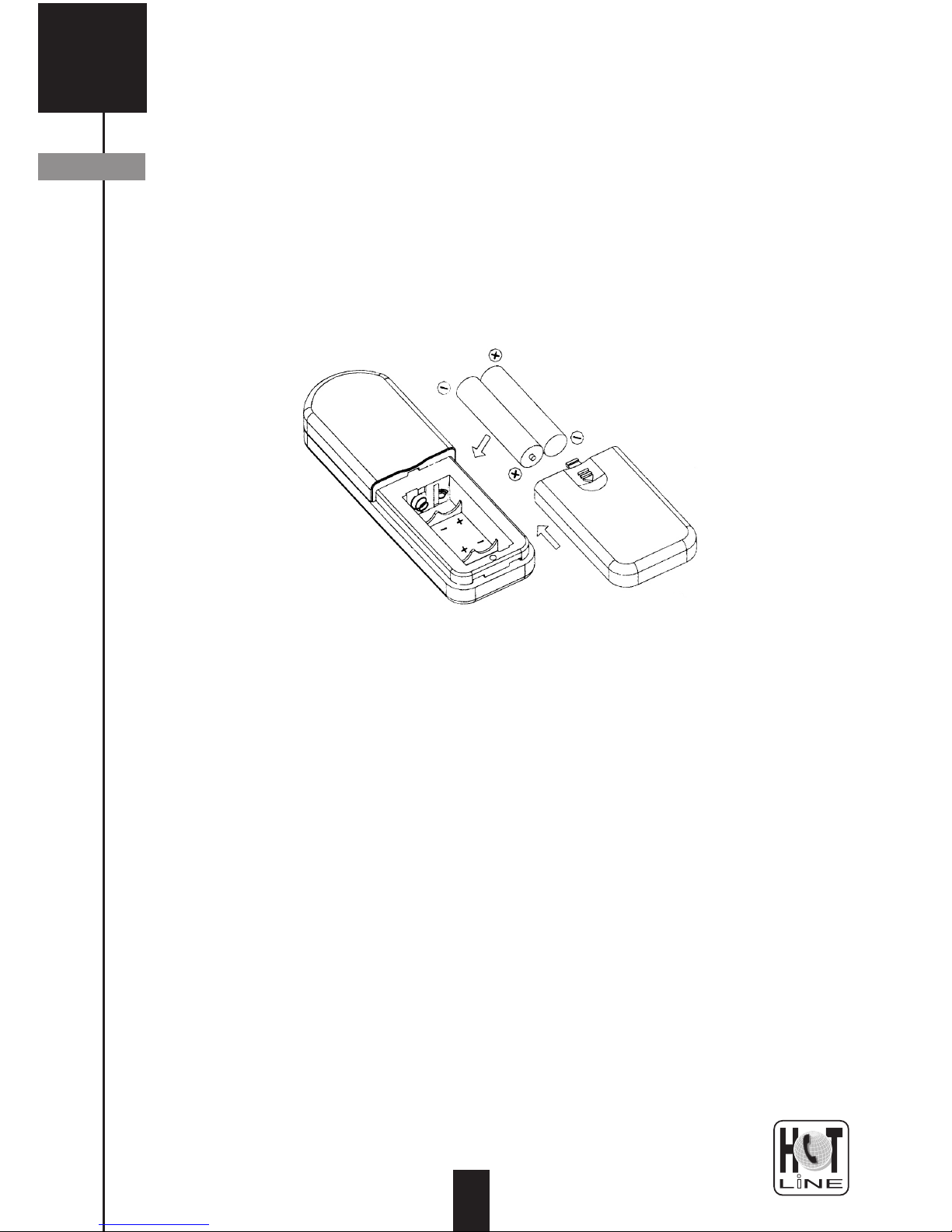
1 - Install the batteries in the remote controllers taking care of not
inverting the polarity.
2 - Unplug all the scart leads connected to the main TV and
hook them up to the relevant socket of the transmitter. It
may happen that several devices use the same scart lead.
For example, a scart lead may run from the VCR to the SAT
receiver, and from SAT receiver to TV. In that case, leave
the first link between VCR and SAT, and plug only on the
transmitter the scart from the SAT receiver. See the paragraph
called «serial connection» for more details
3 - Connect your main TV to the transmitter thanks to the
provided scart lead.
4 - Install the transmitter as high as possible, avoiding mirrors or
metal shelves that stops the RF waves.
5 - Plug one of the AC/DC adapters to the rear of the transmitter.
Setting up the transmitter
A
Page 6
3
7 - Push on the « « button of the transmitter, the red light
turns on.
8 - Switch on your main TV and then switch on all the sources
connected to the transmitter. Put your TV in A/V mode to view
the signal from the default source. Usually, this is done by
pressing the 0/AV key, or EXT, or AUX,… In case of problem,
please refer to the user manual of your TV.
9 - By pressing each one of the 4 bottom buttons (PRI) of the
provided remote control, check that you can see any of the
connected sources.
5
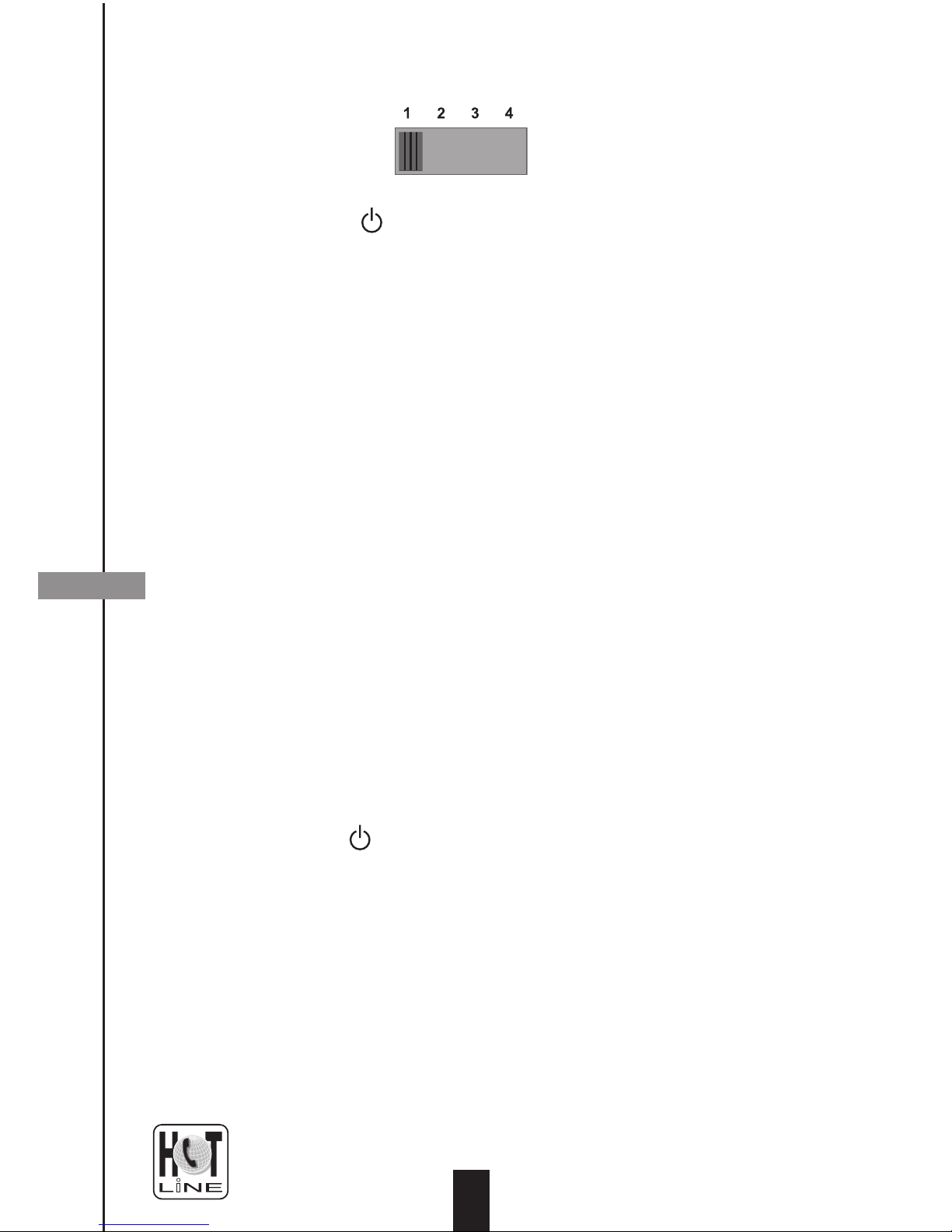
6 - Put the channel selection switch on position «1»
Setting up receiver
B
10 - Link the receiver and the secondary TV with the provided
scart lead
11 - Switch on the SEC TV and put it in AV mode. The screen
should be black
12 - Plug the AC/DC adapter on mains and connect it to the
receiver.
13 - Put the channel selection switch on position «1»
14 - Press the « « button on the receiver, the red light should
turn on and the programme from the transmitter should
appear on the secondary TV. If not, make sure that all the
sources from the main TV are on, as well as the transmitter.
15 - By pressing each one of the 4-buttons remote control, check
that you can select any source from the distant room. If the
picture is not OK, try to move the receiver to a better location
(a few inches may sometimes do the trick). In case of no
other location is found suitable, try another channel on BOTH
transmitter AND receiver.
0 208 994 11 81
Page 7
0 208 994 11 81
16 - For each device that you want to control from the distant TV,
search for the location of the infrared sensor.
17 - Plug the garland into the IR port of the receiver and find the
path for the garland that will allow to put a bead in front of
each device.
18 - Stick the beads on the devices with the provided adhesive
patches.
19 - Bring the original remote controllers of all the devices near
the receiver, in the distant room. For each device, select
the source with the 4-buttons remote control and check that
you may control the device from the distant room. In case of
malfunction, see the trouble shooting section.
20- Your installation is over, enjoy video transmission and
switching!
Installing the remote extender
C
Page 8
37
SERIAL CONNECTIONS
4
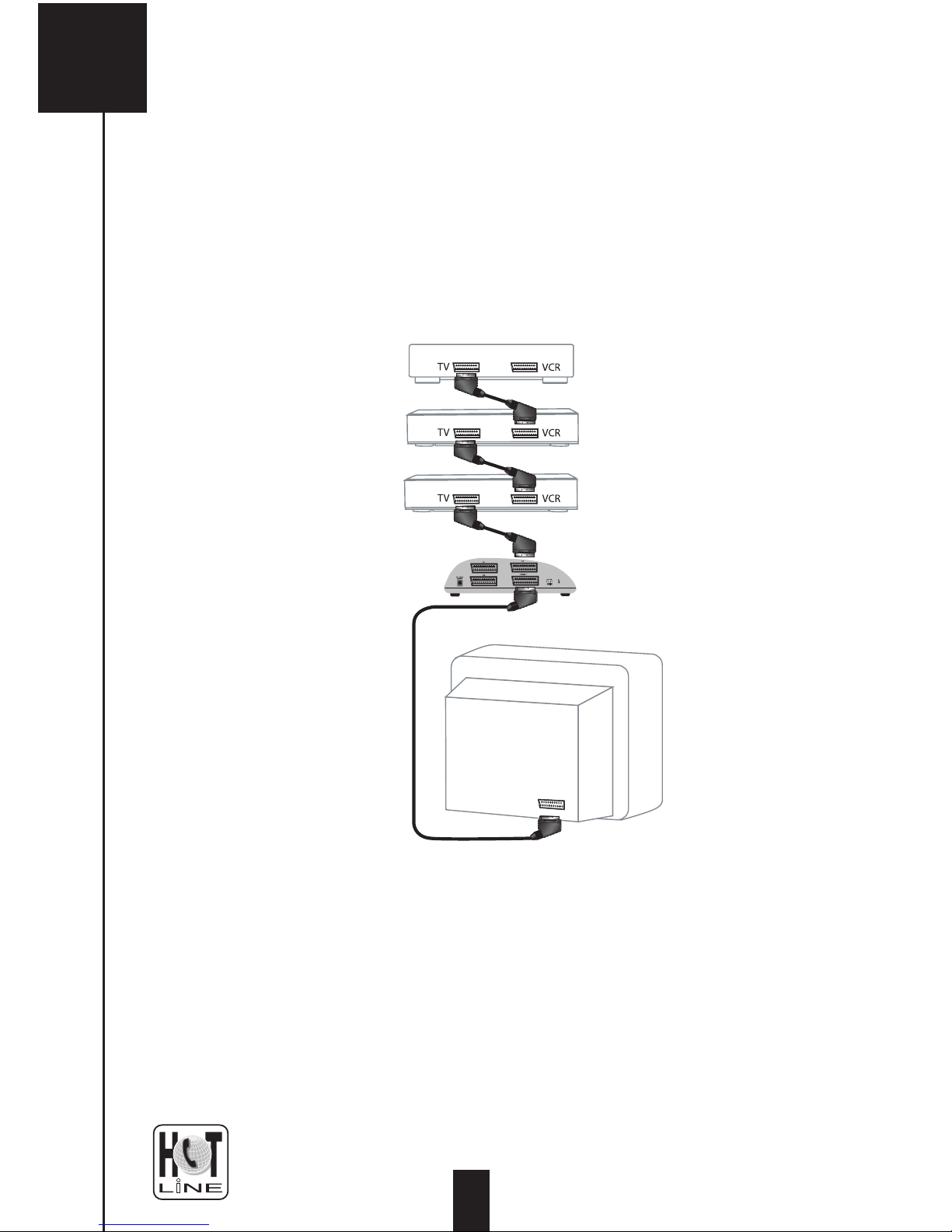
If you have more than 3 devices to connect to the main TV, the 3
scarts for DVD, SAT and VCR wonʼt be numerous enough. So, we
advise you to use the serial connection for devices featuring a VCR
scart. For example, you can connect your VCR on your TV by passing through the satellite receiver. This serial wiring (example with
3 devices) is shown on the picture below :
You must be aware that
- The picture quality worsens each time a device is passed
through. You should then use this technique for 2 or 3 devices
only.
- To let the signal pass, some devices may required to be
switched on.
0 208 994 11 81
Page 9
0 208 994 11 81
HOW TO USE
5
To watch a source (DVD, SAT, VCR) on the main TV, switch on the
main TV and force the AV mode, the screen should be black. Switch
on the source in question on and press the relevant key on the 8-buttons (PRI) remote control. The picture and sound are now available
on the main TV, and the related LED lights red. If itʼs orange, it means
that source is also sent to the receiver. If you donʼt have the remote
control to the hand (or in case of the batteries are worn-out), you can
use the buttons located on the transmitter. Press the PRI/SEC button
until it lights red and press the button for the source.
To watch a source (DVD, SAT, VCR) on the secondary TV, switch on
the source and the secondary TV. The main TV may remain off. Force
the AV mode on the secondary TV and select the source with the 4buttons remote control. The picture and sound are now available on
the secondary TV. On the transmitter, the related LED lights green. If
itʼs orange, it means this source is also sent to the main TV.
• The screen of the
secondary TV shows
only snow.
• The screen of destination
TV stays black (or blue).
• The remote extender
doesnʼt work.
• The transmission seems
not to work.
TROUBLE SHOOTING
6
•Put the TV in AV mode (key EXT, 0/AV, AUX,).
• Check that the transmitter is ON
• In case of multi scart TV, check that you
selected the right AV input.
• Check the position of the infrared mouse
• List all other wireless appliances and
disconnect them.
• The transmission range of remote extender
is a little bit shorter than the range for the
video. Check if itʼs better when you move the
receiver closer to the transmitter
• Try and change the channel, be sure that
the channel on receiver is the same as the
channel on transmitter.
Page 10
39
Transmitter
Frequency band 2400 - 2483.5 MHz
Channels 1 / 2 / 3 / 4
2414 / 2432 / 2450 / 2468 MHz
Bandwidth 15 MHz
Radiated power (EIRP max)
10 mW
Receiver
Frequency band (IR)
433.05 - 434.79 MHz
Radiated power (EIRP max)
10 mW
Infrared
Wavelength
940 nm
Modulation frequency
38 kHz
Power supplies
Transmitter 9 VDC / 400 mA
Receiver 9 VDC / 400 mA
Remote controls
2 x AA (LR6) 1.5V
0 208 994 11 81
TECHNICAL SPECIFICATIONS
7
Page 11
0 208 994 11 81
Page 12

www.metronic.com
 Loading...