

Page 1
PAWKIT
®
WATER ACTIVITY METER
Page 2
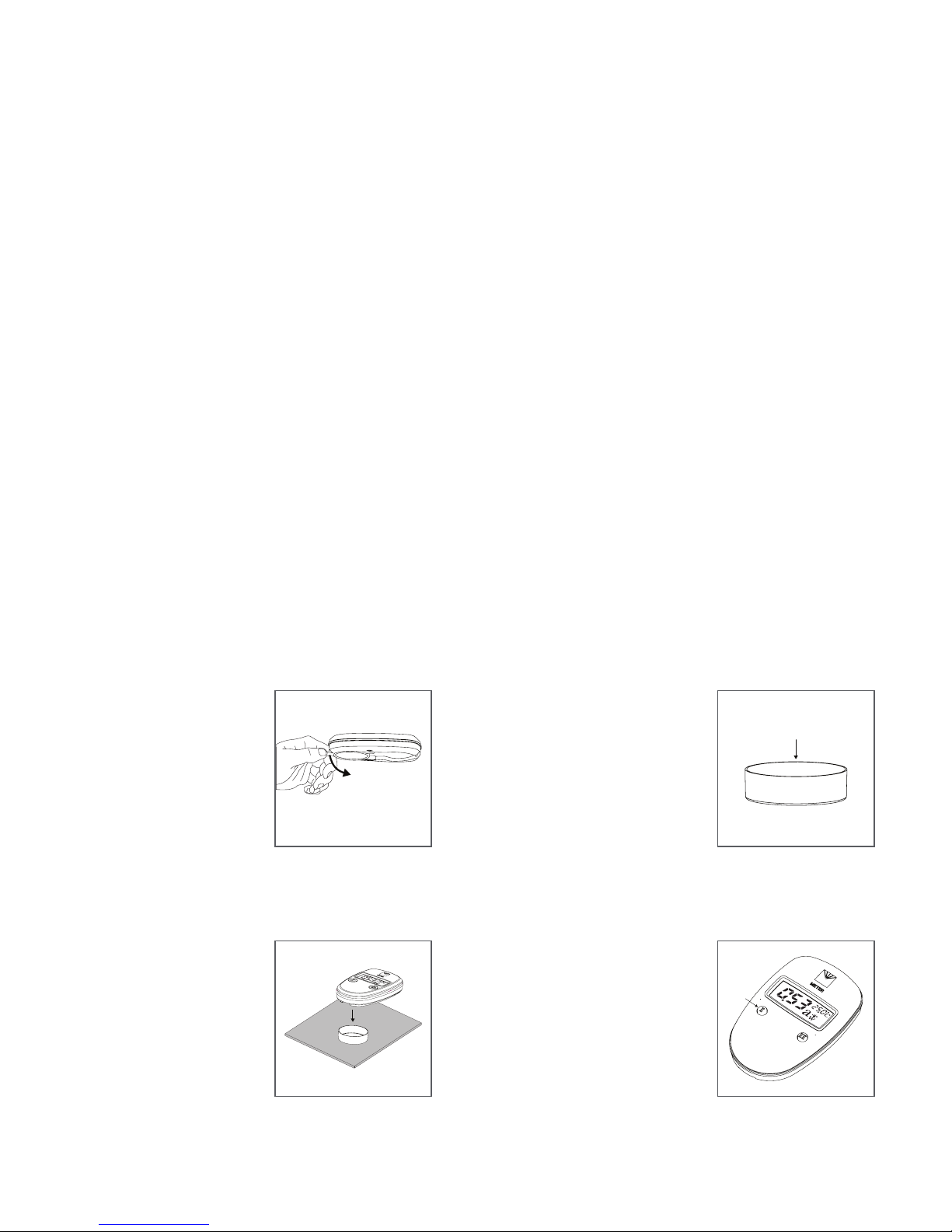
I
button
Sample cup
3. Place Sample
Open the Pawkit sensor cover and
rotate and snap into open position.
Place prepared sample cup on a
level surface. Place opened Pawkit
onto the prepared sample cup.
1. Select Location
Place the Pawkit on a level surface
when measuring to ensure correct
and consistent operation. This
also prevents the risk of spilling
inside the Pawkit. Place the Pawkit
where the temperature remains
fairly stable to avvoid inaccurate
readings.
IMPORTANT: Temperature uctuations
or vibrations will strongly affect the
accuracy of results.
2. Prepare Sample
Take special care when preparing
the sample in order to get the best
readings possible. Always use
clean sampling practices to ensure
accurate and repeatable readings.
Use a homogenous sample, wash
hands thoroughly, ll sample
cup no more than half full, and
clean the sample cup’s bottom,
edges, and rim thoroughly with
KIMWIPES® strips.
Installation
AQUALAB® PAWKIT QUICK START
Verication Versus Calibration
Verication
The Pawkit needs to be veried with a pimary and secondary
verication standard every day. Measuring one standard at the
bottom of a water activity range and one towards the top of the range
will alert the operator to shifts in the calibration.
Calibration
If a shift occurs and the standard is not measuring within
specications, clean the instrument. If the standard is still not
measuring within specications, start with the 0.760 standard and
adjust the calibration up or down. Repeat with the 0.250 or 0.920
standard as appropriate. Refer to the user manual for detailed
instructions.
NOTE: Adjusting the calibration of the instrument should only be done when the
verication standards are not reading within specications.
Preparation
Conrm that AQUALAB Pawkit components are intact. For set up
before taking a reading, gather the following items from the kit:
• sample material,
• cup,
• verication standards, and
• Pawkit meter.
Read the full AQUALAB Pawkit manual at metergroup.com/pawkit-
support. All products have a 30-day satisfaction guarantee.
4. Take a Reading
Press the I button to turn Pawkit
on. Press the I button a second
time to begin the water activity
measurement. After 5 min, the
Pawkit displays the nal water
activity and beeps 5 times.
10341-05
11.17.2018
Page 3

SUPPORT
Have a question or problem? Our support team can help.
We manufacture, test, calibrate, and repair every instrument in house. Our scientists
and technicians use the instruments every day in our product testing lab. No matter
what your question is, we have someone who can help you answer it.
Email: [email protected] Phone: +1.509.332.5601
 Loading...