

Page 1
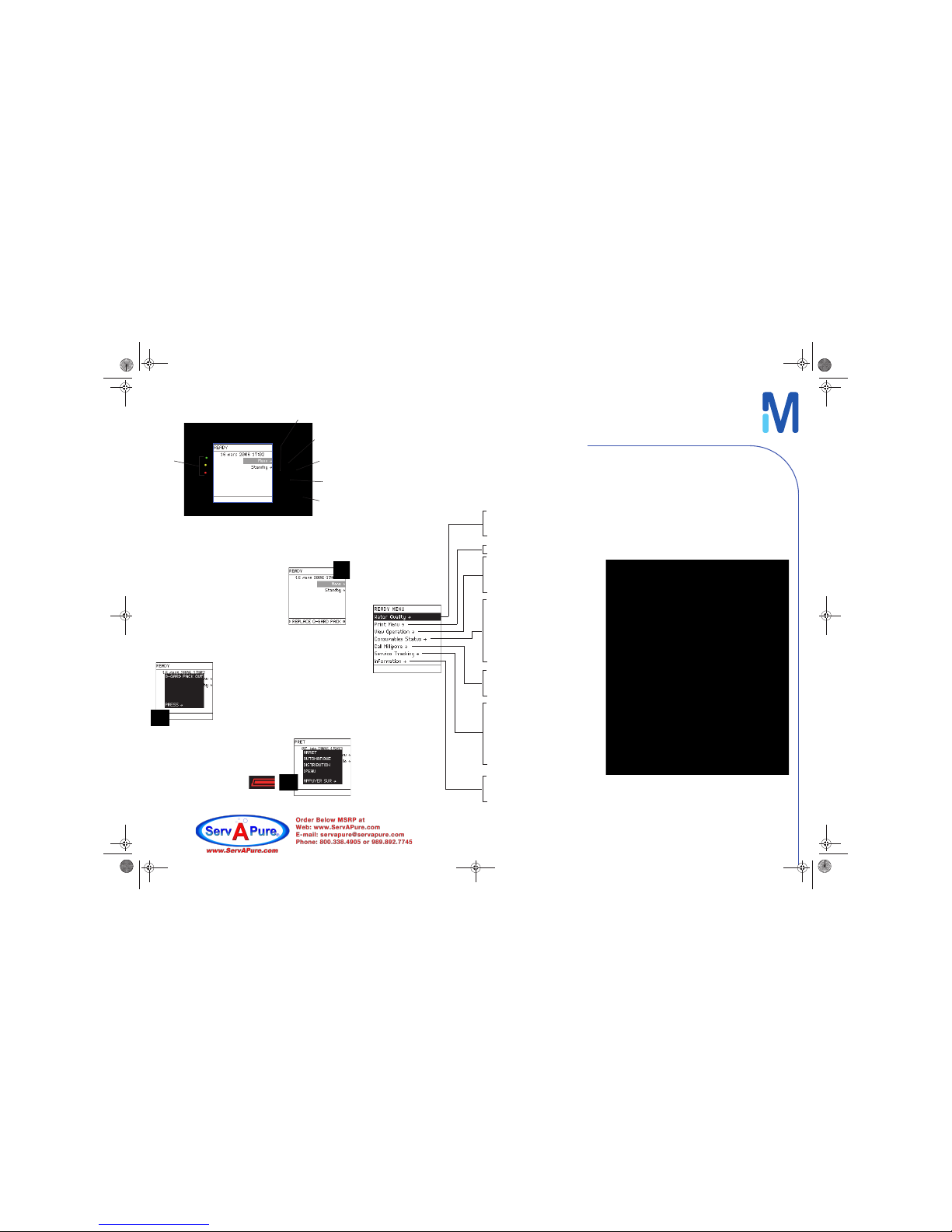
MAIN DISPLAY
Green LED indicates that the system runs properly.
Alert message and symbol
Yellow LED (Alert): a message is displayed at
the bottom line and the alert symbol is
blinking on the Q-POD® display.
The system needs maintenance or sends a
warning message. Water quality is still
adequate.
On the main display, press on DOWN button
to select the message you want to
investigate. Follow the instructions.
Alarm message and symbol
Red LED (Alarm): a message screen pops up in
front of other screens and an alarm symbol is
blinking on the Q-POD® display.
The system needs immediate action and
water quality may be out of specification.
Follow the instructions shown on th e main
display.
Flow Autostop alarm
The Alarm symbole is steady. Press and release the
Q-POD® plunger.
KEYPAD
UP: go to line above
DOWN: go to line below
RIGHT: go to next screen
LEFT: go to previous screen
TICK: validate (use when prompted by the system)
LEDs
LEFT
UP
RIGHT
DOWN
TICK
(MQ Feed Quality)
(Tank Level = xxx %)
MQ Prod Quality
Instant Quality
System Operation
System Alerts
System Alarms
System Measures
Q-Gard®
UV 185 nm Lamp
Quantum®
A10® Lamp
POD Pak 1
POD Pak 2
POD Pak 3
Installation
Repair
Service Contract
Contract Expires
Next Service
Next Calibration
Next Qualification
Flow Schematic
Version
System Information
Service Engineer
Tech Service
Other
Quick Reference Guide
Milli-Q® Advantage A10® System
Refer to the User Manual for more information.
FTPF084 97 -Milli-Q-Adv-QRG-En-V2-0_03-2013 .fm Page 1 Mercre di, 6. ma rs 2013 3 :14 15
Page 2
© 2013 MILLIPORE SAS - FTPF - V2.0, 03/2013
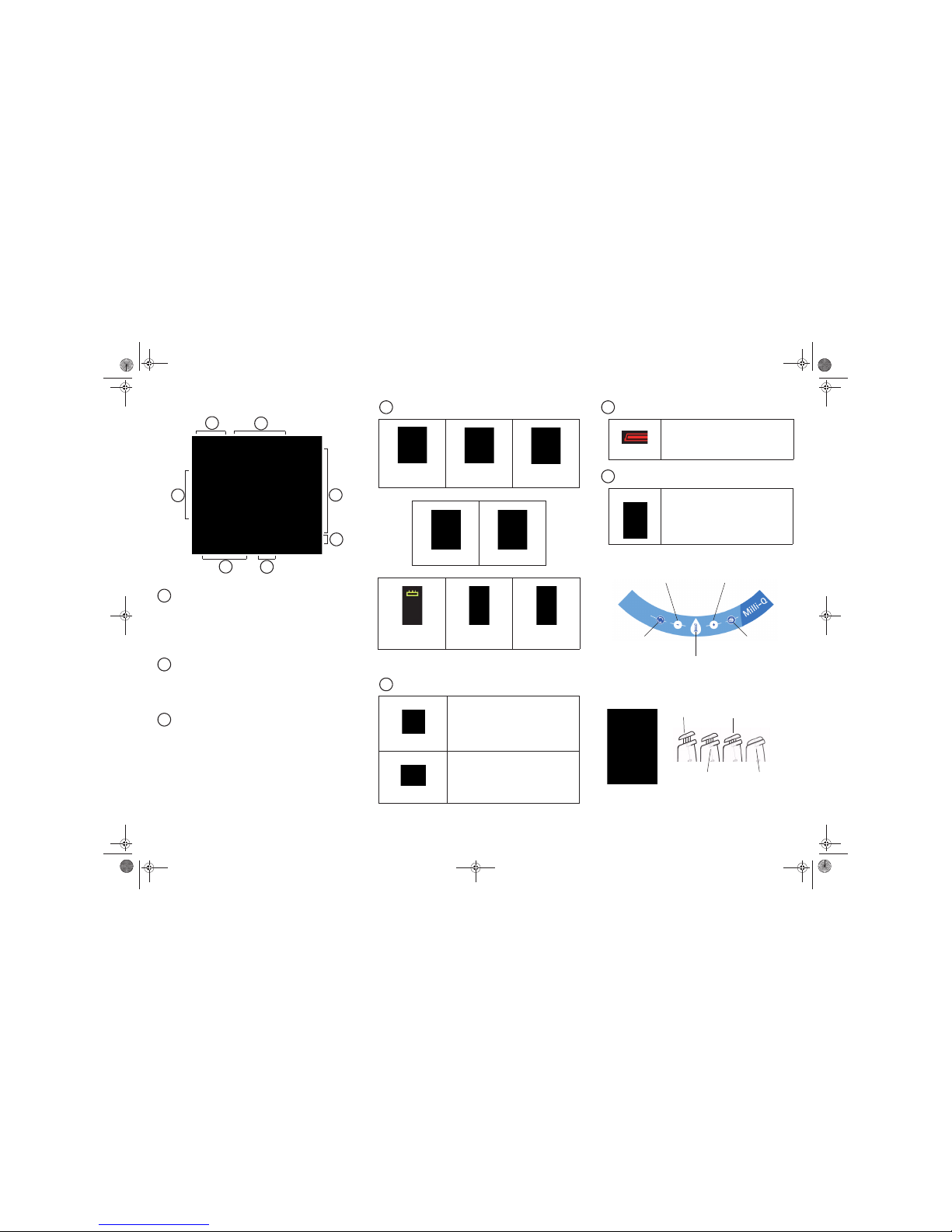
Q-POD® DISPLAY
STANDBY AND READY
STANDBY is used only to access Maintenance, and Manager menus.
READY is the normal mode for Milli-Q water production and
delivery. The Milli-Q® system should be left in READY mode during
evenings, weekends and other times of non-use.
RESERVOIR LEVEL
If the Milli-Q® system is fed by a reservoir, its volume is represented
by 10 graphic bars (each bar equals to 10 % of the total volume of
the reservoir).
DISPLAYED VALUES
Resistivity (MΩ .cm or µS/cm) Product water resistivity or
conductivity.
TOC (ppb) - Product water Total oxidizable carbon.
Temperature (°C) - Product water temperature.
Volumetric dispensing (L) - Volumetric dispensing value.
STATUS OF CONSUMABLES
* When the icon is blinking, replace consumable
ALERT AND ALARM SYMBOLS
WATER NOT AVAILABLE
VOLUMETRIC DISPENSING
Q-POD® Keypad
Q-POD®
Plung
er
2
1
3
4
5
7
6
1
2
3
Q-Gard® pack out
Q-Gard® pack
not used
Q-Gard® pack used
UV Lamp Off UV Lamp On
Quantum® cartridge
out
Quantum® cartridge
not used
Quantum® cartridge
used
Alert: MAINTENANCE needed (see on
reverse). Water quality is still adequate.
Blinking
Alarm: IMMEDIATE ACTION required (see
on reverse).
Water quality out of specifications or
hardware problem.
Blinking
4
5
Water dispensing not available - see User
Manual.
Blinking
Adjust the volume using (-) or (+) buttons.
Press the volumetric dispensing button to
start delivery of selected volume.
6
7
Start water
recirculation
Volumetric
dispensing
Decrease volume
Print delivered
water quality
Increase volume
Low
Medium
High
High locked*
* Push and release the plunger to stop the High locked.
FTPF084 97 - Mi l li-Q-Adv-QRG-En-V2-0_03-2013.fm Page 2 Mercredi, 6. mars 2013 3:14 15
 Loading...