

Page 1
6-Color PARTY LIGHT with remote control
MODEL: MKA320
Before operating this product, please read these instructions completely.
OPERATING INSTRUCTIONS
Page 2
In order to maximize your enjoyment of this product, please read these instructions thoroughly.
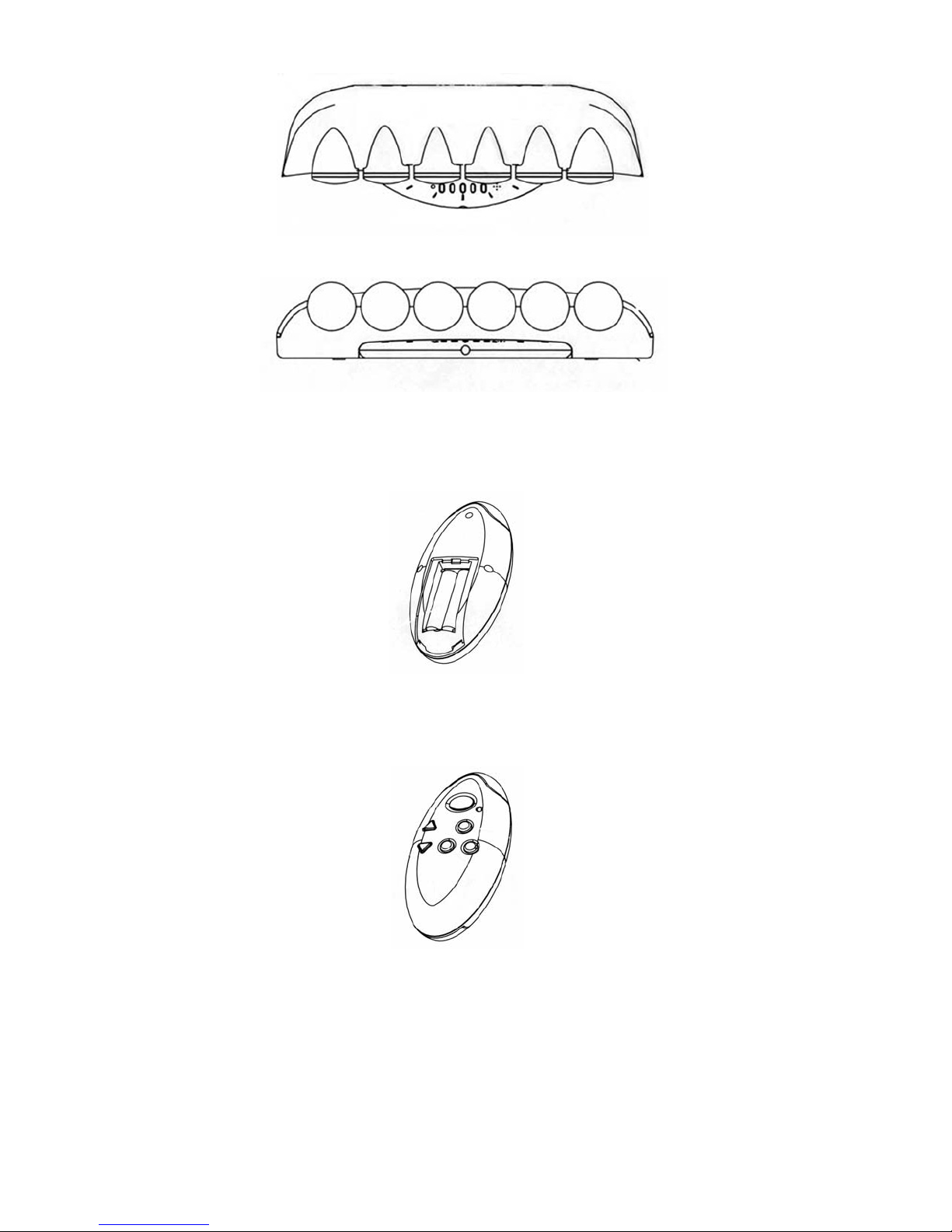
Standby Indicator
Mode Set
Speed Controls
Strobe Control
Remote Control Sensor
1. Put two AAA alkaline batteries inside the remote control unit to operate the Party Light.
Microphone Pick-Up
For Voice/Music Sensor Mode
Down Directional Control for
Features
Up Directional Control for
Features
2. You may control the unit by remote control.
Power
Up
Down
Select
LED
Speed
Strobe
Page 3
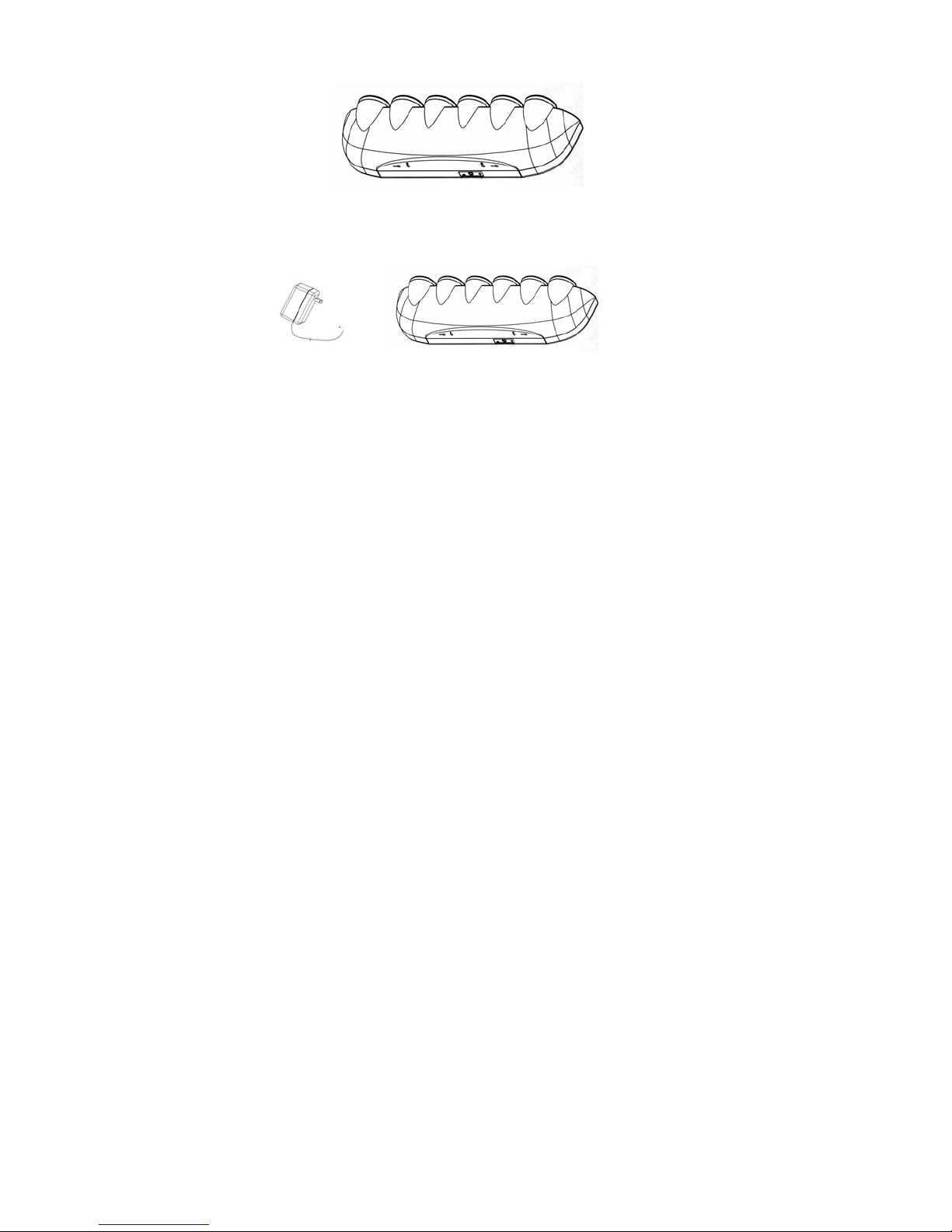
3. You may position of the Party Light on a table, or you may mount it on a wall.
Wall mounting Switch On/Off Audio Input 12VAC Input
4. Insert the A/C adaptor end into the adapter jack of the unit. Plug the adapter
into an electrical outlet to supply power to the unit.
5. Turn the ON/OFF switch to the ON position. The standby indicator will light up.
To turn the unit totally off, slide the ON/OFF switch to the OFF position.
6. You can put the Party Light in its Standby mode by pressing the power button on the
remote control unit.
7. Press the MODE Select button, then press Up/Down button to select a particular function
as follows:
Function 1: Activates flashing from right to left
Function 2: Activates Strobe action
Function 3: Activates two Lights flashing from left to right
Function 4: Activates two Lights flashing from right to left
Function 5: Activates flashing from outside to inside
Function 6: Activates one Light ON.
Function 7: Activates Voice/Music Sensor mode.
8. The Speed Button controls the speed of the light moving from one point to another.
Press the Speed Button, and use the UP/DOWN buttons to change the light speed;
UP for faster and DOWN for slower.
9. The Strobe Button controls the Strobe effect of the light. By pressing the Strobe Button,
the light will advance to the next sequence point immediately.
10. The Voice/Music sensor mode allows the lights to pulsate in response to the sound level
the unit is picking up. Thus, the light can pulsate in time with music or sounds. The mode
Page 4
works either via the built in microphone, or by plugging the audio-out jack of a source
component (CD, DVD, VCR, Tuner, etc.) directly into the audio-in jack on the back of the unit
via an optional cord.
When using the Voice/Music sensor mode with the built in microphone, there may be instances
when all the lights come on and stay on most of the time. This is happening because the
voice/music sensor is being overloaded due to its sensitivity.To have a more varied lighting
effect, you can either lower the volume of the music/sound source, or alternatively place some
tape over the sensor holes on the front of the unit to decrease the incoming sound level.
Notes:
o turn the un you are i press the Power switch button
T it OFF when
nce on the re
o
To t r switch button on the
urn the unit OFF when you are in Function #7, simply press the Powe
mote control two times to return to function one, then press the power button again to turn off the
re
unit.
REPLACING BULBS
The akes a 3 watt, 12 volt push-in type bulb that can be bought at most hardware stores,
Party Light t
mote control.
n Functions #1 through #6, simply
hom
e superstores, and Fox International (1-800-321-6993).
REP F LI
LACEMENT O GHT BULBS (12V 3W)
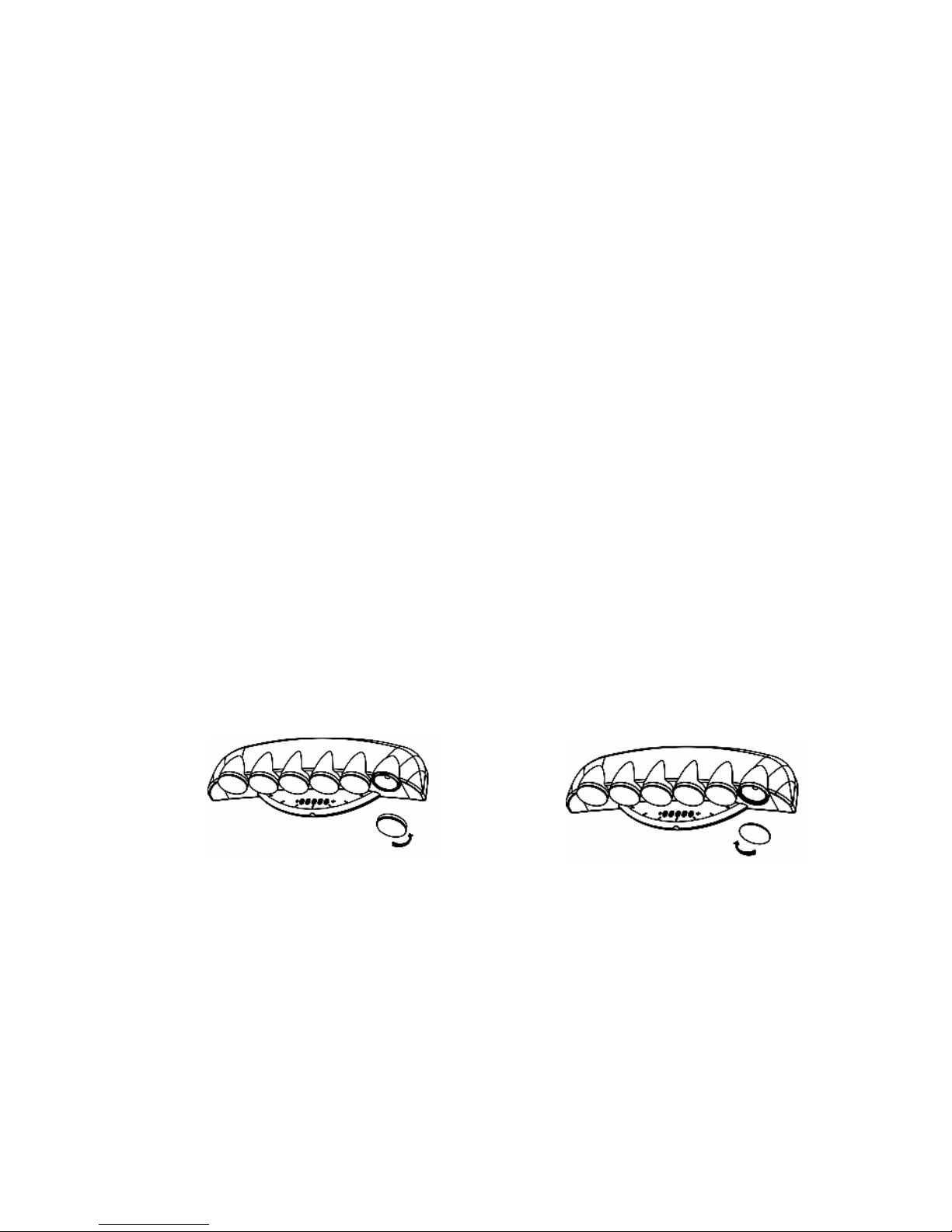
1. T the burnt out bulb.
urn the color cover lens counterclockwise to remove it and expose
2. T w on move.
hen press do n the bulb and turn it counterclockwise to re
3. In lb, p locks in place.
sert the new bu ress down and turn it clockwise until it
. Replace the colored cover lens by turning it clockwise on the unit.
4
COUNTER-CLOCKWISE TO REMOVE
CLOCKWISE TO SCREW IN
Page 5

FOR ADDITIONAL SET-UP OR OPERATING ASSISTANCE, PLEASE VISIT OUR WEBSITE AT
OR CONTACT CUSTOMER SERVICE AT 1-800-919-3647.
PLEASE KEEP ALL PACKAGING MATERIAL FOR AT LEAST 90 DAYS IN CASE YOU NEED TO
RETURN THIS PRODUCT TO YOUR PLACE OF PURCHASE OR MEMOREX.
FOR
PARTS AND ACCESSORIES, CONTACT FOX INTERNATIONAL AT 1-800-321-6993.
OR COTAC CUSTOMER SERVICE ..T 1-800-919-3647
WWW.MEMCORPINC.COM
Memcorp, Inc.
Weston, FL
Printed In Hong Kong
Visit our website at www.memcorpinc.com
 Loading...