

Page 1

User Manual
80S STYLE BOOMBOX
E65131
Page 2

Contents
Overview ......................................................................................... 4
Device parts .....................................................................................6
About these operating instructions ...............................................9
Proper use ..................................................................................... 10
Declaration of conformity ............................................................. 10
Safety information ......................................................................... 11
Package contents ...........................................................................15
Getting started ...............................................................................16
Connecting the headphones .........................................................17
Switching on the device/switching to standby........................... 18
Controlling the volume ................................................................. 18
Radio .............................................................................................. 18
Cassette operation .........................................................................19
Playing memory cards/USB sticks ................................................ 20
Bluetooth operation ......................................................................21
Malfunctions ................................................................................... 21
Disposal .......................................................................................... 22
Technical data................................................................................ 23
Legal notice ................................................................................... 24
Warranty Details ............................................................................ 25
Repair and Refurbished Goods or Parts Notice ........................... 26
Dok./Rev.-Nr. 43507 EN Aldi AU RC Cover 5005 7571
Page 3

4 56
A B
F
MHz
MHz
MHz
KHz
SW 2
FM
SW 1
MW
16 m
19 m
25 m 31 m
14 m
41 m
49 m
60 m
75 m
x 10
20.5 19.0
11.0
9.8 8.2
140
13.0
4.8 3.0
100
15.016.818.0
7.0
70120150
23.0
13.0
53160
SHORT WAVE
SHORT WAVE
MEDIUM WAVE
FREQUENCY MODULATION
23.0
13.0
1600
13.0
3.0
530
88
108
3
3
257 46
1
Page 4

8 9 10 11 12 13 14 15 16 17 18 19
Device parts
1
2
3
4
5
6
7
8
2425 23 22
21 20
9
257 46
10
11
12
13
Page 5

Device parts
1
Handle
PHONE – headphone connection (on
2
the side)
3
Loudspeaker
4
Battery compartment (on the rear)
5
Cassette compartment
6
Radio frequency scale
~ AC IN – connection for mains cable
7
(on the rear)
8
VOLUME – volume setting
9
BASS – set bass
14
PLAY – play (cassette)
15
REC – record (cassette)
16
FUNCTION – function selector switch
17
BAND – select frequency band
18
TUNING – select radio station
19
FM telescopic aerial
20
USB – USB port
MUSIC POWER – operating LED for
21
Bluetooth/SD/MMC/USB
22
SD/MMC CARD – memory card slot
10
PAUSE – pause playback (cassette)
STOP/EJ. – stop playback/open cas-
11
sette compartment (cassette)
12
F.FWD – fast forward (cassette)
13
RWD – rewind (cassette)
– Fast forward/next track (Bluetooth/
23
SD/MMC/USB)
– Start/stop playback (Bluetooth/
24
SD/MMC/USB)
– Rewind/previous track (Bluetooth/
25
SD/MMC/USB)
Page 6

Contents
Overview ......................................................................................................... 4
Device parts ..................................................................................................... 6
About these operating instructions ............................................................... 9
Key to symbols .....................................................................................................9
Proper use ......................................................................................................10
Declaration of conformity ..............................................................................10
Safety information ......................................................................................... 11
Operating safety ................................................................................................. 11
Installation location .......................................................................................... 11
Repairs .................................................................................................................12
Environmental temperature ............................................................................12
Power supply ......................................................................................................13
Handling batteries .............................................................................................14
Package contents ...........................................................................................15
Getting started ...............................................................................................16
Battery operation – inserting the batteries into the device ........................ 16
Mains operation – connecting the mains cable ............................................ 16
Aerial reception ..................................................................................................17
Setting up the appliance ...................................................................................17
Connecting the headphones.......................................................................... 17
Switching on the device/switching to standby ............................................18
Controlling the volume ..................................................................................18
Radio ...............................................................................................................18
Tuning the stations ........................................................................................... 18
Cassette operation .........................................................................................19
Inserting the cassette ....................................................................................... 19
Playing, stopping, pausing .............................................................................. 19
Recording ........................................................................................................... 19
Fast-forwarding and rewinding ..................................................................... 19
Contents
7
Page 7

Playing memory cards/USB sticks ................................................................. 20
Notes on the media ...........................................................................................20
Inserting USB memory sticks ...........................................................................20
Inserting SD/MMC memory cards ....................................................................20
Starting/stopping playback .............................................................................20
Track selection, fast rewind/forward ..............................................................20
Bluetooth operation .......................................................................................21
Starting/stopping playback ..............................................................................21
Track selection, fast rewind/forward ...............................................................21
Malfunctions ................................................................................................... 21
Disposal ..........................................................................................................22
Technical data .................................................................................................23
Symbols on the type plate and the device .................................................... 24
Legal notice ................................................................................................... 24
Warranty Details .............................................................................................25
Repair and Refurbished Goods or Parts Notice ............................................ 26
Contents
8
Page 8

About these operating instructions
Read the safety instructions carefully before using the device for the fi rst
time. Note the warnings on the device and in the operating instructions.
Always keep the operating instructions close to hand. If you sell the device
or give it away, please ensure that you also pass on these instructions.
Key to symbols
DANGER!
This keyword denotes a high-risk hazard situation which results in death or serious
injury if it is not avoided.
WARNING!
This keyword denotes a medium-risk hazard situation which can result in death or a
serious injury if it is not avoided.
CAUTION!
This keyword denotes a low-risk hazard situation which can result in moderate or
minor injuries if it is not avoided.
NOTE!
This keyword serves as a warning for possible damage to property.
This symbol provides useful additional information for assembling
or operating the device.
Declaration of conformity (see section “Declaration of conformity”):
Products that feature this symbol meet the requirements of the EC
directives.
About these operating instructions
9
Page 9

Proper use
The device is intended for playing sound media on SD/MMC memory cards, USB sticks
and audio cassettes as well as for radio reception.
The device is only intended for private use, and not for industrial/commercial use.
Please be aware that no liability will be accepted if the device is used for purposes
other than its designated use:
• Do not convert the device without our express agreement and do not use any
accessories that have not been supplied or approved by us.
• Do not use any replacement or accessory parts that we have not approved or
supplied.
• Heed all the information in these operating instructions, especially the safety
information. Any other use is deemed improper and can cause personal injury
or property damage.
• Do not use the device in extreme environmental conditions.
This device is not intended for use by people (including children) with reduced
physical, sensory or mental abilities or by those without experience and/or
knowledge, unless they are supervised by a person responsible for their safety or
they have been instructed in its use by that person. Children should be supervised to
ensure they do not play with this device.
Declaration of conformity
Medion AG hereby declares that the product conforms to the following European
requirements:
• Directive 2014/53/EU
• Ecodesign Directive 2009/125/EC
• RoHS Directive 2011/65/EU
NOTE!
All multimedia devices that can be connected to the
corresponding connections of the device must comply with the
requirements of the Low Voltage Directive.
Proper use
10
Page 10
Safety information
Operating safety
• Never allow children to use electrical devices unattended.
DANGER!
Risk of choking and suffocation!
Packaging fi lm can be swallowed or used improperly. Therefore,
there is a risk of suffocation!
− Keep packaging material such as plastic fi lm or plastic bags
away from children.
Installation location
The device is not designed for use in rooms with high humidity
levels (e.g. bathrooms). Make sure that:
• Do not cover the vents so as to ensure adequate ventilation;
the ventilation openings must not be covered by objects like
newspapers, tablecloths, curtains, etc. which obstruct the air
fl ow;
• Allow at least 10 cm clearance at the sides and top of the device
if it is placed in a rack or a similar enclosed space;
• Do not expose the device to extreme temperatures;
• Do not expose the device to direct sources of heat (e.g. heaters,
sunlight);
• Do not place naked fl ames (for example, lit candles) near or on
the device;
Safety information
11
Page 11
• Avoid contact with moisture, water and splashes; Do not
therefore place any objects fi lled with liquid, for example vases,
on the device;
• Do not place the device close to magnetic fi elds (for example,
televisions or other loudspeakers).
Repairs
• Contact customer services if:
− the power cable is burnt or damaged
− liquid has penetrated the device
− the device is not operating correctly
− the device has fallen or the housing is damaged
• Repairs to your device should only be carried out by qualifi ed
specialists.
Environmental temperature
• The device can be operated at an ambient temperature
of -5°C to +35°C and at a relative humidity of < 80%
(non-condensing).
• When switched off, the device may be stored at temperatures
between -10°C and +45°C.
DANGER!
Risk of electric shock!
Major changes in temperature or fl uctuations in humidity
can cause moisture to build up within the product due to
condensation – this can cause an electrical short circuit.
− After transporting the device, wait until it has reached ambient
temperature before switching it on.
Safety information
12
Page 12
Power supply
• Only operate the protection class II device on an earthed
safety contact socket that is close by and easy to access, or by
inserting batteries into the battery compartment (refer to the
technical data section for further technical information).
DANGER!
Risk of electric shock!
Even when the device is switched off, some components are live.
− In order to disconnect the power to your device or to
completely isolate the device from voltage sources, disconnect
the mains plug from the mains socket and remove the batteries
from the device.
• Make sure that the mains cable does not present a trip hazard.
The connecting cable must not be trapped or squashed.
• Before cleaning, pull the plug out of the mains socket.
DANGER!
Risk of electric shock!
The device contains live parts. They pose a risk of electric shock or
fi re if an unintentional short circuit occurs.
− Never open the housing and never insert any objects through
the slots and openings into the device!
• Do not place any objects on the cable as it may be damaged.
Safety information
13
Page 13
• Keep the device at a distance of at least one metre from sources
of high-frequency or magnetic interference (televisions,
loudspeakers, mobile telephones, etc.) to avoid malfunctions
and data loss.
Handling batteries
The device can also be operated with batteries. Please note the
following:
• Keep new and used batteries out of the reach of children. Risk
of chemical burns if batteries are swallowed.
WARNING!
Risk of chemical burns!
The device can also be operated with batteries. If batteries are
swallowed, they can cause serious internal chemical burns within
two hours which may prove fatal.
− Seek medical help immediately if you think that batteries may
have been swallowed or secreted in any part of the body.
• Stop using the product if the battery compartment does not
close properly, and keep it out of reach of children.
• Before inserting the batteries, check that the contacts in the
device and on the batteries are clean and, if necessary, clean
them.
• Always use new batteries of the same type. Never use old and
new batteries together.
• Pay attention to the polarity (+/–) when inserting the batteries.
• There is a risk of explosion if batteries are replaced incorrectly!
Replace the batteries only with the same or equivalent type.
• Never try to recharge non-rechargeable batteries. Risk of
explosion!
Safety information
14
Page 14
• Never expose the batteries to excessive heat (such as direct
sunlight, fi re or similar).
• Store batteries in a cool, dry place. Strong direct heat can
damage batteries. Therefore, keep the product away from
strong heat sources.
• Never short-circuit batteries.
• Never throw batteries into a fi re.
• Remove leaking batteries from the device immediately. Clean
the contacts before inserting a new battery. There is a risk of
skin irritations from battery acid!
• Always remove fl at batteries from the device.
• If the device is not going to be used for long periods, remove
the batteries.
Package contents
Please check your purchase to ensure that all items are included. If anything is
missing, please contact us within 14 days of purchase. The following items are
supplied with your monitor:
• Portable sound system
• Mains connection cable
• Documentation
DANGER!
Risk of choking and suffocation!
Packaging fi lm can be swallowed or used improperly. Therefore,
there is a risk of suffocation!
− Keep packaging material such as plastic fi lm or plastic bags
away from children.
Package contents
15
Page 15
Getting started
Battery operation – inserting the batteries into the device
− The battery compartment
4
is located at the rear of the device.
− Release both latches and remove the battery compartment cover.
− Insert four 1.5 V R20/LR20/D/Mono batteries (not supplied) with the negative
ends on the springs. Refer to the diagram in the battery compartment!
− Replace the battery compartment cover.
The device is battery-operated if no mains cable is connected to the ~ AC IN socket
7
. The device is now in standby mode.
WARNING!
Risk of explosion!
Risk of explosion if batteries are replaced incorrectly.
− Replace batteries only with the same or equivalent type.
Mains operation – connecting the mains cable
− Connect the supplied mains cable to the ~ AC IN socket
7
of the device.
− Plug the mains cable into an easily accessible 220-240V ~ 50/60Hz mains socket.
The device is mains-operated even if batteries are inserted at the same time.
NOTE!
The device also uses a little electricity when it is connected to the mains and switched
off. Therefore, disconnect the device from the mains when it is not in use.
Getting started
16
Page 16
Aerial reception
The top of the device is fi tted with a telescopic aerial
19
.
− Fully extend the aerial and adjust it for optimum FM radio reception.
There is a built-in ferrite aerial for MW reception.
− Turn the device to the ideal position for reception.
Setting up the appliance
• Place the device on a sturdy, level surface. Some aggressive varnishes can
corrode the rubber feet on the device. If necessary, place the device on a
suitable underlay.
NOTE!
Before connecting an external device, unplug the mains plug
from the device!
Connecting the headphones
− Plug the 3.5 mm stereo headphone jack into the PHONE connection
2
on the
right-hand side of the device.
WARNING!
Risk of hearing damage!
Using headphones/earphones to listen to a device at high
volumes for an extended period can damage your hearing.
− Before pressing play, set the volume to the lowest setting.
− Start playback and increase the volume to a comfortable level.
Connecting the headphones
17
Page 17

Switching on the device/switching to standby
− To switch on the device, slide the FUNCTION selector switch
16
to the desired
position:
• RADIO: Radio operation
• TAPE/OFF: Cassette operation
•
/ MUSIC: Bluetooth, SD/MMC and USB operation
− To switch the device into standby mode, slide the function selector switch to
TAPE/OFF without playing a cassette.
Controlling the volume
− Control the volume with the VOLUME
8
control knob.
Radio
− Slide the function selector switch
16
to RADIO to switch to radio mode.
Tuning the stations
− Select the station with the BAND
17
switch:
• SW2: Short wave 2 (13–23 MHz)
• SW1: Short wave 1 (3–13 MHz)
• MW: Medium wave (530–1600 kHz)
• FM: VHF (88–108 MHz)
− Now use the TUNING dial
18
to select the desired frequency range.
Switching on the device/switching to standby
18
Page 18

Cassette operation
− Slide the function selector switch
16
to TAPE to switch to cassette mode.
Inserting the cassette
− Press the STOP/EJ. button
11
to open the cassette compartment.
− Place a cassette with the tape side facing up and the side you want to play facing
forward into the compartment grooves.
− Close the cassette compartment.
Playing, stopping, pausing
− Press the PLAY button
14
to start playing the cassette.
− You can pause playback by pressing the PAUSE button
10
. Press the button
again to resume playback.
− You can stop playback by pressing the STOP/EJ button
11
.
Recording
You can record music from the radio, playlists on memory cards or USB memories, as
well as with the integrated microphone.
− Slide the function selector switch
16
to
• RADIO to record the radio,
• TAPE, to use the integrated microphone for recording,
• / MUSIC, to record a Bluetooth source, an SD/MMC or USB sticks.
− Press the REC button
15
to start recording.
− Press the PAUSE button
10
to pause recording.
− Press the STOP/EJ button
11
to stop recording.
Fast-forwarding and rewinding
− Press the F.FWD button
12
or REW button
13
to fast forward or rewind the
tape.
− Press the STOP/EJ button
11
to stop fast-forwarding or rewinding. You can
also press this button if you have reached the end or the beginning of the tape.
Do not switch immediately from fast-forwarding or rewinding to playing. Stop the
tape fi rst to protect the tape from wear.
Cassette operation
19
Page 19

Playing memory cards/USB sticks
− Slide the function selector switch
16
to MUSIC to play music stored on SD/MMC
memory cards and USB sticks.
Notes on the media
Note the following:
• Due to the numerous different fi le systems and fi le formats, connected USB
memories cannot be guaranteed to function.
• Depending on the size of the data medium, it make take time for the system to
be detected.
• Supported fi le systems are FAT16 and FAT32; the supported fi le format is MP3.
• External hard disks are not supported.
• The device always plays the storage medium which was inserted last.
Inserting USB memory sticks
− Insert the USB memory stick into the USB port
20
.
− The tracks are read and the device immediately starts to play the fi rst track.
Inserting SD/MMC memory cards
− Insert the SD or MMC memory card with the fl attened edge facing down to the left
into the SD/MMC CARD slot
22
.
− The tracks are read and the device immediately starts to play the fi rst track.
Starting/stopping playback
− You can start playing the tracks with the
24
button. To pause playback,
press the button again. Pressing the button once more resumes playback.
Track selection, fast rewind/forward
− Press the
25
button to skip to the previous track. Use the
10
button to
skip to the next track.
− Hold down the button to fast rewind within a track or the button to fast
forward.
Playing memory cards/USB sticks
20
Page 20

Bluetooth operation
− Slide the function selector switch
16
to / MUSIC to switch to cassette mode.
− When the radio is this mode, the bluetooth function is automatically in pairing
mode. Search for “MD 45307” on the available device list and select it on your
device that you want to pair to the radio.
There is no security code and the unit will pair up straight away.
If the paring is successful, the LED will change from a fast fl ash to a slow fl ash.
For playback, you can either use the music app’s controls to control the music or you
can use the control buttons on the device as follows.
Starting/stopping playback
− You can start playing the tracks with the
24
button. To pause playback,
press the button again. Pressing the button once more resumes playback.
Track selection
− Press the
25
button to skip to the previous track. Use the
10
button to
skip to the next track.
Malfunctions
If the device is malfunctioning, this may be due to electrostatic discharge. If this is the
case, unplug the mains cable and remove the batteries. Re-insert the batteries and
plug the device back in. This will reset the device.
Cleaning Always disconnect the device from the mains plug before cleaning it.
Only use a dry, soft cloth to clean the device. Do not use chemical solutions or cleaning
products because these may damage the device’s surface and/or inscriptions.
Bluetooth operation
21
Page 21
Disposal
Packaging
The product has been packaged to protect it from damage in transit.
Packaging materials are raw materials and can therefore be reused or
recycled.
Appliance
Old devices may not be disposed of with normal household rubbish.
In accordance with Directive 2012/19/EU, the device must be properly
disposed of at the end of its service life. This involves separating the
materials in the device for the purpose of recycling and minimising the
environmental impact. Take old devices to a collection point for electrical
scrap or a recycling centre. Contact your local waste disposal company
or your local authority for more information on this subject.
Batteries
Do not dispose of used batteries in the household rubbish. Take the
batteries to a collection point for used batteries.
Disposal
22
Page 22
Technical data
Power supply
Mains operation AC 220-240 V ~ 50/60 Hz, 0.85 A
Battery operation 4 x 1.5 V D/R20/LR20 batteries (not supplied)
Protection class II
Music power
Output power 2 x 20 W
Radio
FM (Very high frequency) 87.5–108 MHz
SW1 (short wave 1) 3.0–13.0 MHz
SW2 (short wave 2) 13.0–23.0 MHz
MW (medium wave) 530–1600 kHz
Connections
AC socket for supplied mains cable
Headphone connection 3.5 mm jack
USB port version 2.0, max. 32 GB
DC 5V
Max. 100mA
Memory card reader SD/MMC card, max. 32 GB
Bluetooth
Version 2.1
Frequency range 2.4GHz
Protocol A2DP, AVRCP
Range 10m
Dimensions
Width x height x depth in mm 317 x 114 x 89
Subject to technical modifi cations!
Technical data
23
Page 23
Symbols on the type plate and the device
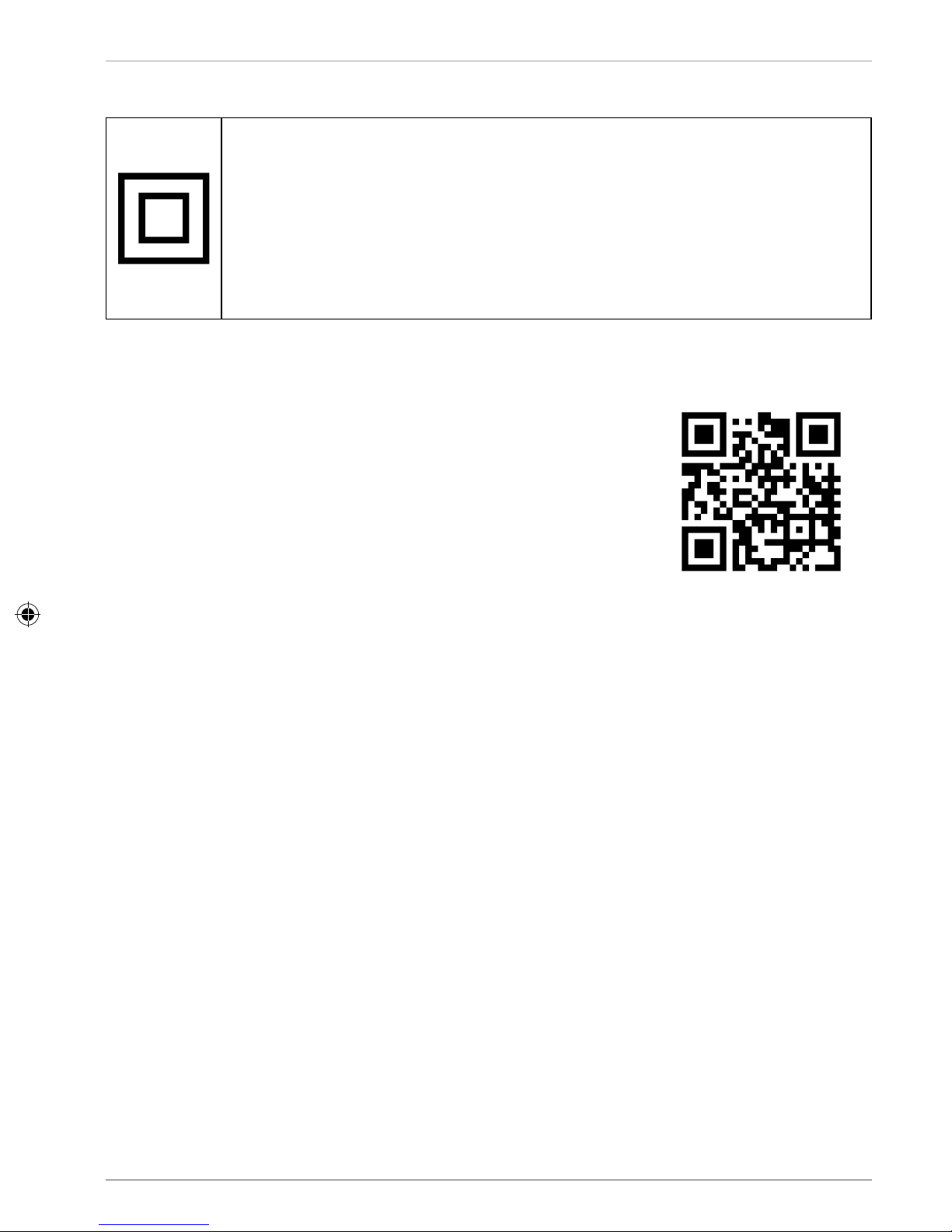
Protection class II
Electrical devices in protection class II refer to devices that have
double and/or reinforced insulation throughout and do not have
the option of connecting a protective conductor. The housing of an
electrical device in protection class II with surrounding insulating
material may represent either the entirety of the additional or
reinforced insulation, or part of it.
Legal notice
Copyright © 2017
Status: 2017-10-17
All rights reserved.
This operating manual is protected by copyright.
Mechanical, electronic and any other form of reproduction
is prohibited without the written permission of the
manufacturer.
Copyright is owned by the company:
Medion AG
Am Zehnthof 77
45307 Essen
Germany
The Bluetooth® word mark and logos are registered trademarks owned by Bluetooth
SIG, Inc., and any use of such marks is under license.
Other trademarks and trade names are those of their respective owners.
The operating manual can be reordered via the service hotline and is available for
download via the service portal at www.medion.com/au/contact.php.
You can also scan the QR code above and download the operating manual onto your
mobile device via the service portal.
Legal notice
24
Page 24
Warranty Details
80S STYLE BOOMBOX E65131
The product is guaranteed to be free from defects in workmanship and parts for a period of
36months from the date of purchase. Defects that occur within this warranty period, under
normal use and care, will be repaired, replaced or refunded at our discretion. The benefi ts
conferred by this warranty are in addition to all rights and remedies in respect of the product
that the consumer has under the Competition and Consumer Act 2010 and similar state and
territory laws.
Our goods come with guarantees that cannot be excluded under the Australian Consumer Law.
You are entitled to a replacement or refund for a major failure and for compensation for any
other reasonably foreseeable loss or damage. You are also entitled to have the goods repaired
or replaced if the goods fail to be of acceptable quality and the failure does not amount to a
major failure.
AFTER SALES SUPPORT
AUS
1300 884 987 www.medion.com.au
1
YEARS
WARRANTY
REGISTER YOUR PURCHASE AT www.aldi.com.au/en/about-aldi/product-registration/
TO KEEP UP-TO-DATE WITH IMPORTANT PRODUCT INFORMATION
Page 25
Unfortunately, from time to time, faulty products are manufactured which need to be returned
to the Supplier for repair.
Please be aware that if your product is capable of retaining user-generated data (such as fi les
stored on a computer hard drive, telephone numbers stored on a mobile telephone, songs
stored on a portable media player, games saved on a games console or fi les stored on a USB
memory stick) during the process of repair, some or all of your stored data may be lost.
We recommend you save this data elsewhere prior to sending the product for repair.
You should also be aware that rather than repairing goods, we may replace them with
refurbished goods of the same type of use refurbished parts in the repair process.
Please be assured though, refurbished parts or replacements are only used where they
meet ALDI's stringent quality specifi cations.
If at any time you feel your repair is being handled unsatisfactorily, you may escalate your
complaint. Please telephone us on 1300 884 987 or write to us at:
MEDION Australia Pty Ltd
St Leonards, NSW 2065; Australia
Hotline: 1300 884 987
(Opening hours: Mon - Fri 08:30AM to 06:00PM EST)
Internet www.medion.com.au;
E-mail Support [email protected]
Repair and Refurbished Goods
or Parts Notice
80S STYLE BOOMBOX E65131
AFTER SALES SUPPORT
AUS
1300 884 987 www.medion.com.au
1
YEAR
WARRANTY
REGISTER YOUR PURCHASE AT www.aldi.com.au/en/about-aldi/product-registration/
TO KEEP UP-TO-DATE WITH IMPORTANT PRODUCT INFORMATION
Page 26
AUS
Made in China
DISTRIBUTED BY:
ALDI STORES
1 SARGENTS ROAD
MINCHINBURY NSW 2770
WWW.ALDI.COM.AU
AFTER SALES SUPPORT
AUS
1 300 884 987
www.medion.com.au
MODEL:
MD 43507
59796
12/2017
1
YEAR
WARRANTY
 Loading...