

Page 1
EN
IMPERIUS TAB 10 3G
9,7” DUAL CORE ANDROID 4.1 TABLET PC
MT7012
Quick guide
Page 2
2
EN
Introduction
Thank you for buying this fully equipped tablet with Android 4.1, front and rear camera, HDMI output, UMTS builtin modem and comfortable touch screen. Please take a moment and read this manual before using the device.
Package contents
■ tablet
■ power adaptor
AC 220V
■ microUSB to USB
adaptor (OTG)
■ quick guide
Overview
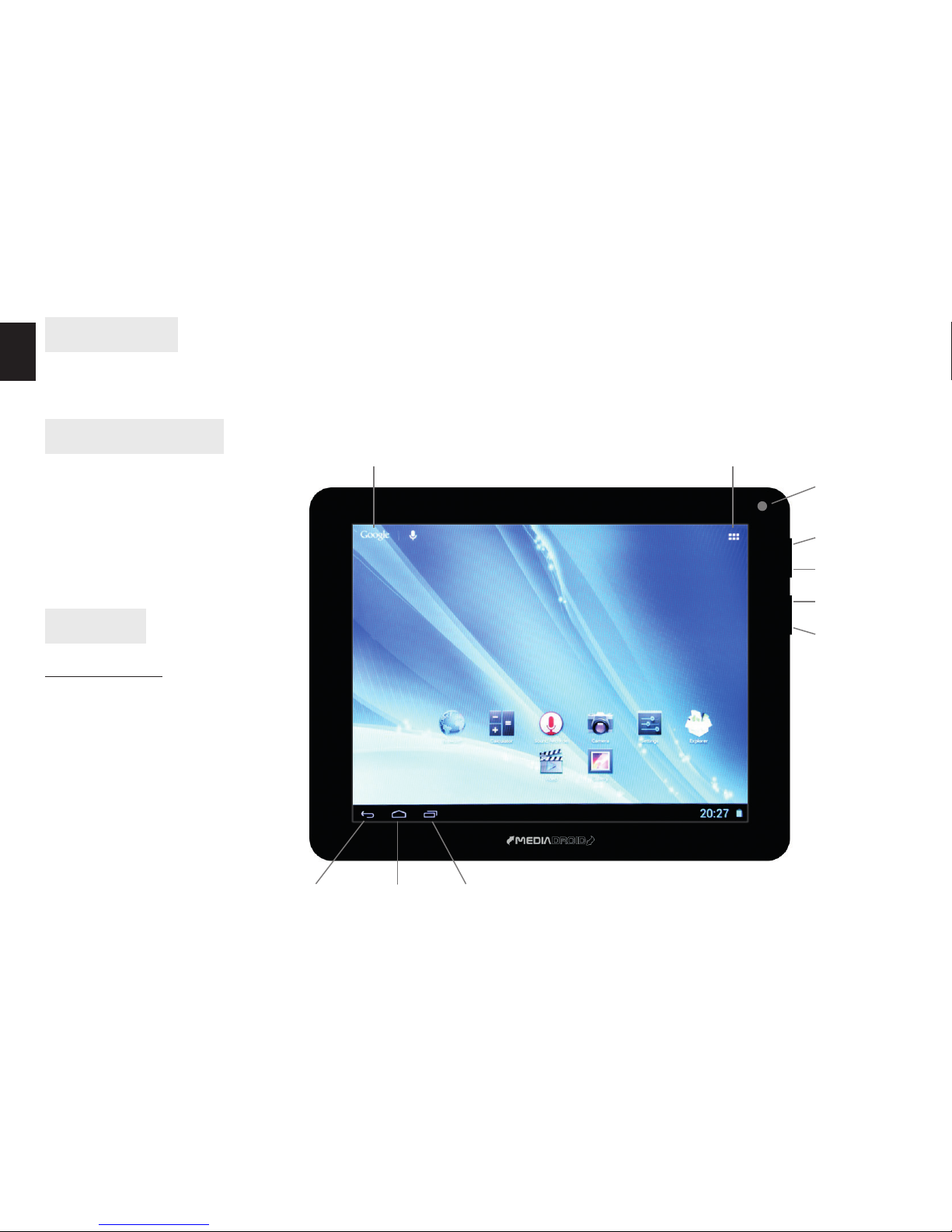
Front panel
Show applications
Back
Menu
Vol+
Vol-
Front
camera
Recently used applications HomeBack
Google Search
Page 3
3
EN
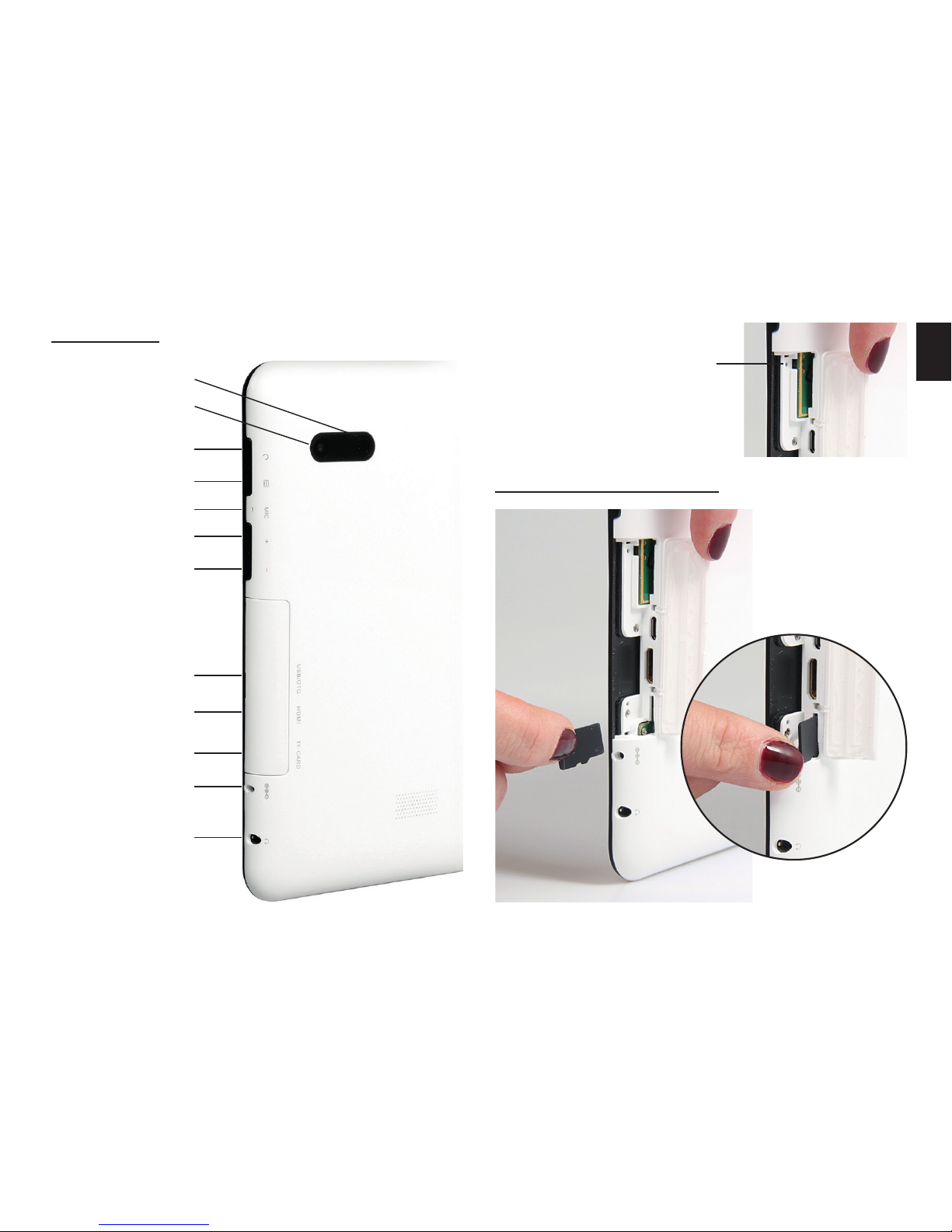
Side panel
Installing microSD card
Back
Power button
Main camera
Menu
Microphone
Vol+
Vol-
OTG USB socket
(for pendrive,
mouse or key-
board and etc.)
HDMI output
microSD socket
DC input
Reset button
Headphones
socket
Page 4
4
EN
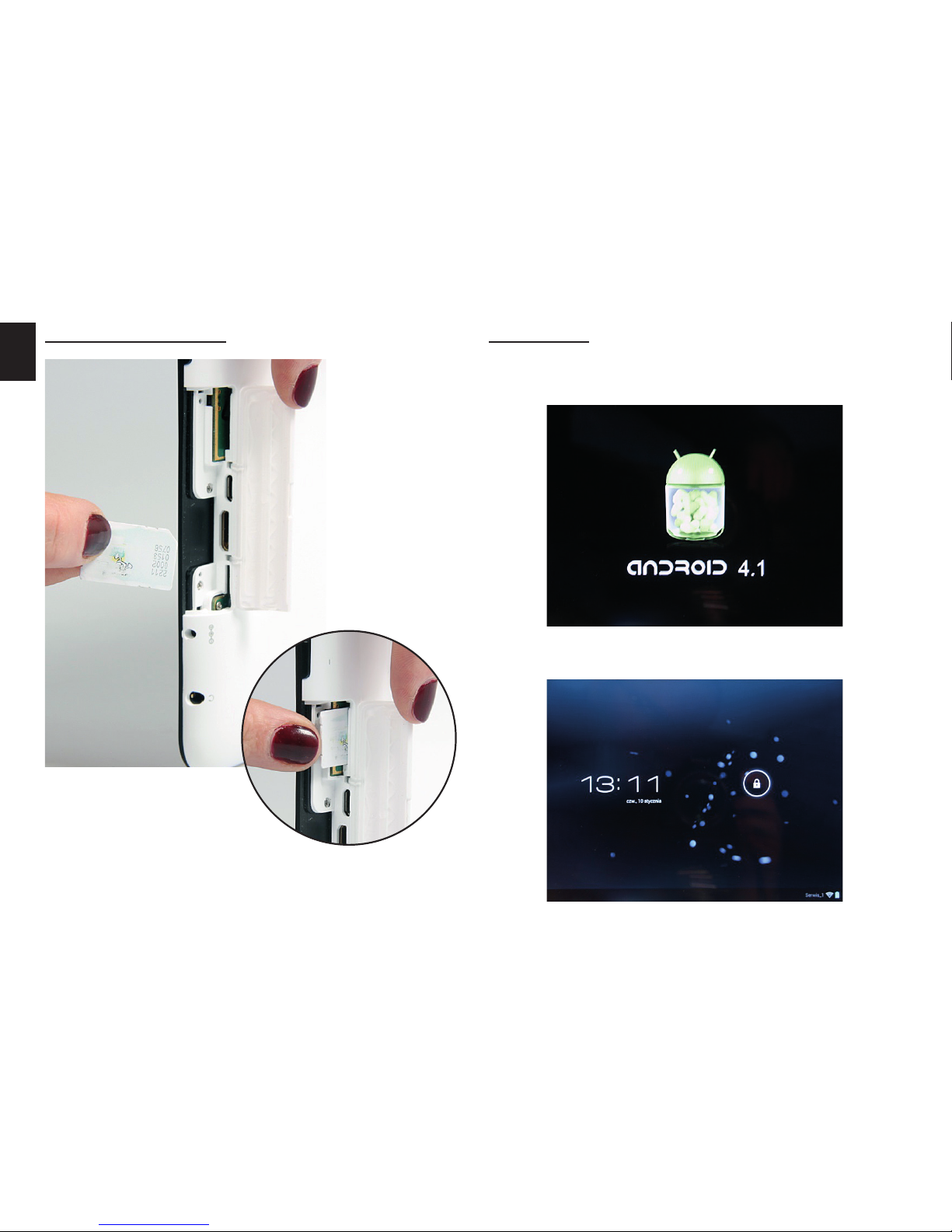
Power On
Press and hold power button until Android icon popup on the screen.
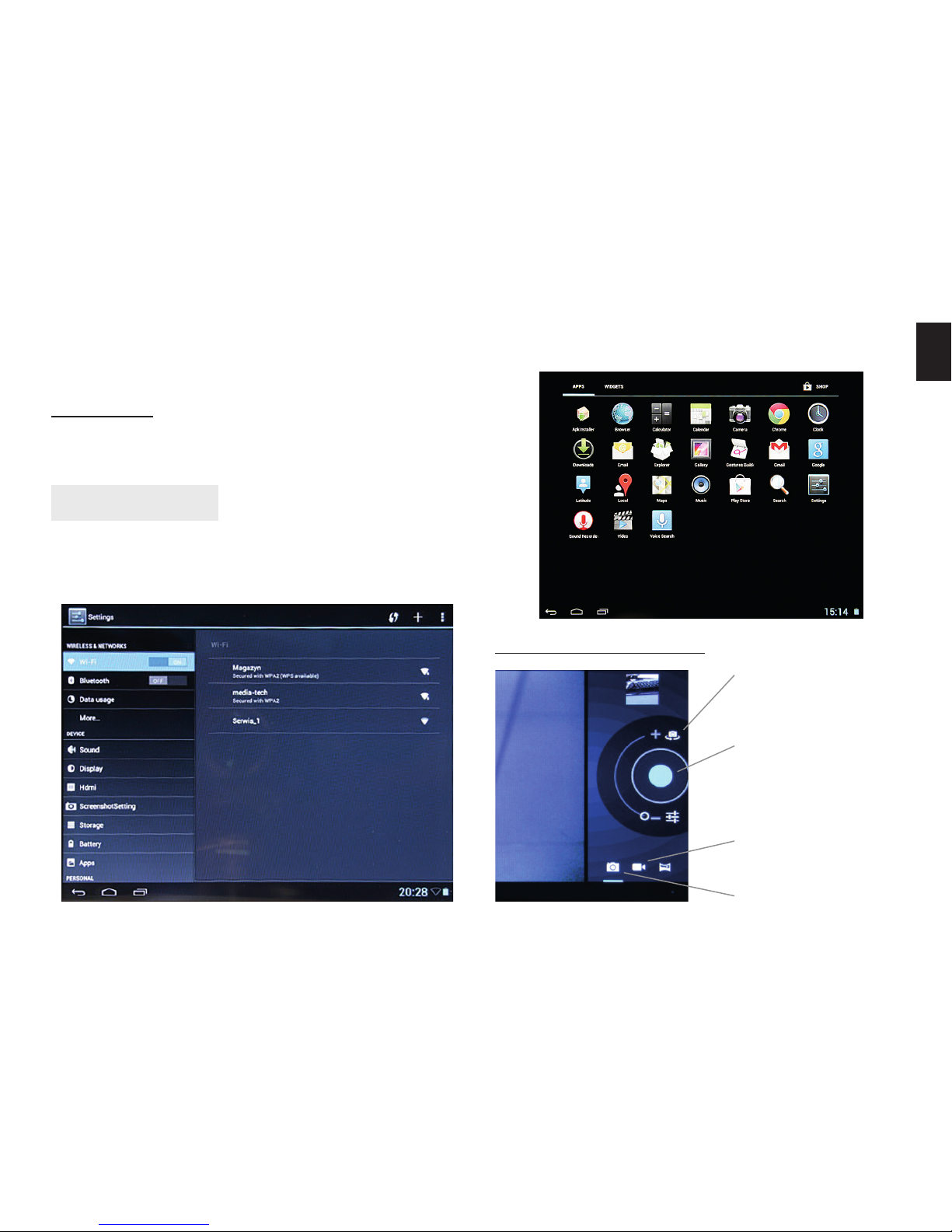
When system is loaded you will following screen:
Installing SIM card
Page 5
5
EN
Drag and drop lock icon into right to unlock touch
screen. To lock touch screen press shortly power button.
Press “Show applications” to pop-up screen with installed applications.
Using camera module
Power O
Press and hold power button for 2 seconds, click “power o” and then “OK”.
Using the device
We recommend setting up WiFi internet connection in
rst place. Next please set up google account in order
to access application from Google Play.
Switch front/rear
camera view
Press and hold to
autofoucs, release
to release shutter
Recording movies
Taking photos
Page 6
6
EN
Functions and technical specication of device are subject to change without prior notice.
For technical support please visit www.media-tech.eu.
Using USB OTG function
Plug USB OTG cable rst, then plug USB device like
pendrive, mouse, keyboard and etc.
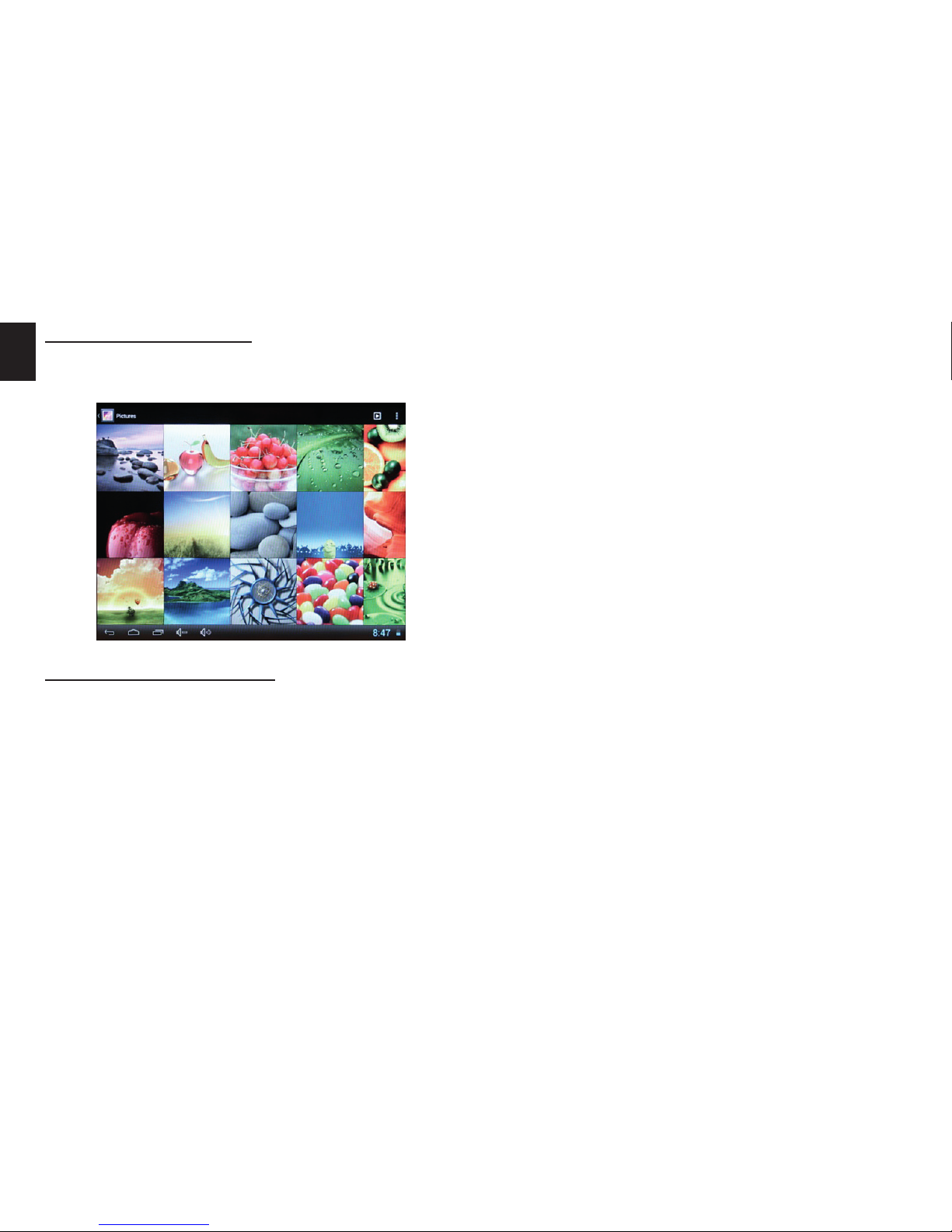
Browsing multimedia
You can use Explorer to open selected le, le will be
opened with appropriate application.
 Loading...