

Page 1
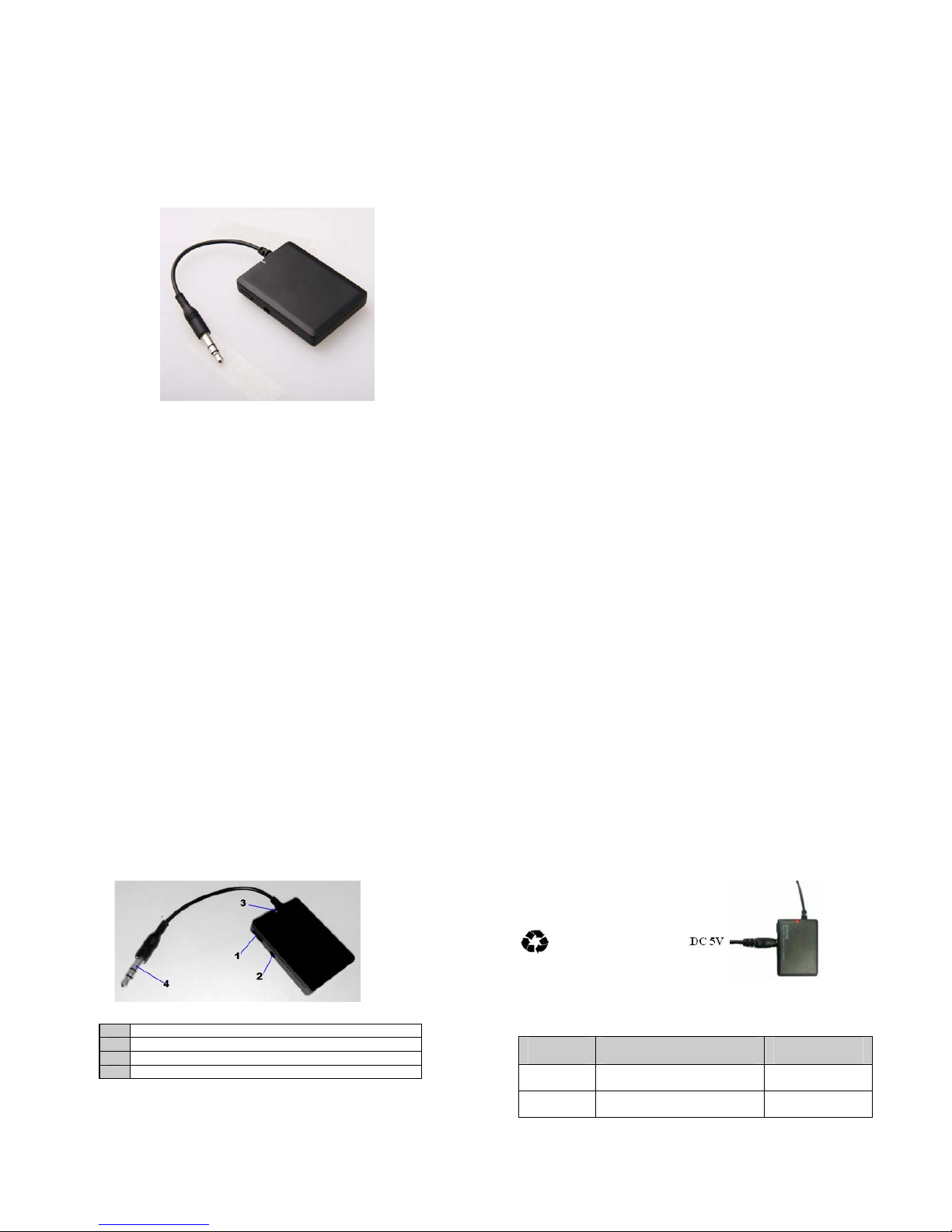
BTR006L
Bluetooth audio receiver
User’s manual
Content
Before use…………………………………………………...…1
1. About BTR006L………………………………………...…….1
2. System requirements………………………………...…………1
3. Overview of BTR006L………………………………...……...1
Getting started…………………….……………………………2
1. Charging the receiver………………..………………………....2
2. Turning on/off the receiver………..…………………………...2
3. Pairing with Bluetooth devices…………..………………….…3
4. Music playback…………..…………………………………….5
5. LED indicator…………..……………………………………...5
Care and maintenance………….………………………………6
FAQs…………………………………..……………………….6
Specifications……………………...…………………………...7
FCC Statement……………………...………………………….8
Welcome to use this Bluetooth stereo receiver BTR006L. Please read this
user’s manual carefully before use.
Before use
1. About BTR006L
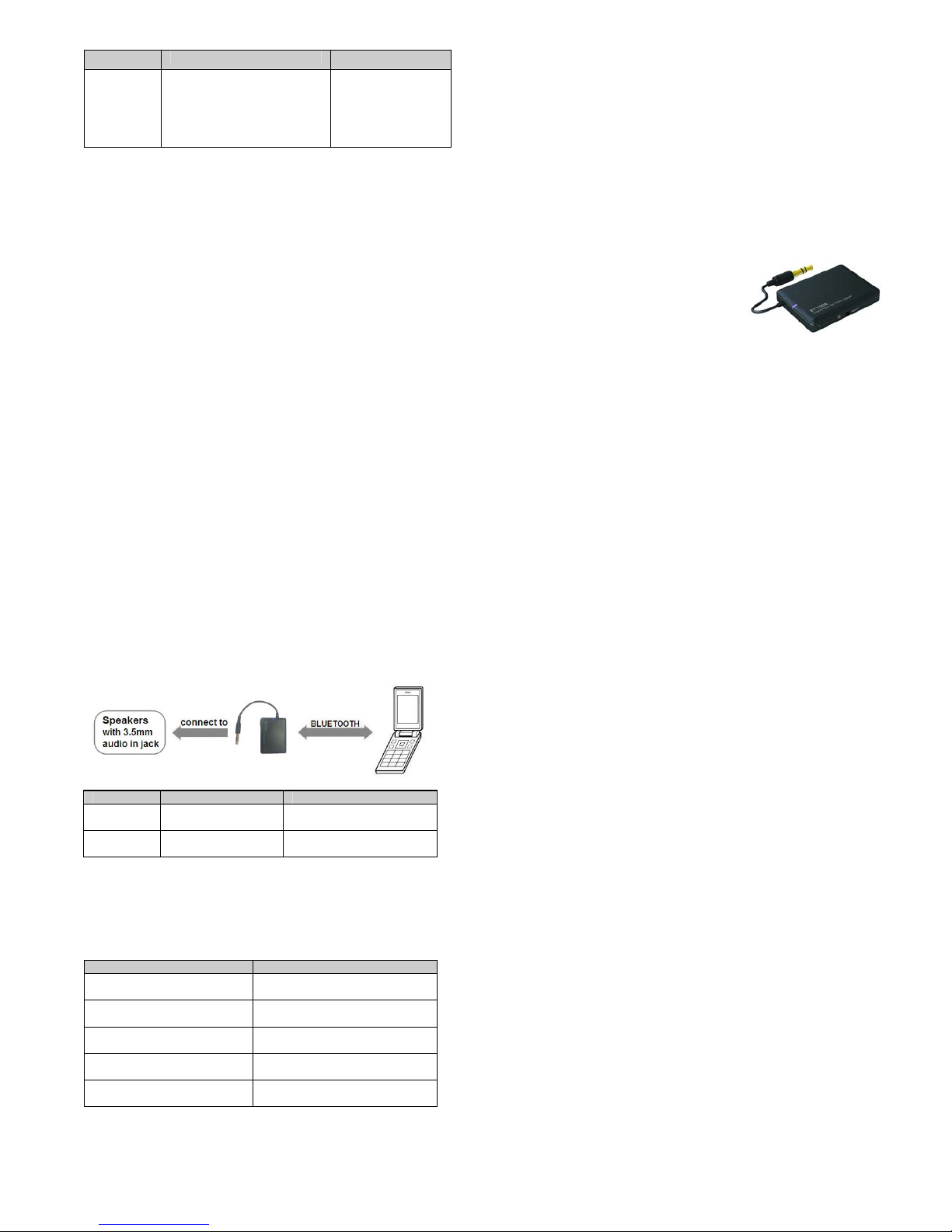
BTR006L is a stereo Bluetooth receiver. You can use a common audio
device with 3.5mm audio in jack for playing any stereo Bluetooth-enabled
device’s music after plugging in BTR006L.
The product comes with a built-in rechargeable battery, it can be used for
about 14 hours after being charged fully.
2. System requirements
Audio device with 3.5mm audio input jack, such as speakers, radios etc .
Bluetooth transmitting device supporting A2DP profile, such as
Bluetooth mobile phones, Bluetooth MP3 etc.
3. Overview of BTR006L
1 MFB button — Power on/off, pair, music pause/play
2 Charging jack — DC 5V
3 LED indicator — Indicate current status
4 3.5mm audio input jack — Connect to audio device
1
Getting started
1. Charging the receiver
First time charging:
Please charge the battery fully before f irst use the receiver.
Low battery:
When you see the red LED flashed once every 20 seconds and hear three
Tones during use, the battery is low battery and needs to be charged.
1. Plug charger or charging cable into the standard AC power socket
2. Plug other end of charger or charging cable into charging port of receiver
RED light on→Charging
RED light off→Finished charging
3. It will take about 3 hours to finish charging
4. If the receiver can’t be turned off, you can charge it to turn it off.
Remarks:
Please don’t atte mpt to take out the battery from the speaker, as this might
damage it.
Warning:
1) The battery is recyclable.
2) Batteries (battery pack or batteries installed) shall not be exposed to
excessive heat place, such as sunshine, fire or the like.
2. Turning on/off the receiver
Function Operation LED indicator
Turning on Press and hold MFB button for
3~5 seconds
Blue LED is on
for 1 secon
d
Turning off Press and hold MFB button for
3~5 seconds
Red LED is on for
1 secon
d
2
Page 2
3. Pairing with Bluetooth devices
How to enter pairing mode
Function Operation LED indicator
Entering
pairing
mode
Ensure the receiver is turned
off, otherwise tur n it of f firs t
and then press and hold MFB
button for 6~7 seconds until
red and blue LED flashes
alternatel
y
red and blue LED
flashes alternately
Remark: The pairing mode will last 2 minutes, the receiver BTR006L will
switch to standby mode automatically if no devices can be connected within
2 minutes.
Pairing with Bluetooth mobile phone
Ensure your mobile phone supports A2DP profile. The pairing procedures
will vary depending on different models of mobile phones. Please refer to
your mobile phone user’s manual for further information. The general
pairing procedures are as follows:
1) Place the receiver and Bluetooth mobile phone where they are easily
viewable by no more than 1 meter apart;
2) Enter th e receiver’s pairing mod e (please refer t o “How to enter pairing
mode);
3) Activate your mobile phone’s Bluetooth function and set your mobile
phone to search for Bluetooth devices within range, and select
“BTR006L” from the list of devices shown;
4) According to the indication, enter password or PIN No: “0000”;
5) If prompted by your mobile phone to connect, select “Yes” (This will
vary among mobile pho ne models);
6) After successful connecting, blue LED of receiver flashes twice quickly
every 4 seconds
Remarks:
If no devices can be connected within 5 minutes, the receiver will turn
off automatically in order to save power.
After successful pairing, the receiver and the mobile phone will
remember each other, they will no need to re-pair next time.
3
Every time the receiver is turned on, it will automaticall y connect to last
connected device. If you want to pair it with other devices, please turn
off the Bluetooth function of last connected devices first and pair the
receiver with the new device according to steps 1~6 mentioned above.
When the receiver is turned on and doesn’t connect to any devices, press
MFB button twice, it will automatically connect to the last connected
device.
When the receiver and the mobile phone are out of e ffective range to
disconnected, they can connect to each other automatically once going
back to effective range.
If the Bluetooth version of your mobile phone is V2.1 or above, it will no
need to enter PIN No. when the receiver pairs with the mobile phone.
Pairing with Bluetooth transmitter
You can connect the receiver with a Bluetooth tr ansmitter to enjoy music
wirelessly. Hereby take BTT005 (Bluetooth transmitter, not included in
accessories) for example. The pairing procedures are as follows:
1) Keep the receiver and transmitter within
1 meter when pairing;
2) Make the receiver enter pairing mode
(Please refer to “How to enter pairing
mode);
3) Turn on the Bluetooth transmitter and
make it enter pairing mode. It will search
for Bluetooth devices automatically and
send a pairing request;
4) When the receiver requests to enter a PIN No., the transmitter will
response “0000” automatically;
5) After successful pairing and connecting, blue LED of the receiver flashes
twice every 4 seconds.
Remarks:
The pairing password of the receiver is “0000”. So, the receive r can onl y
pair with a Bluetooth transmitter whose pairing password is “0000”.
If pairing still fails after several tries, please refer to the Bluetooth
transmitter’s user’s manual for further information.
4
4. Music playback
Connect BTR006L to a speaker and a Bluetooth music device at the same
time, now you can enjoy music wirelessly.
Remarks:
The music will automatically pause when you dial a phone number or
there is an incoming call.
BTR006L hasn’t a microphone, so you need to switch the call to the
mobile phone. The music will automatically play when the call is ended.
5. LED indicator
LED indicator Status of BTR006L
Red and blue LED flashes
alternatel
y
Pairing mode
Blue LED flashes once every 2
seconds
Standby mode and not connected
with device
Blue LED flashes twice every
4 seconds
Fail to pair and connect with
device, back to standb
y
mode
Blue LED flashes twice every
4 seconds
Connected with device
Red LED flashes once every
20 seconds
Low battery
5
Function Status of BTR006L Operation
Pause Playing music Short press MFB button
once
Play Pausing Short press MFB button
once
Care and maintenance
Read the following recommendation s before using the receiver. Following
these you will be able to e njoy the product for many years.
Do not expose the receiver to liquid, moisture or humidity to avoid the
product’s int ernal circuit being affected.
Don’t use abrasive cleaning solvents to clean the receiver.
Do not expose the receiver to extremel y high or low temperature as this
will shorten the life of electronic devices, destroy the battery or distort
certain plastic parts.
Don’t dispose of the receiver in a fire as it will result in an explosion.
Don’t bring the receiver into contact with sharp objects as this will cause
scratches and damages.
Don’t let the receiver fall down onto the floor. The internal circuit might
get damaged.
Don’t attempt to disassemble the receiver as it may get damaged if you
are not professional.
If you do not plan to use the receiver for a long time, please store it in a
dry place that is free from extreme temperatures and dust.
In case the receiver doesn’t function properly, send it to the store you bought
it. The staff will help you to solve the problem.
FAQ s
1. What to do when BTR006L can’t be turned on?
Please charge the BTR006L.
2. What to do when BTR006L can’t pair and connect to a Bluetooth
device?
a) Make sure the Bluetooth device is placed within 1 meters;
b) Ensure BTR006L has entered pairing mode.
3. What to do when BTR006L can’t be turned off?
Please charge the BTR006L for about 2 seconds.
6
Page 3

Specifications
Bluetooth version Bluetooth V3. 0
Bluetooth
p
rofiles A2DP and AVRCP
Bluetooth frequency ran
g
e 2.402GHz-2.480GHz
Operatin
g
distance 10 meters, Class II
Charging input volta
g
e DC 5V
Workin
g
time About 14 hours
Chargin
g
time About 3 hours
Dimensions 45×33×8mm
Wei
g
ht 14
g
FCC Statement
Any Changes or modifications not expressly approved by the party
responsible for compliance could void the user’s authority to operate the
equipment.
This device complies with part 15 of the FCC Rules. Operation is subject to
the following two conditions: (1) This device may not cause harmful
interference, and (2) this device must accept any interference received,
including interference that may cause undesired operation.
Radiation Exposure Statement:
This equipment complies with FCC radiation exposure limits
set forth for an uncontrolled environment. This equipment
should be installed and operated with minimum distance 20cm
between the radiator & y our bo dy.
This transmitter m ust not be co-located or operating in conjunction with any
other antenna or transmitter.
Note: This eq uipment has been tested and found to comply with the limits
for a Class B digital device, pursuant to part 15 of the FCC Rules. These
limits are designed to provide reas onable protection against harmful
interference in a residential installation. This equipment generates uses and
can radiate radio frequency energy and, if not installed and used in
accordance with the instructions, may cause harmful interference to radio
communications. However, there is no guarantee that interference will not
occur in a particular installation. If this equipment does cause harmful
interference to radio or television re ception, which can be determined by
turning the equipment off and on, the user is enco u raged to try to correct the
interference by one or more of the following measures:
7
—Reorient or relocate the receiving antenna.
—Increase the separation between the equipment and receiver.
—Connect the equipment into an outlet on a circuit different from that to
which the receiver is connected.
—Consult the dealer or an experienced radio/TV technician for help.
8
 Loading...