

Page 1
MBot Grid II+ 3D Printer
QUICK START GUIDE
Page 2
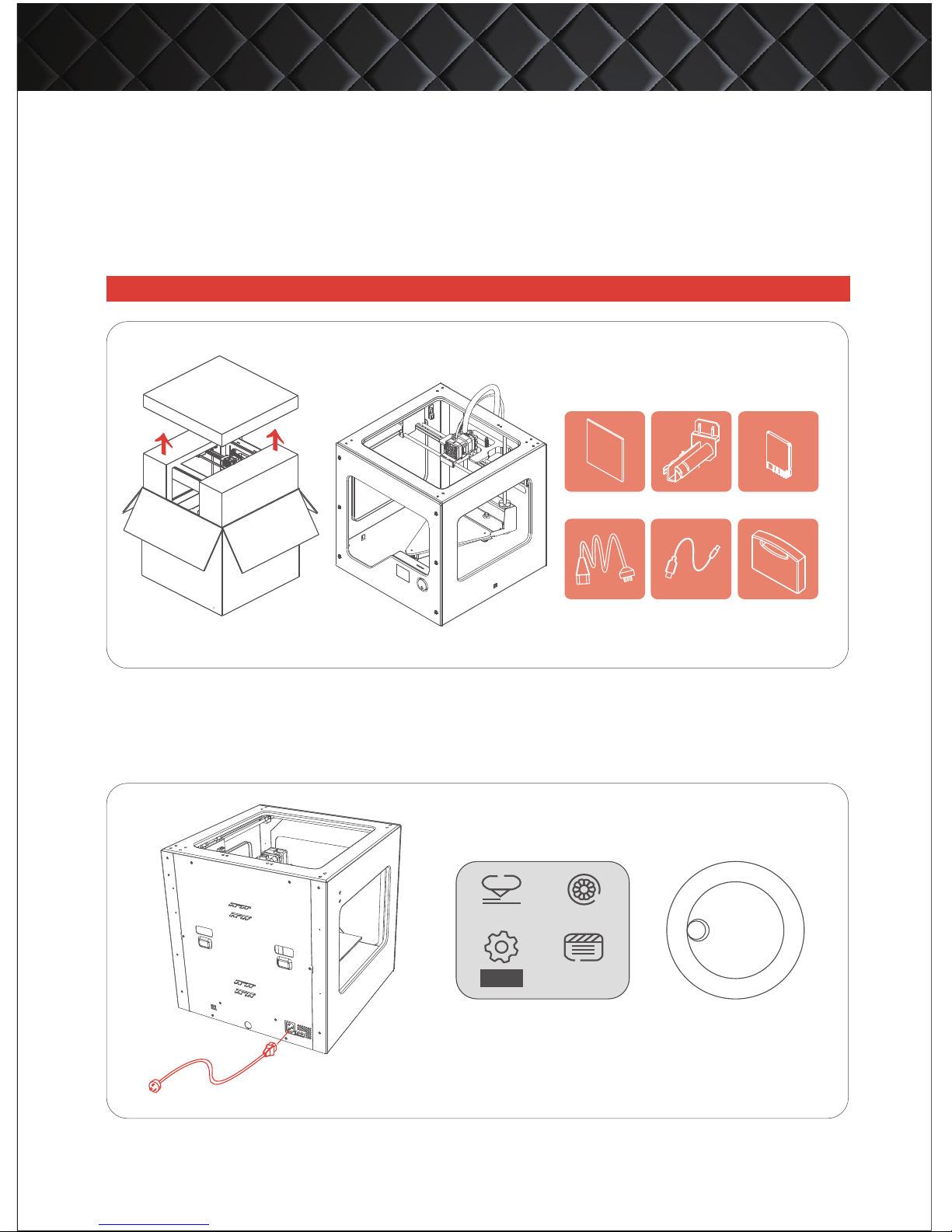
1. Place the box on the ground and open it up.
2. Slowly take MBot Grid II+ out of the box by grasping the upper frame with two hands. Place it
on a sturdy table.
3. Gently remove all the fixtures holding parts in place for transport. Be careful with scissors.
Plug the power cord into the power supply, and then turn on the switch located on the back of the machine.
●UNPACKING YOUR PRINTER
●TURN ON THE MACHINE
Download software and user manual from official website: http:www.mbot3d.com/software
Print bed
Spool holder SD card
*WHAT INCLUDED:
① ② ③
Power cord USB cable
Toolkit
④ ⑤ ⑥
BOOT MENU
Print
About
Filament
Setup
MBot Grid II+ 3D Printer QUICK START GUIDE
Page 3
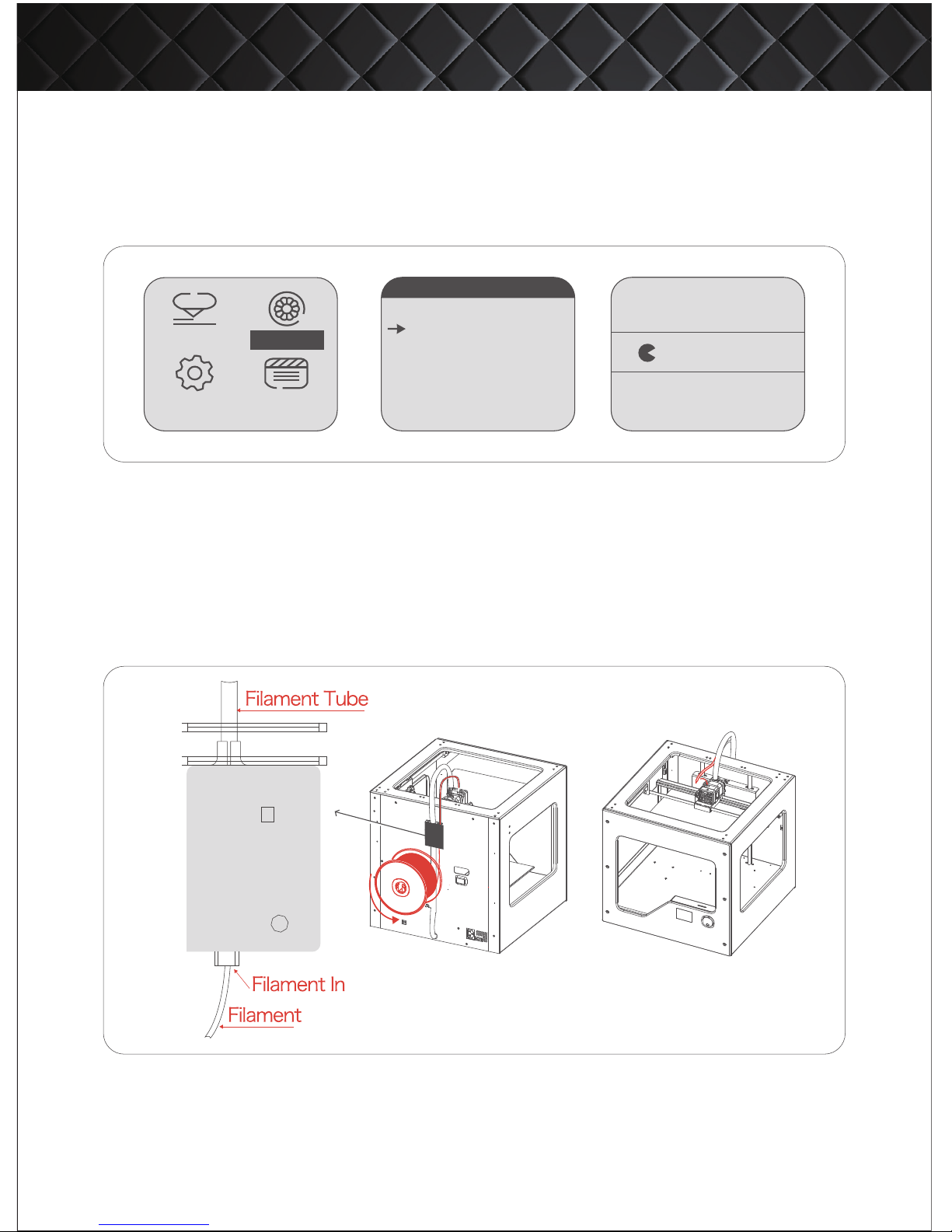
4. Tap the control knob to exit feeding and return to the main menu.
Print
About
Setup
MBot Grid II+ 3D Printer QUICK START GUIDE
1. Select [Change Filament] in main menu, and press the control knob to enter.
2. Turn the control knob to select [Feed] mode and press it to enter. Then the print head starts to heat up.
3. When the print head reaches the pre-set temperature, the machine gives notification tone, and the
screen prompts “Feeding”. Now load the filament through filament tube into the feeding hole, till the
print nozzle starts extruding material.
●LOADING FILAMENT
Filament
Preheat Heating...
032℃
Load
Unload
Exit menu
.................
LOAD FILAMENT
*NOTES:
To feed smoothly, please insert spool holder and filament spool into the square holder mount on the
back of the printer.
When restoring your machine to factory settings or replacing the motherboard, go to “Settings –General Settings” and turn on FILAMENT MONITOR (otherwise, X-axis does not move). Restart the printer
every time after changing the settings.
Filament
Page 4
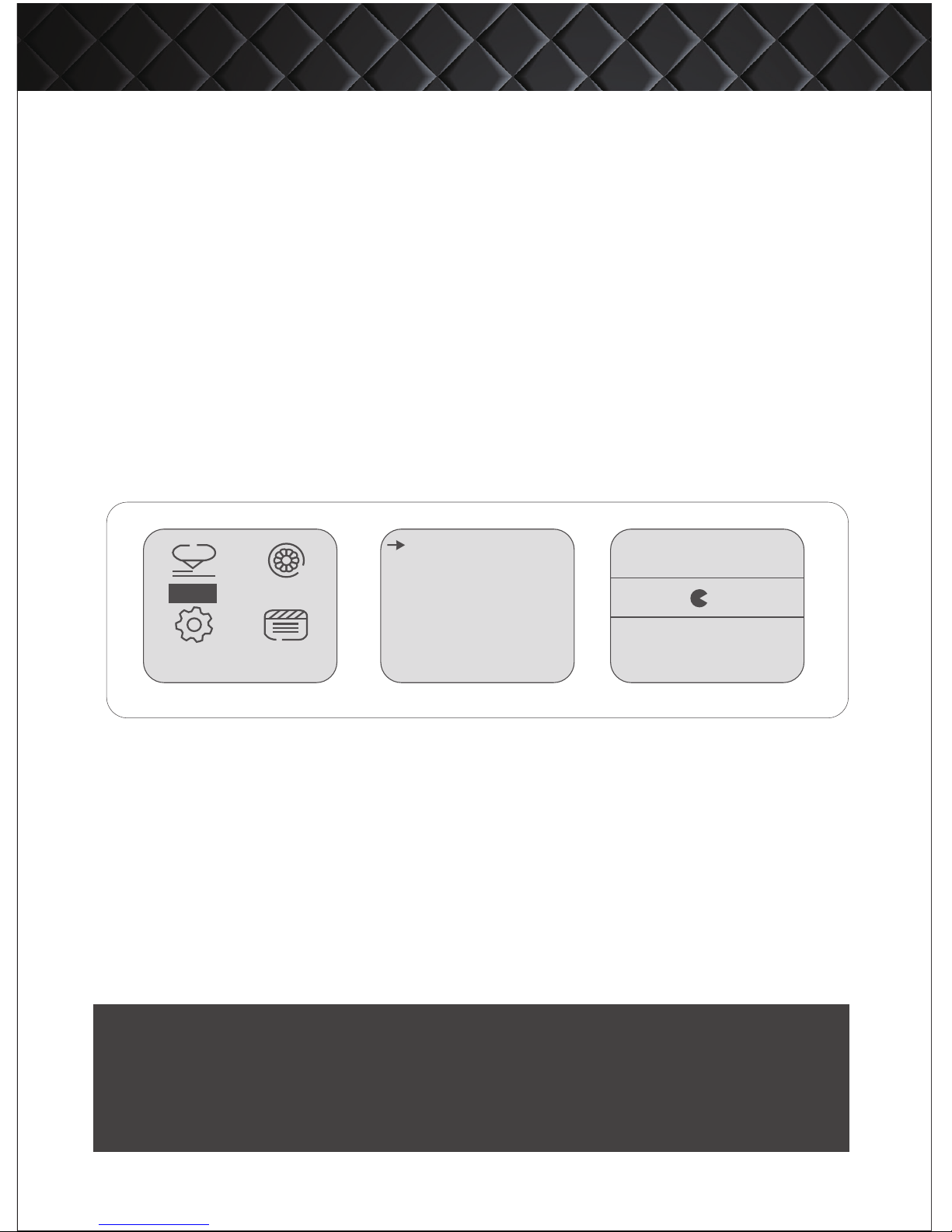
1. Use the slicing software MPrint to convert model (.stl) into the readable format
(.x3g) for the printer. Then copy the .x3g files to SD card, and insert it to corresponding
port on the machine.
2. Turn the control knob to select [Print] and press to enter. Use the control knob to
choose file and press to enter. Now your 3D printer is working.
3. During building, you can change printing temperature and speed, even pause or
cancel printing. Tap control knob, the menu lists these options. Use control knob to
select and enter.
1. Recommended ambient operation temperature: 25°C - 30°C.
2. Before building, make sure the build plate is fixed and clean.
3. Keep the machine away from any liquid. Or, it may get damaged.
4. The nozzle temperature is over 200°C when the printer is operating. Avoid touching.
5. ABS will produce a strong smell when building, so please keep ventilated.
6. Pause to change new filament when material is running out. You can even load filament during
building. Just remember DO NOT move the position of print head, otherwise the print will be destroyed.
●PRINT
*NOTES
tesst.x3g
MBot_testprint.x3g
test
Auto-leavel OFF
10:38
219/220℃
52%
MBot_Leuelling.x3g
lan.x3g
M-stand-g2.x3g
..........
MBot Grid II+ 3D Printer QUICK START GUIDE
About
Filament
Setup
Print
Address: 14th Floor,Block A,Huaye Building,511 Jianye Road,Binjiang District | Hangzhou, ZJ | 310052 | CHINA
Technical support email: [email protected]
Email: [email protected]
Thanks again for choosing MBot personal 3D printer!
http://www.mbot3d.com
 Loading...