

Page 1
USER GUIDE
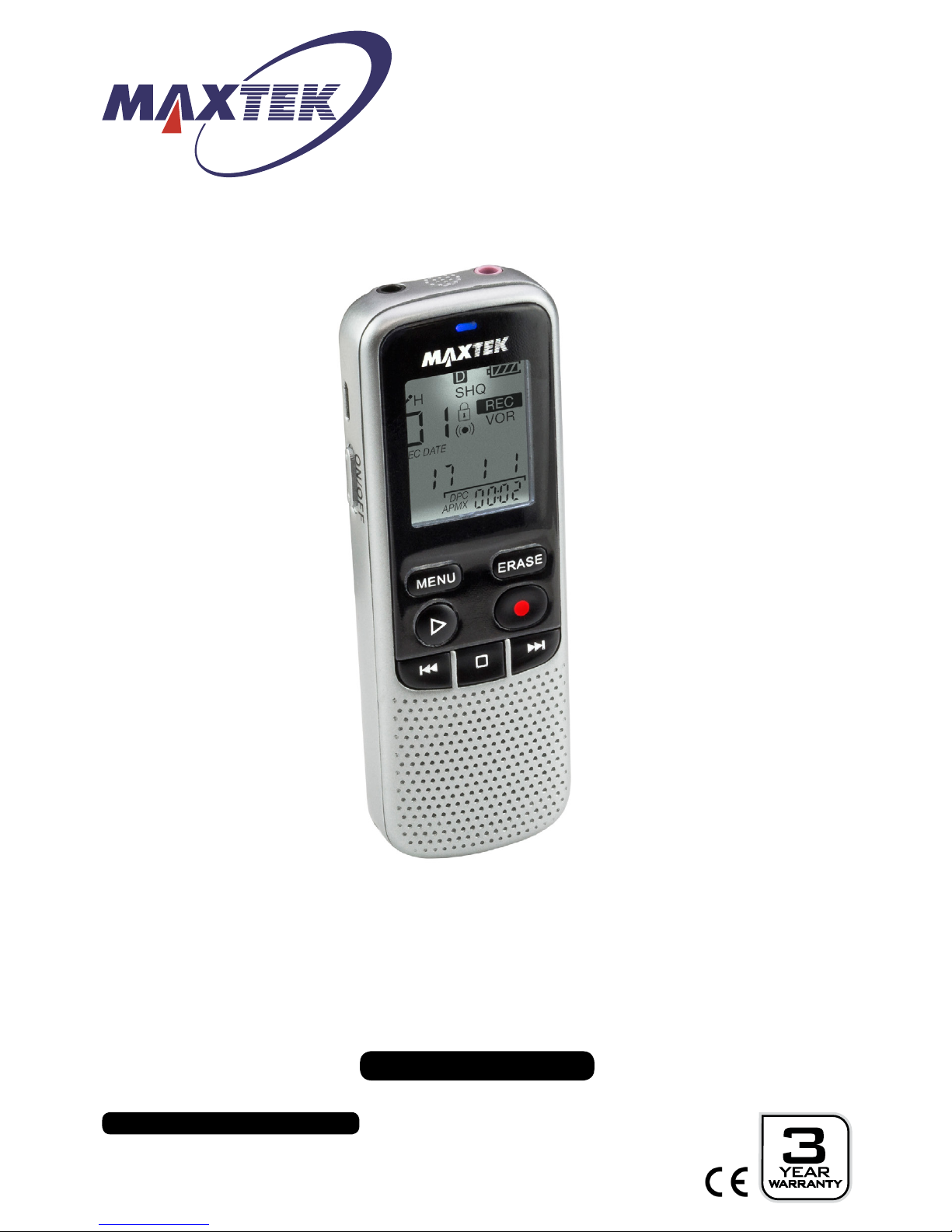
Dictaphone
MODEL NUMBER: 79007
After Sales Support
UK/N.IRELAND HELPLINE NO:
REP.IRELAND HELPLINE N
O
:
WEBSITE:
EMAIL:
01270 508538
1800 995 036
www.quesh.co.uk
Page 2

After Sales Support
UK/N.IRELAND HELPLINE NO:
REP.IRELAND HELPLINE N
O
:
WEBSITE:
EMAIL:
01270 508538
1800 995 036
www.quesh.co.uk
1.
2.
3.
4.
5.
6.
7-14.
14.
15.
Welcome Section
General Information & Safety Instructions
Contents & Features
Layout
Checking The Adaptor
• Adaptor Information
Charging
• Charging The Dictaphone
On/Off/Auto Off
• Turning On/Off
• Auto Off
Using The Dictaphone
• Recording
• Playback
• Deleting A File
• Locking/Unlocking A File
• Adjusting Volume
• Folder
• LED Screen Lighting
• Recording Type
• Microphone Sensitivity
• VOR
• Light
• Setting The Date And Time
• Media File Size
• Auto Off
• Reset
Headphones
• Connecting Headphones
Microphone
• Connecting A Microphone
Data Transfer
• Transfering Files
Specications
Contents
Page 3

Welcome Section
Congratulations!
You have made an excellent choice with the purchase of this quality
MAXTEK
®
product.
By doing so you now have the assurance and peace of mind which
comes from purchasing a product that has been manufactured to
the highest standards of performance and safety, supported by the
high quality standards of Quesh Ltd.
We want you to be completely satised with your purchase so this
MAXTEK® product is backed by a comprehensive manufacturer’s
3 year warranty and outstanding after sales service through our
dedicated helpline.
We hope you enjoy using this product for many years to come.
If you require technical support or in the unlikely event that your
purchase is faulty, please telephone our helpline for immediate
assistance. Faulty product claims made within the 3 year warranty
period will be repaired or replaced free of charge provided that you
have a satisfactory proof of purchase (keep your receipt safe).
This does not affect your statutory rights. However be aware that the
warranty will become null and void if the product is found to have
been deliberately damaged, misused and/or disassembled.
1
After Sales Support
UK/N.IRELAND HELPLINE NO:
REP.IRELAND HELPLINE N
O
:
WEBSITE:
EMAIL:
01270 508538
1800 995 036
www.quesh.co.uk
Page 4
After Sales Support
UK/N.IRELAND HELPLINE NO:
REP.IRELAND HELPLINE N
O
:
WEBSITE:
EMAIL:
01270 508538
1800 995 036
www.quesh.co.uk
2
General Information &
Safety Instructions
The full text of the EU declaration of conformity is available at: www.quesh.co.uk
This dictaphone is powered by a 300mAh rechargeable Li-Ion battery.
Do not dispose of batteries in your household waste.
Please contact your local authority for details on safe disposal.
• Never throw batteries into a re or expose to excessive heat sources.
• If batteries are swallowed, please seek immediate medical attention.
• Always ensure correct +/- battery polarity when installing batteries.
• Do not recharge non-rechargeable batteries.
Equipment, which is marked with the WEEE logo
(as shown on the left), should not be thrown away with your household waste.
Contact your local authority waste disposal department, as they will be able to
provide details of the recycling options available in your area.
Electrical and electronic equipment (WEEE) contains materials, parts and
substances, which can be dangerous to the environment and harmful to
human health if the waste of electrical and electronic equipment (WEEE) is not
disposed of correctly.
Equipment, which is marked with the WEEE logo
(as shown on the left), should not be thrown away with your household waste.
Contact your local authority waste disposal department, as they will be able to
provide details of the recycling options available in your area.
Battery Care
To get the best out of the battery, fully charge and use until at for the rst 5-6
times. Then use until at and fully charge at least once a month.
Prolonged storage without charge may cause damage to the battery and result in
poor to no charge. It is recommended you fully charge the battery every 6 months
for long term storage to keep the battery in good condition.
Page 5

3
After Sales Support
UK/N.IRELAND HELPLINE NO:
REP.IRELAND HELPLINE N
O
:
WEBSITE:
EMAIL:
01270 508538
1800 995 036
www.quesh.co.uk
Contents & Features
Contents
1 x Dictaphone
1 x Charge Cable
Features
• Up to 12 hours play time
• Variable sensitivity microphone
• External microphone port
• Music playback
• Multi audio storage folders
• Supports WAV and MP3 formats
• Mono 0.5W speaker
• 8GB internal memory
Page 6
After Sales Support
UK/N.IRELAND HELPLINE NO:
REP.IRELAND HELPLINE N
O
:
WEBSITE:
EMAIL:
01270 508538
1800 995 036
www.quesh.co.uk
4
Layout
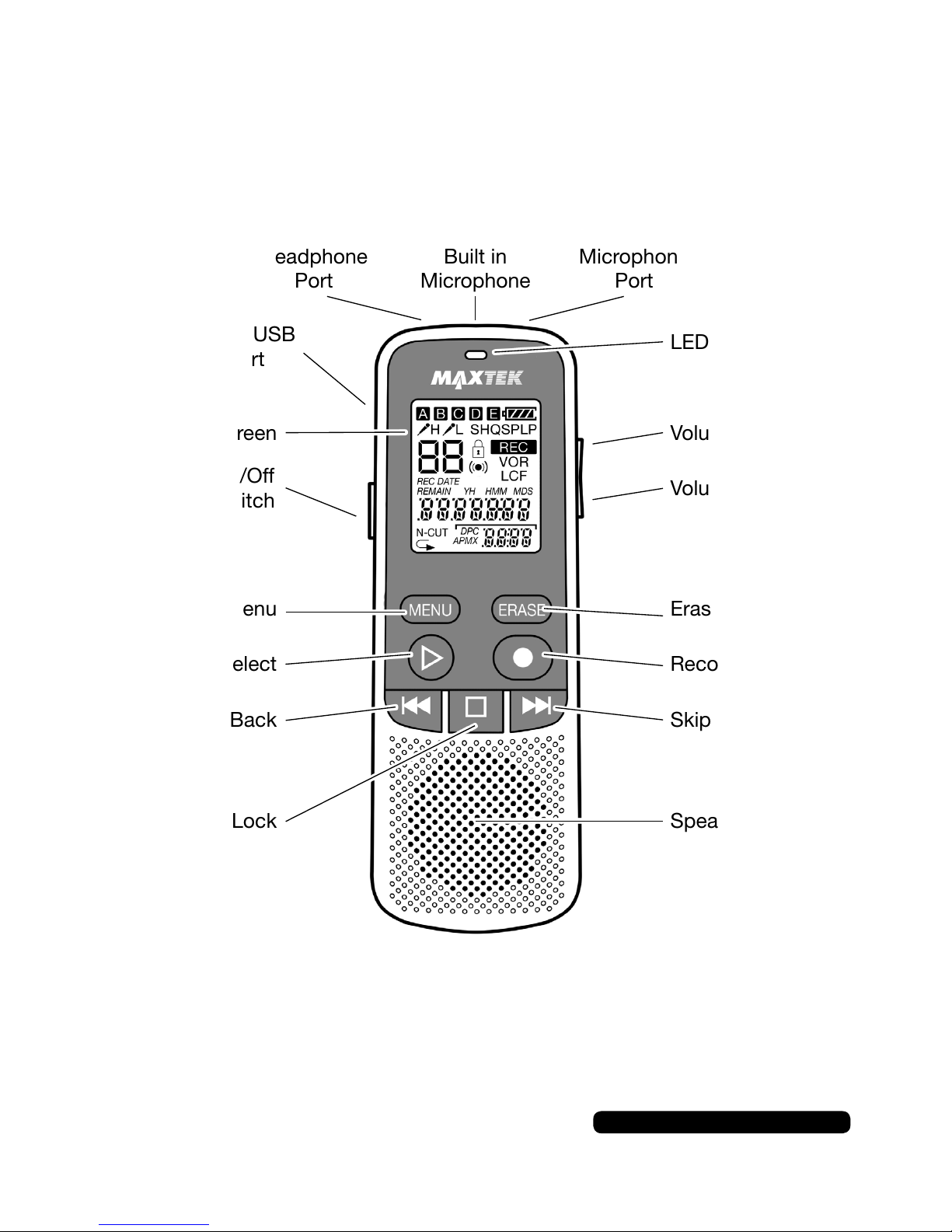
Built in
Microphone
Microphone
Port
Headphone
Port
LED
Volume +
Volume -
Erase
Record
Skip Forward
Menu
Play/Select
Skip Back
Stop/Lock Speaker
On/Off
Switch
LCD Screen
Micro USB
Port
Page 7
5
After Sales Support
UK/N.IRELAND HELPLINE NO:
REP.IRELAND HELPLINE N
O
:
WEBSITE:
EMAIL:
01270 508538
1800 995 036
www.quesh.co.uk
Checking The Adaptor
Adaptor Information
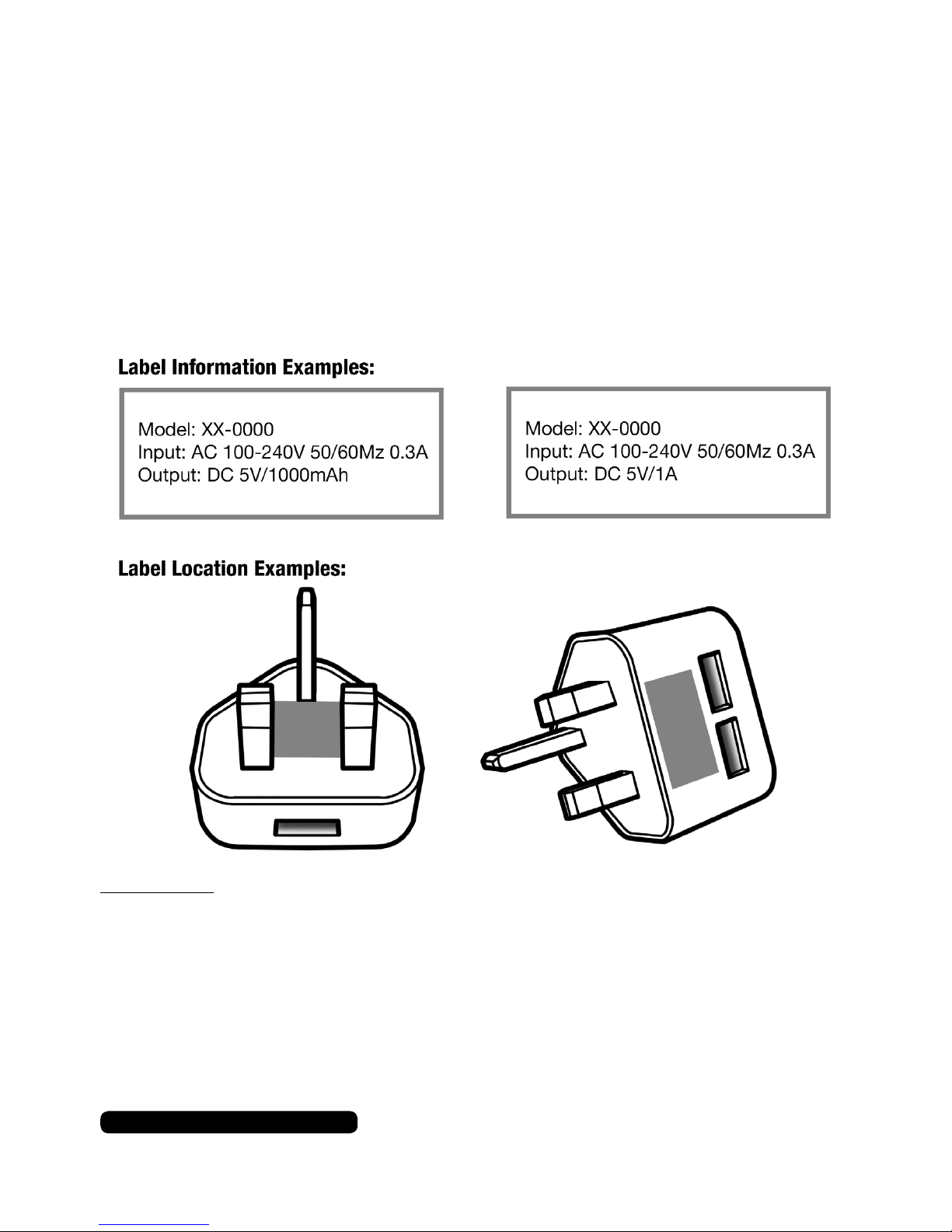
Before using a USB mains adaptor please check the “Output”
information on the plug face label.
For this device 5V/1A or 5V/1000mAh is the maximum output
required to charge the battery. Using a stronger output can damage
the battery and/or product.
Please note:
Tablets and some large smart phones use 2.1A or 2100mAh outputs and above
and these are not suitable for this product.
Page 8
After Sales Support
UK/N.IRELAND HELPLINE NO:
REP.IRELAND HELPLINE N
O
:
WEBSITE:
EMAIL:
01270 508538
1800 995 036
www.quesh.co.uk
6
Charging The Dictaphone
Connect the charge cable (supplied) to the micro USB port on the
dictaphone and the other end in to a PC, laptop or 5V/1A USB
mains adaptor.
Charging
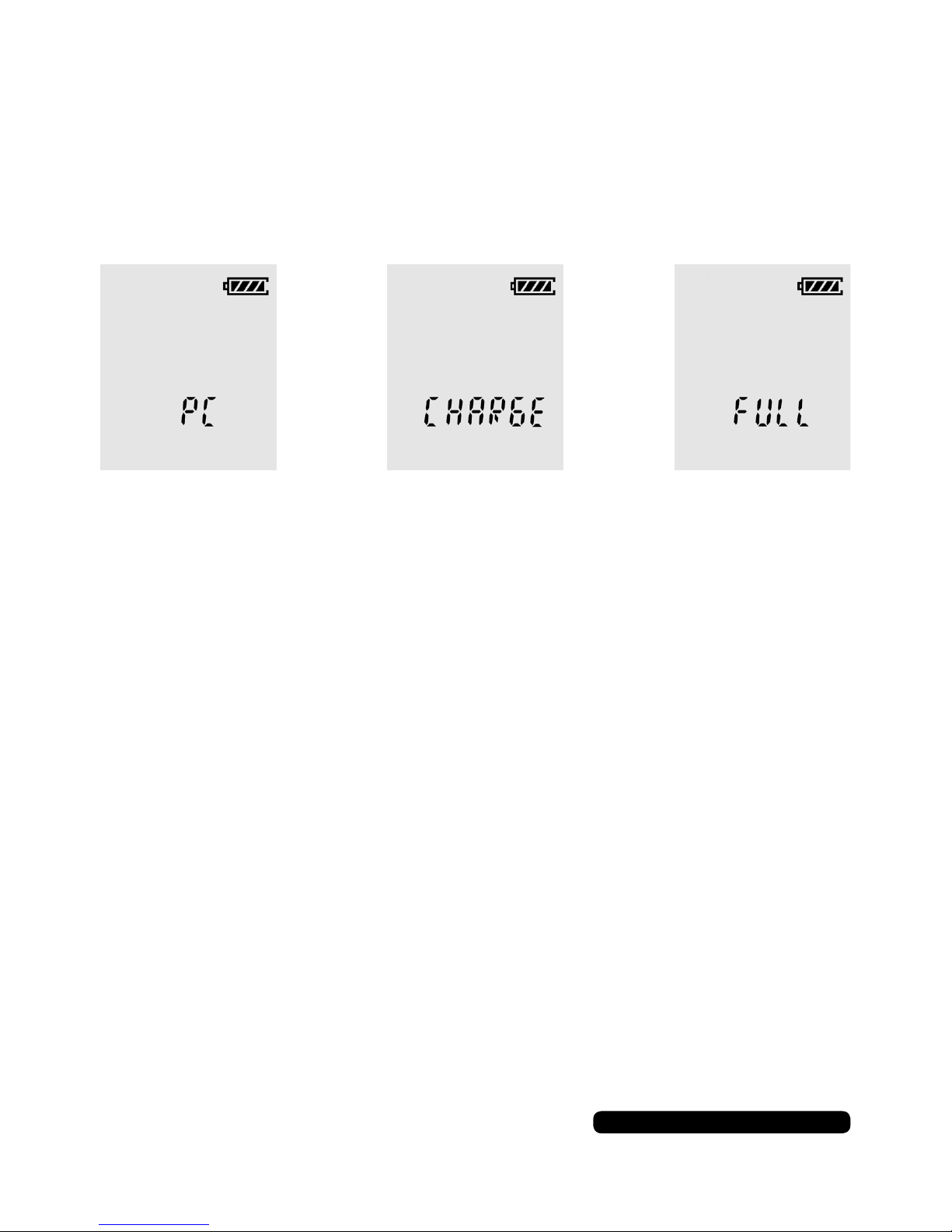
The LCD screen will display the type of connection used.
A full charge will take up to 2 hours approximately and the screen
will show ‘FULL’ when the charging cycle is complete.
You can charge the dictaphone while it is in use.
On/Off/Auto Off
Turning On/Off
Use the switch on the left hand side to turn the dictaphone on or
off.
Auto Off
The dictaphone will turn itself off if it is left on without being used.
Turn the dictaphone off and on to continue.
Page 9
7
After Sales Support
UK/N.IRELAND HELPLINE NO:
REP.IRELAND HELPLINE N
O
:
WEBSITE:
EMAIL:
01270 508538
1800 995 036
www.quesh.co.uk
Using The Dictaphone
Recording
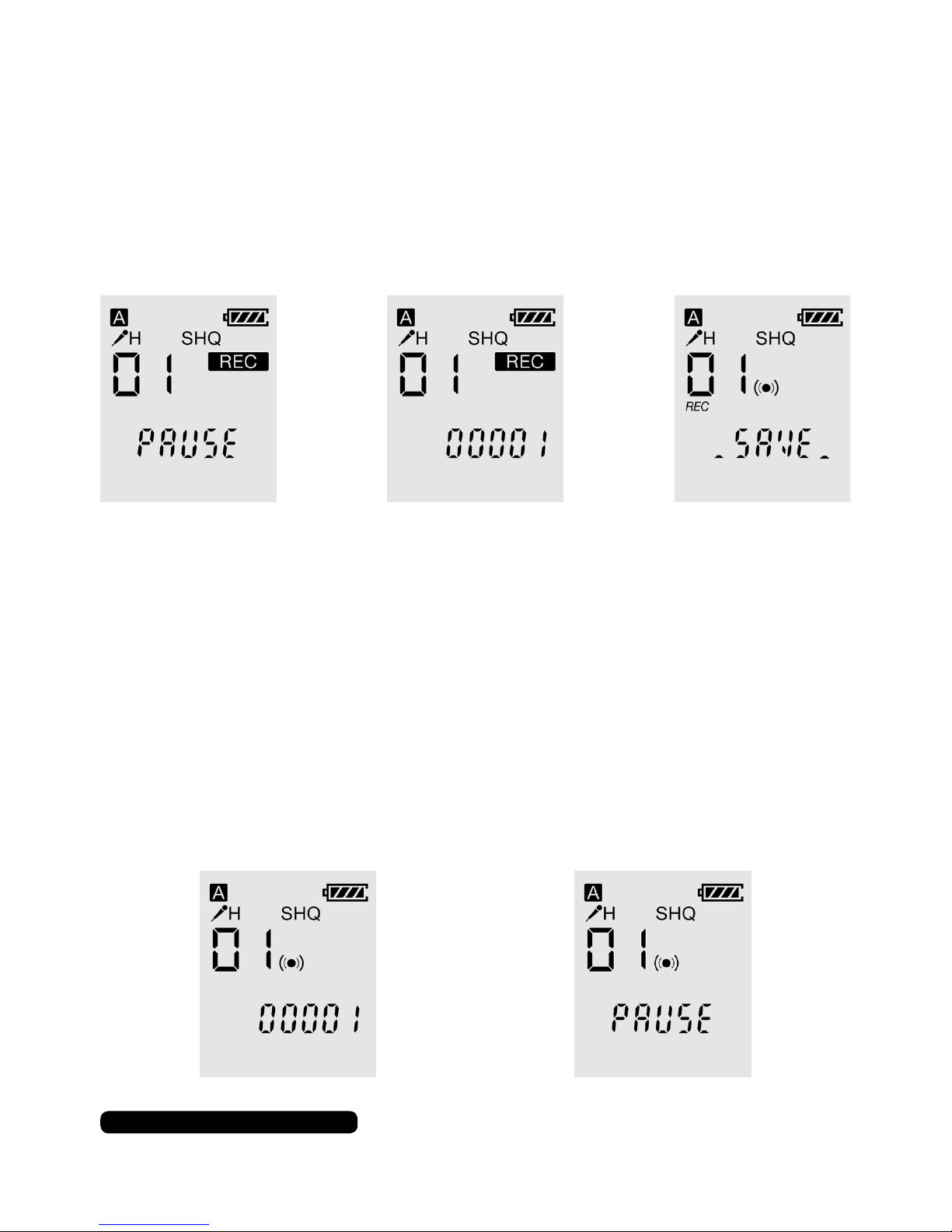
Once the dictaphone is turned on press the record button to
begin recording. The dictaphone will ash ‘pause’ for a few
seconds before recording. Press the record button to pause the
recording or press the stop button to stop and save the recording.
The LED will show red when the dictaphone is recording and the
LED will ash red when the recording is paused.
Playback
To play back a recorded le use the skip forward or back buttons to
cycle through the available les that have been previously recorded.
Press the play button to play the le back. Press the play button
again to pause the playback and again to unpause it.
The LED will show blue when the le is playing and the LED will
ash blue when the playback is paused.
Page 10
After Sales Support
UK/N.IRELAND HELPLINE NO:
REP.IRELAND HELPLINE N
O
:
WEBSITE:
EMAIL:
01270 508538
1800 995 036
www.quesh.co.uk
8
Using The Dictaphone
Deleting A File
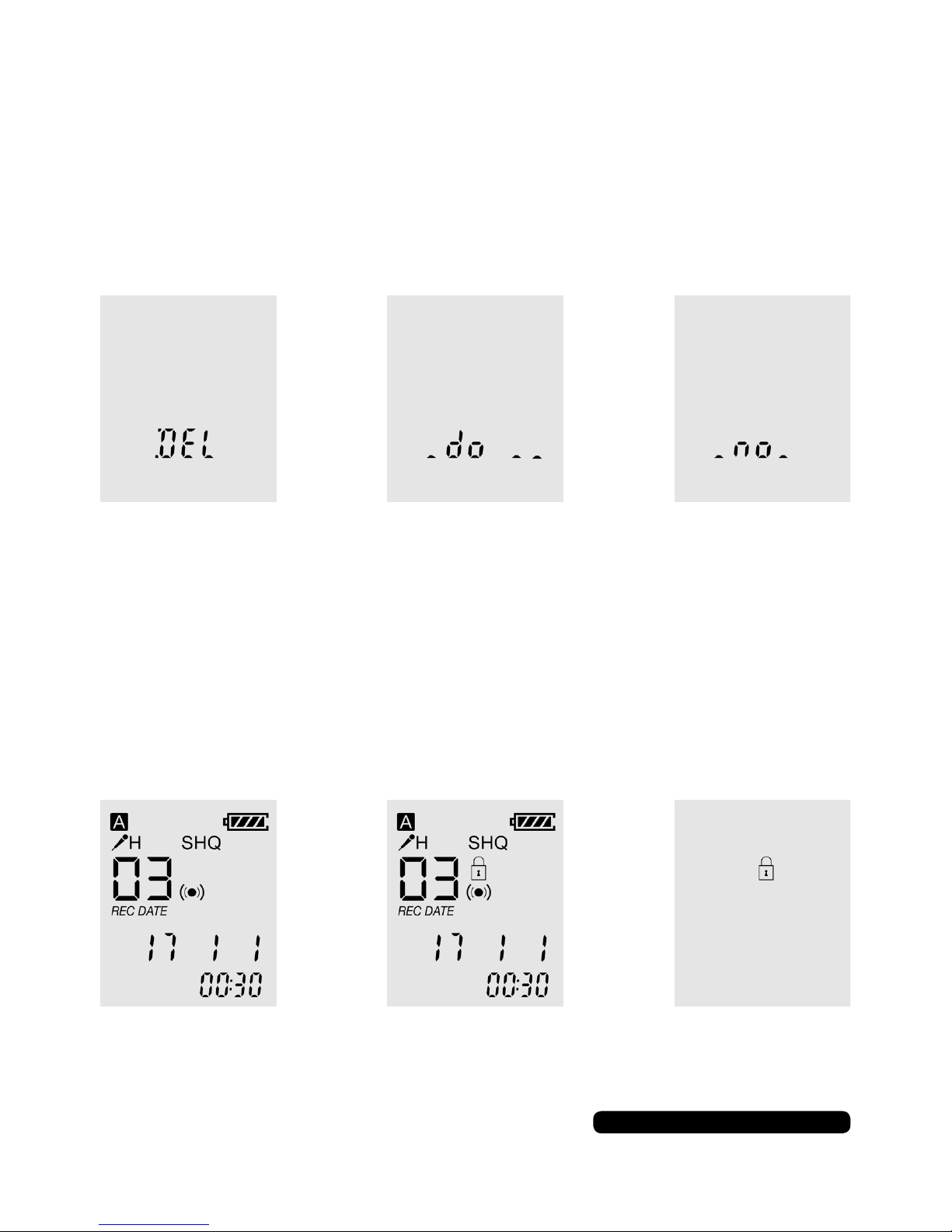
Use the skip forward and back buttons to cycle through the
recorded les. Press and hold the ‘ERASE’ until ‘DEL’ shows on the
screen and press ‘ERASE’ to conrm to delete the le or ‘MENU’ to
cancel.
Locking/Unlocking A File
After a le has been recorded press and hold the stop button to
lock or unlock a le. This will stop the le being deleted on the
dictaphone. Mass storage mode is not effected by this option.
Page 11
9
After Sales Support
UK/N.IRELAND HELPLINE NO:
REP.IRELAND HELPLINE N
O
:
WEBSITE:
EMAIL:
01270 508538
1800 995 036
www.quesh.co.uk
Settings
Folders
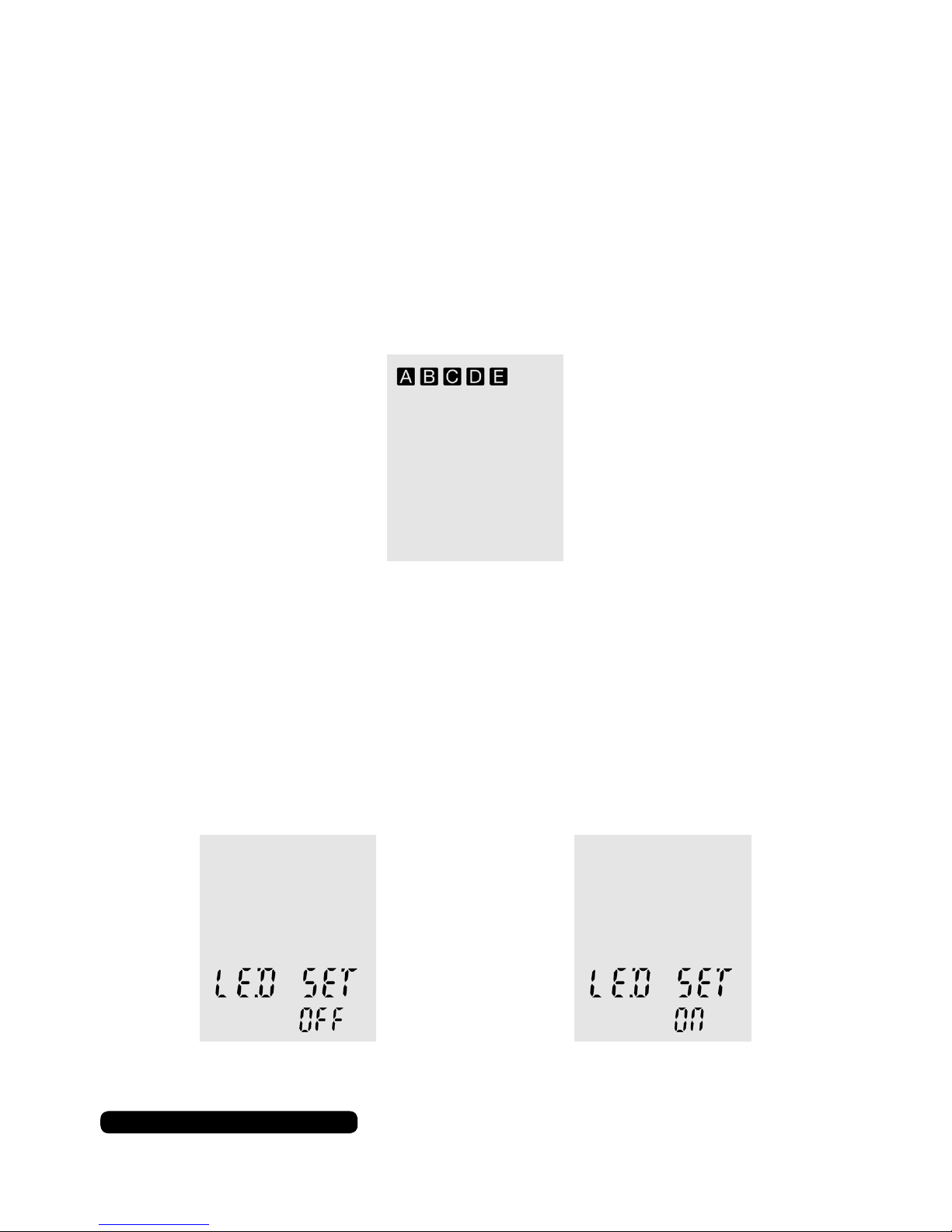
You can record to one of the ve separate les in the dictaphone.
The le selected is indicated by the square and letter icon.
Press and hold the ‘MENU’ button for 3 seconds to change the
folder in use. Folders A, B, C and D will only store and play ‘.WAV’
le. Folder ‘E’ will store and play both ‘.WAV’ and ‘.MP3’ les.
LED Screen Light
To turn on or off the LED light for the screen, press the menu button
so ‘LED SET’ appears on the screen. Use the skip forward or back
buttons to change the setting to ‘ON’ or ‘OFF.
Press stop to conrm you selection.
Adjusting The Volume
Use the ‘+’ or ‘-’ button on the right hand side to raise or lower the
playback volume on dictaphone.
Page 12
After Sales Support
UK/N.IRELAND HELPLINE NO:
REP.IRELAND HELPLINE N
O
:
WEBSITE:
EMAIL:
01270 508538
1800 995 036
www.quesh.co.uk
10
Settings
Recording Type
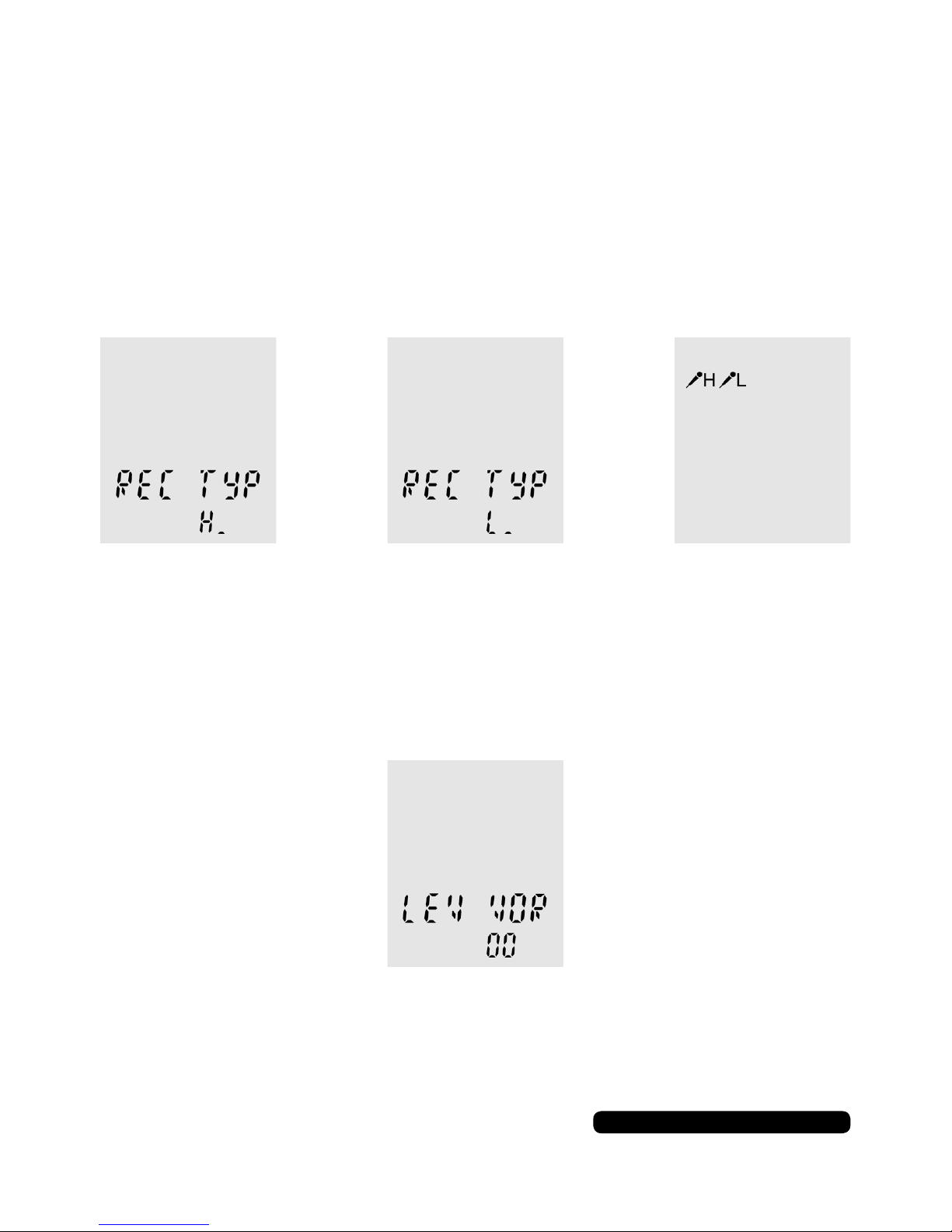
To change the sensitivity of the recording, repeatedly press the
menu button so ‘REC TYP’ appears on the screen. Use the skip
forward or back buttons to change the setting to ‘H’ for high for
recording at a distance or ‘L’ for low for recording at a personal
distance. Press the stop button to conrm the selection.
The microphone icon will change on the screen to indicate the
current setting in use.
Microphone Sensitivity
You can change the microphone’s sensitivity with the ‘LEV VOR’
option. repeatedly press the menu button so ‘LEV VOR’ appears on
the screen.
The sensitivity ranges from 00 to 30 in multiples of 3. Use the skip
forward or back buttons to change the value and press play to
conrm your selection. Press stop to go back.
Page 13
11
After Sales Support
UK/N.IRELAND HELPLINE NO:
REP.IRELAND HELPLINE N
O
:
WEBSITE:
EMAIL:
01270 508538
1800 995 036
www.quesh.co.uk
Settings
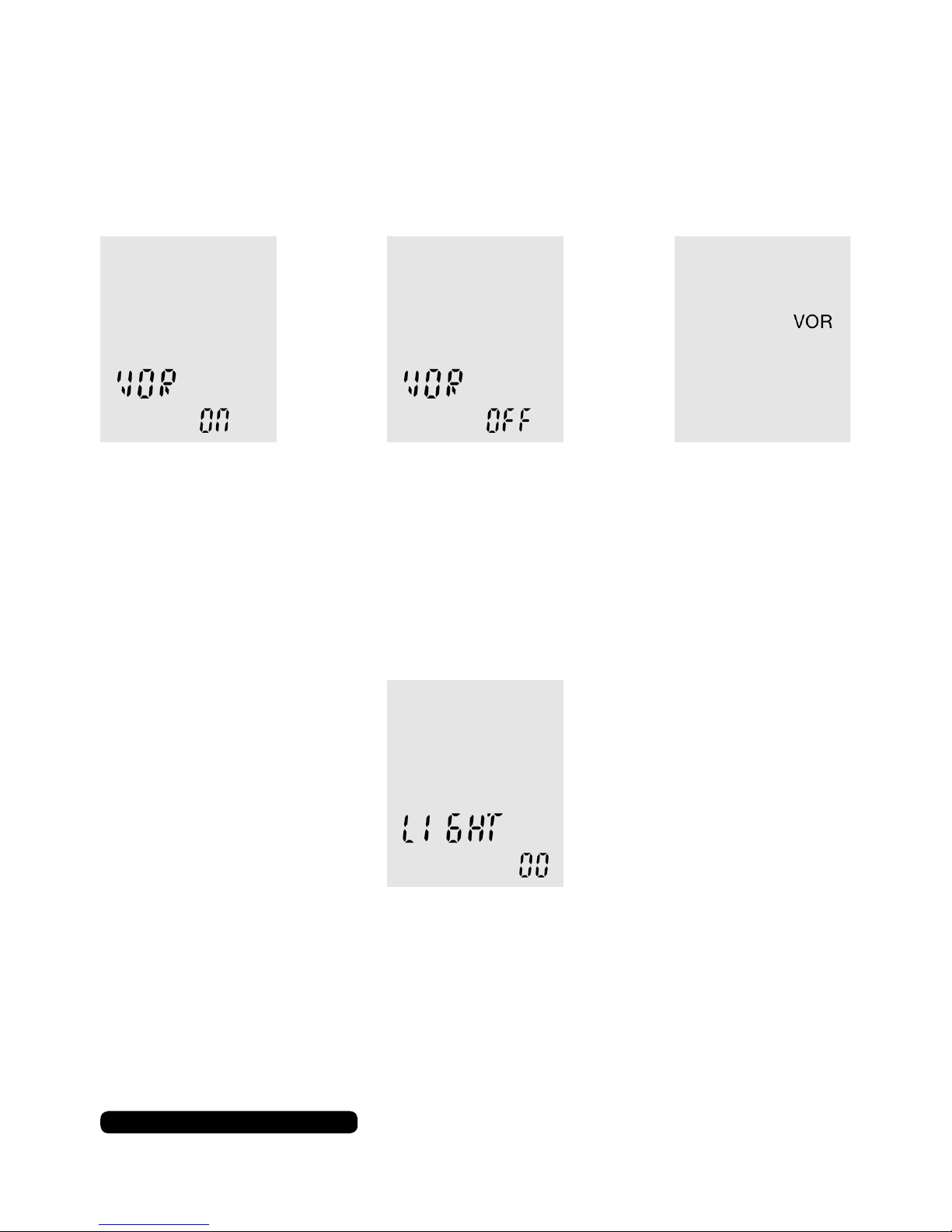
VOR (Voice Operating Recording)
This option will allow the dictaphone to automatically start
recording when the microphone detects sound.
Light
This option controls how long the dictaphone screen is illuminated
after it has been interacted with.
Use the skip forward or back buttons to turn on or off this feature.
Press play to conrm your selection and press stop to go back.
The light ranges from 00 to 30 in multiples of 5 seconds. Use the
skip forward or back buttons to change the value and press play to
conrm your selection. Press stop to go back.
Page 14
After Sales Support
UK/N.IRELAND HELPLINE NO:
REP.IRELAND HELPLINE N
O
:
WEBSITE:
EMAIL:
01270 508538
1800 995 036
www.quesh.co.uk
12
Settings
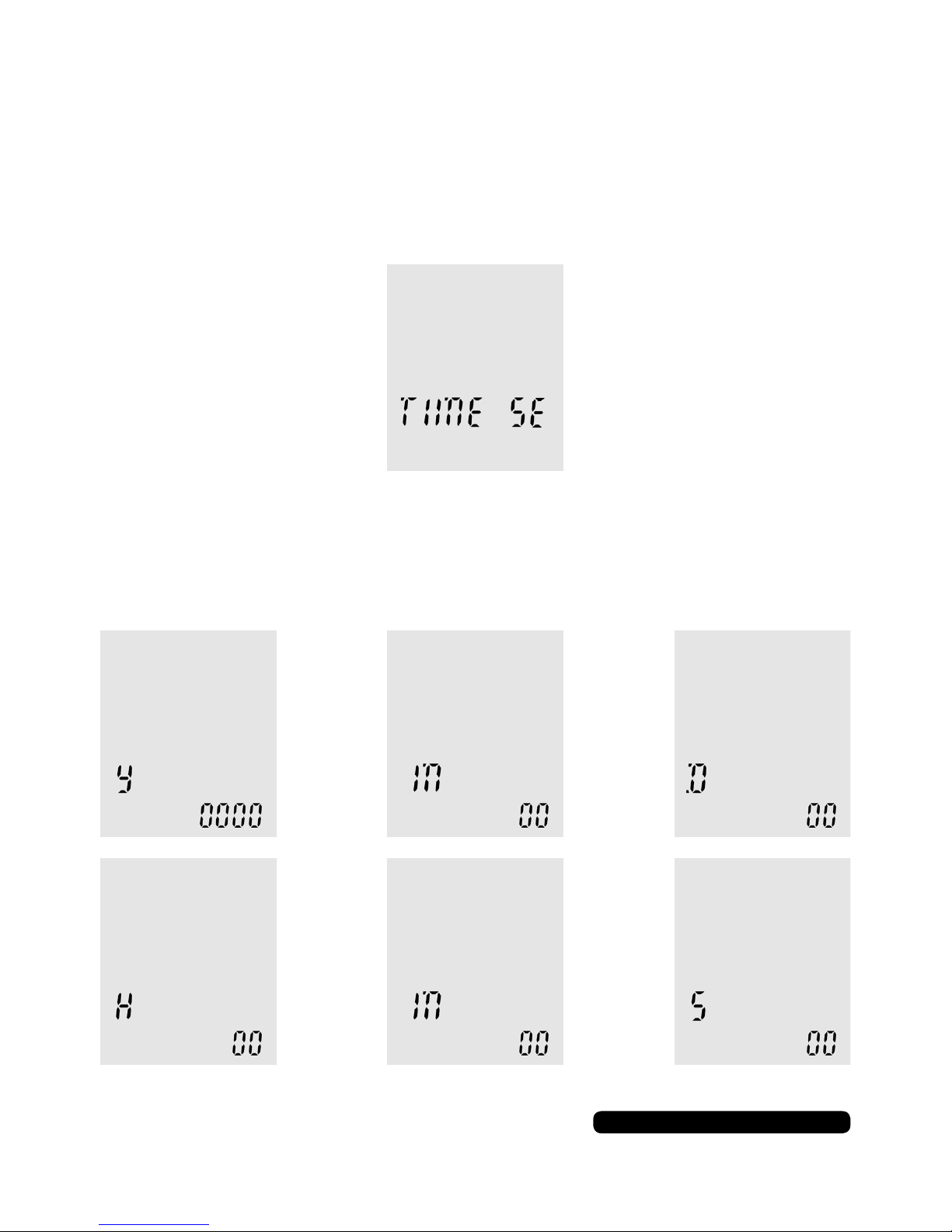
Setting The Date And Time
The next 7 screens are to do with setting the date and time. As you
cycle through the setting options with menu button, you will see
‘TIME SE’ this is the start of the settings.
The next 6 screens are options for the year, month and day, then
hours, minutes and seconds.
Use the skip forward or back buttons to change the value and
press play to conrm. Press ‘MENU’ to advance to the next screen.
> >
> >
(Year) (Month) (Day)
(Hours) (Minutes) (Seconds)
Page 15
13
After Sales Support
UK/N.IRELAND HELPLINE NO:
REP.IRELAND HELPLINE N
O
:
WEBSITE:
EMAIL:
01270 508538
1800 995 036
www.quesh.co.uk
Settings
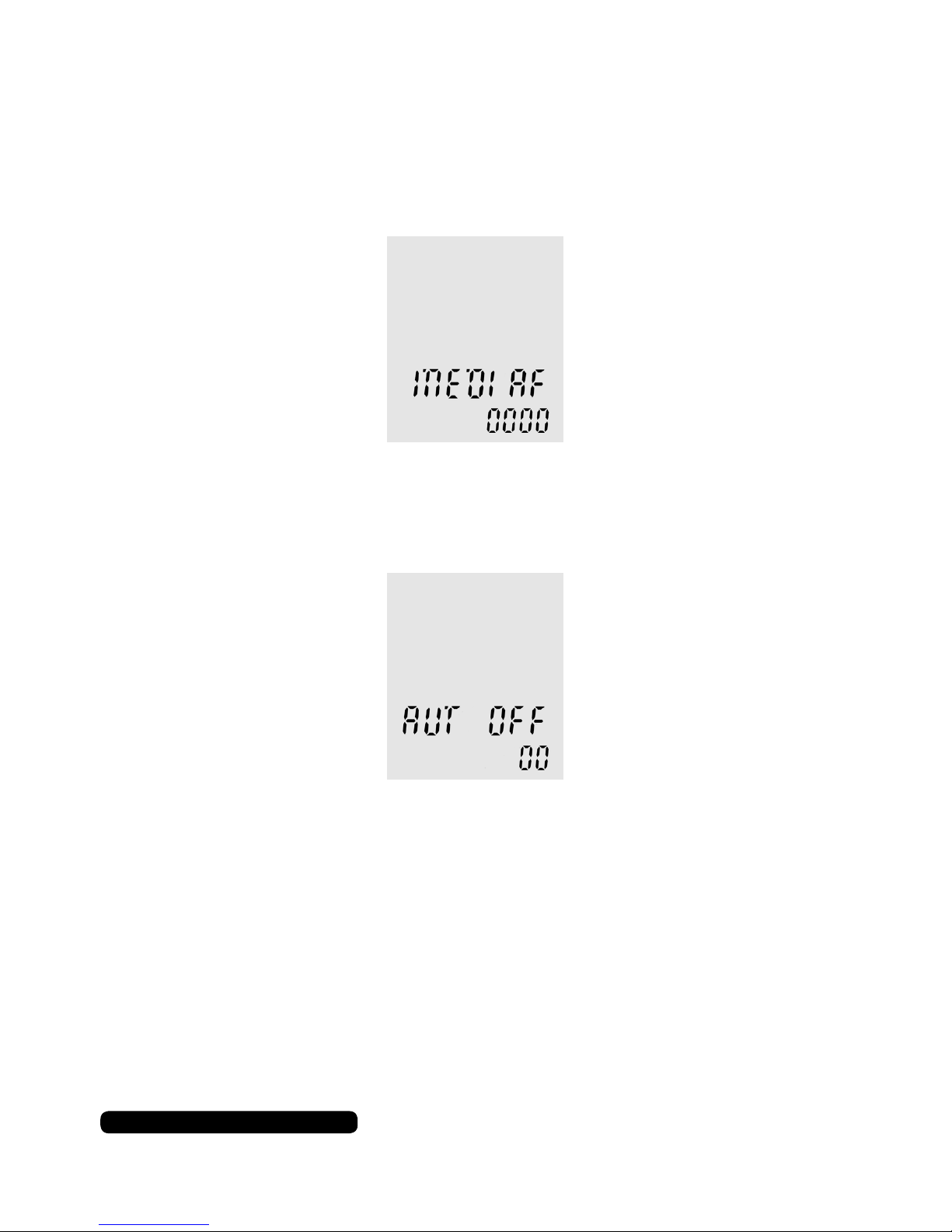
Media File Space
This screen will show the available storage space left on the
internal memory of the dictaphone in minutes.
Auto Off
This option will allow the dictaphone to turn itself off after a
predetermined time in minutes.
The light ranges from 00 to 30 in multiples of 5. Use the skip
forward or back buttons to change the value and press play to
conrm your selection. Press stop to go back.
Page 16
After Sales Support
UK/N.IRELAND HELPLINE NO:
REP.IRELAND HELPLINE N
O
:
WEBSITE:
EMAIL:
01270 508538
1800 995 036
www.quesh.co.uk
14
Settings
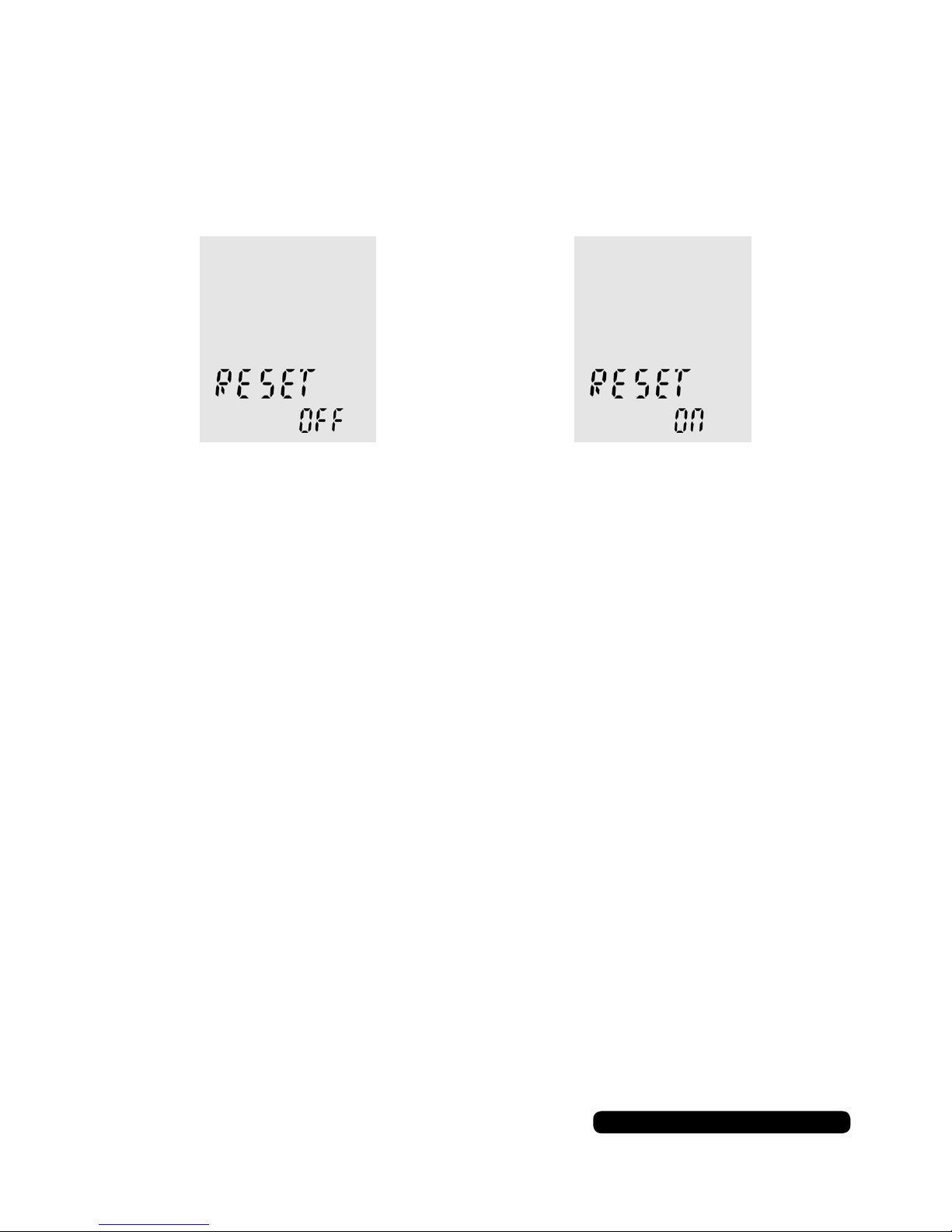
Reset
This option will restore the dictaphone to default settings.
Repeatedly press ‘MENU’ until ‘RESET’ appears on the screen.
Use the skip forward and back buttons to choose your option and
press play to conrm. Selecting ‘ON’ will return the dictaphone to
it’s default settings. Selecting ‘NO’ will cancel the action.
Headphones
Connecting Headphones (Not supplied)
You can use a standard set of headphones with a 3.5mm jack.
Insert them in to the headphone port on the top of the dictaphone.
The volume is controlled as normal with the volume buttons on the
side of the dictaphone.
Connecting A Microphone (Not supplied)
You can use a standard microphone with a 3.5mm jack.
Insert it in to the microphone port on the top of the dictaphone.
This will disable the internal microphone of the dictaphone while
the microphone is connected. You may need to adjust the
microphone settings within the dictaphone for the best results.
Microphones
Page 17

15
After Sales Support
UK/N.IRELAND HELPLINE NO:
REP.IRELAND HELPLINE N
O
:
WEBSITE:
EMAIL:
01270 508538
1800 995 036
www.quesh.co.uk
Specification
38mm x 114mm x 18mm
60g
Internal rechargeable Li-Ion
300mAh
Up to 12 Hours
Up to 45 Hours
5V/500mAh
5V/1000mAh (1A)
28mm
Mono
0.5W
95dB
8Ω
8GB (FAT32)
WAV, *MP3 (*folder ‘E’ only)
General
Size:
Approx. Weight:
Battery Type:
Battery Capacity:
Play Time:
Standby Time:
Minimum Charge Requirements:
Maximum Charge Requirements:
Speaker Size:
Speaker Channels:
Speaker Watts:
Maximum Speaker Output:
Impedance Load:
Internal Memory Size:
Supported File Format:
Smart LED Speaker Light
Data Transfer
Transferring Files
Connect a micro USB cable to the dictaphone and the other end to
a USB port on a Windows OS based PC or laptop.
Access as well as drag and drop les to and from the dictaphone
as you would a normal USB storage device through le explorer.
Please Note:
Folder ‘E’ is the only folder that will play back MP3’s.
Page 18
After Sales Support
UK/N.IRELAND HELPLINE NO:
REP.IRELAND HELPLINE N
O
:
WEBSITE:
EMAIL:
01270 508538
1800 995 036
www.quesh.co.uk
Warranty
This product is warranted to be free from defects in workmanship and parts for a period of 36 months
from the date of purchase. Defects that occur within this warranty period, under normal use and care,
will be repaired, replaced or refunded at our discretion, solely at our option with no charge for parts and
labour. The benets covered by this warranty are in addition to all rights and remedies in respect of the
product the consumer has under existing U.K. laws.
Proof of Purchase
This warranty is valid for the original purchase and is not transferable.
Please keep your purchase receipt as proof of purchase and as proof of the date of when the purchase
was made. The receipt must be presented with the warranty card when making a claim under this
warranty.
Service during the Warranty Period
Please ensure the product is properly packaged so as to ensure that no damage occurs in transit. Also
make sure that you have included a detailed explanation of the problem.
Extent of the Warranty
This warranty is limited to defects in workmanship or parts. All defective products or parts will be
repaired or replaced. This warranty does not extend to accessories.
Normal Wear and Tear
This warranty does not cover normal wear and tear of the product or parts.
Exclusions
This warranty does not cover the following:
• Any defect caused by accident, misuse, abuse, improper installation or operation, lack of reasonable
care, unauthorised modication, loss of parts, tampering or attempted repair by a person not
authorised by the distributor.
• Any product that has been damaged by lightning strike either directly or indirectly, or on a main’s
or vehicle outlet power surge or liquid ingress.
• Any product that has not been installed, operated or maintained in accordance with the
manufacturer’s operating instructions provided with the product.
• Any product that has been used for purposes other than domestic use.
• The product if it is located outside of the U.K. and Ireland
• Any damage caused by improper power input or improper cable connection.
This warranty does not affect your statutory rights.
Warranty Certificate
Page 19
After Sales Support
UK/N.IRELAND HELPLINE NO:
REP.IRELAND HELPLINE N
O
:
WEBSITE:
EMAIL:
01270 508538
1800 995 036
www.quesh.co.uk
Warranty Card
Dictaphone
Please keep your purchase receipt together with your warranty card
Fault Description:
Name:
Address:
Date of purchase:
Location of purchase:
We recommend that you attach a photocopy of your receipt, showing the date of purchase, to this
warranty card and keep it for your reference. In the event of a product fault, please call the After Sales
Support team. Please ensure that you have the product details (as shown on this card) to hand so that
the support team are able to respond as quickly and efciently as possible.
Model Number: 79007
Warranty Service Address:
QUESH LTD,
B7, FIRST BUSINESS PARK
FIRST AVENUE, CREWE, CHESHIRE.
CW1 6BG
Ofce Use:
Repaired Replaced Other
Page 20

 Loading...