

Page 1
I
I
A
Q
X
i
e
t
e
)
e
h
u
a
f
u
u
e
u
opow
a
g
w
e
o
d
E
K
L
e
c
a
x
t
o
c
i
n
f
e
U
e
R
e
G
/
T
c
h
s
w
a
y
fi
c
e
s
d
i
e
y
r
L
T
L
r
u
u
u
a
a
r
u
c
l
t
e
l
r
m
a
y
a
M
I
a
r
p
c
e
a
b
c
e
t
r
e
O
n
e
e
e
i
n
o
d
o
u
A
o
d
-
w
s
G
a
m
r
o
E
MA
IMUM
S IGNAL
5 B
ND WIR
UIC
LESS 4G
S
LTE CEL
AR
W
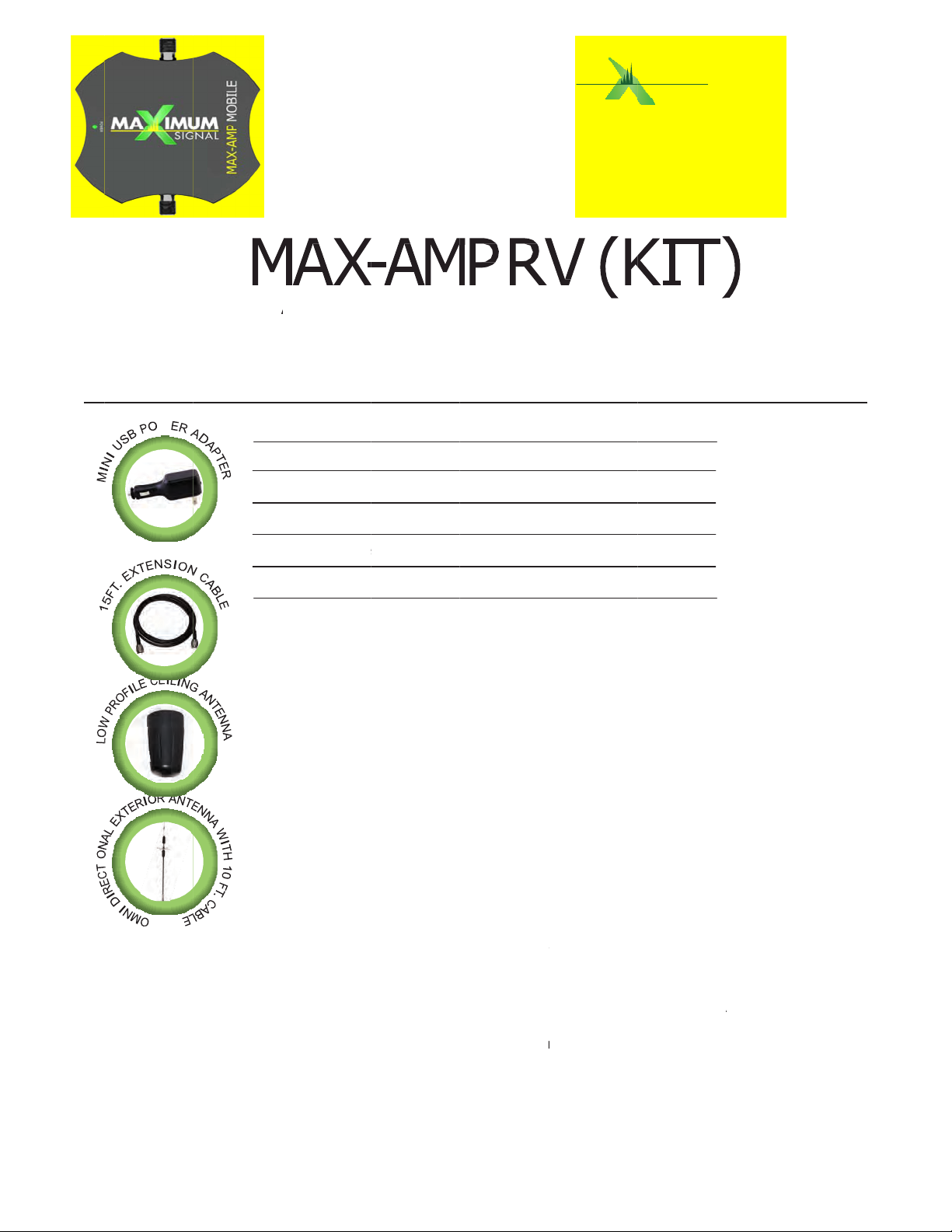
KIT
INCLUDES
MA
-AMP MOBI
Ceil
ng Antenna
Ext
rnal Antenn
:
E 5 Band W
with 10 ft.
a with 10 ft.
ireless 4G/
able
cable
LULAR A
GU
TE cellular
PLIFIER
DE
mplifier
15 f
. cable ext
Mini
1 R
2 Pl
(12
any
3 S
can
sig
4 R
5 B
5 A
ens
6 R
ant
to n
7 Pl
cell
the
8 If
5 B
plu
bet
USB Power
move all pa
ase note:
ft. Do not e
staples or o
lect a locati
reach your
t with a min
n the exter
nd Wireless
fix the low p
ing that the
n the cable
nna cable to
ot over tight
ug the Mini
lar amplifier
n/off switch
er and is op
you have a
nd Wireless
your power
een the ext
nsion
Adapter wit
kage conten
ntennas mu
tend cable
her items th
n on top of
ellular ampli
mum of ten
al omni dire
4G/LTE cell
rofile ceiling
cable from t
rom the ant
the cellular
n as doing
SB Power A
at the spot l
on the ampl
rational.
ED fault ind
4G/LTE cell
supply cable
rnal and int
4 ft. cable
ts.
t have a ho
hich will ca
t can punct
our RV ens
er and the
(10 inches)
tional anten
ular amplifie
antenna sec
he antenna
nna to amp
amplifier at
o may dama
apter in the
abeled “PWR
fier. The gre
cator light il
ular amplifie
from your a
rnal antenn
izontal sepa
se reduced
re thru the
ring the ext
ntenna has
bove any o
na cable to t
.
rely to the
an reach th
lifier. Hand
he connecto
ge the devic
MAX-AMP M
”. Insert into
n LED light
uminated o
, your anten
mplifier imm
s.
ation of a m
erformance
able.
rnal omni di
minimum o
structions.
he MAX-AMP
eiling pointi
amplifier.
ighten the l
labeled INT
thus voidin
BILE 5 Ban
your RV’s p
indicates yo
your MAX-
na are not l
diately, incr
nimum of t
. Do not use
rectional ant
f 180* line o
MOBILE RV
g down thu
w profile ceil
-ANT being c
g your warra
Wireless 4
wer source
r cellular a
MP MOBILE
cated prope
ease the sep
elve
enna
f
ing
areful
nty.
/LTE
nd push
plifier has
ly Unaration
9 R
connect the
on/
ff switch on
Ban
Wireless 4
power suppl
amplifier. Th
/LTE cellula
cable into
e green LED
amplifier h
our RV pow
light indicat
s power.
r source an
s your MAX
push the p
AMP MOBIL
wer
5
Page 2
H
nuseYouMUYouproWA
sautNo antNo antDo TheandVer
C
y
w
c
r
s
u
e
e
e
n
e
c
2
t
n
e
u
u
y
h
H
t
o
e
m
m
g
e
s
n
t
n
m
o
a
c
h
s
h
y
p
t
s
u
s
y
a
x
n
o
n
a
m
e
q
p
a
a
a
L
t
y
u
s
o
m
m
t
t
c
i
d
e
m
s
T
I S I S A
BE
FORE USE,
co
sent. Most
of this devi
O N S U M
ou MUST R
ireless provi
e on their n
E R D E V I
EGISTER T
ders consen
twork. If yo
C E
IS DEVICE
to the use
u are unsure
with your wi
f signal boo
, contact yo
reless provid
ters. Some
r provider.
er and have
roviders ma
your provide
not consen
r’s
to the
MUST ope
ST be instal
MUST cea
vider
RNING: E9
thi
device. Yo
hority to op
exterior ant
enna can be
Interior ant
enna can be
not plug the
use of any
will void yo
ify the powe
Sel
ect a locatio
ate this devi
led at least
e operating
11 location i
are caution
rate the equ
nna can be
located with
nna can be
located with
wireless am
power suppl
ur warranty.
r source you
to install t
e with appr
0cm (8 inch
his device i
formation
d that chan
ipment.
sed with thi
in thirty nin
sed with thi
in eight (8”)
plifier into a
other than
have chose
is amplifier,
ved antenn
s) from any
mediately if
ay not be pr
es or modifi
s amplifier t
(39”) inche
amplifier t
inches of an
y power sup
he one sup
can suppor
aking sure
s and cable
person.
requested b
vided or m
ations not e
at has a gai
of any pers
at has a gai
person.
ply until all
lied by Maxi
this amplifi
there is ade
as specified
the FCC or
y be inaccur
xpressly app
n of more th
on.
of more th
ntennas are
um Signal
r.
uate ventila
by the man
a licensed w
ate for calls
roved by the
n 3 dBi. No
n 3 dBi. No
connected t
LC may da
tion and no
facturer. An
ireless servi
erved by us
FCC will voi
external
internal
the amplifi
age your a
oisture pre
enna
e
ng
your
r.
plifier
ent.
 Loading...